CUBIC PACKAGE DESIGN PLATFORM

CUBIC PACKAGE DESIGN PLATFORM

다운로드: App Store
로고: CUBIC PACKAGE DESIGN PLATFORM

CUBIC 패키지 디자인 플랫폼: 손안의 전문가 수준 3D 패키지

AR로 디자인을 시각화하고, 채팅을 통해 이해 관계자와 협업하고, CAD 또는 3D 프린팅으로 내보내세요. 현대 디자이너와 전자 상거래 기업가를 위한 올인원 솔루션입니다.

다운로드: App Store

개발사

Kittipong Techapanichgul

카테고리

Graphics & Design

다운로드

2K+

사용자 평점

1.0/5

총 평가 수

0

지원 언어

1

3D 현실에서 디자인하기

이 인터페이스를 사용하는 2K+ 명의 사용자.

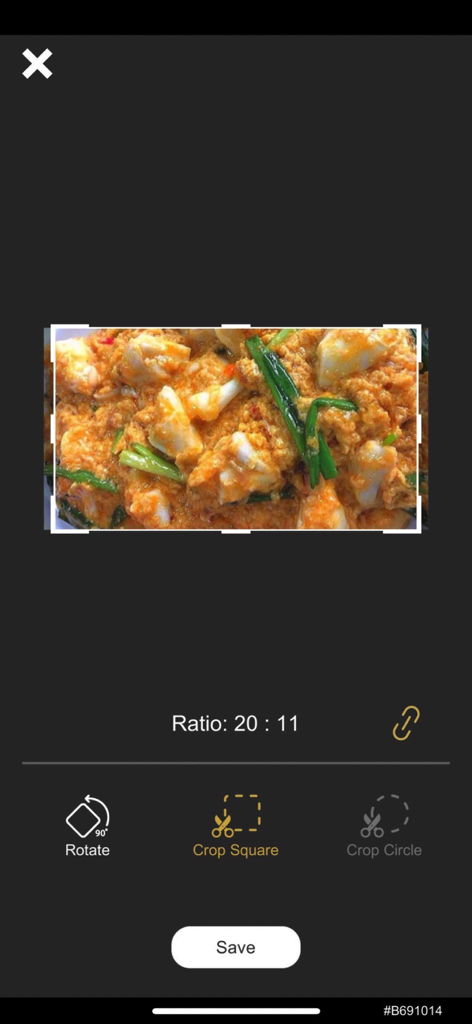
CUBIC 앱의 이미지 자르기 및 편집 인터페이스를 보여주는 스마트폰 화면으로, 회전 또는 정사각형으로 자르기 옵션이 있습니다.
CUBIC 앱의 이미지 자르기 및 편집 인터페이스를 보여주는 스마트폰 화면으로, 회전 또는 정사각형으로 자르기 옵션이 있습니다.

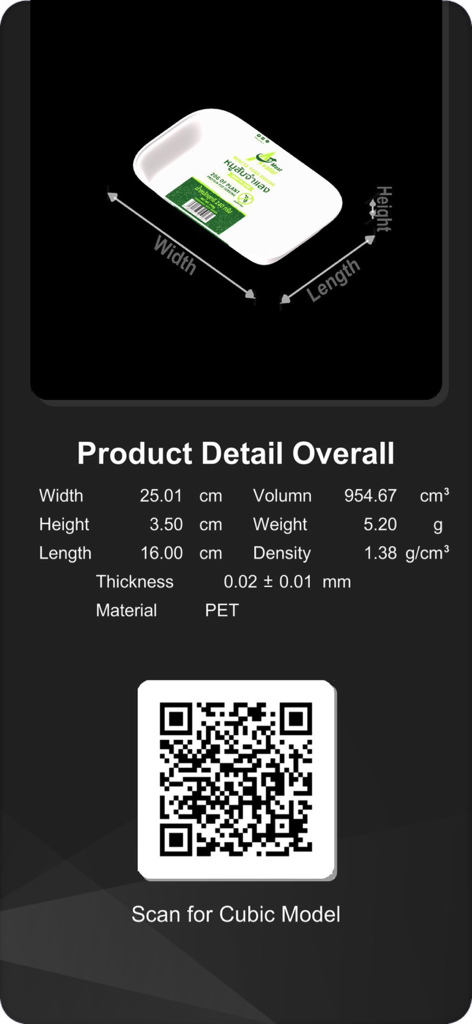
3D 패키지 모델 치수와 모델을 보기 위한 QR 코드를 보여주는 Cubic 앱 화면.
3D 패키지 모델 치수와 모델을 보기 위한 QR 코드를 보여주는 Cubic 앱 화면.

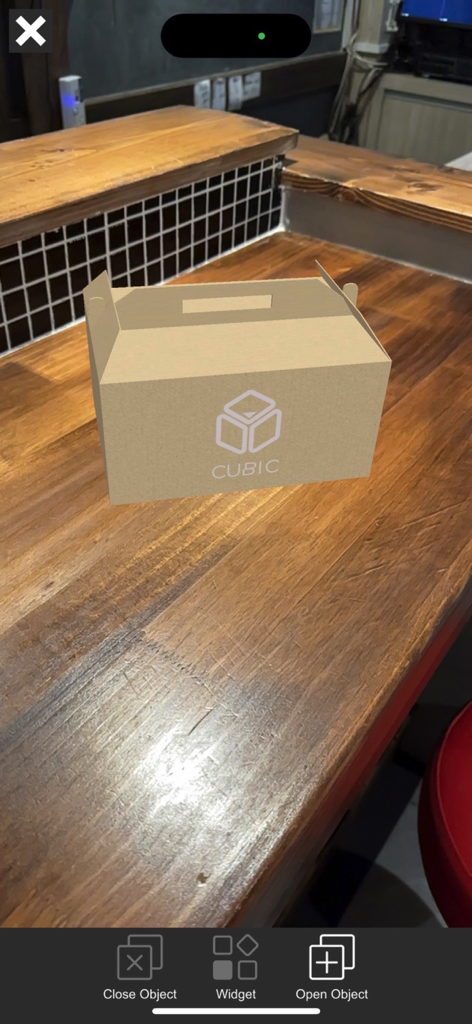
나무 카운터 위에 있는 골판지 상자 디자인의 AR 미리 보기
나무 카운터 위에 있는 골판지 상자 디자인의 AR 미리 보기

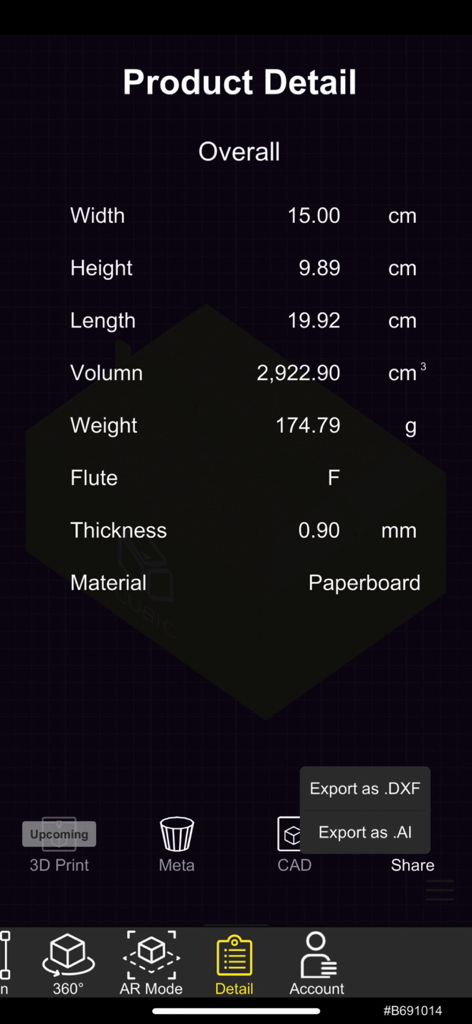
Cubic 앱 제품 상세 화면으로, 패키지 디자인의 치수, 부피, 재질과 같은 기술 사양이 표시됩니다.
Cubic 앱 제품 상세 화면으로, 패키지 디자인의 치수, 부피, 재질과 같은 기술 사양이 표시됩니다.

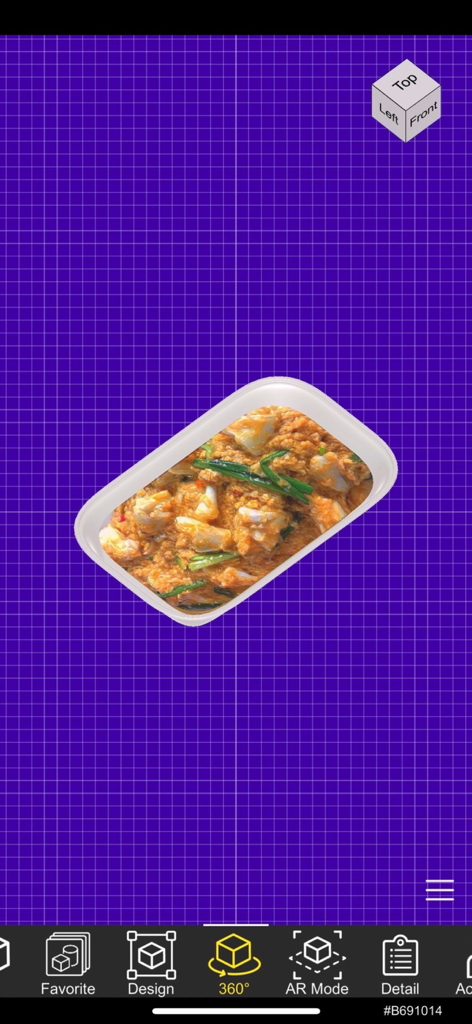
CUBIC 앱 인터페이스의 식품 용기 패키지 디자인 3D 모델
CUBIC 앱 인터페이스의 식품 용기 패키지 디자인 3D 모델

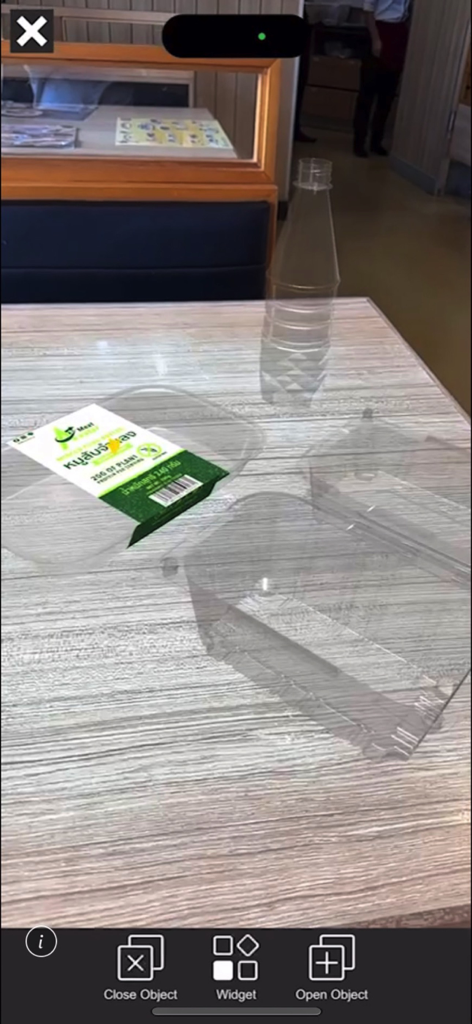
CUBIC 앱을 사용하여 테이블 위의 3D 패키지 디자인의 증강 현실 보기
CUBIC 앱을 사용하여 테이블 위의 3D 패키지 디자인의 증강 현실 보기

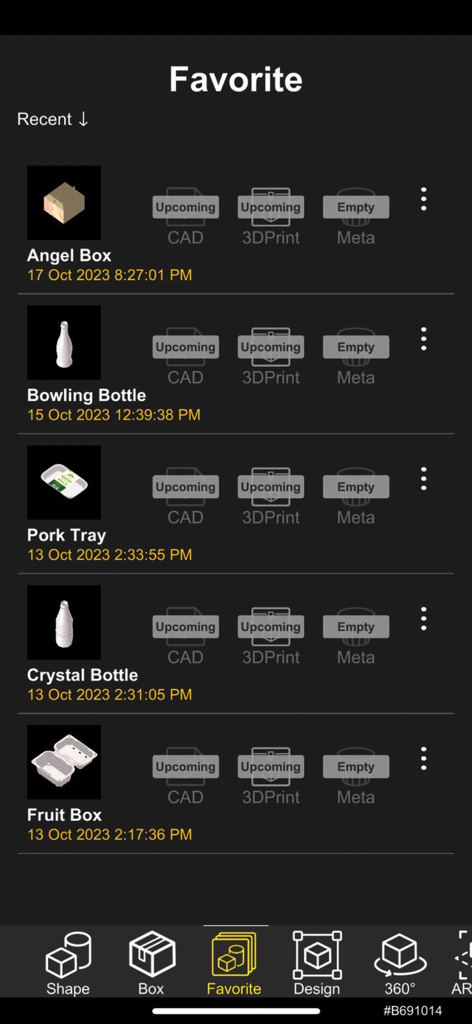
CUBIC 앱 인터페이스 내 즐겨찾는 3D 패키지 디자인 목록
CUBIC 앱 인터페이스 내 즐겨찾는 3D 패키지 디자인 목록

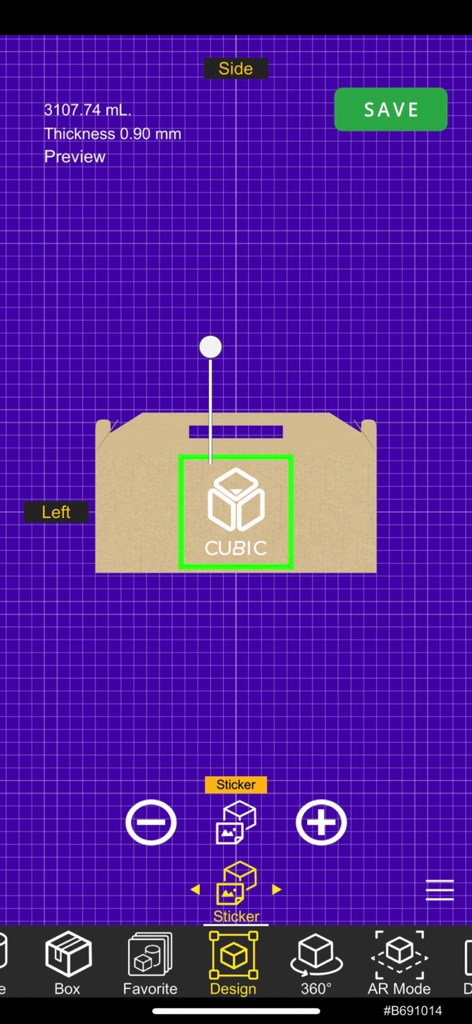
골판지 상자 디자인에 CUBIC 로고 스티커를 배치하는 것을 보여주는 모바일 앱 인터페이스
골판지 상자 디자인에 CUBIC 로고 스티커를 배치하는 것을 보여주는 모바일 앱 인터페이스

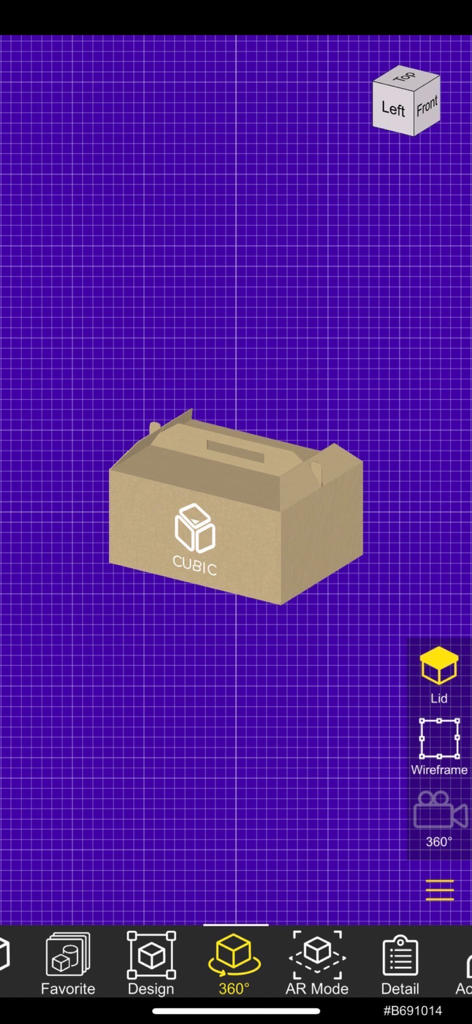
CUBIC 패키지 디자인 앱의 360도 보기 모드에 있는 3D 골판지 상자 모델
CUBIC 패키지 디자인 앱의 360도 보기 모드에 있는 3D 골판지 상자 모델

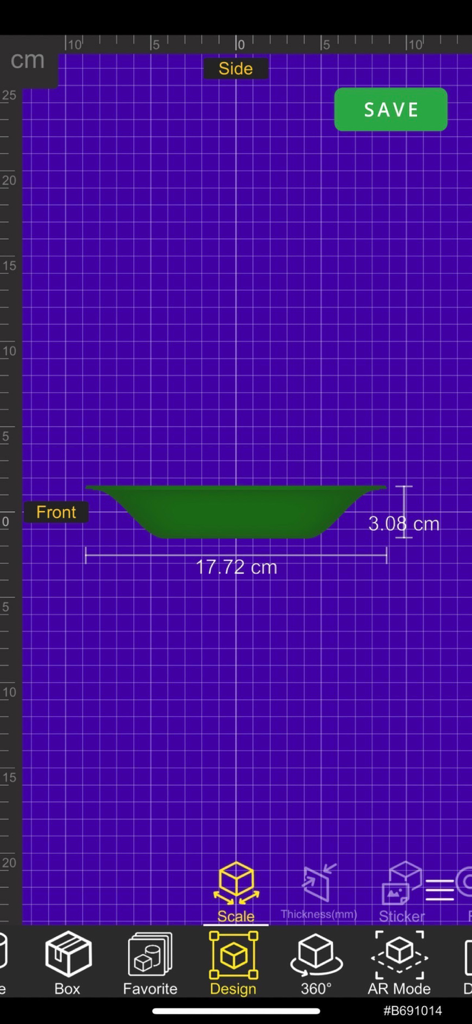
녹색 용기 디자인의 측면 프로필과 측정값을 보여주는 모바일 인터페이스

녹색 용기 디자인의 측면 프로필과 측정값을 보여주는 모바일 인터페이스

패키지 워크플로우를 혁신하세요

이 앱을 돋보이게 하는 도구, 2K+ 명의 사용자가 선택.

📱

즉각적인 AR 시각화

시제품 제작에 비용을 들이기 전에 AR을 사용하여 디자인을 실제 제품에 가상으로 배치하여 크기와 미적 감각을 비교하세요.

한 손으로 전문가 수준의 디자인

기본 도형을 선택하고 갤러리에서 직접 라벨을 업로드하여 CAD 기술 없이도 몇 초 만에 고급 3D 모델을 만드세요.

🤝

원활한 이해관계자 동기화

좋아하는 채팅 앱을 통해 3D 디자인을 공유하고 실시간으로 시각적 피드백을 교환하여 전체 팀이 같은 페이지에 있도록 하세요.

앱 소개

에 대해 알아야 할 모든 것 CUBIC PACKAGE DESIGN PLATFORM.

설명

What is the CUBIC Platform? CUBIC is an all-in-one packaging design platform that helps everyone to professionally ideate creative packaging designs at a fingertip. Along with packaging labels uploaded instantly from the photo gallery or the Web, everyone can visualize a three-dimensional packaging design with labels in the real world through the AR display mode. The AR display mode allows packaging design stakeholders to virtually compare and contrast between the digital design and the physical product side by side. To empower collaboration and increase productivity in the design process, custom packaging designs created with the CUBIC app can be shared among all stakeholders involved in the packaging design process via favorite chat apps (such as Line and Messenger) at once. The CUBIC app also enables everyone to exchange feedback visually and modify the packaging designs right on their smartphones so everyone is at the same pace and speaks the same language. The final packaging designs can be stored in the app gallery or exported to compatible virtual worlds in the metaverse, to CAD-compatible software for subsequent design modification and customization and to proprietary three-dimensional printing service for rapid prototyping. With all that, CUBIC app is the only app you need for your packaging design projects. The platform that is crafted by packaging designers, for creative packaging creators. Highlighted Benefits : - Ideate Your Packaging Designs with One Hand - Select Basic Packaging Shapes with Custom Labeling - AR Mode vs. Physical Product Comparison (Side-by-side Comparison) - Competitor Packaging Comparison (Side-by-side Comparison) - Integration with Metaverse - CAD Model Conversion & CAD Software Compatibility - Rapid Prototyping Service with 3D Printing Service Privacy policy: https://www.cubix.co.th/privacypolicy Terms and Conditions: https://www.cubix.co.th/eula

최신 버전

1.1.27

크기

402.3 MB

출시일

2022년 12월 29일

패키지를 즉시 생생하게 구현하세요

차세대 디자이너 및 기업가와 함께하세요. 지금 CUBIC을 다운로드하여 AR에서 3D 패키지 디자인을 시각화, 협업 및 프로토타이핑하세요.

다운로드: App Store

App information, icons, screenshots, and descriptions displayed on this page are sourced from the Apple App Store and are the property of their respective developers. Download estimates and rankings are based on MWM's proprietary models and may not reflect actual figures. This page is provided for informational and analytical purposes only.

Believe this page infringes your intellectual property? File a dispute