Cursor AI Mobile - Remote IDE

Cursor AI Mobile - Remote IDE

다운로드: App Store
로고: Cursor AI Mobile - Remote IDE

Cursor AI Mobile: 어디서든 Cursor IDE를 명령하세요

영감과 구현 사이의 격차를 해소하세요. AI 프롬프트를 Mac으로 안전하게 보내고, 프로젝트 컨텍스트를 실시간으로 동기화하고, GPT-5 및 Claude 4.5와 같은 모델을 활용하여 이동 중에도 코딩 워크플로우를 계속하세요.

개발사

Andrei Ramaniuk

카테고리

Developer Tools

다운로드

1K+

사용자 평점

3.4/5

총 평가 수

0

지원 언어

1

주머니 속의 제어 센터

이 인터페이스를 사용하는 1K+ 명의 사용자.

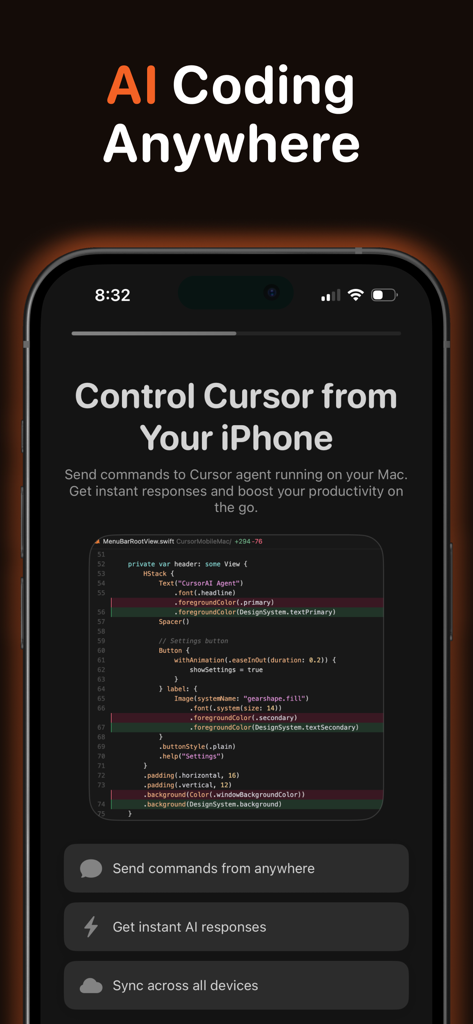
원격 코딩 및 AI 도우미 명령을 위한 Cursor AI Mobile 앱을 보여주는 iPhone 화면
원격 코딩 및 AI 도우미 명령을 위한 Cursor AI Mobile 앱을 보여주는 iPhone 화면

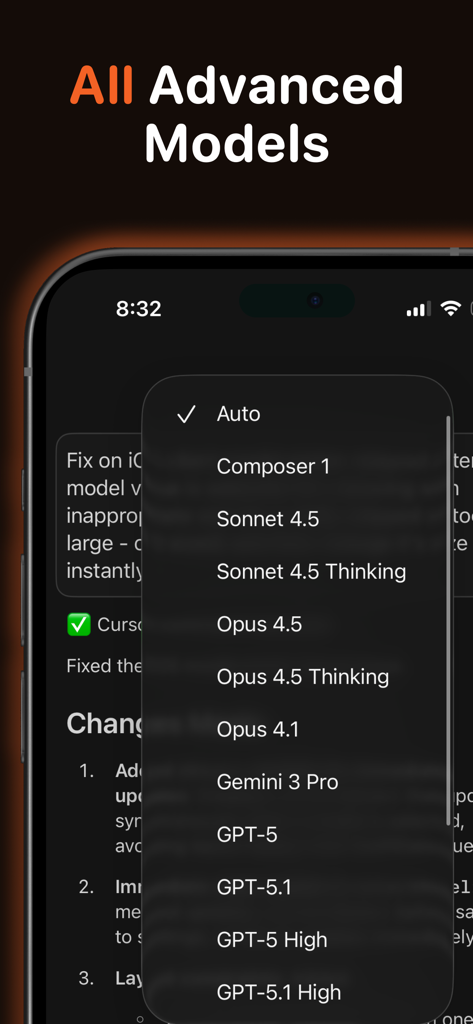
코딩을 위한 GPT-5 및 Claude 4.5와 같은 고급 AI 모델 목록을 보여주는 모바일 인터페이스
코딩을 위한 GPT-5 및 Claude 4.5와 같은 고급 AI 모델 목록을 보여주는 모바일 인터페이스

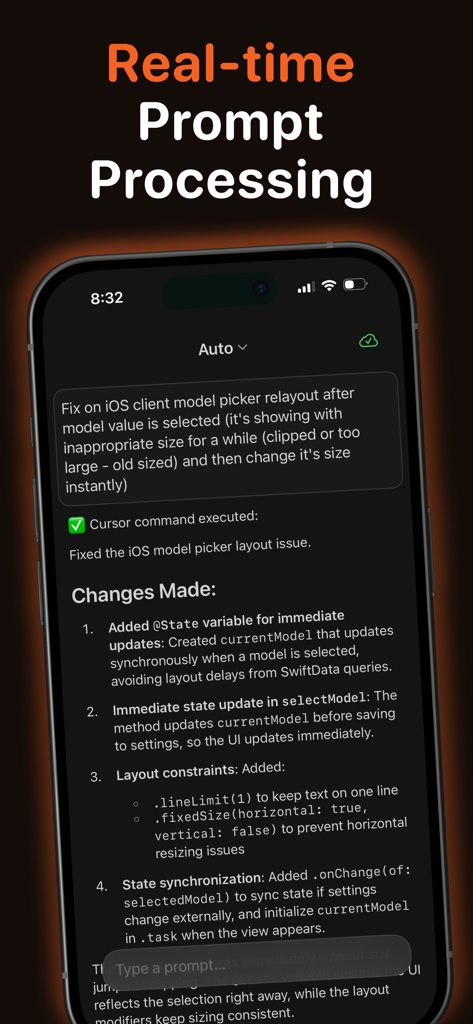
iPhone에서 실시간 프롬프트 처리 및 AI 생성 코드 변경 사항을 보여주는 Cursor AI Mobile 앱 스크린샷
iPhone에서 실시간 프롬프트 처리 및 AI 생성 코드 변경 사항을 보여주는 Cursor AI Mobile 앱 스크린샷

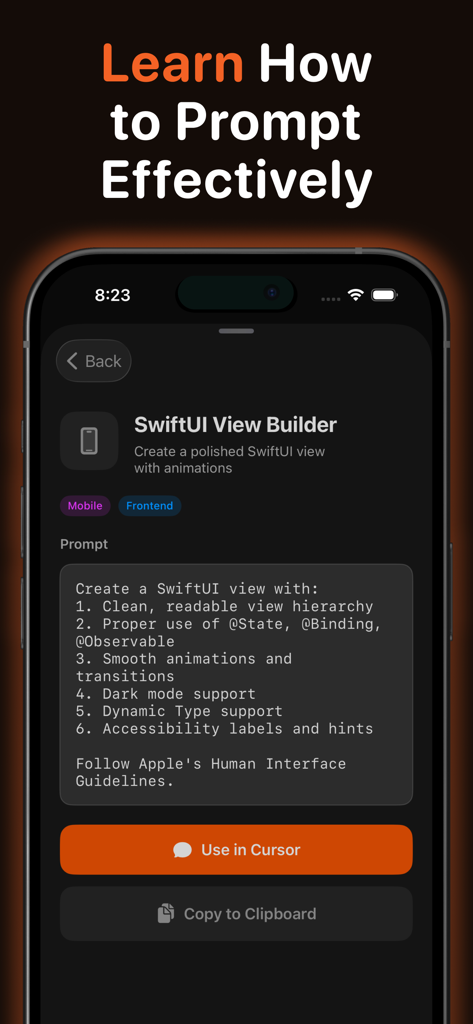
Cursor AI Mobile 앱에서 Cursor에서 사용하거나 클립보드에 복사하는 버튼이 있는 SwiftUI View Builder 프롬프트 템플릿을 보여주는 모바일 인터페이스
Cursor AI Mobile 앱에서 Cursor에서 사용하거나 클립보드에 복사하는 버튼이 있는 SwiftUI View Builder 프롬프트 템플릿을 보여주는 모바일 인터페이스

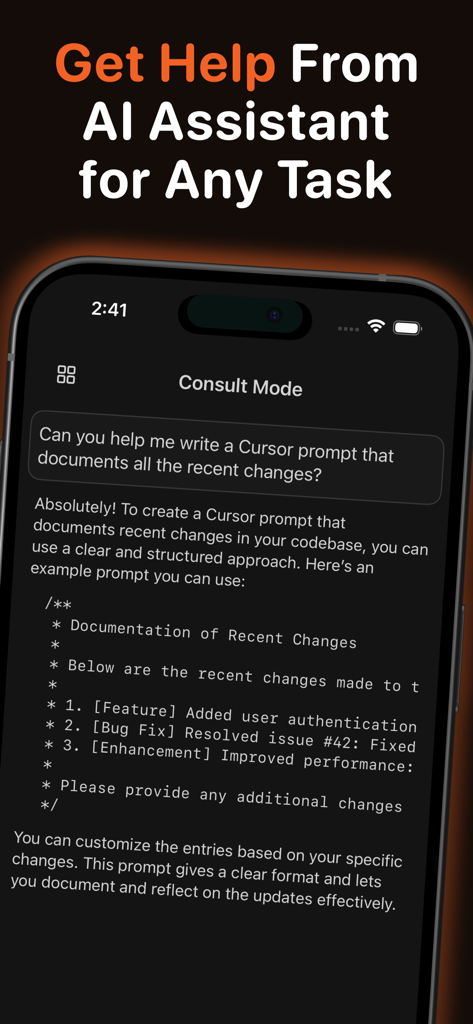
코드 문서 도움말을 제공하는 AI 도우미를 보여주는 Cursor AI Mobile 앱 인터페이스

코드 문서 도움말을 제공하는 AI 도우미를 보여주는 Cursor AI Mobile 앱 인터페이스

생각의 속도로 코딩하세요

이 앱을 돋보이게 하는 도구, 1K+ 명의 사용자가 선택.

즉각적인 원격 실행

iPhone에서 Mac으로 직접 프롬프트를 보내세요. Cursor CLI가 무거운 작업을 즉시 처리하므로 자리에 돌아왔을 때 코드가 준비됩니다.

🧠

심층 프로젝트 인식

기기 간에 전체 워크스페이스 컨텍스트를 유지하세요. AI 상호 작용은 CloudKit을 통해 안전하게 동기화되어 모바일 프롬프트도 데스크톱만큼 컨텍스트를 잘 인식하도록 합니다.

🚀

차세대 모델 선택

GPT-5 및 Claude 4.5 지원으로 최첨단을 경험하세요. 디버깅 또는 아키텍처를 위해 세계에서 가장 발전된 코딩 모델 간에 즉석에서 전환하세요.

앱 소개

에 대해 알아야 할 모든 것 Cursor AI Mobile - Remote IDE.

설명

Access your AI coding assistant anywhere with Cursor Mobile - the companion app for Cursor IDE on iPhone and iPad. Send prompts from your device that run instantly on your Mac through the Cursor CLI, with results and chat history syncing back in real time for a continuous workflow. Stay connected to your AI assistant wherever you are. Every message you send becomes a prompt processed by Cursor’s AI-powered development environment, letting you review code, debug issues, or continue architectural discussions even when away from your desk. Your conversations sync securely with the Cursor desktop app, so you always pick up right where you left off. Choose from premium AI models such as GPT-5, GPT-5.1, Claude Opus 4.5, Claude Sonnet 4.5, Gemini 3 Pro, Grok, and coding-focused models like GPT-5 Codex. Select the best model for planning, reviewing, or generating code. Cursor Mobile is built with modern Apple technologies for a smooth and reliable experience. SwiftUI and SwiftData ensure fast local performance, while CloudKit keeps your iOS and macOS devices in sync. A lightweight macOS menu bar agent receives prompts via push notifications and executes them immediately inside your configured project directory. The app works offline as well - prompts created without connectivity sync automatically once you’re online. The macOS agent manages authentication, project access, and prompt execution after a quick one-time setup. Designed for developers using Cursor IDE, this app is ideal for professionals who need mobile access to AI-assisted coding. Review suggestions, ask technical questions, request code snippets, or maintain ongoing conversations while on the move. Cursor Mobile offers one free prompt per day, with premium subscriptions providing unlimited usage. Monthly and annual plans include a free trial, and all billing is managed securely through your Apple ID. What makes Cursor Mobile unique is its deep integration with Cursor IDE. Chat history, project context, and AI interactions stay perfectly aligned across devices. Real-time syncing ensures prompts are processed within seconds and executed exactly once with clear feedback. Features • Instant prompt execution on your Mac through Cursor CLI • Real-time syncing of results and chat history • Support for leading AI models, including GPT-5 and Claude • Project-aware processing within your Cursor workspace • CloudKit-powered syncing across iOS and macOS • Offline prompt creation with automatic syncing • Haptic feedback for key interactions • One free daily prompt, with premium unlimited access • Built-in Prompt Hub with curated developer prompts, Cursor tips, and customizable prompt templates Requirements iOS 17.0 or later and macOS 14.0 or later. Both devices must use the same Apple ID with iCloud enabled. Cursor CLI installation and Full Disk Access on macOS are required for processing prompts within your project directory. Terms of Use: https://www.apple.com/legal/internet-services/itunes/dev/stdeula/ Privacy Policy: https://appmeta.xyz/d/d4d6bd32-c137-4192-be25-93d57315cc8b

최신 버전

1.0.3

크기

8.3 MB

출시일

2025년 12월 9일

최고의 아이디어를 어디서든 코드로 만드세요

자리를 비울 때 컨텍스트를 잃지 마세요. Cursor Mobile을 다운로드하여 Mac의 AI 도우미를 원격으로 트리거하고 생각이 사라지기 전에 빠르게 구현하세요.

다운로드: App Store

App information, icons, screenshots, and descriptions displayed on this page are sourced from the Apple App Store and are the property of their respective developers. Download estimates and rankings are based on MWM's proprietary models and may not reflect actual figures. This page is provided for informational and analytical purposes only.

Believe this page infringes your intellectual property? File a dispute