Cute CUT Pro

Cute CUT Pro

다운로드: App Store다운로드: Google Play
로고: Cute CUT Pro

Cute CUT Pro: 직접 그린 할리우드 스타일 영화를 위한 당신의 창의적인 캔버스

남들과 다른 특별한 비디오로 돋보이세요. 영상에 직접 그리고, 최대 6가지 미디어 유형을 레이어링하고, 당신의 독특한 미학을 위해 디자인된 인터페이스로 전문가 수준의 편집을 마스터하세요.

개발사

波 余

카테고리

Photo & Video

다운로드

1M+

사용자 평점

4.4/5

총 평가 수

37K+

지원 언어

12

손으로 만든 창의성

이 인터페이스를 사용하는 1M+ 명의 사용자.

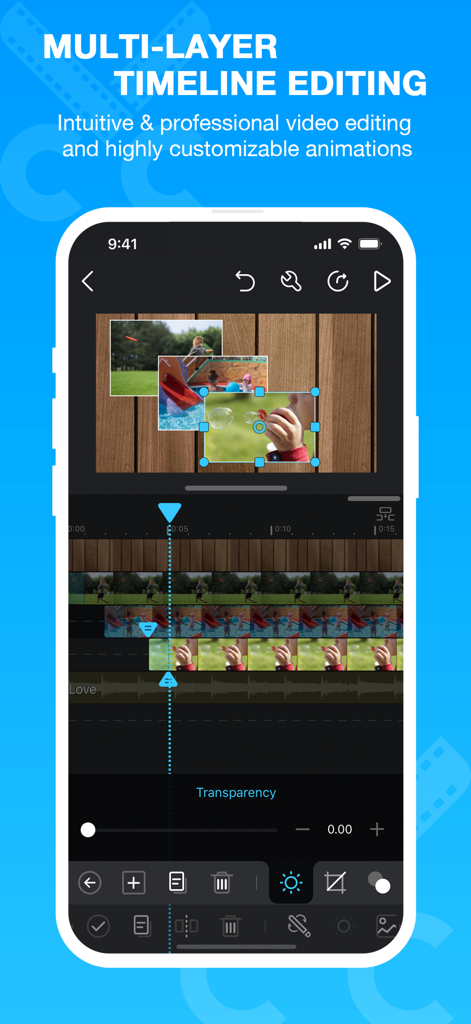
Cute CUT Pro 모바일 앱 인터페이스에서 멀티 레이어 타임라인 편집 및 picture-in-picture 비디오 기능을 보여줍니다.
Cute CUT Pro 모바일 앱 인터페이스에서 멀티 레이어 타임라인 편집 및 picture-in-picture 비디오 기능을 보여줍니다.

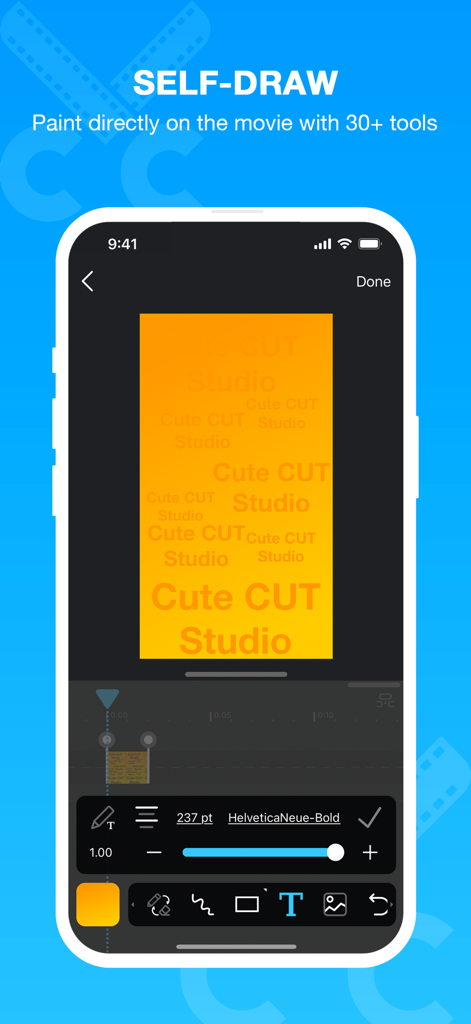
Cute CUT Pro 앱 인터페이스에서 사용자가 비디오 클립에 직접 그리고 텍스트 오버레이를 추가하는 모습을 보여줍니다.
Cute CUT Pro 앱 인터페이스에서 사용자가 비디오 클립에 직접 그리고 텍스트 오버레이를 추가하는 모습을 보여줍니다.

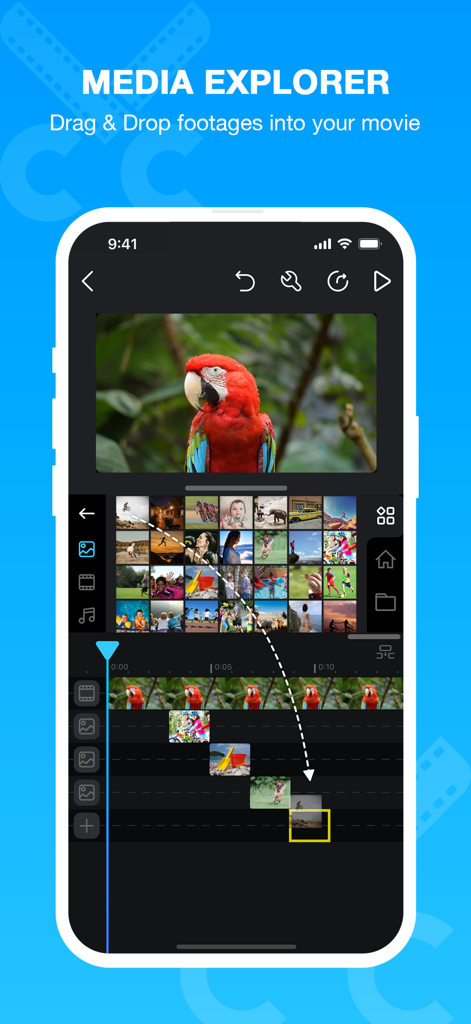
Cute CUT Pro 앱 인터페이스에서 미디어 탐색기와 스마트폰에서의 드래그 앤 드롭 비디오 편집 기능을 보여줍니다.
Cute CUT Pro 앱 인터페이스에서 미디어 탐색기와 스마트폰에서의 드래그 앤 드롭 비디오 편집 기능을 보여줍니다.

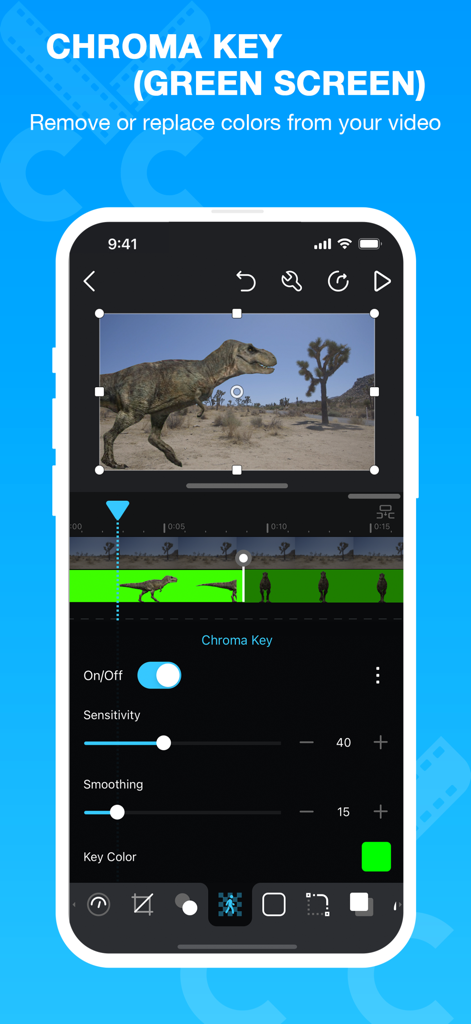
Cute CUT Pro 앱 인터페이스에서 크로마 키 및 그린 스크린 편집 기능을 표시합니다.
Cute CUT Pro 앱 인터페이스에서 크로마 키 및 그린 스크린 편집 기능을 표시합니다.

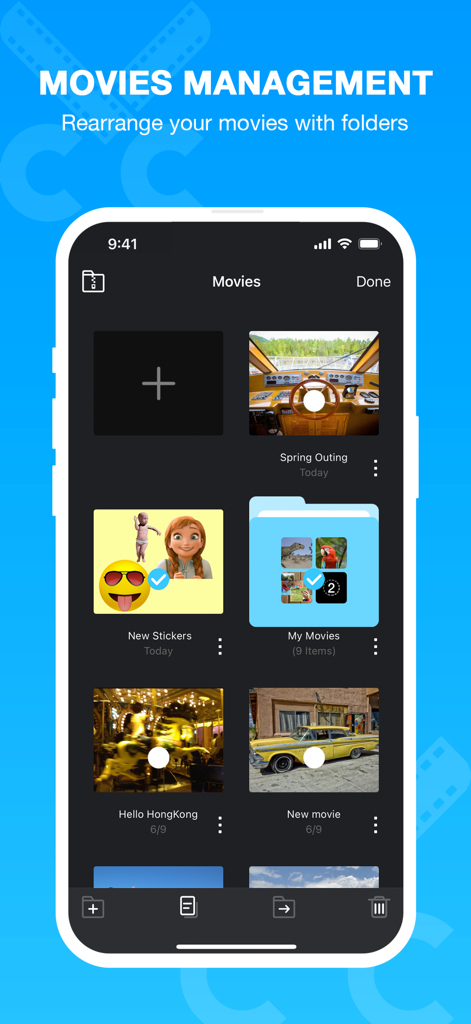
Cute CUT Pro 영화 관리 화면으로 비디오 프로젝트 및 폴더 그리드를 보여줍니다.

Cute CUT Pro 영화 관리 화면으로 비디오 프로젝트 및 폴더 그리드를 보여줍니다.

당신만의 독창적인 창의적 비전을 펼쳐보세요

이 앱을 돋보이게 하는 도구, 1M+ 명의 사용자가 선택.

🎨

영화에 직접 그려보세요

30가지 이상의 드로잉 도구와 고급 브러시로 손으로 그린 듯한 느낌을 콘텐츠에 더하세요. 나만의 낙서, 손글씨 메모 또는 엣지 있는 반짝임을 추가하여 당신의 브이로그를 돋보이게 만드세요.

📑

강력한 멀티 레이어 편집

비디오, 사진, 직접 그린 그림을 포함한 최대 6가지 유형의 미디어를 동시에 결합하세요. 간단한 드래그 앤 드롭으로 전문적인 Picture-in-Picture 효과와 복잡한 팬 편집을 만드세요.

완벽한 창의적 제어

원클릭 필터는 잊으세요. 모든 전환, 그림자, 그라디언트를 개인적인 미학에 맞게 사용자 정의하여 콘텐츠가 당신이 상상한 그대로 보이도록 하세요.

리뷰 분석

사용자 리뷰 인사이트.

감정 점수

28%
부정적

요약

This app receives predominantly negative feedback, with a significant decline in user satisfaction following recent updates. Many long-time users report frequent crashes, freezing, and issues with importing and exporting videos and audio, often rendering the app unusable. While some users appreciate its historical ease of use and versatility for non-professionals, the current version suffers from bugs affecting core editing functionalities like text tools, transitions, and overall video quality, including a lack of 60fps support. Users are frustrated, especially given the app's paid nature, with many suggesting alternatives or requesting a rollback to previous, more stable versions.

주요 테마

App Stability & Performance(22)
Media Import & Export(21)
Impact of Updates(17)
Core Editing Functionality(13)
Cost & Value for Money(10)
Ease of Use(7)
Developer Responsiveness(2)

앱 소개

에 대해 알아야 할 모든 것 Cute CUT Pro.

설명

Now, you can DRAW movies, AND you can draw ON movies! Cute CUT’s powerful, easy-to-use editing features put YOU in control, allowing you to make the highest quality movies, DIFFERENT from anything you’ve seen! Do you want to create your own unique movie? Cute CUT’s robust and intuitive feature set will have you doing so in no time, drawing gorgeous, one-of-a-kind movies and so much more!
 Besides providing the utilities of a common video editor, Cute CUT brings to the table exceptionally advanced, Hollywood-style editing functionality!
 We’re continually working to enrich and strengthen Cute CUT’s top-tier functionality, and its refreshingly simple, unique presence in today’s digital market. Are you with us? Join more than one million others who’ve dared to discover the delightful difference that’s Cute CUT! =================================================================== Key Features: - User-Friendly UI. 
Just drag and drop; you can arrange your media segments easily. Sleek, bookshelf-style organizer showcases your movies. UI supports both portrait and landscape modes. 
 - Make DIFFERENT movies, make movies DIFFERENT! Supports SIMULTANEOUS Adding of UP TO SIX different types of media into movie projects: Video, Photo (both from Album or Camera), as well as SELF-DRAW, Text, Music, and Voice.  
 - Supports various Resolutions and Aspect Ratios, including HD (16:9, 19.5:9 and 21:9), SD (4:3 and 5:4), SQUARE (1:1) and even Portrait Mode! Creating a PIP (Picture-In-Picture) movie is EASY: Merely place one movie atop another; Cute CUT even supports independent Resizing of each and every video segment!  - Draw directly on movie. 30+ drawing tools.  
 - 3 Advanced Brushes for pro effects: Texture, Linear Gradient, Radial Gradient, gradients editable. - Highly customizable transitions. - 20+ Pre-Defined Transitions. - Transparency, Border, Corner, Shadow, Transform, and Sound Volume ... ALL Customizable! - Share Your Movie. Export to Camera Roll. Send to YouTube/Facebook. Send via e-mail. 
 - Multiple Tutorials, and even Full Video Walkthroughs available, easily accessible. =================================================================== Cute CUT is available BOTH on iPhone and iPad. Homepage: https://cutecut2.mobivio.com Feedback and Support: support@mobivio.com

최신 버전

2.6

크기

104.6 MB

출시일

2013년 3월 21일

나만의 이야기, 직접 그려볼 준비 되셨나요?

평범한 템플릿 대신 완전한 창의적 자유를 선택한 백만 명 이상의 크리에이터와 함께하세요. 지금 바로 Cute CUT Pro를 다운로드하고 당신만의 독특한 영화를 만들기 시작하세요.

다운로드: App Store다운로드: Google Play

App information, icons, screenshots, and descriptions displayed on this page are sourced from the Apple App Store and are the property of their respective developers. Download estimates and rankings are based on MWM's proprietary models and may not reflect actual figures. This page is provided for informational and analytical purposes only.

Believe this page infringes your intellectual property? File a dispute