Daily Notes Planner 3
다운로드: App Store

이 페이지는 앱이나 개발자의 공식 페이지가 아니며, 정보 제공 및 논평을 목적으로 작성된 독립 편집 간행물입니다. 명시적으로 달리 언급되지 않는 한, 해당 앱이나 개발자는 MWM, Apple, Google Play, 앱 퍼블리셔 또는 앱 개발자와 제휴, 보증, 후원, 승인 또는 공식적으로 연결되어 있지 않으며, 이 페이지의 어떤 내용도 해당 앱이 MWM의 서비스를 사용하여 개발되었음을 의미하지 않습니다. 모든 상표, 로고, 스크린샷 및 기타 콘텐츠는 해당 소유자의 자산입니다.

로고: Daily Notes Planner 3
다운로드: App Store

Daily Notes Planner 3

복잡한 캘린더와 어수선한 앱의 복잡함은 잊으세요. iPhone 및 Mac 전반에서 즉시 동기화되는 번거로움 없는 날짜 기반 기록을 경험하세요.

주요 수치

다운로드

300

사용자 평점

4.5/5

총 평가 수

0

개발사

Truth Honest Messaging, Inc.

카테고리

Utilities

지원 언어

15

최신 버전

1.28

크기

11.0 MB

출시일

2024년 5월 17일
기능

필요한 모든 것, 불필요한 것은 없는

Daily Notes Planner 3는 복잡한 생산성 도구의 번거로움을 제거하고 Apple 생태계 전반에 걸쳐 생각, 기록 및 계획을 위한 깔끔하고 방해받지 않는 공간을 제공합니다.

직관적인 날짜 기반 기록

엄격한 시간별 일정과 씨름하는 것을 멈추세요. 날짜를 탭하고 바로 입력하세요. 정신적 명확성을 소중히 여기는 사람들에게는 캘린더와 일기의 완벽한 하이브리드입니다.

매끄러운 Mac 및 iPhone 동기화

Mac에서 편안하게 입력하고 이동 중에 노트를 참조하세요. 한 번 로그인하면 모든 장치에서 데이터가 실시간으로 즉시 안전하게 동기화되는 것을 볼 수 있습니다.

다음 스크린샷과 설명은 앱의 공식 스토어 목록에서 직접 가져온 것이며 앱 개발자의 자산입니다.

앱 스토어

스크린샷
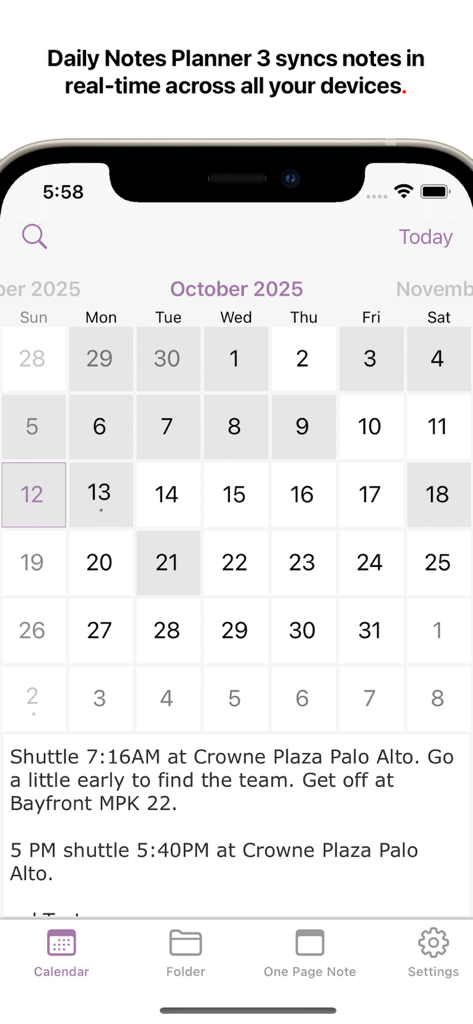
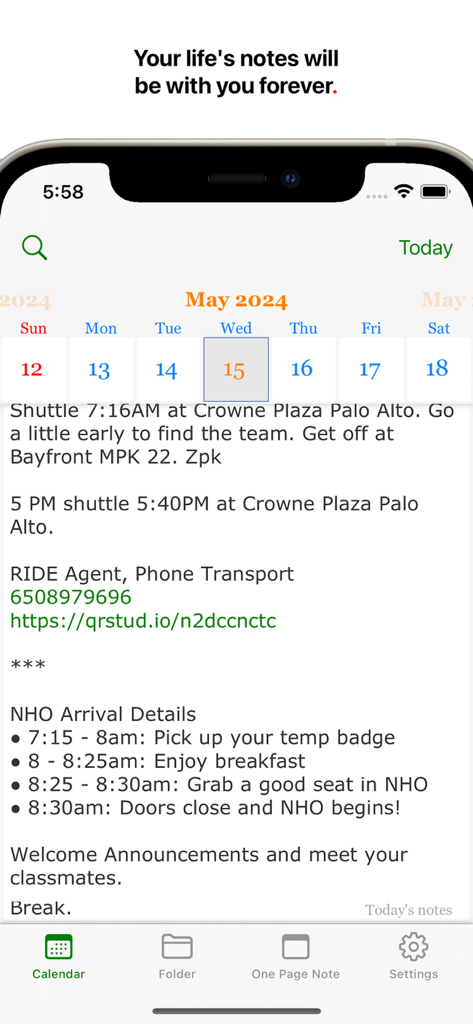
Daily Notes Planner 3 - Daily Notes Planner 3 앱이 iPhone에서 특정 날짜에 대한 텍스트 노트가 있는 월간 캘린더 보기를 보여줌
Daily Notes Planner 3 앱이 iPhone에서 특정 날짜에 대한 텍스트 노트가 있는 월간 캘린더 보기를 보여줌

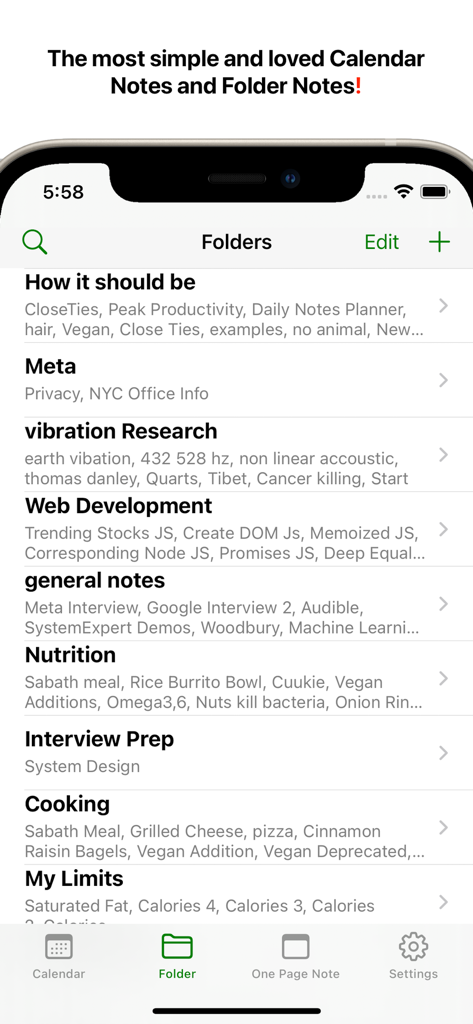
Daily Notes Planner 3 - Daily Notes Planner 3 앱 인터페이스가 영양, 웹 개발, 인터뷰 준비와 같은 주제에 대한 정리된 폴더 목록을 보여줌.
Daily Notes Planner 3 앱 인터페이스가 영양, 웹 개발, 인터뷰 준비와 같은 주제에 대한 정리된 폴더 목록을 보여줌.

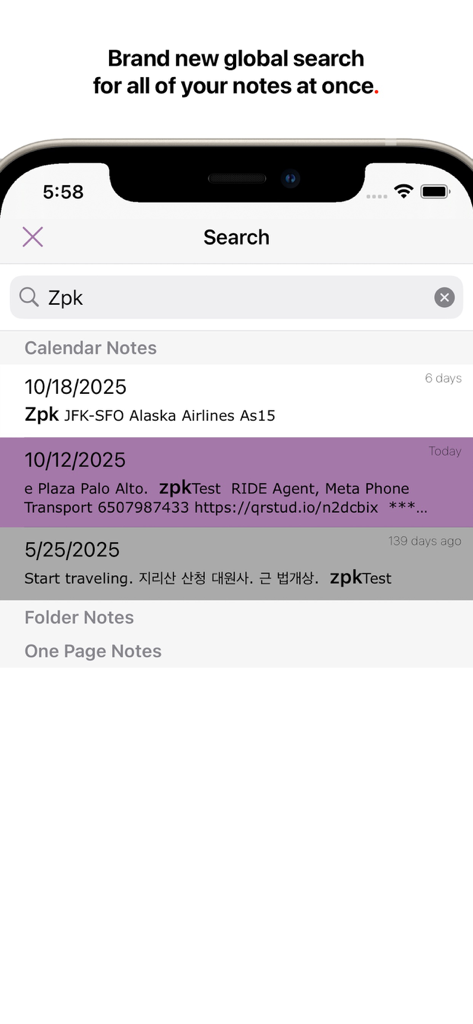
Daily Notes Planner 3 - Daily Notes Planner 3의 전역 검색 인터페이스가 날짜별로 분류된 노트를 보여줌
Daily Notes Planner 3의 전역 검색 인터페이스가 날짜별로 분류된 노트를 보여줌

Daily Notes Planner 3 - Daily Notes Planner 앱 스크린샷이 캘린더 인터페이스에서 날짜별로 정리된 텍스트 노트를 보여줌
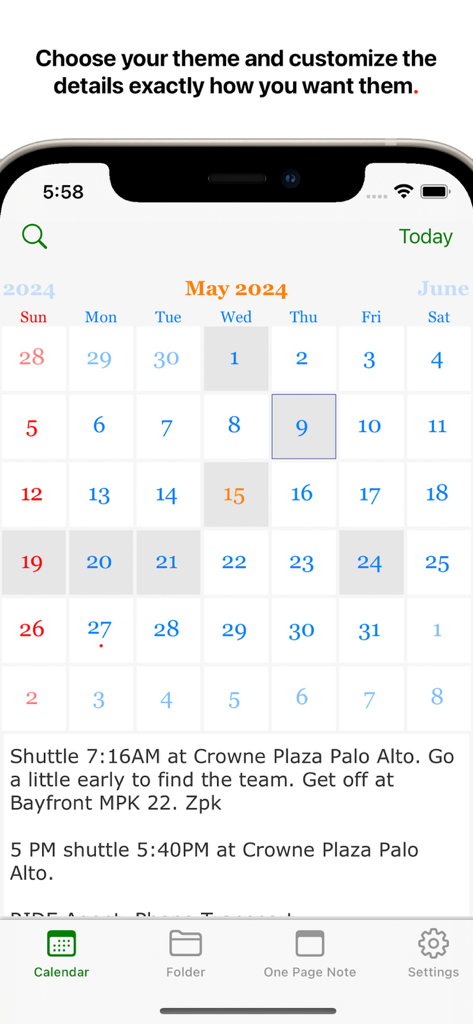
Daily Notes Planner 앱 스크린샷이 캘린더 인터페이스에서 날짜별로 정리된 텍스트 노트를 보여줌

Daily Notes Planner 3 - Daily Notes Planner 3 인터페이스가 월간 캘린더 보기에 일일 텍스트 로그를 보여줌

Daily Notes Planner 3 인터페이스가 월간 캘린더 보기에 일일 텍스트 로그를 보여줌

설명

Daily Notes Planner 3 is the simplest notes app that satisfies all of your life's needs for notes, and much improved from Daily Notes Planner 2, it improves the UI and search and syncs your notes automatically, in real-time across all of your devices. As a much simpler calendar app than the built-in iCalendar app, Daily Notes Planner 3 allows you to type in plain-text-notes for every date (no complicated hourly scheduling or reminders here). Because notes are organized by date, you will know exactly where to look for when you reference them later. Tap on the date in the calendar to go into that date and record or reference notes. The dates with notes are highlighted in the calendar. "Folder Notes" organizes your notes with folders and files. Create folders and note files inside them. Also, you can long press any file or folder row to change its name. Also you can press "edit" button in the bottom to delete or rearrange rows. N.B. The two notes formats: calendar notes and folder notes would satisfy all of your life's needs for notes, and they are super intuitive to use. One more super tip: it is much easier to type your notes on your Mac so please check out Daily Notes Planner 3+ in the Mac App Store too so that you can edit your notes both from the Mac and the iPhone. You just have to log in with the same Email address on those devices to sync the same notes. "One Page Note" has just one page of note. If you need to jot something and don't want to save it permanently, this is a good place to put it. To transfer your notes from Daily Notes Planner 2, use the Mac version of Daily Notes Planner (it is FREE to download) and in the top menu, click "Cloud" -> "Save all notes to Daily Notes Planner 3". Your notes are tied to an Email address so if you login with the same Email address in multiple devices, they all will sync automatically, securely, and instantly. In fact, you could even do real-time corroborations with multiple people because notes sync so quickly. Privacy Policy and Terms: https://dailynotesplanner.com/privacy_policy.html

Download

다운로드: App Store

이 페이지는 앱이나 개발자의 공식 페이지가 아니며, 정보 제공 및 논평을 목적으로 작성된 독립 편집 간행물입니다. 명시적으로 달리 언급되지 않는 한, 해당 앱이나 개발자는 MWM, Apple, Google Play, 앱 퍼블리셔 또는 앱 개발자와 제휴, 보증, 후원, 승인 또는 공식적으로 연결되어 있지 않으며, 이 페이지의 어떤 내용도 해당 앱이 MWM의 서비스를 사용하여 개발되었음을 의미하지 않습니다. 모든 상표, 로고, 스크린샷 및 기타 콘텐츠는 해당 소유자의 자산입니다.








