Dark Mode for Safari: NightEye
다운로드: App Store

이 페이지는 앱이나 개발자의 공식 페이지가 아니며, 정보 제공 및 논평을 목적으로 작성된 독립 편집 간행물입니다. 명시적으로 달리 언급되지 않는 한, 해당 앱이나 개발자는 MWM, Apple, Google Play, 앱 퍼블리셔 또는 앱 개발자와 제휴, 보증, 후원, 승인 또는 공식적으로 연결되어 있지 않으며, 이 페이지의 어떤 내용도 해당 앱이 MWM의 서비스를 사용하여 개발되었음을 의미하지 않습니다. 모든 상표, 로고, 스크린샷 및 기타 콘텐츠는 해당 소유자의 자산입니다.

로고: Dark Mode for Safari: NightEye
다운로드: App Store

Dark Mode for Safari: NightEye

밤늦은 시간의 생산성을 높이고 눈을 보호하세요. NightEye는 데이터를 전혀 수집하지 않고 모든 Apple 기기에서 일관되고 편안한 다크 모드와 블루라이트 필터를 제공합니다.

주요 수치

다운로드

8K+

사용자 평점

3.8/5

총 평가 수

300

개발사

PROMOTINO LTD OOD

카테고리

Utilities

지원 언어

33

최신 버전

5.3.7

크기

10.3 MB

출시일

2019년 3월 18일
기능

현대 야행성 사용자를 위한 디자인

Night Eye는 단순한 테마가 아닙니다. 웹의 모든 구석에서 눈을 보호하고 집중력을 향상시키는 강력한 도구 상자입니다.

지능형 다크 모드

모든 웹사이트를 다크 테마로 스마트하게 변환하면서 이미지는 선명하고 또렷하게 유지하여 원활한 경험을 제공합니다.

고급 눈 보호

블루라이트를 줄이고 화면 밝기를 정확한 편안함 수준으로 조절하여 피로를 줄이고 수면을 개선합니다.

다음 스크린샷과 설명은 앱의 공식 스토어 목록에서 직접 가져온 것이며 앱 개발자의 자산입니다.

앱 스토어

스크린샷
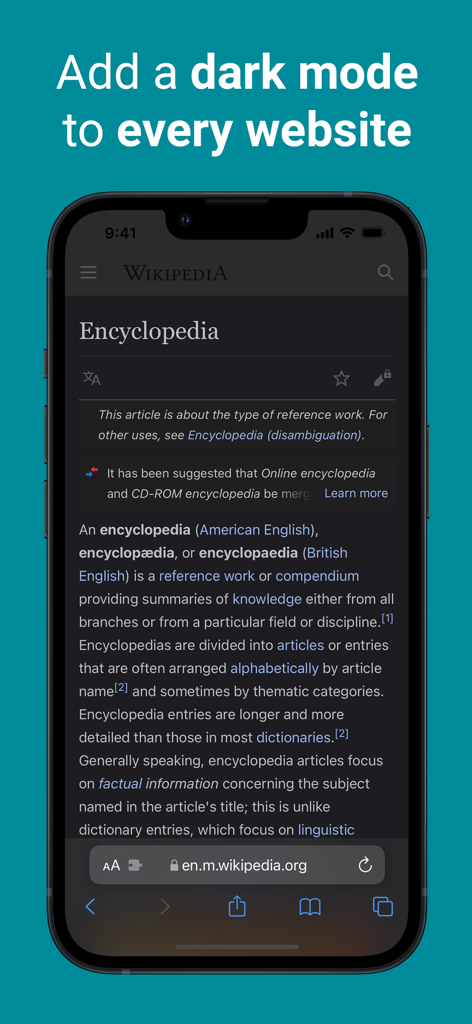
Dark Mode for Safari: NightEye - NightEye Safari 확장 프로그램으로 다크 모드 상태의 Wikipedia를 보여주는 iPhone
NightEye Safari 확장 프로그램으로 다크 모드 상태의 Wikipedia를 보여주는 iPhone

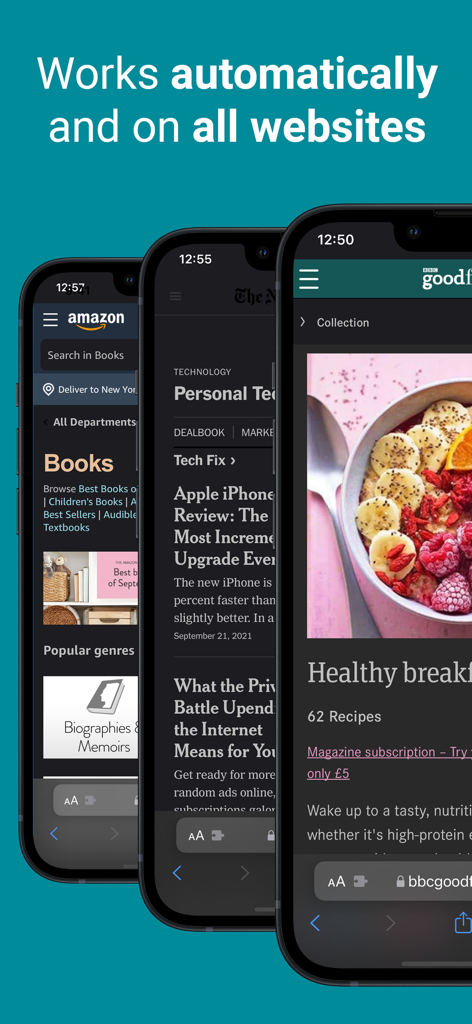
Dark Mode for Safari: NightEye - Amazon 및 뉴스 웹사이트에서 자동 다크 모드 변환을 보여주는 NightEye 확장 프로그램
Amazon 및 뉴스 웹사이트에서 자동 다크 모드 변환을 보여주는 NightEye 확장 프로그램

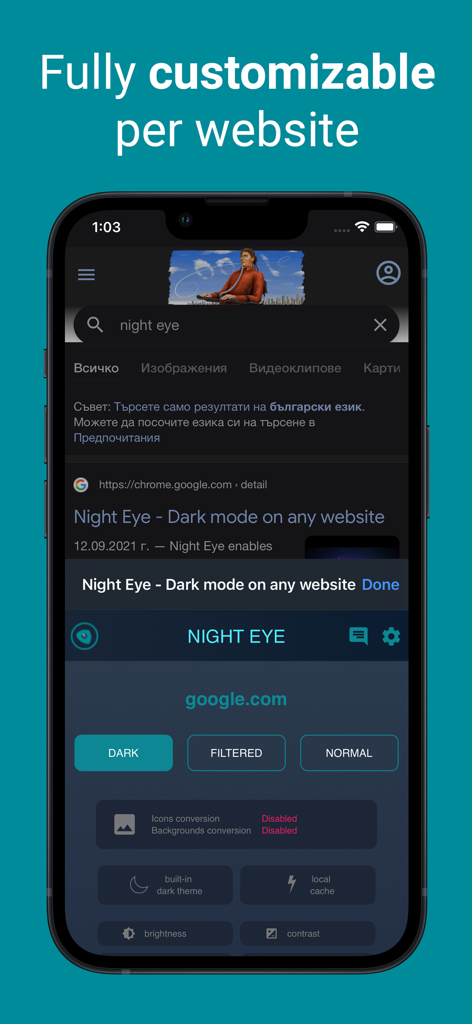
Dark Mode for Safari: NightEye - 다크 모드 Google 검색 페이지에서 Night Eye Safari 확장 프로그램의 사용자 지정 옵션을 보여주는 iPhone 스크린샷
다크 모드 Google 검색 페이지에서 Night Eye Safari 확장 프로그램의 사용자 지정 옵션을 보여주는 iPhone 스크린샷

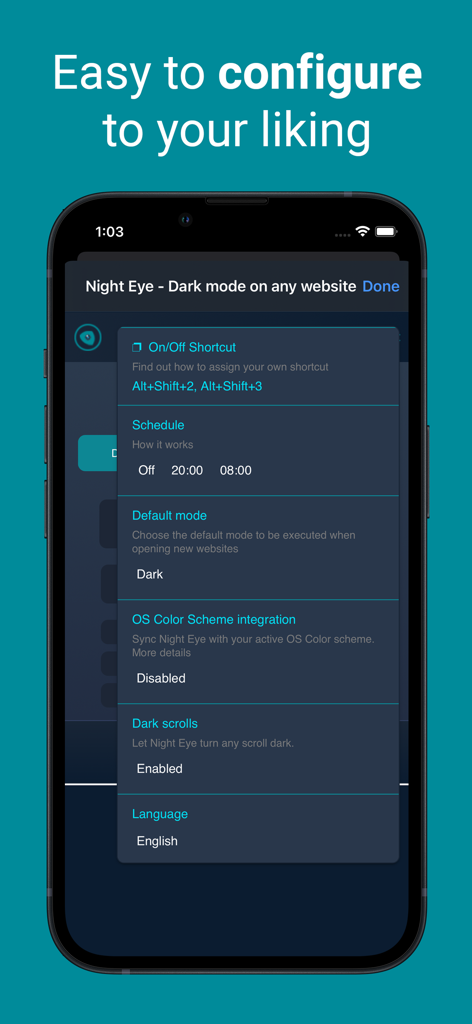
Dark Mode for Safari: NightEye - 예약, 기본 모드, OS 색상 구성표 통합과 같은 구성 옵션을 보여주는 Night Eye 앱 설정 화면

예약, 기본 모드, OS 색상 구성표 통합과 같은 구성 옵션을 보여주는 Night Eye 앱 설정 화면

설명

Enhance your browsing with Night Eye, a browser extension specially designed for a flawless "dark mode" experience on any site. By utilizing an advanced "dark mode" transformation technique, it efficiently evaluates and adjusts every color to provide a consistent and soothing dark theme. Opting for a dark interface can significantly diminish eye strain, making it a perfect choice for those sensitive to bright screens, or for users who often find themselves in dimly lit surroundings. Studies even indicate that reduced ambient light can positively influence sleep patterns. With Night Eye, dive into a serene "dark mode" on popular platforms such as Messenger, Quora, Search, Reddit, Wikipedia, and beyond. Further, its compatibility with native dark themes on select sites ensures you have total autonomy over your digital landscape. Dive into the world of "dark mode" with Night Eye and redefine your browsing ambiance. Discover the perfect dark mode experience for your browsing needs with Night Eye's four tailored plans: 1. Night Eye Lite: - Enjoy dark mode on up to 5 websites. - Switch between websites as often as you like. 2. Night Eye Pro: - Unlock the app's full potential on up to 3 browsers. - Yearly subscription plan. - Get started with a 2-month free trial (no payment required), which can be extended to a full year! 3. Night Eye Pro Max: - Experience complete dark mode capabilities on up to 6 browsers. - Yearly subscription plan. 4. Night Eye Ultimate: - Dive into the ultimate dark mode experience on up to 10 browsers. - Make it yours forever with a one-time payment. Explore Night Eye and transform your browsing experience today! AVAILABLE MODES Our extension offers three modes: Dark, Filtered, and Normal. - In Dark mode, all colors, small images, and icons are converted to provide the best dark experience. - In Filtered mode, the website's colors are not changed, but you can adjust brightness, contrast, warmth, and more. - Normal mode allows you to switch back to the website's regular theme. GLOBAL OPTIONS - OS/Browser Color scheme integration - integrate with your operating system's or browser's color scheme - Deep integration with websites that have their own built-in dark themes. - Scheduling for dark mode to turn on and off - Custom dark mode for online PDFs - Export/Import data between your browsers DARK MODE OPTIONS PER WEBSITE You can customize Night Eye's settings for a single website or globally, including adjusting contrast, blue light filter, and dimming. - Images - Night Eye analyses and converts only the small images and icons in a website to give you even smoother experience. Facebook posts and other significant media are not converted. - Brightness / Saturation / Contrast - Adjust the brightness, the contrast and the saturation to match the recommended healthy levels and protect your eyes. The default setting for each is 50%, but you can customize each to the preferred levels. - Blue Light - Take care of your eyes by eliminating the blue light coming from your screen. Highly recommended especially during late night browsing. Simply slide to the preferred level of warmth. - Dim - Extremely useful if you are working in a dark space/room and the screen is the only source of light in the room. The default setting is set to 50%, but you can customize it as you please. WE CARE ABOUT PRIVACY Safari will alert you that the extension may read and change all your data on the websites that you visit. Here is why: This extension analyses the colors of each webpage and converts them in order to give you a smooth and consistent dark mode. There is no other way the extension can convert the colors without the privilege to access them. However, we NEVER collect any of your data. Our business model relies on subscriptions and not on storing and selling your data. Last but not least, we are also internet users and don’t want to be evil.

Download

다운로드: App Store

이 페이지는 앱이나 개발자의 공식 페이지가 아니며, 정보 제공 및 논평을 목적으로 작성된 독립 편집 간행물입니다. 명시적으로 달리 언급되지 않는 한, 해당 앱이나 개발자는 MWM, Apple, Google Play, 앱 퍼블리셔 또는 앱 개발자와 제휴, 보증, 후원, 승인 또는 공식적으로 연결되어 있지 않으며, 이 페이지의 어떤 내용도 해당 앱이 MWM의 서비스를 사용하여 개발되었음을 의미하지 않습니다. 모든 상표, 로고, 스크린샷 및 기타 콘텐츠는 해당 소유자의 자산입니다.








