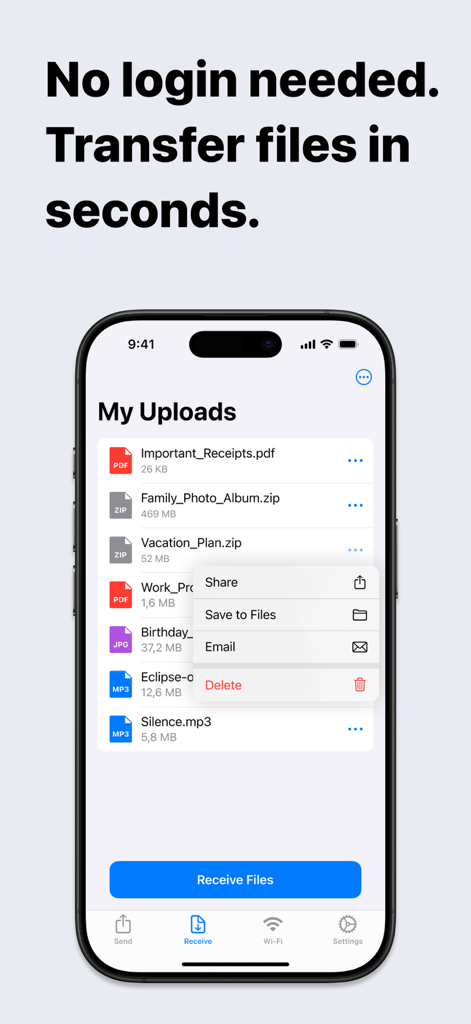
계정, 케이블, 로그인 양식은 건너뛰세요. 간단한 QR 스캔으로 사진, 동영상, 문서를 몇 초 안에 안전하게 모든 PC 또는 공용 컴퓨터로 공유하세요.
개발사
Ion Postolachi
카테고리
Productivity
다운로드
13K+
사용자 평점
5.0/5
총 평가 수
0
지원 언어
1
원활한 공유 시각화
이 인터페이스를 사용하는 13K+ 명의 사용자.
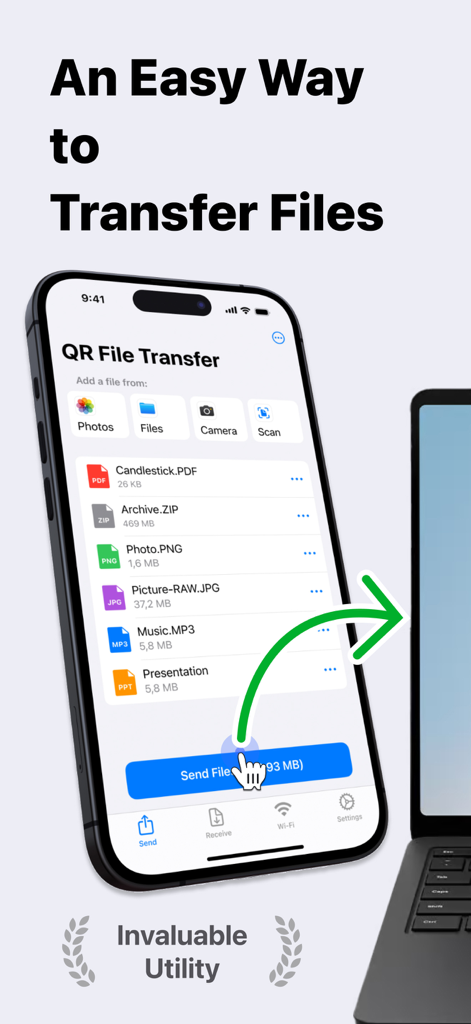
다양한 파일 유형이 있는 노트북으로 iPhone에서 무선 파일 전송을 보여주는 데이터 드롭 앱 인터페이스 스크린샷
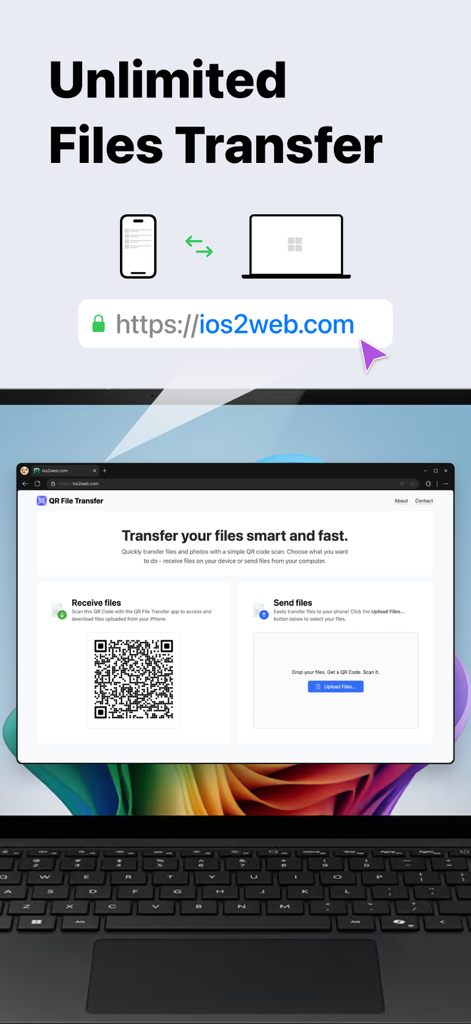
QR 코드 스캔을 사용하여 iPhone과 컴퓨터 간 무제한 파일 전송을 보여주는 데이터 드롭 앱
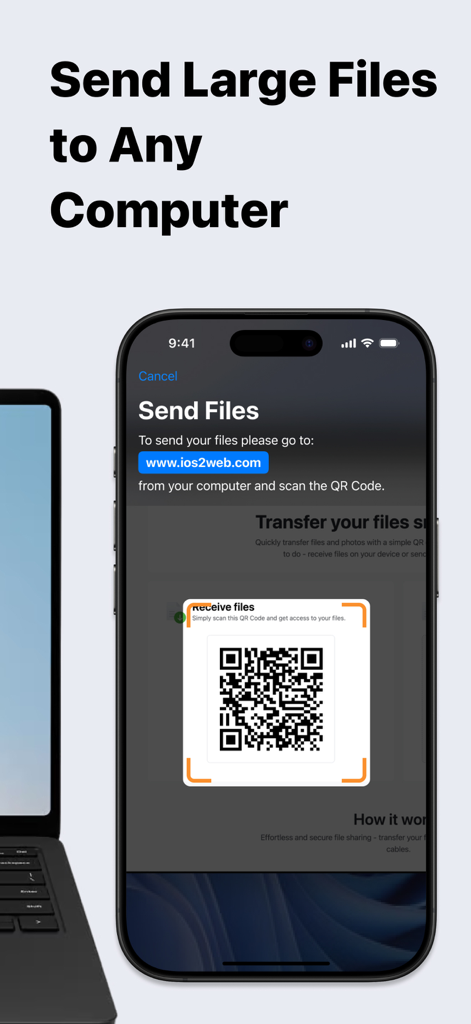
근처 노트북으로 파일을 전송하기 위해 QR 코드 스캔 중인 데이터 드롭 앱을 보여주는 iPhone 화면
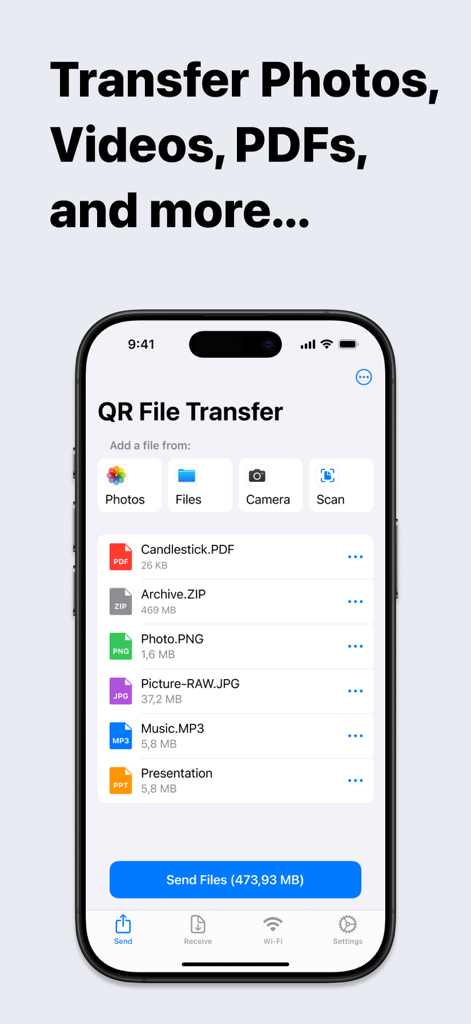
전송 준비가 된 선택한 파일 목록을 보여주는 데이터 드롭 모바일 앱 인터페이스
업로드된 파일 목록과 공유 메뉴를 보여주는 데이터 드롭 앱이 있는 iPhone 화면
iPhone과 모든 PC 간의 원활한 공유
이 앱을 돋보이게 하는 도구, 13K+ 명의 사용자가 선택.
⚡
마찰 없는 전송
계정과 비밀번호의 번거로움을 건너뛰세요. QR 코드를 스캔하여 몇 초 안에 파일을 옮기세요. 학교나 직장에서 서두를 때 완벽합니다.
💻
Windows용 AirDrop
iPhone과 PC 간의 격차를 해소하세요. Mac이 없어도 모든 브라우저로 고해상도 사진, 4K 동영상, 대용량 파일을 전송하세요.
🛡️
안전한 공용 액세스
공용 컴퓨터에서 개인 정보를 보호하세요. 공용 터미널에서 개인 이메일이나 클라우드 계정에 로그인할 필요 없이 파일을 공유하세요.
앱 소개
에 대해 알아야 할 모든 것 Data Drop: QR File Transfer.
설명
Effortless File Sharing Made Simple
Sharing files, photos, and documents between your iPhone and any computer has never been easier. With QR File Transfer, you can securely transfer your files in just a few simple steps— no login or complicated setup required.
How It Works:
Upload Your Files: Use the app to quickly upload the files you want to share.
Scan the QR Code: Open a browser on your PC or any device and visit ios2web.com.
Instant Access: Scan the QR code displayed on the website, and instantly access your files.
Why Choose QR File Transfer?
– No Account Required:
Skip the hassle of creating accounts or remembering passwords. Just scan and go!
– Secure and Private:
We prioritize your privacy. Files are shared directly and securely between your devices.
– Universal Access:
Works with any computer or device — Windows PCs, public computers, or even tablets.
– Supports All Popular File Types: QR File Transfer makes sharing all types of files seamless.
Photos and Images: JPG, PNG, GIF, HEIC, BMP, TIFF, WEBP
Videos: MOV, MP4, AVI, MKV, FLV, WMV, 3GP, M4V
Audio: MP3, WAV, M4A, AAC, OGG, FLAC
Documents: PDF, DOC, DOCX, XLS, XLSX, PPT, PPTX, TXT, RTF, ODT, CSV
Archives: ZIP, RAR, 7Z, TAR, GZ, ISO, DMG
If you encounter a file format that is not supported, please let us know by contacting our team.
– Easy-to-Use Interface: Designed for simplicity so anyone can share files with ease.
– No Cables, No Limits: Enjoy a wireless file-sharing experience without the need for USB drives or adapters.
Perfect For:
– Quickly sharing work documents between your iPhone and office computers.
– Uploading personal files to access on a friend’s laptop or public computer.
– Sharing photos, videos, and memories with family and friends without email or messaging limitations.
Getting Started is Easy:
Download QR File Transfer from the App Store.
Install and open the app on your iPhone.
Upload files, visit ios2web.com on any computer, and scan the QR code to transfer your files instantly.
Common Use Cases:
Question:
How can I quickly send files from my phone to a school computer without needing to log in?
Answer:
To send files from your phone to a school computer without logging in, you can use QR File Transfer:
Open the app on your phone and upload the files you want to share.
On the school computer, visit ios2web.com in a browser.
Scan the QR code shown on the website using the app.
Your files will be instantly accessible on the computer.
Question:
How can I quickly send files from a school computer to my phone without needing to log in?
Answer:
To transfer files from a school computer to your phone, use QR File Transfer:
On the computer, go to ios2web.com in a browser and upload the files.
Open the app on your phone and scan the QR code displayed on the website.
The files will be instantly downloaded to your phone.
Why Users Love It:
"No frills, no logins — just quick file sharing when I need it."
"A lifesaver when working on public computers."
"So simple, even my parents figured it out!"
Download QR File Transfer Today
Simplify file sharing and enjoy the freedom to transfer your files anywhere, anytime. Whether you're at work, at home, or on the go, QR File Transfer is the easiest way to keep your files accessible without compromising security or convenience.
– A Great Alternative to Popular Apps:
QR File Transfer is an excellent alternative to apps like Shareit: Transfer, Share Files, Zapya - File Sharing, WeTransfer: Transfer Files, Xender: File Share, Share Music, Send Anywhere - File Transfer, and Transfer my data - MobileTrans, File Transfer - Snapdrop, Copy my data - Smart Transfer, AirDroid - File Transfer&Share, Air Transfer,
Links:
Privacy Policy – https://ios2web.com/privacy-policy/
Terms of Use – https://ios2web.com/terms-of-service/
Get started now and experience the easiest file-sharing solution on the App Store!
최신 버전
2.4.1
크기
38.1 MB
출시일
2021년 4월 15일
이메일로 자신에게 보내는 것은 이제 그만. 즉시 공유하세요.
계정, 케이블, 번거로움 없이 몇 초 만에 사진, 문서, 동영상을 모든 기기로 옮기는 13,000명 이상의 사용자와 함께하세요.
App information, icons, screenshots, and descriptions displayed on this page are sourced from the Apple App Store and are the property of their respective developers. Download estimates and rankings are based on MWM's proprietary models and may not reflect actual figures. This page is provided for informational and analytical purposes only.
Believe this page infringes your intellectual property? File a dispute