DeskIn Remote Desktop
다운로드: App Store

이 페이지는 앱이나 개발자의 공식 페이지가 아니며, 정보 제공 및 논평을 목적으로 작성된 독립 편집 간행물입니다. 명시적으로 달리 언급되지 않는 한, 해당 앱이나 개발자는 MWM, Apple, Google Play, 앱 퍼블리셔 또는 앱 개발자와 제휴, 보증, 후원, 승인 또는 공식적으로 연결되어 있지 않으며, 이 페이지의 어떤 내용도 해당 앱이 MWM의 서비스를 사용하여 개발되었음을 의미하지 않습니다. 모든 상표, 로고, 스크린샷 및 기타 콘텐츠는 해당 소유자의 자산입니다.

로고: DeskIn Remote Desktop
다운로드: App Store

DeskIn Remote Desktop

iPhone 또는 iPad에서 4K 144FPS 스트리밍과 4:4:4 트루 컬러 디자인을 사용해 보세요. 가장 안전한 무료 원격 액세스 도구로 게임 및 전문가 수준의 생산성을 위한 초저지연 시간을 즐기세요.

주요 수치

다운로드

393K+

사용자 평점

4.5/5

총 평가 수

600

개발사

ZULER TECHNOLOGY PTE. LTD.

카테고리

Productivity

지원 언어

7

최신 버전

3.3.33

크기

113.2 MB

출시일

2022년 7월 5일
기능

데스크톱 성능, 모바일의 자유

끊김 현상이 심한 원격 세션은 이제 그만. DeskIn은 4K 고속 액세스와 은행 수준의 보안을 제공하여 전 세계 어디서든 iPhone 또는 iPad를 고성능 워크스테이션 또는 게이밍 장치로 바꿔줍니다.

전문가 수준의 게임 및 디자인

초저지연 40ms로 4K 해상도 및 144FPS 스트리밍을 즐기세요. 끊김 없는 창작 작업 및 AAA 게임을 위한 4:4:4 트루 컬러 지원 및 Apple Pencil 호환 기능이 포함되어 있습니다.

최고의 모바일 오피스

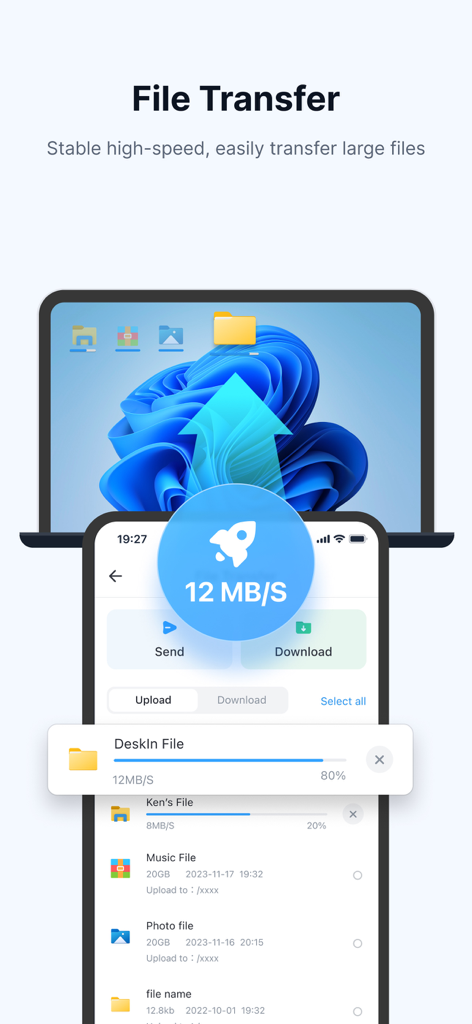
끊김 없는 멀티 세션 지원 및 최대 12MB/s의 파일 전송으로 책상에서 벗어나세요. iPad를 보조 모니터 또는 전체 Windows/Mac 데스크톱 대체 장치로 사용하세요.

FAQ

자주 묻는 질문

에 대해 알아야 할 모든 것 DeskIn Remote Desktop

DeskIn이란 무엇인가요?

DeskIn은 빠르고 안전하며 안정적인 원격 액세스를 제공하는 무료 개인용 원격 데스크톱 앱입니다. iPad 또는 iPhone에서 하나 이상의 원격 장치를 제어할 수 있습니다.

DeskIn을 무료로 사용할 수 있나요?

네, DeskIn은 개인 및 상업용으로 무료입니다. 추가 기능이 있는 고급 Enterprise Edition도 제공됩니다.

DeskIn은 원격 액세스에 안전한가요?

네, DeskIn은 은행 수준의 E2E 암호화 및 이중 인증을 통해 안전한 원격 액세스를 보장합니다. 또한 무인 연결을 위한 사용자 정의 암호도 지원합니다.

다음 스크린샷과 설명은 앱의 공식 스토어 목록에서 직접 가져온 것이며 앱 개발자의 자산입니다.

앱 스토어

스크린샷
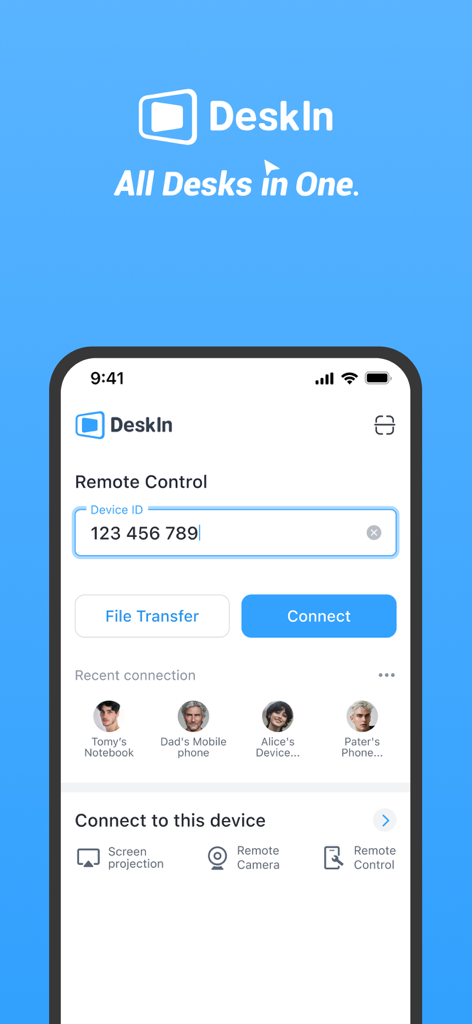
DeskIn Remote Desktop - DeskIn 앱 메인 화면이 iPhone에 표시되며 원격 제어 장치 ID 입력 및 최근 연결 목록을 보여줍니다.
DeskIn 앱 메인 화면이 iPhone에 표시되며 원격 제어 장치 ID 입력 및 최근 연결 목록을 보여줍니다.

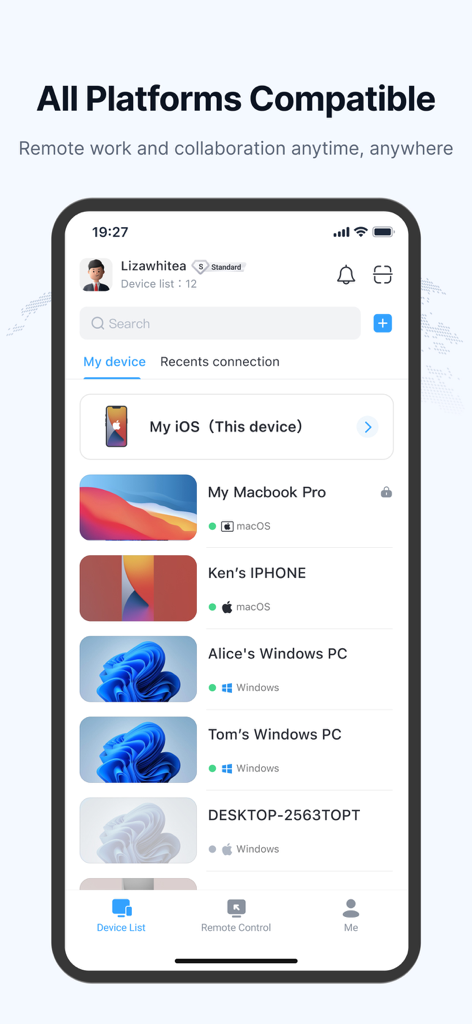
DeskIn Remote Desktop - DeskIn 모바일 앱 인터페이스에 Windows PC 및 MacBook을 포함한 연결된 원격 장치 목록이 표시됩니다.
DeskIn 모바일 앱 인터페이스에 Windows PC 및 MacBook을 포함한 연결된 원격 장치 목록이 표시됩니다.

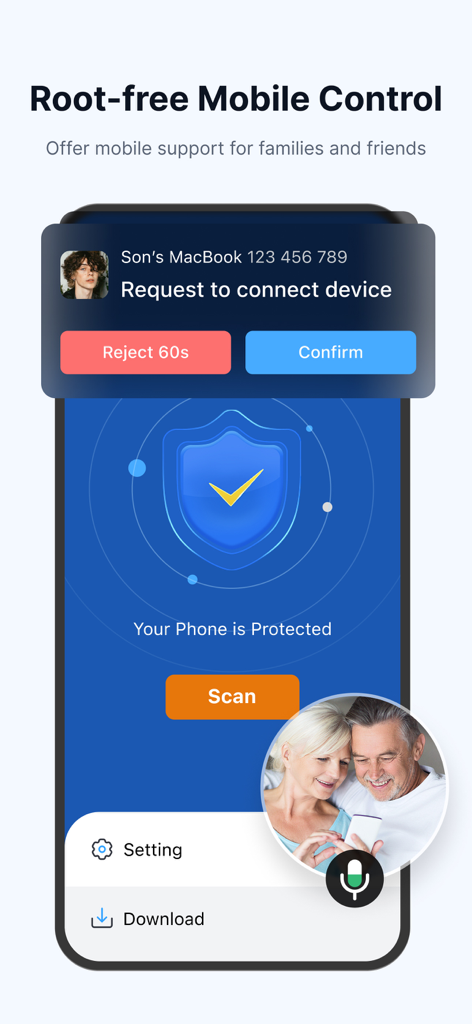
DeskIn Remote Desktop - DeskIn 앱 인터페이스에 가족에게 기술 지원을 제공하기 위한 원격 모바일 제어 요청이 표시됩니다.
DeskIn 앱 인터페이스에 가족에게 기술 지원을 제공하기 위한 원격 모바일 제어 요청이 표시됩니다.

DeskIn Remote Desktop - DeskIn 원격 데스크톱 인터페이스에 스마트폰과 노트북 간의 고속 12MB/s 파일 전송이 표시됩니다.
DeskIn 원격 데스크톱 인터페이스에 스마트폰과 노트북 간의 고속 12MB/s 파일 전송이 표시됩니다.

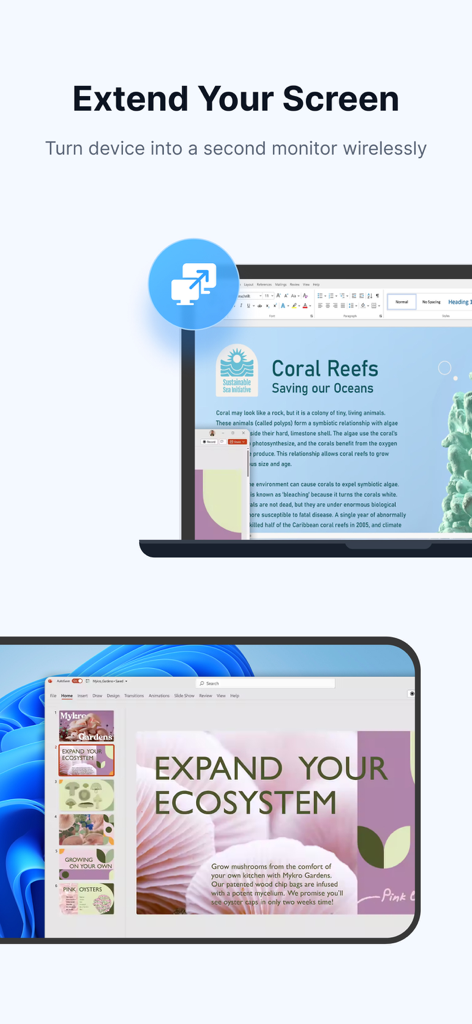
DeskIn Remote Desktop - 모바일 장치를 노트북의 보조 모니터로 바꾸는 무선 화면 확장 기능

모바일 장치를 노트북의 보조 모니터로 바꾸는 무선 화면 확장 기능

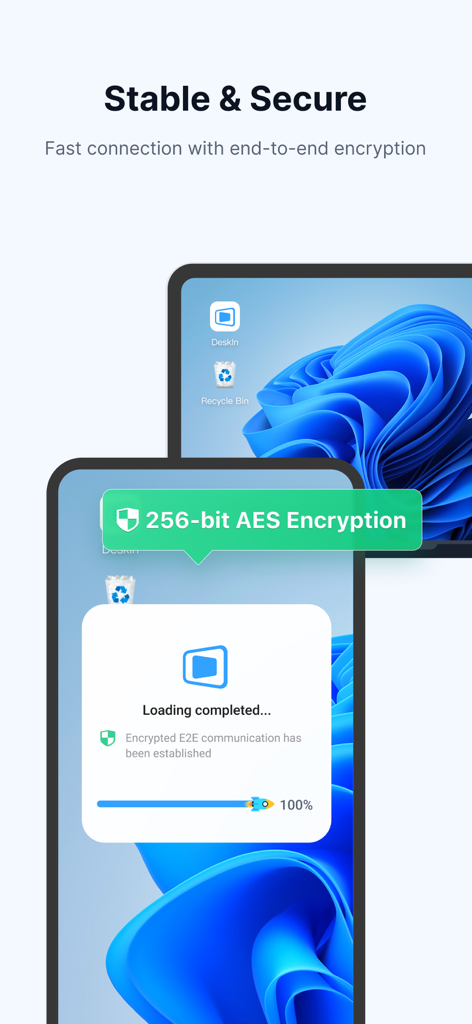
DeskIn Remote Desktop - DeskIn 앱 인터페이스에 여러 장치에서 안전한 원격 액세스를 위한 256비트 AES 종단 간 암호화가 표시됩니다.
DeskIn 앱 인터페이스에 여러 장치에서 안전한 원격 액세스를 위한 256비트 AES 종단 간 암호화가 표시됩니다.

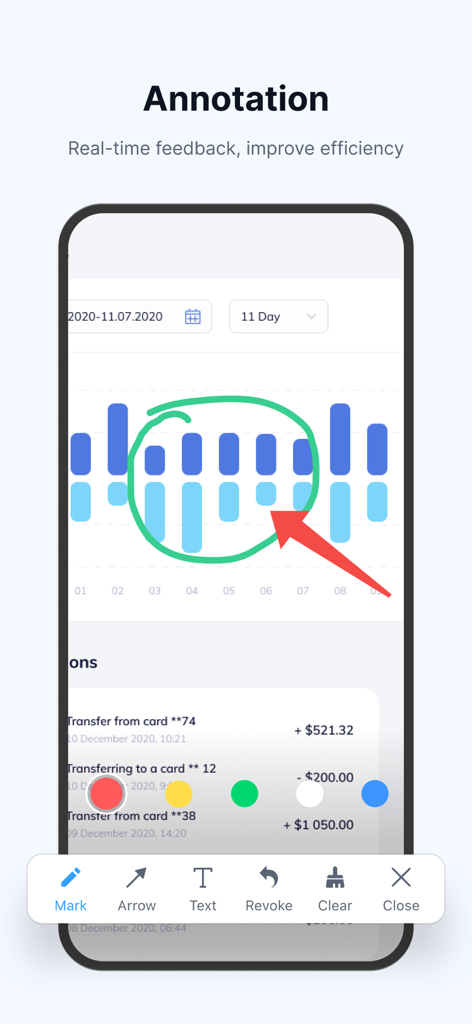
DeskIn Remote Desktop - DeskIn 앱에 원격 화면 차트에 실시간 주석 도구가 표시됩니다.
DeskIn 앱에 원격 화면 차트에 실시간 주석 도구가 표시됩니다.

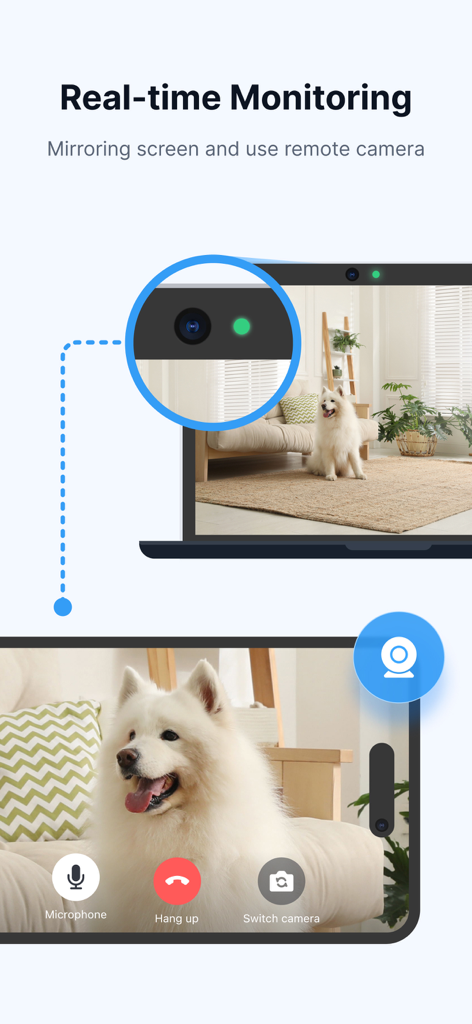
DeskIn Remote Desktop - DeskIn 앱의 실시간 모니터링 기능으로 노트북에서 모바일 폰으로 원격 카메라 액세스 및 화면 미러링을 보여줍니다.

DeskIn 앱의 실시간 모니터링 기능으로 노트북에서 모바일 폰으로 원격 카메라 액세스 및 화면 미러링을 보여줍니다.

설명

DeskIn is a free remote desktop app providing fast, secure, and stable remote access service for personal use. You can control one or multiple remote devices from your iPad or iPhone with a secure and high-performance connection. Whether you're working remotely, offering IT support, studying, designing, or helping friends and family, DeskIn helps you stay efficient and productive. A powerful alternative to Windows App, Splashtop, AnyDesk, Parsec, Moonlight, and Unified Remote. Why DeskIn? Feature-Rich Remote access, file transfer, screenshare, screen extension, real-time voice chat, mobile control, remote play, and remote support—ideal for both work and entertainment. Excellent Performance 4K60FPS / 2K144FPS ultra-HD resolution, 40ms latency, smooth experience even in gaming and design. Fast & Stable Stable connection with 12MB/s file transfer speed. No drops even in low-bandwidth environments. Cross-Platform Access across major OS and devices—seamless link to Windows, macOS, and more. Secure & Flexible Bank-level E2E encryption, two-factor authentication, allow/block lists, and custom passwords for unattended remote desktop connection. What You Can Do with DeskIn - Cross-Platform Remote Access Remotely access and control computers (Windows 10/11, Mac) and mobile clients from your iPhone or iPad. Use remote desktop, mobile transfer express, and connect to Windows remotely. A full-featured alternative to Microsoft Remote Desktop and RDP Remote Desktop Connection. - Secure Unattended Access Set passwords for unattended access, activate privacy mode to hide remote screens. Ideal for productive, always-on scenarios like mobile work or PC remote sessions. - File Transfer & Sync Quickly transfer files between phone and PC without format/size limits. Send documents, images, or videos and print files from the remote device locally. - Quick Remote IT Support Use quicksupport and quickconnect features for fast IT help. Run CMD or SSH commands remotely. Offer Apple Remote Support or Airdroid Remote Support. Wake-on-LAN (WOL), start, shut down, or troubleshoot remote systems instantly. - Remote Work & Collaboration Perfect mobile work and remote access tool. Share clipboards, annotate, and communicate during remote sessions. Works seamlessly with Microsoft 365, Microsoft Access, and other enterprise tools. - Screen Mirroring & Extension Cast or extend screen to PC, Mac, tablets, or even remote control TV. Ideal for presentations or second-screen use. DeskIn offers the simplest screenshare and screen extension solution without needing to be on the same network. - Mobile Control & App Remote Use your computer to control mobile devices remotely via virtual phone or app remote functions. It’s like turning your computer into a touchpad or remote link. - Remote Gaming Play Steam or PC games remotely on iPhone or iPad using customizable keyboard/gamepad. Supports remote play, low-latency moonlight-like experience. A powerful Parsec and Moonlight alternative with support for 3D game view. - Remote Design & Creative Work Perfect for designers—true-color 4:4:4 display, digital pen support, and seamless drawing tablet input. - Virtual Screens & Multi-Session Create virtual screens for multitasking or separate workspaces. Break hardware limits by extending desktop sessions virtually. DeskIn is the best free remote desktop software for iPhone and iPad. Whether you need remote desktop control, mobile client access, remote support, or screen mirroring, DeskIn offers it all in one app. It's also compatible with third-party tools like Microsoft Teams, Quick Remote, Touchpad, and Remote Link. Quick Start Guide Install DeskIn on both devices. Sign in and enter the remote device's ID and password. You're connected! Start your remote session now. DeskIn is free for both personal and commercial use. We also offer an advanced Enterprise Edition—visit deskin.io for more information. Questions or suggestions? Contact us at support@deskin.io

Download

다운로드: App Store

이 페이지는 앱이나 개발자의 공식 페이지가 아니며, 정보 제공 및 논평을 목적으로 작성된 독립 편집 간행물입니다. 명시적으로 달리 언급되지 않는 한, 해당 앱이나 개발자는 MWM, Apple, Google Play, 앱 퍼블리셔 또는 앱 개발자와 제휴, 보증, 후원, 승인 또는 공식적으로 연결되어 있지 않으며, 이 페이지의 어떤 내용도 해당 앱이 MWM의 서비스를 사용하여 개발되었음을 의미하지 않습니다. 모든 상표, 로고, 스크린샷 및 기타 콘텐츠는 해당 소유자의 자산입니다.