Device Monitor Z: CPU x RAM OS

Device Monitor Z: CPU x RAM OS

다운로드: App Store
로고: Device Monitor Z: CPU x RAM OS

Device Monitor Z: CPU x RAM OS — 전문적인 시스템 인사이트 및 성능 모니터링

종합적인 툴킷으로 iPhone의 성능을 강화하세요. 정밀하게 설계된 위젯과 전문적인 진단으로 실시간 CPU/GPU 사용량을 추적하고, 네트워크 지연 시간을 분석하며, 하드웨어를 벤치마킹하세요.

개발사

Phan Nhut

카테고리

Developer Tools

다운로드

61K+

사용자 평점

4.3/5

총 평가 수

0

지원 언어

5

최고 성능을 경험하세요

이 인터페이스를 사용하는 61K+ 명의 사용자.

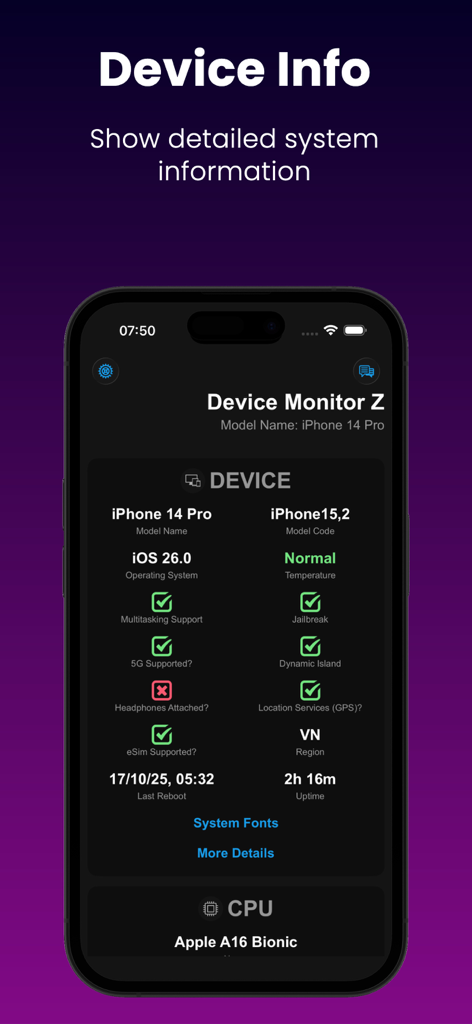
Device Monitor Z 앱이 iPhone에서 상세한 시스템 및 CPU 정보를 표시하는 모습.
Device Monitor Z 앱이 iPhone에서 상세한 시스템 및 CPU 정보를 표시하는 모습.

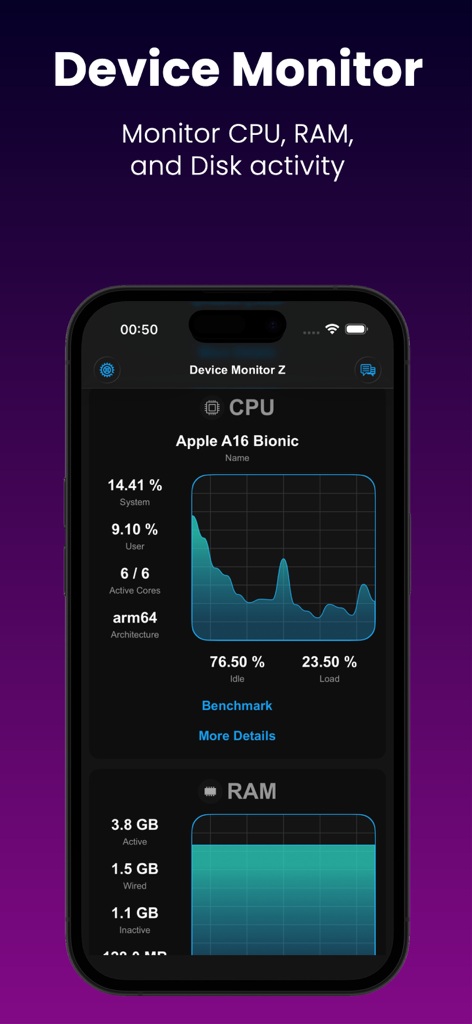
iPhone용 Device Monitor Z 앱의 실시간 CPU 및 RAM 모니터링 대시보드.
iPhone용 Device Monitor Z 앱의 실시간 CPU 및 RAM 모니터링 대시보드.

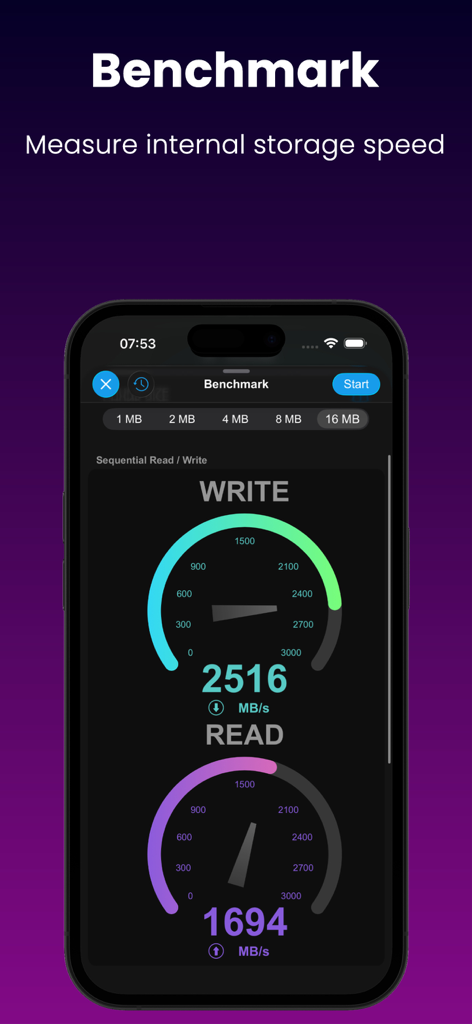
그래프를 사용하여 순차 읽기 및 쓰기 속도를 측정하는 디스크 벤치마크 도구를 보여주는 모바일 앱 화면.
그래프를 사용하여 순차 읽기 및 쓰기 속도를 측정하는 디스크 벤치마크 도구를 보여주는 모바일 앱 화면.

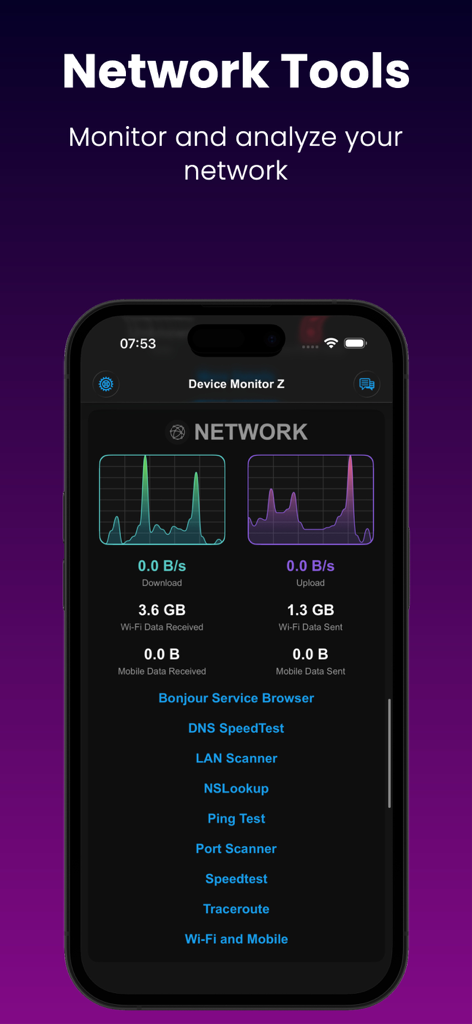
목록 진단 도구와 함께 실시간 네트워크 다운로드 및 업로드 그래프를 보여주는 Device Monitor Z 앱 화면
목록 진단 도구와 함께 실시간 네트워크 다운로드 및 업로드 그래프를 보여주는 Device Monitor Z 앱 화면

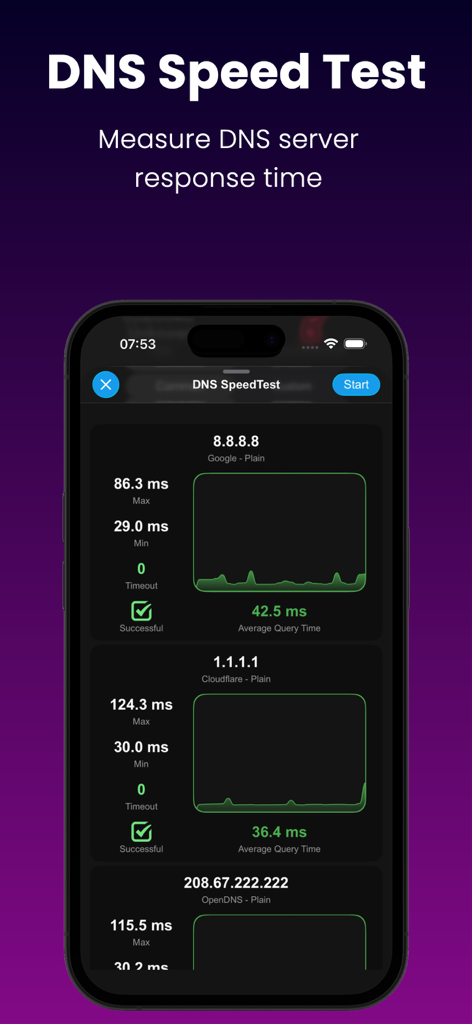
Google, Cloudflare 및 OpenDNS 서버의 응답 시간을 비교하는 DNS 속도 테스트를 보여주는 Device Monitor Z 앱 인터페이스.
Google, Cloudflare 및 OpenDNS 서버의 응답 시간을 비교하는 DNS 속도 테스트를 보여주는 Device Monitor Z 앱 인터페이스.

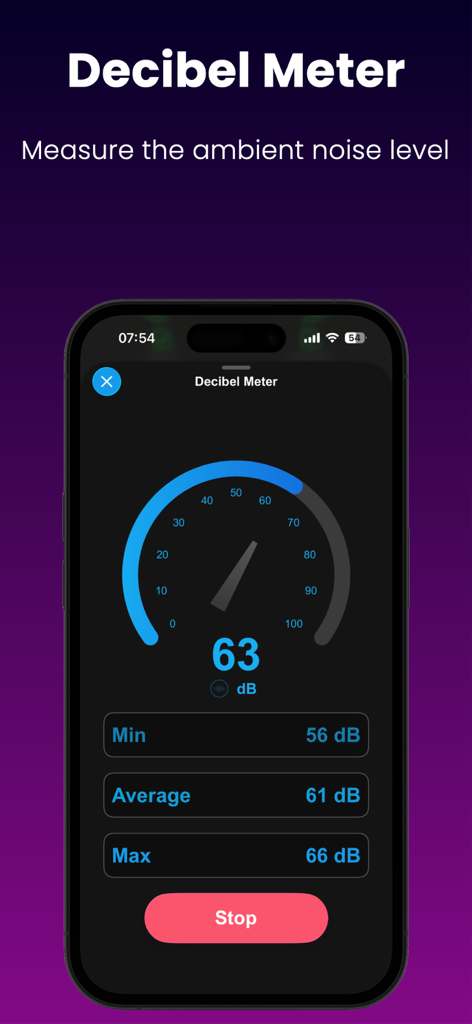
실시간 주변 소음 수준을 보여주는 Device Monitor Z 앱의 데시벨 측정기 인터페이스
실시간 주변 소음 수준을 보여주는 Device Monitor Z 앱의 데시벨 측정기 인터페이스

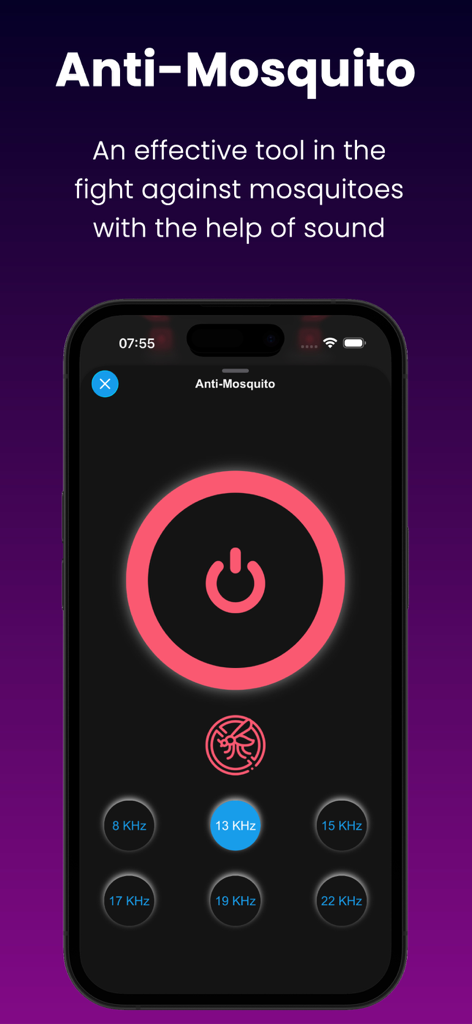
다양한 사운드 주파수 옵션을 보여주는 안티 모기 도구 인터페이스
다양한 사운드 주파수 옵션을 보여주는 안티 모기 도구 인터페이스

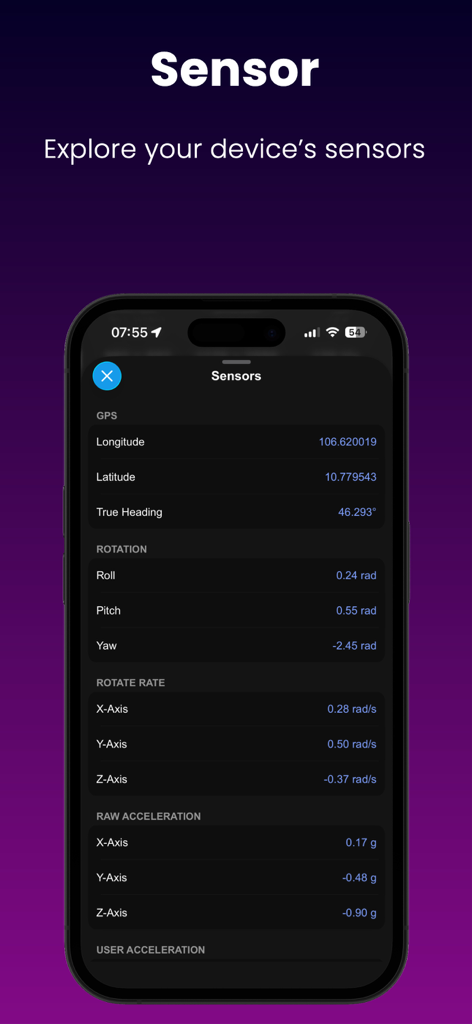
Device Monitor Z 앱이 GPS 회전 및 가속에 대한 실시간 센서 데이터를 표시하는 모습
Device Monitor Z 앱이 GPS 회전 및 가속에 대한 실시간 센서 데이터를 표시하는 모습

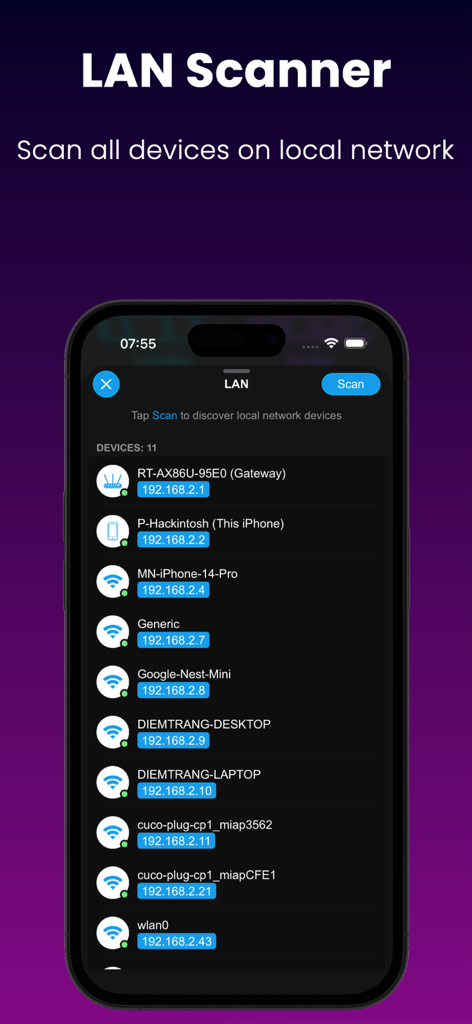
로컬 네트워크의 장치 및 IP 주소를 나열하는 LAN 스캐너 인터페이스.
로컬 네트워크의 장치 및 IP 주소를 나열하는 LAN 스캐너 인터페이스.

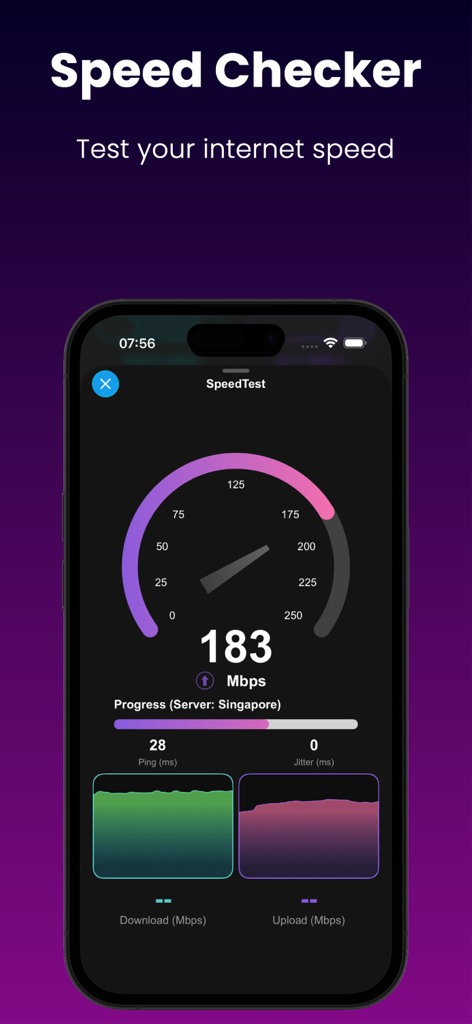
다운로드 및 업로드 메트릭이 있는 인터넷 속도 테스트를 보여주는 스마트폰 화면

다운로드 및 업로드 메트릭이 있는 인터넷 속도 테스트를 보여주는 스마트폰 화면

하드웨어 성능 마스터하기

이 앱을 돋보이게 하는 도구, 61K+ 명의 사용자가 선택.

📊

라이브 시스템 모니터링

CPU, RAM 및 디스크 사용량을 실시간으로 추적하세요. 리소스 병목 현상을 식별하고 고밀도 데이터로 장치를 최적의 효율성으로 실행하세요.

🌐

프로 네트워크 툴킷

기본 속도 테스트를 넘어서세요. 로컬 네트워크를 분석하고, DNS 조회를 수행하며, 포트 스캐너를 사용하여 연결 및 게임 지연 시간을 최적화하세요.

🚀

정밀 벤치마킹

CPU 및 디스크 벤치마크로 하드웨어를 스트레스 테스트하세요. 장치의 기능을 문서화하기 위해 여러 형식으로 상세한 성능 보고서를 내보내세요.

앱 소개

에 대해 알아야 할 모든 것 Device Monitor Z: CPU x RAM OS.

설명

Discover the power of our app - Device Monitor Z (also known as iDevice Monitor) is an app optimized for iPhone, iPod Touch, and iPad users. It provides a quick and efficient way to access activity monitor (CPU monitor, detailed RAM, Storage space, ...) and system information of device. - Key Features: • View basic CPU information and real-time CPU monitor • View basic GPU information. • View basic device information (System status) • View basic OS (Operating System) information • View basic battery information • Check Memory & Disk (RAM & Storage) information details. • Monitor network traffic with real-time upload and download speeds. • Support Quick Actions to run functions quickly from Home Screen • Access camera information. • Access display information. • Check supported sensors - Support Widget to display device information such as RAM/Disk/CPU/Battery/Network info: • iOS 14 Home Widget • iOS 16 Lock Widget • iOS 17 Standby Mode for Widget - System Fonts: → Show all fonts available in the system - Additional Tools: • Performance Benchmark: → CPU Benchmark: Measure the computational capability of the device's CPU. → Disk Benchmark: Measure sequential read/write speed, random 4K read/write speed, and latency of internal storage. • Network Analyzer (also known as Wifi Analyzer or Network Tool), including: → SpeedTest: Evaluate internet download speed and upload speed (powered by SpeedChecker) → LAN Scanner (also known as Wifi Scanner or Network Scanner): Scan devices on your local network → Ping tool: Measure latency to a domain/IP Address → Traceroute → Port Scanner: Verify open or closed ports on domain/IP Address → DNS Lookup (support DoH and DoT): Retrieve domain information → DNS Speed Test (support DoH and DoT): Measures and compares the query response times of various DNS servers, helping users identify and select the fastest server for enhanced network performance. → Bonjour Service Browser: List the Bonjour services advertised on your wireless network. • Screen Test: → Perform quick screen tests • Sensor Monitor, including: → GPS → ALTIMETER → ACCELEROMETER → MAGNETOMETER → GYRO → MOTION COPROCESSOR → MAGNETIC → GRAVITY → ROTATION → ROTATE RATE • Toolkit: → Anti-Mosquito → Decibel Meter: Gauge ambient noise levels accurately in your surroundings. → Bluetooth Scanner: Find Bluetooth devices near your device. → Flashlight Torch. → Export all device information into a file with multiple formats (csv, pdf, xlsx, json, rtf, txt). • Thank you for choosing our app as your device information and monitoring app.

최신 버전

26.0

크기

38.8 MB

출시일

2023년 7월 13일

하드웨어 성능을 완벽하게 제어하세요

61,000명 이상의 파워 유저 및 IT 전문가와 함께하세요. 시스템을 벤치마킹하고, 실시간 CPU/RAM 상태를 모니터링하며, 전문가처럼 네트워크 문제를 해결하세요.

다운로드: App Store

App information, icons, screenshots, and descriptions displayed on this page are sourced from the Apple App Store and are the property of their respective developers. Download estimates and rankings are based on MWM's proprietary models and may not reflect actual figures. This page is provided for informational and analytical purposes only.

Believe this page infringes your intellectual property? File a dispute