DEVONthink To Go 3
DEVONthink To Go 3
다운로드: App Store

이 페이지는 앱이나 개발자의 공식 페이지가 아니며, 정보 제공 및 논평을 목적으로 작성된 독립 편집 간행물입니다. 명시적으로 달리 언급되지 않는 한, 해당 앱이나 개발자는 MWM, Apple, Google Play, 앱 퍼블리셔 또는 앱 개발자와 제휴, 보증, 후원, 승인 또는 공식적으로 연결되어 있지 않으며, 이 페이지의 어떤 내용도 해당 앱이 MWM의 서비스를 사용하여 개발되었음을 의미하지 않습니다. 모든 상표, 로고, 스크린샷 및 기타 콘텐츠는 해당 소유자의 자산입니다.


로고: DEVONthink To Go 3
다운로드: App Store

DEVONthink To Go 3

개인용 2차 두뇌를 위한 전문 등급 도구, 온디바이스 OCR 및 완전한 개인 정보 보호로 문서를 수집, 구성 및 자동화하세요.

주요 수치

다운로드

5K+

사용자 평점

4.7/5

총 평가 수

5K+

개발사

DEVONtechnologies, LLC

카테고리

Productivity

지원 언어

3

최신 버전

3.8.14

크기

134.5 MB

출시일

2021년 2월 10일
기능

전문 등급 지식 관리

iPad 및 iPhone을 위한 궁극의 '2차 두뇌'. 데스크톱 등급의 성능으로 가장 중요한 문서를 구성, 자동화 및 보호하세요.

온디바이스 인텔리전스 및 OCR

스캔 및 이미지를 검색 가능한 PDF로 즉시 변환하세요. 최대 속도와 완전한 개인 정보를 보장하기 위해 기기에서 직접 처리하세요.

철통 같은 개인 정보 보호 및 동기화

엔드투엔드 암호화로 데이터를 제어하세요. 파일을 제3자에게 노출하지 않고 로컬 Wi-Fi 또는 클라우드 제공업체를 통해 동기화하세요.

다음 스크린샷과 설명은 앱의 공식 스토어 목록에서 직접 가져온 것이며 앱 개발자의 자산입니다.

앱 스토어

스크린샷
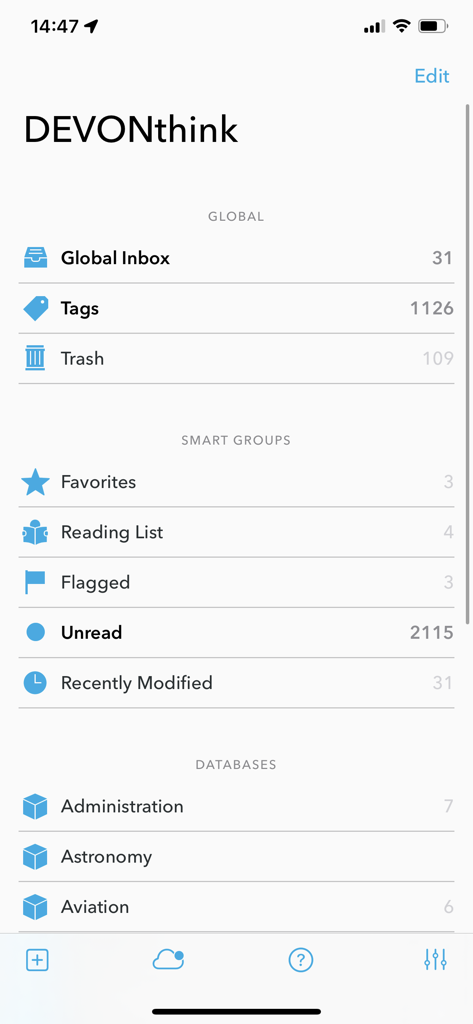
DEVONthink To Go 3 - 문서 데이터베이스와 스마트 그룹을 보여주는 DEVONthink To Go 3의 메인 인터페이스
문서 데이터베이스와 스마트 그룹을 보여주는 DEVONthink To Go 3의 메인 인터페이스

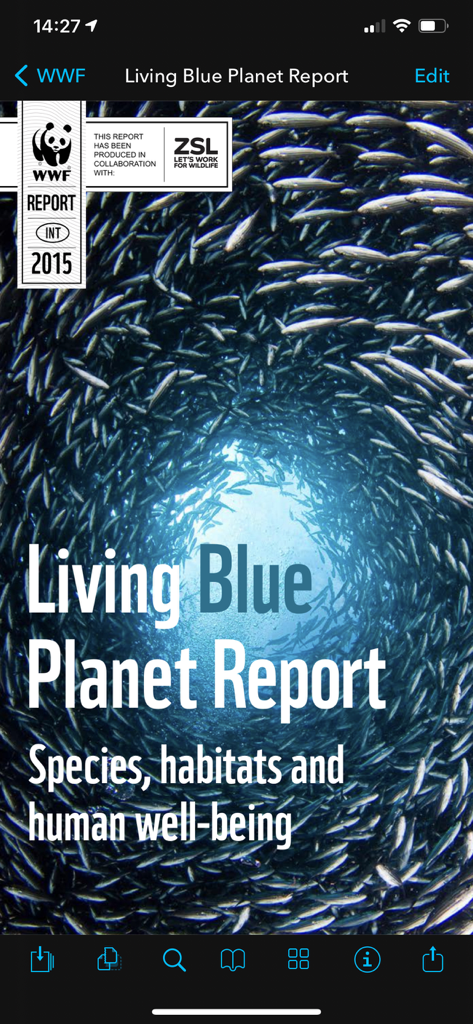
DEVONthink To Go 3 - DEVONthink To Go 3 모바일 앱에서 열린 PDF 문서로, Living Blue Planet Report 표지가 보입니다.
DEVONthink To Go 3 모바일 앱에서 열린 PDF 문서로, Living Blue Planet Report 표지가 보입니다.

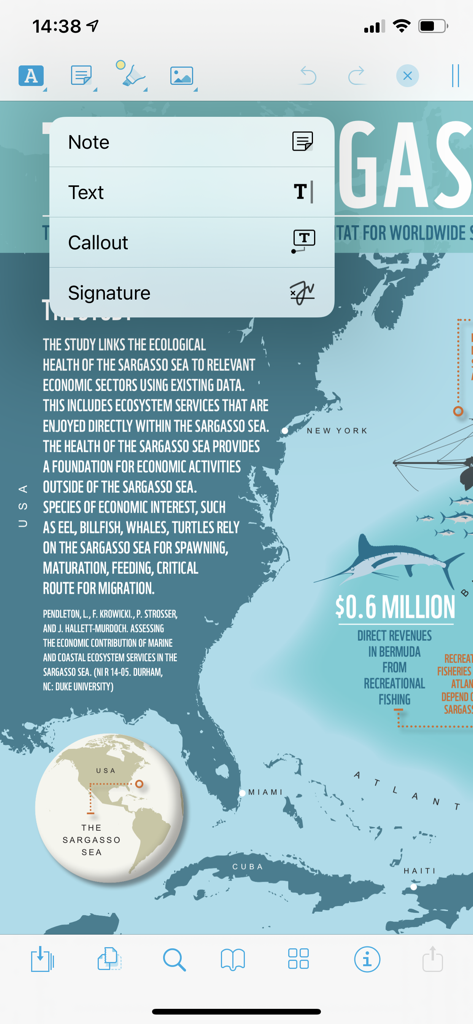
DEVONthink To Go 3 - DEVONthink To Go 3의 PDF 문서 주석 인터페이스로, 메모 및 콜아웃 옵션이 표시됩니다.
DEVONthink To Go 3의 PDF 문서 주석 인터페이스로, 메모 및 콜아웃 옵션이 표시됩니다.

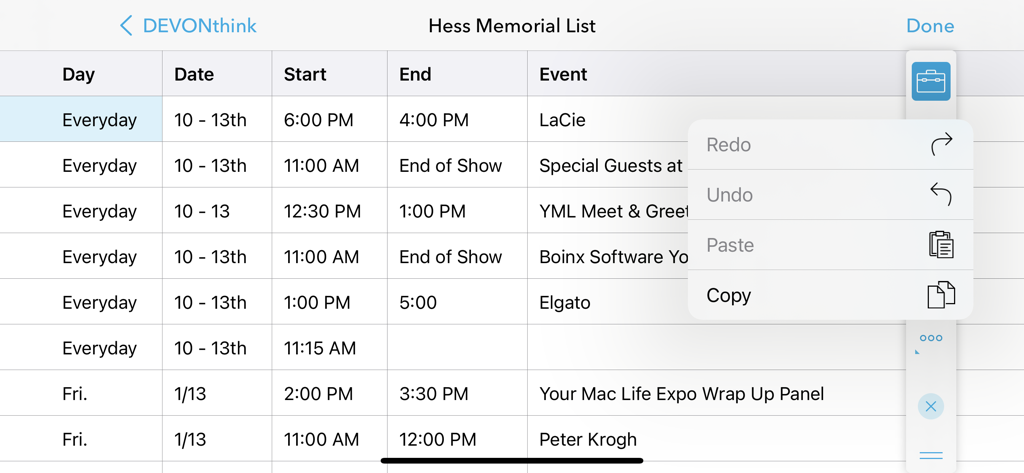
DEVONthink To Go 3 - 복사 및 붙여넣기 기능을 위한 열린 편집 메뉴가 있는 DEVONthink To Go 3의 스프레드시트 보기
복사 및 붙여넣기 기능을 위한 열린 편집 메뉴가 있는 DEVONthink To Go 3의 스프레드시트 보기

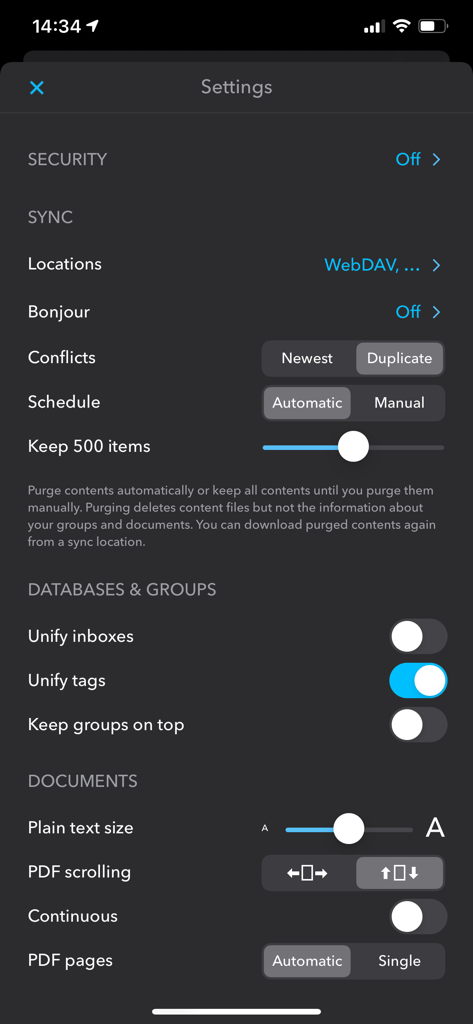
DEVONthink To Go 3 - 동기화 및 데이터베이스 구성 옵션을 보여주는 DEVONthink To Go 3의 설정 화면.

동기화 및 데이터베이스 구성 옵션을 보여주는 DEVONthink To Go 3의 설정 화면.

설명

If you're serious about working on iOS, DEVONthink To Go is your document repository when you're not at your Mac. Collect, organize, edit, and annotate. Automate with Shortcuts. Keep your document collection always in sync between your Mac, iPad, and iPhone. Privately and securely. DEVONthink To Go lets you take your important documents with you on your iPad or iPhone. Browse PDFs, notes, images, bookmarks, and just about any file type, neatly organized into databases and groups. View many types of them without opening them in another app. Edit texts, Markdown files, or rich text documents, or open files in other apps if the built-in editing capabilities are not sufficient. Read web pages as if they were local documents. Clip data from web pages or just any iOS app through the Share menu. DEVONthink To Go is also deeply integrated into the Files app so that your databases appear like a local file system to other apps. Save files, via Files and iOS’ file provider mechanism, directly to DEVONthink To Go. Use drag-and-drop both inside the app as well as with other apps. Like DEVONthink for Mac, DEVONthink To Go offers many ways to organize your document collection. Sort documents into groups, add them to more than one group at a time without duplicating them, or add tags. Flag items, mark them as unread, or give them a star rating. Predefined smart groups show you, e.g., all your flagged or unread documents. Find what you’re looking for with fast full-text search. Annotate PDFs with all common tools and annotation types. Rearrange pages, rotate or delete them. Run scans, PDFs or images, through the built-in, on-device text recognition (OCR) to make them searchable. Add links to your documents to all apps that take web addresses, e.g. OmniFocus or Apple Notes, or export your documents in their original file formats to the Files app and all other apps that support it. DEVONthink To Go is best used with DEVONthink for Mac and on multiple devices. Synchronize your databases securely and privately over the local network or through a cloud service of your choice. You decide what data is synced, when, and where. Strong encryption makes sure that your data belongs to you, not to your service provider or us. Shortcuts lets you automate repetitive tasks without becoming a programmer. Use DEVONthink To Go’s Shortcuts actions to integrate it with other apps. Set up workflows with all the steps from creating new documents to reorganizing your databases along rules you set up. Privacy policy: https://www.devontechnologies.com/r/privacy End user license agreement: https://www.devontechnologies.com/r/eula

Download

다운로드: App Store

이 페이지는 앱이나 개발자의 공식 페이지가 아니며, 정보 제공 및 논평을 목적으로 작성된 독립 편집 간행물입니다. 명시적으로 달리 언급되지 않는 한, 해당 앱이나 개발자는 MWM, Apple, Google Play, 앱 퍼블리셔 또는 앱 개발자와 제휴, 보증, 후원, 승인 또는 공식적으로 연결되어 있지 않으며, 이 페이지의 어떤 내용도 해당 앱이 MWM의 서비스를 사용하여 개발되었음을 의미하지 않습니다. 모든 상표, 로고, 스크린샷 및 기타 콘텐츠는 해당 소유자의 자산입니다.