DICOM Camera
DICOM Camera
다운로드: App Store

이 페이지는 앱이나 개발자의 공식 페이지가 아니며, 정보 제공 및 논평을 목적으로 작성된 독립 편집 간행물입니다. 명시적으로 달리 언급되지 않는 한, 해당 앱이나 개발자는 MWM, Apple, Google Play, 앱 퍼블리셔 또는 앱 개발자와 제휴, 보증, 후원, 승인 또는 공식적으로 연결되어 있지 않으며, 이 페이지의 어떤 내용도 해당 앱이 MWM의 서비스를 사용하여 개발되었음을 의미하지 않습니다. 모든 상표, 로고, 스크린샷 및 기타 콘텐츠는 해당 소유자의 자산입니다.


로고: DICOM Camera
다운로드: App Store

DICOM Camera

모바일 기기를 안전한 의료 장치로 전환하십시오. HIPAA 규정을 준수하는 사진 및 비디오를 캡처하고, MWL을 통해 환자 데이터를 가져오고, 개인 카메라 롤의 임상 데이터를 제거하여 아카이브 서버로 직접 전송하십시오.

주요 수치

다운로드

900

사용자 평점

5.0/5

총 평가 수

0

개발사

Raster Images Pvt. Ltd

카테고리

Medical

지원 언어

8

최신 버전

3.0.1

크기

26.6 MB

출시일

2023년 8월 18일
기능

간편한 전문 영상

모바일 유연성과 병원 등급 표준 간의 격차를 해소하도록 설계된 안전하고 DICOM 규정을 준수하는 솔루션으로 임상 워크플로우를 간소화합니다.

HIPAA 준비 보안 스토리지

개인 사진 라이브러리와 혼합되지 않는 안전한 인앱 '보호된 정원' 내에 임상 미디어를 격리하여 환자 개인 정보를 보호합니다.

원활한 PACS 및 HL7 동기화

이미지를 실시간으로 병원 아카이브 서버 및 통신 시스템으로 직접 전송하여 수동 업로드를 제거합니다.

다음 스크린샷과 설명은 앱의 공식 스토어 목록에서 직접 가져온 것이며 앱 개발자의 자산입니다.

앱 스토어

스크린샷
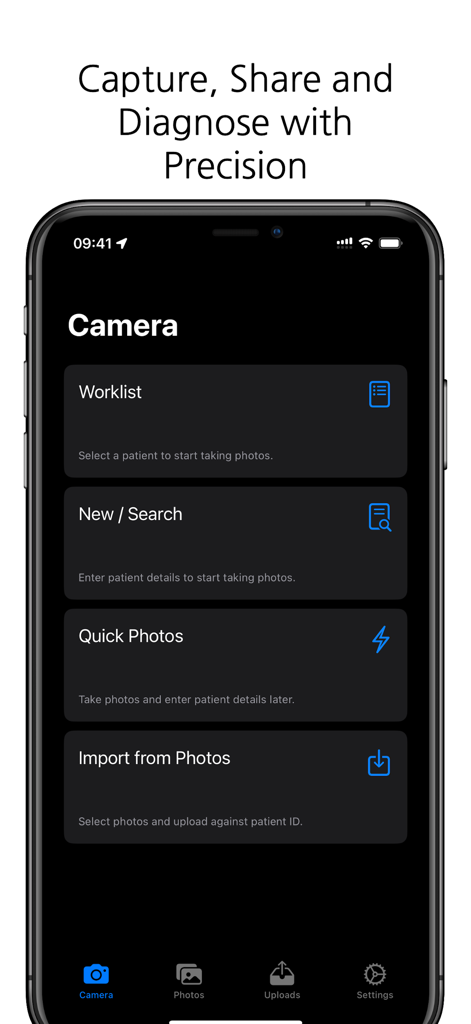
DICOM Camera - 의료 전문가를 위한 환자 작업 목록 및 사진 캡처 옵션을 보여주는 DICOM 카메라 앱의 메인 메뉴
의료 전문가를 위한 환자 작업 목록 및 사진 캡처 옵션을 보여주는 DICOM 카메라 앱의 메인 메뉴

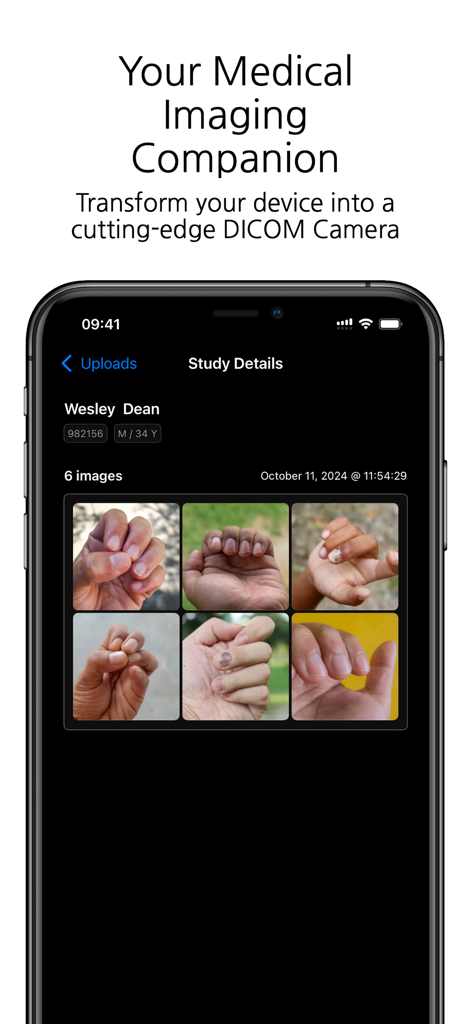
DICOM Camera - 임상 연구 세부 정보 및 환자 손 이미지를 표시하는 DICOM 카메라 앱이 있는 스마트폰 화면
임상 연구 세부 정보 및 환자 손 이미지를 표시하는 DICOM 카메라 앱이 있는 스마트폰 화면

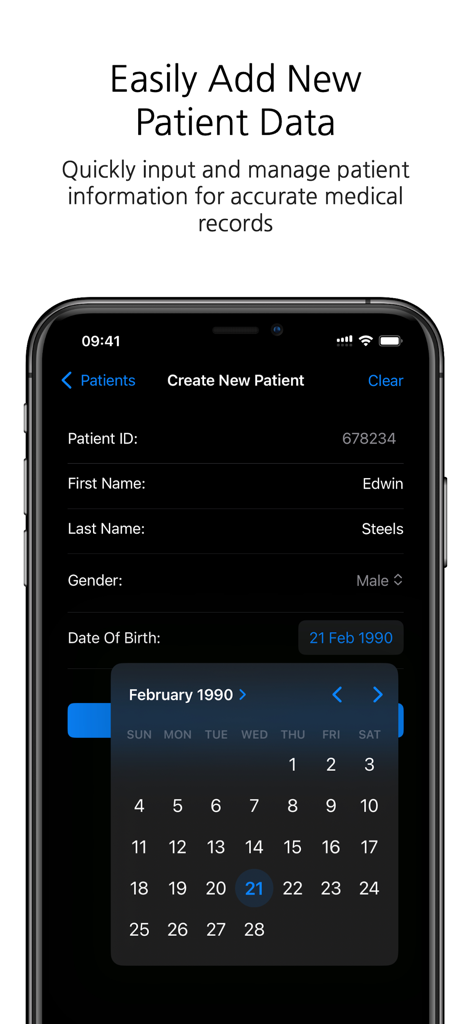
DICOM Camera - ID, 이름 및 생년월일을 포함한 새 환자 정보를 추가하기 위한 DICOM 카메라 앱 인터페이스를 보여주는 스마트폰 스크린샷
ID, 이름 및 생년월일을 포함한 새 환자 정보를 추가하기 위한 DICOM 카메라 앱 인터페이스를 보여주는 스마트폰 스크린샷

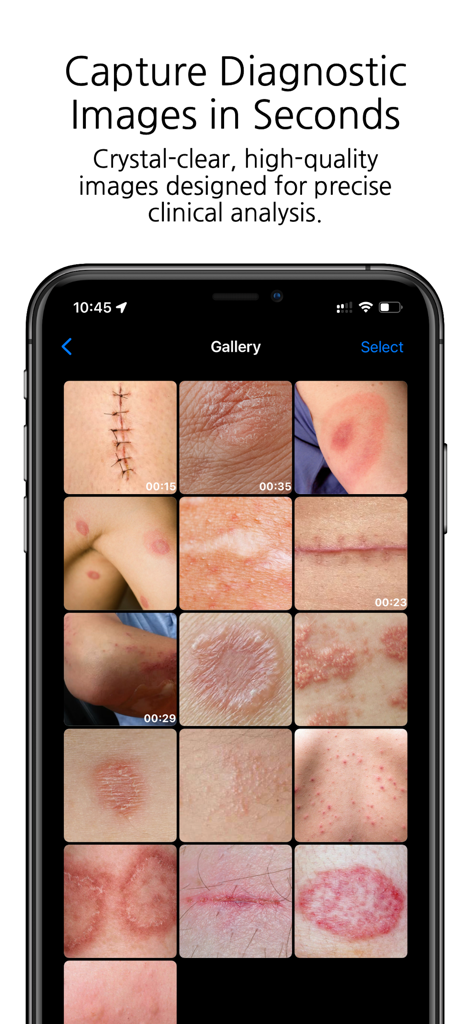
DICOM Camera - 피부 질환 및 수술 흉터의 다양한 임상 이미지가 있는 DICOM 카메라 앱 갤러리를 표시하는 스마트폰 화면
피부 질환 및 수술 흉터의 다양한 임상 이미지가 있는 DICOM 카메라 앱 갤러리를 표시하는 스마트폰 화면

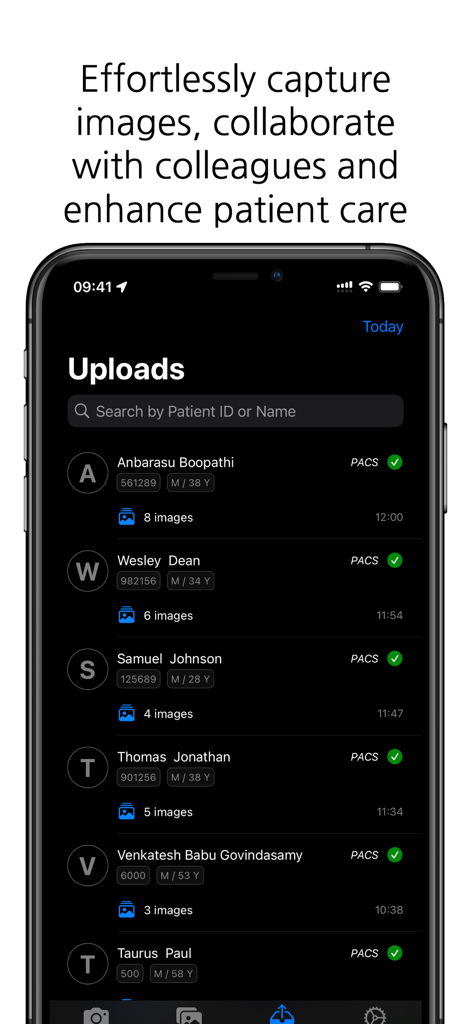
DICOM Camera - 성공적인 PACS 동기화 상태를 가진 환자 이미지 업로드 목록을 보여주는 DICOM 카메라 앱 인터페이스
성공적인 PACS 동기화 상태를 가진 환자 이미지 업로드 목록을 보여주는 DICOM 카메라 앱 인터페이스

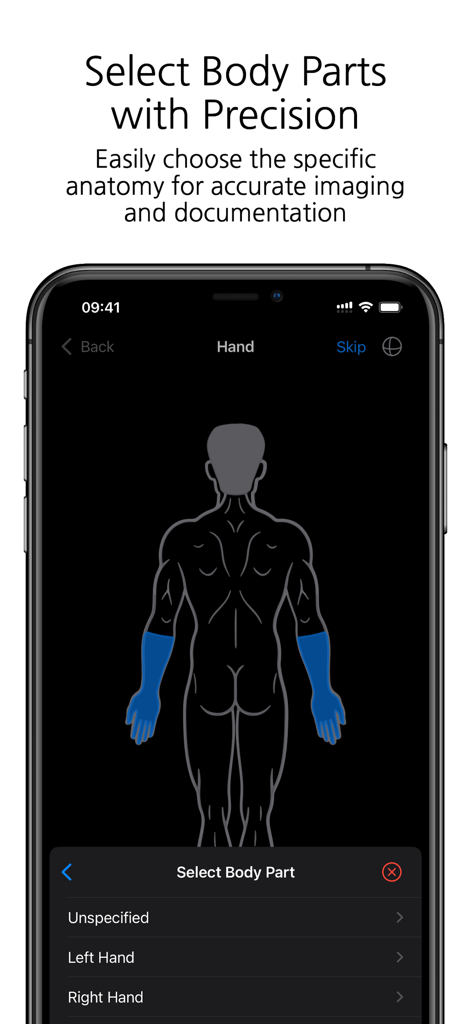
DICOM Camera - 신체 부위 선택을 위한 인체 도표를 보여주는 DICOM 카메라 앱의 인터페이스
신체 부위 선택을 위한 인체 도표를 보여주는 DICOM 카메라 앱의 인터페이스

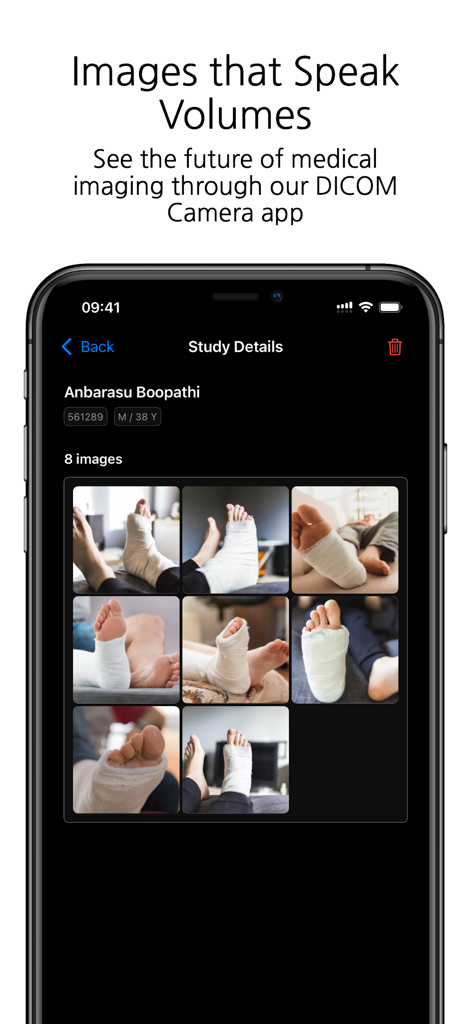
DICOM Camera - 의료 연구 세부 정보와 환자 사진 그리드를 보여주는 DICOM 카메라 앱
의료 연구 세부 정보와 환자 사진 그리드를 보여주는 DICOM 카메라 앱

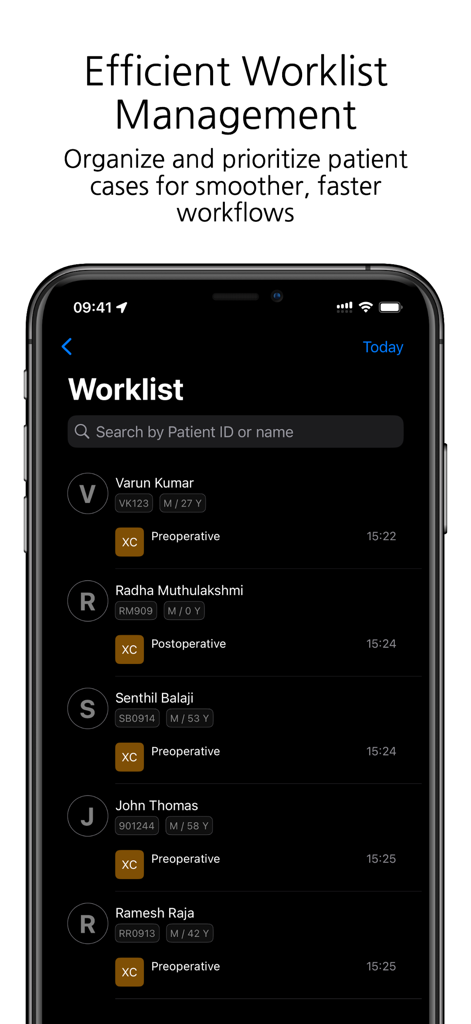
DICOM Camera - ID 및 수술 전 또는 후 상태가 있는 환자 사례 목록을 보여주는 DICOM 카메라 앱 인터페이스
ID 및 수술 전 또는 후 상태가 있는 환자 사례 목록을 보여주는 DICOM 카메라 앱 인터페이스

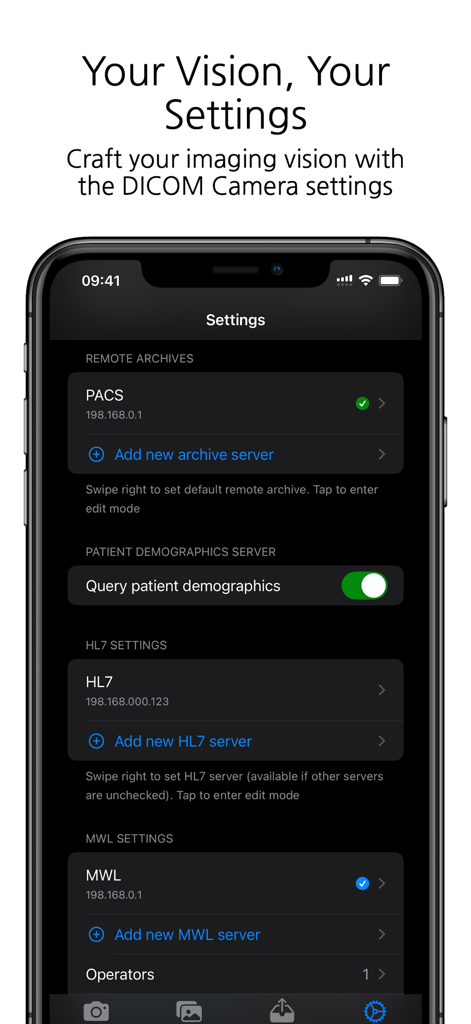
DICOM Camera - PACS HL7 및 MWL 서버에 대한 구성 옵션을 보여주는 DICOM 카메라 앱의 설정 화면
PACS HL7 및 MWL 서버에 대한 구성 옵션을 보여주는 DICOM 카메라 앱의 설정 화면

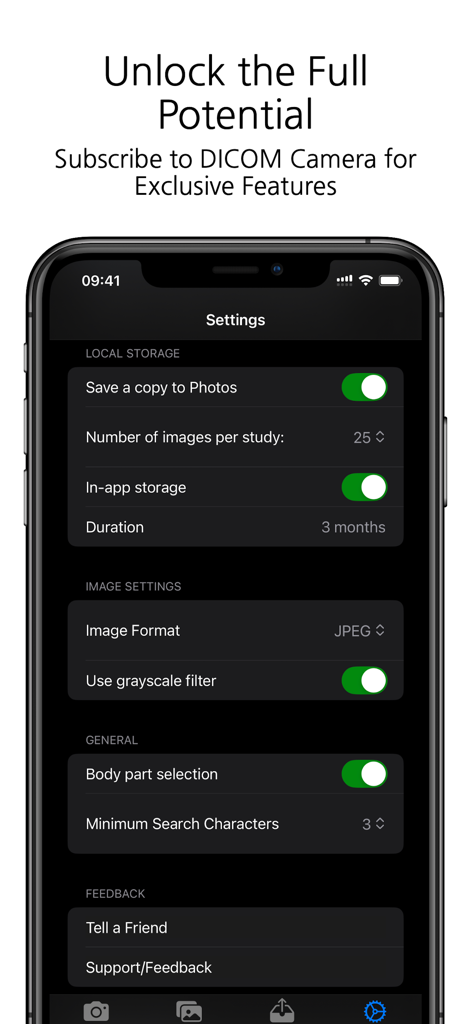
DICOM Camera - 의료 영상 저장 및 임상 구성 옵션을 보여주는 DICOM 카메라 앱의 설정 메뉴

의료 영상 저장 및 임상 구성 옵션을 보여주는 DICOM 카메라 앱의 설정 메뉴

설명

DICOM Camera: The Ultimate Medical Imaging Companion The DICOM Camera app is a cutting-edge solution for medical professionals who need to capture, store, and manage medical images and videos with ease. Designed to integrate seamlessly into any medical workflow, DICOM Camera offers powerful features to streamline medical imaging while ensuring compliance with DICOM standards. With its advanced features, DICOM Camera enables easy capture, storage, and sharing of high-quality medical images. Key Features: 1. Configure Multiple Remote Archive Servers Effortlessly connect and configure multiple remote DICOM archive servers (PACS). This feature allows users to store and retrieve studies across various servers, ensuring scalability and secure access to imaging data. 2. Capture Up to 25 Photos per Study With DICOM Camera, you can capture up to 25 high-quality medical images per study. This is ideal for documenting comprehensive cases where multiple images are required to fully capture the clinical details. 3. Record Up to 5 Minutes of Video per Study The app supports video recording of up to 5 minutes per study, making it perfect for capturing dynamic or procedural data, endoscopic procedures, or surgical documentation. 4. Configure Multiple HL7 Servers DICOM Camera allows users to integrate multiple HL7 servers for seamless communication with hospital information systems (HIS) and electronic medical record (EMR) systems, ensuring smooth data flow between systems. 5. Configure Multiple MWL Servers Integration with multiple Modality Work list (MWL) servers ensures efficient and accurate workflow management. You can configure several MWL servers to pull patient data, ensuring proper association of captured images and videos with patient records. 6. In-App Storage of Photos The app provides secure, in-app storage of captured photos, allowing users to manage and organise their studies locally before transferring them to the archive or external servers. 7. Body Part Selection for Photos Enhance the clinical accuracy of your imaging documentation by selecting the specific body part being imaged. This feature helps in ensuring that the medical images are properly annotated and categorised. 8. Capture Photos in Multiple Formats Capture and store photos in various formats such as JPEG, JPEG-Lossless, or JPEG2000 to accommodate different clinical needs or institutional requirements. 9. Grayscale Filters for Image Processing Apply grayscale filters to captured images to enhance contrast and visualisation, particularly useful in medical imaging where grayscale is preferred for clinical assessment. 10. Add Multiple Operators for MWL Technicians Easily manage multiple operators or technicians within the app, especially in larger facilities where different users might be handling the imaging process. This ensures that the correct operator is associated with each study. 11. Activity Log Track all actions performed within the app through an integrated activity log. This feature provides an audit trail for every study captured, helping to maintain compliance and accountability. 12. MPPS Log (Modality Performed Procedure Step) Monitor and log all MPPS events, ensuring accurate tracking of completed imaging procedures. This feature is essential for institutions that need to log procedural information in real time. 13. Support for Multiple Languages DICOM Camera is built for a global audience with support for multiple languages. Users can easily switch between languages, making the app accessible to a diverse range of medical professionals worldwide. 14. Custom App Icon Personalise the look of your DICOM Camera app with a custom app icon, allowing users to choose the visual appearance that suits their preferences. DICOM Camera is designed to simplify the process of capturing and managing medical images and videos, ensuring compliance with healthcare standards and delivering a robust solution for medical professionals.

Download

다운로드: App Store

이 페이지는 앱이나 개발자의 공식 페이지가 아니며, 정보 제공 및 논평을 목적으로 작성된 독립 편집 간행물입니다. 명시적으로 달리 언급되지 않는 한, 해당 앱이나 개발자는 MWM, Apple, Google Play, 앱 퍼블리셔 또는 앱 개발자와 제휴, 보증, 후원, 승인 또는 공식적으로 연결되어 있지 않으며, 이 페이지의 어떤 내용도 해당 앱이 MWM의 서비스를 사용하여 개발되었음을 의미하지 않습니다. 모든 상표, 로고, 스크린샷 및 기타 콘텐츠는 해당 소유자의 자산입니다.








