Diptic

Diptic

다운로드: App Store
로고: Diptic

Diptic: 아름다운 사진 및 동영상 콜라주로 나만의 이야기 만들기

추억을 정리하는 가장 맞춤 설정 가능한 방법. 사진과 동영상을 놀랍고 고해상도 레이아웃으로 결합하고 완벽한 창의적인 제어 기능을 사용하세요.

개발사

Peak Systems

카테고리

Photo & Video

다운로드

503K+

사용자 평점

4.3/5

총 평가 수

16K+

지원 언어

1

한눈에 보는 스토리텔링

이 인터페이스를 사용하는 503K+ 명의 사용자.

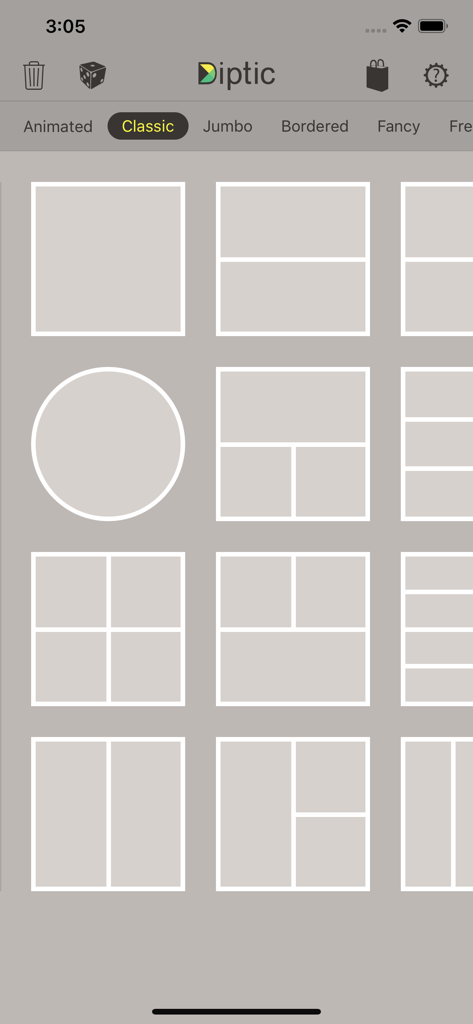
Diptic 앱 인터페이스가 클래식 사진 콜라주 레이아웃 옵션 그리드를 보여줍니다.
Diptic 앱 인터페이스가 클래식 사진 콜라주 레이아웃 옵션 그리드를 보여줍니다.

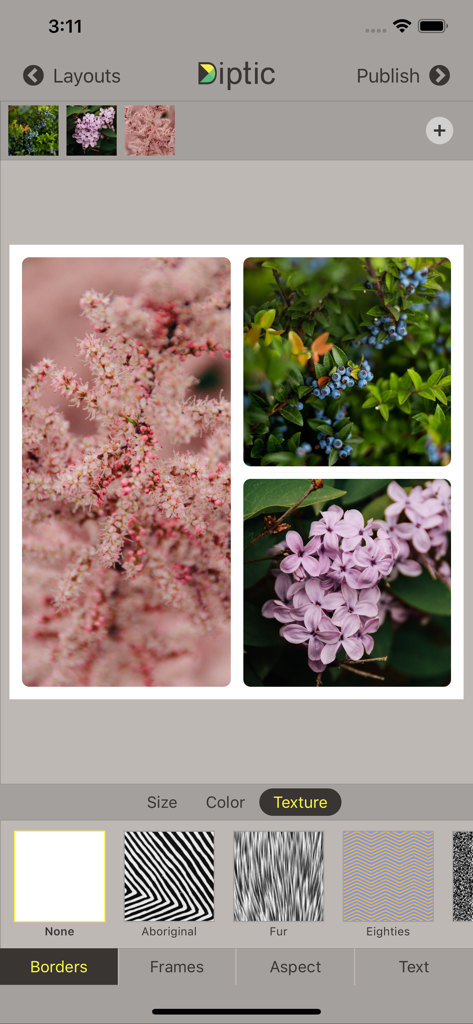
Diptic 앱 화면에 꽃 사진 콜라주와 테두리 질감 조정 옵션이 표시됩니다.
Diptic 앱 화면에 꽃 사진 콜라주와 테두리 질감 조정 옵션이 표시됩니다.

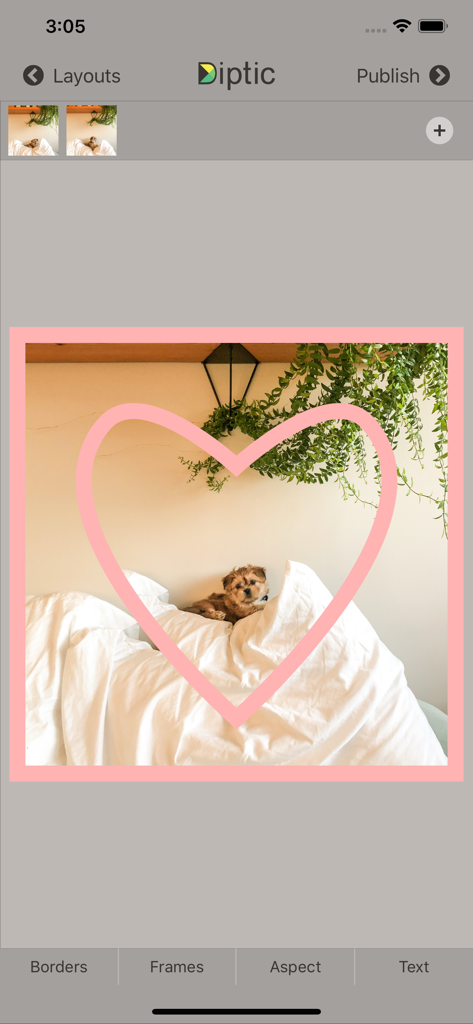
Diptic 앱 인터페이스에 분홍색 하트 프레임 오버레이가 있는 강아지 사진이 표시됩니다.
Diptic 앱 인터페이스에 분홍색 하트 프레임 오버레이가 있는 강아지 사진이 표시됩니다.

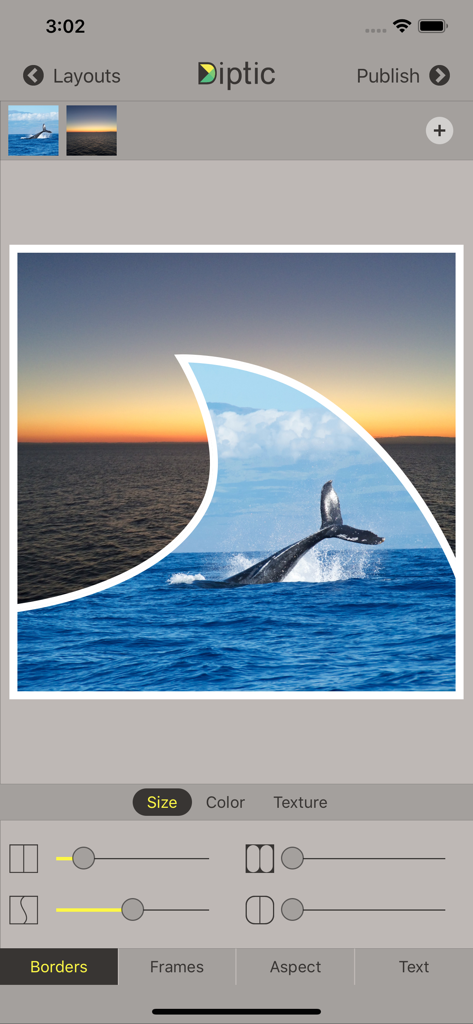
Diptic 앱 인터페이스에 고래 사진과 물결 모양 프레임이 있는 맞춤 사진 콜라주가 표시됩니다.
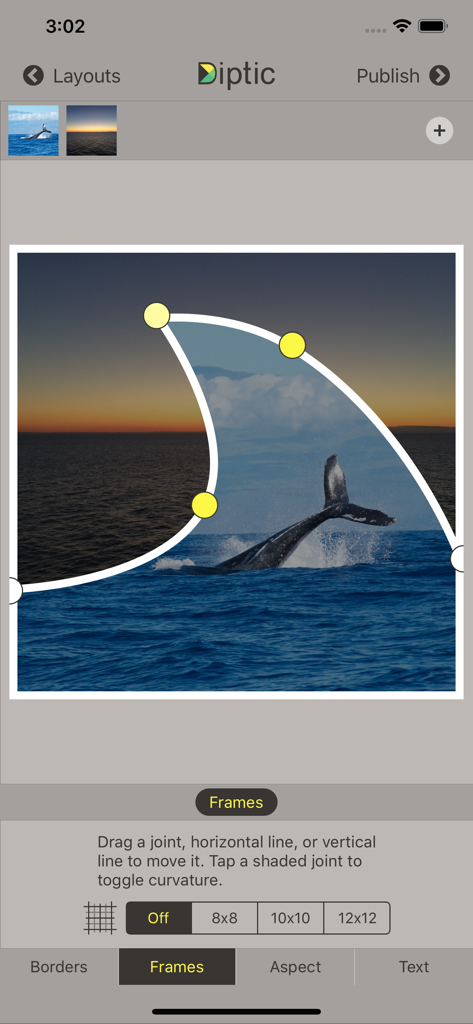
Diptic 앱 인터페이스에 고래 사진과 물결 모양 프레임이 있는 맞춤 사진 콜라주가 표시됩니다.

Diptic 앱 인터페이스에 고래와 석양 사진 콜라주를 위한 조정 가능한 곡선 프레임 조인트가 표시됩니다.
Diptic 앱 인터페이스에 고래와 석양 사진 콜라주를 위한 조정 가능한 곡선 프레임 조인트가 표시됩니다.

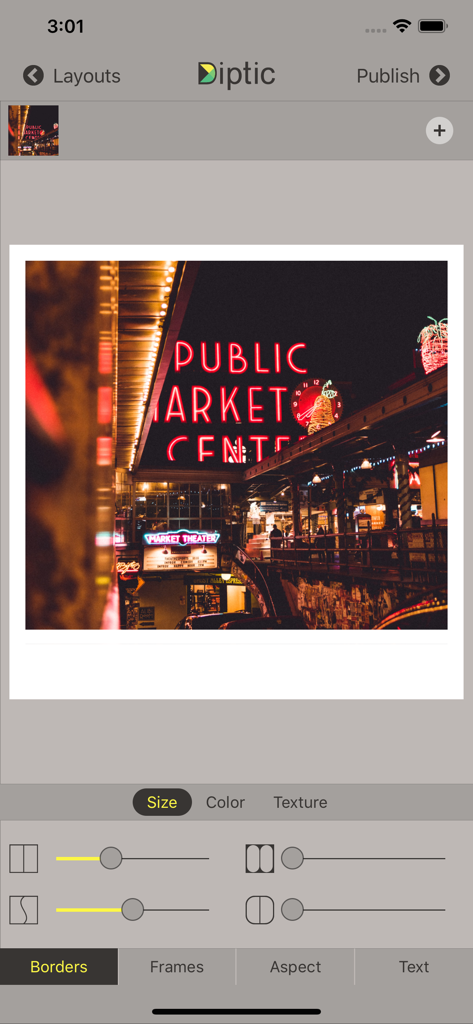
Diptic 앱 인터페이스에 테두리 사용자 지정 도구와 Public Market Center 네온 사인 사진이 표시됩니다.

Diptic 앱 인터페이스에 테두리 사용자 지정 도구와 Public Market Center 네온 사인 사진이 표시됩니다.

추억을 걸작으로 바꾸세요

이 앱을 돋보이게 하는 도구, 503K+ 명의 사용자가 선택.

📐

완벽한 레이아웃 정밀도

고정된 템플릿을 넘어서세요. 내부 프레임 선을 슬라이드하고 조인트를 이동하여 모든 레이아웃을 사진에 맞게 사용자 지정하세요. 사진에 맞추는 것이 아니라.

🎞️

역동적인 멀티미디어 스토리

단일 프레임에 최대 9개의 사진과 동영상을 원활하게 결합하세요. 좋아하는 음악을 추가하고 시작 시간을 사용자 지정하여 영화 같은 경험을 선사하세요.

인쇄용 고해상도

자신 있게 만드세요. 완벽한 픽셀의 소셜 미디어 게시물이나 소중한 가족 기념품 인쇄에 완벽한 고해상도로 작품을 내보내세요.

앱 소개

에 대해 알아야 할 모든 것 Diptic.

설명

Diptic, a former App Store App of the Week, helps you create and share beautiful photo and video collages. See for yourself why millions of people have downloaded this app!

 "A simple, elegant way to use pictures to tell your story." – Macworld DIPTIC 101 • Create collages with photos and videos • Super Customizable — Tons of layouts to choose from plus tons of ways to enhance each one. Save your own customized layouts for re-use • Add text captions, filters, colored borders, textured borders & more LAYOUTS AND BORDERS • Choose from 194+ layouts (additional layouts are available as in-app purchases) • Combine up to nine photos and/or videos in each layout • Customize your layouts to better fit your video or images by sliding interior frame lines or moving joints along the line • Create rectangular Diptics (great for printing) with Expandable Layouts (in-app purchase) • Round the inner and outer borders, as well as modify thickness and color, and apply textures to videos and images IMAGE ADJUSTMENTS • Choose from 14 filters, as well as adjust brightness, contrast, hue and color saturation • Pan, rotate, mirror, flip, and zoom individual photos TEXT CAPTIONS • Personalize your Diptic photo and video creations with a text caption • Adjust the font, style, color and size of the text VIDEO ADJUSTMENTS • Add music to any video collage and adjust audio start and stop time • Pick any song from your Music library • Customize video start and stop time IMPORT/EXPORT OPTIONS • Create Diptics with photos or videos from your library, Instagram, Dropbox, Facebook or Flickr, or take a photo on the spot with the camera • Save Diptics for safe keeping or share them with friends. You can send via email, or share by uploading directly to Instagram, Facebook, Twitter, Tumblr or any app that accepts JPGs and/or video files • High-resolution export for pixel-perfect images • Import multiple photos and videos at once and swap media between frames • Add music from your music library to any of your videos 

 Let’s connect!

 Twitter: @dipticapp
 Instagram: @dipticapp
 Facebook: facebook.com/dipticapp 
 Flickr: flickr.com/groups/diptic  Please reach out to us at support@dipticapp.com if you have any suggestions for the new video features or anything else you’d like to see... we’d love to hear from you!

최신 버전

10.1.1

크기

21.5 MB

출시일

2010년 6월 23일

나만의 이야기로 만들 준비가 되셨나요?

수백만 명의 크리에이터와 함께 좋아하는 사진과 동영상을 아름답고 고해상도 콜라주로 만들어 보세요. 지금 Diptic을 다운로드하고 인생의 중요한 순간을 세상과 공유하세요.

다운로드: App Store

App information, icons, screenshots, and descriptions displayed on this page are sourced from the Apple App Store and are the property of their respective developers. Download estimates and rankings are based on MWM's proprietary models and may not reflect actual figures. This page is provided for informational and analytical purposes only.

Believe this page infringes your intellectual property? File a dispute