이 페이지는 앱이나 개발자의 공식 페이지가 아니며, 정보 제공 및 논평을 목적으로 작성된 독립 편집 간행물입니다. 명시적으로 달리 언급되지 않는 한, 해당 앱이나 개발자는 MWM, Apple, Google Play, 앱 퍼블리셔 또는 앱 개발자와 제휴, 보증, 후원, 승인 또는 공식적으로 연결되어 있지 않으며, 이 페이지의 어떤 내용도 해당 앱이 MWM의 서비스를 사용하여 개발되었음을 의미하지 않습니다. 모든 상표, 로고, 스크린샷 및 기타 콘텐츠는 해당 소유자의 자산입니다.
Directional Drilling
전문가 수준의 계산, 3D 유정 시각화 및 원활한 CSV 데이터 통합으로 석유 엔지니어 및 현장 시추공에게 힘을 실어줍니다 – 리그 현장에 최적화되었습니다.
주요 수치
다운로드
3K+
사용자 평점
1.0/5
총 평가 수
0
개발사
Carlos Moura
카테고리
Education
지원 언어
1
최신 버전
4.2
크기
21.1 MB
출시일
2015년 3월 4일
기능
현장을 위한 정밀 엔지니어링 도구
전문가 수준의 유정 계획, 업계 표준 계산 및 고화질 시각화를 하나의 휴대용 패키지로 제공하여 방향타 시추공 및 엔지니어에게 힘을 실어줍니다.
고급 계산 엔진
최소 곡률 및 곡률 반경을 포함한 5가지 업계 표준 방법을 활용하여 측량 데이터를 검증하고 유정 경로의 정확성을 보장합니다.
고화질 3D 도면
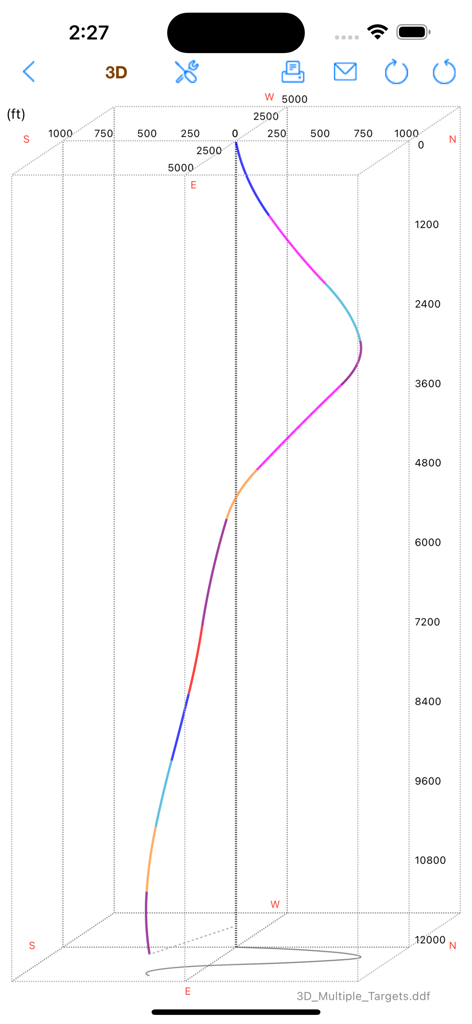
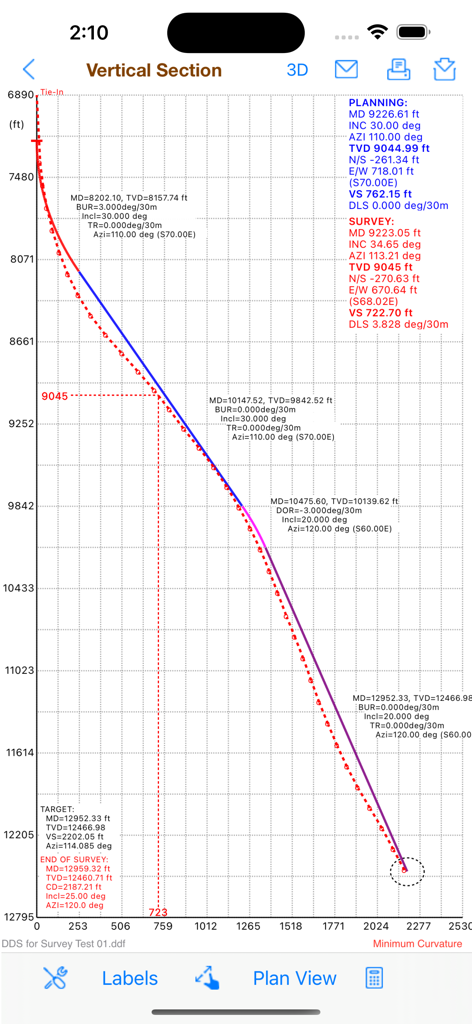
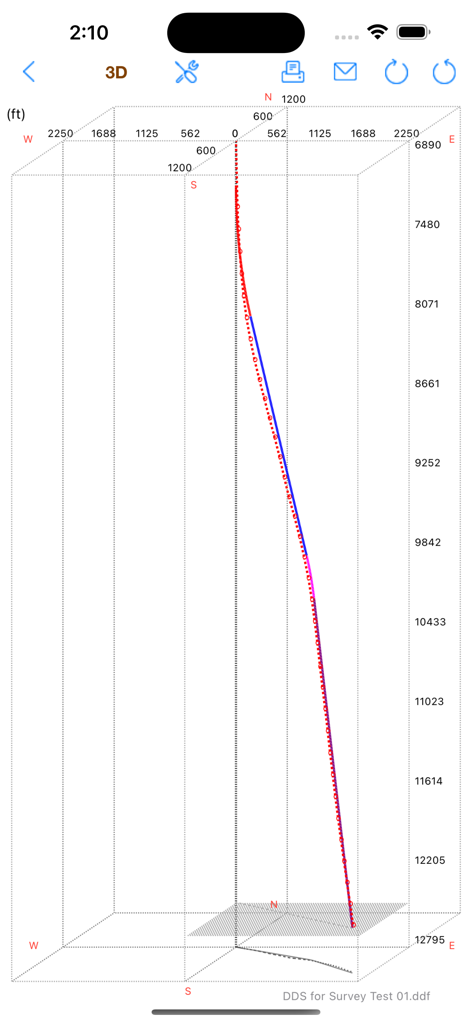
수직 단면, 평면도 및 X-Y-Z 3D 도면으로 복잡한 유정을 시각화하여 생산 지대에 머물고 다자간 구성을 관리합니다.
다음 스크린샷과 설명은 앱의 공식 스토어 목록에서 직접 가져온 것이며 앱 개발자의 자산입니다.
앱 스토어
스크린샷
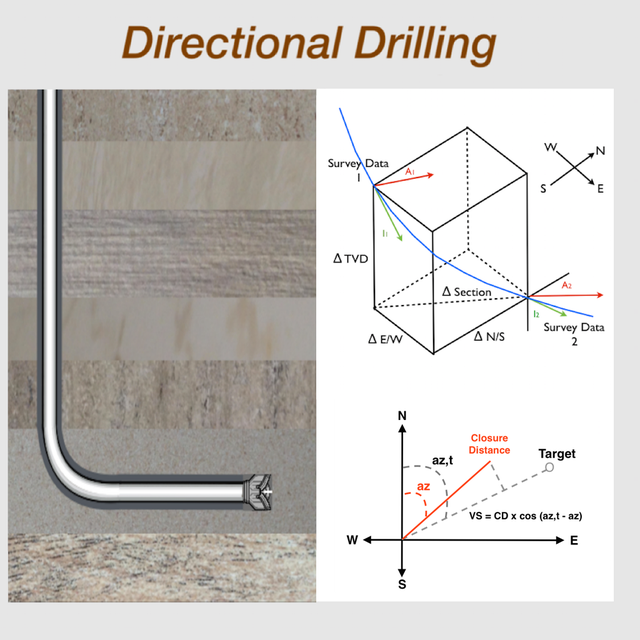
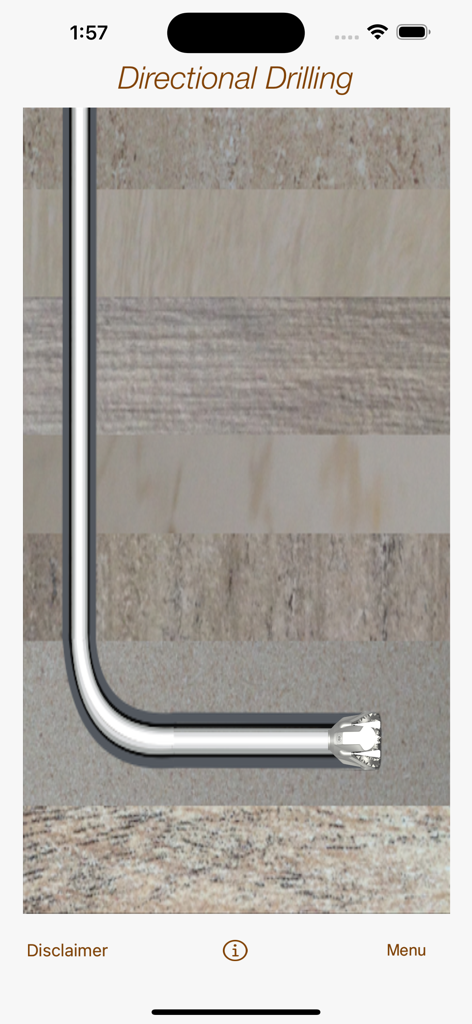
지층을 통과하는 수평 유정 및 드릴 비트의 단면도
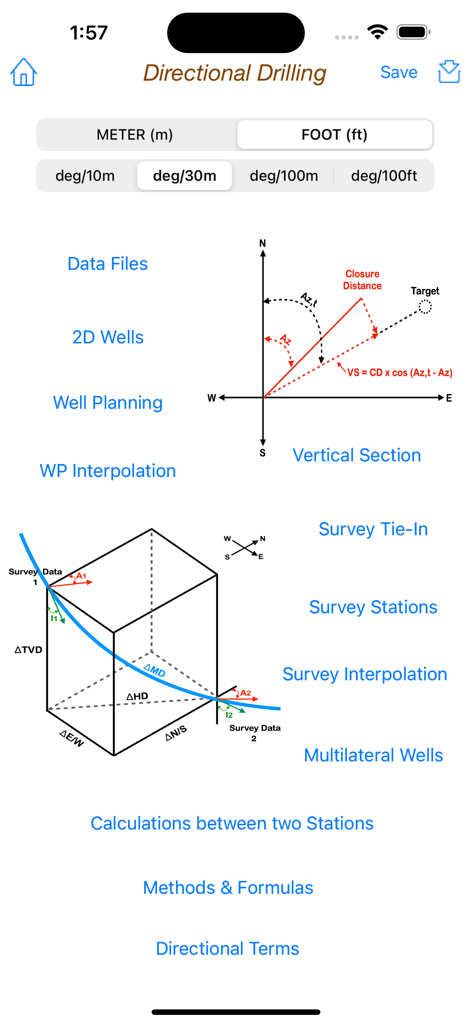
기술 다이어그램 및 석유 공학 계산 도구가 포함된 방향타 공법 앱의 메인 메뉴
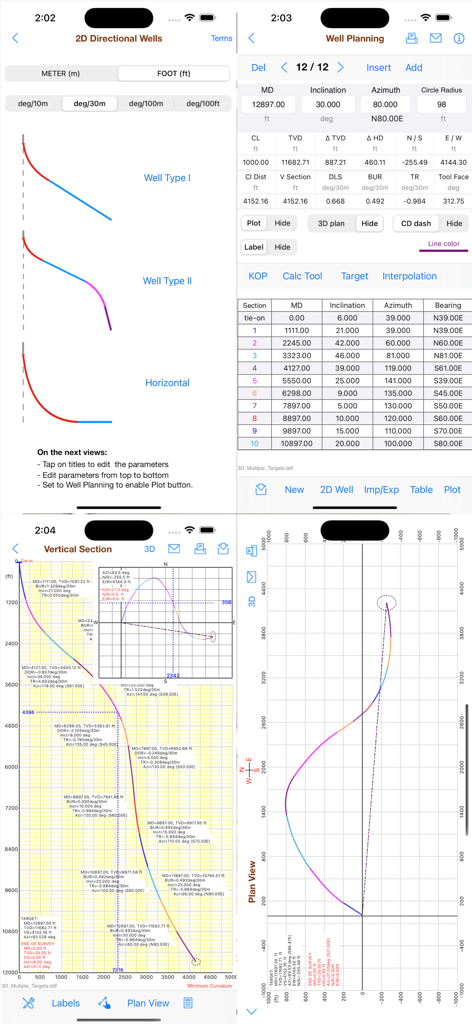
유정 계획 데이터 테이블 및 궤적 플롯을 보여주는 방향타 공법 앱 인터페이스
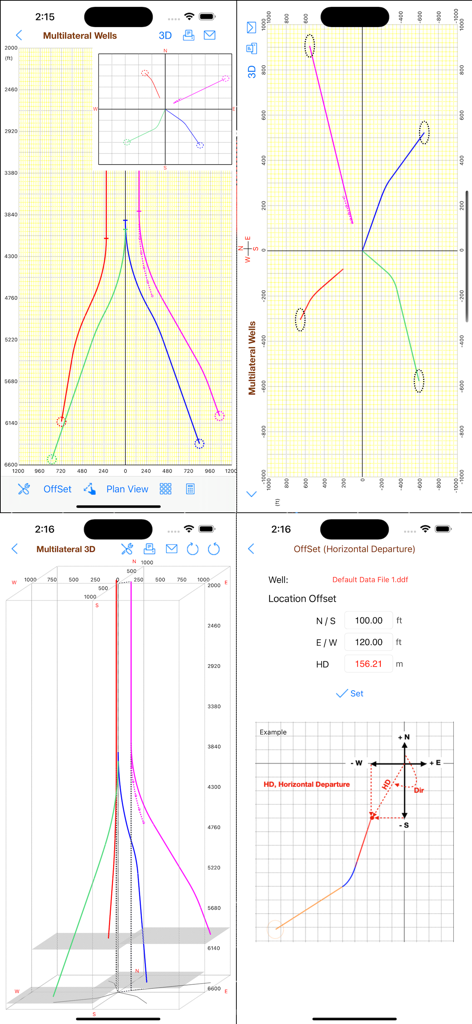
모바일 앱 인터페이스에서 깊이 및 좌표 축이 있는 방향타 유정 궤적의 3D 시각화
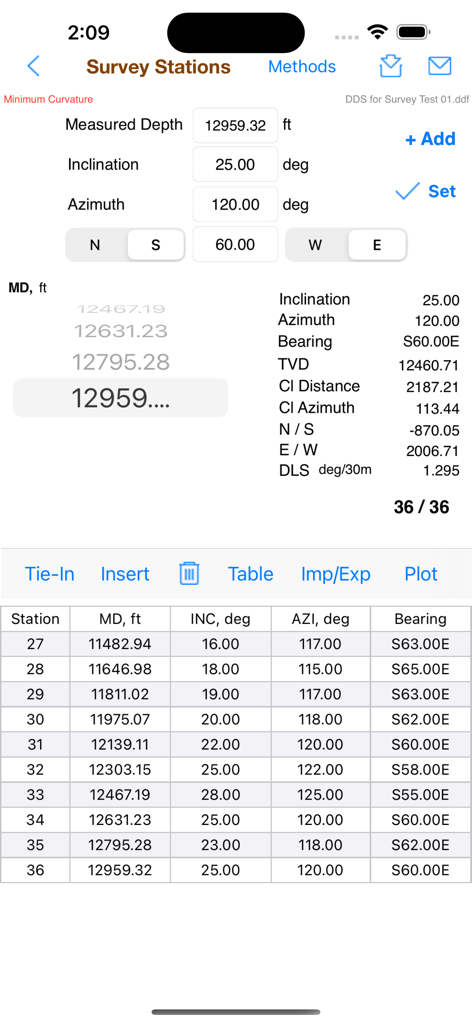
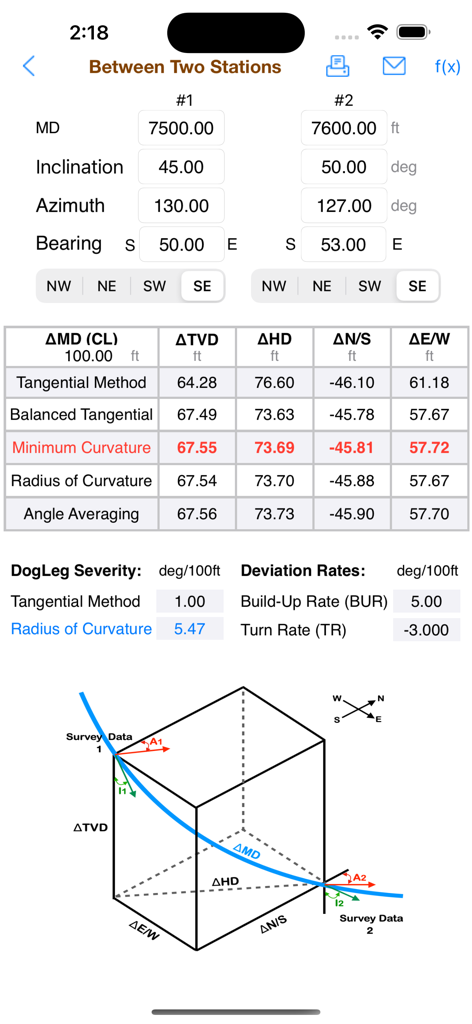
측량 데이터, 기술 계산 및 상세한 스테이션 테이블을 보여주는 방향타 공법 앱의 인터페이스
계획된 대 측량 데이터 포인트를 보여주는 방향타 유정 경로의 수직 단면 그래프
깊이와 좌표를 보여주는 방향타 시추 유정 경로의 3D 플롯
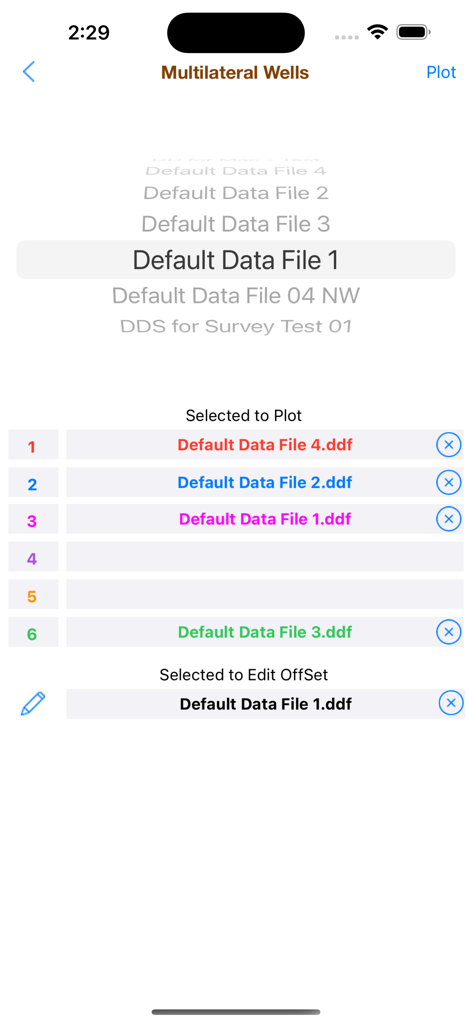
도면 및 오프셋 편집을 위해 선택된 다양한 데이터 파일을 보여주는 방향타 공법 앱의 다자간 유정 선택 화면 스크린샷
방향타 공법 앱 스크린샷으로 3D 유정 플롯, 다자간 유정 보기 및 수평 편차 오프셋 계산 표시
방향타 공법 앱으로 두 지점 간의 측량 데이터 계산과 3D 유정 다이어그램 표시
설명
The Directional Drilling provides the useful tools for the drilling of oil wells with well planning, survey data, multilateral wells, plotting in vertical section, plan view and in X-Y-Z (3D), easy tools to create 2D wells and also to calculate 3D sections, calculations between two survey stations and formulas.
This app is designed for both iPhone and iPad. You can download it on your iPhone and also on your iPad.
The well planning and survey stations can also be imported from CSV text files, for example:
"MD","INC","AZI","TVD","N/S","E/W"
"1000.0","0.0","0.0","1000.0","0.0","0.0"
"1100.0","3.0","10.0"
"1200.0","6.0","15.0"
...
The values can be "quoted" or unquoted and separated by:
- Comma: 1.00,2.00,3.00
- Semicolon: 1.00;2.00;3.00 or 1,00;2,00;3,00
- Tab: 1.00 2.00 3.00 (TSV file)
- Space: 1.00 2.00 3.00
Please, before you buy, make sure this app will be useful to you. Visit our website at www.wellcontrol.com.br and check the "User Guide".
This app was developed based on existing spreadsheets. There is no comparison with any other software.
Our goal was to create a low-cost application with the help of experts to share with drilling engineers, technicians, drillers, students and teachers of drilling engineering.
There is no intention to replace the professional softwares.
You can contribute with suggestions for improvements, correcting the translation to english, reporting bugs and spreading it to your friends.
Features:
1. Well Planning with Multiple Sections (Minimum Curvature);
2. Ability to work with data files;
3. Directional Survey: Edit, Add, Insert and Remove Survey Data;
4. Calculations Methods:
- Tangential
- Balanced Tangential
- Minimum Curvature (default)
- Radius of Curvature
- Angle Averaging
5. Print Reports;
6. Survey Data Calculations in 5 methods;
7. Formulas of the Methods;
8. Ability to work with length units: foot and meter (metre);
9. Vertical Section View, Plan View and X-Y-Z plotting.
10. Ability to Multilateral wells plotting limited to 6 wells.
11. Easy tool to create 2D Wells (Type I, II and Horizontal).
12. Easy tool to calculate 3D sections on well planning.
13. Sharing data files via email, iCloud and iTunes.
14. Import Well Planning (MD,Inclination,Azimuth) from CSV text format file;
15. Export Well Planning (MD,Inclination,Azimuth,Quadrant,TVD,HD,VSection,N/S,E/W,DLS,BUR,TRN) to CSV text format file;
16. Import Survey Data from CSV text format file;
17. Export Survey Table to CSV text format file;
18. Sharing data files with iPad, iPhone and iPod Touch via iCloud, iCloud Drive, AirDrop or email.
19. Well Planning Interpolations;
20. Ability to get a simulated survey (steps 10m, 30m, 100m or 100ft) from Well Planning interpolations;
User Guide: Download at http://www.wellcontrol.com.br
DISCLAIMER:
These tools & materials are provided 'as is' without warranties of any kind, express or implied.
Please verify the tools provided by this application by yourself before you use them. Ensure you understand the impact of using these tools.
Any use you choose to make of these tools & materials is undertaken by you entirely at you own risk.
이 페이지는 앱이나 개발자의 공식 페이지가 아니며, 정보 제공 및 논평을 목적으로 작성된 독립 편집 간행물입니다. 명시적으로 달리 언급되지 않는 한, 해당 앱이나 개발자는 MWM, Apple, Google Play, 앱 퍼블리셔 또는 앱 개발자와 제휴, 보증, 후원, 승인 또는 공식적으로 연결되어 있지 않으며, 이 페이지의 어떤 내용도 해당 앱이 MWM의 서비스를 사용하여 개발되었음을 의미하지 않습니다. 모든 상표, 로고, 스크린샷 및 기타 콘텐츠는 해당 소유자의 자산입니다.