이 페이지는 앱이나 개발자의 공식 페이지가 아니며, 정보 제공 및 논평을 목적으로 작성된 독립 편집 간행물입니다. 명시적으로 달리 언급되지 않는 한, 해당 앱이나 개발자는 MWM, Apple, Google Play, 앱 퍼블리셔 또는 앱 개발자와 제휴, 보증, 후원, 승인 또는 공식적으로 연결되어 있지 않으며, 이 페이지의 어떤 내용도 해당 앱이 MWM의 서비스를 사용하여 개발되었음을 의미하지 않습니다. 모든 상표, 로고, 스크린샷 및 기타 콘텐츠는 해당 소유자의 자산입니다.
DocReviewPad - Review Docs
안전하고 로컬인 문서 검토로 검색을 마스터하세요. 클라우드 연결 없이 iPad 또는 Mac에서 수천 페이지에 주석을 달고, Bates 스탬프를 찍고, 이슈 코드를 적용하세요.
주요 수치
다운로드
100
사용자 평점
4.4/5
총 평가 수
100
개발사
LIT SOFTWARE, LLC
카테고리
Business
지원 언어
1
최신 버전
26.1.1
크기
39.0 MB
출시일
2021년 1월 30일
기능
소송 준비 문서 검토
첫 검토부터 최종 제출까지 모바일 변호사를 위해 특별히 설계된 전문적인 도구로 검색 프로세스를 간소화하세요.
즉각적인 Bates 번호 매기기
수천 페이지에 사용자 정의 Bates 스탬프를 몇 초 만에 적용하여 iPad 또는 Mac에서 한 번의 탭으로 시간당 수동 작업을 대체합니다.
개인 정보 우선 검색
절대적인 자신감을 가지고 작업하세요. 필수 클라우드 연결 없이 민감한 사건 파일을 안전하게 검토하여 데이터를 로컬 및 비공개로 유지하세요.
다음 스크린샷과 설명은 앱의 공식 스토어 목록에서 직접 가져온 것이며 앱 개발자의 자산입니다.
앱 스토어
스크린샷
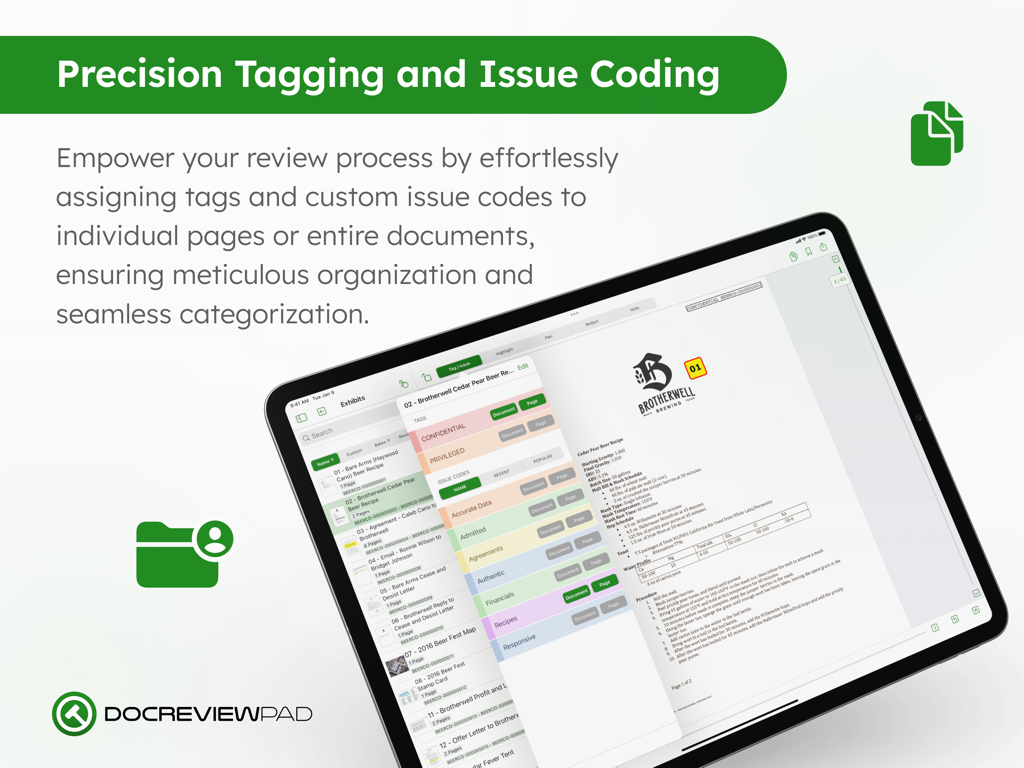
DocReviewPad iPad 인터페이스에서 법률 문서 태그 지정 및 이슈 코딩 옵션 표시
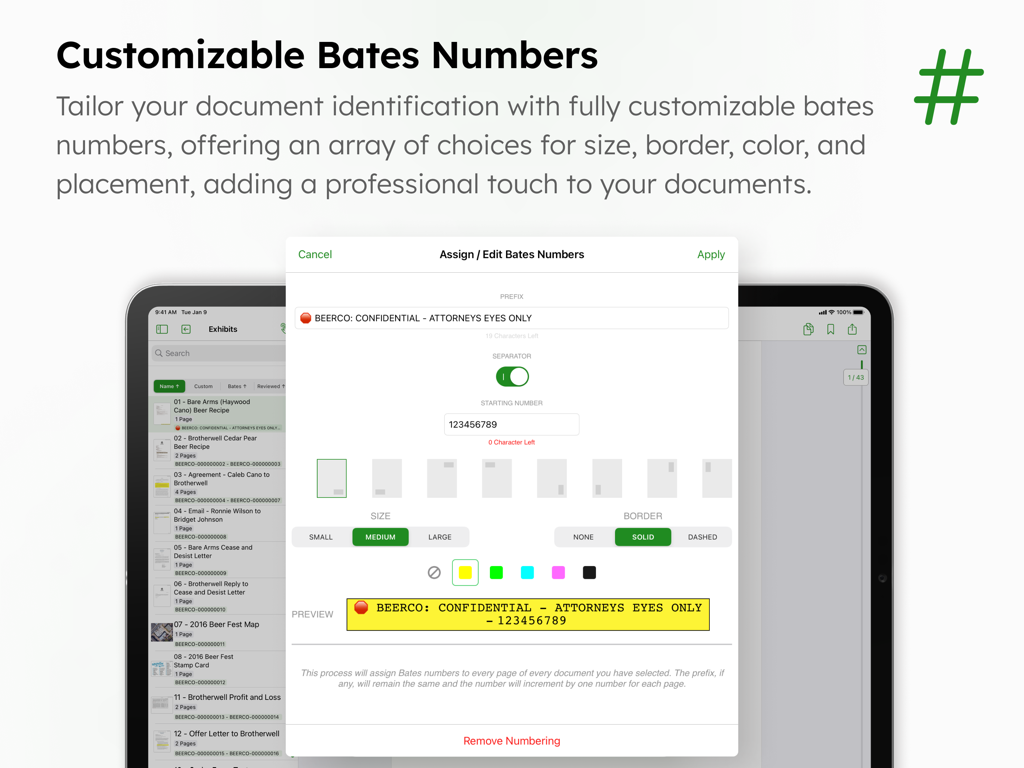
DocReviewPad에서 법률 문서 식별을 위한 사용자 정의 가능한 Bates 번호를 보여주는 인터페이스.
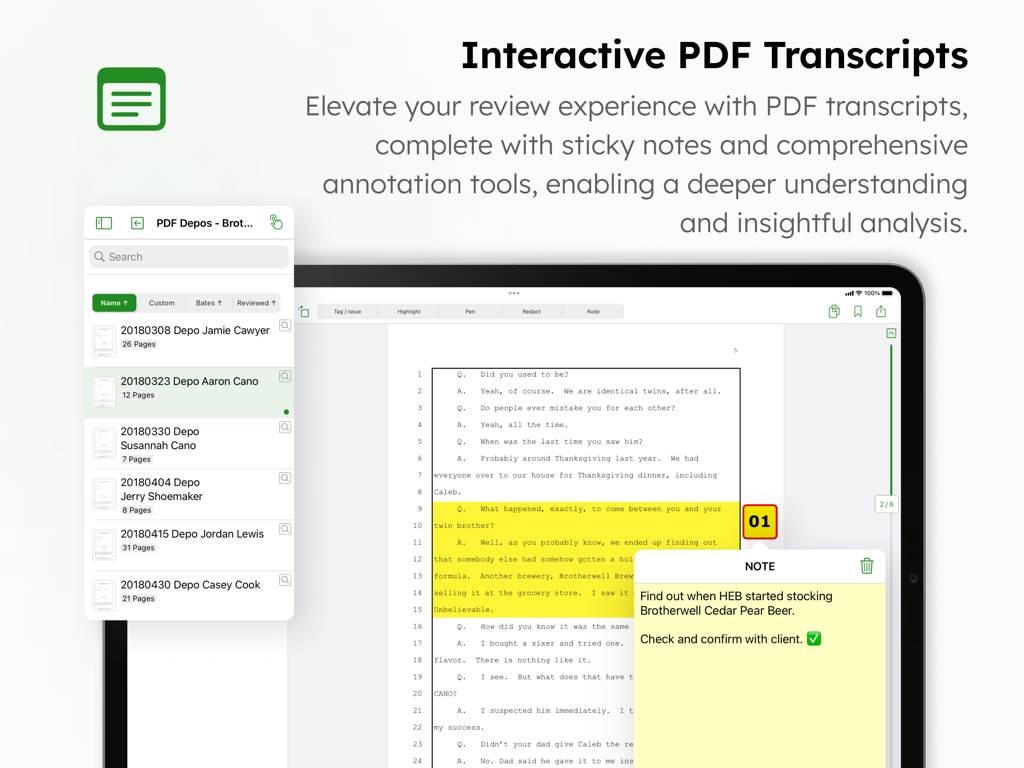
iPad의 DocReviewPad 앱 인터페이스에서 하이라이트와 디지털 스티커 메모가 있는 법률 녹취록 표시.
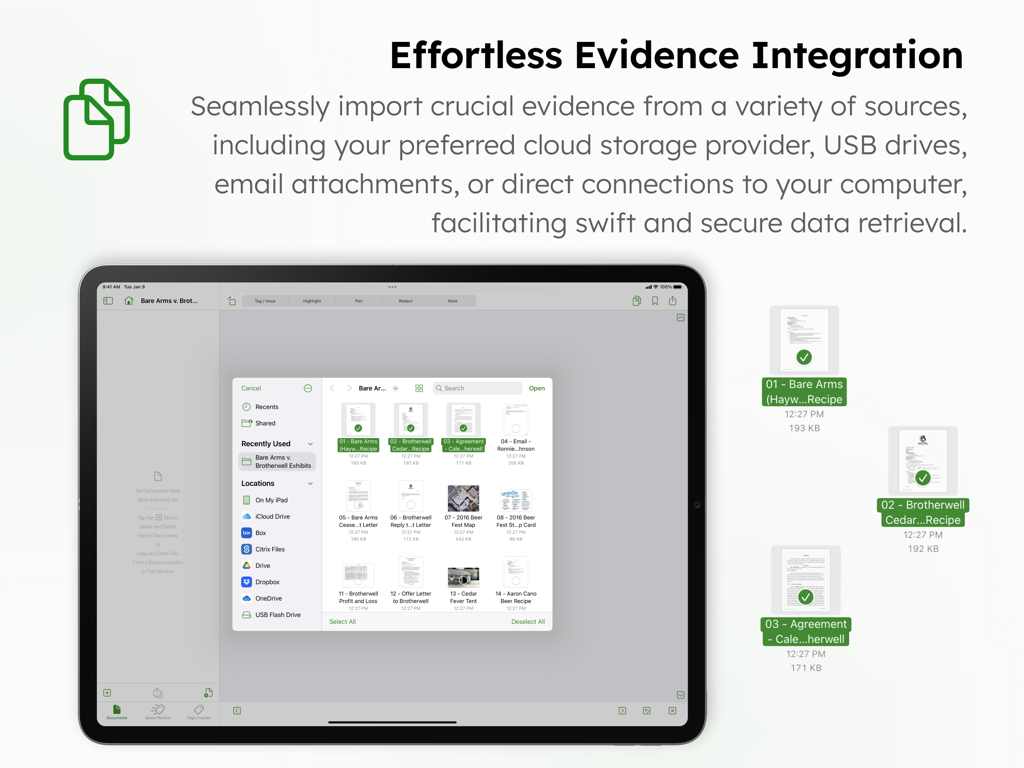
다양한 클라우드 스토리지 및 USB 소스에서 법률 증거를 위한 문서 가져오기 인터페이스를 보여주는 iPad의 DocReviewPad 앱
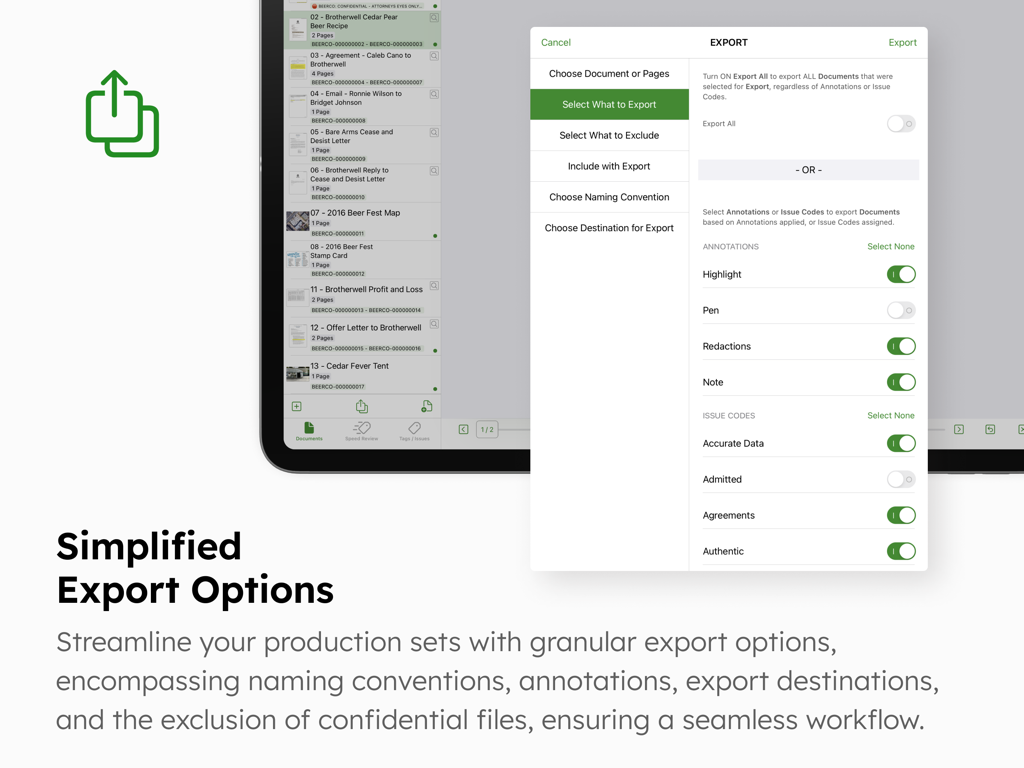
법률 문서에 대한 세분화된 내보내기 옵션 및 설정을 보여주는 DocReviewPad 앱 인터페이스
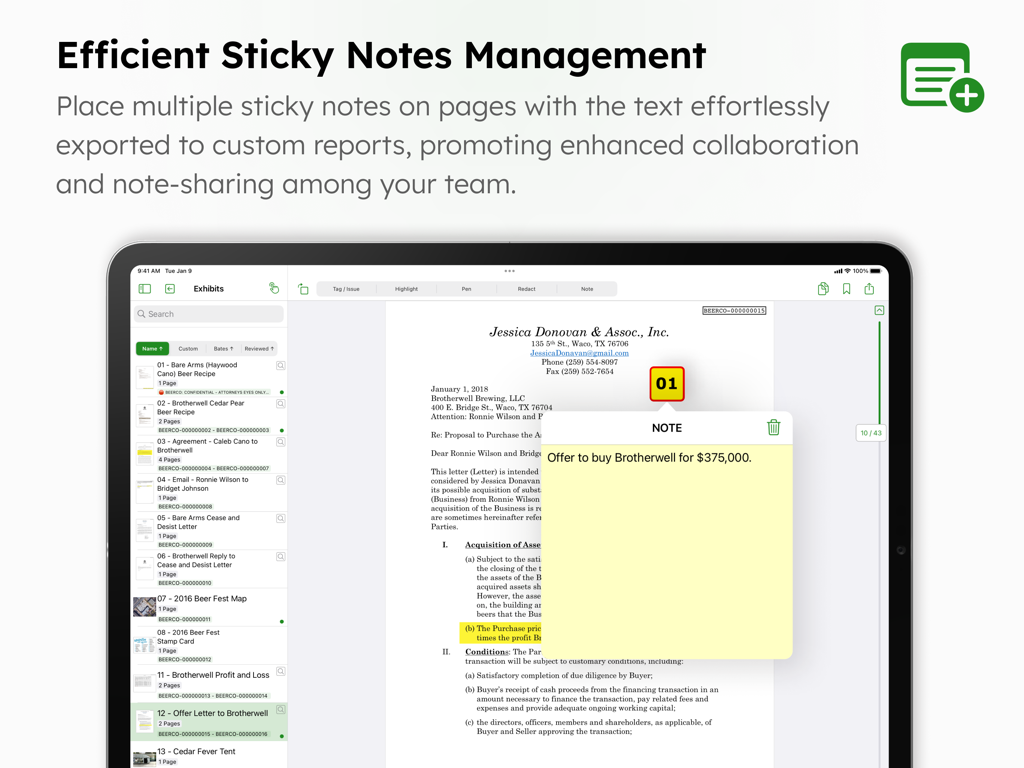
iPad의 DocReviewPad 앱 인터페이스 내 법률 문서에 적용된 디지털 스티커 메모
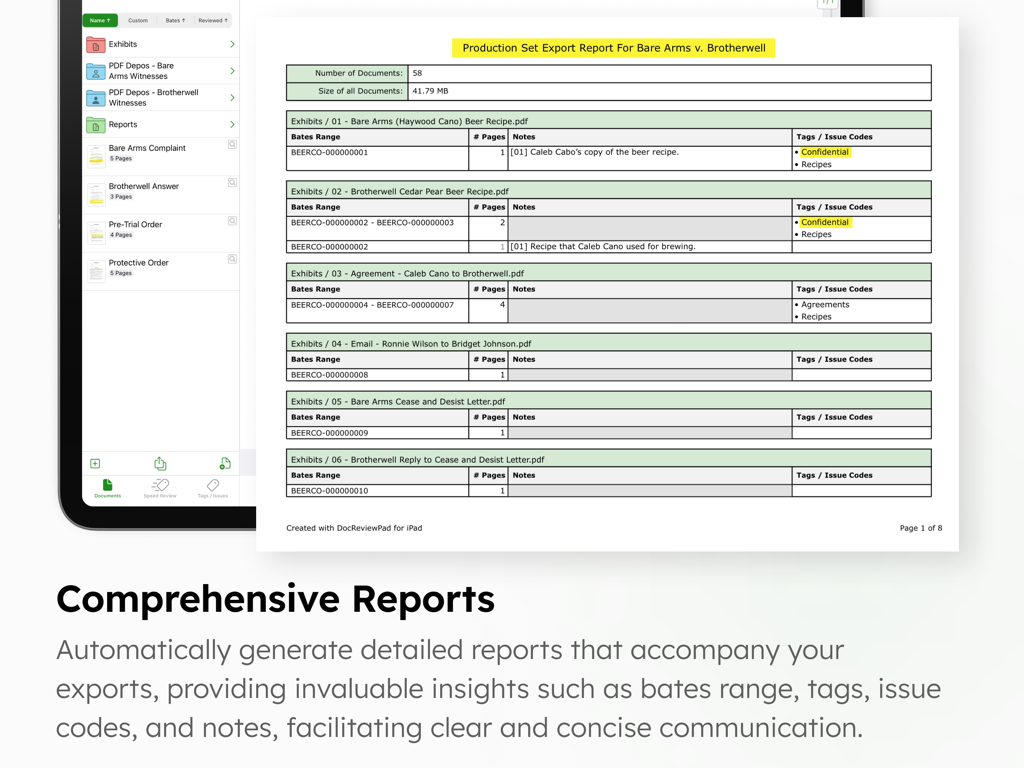
iPad 화면에서 Bates 범위와 이슈 코드를 표시하는 법률 문서의 제출 세트 내보내기 보고서
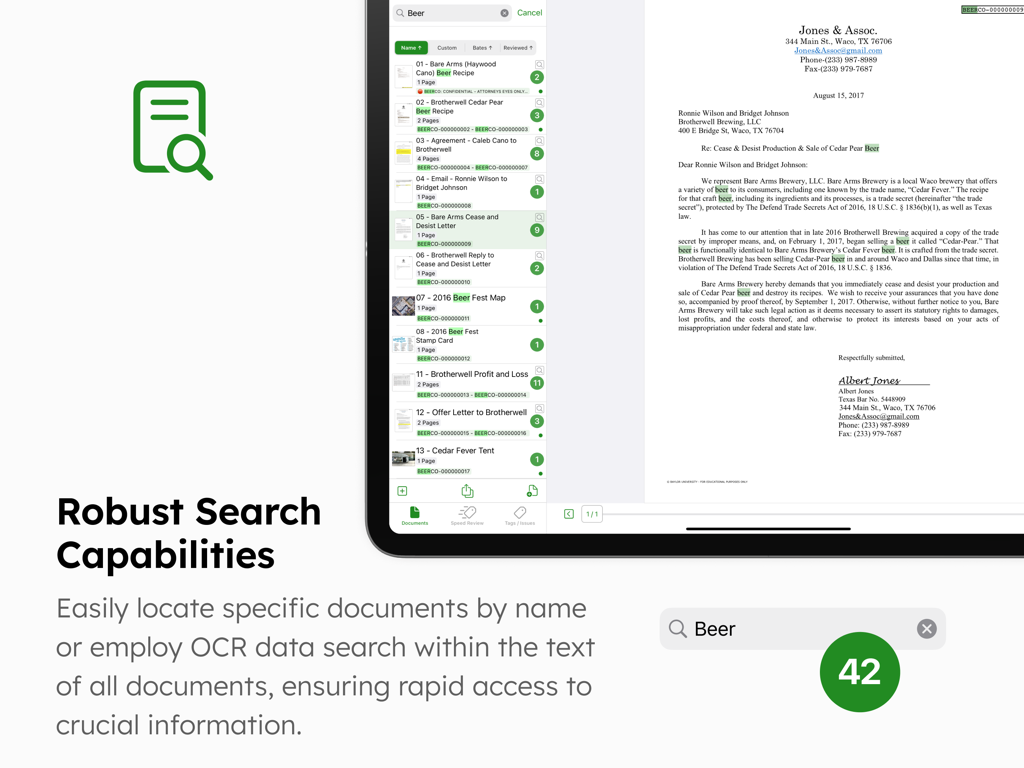
법률 문서 검토를 위한 강력한 검색 및 OCR 기능을 보여주는 iPad의 DocReviewPad 앱 인터페이스
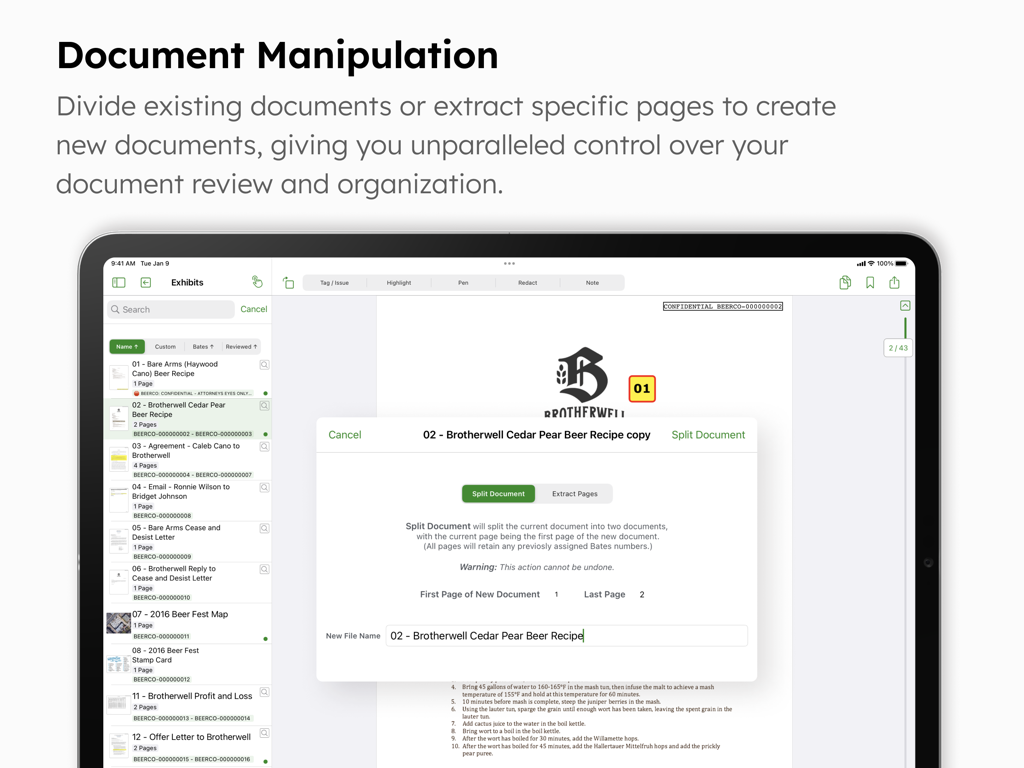
iPad에서 페이지를 분할하거나 추출하는 문서 조작 도구를 보여주는 DocReviewPad 인터페이스
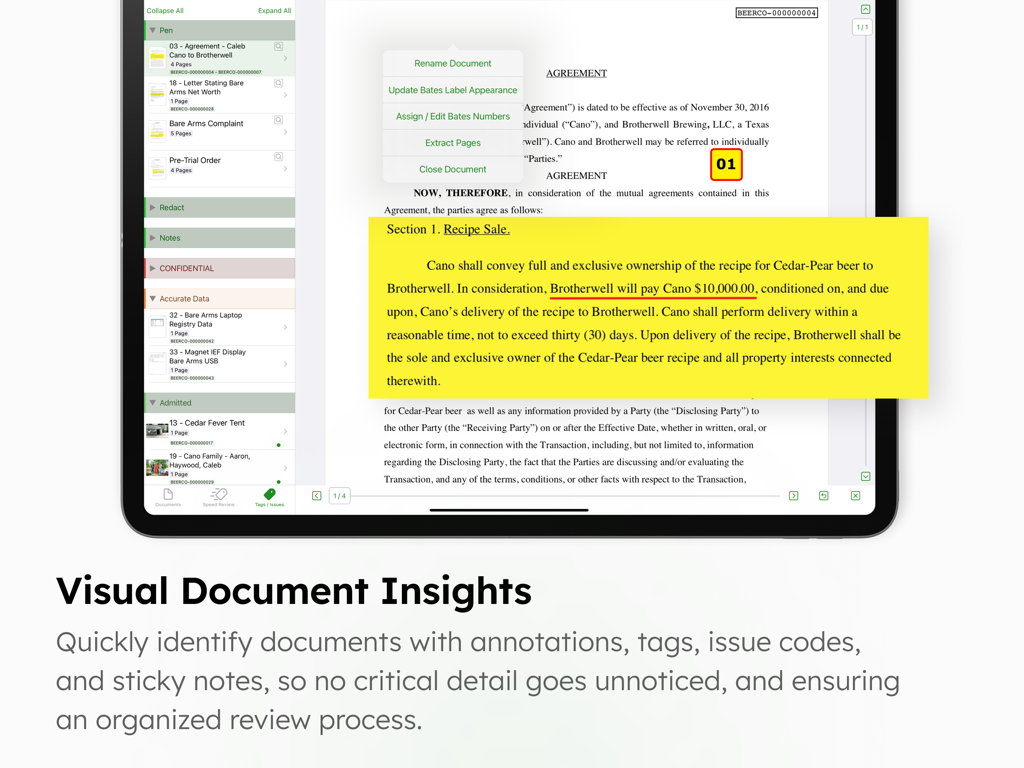
노란색 가상 스티커 메모와 주석 도구가 있는 법률 계약서를 보여주는 iPad의 DocReviewPad 앱 인터페이스
설명
DocReviewPad is a full-featured document review tool. Easily import documents, assign custom bates numbers, add virtual sticky notes, assign tags and issue codes to documents or pages, annotate with highlight, pen, and redact tools, search for text within documents, and much more. Create production sets and beautifully organized reports with all your review information.
DocReviewPad can integrate with your Windows workflow, is powerful, easy to use, and a fraction of the cost of traditional or cloud based programs, all while being secure, private, mobile, and efficient.
LIT SOFTWARE has set the bar for developing the best in litigation apps, garnering awards for innovation and ease of use. Our apps have been featured by Apple, and are loved by lawyers.
—— LIT SUITE REVIEWS ——
“The short review. Wow.”
“This app can do things I’ve previously had to do on a desktop, but much easier and faster.”
“Super way to review documents quickly.”
“Generates professional reports with all the bates numbers listed, and exports to TrialPad into folders named for the issue code. Extremely useful.”
“Helps me keep documents organized, bates stamps them, and create issue codes, which can then be generated into an easy-to-read report.”
“Initial document analysis on iPad is fresh and fast, and frankly is a big winner.”
“These are incredibly sophisticated and useful apps that are in many ways more powerful than PC software costing hundreds of dollars more.”
—— QUICK FEATURE SUMMARY ——
• Full featured document review capability, no cloud connection needed
• Organize documents or pages with your own case specific customizable and color-coded issue codes
• Easily mark documents or pages as confidential or privileged with built in tags
• Import documents directly from an email, USB drive, or cloud storage providers like Box, Citrix Files, Dropbox, Google Drive, Microsoft OneDrive, and many more
• Apply customized bates numbers to hundreds or thousands of documents in seconds
• Highlight, annotate, redact, and zoom in on documents
• Add multiple virtual sticky notes to each page
• Create beautiful reports that include bates ranges, notes, tags, and issue codes assigned to each document or page
• Search for a file name, or text within one document, a folder of documents, or the whole case
• Granular export options for a document production set, omitting confidential or privileged documents
• Create privilege log reports listing documents protected by a legal privilege
• Organize your documents into witness or issue folders
• Import PDF files with bookmarks and retain those bookmarks in DocReviewPad
• Export your documents to TrialPad, organized by issue codes, into Key Doc folders
• Share entire case files with other users using cloud storage or a USB drive
• File formats supported: PDF, JPG, PNG, TIF, and TXT
• Available for iPad and Mac
—— EASILY ORGANIZE AND PRODUCE EVIDENCE ——
Easily import files from many cloud storage providers, from a USB drive, drag-and-drop, even AirDrop. Then simply start swiping to speed review documents!
Annotate with highlights or redactions, add sticky notes, and create custom issue codes to assign to entire documents or individual pages. Granular export options allow you to share only what you want.
LIT SUITE SUBSCRIPTION
One subscription gives you access to all LIT SUITE apps on iPhone, iPad, and Mac. After your 7-day free trial, your App Store account will be charged and your subscription will renew automatically unless canceled in advance. Manage your subscription in your App Store account settings.
이 페이지는 앱이나 개발자의 공식 페이지가 아니며, 정보 제공 및 논평을 목적으로 작성된 독립 편집 간행물입니다. 명시적으로 달리 언급되지 않는 한, 해당 앱이나 개발자는 MWM, Apple, Google Play, 앱 퍼블리셔 또는 앱 개발자와 제휴, 보증, 후원, 승인 또는 공식적으로 연결되어 있지 않으며, 이 페이지의 어떤 내용도 해당 앱이 MWM의 서비스를 사용하여 개발되었음을 의미하지 않습니다. 모든 상표, 로고, 스크린샷 및 기타 콘텐츠는 해당 소유자의 자산입니다.