이 페이지는 앱이나 개발자의 공식 페이지가 아니며, 정보 제공 및 논평을 목적으로 작성된 독립 편집 간행물입니다. 명시적으로 달리 언급되지 않는 한, 해당 앱이나 개발자는 MWM, Apple, Google Play, 앱 퍼블리셔 또는 앱 개발자와 제휴, 보증, 후원, 승인 또는 공식적으로 연결되어 있지 않으며, 이 페이지의 어떤 내용도 해당 앱이 MWM의 서비스를 사용하여 개발되었음을 의미하지 않습니다. 모든 상표, 로고, 스크린샷 및 기타 콘텐츠는 해당 소유자의 자산입니다.
TranscriptPad - Review Depos
증언 분석 시간을 절반으로 줄이세요. iPhone, iPad 및 Mac에서 안전하게 증언을 읽고, 강조 표시하고, 이슈 코드를 지정하세요. 클라우드 연결이 필요 없습니다.
주요 수치
다운로드
100
사용자 평점
4.6/5
총 평가 수
100
개발사
LIT SOFTWARE, LLC
카테고리
Business
지원 언어
1
최신 버전
26.1.1
크기
49.6 MB
출시일
2021년 1월 30일
기능
현대 소송 담당자를 위한 강력한 증언 검토
증언 분석 방식을 혁신하세요. 핵심 증거 강조 표시부터 탄핵 슬라이드 제작까지, 어디서든 기기에서 작동하는 전문가 수준의 도구를 얻으세요.
어디서든 안전하게 검토
모든 사건을 주머니에 넣고 다니세요. 기차 안이나 법정에서 오프라인으로 완벽하게 액세스하여 증언을 검토하세요. 클라우드 연결이나 공용 Wi-Fi가 필요 없습니다.
정밀한 이슈 코딩
증언자, 날짜 또는 이슈별로 즉시 정리하세요. 수백 개의 증언에서 몇 초 안에 검색하고 법률 팀을 위한 상세 보고서를 생성하세요.
다음 스크린샷과 설명은 앱의 공식 스토어 목록에서 직접 가져온 것이며 앱 개발자의 자산입니다.
앱 스토어
스크린샷
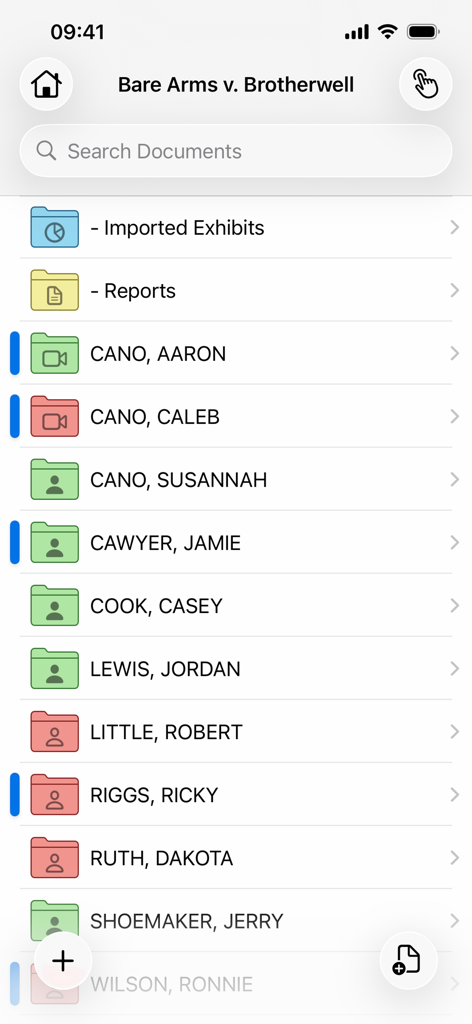
법률 사건 문서 및 증언자용 정리된 폴더를 보여주는 TranscriptPad 앱 인터페이스
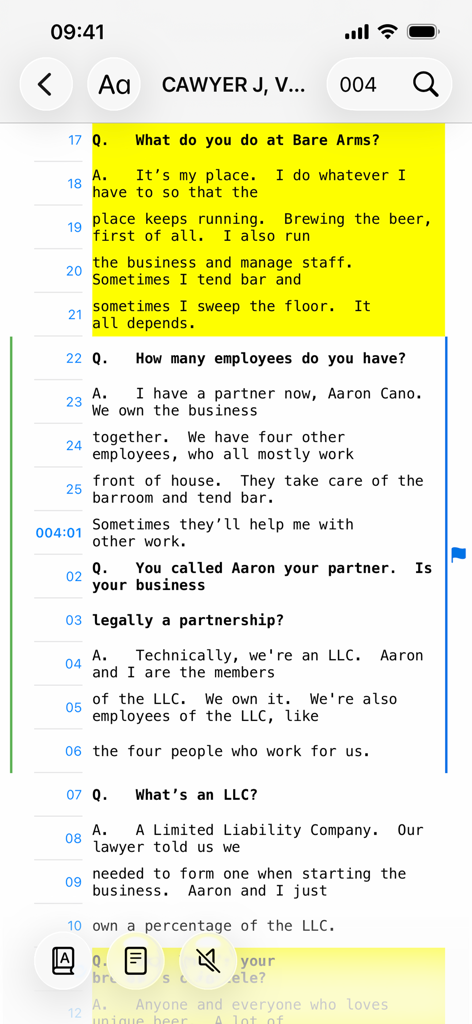
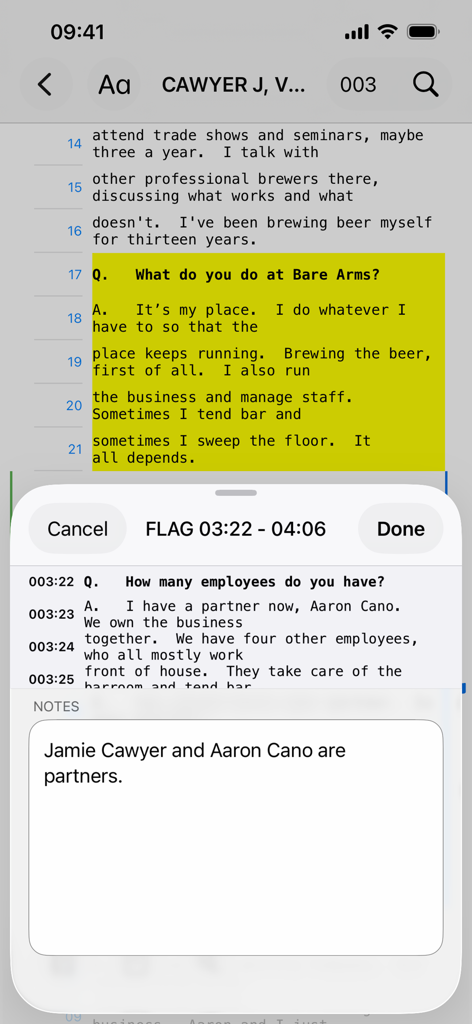
TranscriptPad 모바일 앱 인터페이스에서 노란색으로 강조 표시된 법률 증언 기록
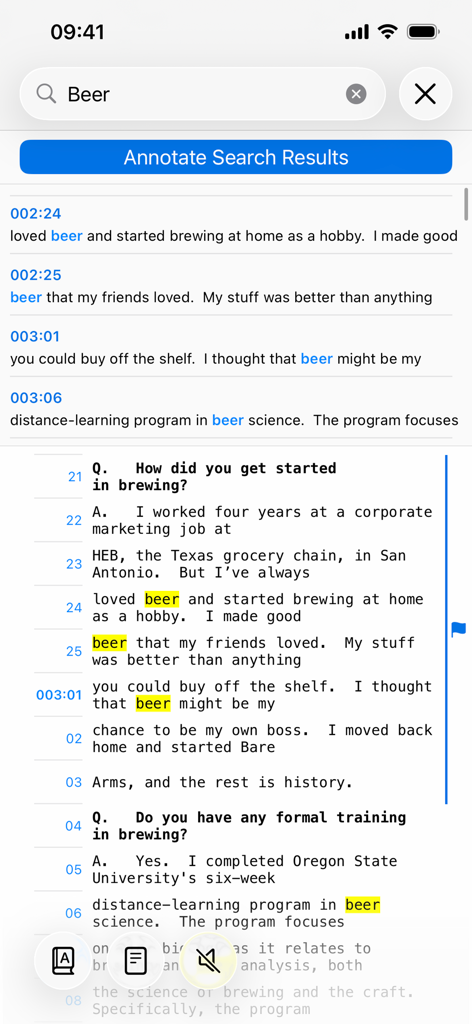
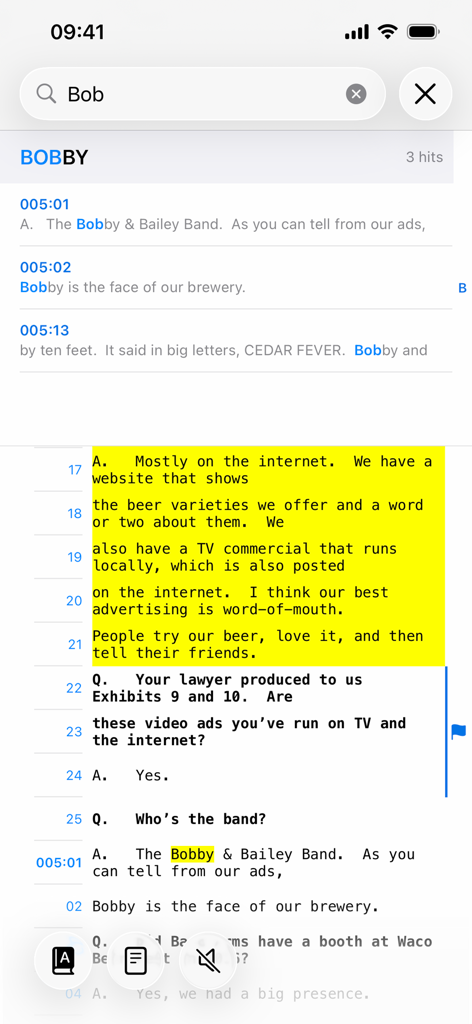
TranscriptPad 모바일 앱의 키워드 검색 및 강조 표시된 결과
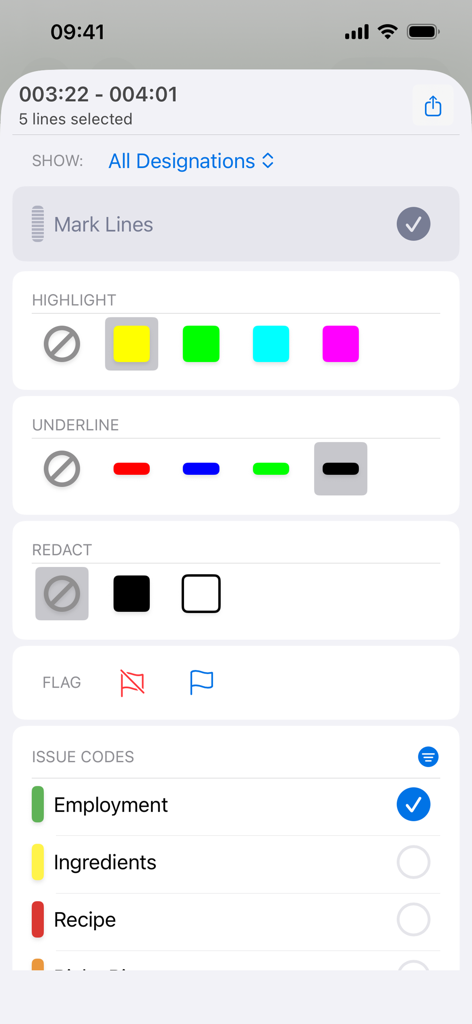
법률 증언 강조 표시 및 수정을 위한 TranscriptPad 모바일 앱의 주석 및 이슈 코딩 인터페이스
강조 표시된 증언 텍스트와 메모 섹션을 보여주는 iPhone의 TranscriptPad 앱 인터페이스
iPhone의 TranscriptPad 앱에서 키워드 검색 및 텍스트 강조 표시
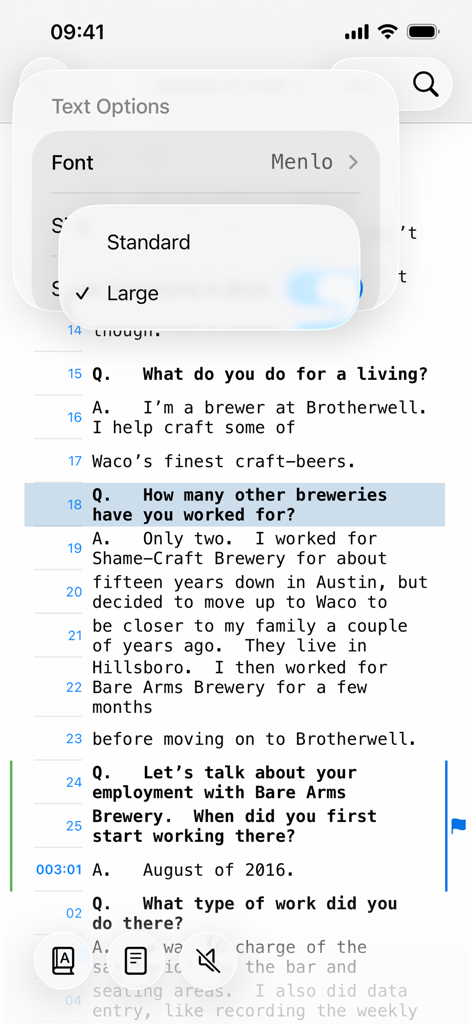
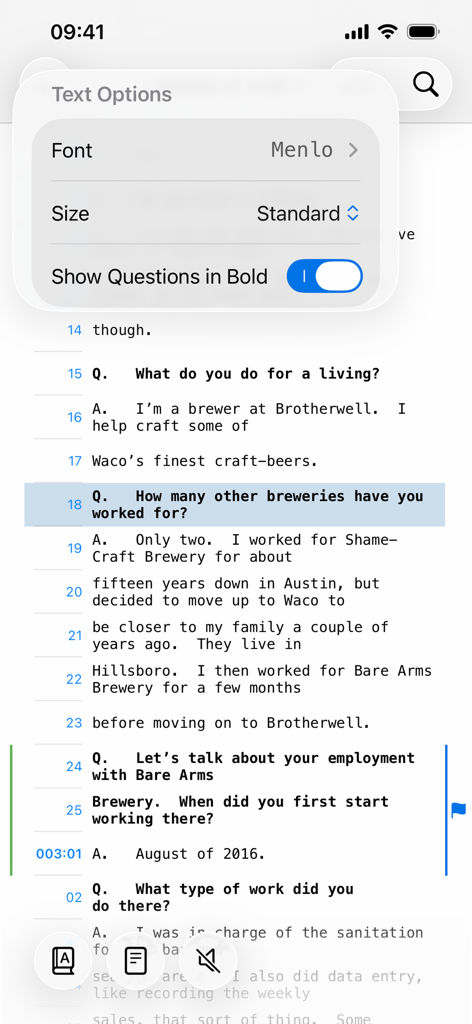
증언 기록의 글꼴 및 크기를 변경하는 텍스트 옵션을 보여주는 iPhone의 TranscriptPad 앱
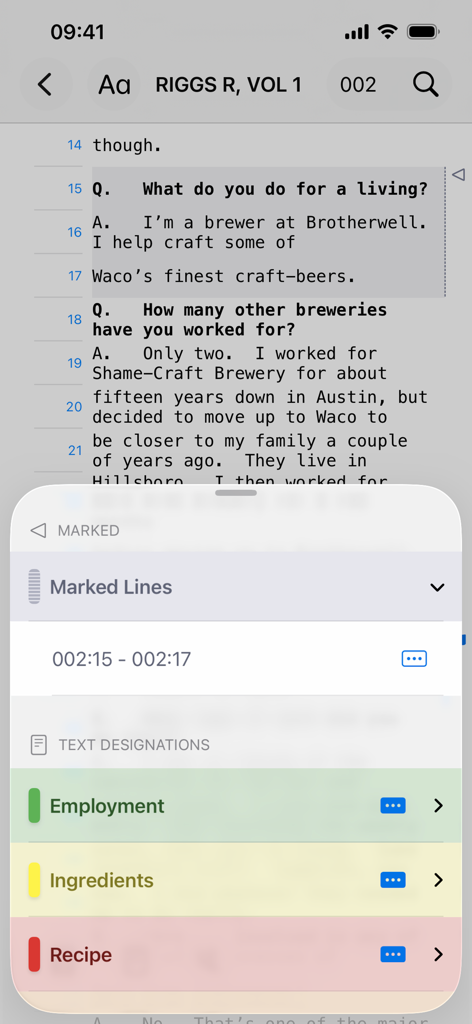
고용 및 레시피에 대한 텍스트 지정 및 이슈 코딩이 포함된 법률 증언 검토를 보여주는 TranscriptPad iPhone 인터페이스
iPhone에서 증언 기록에 대한 텍스트 옵션 메뉴를 표시하는 TranscriptPad 앱
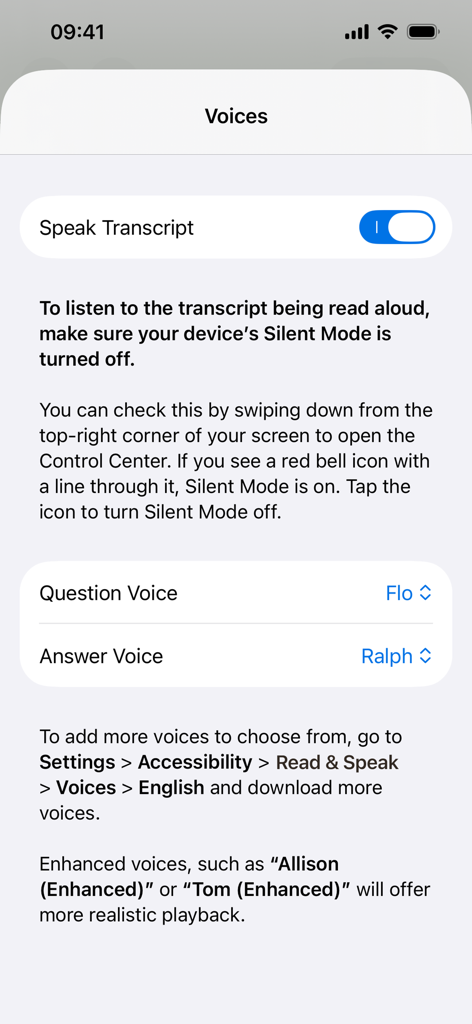
질문 및 답변 목소리를 사용자 지정하는 옵션이 있는 Speak Transcript 기능의 음성 설정 화면을 보여주는 TranscriptPad 앱 인터페이스
설명
TranscriptPad is the easiest way to read, review, and summarize transcripts on any platform. Whether you're preparing at your desk or reviewing depositions on the go, TranscriptPad gives you powerful, professional tools wherever you are.
TranscriptPad integrates seamlessly with your Windows workflow, is secure, private, mobile, and efficient, and costs a fraction of traditional or cloud-based programs.
LIT SOFTWARE has set the bar for litigation apps, garnering awards for innovation and ease of use. Our apps have been featured by Apple and are trusted by law firms, trial teams, and litigation support professionals across the country.
LIT SUITE REVIEWS
“The short review. Wow.”
“TranscriptPad will cut your post-deposition analysis time in half.”
“Just get it! This is ‘the’ app for working with transcripts.”
“I only need to go through the transcript once, highlighting as I go, and all the pertinent testimony is at my fingertips whenever I need it.”
“Simple, easy, seamless and accurate - love it!”
“The only way to review transcripts! Haven’t reviewed a paper transcript since I bought this app.”
“These are incredibly sophisticated and useful apps that are in many ways more powerful than PC software costing hundreds of dollars more.”
**** Core Features - iPad, Mac, and iPhone ****
• Carry all your transcripts in one app, no cloud connection needed
• Highlight or underline key testimony
• Flag important sections and add detailed notes
• Import transcripts from email, USB drive, or cloud storage providers including OneDrive, Box, Citrix Files, Dropbox, Google Drive, and more
• Automatically organize transcripts by deponent, date, or issue
• Search for keywords across hundreds of transcripts instantly, or view an index
• Create custom issue codes, highlight sections, or redact testimony from your search results
• Read transcripts hands-free with automatic scrolling, or read aloud, at adjustable speeds
• Print or email detailed PDF reports
• Share transcripts and case files with co-counsel or experts via email, cloud storage, or USB drive
• File formats supported: TXT, PDF, video, and audio
**** Optimized for iPhone - Review Depositions On the Go ****
The new iPhone version of TranscriptPad lets you work efficiently and stay productive wherever you are:
• Review depositions while traveling, at court, or between meetings
• Quickly highlight key testimony the moment insight strikes
• Search through transcripts anytime, no laptop or cloud required
• Add notes, apply issue codes, and create designations while away from your desk
• Listen to transcripts read aloud through headphones for hands-free review
• Keep all your transcripts in your pocket
**** Optimized for iPad and Mac - Advanced Professional Features ****
Unlock additional powerful tools designed for the larger screens on iPad and Mac:
• Sync transcripts with corresponding video, all on-device
• Edit video deposition clips, then export clips with or without closed captions (subtitles)
• Create clip reports for efficient video deposition editing
• Easily review exhibits as you read, without losing your place
• Print or email beautifully formatted reports
• Share highlighted and annotated transcripts with clients, co-counsel, and experts
• Create organized impeachment slides for presentation in TrialPad
• Generate spreadsheets of testimony for motions or trial preparation
• Bookmark pages for fast navigation during hearings or trial
• Designed to take full advantage of Apple Pencil, Split View, and multitasking features
These tools make TranscriptPad the most comprehensive deposition review platform available on any device.
LIT SUITE SUBSCRIPTION
One subscription gives you access to all LIT SUITE apps on iPhone, iPad, and Mac. After your 7-day free trial, your App Store account will be charged and your subscription will renew automatically unless canceled in advance. Manage your subscription in your App Store account settings.
이 페이지는 앱이나 개발자의 공식 페이지가 아니며, 정보 제공 및 논평을 목적으로 작성된 독립 편집 간행물입니다. 명시적으로 달리 언급되지 않는 한, 해당 앱이나 개발자는 MWM, Apple, Google Play, 앱 퍼블리셔 또는 앱 개발자와 제휴, 보증, 후원, 승인 또는 공식적으로 연결되어 있지 않으며, 이 페이지의 어떤 내용도 해당 앱이 MWM의 서비스를 사용하여 개발되었음을 의미하지 않습니다. 모든 상표, 로고, 스크린샷 및 기타 콘텐츠는 해당 소유자의 자산입니다.