Document Scanner App.
다운로드: App Store

이 페이지는 앱이나 개발자의 공식 페이지가 아니며, 정보 제공 및 논평을 목적으로 작성된 독립 편집 간행물입니다. 명시적으로 달리 언급되지 않는 한, 해당 앱이나 개발자는 MWM, Apple, Google Play, 앱 퍼블리셔 또는 앱 개발자와 제휴, 보증, 후원, 승인 또는 공식적으로 연결되어 있지 않으며, 이 페이지의 어떤 내용도 해당 앱이 MWM의 서비스를 사용하여 개발되었음을 의미하지 않습니다. 모든 상표, 로고, 스크린샷 및 기타 콘텐츠는 해당 소유자의 자산입니다.

로고: Document Scanner App.
다운로드: App Store

Document Scanner App.

iPhone을 강력한 생산성 허브로 변환하세요. 정밀한 OCR로 문서를 디지털화하고, 신분증을 관리하며, 600개 이상의 맞춤형 QR 코드 템플릿을 사용하여 인터넷 연결 없이도 전문가 수준의 마케팅 자료를 디자인하세요.

주요 수치

다운로드

5K+

사용자 평점

4.6/5

총 평가 수

100

개발사

Kanad Vekariya

카테고리

Business

지원 언어

1

최신 버전

6.1

크기

192.4 MB

출시일

2025년 2월 20일
기능

올인원 디지털 오피스

모바일 라이프스타일에 맞춰 설계된 전문가 수준의 스캔, 창의적인 마케팅 도구, 안전한 문서 관리로 생산성을 간소화하세요.

고화질 스캔 및 OCR

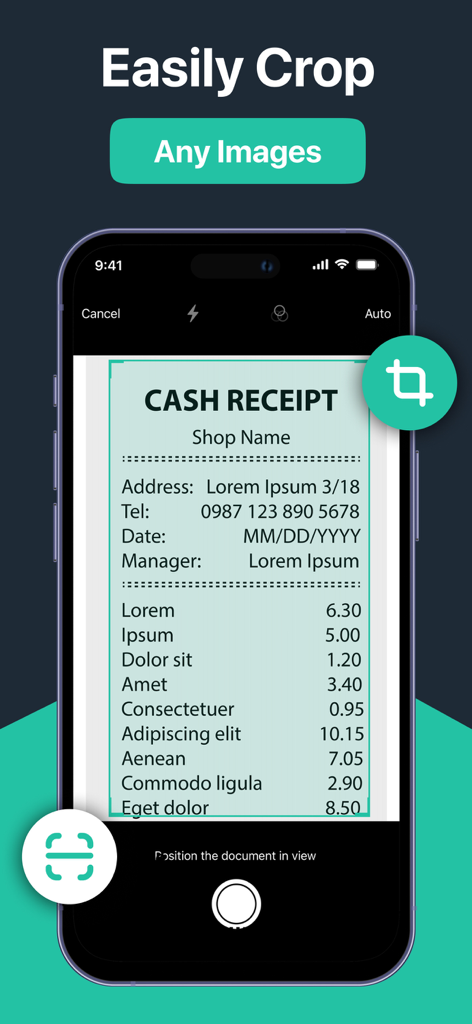
자동 가장자리 감지로 실제 문서를 선명한 PDF로 변환하고 이미지를 즉시 편집 가능한 텍스트로 변환하세요.

600개 이상의 맞춤형 QR 코드 템플릿

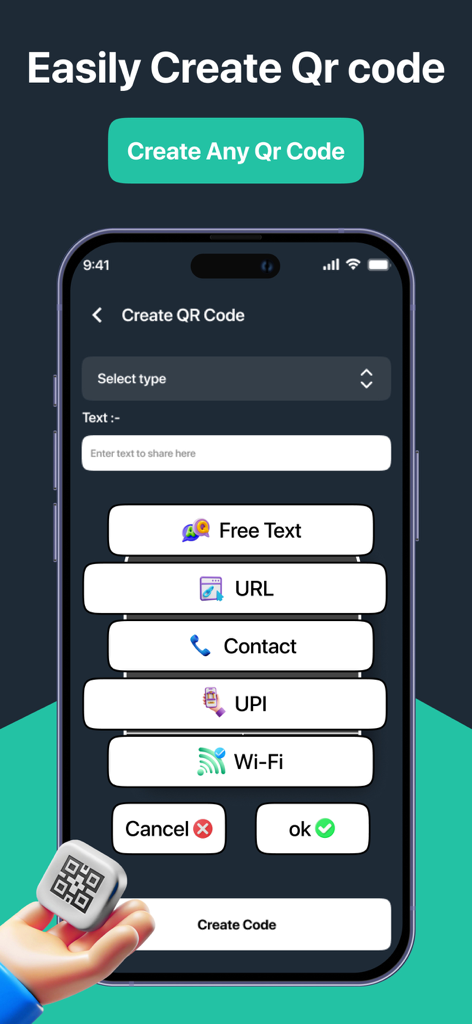
광범위한 템플릿 라이브러리를 사용하여 Wi-Fi 공유, 메뉴 및 마케팅 자료를 위한 전문가 수준의 QR 코드로 소규모 비즈니스를 강화하세요.

다음 스크린샷과 설명은 앱의 공식 스토어 목록에서 직접 가져온 것이며 앱 개발자의 자산입니다.

앱 스토어

스크린샷
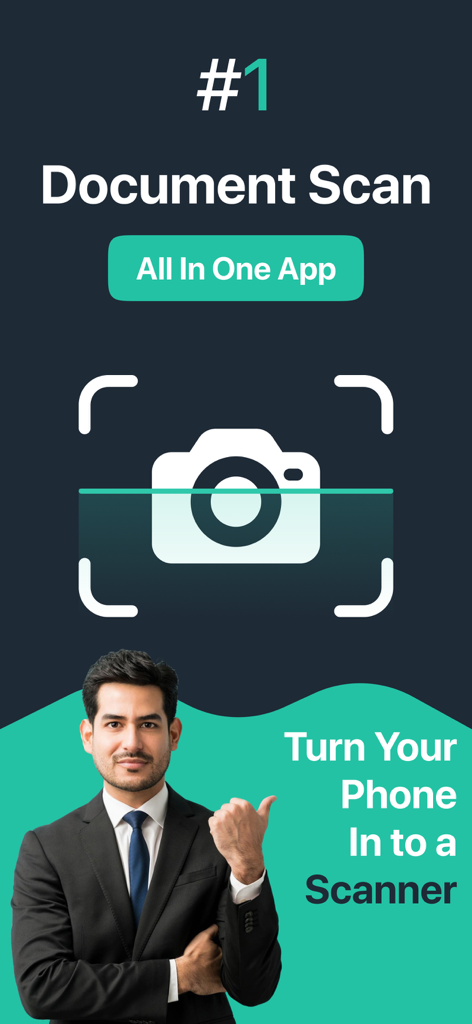
Document Scanner App. - 비즈니스맨이 휴대폰을 스캐너로 바꾸는 올인원 문서 스캐너 앱을 선보이고 있습니다.
비즈니스맨이 휴대폰을 스캐너로 바꾸는 올인원 문서 스캐너 앱을 선보이고 있습니다.

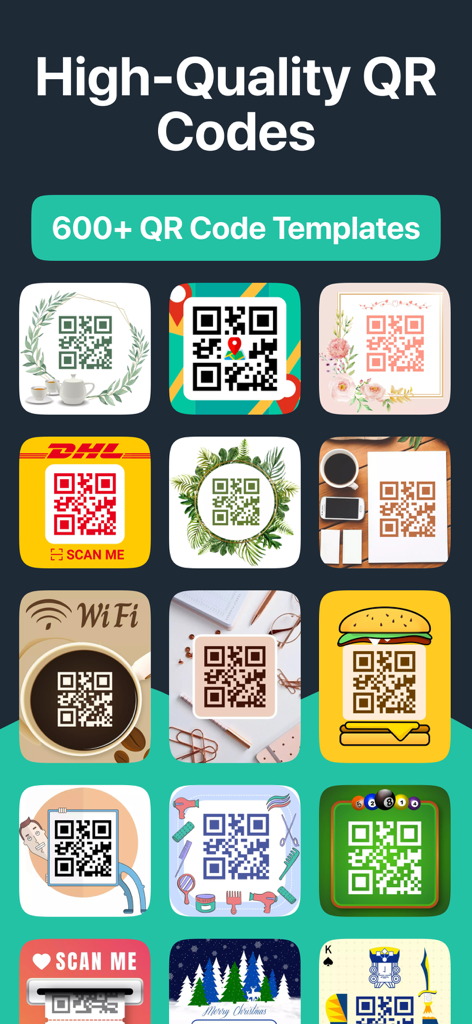
Document Scanner App. - 비즈니스 및 개인 용도의 다양하고 창의적인 장식 QR 코드 템플릿 그리드
비즈니스 및 개인 용도의 다양하고 창의적인 장식 QR 코드 템플릿 그리드

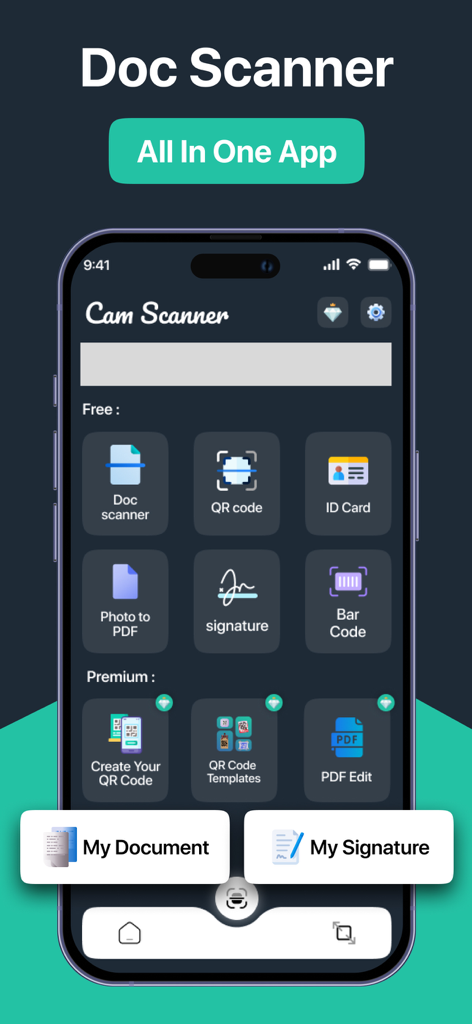
Document Scanner App. - 문서, QR 코드, 신분증 및 디지털 서명 스캔 도구가 포함된 문서 스캐너 앱의 메인 대시보드.
문서, QR 코드, 신분증 및 디지털 서명 스캔 도구가 포함된 문서 스캐너 앱의 메인 대시보드.

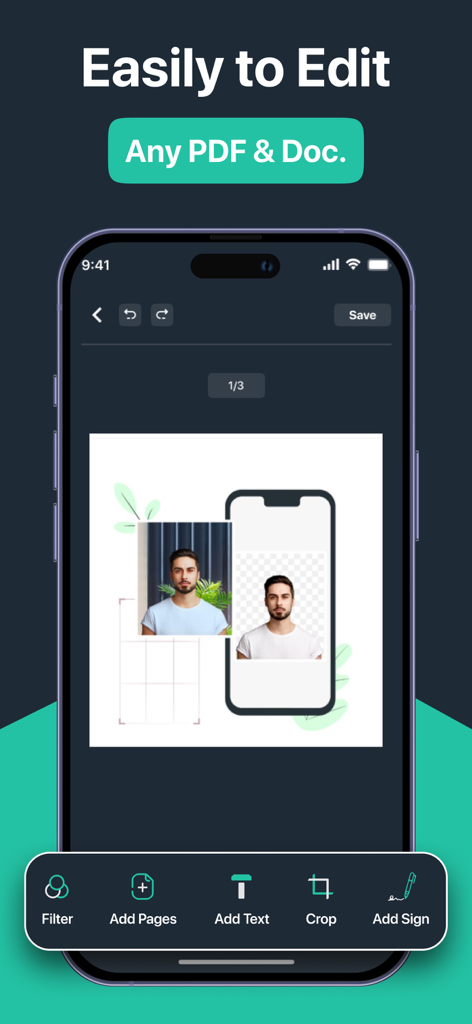
Document Scanner App. - PDF 및 ID 사진 편집 도구를 보여주는 스마트폰 인터페이스

PDF 및 ID 사진 편집 도구를 보여주는 스마트폰 인터페이스

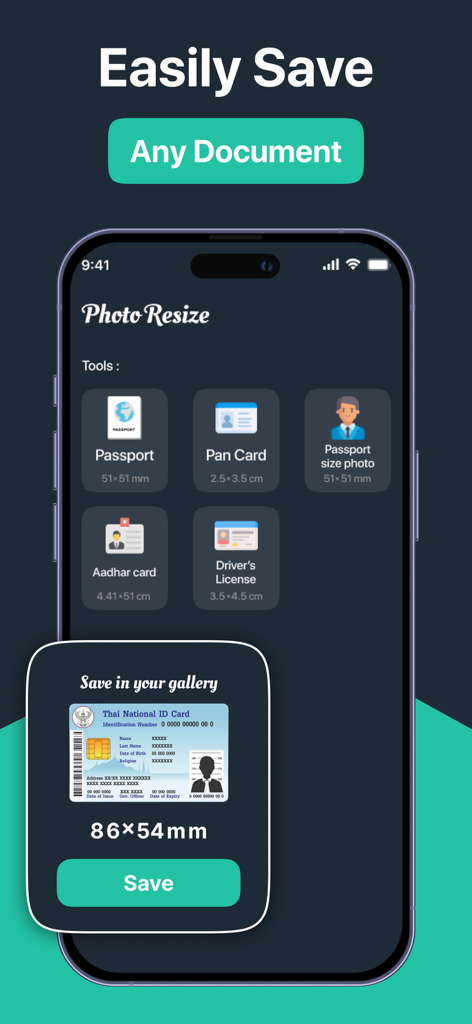
Document Scanner App. - 문서 스캐너 앱 신분증 및 여권 사진 크기 조정 도구

문서 스캐너 앱 신분증 및 여권 사진 크기 조정 도구

Document Scanner App. - 문서 스캐너 앱에서 영수증 자르기 화면

문서 스캐너 앱에서 영수증 자르기 화면

Document Scanner App. - 텍스트 URL 연락처 및 Wi-Fi용 QR 코드 생성 옵션을 보여주는 인터페이스

텍스트 URL 연락처 및 Wi-Fi용 QR 코드 생성 옵션을 보여주는 인터페이스

설명

Document Scanner: Your Ultimate Document Scanning Solution Transform your smartphone into a powerful document scanner with Document Scanner! Whether you need to scan documents, QR codes, or ID cards, our app provides a seamless and efficient experience. With a user-friendly interface and advanced features, Cam Scanner is designed to meet all your scanning needs. Key Features: Document Scanner stands out with its extensive collection of 600+ QR code templates, making it more than just a scanning app. Whether you're creating professional QR codes for your business, sharing WiFi credentials, or digitizing documents, our app provides all the tools you need in one place. The combination of powerful document scanning features and creative QR code generation makes Cam Scanner the ultimate solution for all your scanning and QR code needs. High-Quality Scanning: Capture documents in high resolution with our advanced scanning technology. The app automatically detects edges and enhances the quality of your scans, ensuring clear and legible results. Multiple Formats: Save your scans in various formats, including PDF, JPEG, and PNG. Easily convert your documents into PDFs for easy sharing and storage. OCR Technology: Extract text from scanned documents using Optical Character Recognition (OCR). This feature allows you to convert images into editable text, making it easy to copy and share information. QR Code and Barcode Scanning: Quickly scan QR codes and barcodes to access links, contact information, and product details. The app supports various code formats, ensuring versatility in your scanning tasks. WiFi Password Sharing: Scan WiFi QR codes to automatically connect to networks. The app can also extract and share WiFi passwords, making it easier to connect to the internet. Image Resizing and Cropping: Resize and crop images to fit specific requirements, such as passport photos or ID cards. The app provides customizable options to ensure your images meet the necessary standards. Document Editing: Enhance your scanned documents with built-in editing tools. Adjust brightness, contrast, and saturation, or add annotations and signatures to your files. Secure Cloud Storage: Store your scanned documents securely in the cloud. Access your files from anywhere and share them with others effortlessly. User-Friendly Interface: Navigate through the app with ease. The intuitive design ensures that users of all ages can scan and manage documents without hassle. Offline Functionality: Scan documents without an internet connection. All features are available offline, allowing you to work anytime, anywhere. Share with Ease: Share your scanned documents via email, messaging apps, or social media. The app allows you to send files directly from the interface, making sharing quick and convenient. Regular Updates: We are committed to improving your experience. Regular updates ensure that you have access to the latest features and enhancements. Why Choose Document Scanner? Document Scanner is not just a scanning app; it’s a comprehensive document management solution. Whether you’re a student, professional, or anyone in between, our app simplifies the way you handle documents. With its powerful features and ease of use, Cam Scanner is the perfect tool for anyone looking to digitize their paperwork. Download Document Scanner today and experience the perfect blend of professional document scanning and creative QR code generation! --- *Link to Privacy Policy: https://qrcamscanner.blogspot.com/2025/02/privacy-policy.html *Link to Terms of use: https://qrcamscanner.blogspot.com/2025/02/terms-conditions.html *Link to EULA: https://qrcamscanner.blogspot.com/2025/03/eula.html

Download

다운로드: App Store

이 페이지는 앱이나 개발자의 공식 페이지가 아니며, 정보 제공 및 논평을 목적으로 작성된 독립 편집 간행물입니다. 명시적으로 달리 언급되지 않는 한, 해당 앱이나 개발자는 MWM, Apple, Google Play, 앱 퍼블리셔 또는 앱 개발자와 제휴, 보증, 후원, 승인 또는 공식적으로 연결되어 있지 않으며, 이 페이지의 어떤 내용도 해당 앱이 MWM의 서비스를 사용하여 개발되었음을 의미하지 않습니다. 모든 상표, 로고, 스크린샷 및 기타 콘텐츠는 해당 소유자의 자산입니다.