DOF Pro
DOF Pro
다운로드: App Store

이 페이지는 앱이나 개발자의 공식 페이지가 아니며, 정보 제공 및 논평을 목적으로 작성된 독립 편집 간행물입니다. 명시적으로 달리 언급되지 않는 한, 해당 앱이나 개발자는 MWM, Apple, Google Play, 앱 퍼블리셔 또는 앱 개발자와 제휴, 보증, 후원, 승인 또는 공식적으로 연결되어 있지 않으며, 이 페이지의 어떤 내용도 해당 앱이 MWM의 서비스를 사용하여 개발되었음을 의미하지 않습니다. 모든 상표, 로고, 스크린샷 및 기타 콘텐츠는 해당 소유자의 자산입니다.

로고: DOF Pro
다운로드: App Store

DOF Pro

업계에서 가장 직관적인 한 손 계산기로 심도를 마스터하세요. 빈티지 렌즈부터 대형 포맷 시네마까지, 완벽한 설정을 조정하고 모든 장면에서 초점을 유지하세요.

주요 수치

다운로드

7K+

사용자 평점

1.0/5

총 평가 수

0

개발사

Mihai alexandru Bold

카테고리

Utilities

지원 언어

1

최신 버전

1.1.0

크기

27.7 MB

출시일

2018년 12월 1일
기능

심도를 마스터하세요

최신 촬영 현장의 속도와 빈티지 렌즈의 정밀도를 위해 설계된 전문가급 계산기로 추측을 버리세요.

한 손 조작 인체공학

현장에서 한 손 사용에 최적화된 정밀 슬라이더로 조리개, 거리, 초점 거리를 즉시 조정하세요.

범용 장비 지원

최신 미러리스부터 빈티지 핫셀블라드 및 Super 35 필름 포맷까지, 광범위한 데이터베이스가 모든 카메라 장비를 다룹니다.

다음 스크린샷과 설명은 앱의 공식 스토어 목록에서 직접 가져온 것이며 앱 개발자의 자산입니다.

앱 스토어

스크린샷
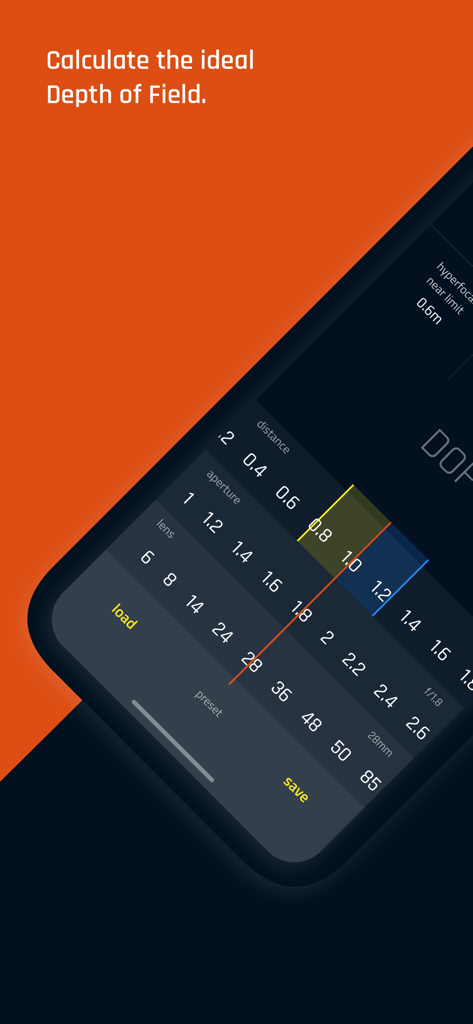
DOF Pro - 심도를 계산하기 위한 거리, 조리개 및 렌즈 슬라이더를 보여주는 DOF Pro 모바일 앱 인터페이스
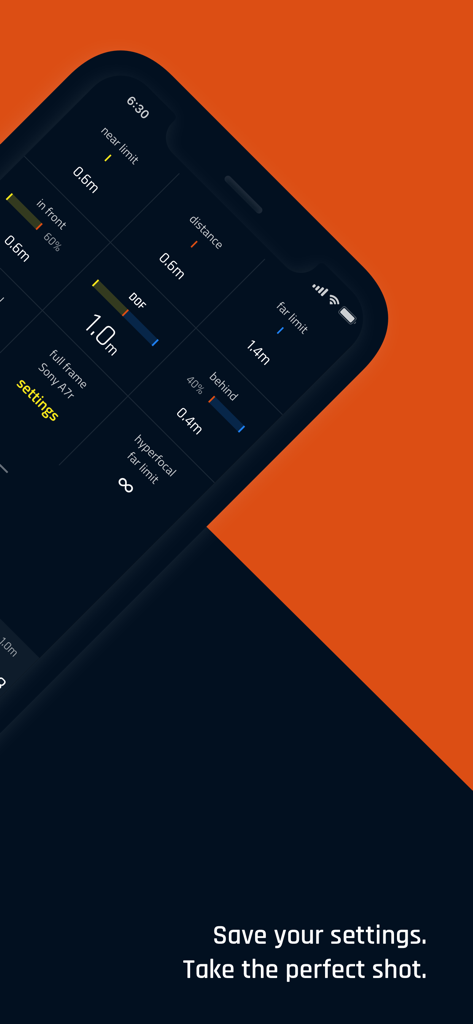
심도를 계산하기 위한 거리, 조리개 및 렌즈 슬라이더를 보여주는 DOF Pro 모바일 앱 인터페이스

DOF Pro - Sony A7r에 대한 심도 및 카메라 구성 제한을 표시하는 DOF Pro의 기술 인터페이스
Sony A7r에 대한 심도 및 카메라 구성 제한을 표시하는 DOF Pro의 기술 인터페이스

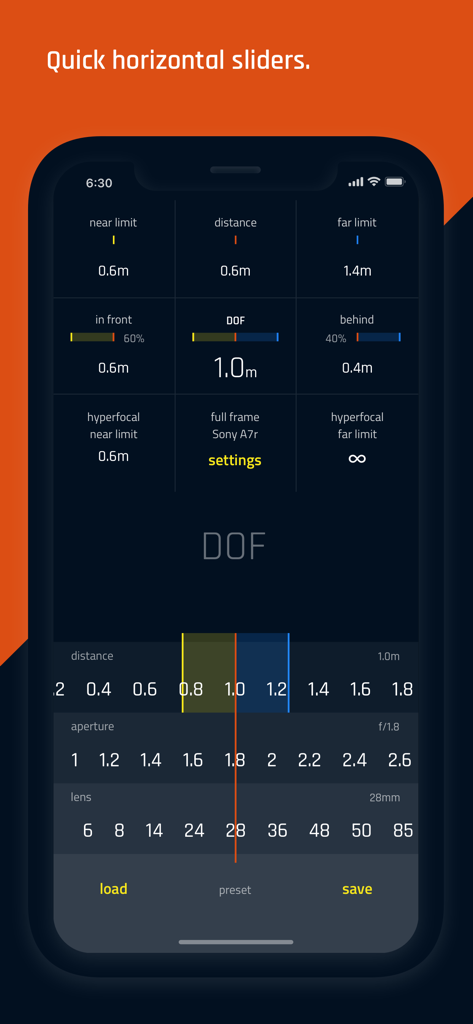
DOF Pro - 한 손 조작을 위한 기술 사진 설정 및 가로 슬라이더를 보여주는 DOF Pro 앱 인터페이스
한 손 조작을 위한 기술 사진 설정 및 가로 슬라이더를 보여주는 DOF Pro 앱 인터페이스

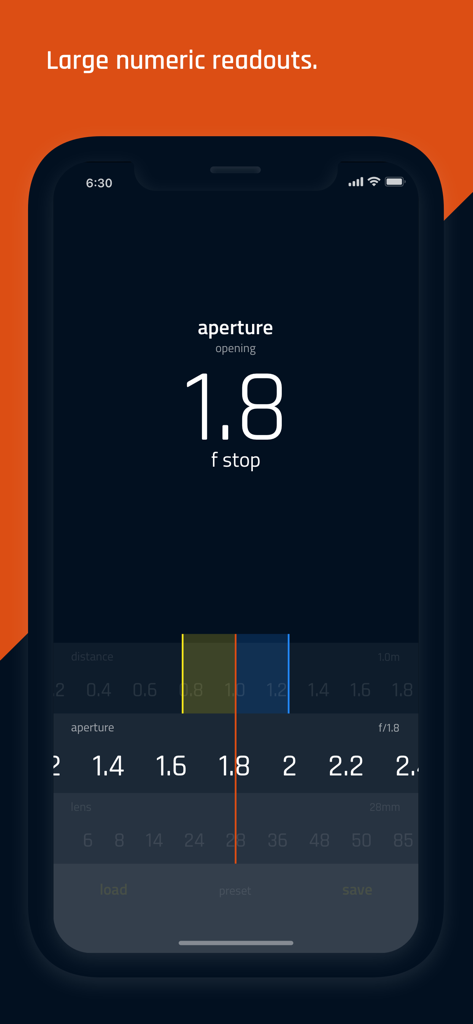
DOF Pro - 큰 조리개 f-stop 판독값 및 조정 슬라이더가 있는 DOF Pro 모바일 앱 인터페이스
큰 조리개 f-stop 판독값 및 조정 슬라이더가 있는 DOF Pro 모바일 앱 인터페이스

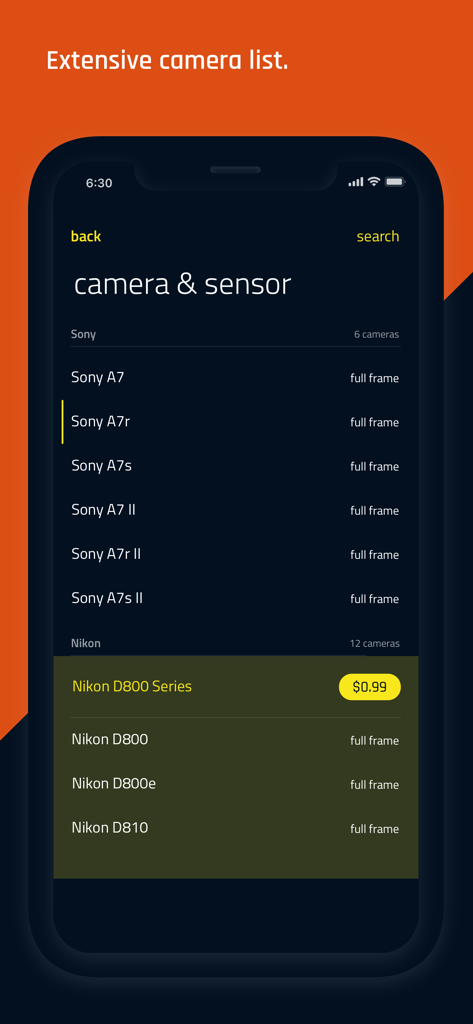
DOF Pro - Sony 및 Nikon과 같은 카메라 브랜드 및 모델 목록을 보여주는 DOF Pro 앱의 카메라 및 센서 선택 화면
Sony 및 Nikon과 같은 카메라 브랜드 및 모델 목록을 보여주는 DOF Pro 앱의 카메라 및 센서 선택 화면

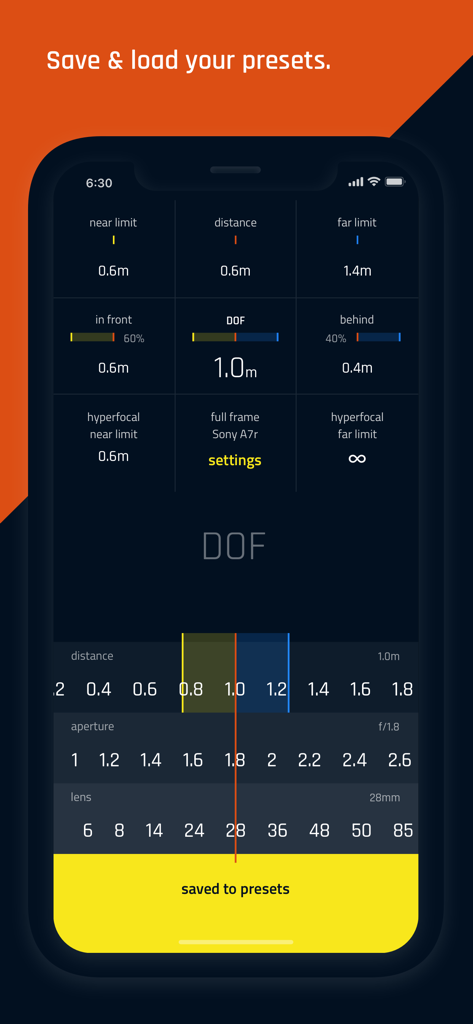
DOF Pro - 심도 계산 결과와 저장된 프리셋 알림을 보여주는 DOF Pro 앱 화면

심도 계산 결과와 저장된 프리셋 알림을 보여주는 DOF Pro 앱 화면

설명

Calculate the ideal Depth of field with three simple sliders for distance, aperture, and lens. Got your perfect settings? Great! Now save it for future projects, ready to be loaded any time you need it. Once you select your gear from an extensive list of modern and vintage cameras, all you have to do is pick your distance, aperture, and lens from the 3 sliders. All the calculations you need to set up that perfect shot are instantly available as you slide the values. A simple and minimal interface helps you focus on fine-tuning your settings one-handed. Your thumb is in the sweet spot of the screen where you can move the sliders with precision and ease. Whether you prefer metric or imperial DOF has you covered. There are settings for distance measurements in meters or feet. Aperture range starts from f/0.5 up to f/64 with or without hard stops. Focal length extends for super wide angle lenses from 3 mm all the way to 1200 mm telephoto. The distance scale starts from 0.01 meters up to 9000 meters. Cameras are plentiful. DOF features hundreds of camera models from Sony, Nikon, Canon, Fujifilm, Kodak, Konica, Leica, Minolta, Olympus, Panasonic, Pentax, Ricoh, Samsung, Sigma as well as Hasselblad, Leaf, Phase One and Mamiya. Larger film formats include 6x4.5, 6x6, 6x7, 6x9, 4x5, 5x7, 8x10 and cinematographic formats like Super 16, Super 35 are also available. Plus a full list of Circle of Confusion values. The app offers plenty of customization with options that include extending the distance slider for macro, telephoto, and superzoom distances, haptic feedback, aperture hard stops. Upgrade to DOF PRO today and enjoy the benefits of loading your favorite settings. Stay in focus!

Download

다운로드: App Store

이 페이지는 앱이나 개발자의 공식 페이지가 아니며, 정보 제공 및 논평을 목적으로 작성된 독립 편집 간행물입니다. 명시적으로 달리 언급되지 않는 한, 해당 앱이나 개발자는 MWM, Apple, Google Play, 앱 퍼블리셔 또는 앱 개발자와 제휴, 보증, 후원, 승인 또는 공식적으로 연결되어 있지 않으며, 이 페이지의 어떤 내용도 해당 앱이 MWM의 서비스를 사용하여 개발되었음을 의미하지 않습니다. 모든 상표, 로고, 스크린샷 및 기타 콘텐츠는 해당 소유자의 자산입니다.








