dot ART - Mosaic Effects App
다운로드: App Store

이 페이지는 앱이나 개발자의 공식 페이지가 아니며, 정보 제공 및 논평을 목적으로 작성된 독립 편집 간행물입니다. 명시적으로 달리 언급되지 않는 한, 해당 앱이나 개발자는 MWM, Apple, Google Play, 앱 퍼블리셔 또는 앱 개발자와 제휴, 보증, 후원, 승인 또는 공식적으로 연결되어 있지 않으며, 이 페이지의 어떤 내용도 해당 앱이 MWM의 서비스를 사용하여 개발되었음을 의미하지 않습니다. 모든 상표, 로고, 스크린샷 및 기타 콘텐츠는 해당 소유자의 자산입니다.

로고: dot ART - Mosaic Effects App
다운로드: App Store

dot ART - Mosaic Effects App

8비트 픽셀, 망점, 생동감 넘치는 팝 아트 필터로 미적 감각을 한 단계 끌어올리세요. 간단한 슬라이더와 전문적인 예술 효과로 TikTok 및 Instagram을 위한 스크롤을 멈추게 하는 콘텐츠를 만드세요.

주요 수치

다운로드

45K+

사용자 평점

4.0/5

총 평가 수

100

개발사

TAIKI HIRATA

카테고리

Photo & Video

지원 언어

2

최신 버전

2.4

크기

4.0 MB

출시일

2014년 9월 18일
기능

창의력을 발휘하세요

복고풍 8비트, 모자이크, 팝 아트 효과로 일상적인 사진과 동영상을 시선을 사로잡는 디지털 아트로 변환하세요.

복고풍 8비트 및 모자이크 스타일

모든 사진을 향수를 불러일으키는 걸작이나 모든 피드에서 돋보이는 클래식 픽셀 아트 동영상으로 바꾸세요.

동적인 동영상 변환

예술적인 필터를 실시간으로 동영상에 적용하세요. 독특한 TikTok 전환 효과와 미적 감각이 뛰어난 Reels를 만드는 데 완벽합니다.

다음 스크린샷과 설명은 앱의 공식 스토어 목록에서 직접 가져온 것이며 앱 개발자의 자산입니다.

앱 스토어

스크린샷
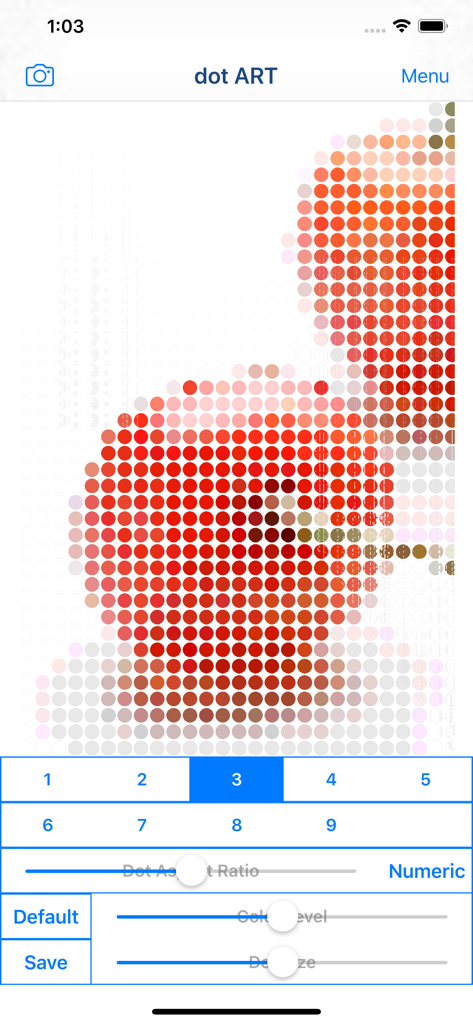
dot ART - Mosaic Effects App - 사과 사진을 편집 슬라이더로 붉은 점 모자이크 패턴으로 변환한 dot ART 앱 인터페이스.
사과 사진을 편집 슬라이더로 붉은 점 모자이크 패턴으로 변환한 dot ART 앱 인터페이스.

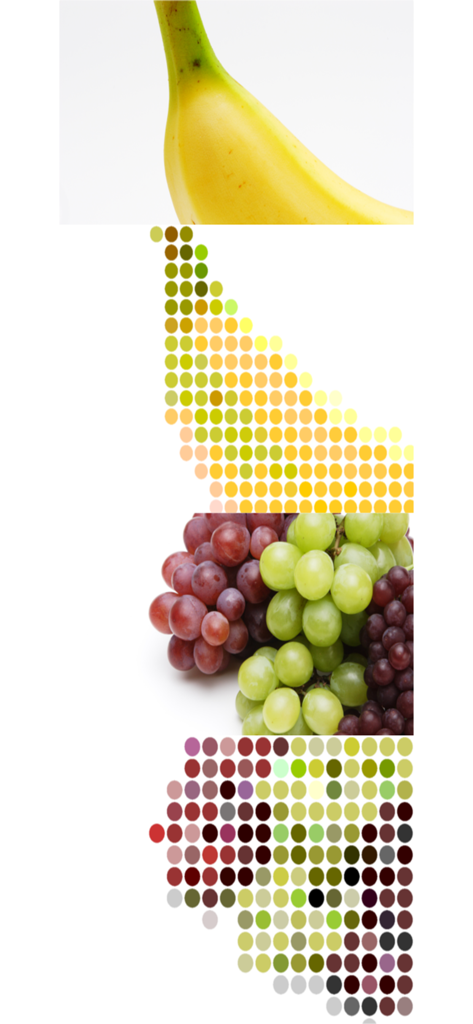
dot ART - Mosaic Effects App - 과일 사진을 다채로운 점 아트 및 모자이크 패턴으로 변환한 비교 모습.
과일 사진을 다채로운 점 아트 및 모자이크 패턴으로 변환한 비교 모습.

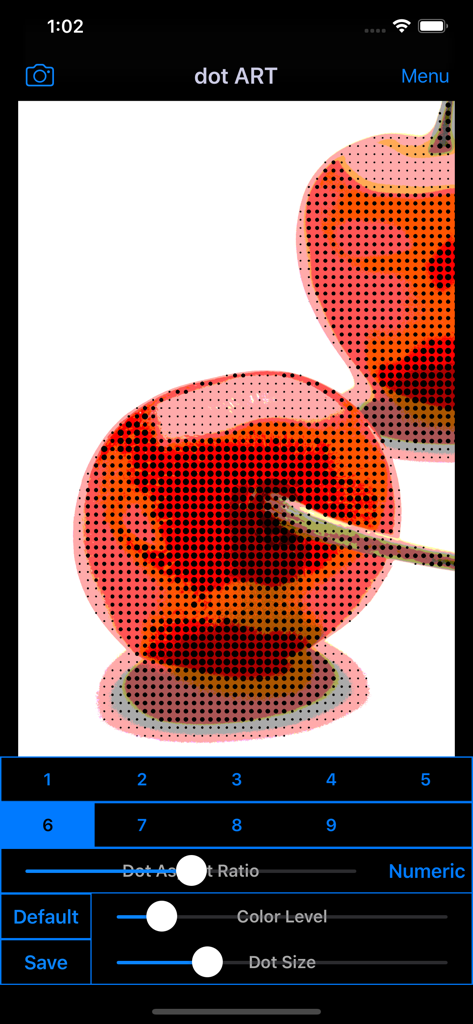
dot ART - Mosaic Effects App - 체리 사진에 망점 효과를 적용한 dot ART 앱 인터페이스와 색상 및 점 크기 편집 슬라이더
체리 사진에 망점 효과를 적용한 dot ART 앱 인터페이스와 색상 및 점 크기 편집 슬라이더

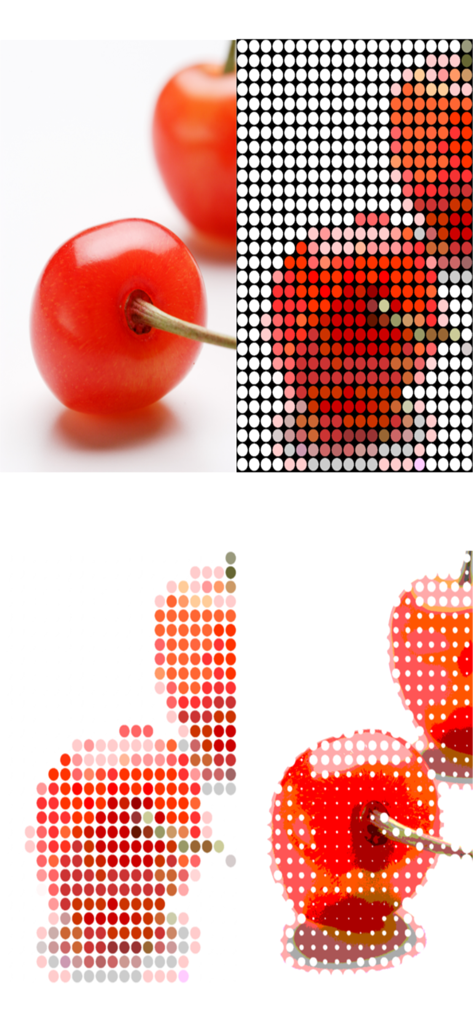
dot ART - Mosaic Effects App - 체리 사진에 적용된 모자이크 및 점 아트 효과

체리 사진에 적용된 모자이크 및 점 아트 효과

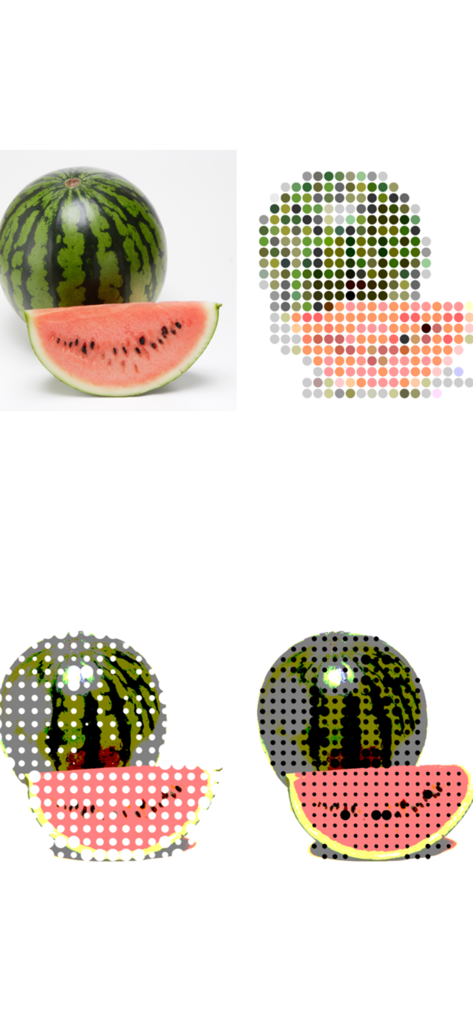
dot ART - Mosaic Effects App - 수박 원본 사진과 모자이크 및 망점 아트 필터 효과 비교

수박 원본 사진과 모자이크 및 망점 아트 필터 효과 비교

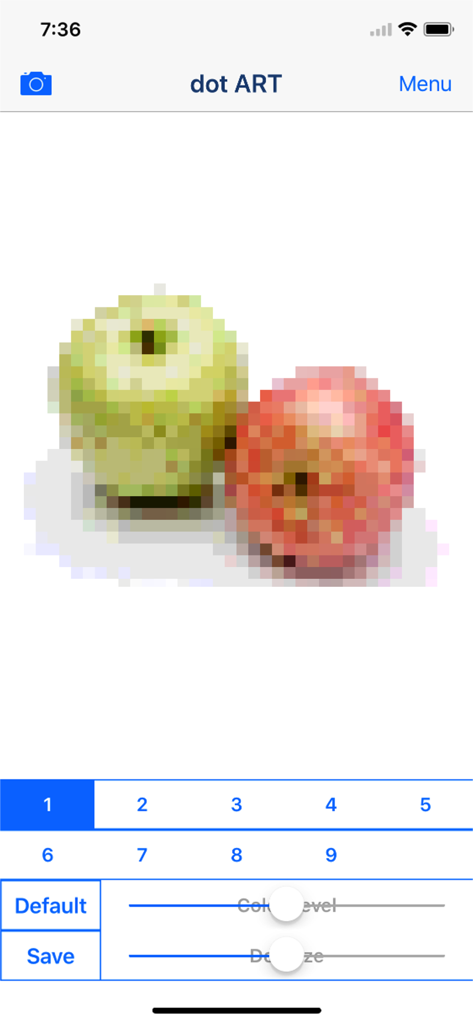
dot ART - Mosaic Effects App - 사과 이미지에 픽셀화된 모자이크 효과를 적용하고 색상 및 크기 조절 슬라이더가 있는 dot ART 앱 스크린샷
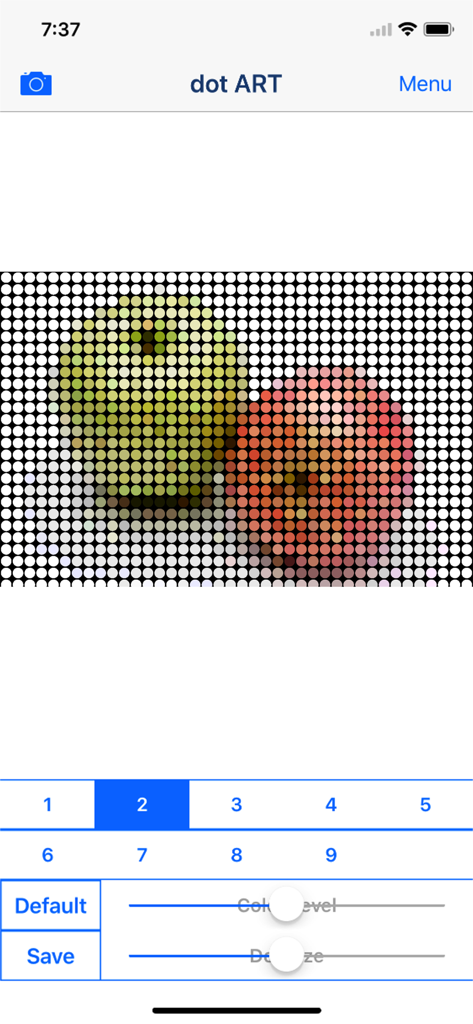
사과 이미지에 픽셀화된 모자이크 효과를 적용하고 색상 및 크기 조절 슬라이더가 있는 dot ART 앱 스크린샷

dot ART - Mosaic Effects App - 사과 사진에 점 아트 모자이크 효과를 적용하고 색상 및 크기 조절 슬라이더가 있는 모바일 앱 인터페이스

사과 사진에 점 아트 모자이크 효과를 적용하고 색상 및 크기 조절 슬라이더가 있는 모바일 앱 인터페이스

설명

"dot ART" is Art Photo / Movie Editor application that allows you to create "Dot Image / Video", "Mosaic Picture" and "Pop Art" Effects Image and Movie from camera, photographs ,illustrations and videos easily. You will be able to create "Dot Art Illustration and Movie" that made of round colorful dots, and "Pop Art Effects Illustration and Movie" from your photo, illustration and video by using Art Editor app "dot ART". If you enjoyed by this App, I'm glad. ■Illustration / Movie list that you can create and edit by using "dot ART". 1.Mosaic Art Create and edit "Mosaic Art Effects Pictures and Movies", and save it. you can also create 8 bit game style by reducing color level. 2.Dot Art Create and edit "Dot Art Effects Images and Movies" that made of round colorful dots, and save it. You can choose background color from black and white. *Add-on is required in order to save white background. 3.Halftone Style Create and edit "Halftone Effects Images and Movies" that dot size is changed by hue, and save it. You can choose background color from black and white. *Add-on is required in order to save "halftone effects". 4.Pop Art Style Create and edit "Pop Art Effects Illustrations and Videos", and save it. You can create "Pop Art Effects Illustration and Videos" by reducing color level. *Add-on is required in order to save "Pop Art Effects". ■How to Edit 1. Select image or video you want to edit from "Camera" Button. 2. When Image or video was displayed, select type and adjust to the desired by Sliders. *If you want to save type "3〜9" , you need to purchase Add-on. 3. When you touch "Save" Button, current image or video will be saved in "Camera Roll". ■About In-app Advertising Banner Advertising is displayed in Home Screen. Full Screen Advertising will be displayed, after you have saved the picture. You can hide these Advertising by purchasing "Additional Function Add-on".

Download

다운로드: App Store

이 페이지는 앱이나 개발자의 공식 페이지가 아니며, 정보 제공 및 논평을 목적으로 작성된 독립 편집 간행물입니다. 명시적으로 달리 언급되지 않는 한, 해당 앱이나 개발자는 MWM, Apple, Google Play, 앱 퍼블리셔 또는 앱 개발자와 제휴, 보증, 후원, 승인 또는 공식적으로 연결되어 있지 않으며, 이 페이지의 어떤 내용도 해당 앱이 MWM의 서비스를 사용하여 개발되었음을 의미하지 않습니다. 모든 상표, 로고, 스크린샷 및 기타 콘텐츠는 해당 소유자의 자산입니다.