
이 페이지는 앱이나 개발자의 공식 페이지가 아니며, 정보 제공 및 논평을 목적으로 작성된 독립 편집 간행물입니다. 명시적으로 달리 언급되지 않는 한, 해당 앱이나 개발자는 MWM, Apple, Google Play, 앱 퍼블리셔 또는 앱 개발자와 제휴, 보증, 후원, 승인 또는 공식적으로 연결되어 있지 않으며, 이 페이지의 어떤 내용도 해당 앱이 MWM의 서비스를 사용하여 개발되었음을 의미하지 않습니다. 모든 상표, 로고, 스크린샷 및 기타 콘텐츠는 해당 소유자의 자산입니다.

Dot Lab - Perler beads pattern
픽셀 아티스트와 메이커를 위한 올인원 디자인 스위트입니다. 멋진 디자인을 만들고, 퍼ler 비즈 또는 크로셰를 위한 번호가 매겨진 패턴을 생성하고, 스마트 워크 스테이션을 사용하여 창작물에 생명을 불어넣으세요.
다운로드
111K+사용자 평점
총 평가 수
200개발사
카테고리
Graphics & Design지원 언어
3최신 버전
2.1.9크기
61.4 MB출시일
2024년 6월 27일디지털 픽셀에서 손으로 만든 걸작까지
픽셀 아트를 디자인하고 그 창작물을 퍼ler 비즈 패턴, 크로셰 디자인 및 십자수 아트로 원활하게 변환할 수 있는 궁극의 툴킷입니다.
정밀 드로잉 스위트
현대 메이커를 위해 설계된 대칭 도구, 헥스 코드 팔레트 및 사용자 정의 캔버스로 완벽한 픽셀 아트를 만드세요.
스마트 공예 워크 스테이션
같은 색상을 강조 표시하고 큰 프로젝트를 분할하여 쉽고 오류 없는 실제 조립을 할 수 있도록 하여 눈의 피로를 덜어주세요.
자주 묻는 질문
에 대해 알아야 할 모든 것 Dot Lab - Perler beads pattern
Dot Lab이란 무엇인가요?
Dot Lab은 초보자와 숙련된 아티스트 모두를 위한 사용자 친화적인 픽셀 아트 제작 앱입니다. 사용자는 NFT, 픽셀 아바타, 퓨즈 비즈, 퍼ler 비즈, 크로셰 및 십자수용 패턴을 만들 수 있습니다.
Dot Lab으로 퍼ler 비즈 패턴을 만들 수 있나요?
네, Dot Lab은 퍼ler 비즈 패턴 제작을 지원하도록 설계되었습니다. 앱 이름 자체인 "Dot Lab - Perler beads pattern"과 Work Station과 같은 프리미엄 기능이 이 기능을 지원합니다.
Dot Lab은 어떤 드로잉 도구를 제공하나요?
Dot Lab은 버킷 채우기, 연속 그리기, 선택, 이동, 미러링, 참조 가이드라인을 포함한 효율적인 드로잉 도구를 제공합니다. 대칭과 같은 고급 드로잉 도구는 프리미엄 기능으로 제공됩니다.
Dot Lab은 사용자 지정 캔버스 크기를 지원하나요?
네, Dot Lab을 사용하면 사용자가 여러 캔버스 크기 중에서 선택할 수 있습니다. 프리미엄 사용자는 픽셀 아트 프로젝트에 대해 사용자 지정 종횡비와 사용자 지정 캔버스 크기를 설정할 수 있습니다.
Dot Lab에서 색상과 팔레트를 어떻게 관리할 수 있나요?
Dot Lab은 내장 색상, 사용자 지정, Hex 코드 입력을 포함한 풍부한 색상 옵션을 제공합니다. 사용자는 팔레트를 만들고, 가져오고, 전환할 수 있으며, 해당 색상 코드와 함께 다이어그램을 내보낼 수 있습니다.
Dot Lab은 십자수와 같은 2차 창작에도 도움이 되나요?
네, Dot Lab의 프리미엄 Work Station은 색상을 강조 표시하고 작업을 세분화하여 퍼ler 비즈, 크로셰, 비즈 공예, 십자수와 같은 2차 창작을 지원하도록 특별히 설계되었습니다.
프리미엄 기능은 Dot Lab의 기능을 어떻게 향상시키나요?
Dot Lab의 프리미엄 기능에는 그리드 번호 및 색상 코드가 있는 패턴 생성, 공예용 Work Station, 사용자 지정 캔버스 크기, 대칭과 같은 고급 드로잉 도구, 무제한 팔레트 생성이 포함됩니다.
Dot Lab은 작품 공유 및 저장을 허용하나요?
네, Dot Lab을 사용하면 사용자가 탭 한 번으로 작품을 공유하거나 갤러리에 직접 저장할 수 있습니다. 또한 소스 파일 공유 및 데이터 백업도 지원합니다.
Dot Lab은 복잡한 패턴을 분해하는 데 어떻게 도움이 되나요?
Dot Lab은 복잡한 패턴을 분해하여 더 명확하고 쉽게 만들도록 돕습니다. 프리미엄 Work Station의 동일한 색상 강조 표시 및 세분화된 작업과 같은 기능이 이 과정에 도움이 됩니다.
무료 Dot Lab 사용자의 팔레트에는 제한이 있나요?
네, Dot Lab의 무료 사용자는 최대 3개의 팔레트를 만들거나 가져올 수 있습니다. 프리미엄 사용자는 무제한 수의 팔레트를 만들거나 가져올 수 있습니다.
다음 스크린샷과 설명은 앱의 공식 스토어 목록에서 직접 가져온 것이며 앱 개발자의 자산입니다.
앱 스토어
스크린샷
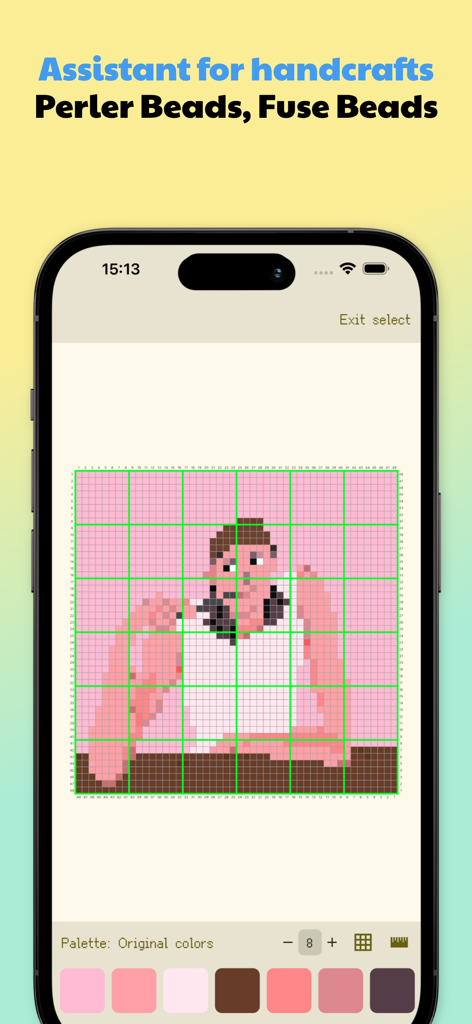
Dot Lab 앱 인터페이스는 퍼ler 비즈 공예를 위한 번호가 매겨진 그리드에 픽셀 아트 패턴을 보여줍니다.
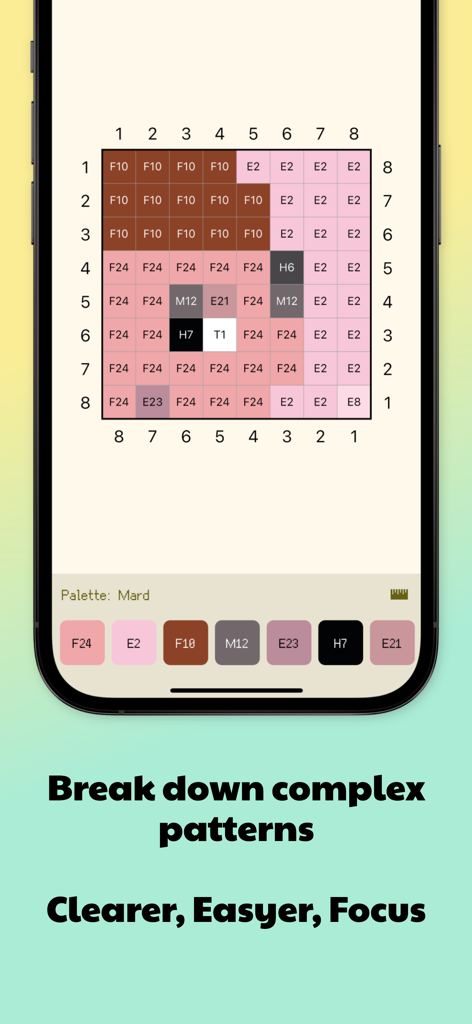
Dot Lab 앱 인터페이스는 퍼ler 비즈 패턴을 위한 색상 코드가 있는 번호가 매겨진 그리드를 보여줍니다.
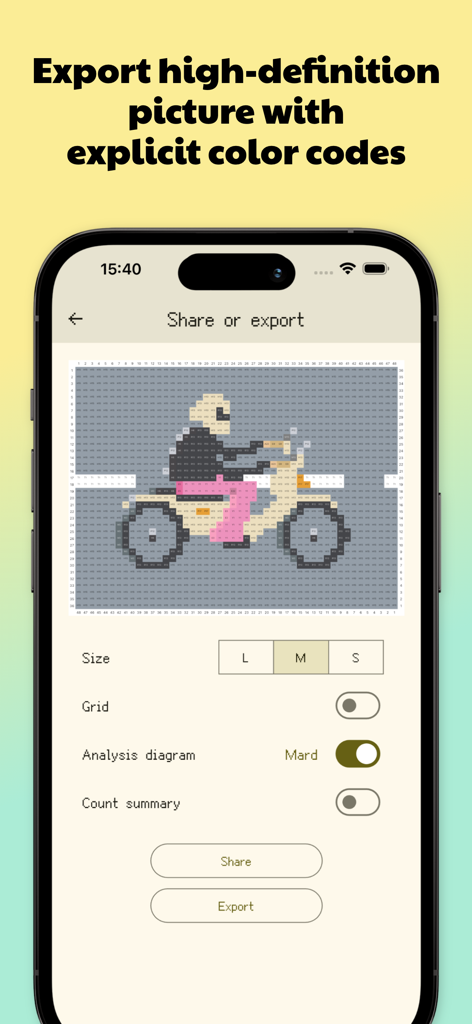
Dot Lab 앱 인터페이스는 색상 코드가 있는 오토바이 픽셀 아트 패턴의 내보내기 옵션을 보여줍니다.
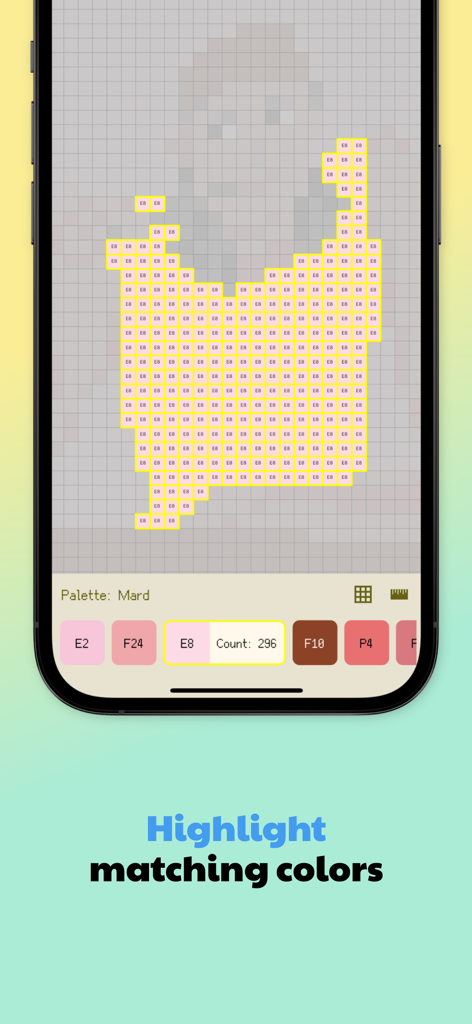
Dot Lab 앱의 스크린샷은 일치하는 색상이 강조 표시된 픽셀 아트 그리드와 공예품용 비즈 카운트를 보여줍니다.
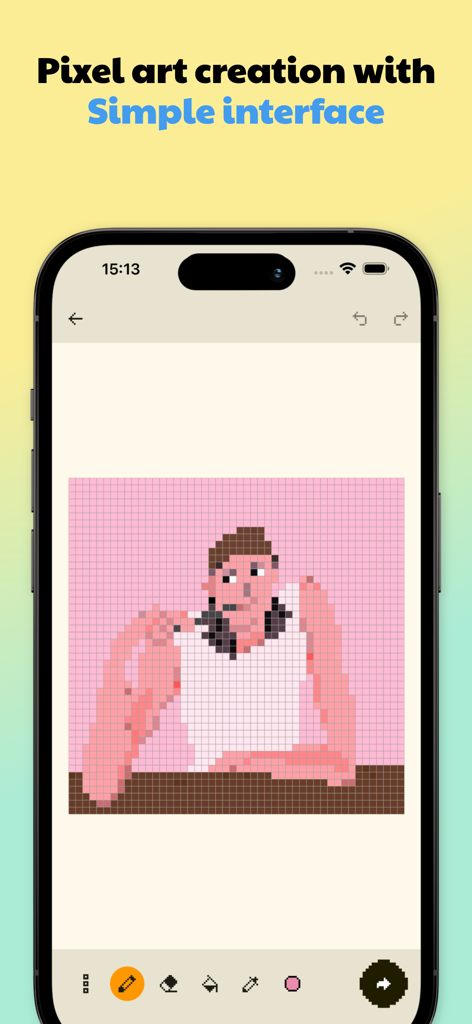
스마트폰 화면은 픽셀 아트 캐릭터가 그리드 캔버스와 드로잉 도구에 표시된 Dot Lab 앱 인터페이스를 보여줍니다.
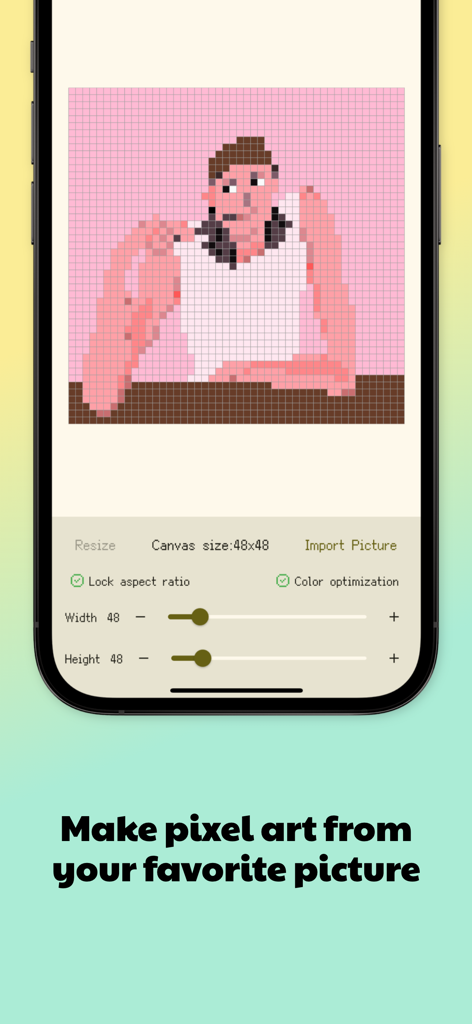
Dot Lab 앱의 인터페이스는 사람의 사진을 48x48 픽셀 아트 그리드 패턴으로 변환한 것을 보여줍니다.
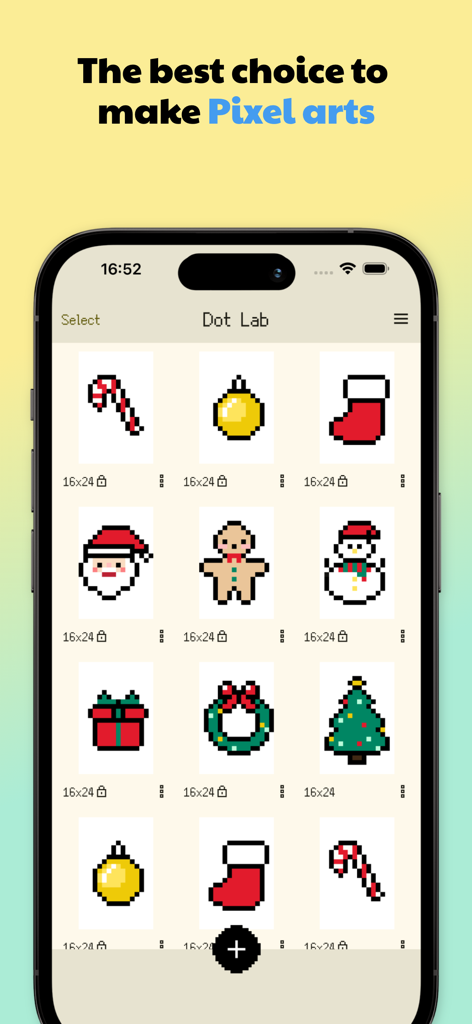
모바일 화면은 산타클로스, 진저브레드 맨, 눈사람을 포함한 다양한 크리스마스 테마 픽셀 아트 패턴이 있는 Dot Lab 앱 갤러리를 보여줍니다.
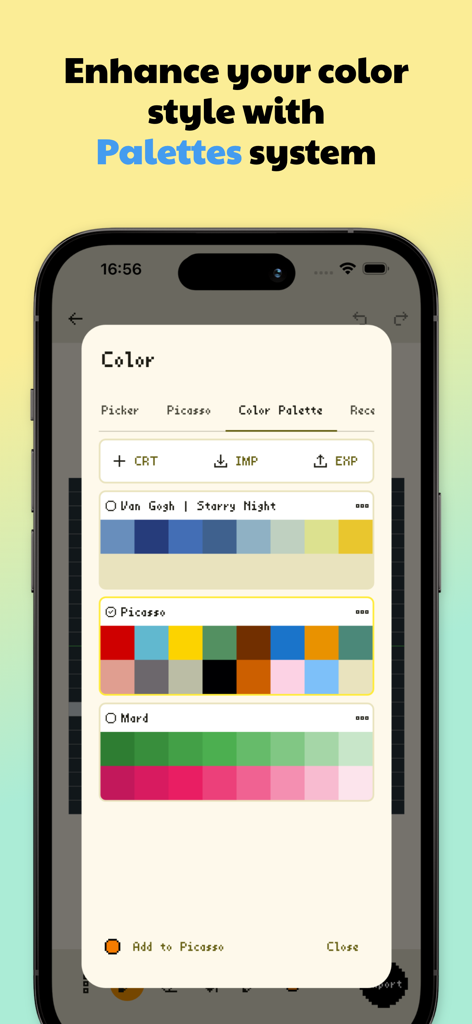
Dot Lab 앱 인터페이스는 픽셀 아트를 위한 아티스트 영감 색 구성표를 갖춘 색상 팔레트 관리를 보여줍니다.
설명
Download
비슷한 앱
유사한 기능과 사용자 경험을 가진 앱
Super T-Shirt Designer
Shenzhen Bigger Lens LLC

iShaper: Custom Surfboards
Ryan Kotzebue

Fonts & Designs For DIY Space
UN Global

Cricut Design Space
Cricut, Inc.
Creality Cloud - 3D Printing
CREALITY 3D HK TECHNOLOGY LIMITED

Tinkercad
Autodesk

HelloBlink
Shenzhen Yihengke Electronic Technology Co.,Ltd.
Easy-PhotoPrint Editor
Canon Inc.
Design Creator Space
Hardline Software LLC
이 페이지는 앱이나 개발자의 공식 페이지가 아니며, 정보 제공 및 논평을 목적으로 작성된 독립 편집 간행물입니다. 명시적으로 달리 언급되지 않는 한, 해당 앱이나 개발자는 MWM, Apple, Google Play, 앱 퍼블리셔 또는 앱 개발자와 제휴, 보증, 후원, 승인 또는 공식적으로 연결되어 있지 않으며, 이 페이지의 어떤 내용도 해당 앱이 MWM의 서비스를 사용하여 개발되었음을 의미하지 않습니다. 모든 상표, 로고, 스크린샷 및 기타 콘텐츠는 해당 소유자의 자산입니다.