
이 페이지는 앱이나 개발자의 공식 페이지가 아니며, 정보 제공 및 논평을 목적으로 작성된 독립 편집 간행물입니다. 명시적으로 달리 언급되지 않는 한, 해당 앱이나 개발자는 MWM, Apple, Google Play, 앱 퍼블리셔 또는 앱 개발자와 제휴, 보증, 후원, 승인 또는 공식적으로 연결되어 있지 않으며, 이 페이지의 어떤 내용도 해당 앱이 MWM의 서비스를 사용하여 개발되었음을 의미하지 않습니다. 모든 상표, 로고, 스크린샷 및 기타 콘텐츠는 해당 소유자의 자산입니다.

Easy-PhotoPrint Editor
휴대폰 갤러리를 멋진 실물 추억으로 바꿔보세요. 콜라주, 달력, 스티커를 위한 수백 가지의 바로 사용할 수 있는 템플릿 중에서 선택하세요. 가족, 공예 애호가, 소규모 비즈니스에 완벽합니다.
다운로드
3M+사용자 평점
총 평가 수
147K+개발사
카테고리
Photo & Video지원 언어
20최신 버전
1.10.2크기
93.6 MB출시일
2018년 9월 3일최고의 순간을 걸작으로 바꾸세요
정감 있는 가족 콜라주부터 부업을 위한 전문적인 브랜딩까지, 올인원 편집기로 iPhone에서 손쉽고 아름답게 인쇄할 수 있습니다.
모든 경우에 맞는 멋진 템플릿
달력, 축하 카드, 콜라주를 위한 수백 가지의 바로 사용할 수 있는 레이아웃으로 디자인 스트레스를 줄이세요. 몇 초 만에 전문가가 만든 것처럼 보입니다.
궁극의 DIY 공예 동반자
맞춤 패턴 용지와 개성 있는 스티커를 인쇄하여 스크랩북을 생생하게 꾸며보세요. 창의적인 프로젝트를 돋보이게 만들도록 디자인되었습니다.
자주 묻는 질문
에 대해 알아야 할 모든 것 Easy-PhotoPrint Editor
Easy-PhotoPrint Editor는 무엇인가요?
Easy-PhotoPrint Editor는 템플릿과 무료 레이아웃 편집기를 제공하는 사진 인쇄 앱입니다. 사용자는 사진 레이아웃, 카드, 콜라주, 달력, 디스크 라벨, 사진 ID, 명함, 스티커, 포스터 등을 만들고 인쇄할 수 있습니다.
Easy-PhotoPrint Editor로 어떤 종류의 인쇄물을 만들 수 있나요?
Easy-PhotoPrint Editor를 사용하여 사진 레이아웃, 카드, 콜라주, 달력, 디스크 라벨, 사진 ID, 명함, 스티커, 포스터 등을 만들 수 있습니다. 또한 예술 작품을 위한 패턴 용지도 제공합니다.
Easy-PhotoPrint Editor는 창의적인 프로젝트를 위한 템플릿을 제공하나요?
네, Easy-PhotoPrint Editor는 유용한 템플릿을 많이 제공합니다. 여기에는 사진 레이아웃, 카드, 콜라주, 달력, 명함, 사진 ID, 스티커, 포스터 등의 옵션이 포함되어 제작을 간소화합니다.
Easy-PhotoPrint Editor로 디스크 라벨을 인쇄할 수 있나요?
네, Easy-PhotoPrint Editor를 사용하면 Canon 잉크젯 프린터가 해당 기능을 지원하는 경우 스마트폰에서 직접 디스크 라벨을 인쇄할 수 있습니다.
Easy-PhotoPrint Editor에는 어떤 편집 기능이 있나요?
Easy-PhotoPrint Editor는 다양한 편집 기능을 제공합니다. 사용자는 사진을 자르거나 확장하고, 색상 테두리, 텍스트, 스탬프로 장식하여 인쇄물을 개인화할 수 있습니다.
Easy-PhotoPrint Editor와 호환되는 프린터는 무엇인가요?
Easy-PhotoPrint Editor는 Canon 잉크젯 프린터를 지원합니다. 앱 설명에 제공된 특정 웹사이트 링크를 통해 지원되는 프린터 모델을 확인할 수 있습니다.
Easy-PhotoPrint Editor는 어떤 운영 체제를 지원하나요?
Easy-PhotoPrint Editor는 iOS 17.0 이상 버전을 지원합니다. 앱이 작동하려면 사용자는 기기에서 호환되는 iOS 버전을 실행하고 있는지 확인해야 합니다.
Easy-PhotoPrint Editor가 프린터를 찾을 수 없는 경우 어떻게 해야 하나요?
앱이 프린터를 찾을 수 없는 경우, 프린터가 지원 목록에 있고 네트워크에 연결되어 있는지 확인하세요. 필요한 경우 "Canon PRINT" 앱을 사용하여 프린터를 네트워크에 연결하세요.
Easy-PhotoPrint Editor로 명함을 만들 수 있나요?
네, Easy-PhotoPrint Editor를 사용하면 사용자가 명함을 쉽게 만들 수 있습니다. 또한 이 앱은 사진 ID, 스티커 및 기타 일상적인 품목 제작도 지원합니다.
Easy-PhotoPrint Editor는 사진 콜라주 제작을 위한 옵션을 제공하나요?
네, Easy-PhotoPrint Editor에는 사진 콜라주 제작을 위한 템플릿이 포함되어 있습니다. 이 앱은 여러 사진을 디자인에 통합할 수 있는 다양한 즉시 사용 가능한 템플릿을 제공합니다.
다음 스크린샷과 설명은 앱의 공식 스토어 목록에서 직접 가져온 것이며 앱 개발자의 자산입니다.
앱 스토어
스크린샷
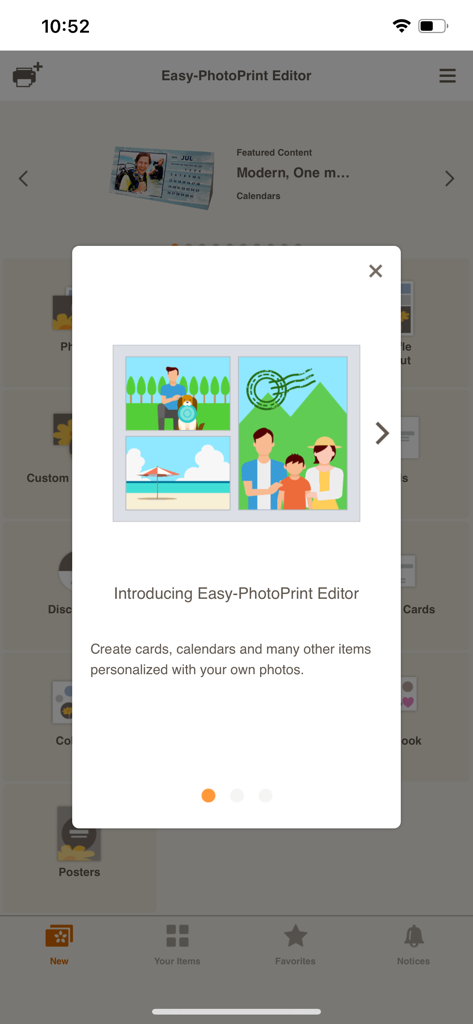
맞춤 사진 템플릿을 특징으로 하는 Canon Easy-PhotoPrint Editor 앱의 소개 화면.
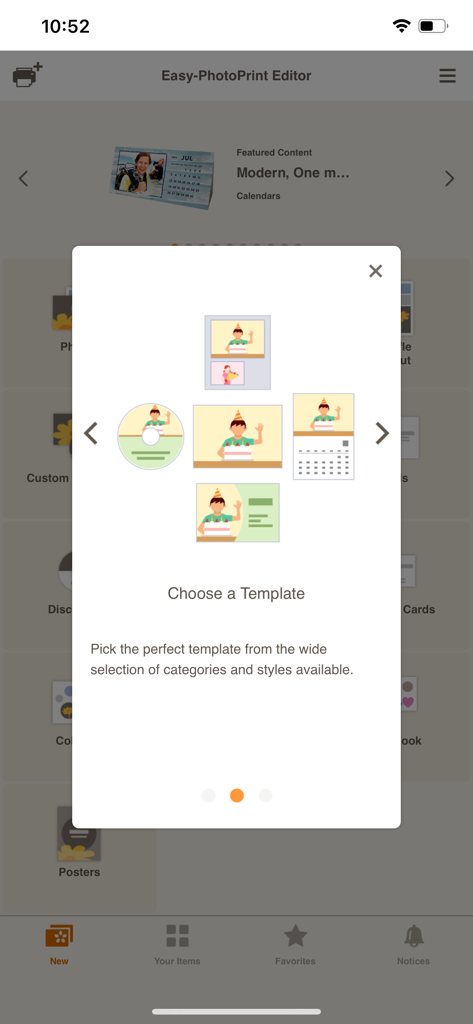
Canon Easy-PhotoPrint Editor 앱에서 달력, 명함, 사진용 템플릿 옵션을 보여주는 화면.
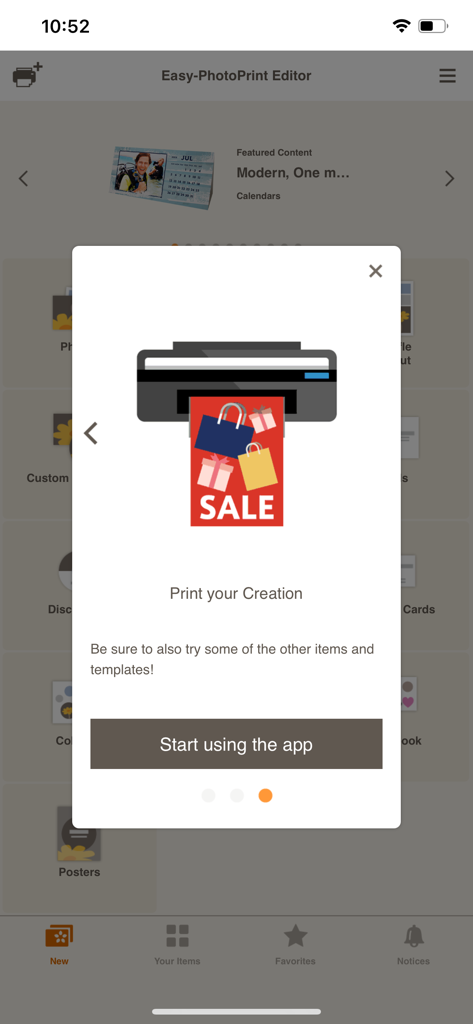
Canon Easy-PhotoPrint Editor 앱용 온보딩 화면. 프린터 아이콘과 앱 사용 시작 버튼이 표시됩니다.
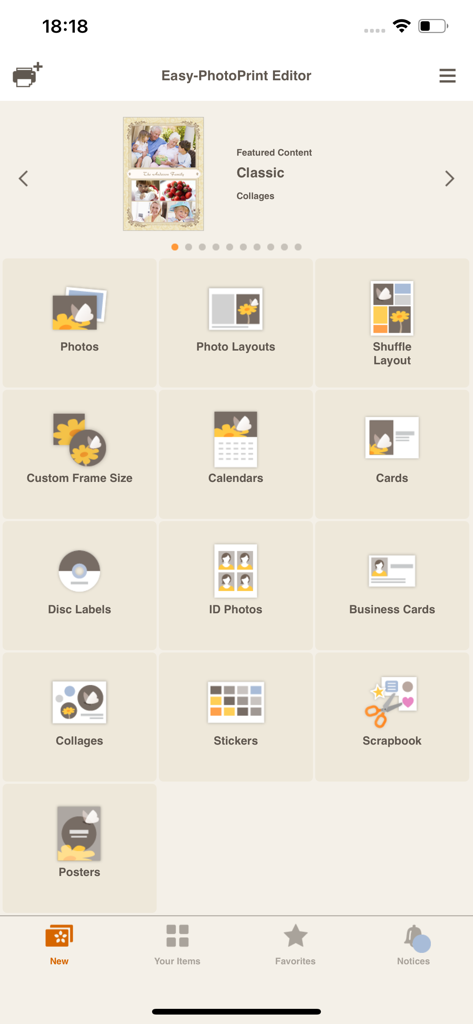
사진, 달력, 명함 등 다양한 인쇄 카테고리를 보여주는 Easy PhotoPrint Editor 앱의 메인 메뉴
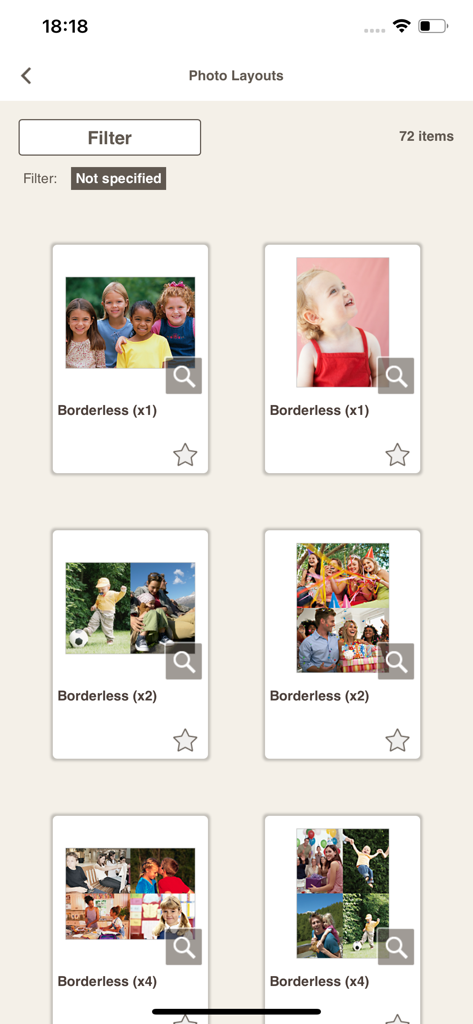
Canon Easy-PhotoPrint Editor 앱에서 사용할 수 있는 테두리 없는 사진 인쇄 레이아웃 및 콜라주 템플릿 갤러리
설명
Download
비슷한 앱
유사한 기능과 사용자 경험을 가진 앱
Super T-Shirt Designer
Shenzhen Bigger Lens LLC

iShaper: Custom Surfboards
Ryan Kotzebue

Fonts & Designs For DIY Space
UN Global

Cricut Design Space
Cricut, Inc.
Creality Cloud - 3D Printing
CREALITY 3D HK TECHNOLOGY LIMITED

Tinkercad
Autodesk

HelloBlink
Shenzhen Yihengke Electronic Technology Co.,Ltd.

Dot Lab - Perler beads pattern
桂华 冉

Design Creator Space
Hardline Software LLC
이 페이지는 앱이나 개발자의 공식 페이지가 아니며, 정보 제공 및 논평을 목적으로 작성된 독립 편집 간행물입니다. 명시적으로 달리 언급되지 않는 한, 해당 앱이나 개발자는 MWM, Apple, Google Play, 앱 퍼블리셔 또는 앱 개발자와 제휴, 보증, 후원, 승인 또는 공식적으로 연결되어 있지 않으며, 이 페이지의 어떤 내용도 해당 앱이 MWM의 서비스를 사용하여 개발되었음을 의미하지 않습니다. 모든 상표, 로고, 스크린샷 및 기타 콘텐츠는 해당 소유자의 자산입니다.