DottedSign - eSign & Fill Docs
다운로드: App Store

이 페이지는 앱이나 개발자의 공식 페이지가 아니며, 정보 제공 및 논평을 목적으로 작성된 독립 편집 간행물입니다. 명시적으로 달리 언급되지 않는 한, 해당 앱이나 개발자는 MWM, Apple, Google Play, 앱 퍼블리셔 또는 앱 개발자와 제휴, 보증, 후원, 승인 또는 공식적으로 연결되어 있지 않으며, 이 페이지의 어떤 내용도 해당 앱이 MWM의 서비스를 사용하여 개발되었음을 의미하지 않습니다. 모든 상표, 로고, 스크린샷 및 기타 콘텐츠는 해당 소유자의 자산입니다.
로고: DottedSign - eSign & Fill Docs
다운로드: App Store

DottedSign - eSign & Fill Docs

프린터는 버리고 거래를 더 빠르게 완료하세요. 신뢰할 수 있는 모바일 중심 전자 서명 플랫폼으로 실시간으로 안전하게 서명하고, 서명을 요청하고, 문서를 추적하세요.

주요 수치

다운로드

69K+

사용자 평점

4.7/5

총 평가 수

300

개발사

Kdan Mobile Software LTD

카테고리

Business

지원 언어

9

최신 버전

3.5.10

크기

96.5 MB

출시일

2019년 5월 8일
기능

거래 성사가 더 빨라졌습니다

DottedSign은 현대 전문가를 위해 구축된 최고의 모바일 중심 전자 서명 솔루션입니다. 종이 마찰을 제거하고 은행 등급 보안으로 손안에서 계약을 관리하세요.

손쉬운 모바일 서명

클라우드에서 문서를 가져와 이동 중에 서명하세요. 어디서든 거래를 성사시켜야 하는 부동산 중개인 및 프리랜서에게 적합합니다.

은행 등급 보안

ISO27001 인증 및 상세한 디지털 감사 추적으로 모든 서명이 합법적이고 안전하며 검증 가능하다는 것을 보장하여 안심하세요.

다음 스크린샷과 설명은 앱의 공식 스토어 목록에서 직접 가져온 것이며 앱 개발자의 자산입니다.

앱 스토어

스크린샷
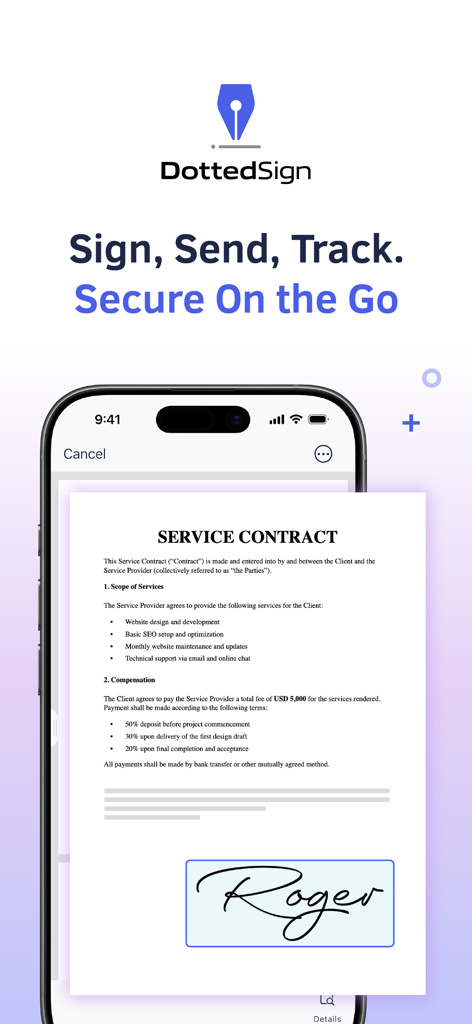
DottedSign - eSign & Fill Docs - DottedSign 앱 인터페이스에 서비스 계약서의 전자 서명이 표시됨
DottedSign 앱 인터페이스에 서비스 계약서의 전자 서명이 표시됨

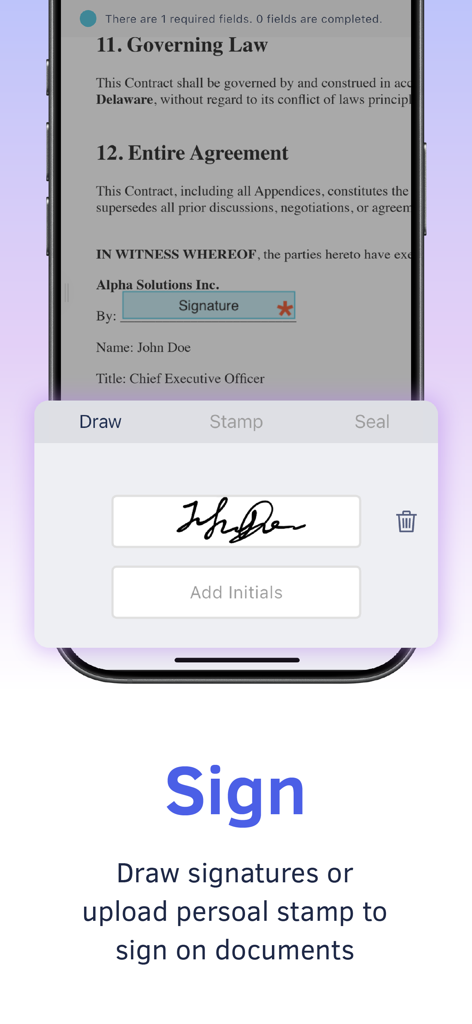
DottedSign - eSign & Fill Docs - DottedSign 모바일 인터페이스에 서명을 그리고 디지털 문서에 서명하는 기능이 표시됨
DottedSign 모바일 인터페이스에 서명을 그리고 디지털 문서에 서명하는 기능이 표시됨

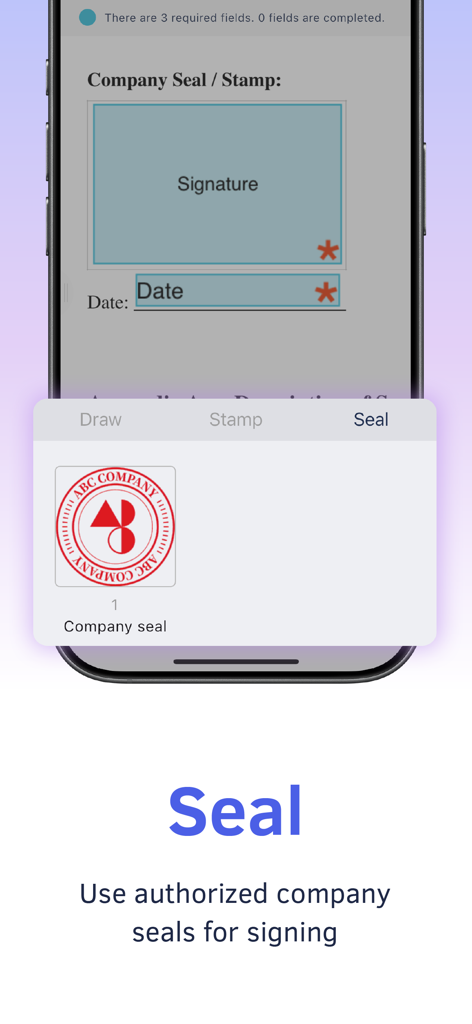
DottedSign - eSign & Fill Docs - DottedSign 모바일 앱 화면에 디지털 문서 서명을 위한 공인 회사 직인 사용 방법 표시
DottedSign 모바일 앱 화면에 디지털 문서 서명을 위한 공인 회사 직인 사용 방법 표시

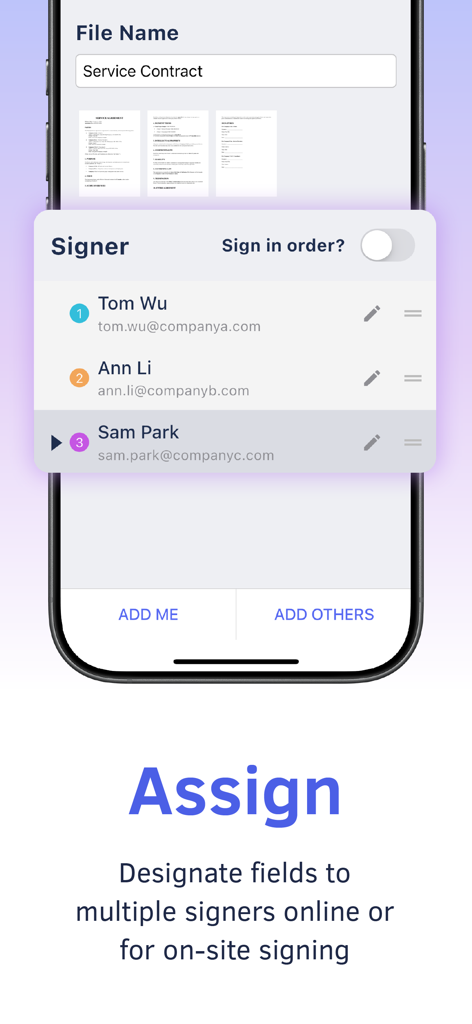
DottedSign - eSign & Fill Docs - DottedSign 모바일 앱 인터페이스에 디지털 서비스 계약서에 여러 서명자 할당
DottedSign 모바일 앱 인터페이스에 디지털 서비스 계약서에 여러 서명자 할당

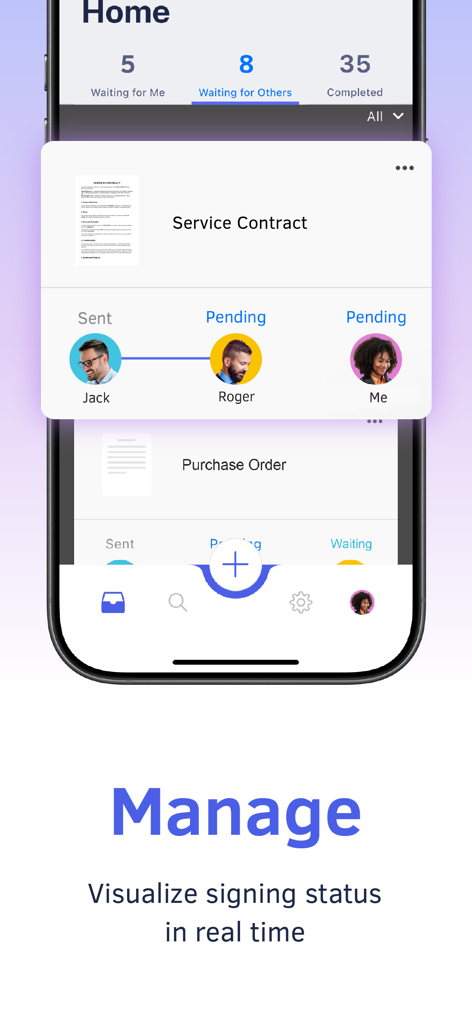
DottedSign - eSign & Fill Docs - DottedSign 앱 인터페이스에 서비스 계약에 대한 실시간 문서 서명 상태 및 시각적 진행 추적 표시
DottedSign 앱 인터페이스에 서비스 계약에 대한 실시간 문서 서명 상태 및 시각적 진행 추적 표시

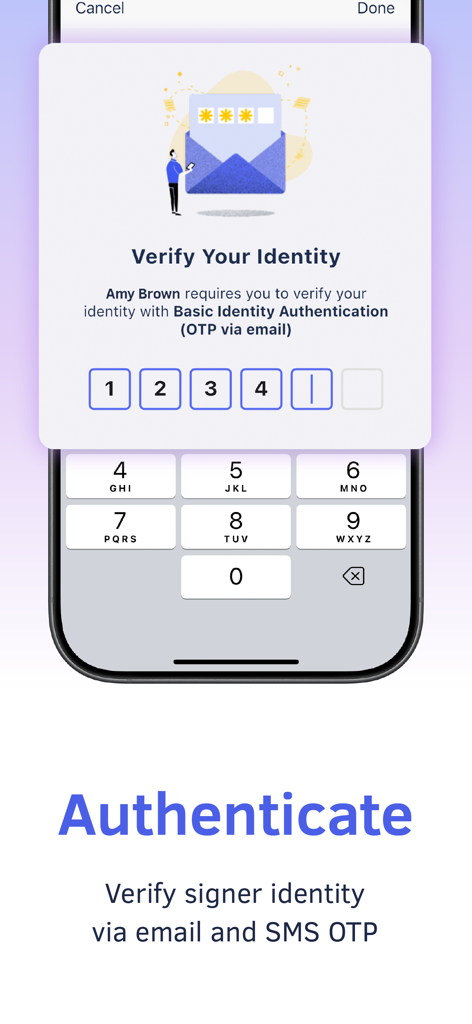
DottedSign - eSign & Fill Docs - 모바일 앱 인터페이스에 안전한 문서 서명을 위한 이메일 및 SMS OTP를 통한 본인 확인 표시
모바일 앱 인터페이스에 안전한 문서 서명을 위한 이메일 및 SMS OTP를 통한 본인 확인 표시

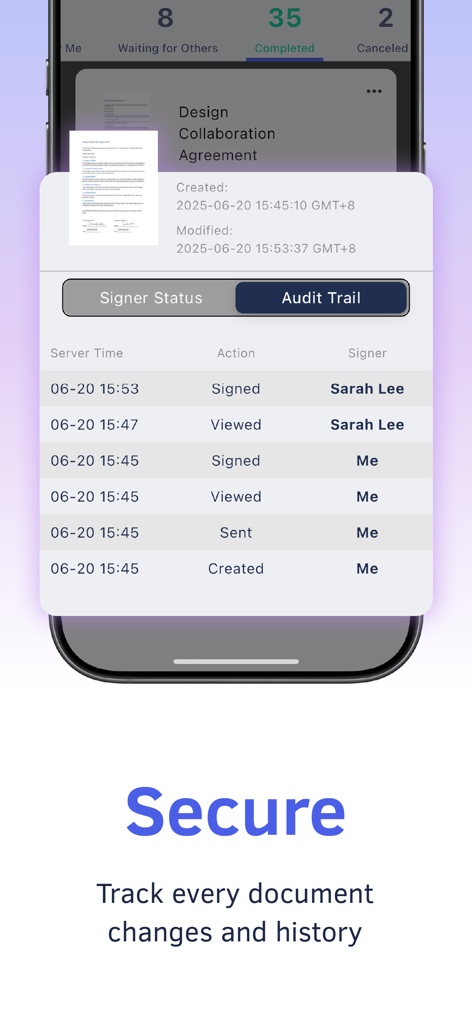
DottedSign - eSign & Fill Docs - DottedSign 앱 감사 추적에서 문서 서명 및 기록 추적

DottedSign 앱 감사 추적에서 문서 서명 및 기록 추적

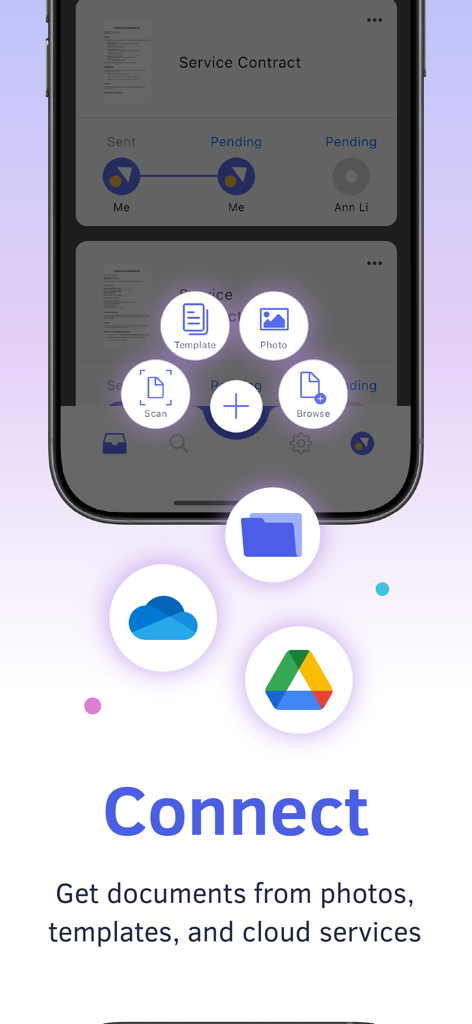
DottedSign - eSign & Fill Docs - DottedSign 모바일 앱 인터페이스에 클라우드 스토리지 및 템플릿에서 문서 가져오기 옵션 표시

DottedSign 모바일 앱 인터페이스에 클라우드 스토리지 및 템플릿에서 문서 가져오기 옵션 표시

설명

Pioneering in eSign on mobile devices, DottedSign lets you effortlessly sign documents and get signatures from others in a legal and secure process. Stop wasting time emailing signers, printing copies, and faxing paper. Use DottedSign to complete your work, including NDAs, sales contracts, lease agreements, permission slips, financial agreements, and more. Simply import your document, sign or request signatures, and send. Ensure your important business cases do not slip through the cracks. KEY FEATURES GET SIGNATURE FROM MULTIPLE SIGNERS .Invite signers by adding them straight from your contact list or entering their emails (Google Contact supported) .Remote signing - Assign fields to signers in a designated order, including signatures, initials, stamps, texts, and dates .Front desk signing - Collect signatures in person, with pre-made templates .Color-coded fields to navigate your signers on where to fill in .Add an Editor to your task to help you assign signers and set up fields in your signing process. SIGN DOCUMENTS YOURSELF & PERSONALIZE YOUR SIGNATURES .Create signatures with freehand drawing .Make stamps by using your camera or photos .Pre-fill your personal information and drag and drop it to the document .Add signatures, initials, texts, images, hyperlinks, and dates to documents .Adjust the font size and text alignment to your liking .Remove or crop backgrounds for signature stamps .Signer can sign with the company seals authorized by the Admin. .Group multiple checkboxes or radio buttons together to create multiple options. MANAGE SIGNATURE TASKS .Visual progress bar - Monitor signature tasks by intuitively checking all signers’ status .Timeline of Personal Activities - Display and record activities of all your personal tasks .Search tool - Find your documents easily by searching with names of people or documents .Custom message - Leave messages to all recipients .Auto reminder & expiry date setting - Automatically send reminders to notify anyone who has not signed documents yet .Change signer or editor: Replace a signer or editor on a sent document, with the option to submit change requests to the sender or reassign the role to someone else. Sender can replace,,, or on a sent document .Decline signing or editing – Sender can manage the recipient's permission to decline the request and provide a reason in case the document requires further amendment .Void the task – Signer can stop the signing process in the middle of the workflow before the document is signed by all parties. .Delete completed and canceled signing tasks that are no longer needed, or move them to archive IMPORT AND SHARE DOCUMENTS WITH EASE .Get documents from camera, photos, the file app, email attachments, and the web .Import documents from cloud services, including OneDrive and Google Drive .Share the document via a file link to open the file directly in the web browser SECURITY AND LEGALITY .Digital audit trails - Record every change made to the document for evidence .Protected signing process - Ensure confidentiality of paperless signing, encrypted by TLS/SSL, AES-256, and RSA-2048. .Email & SMS secure password to identify signer identity .Digital certificates issued by the AATL authorized CA safeguard signers' identity authentication and signature validation. .Certified with ISO27001, DottedSign uses public key infrastructure (PKI) to securely encrypt and protect your signing process. Upgrade to Pro for advanced features, and choose Business to manage your team with ease—assign roles, collaborate seamlessly, and oversee all documents efficiently. Terms of Service: https://www.dottedsign.com/terms_of_service Privacy Policy: https://www.dottedsign.com/privacy_policy NEED HELP? Visit https://support.dottedsign.com/ or contact us at support@info-dottedsign.com.

Download

다운로드: App Store

이 페이지는 앱이나 개발자의 공식 페이지가 아니며, 정보 제공 및 논평을 목적으로 작성된 독립 편집 간행물입니다. 명시적으로 달리 언급되지 않는 한, 해당 앱이나 개발자는 MWM, Apple, Google Play, 앱 퍼블리셔 또는 앱 개발자와 제휴, 보증, 후원, 승인 또는 공식적으로 연결되어 있지 않으며, 이 페이지의 어떤 내용도 해당 앱이 MWM의 서비스를 사용하여 개발되었음을 의미하지 않습니다. 모든 상표, 로고, 스크린샷 및 기타 콘텐츠는 해당 소유자의 자산입니다.