Drawing & Paint : Ar Drawing
다운로드: App Store

이 페이지는 앱이나 개발자의 공식 페이지가 아니며, 정보 제공 및 논평을 목적으로 작성된 독립 편집 간행물입니다. 명시적으로 달리 언급되지 않는 한, 해당 앱이나 개발자는 MWM, Apple, Google Play, 앱 퍼블리셔 또는 앱 개발자와 제휴, 보증, 후원, 승인 또는 공식적으로 연결되어 있지 않으며, 이 페이지의 어떤 내용도 해당 앱이 MWM의 서비스를 사용하여 개발되었음을 의미하지 않습니다. 모든 상표, 로고, 스크린샷 및 기타 콘텐츠는 해당 소유자의 자산입니다.

로고: Drawing & Paint : Ar Drawing
다운로드: App Store

Drawing & Paint : Ar Drawing

휴대폰을 전문 트레이싱 프로젝터로 바꾸세요. 바이럴 애니메이션 스케치부터 맞춤 초상화까지, 단계별 AR 안내로 상상력과 종이 사이의 간극을 좁히세요.

주요 수치

다운로드

15K+

사용자 평점

4.1/5

총 평가 수

200

개발사

KASIM CAN CAKICI

카테고리

Graphics & Design

지원 언어

46

최신 버전

1.27

크기

105.5 MB

출시일

2024년 5월 24일
기능

AR로 그리기 기술을 마스터하세요

애니메이션 팬 아트부터 사실적인 초상화까지, 저희 증강 현실 기술은 당신의 상상력과 종이 사이의 간극을 좁힙니다.

AR 기반 스케치 프로젝션

카메라를 통해 모든 표면에 직접 윤곽선을 투사하세요. 비싼 라이트박스 없이도 비례와 선 작업을 완벽하게 하세요.

애니메이션 아트 레벨 업

캐릭터 디자인을 위한 전문 카테고리에 뛰어드세요. 트렌디한 스타일을 마스터하고 단계별 안내로 좋아하는 만화 영웅을 재현하세요.

다음 스크린샷과 설명은 앱의 공식 스토어 목록에서 직접 가져온 것이며 앱 개발자의 자산입니다.

앱 스토어

스크린샷
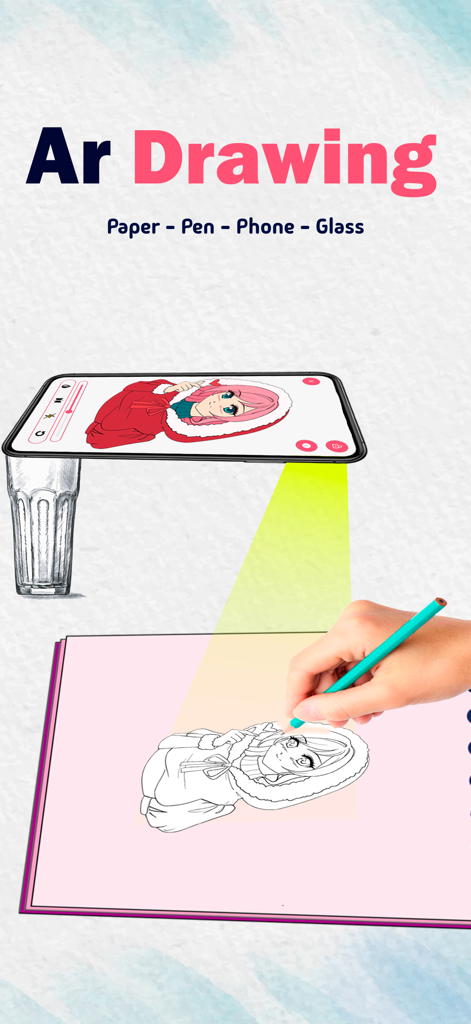
Drawing & Paint : Ar Drawing - 스마트폰 AR 프로젝션을 사용하여 종이에 애니메이션 캐릭터를 트레이싱하는 사람
스마트폰 AR 프로젝션을 사용하여 종이에 애니메이션 캐릭터를 트레이싱하는 사람

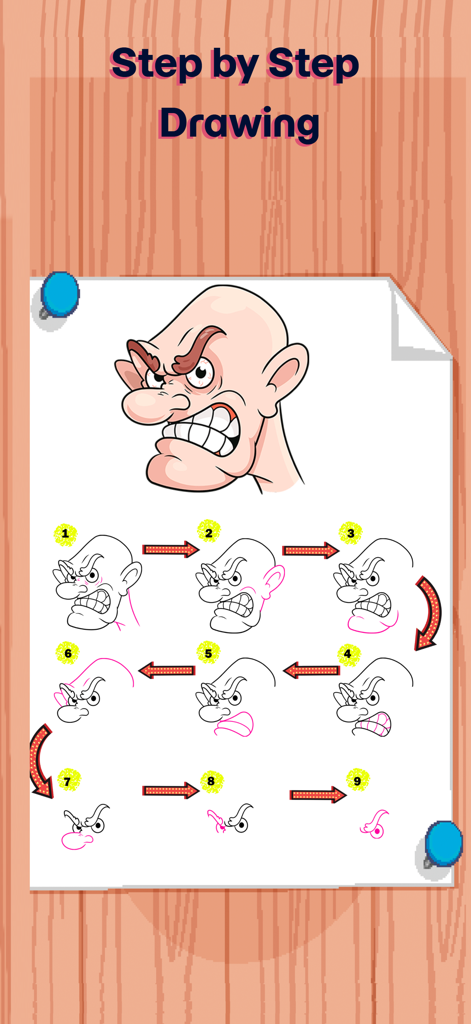
Drawing & Paint : Ar Drawing - 만화 캐릭터 머리용 단계별 그리기 튜토리얼

만화 캐릭터 머리용 단계별 그리기 튜토리얼

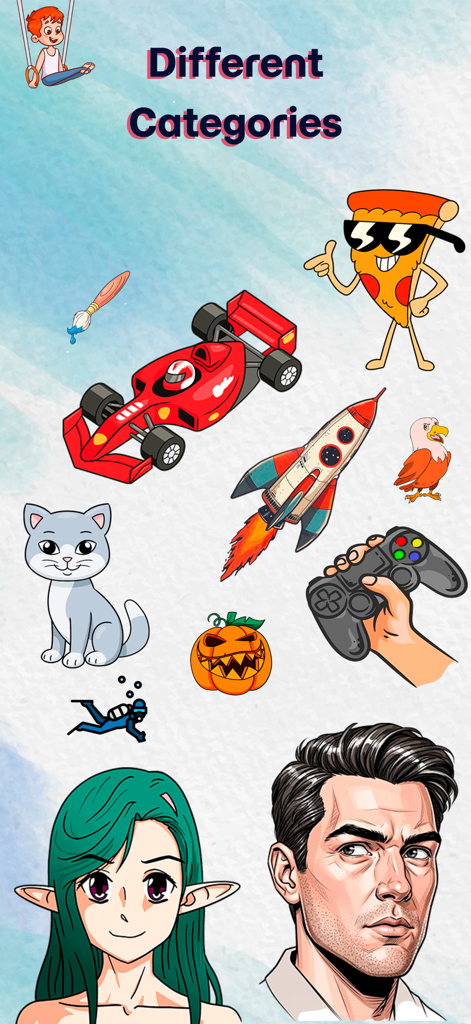
Drawing & Paint : Ar Drawing - 다른 카테고리라는 제목 아래 애니메이션, 초상화, 동물, 차량을 포함한 다양한 그림 스케치
다른 카테고리라는 제목 아래 애니메이션, 초상화, 동물, 차량을 포함한 다양한 그림 스케치

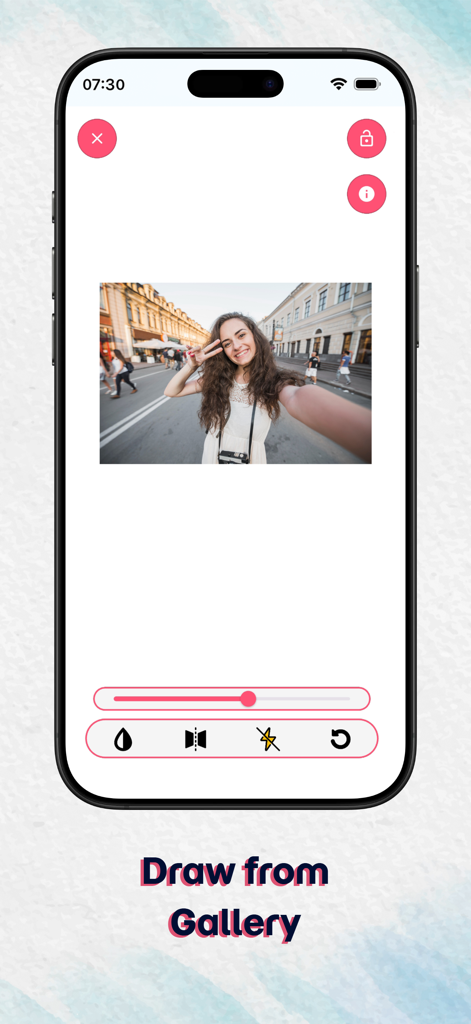
Drawing & Paint : Ar Drawing - 트레이싱을 위한 사진 편집 도구가 있는 갤러리에서 그리기 기능을 보여주는 AR 드로잉 앱 화면
트레이싱을 위한 사진 편집 도구가 있는 갤러리에서 그리기 기능을 보여주는 AR 드로잉 앱 화면

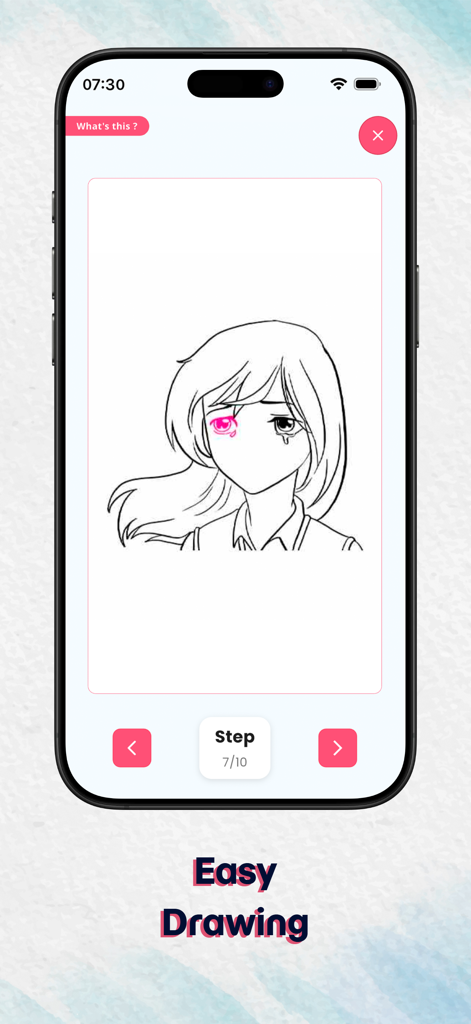
Drawing & Paint : Ar Drawing - AR 드로잉 앱에서 단계별 애니메이션 소녀 그리기 튜토리얼을 보여주는 모바일 화면
AR 드로잉 앱에서 단계별 애니메이션 소녀 그리기 튜토리얼을 보여주는 모바일 화면

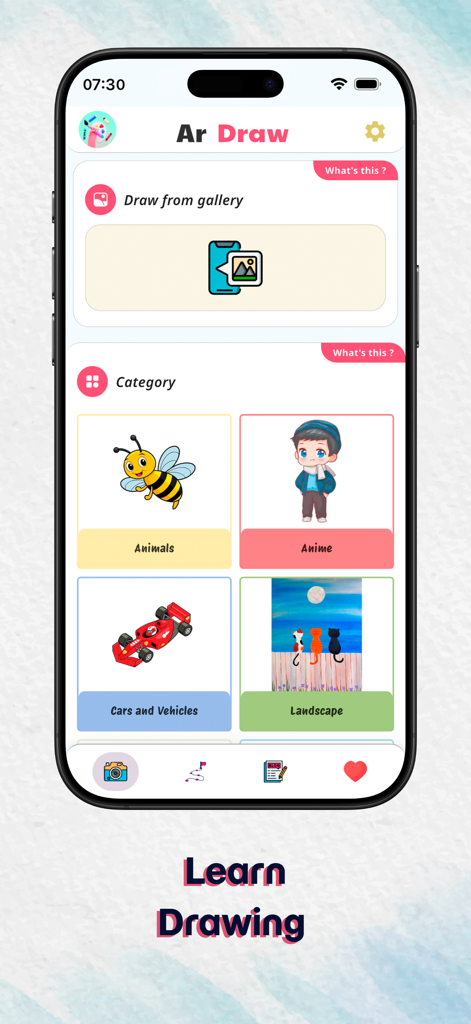
Drawing & Paint : Ar Drawing - 애니메이션 및 동물과 같은 그리기 카테고리를 보여주는 AR 드로잉 앱 홈 화면
애니메이션 및 동물과 같은 그리기 카테고리를 보여주는 AR 드로잉 앱 홈 화면

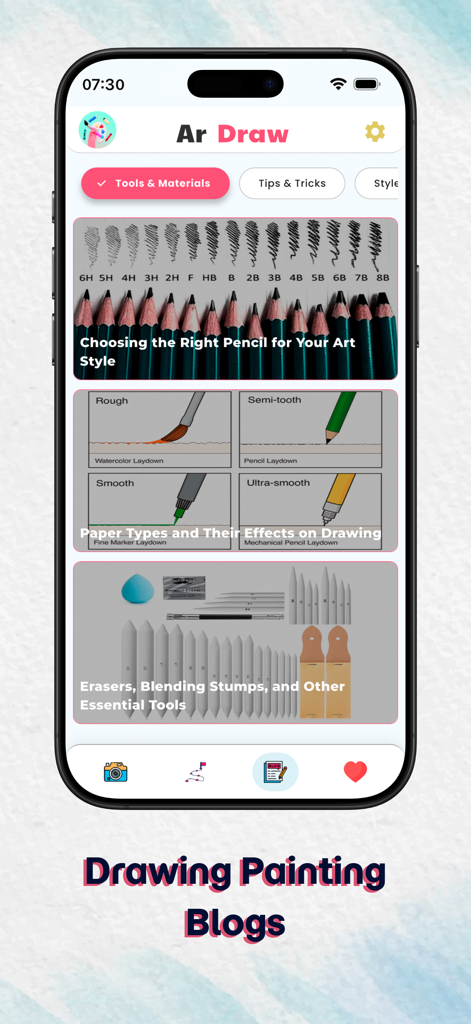
Drawing & Paint : Ar Drawing - 스케치 연필, 종이 질감 및 필수 미술 재료에 대한 기사를 보여주는 AR 드로잉 앱 블로그 인터페이스
스케치 연필, 종이 질감 및 필수 미술 재료에 대한 기사를 보여주는 AR 드로잉 앱 블로그 인터페이스

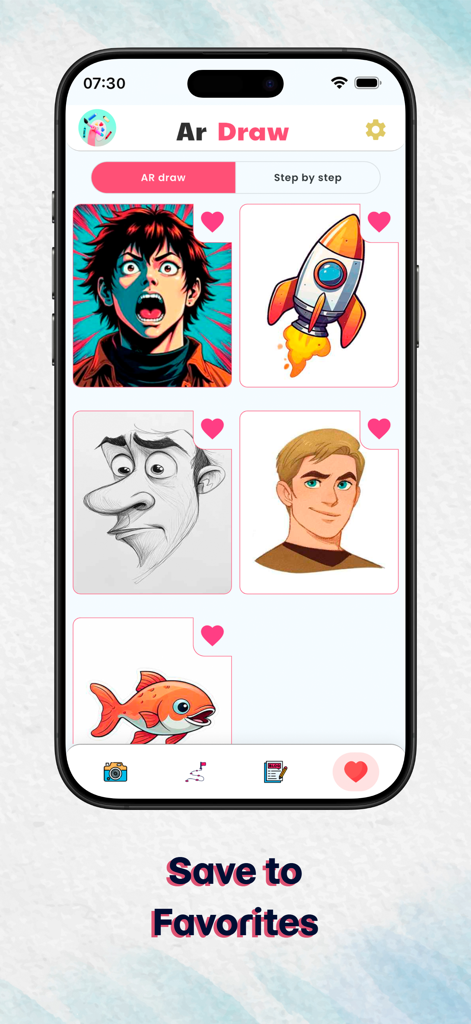
Drawing & Paint : Ar Drawing - 애니메이션 캐릭터와 만화를 포함한 좋아하는 그림 템플릿 컬렉션을 보여주는 모바일 앱 인터페이스

애니메이션 캐릭터와 만화를 포함한 좋아하는 그림 템플릿 컬렉션을 보여주는 모바일 앱 인터페이스

설명

AR Drawing – Draw Sketch Camera Turn Your Ideas into Stunning Art with AR Technology Discover a whole new way to create art with AR Drawing, the powerful AR sketch camera that turns your ideas into real drawings using cutting-edge augmented reality. Whether you love anime drawing, realistic portrait sketching, step-by-step tutorials, character design, or simple trace drawing, AR Drawing makes the entire experience effortless, fun, and incredibly inspiring. How to Use AR Drawing Step 1: Start Drawing with the AR Sketch Camera Open the app, point your phone camera at any surface, and instantly see a sketch appear through AR drawing projection. Just trace the lines and start drawing anime characters, portraits, objects, animals, or any sketch style you like. Step 2: Stabilize Your Device Place your phone on a tripod or a stable surface to enjoy the smoothest, most accurate AR sketching experience. Step 3: Choose Your Drawing Inspiration Explore 10 different drawing categories including anime, portraits, animals, objects, and more. You can also upload your own photos to transform them into traceable AR sketches using the draw with camera feature. Step 4: Learn with Step-by-Step Drawing Mode Follow beginner-friendly guides that break every sketch into simple steps—from basic shapes to detailed line art. Perfect for anyone learning how to draw, from total beginners to advanced artists. Key Features to Boost Your Creativity 10 Categories of Ready-to-Draw Images Browse a rich library packed with anime sketches, portrait templates, character guides, object drawing, and more—ideal for every drawing level. Draw Using Your Gallery (Sketch Camera Import) Upload your own images and instantly convert them into AR-guided trace drawings, perfect for custom art and personal sketch projects. Step-by-Step Drawing Lessons Improve your sketching skills with detailed tutorials that teach proportions, shading, structure, line art, and anatomy basics. Drawing Blog & Creative Tips Access an ever-growing art blog featuring drawing tips, sketching guides, anime drawing lessons, character design basics, and inspiration for leveling up your creativity. Why Choose AR Drawing? AR Drawing isn’t just another drawing app—it’s a complete AR sketch learning platform. Whether you're improving your portrait sketching, starting anime drawing, or practicing character art, AR Drawing provides everything you need: - AR-powered drawing & sketch projection - Step-by-step drawing tutorials - Art blog with guides, tips & drawing inspiration - Custom image tracing from your gallery - Ideal for beginners and professional artists - Perfect for anime drawing and character design Ready to Unlock Your Artistic Potential ? Download AR Drawing – AR Sketch Camera now and create stunning, professional-looking drawings anywhere, anytime with the power of AR drawing and sketch tracing! Terms of Use: https://www.apple.com/legal/internet-services/itunes/dev/stdeula/ Privacy Policy: https://www.termsfeed.com/live/e96ecdc1-9583-4486-906f-b2fb8eae6663

Download

다운로드: App Store

이 페이지는 앱이나 개발자의 공식 페이지가 아니며, 정보 제공 및 논평을 목적으로 작성된 독립 편집 간행물입니다. 명시적으로 달리 언급되지 않는 한, 해당 앱이나 개발자는 MWM, Apple, Google Play, 앱 퍼블리셔 또는 앱 개발자와 제휴, 보증, 후원, 승인 또는 공식적으로 연결되어 있지 않으며, 이 페이지의 어떤 내용도 해당 앱이 MWM의 서비스를 사용하여 개발되었음을 의미하지 않습니다. 모든 상표, 로고, 스크린샷 및 기타 콘텐츠는 해당 소유자의 자산입니다.