DreamMapper

DreamMapper

다운로드: App Store
로고: DreamMapper

DreamMapper: 더 활동적인 삶을 위한 수면 요법을 완벽하게 관리하세요

CPAP 경험을 변화시키고 있는 1백만 명 이상의 사용자와 함께하세요. Philips 장치를 동기화하여 매일의 요법 인사이트, 개인별 목표, 전문가의 문제 해결 가이드에 액세스하여 매일 밤이 더 나은 아침으로 이어지도록 하세요.

개발사

Respironics, Inc.

카테고리

Medical

다운로드

1M+

사용자 평점

4.5/5

총 평가 수

120K+

지원 언어

23

성공을 한눈에 확인하세요

이 인터페이스를 사용하는 1M+ 명의 사용자.

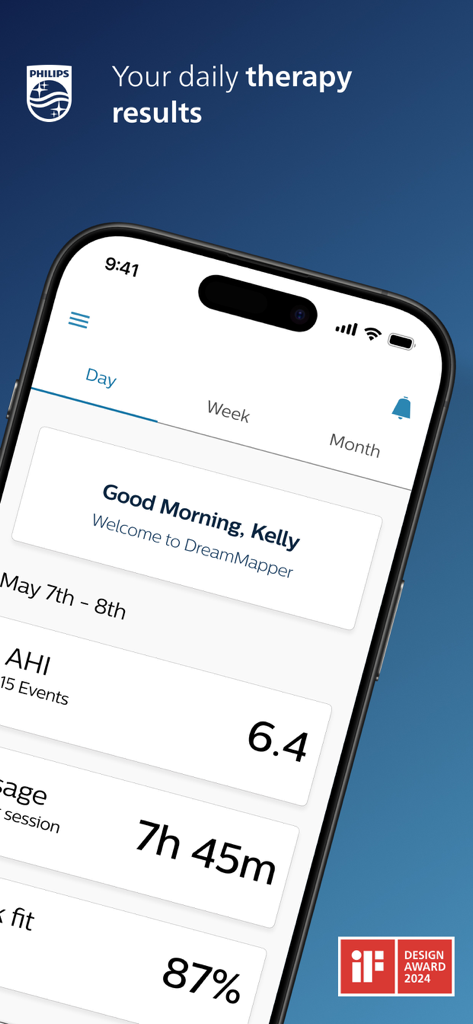
스마트폰에서 수면 무호흡증 요법 데이터(AHI 및 사용 시간 포함)를 표시하는 DreamMapper 앱 대시보드.
스마트폰에서 수면 무호흡증 요법 데이터(AHI 및 사용 시간 포함)를 표시하는 DreamMapper 앱 대시보드.

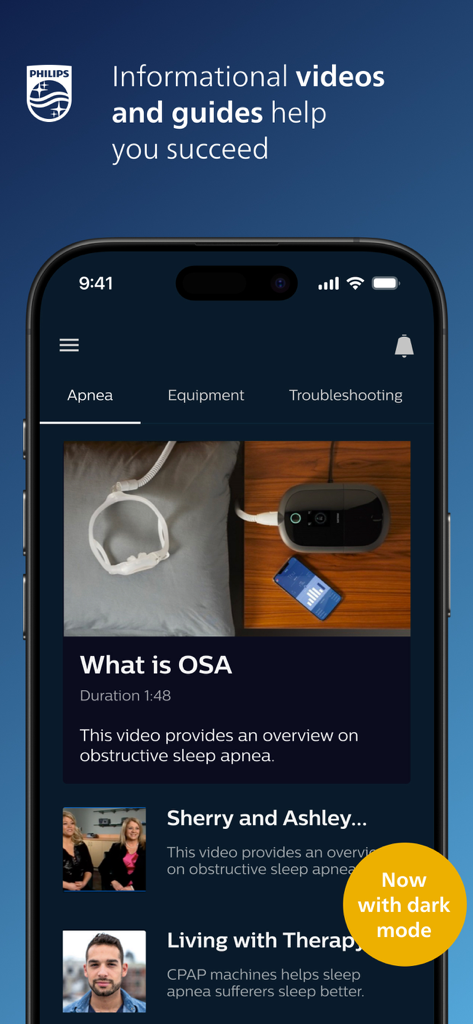
다크 모드에서 수면 무호흡증에 대한 정보 비디오 및 가이드를 보여주는 DreamMapper 앱 인터페이스.
다크 모드에서 수면 무호흡증에 대한 정보 비디오 및 가이드를 보여주는 DreamMapper 앱 인터페이스.

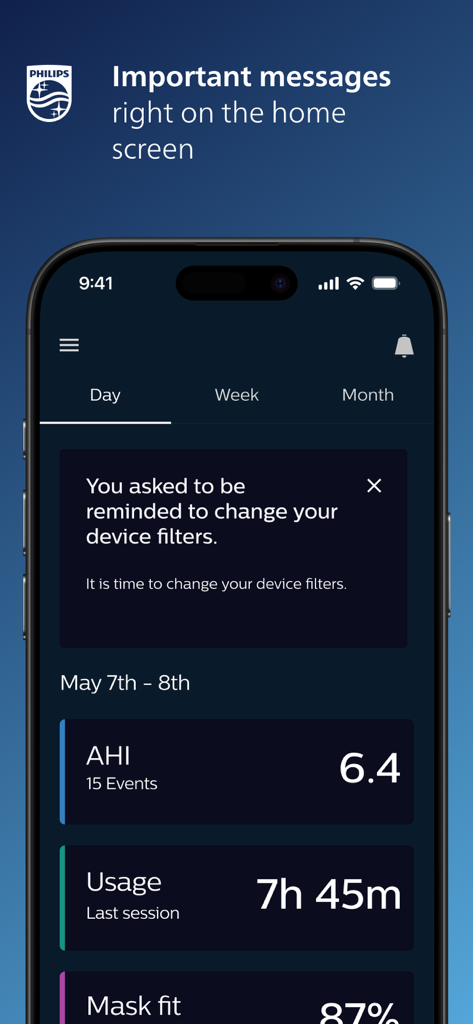
CPAP 요법 지표와 장치 필터 교체 알림을 보여주는 DreamMapper 모바일 앱 홈 화면.
CPAP 요법 지표와 장치 필터 교체 알림을 보여주는 DreamMapper 모바일 앱 홈 화면.

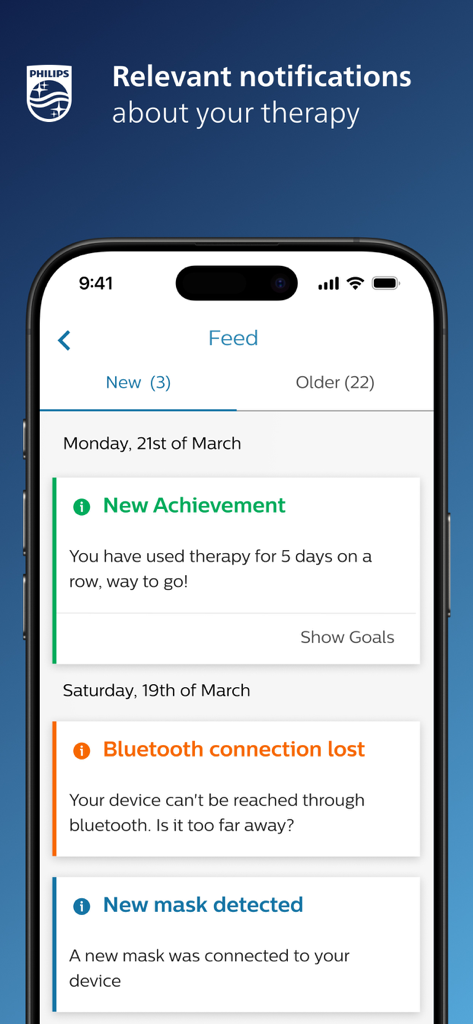
스마트폰에서 관련 요법 알림 및 성과 피드를 보여주는 DreamMapper 앱 인터페이스
스마트폰에서 관련 요법 알림 및 성과 피드를 보여주는 DreamMapper 앱 인터페이스

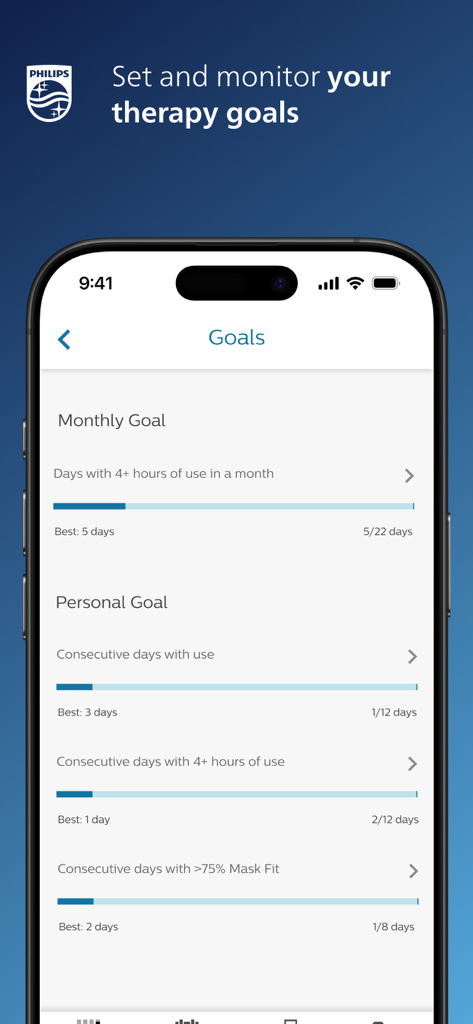
진행률 표시줄과 함께 월별 및 개인별 CPAP 요법 목표를 보여주는 DreamMapper 앱 화면.

진행률 표시줄과 함께 월별 및 개인별 CPAP 요법 목표를 보여주는 DreamMapper 앱 화면.

수면 요법을 손쉽게 마스터하세요

이 앱을 돋보이게 하는 도구, 1M+ 명의 사용자가 선택.

📊

일일 요법 인사이트

마스크 착용 상태 및 요법 사용 시간을 포함한 밤의 상세 요약을 확인하며 일어나세요. 치료가 어떻게 진행되고 있는지 정확히 알 수 있습니다.

🎯

개인별 목표 설정

개인별 치료 이정표를 설정하고 의사의 계획에 일관되게 준수하도록 알림을 받아 건강 관리에 적극적으로 참여하세요.

💡

온디맨드 전문가 문제 해결

집을 떠나지 않고도 장비 문제를 즉시 해결하고 편안함을 최적화할 수 있는 교육 비디오 및 가이드 라이브러리에 액세스하세요.

앱 소개

에 대해 알아야 할 모든 것 DreamMapper.

설명

Achieving a great night’s sleep with CPAP therapy happens when you take an active role in your own therapy. That means being in tune with how your therapy and equipment are performing – and how they should be performing – from night to night. DreamMapper is a mobile and web application that keeps you actively informed about your previous night’s therapy – with information like mask fit and therapy hours – so you know you are getting what’s needed for the great night’s sleep you deserve. DreamMapper provides all of the following: • Bluetooth® data transfer from your Philips PAP; • Daily feedback about your treatment and your therapy results; • Personalize your treatment management by setting alerts and personal goals; • Find the answers to your questions through a rich content including informational videos and guides; • Receive notifications about your therapy and your DreamMapper compatible equipment; Learn more about DreamMapper and the Philips devices it supports at www.dreammapper.com. Philips CPAP devices treat Obstructive Sleep Apnea (OSA) so that you can sleep better at night and be more active during the day. Part of the Dream Family DreamMapper is part of the Dream Family from Philips Respironics. The Dream Family offers innovative, comprehensive sleep therapy technology like: • DreamWear: It looks different because it is different. The ingenious open-face design provides exceptional comfort with an optimal fit, easy freedom of movement and the ability to choose your most comfortable sleep position. DreamWear is User-friendly in every possible way. • DreamStation: Embrace your care with confidence with our most innovative obstructive sleep apnea (OSA) technology. With easy-to-navigate menus, remote diagnostics, a sleek, compact profile and incredibly quiet operation, DreamStation helps make it simple to start, customize and continue your OSA therapy. • DreamStation Go: Whether you’re traveling for business or venturing out on the vacation of a lifetime, DreamStation Go provides an easy, reliable and portable PAP experience for users who refuse to compromise. Philips DreamMapper has access to the following permissions: Location Approximate location (network-based): This is to set up Bluetooth communication. A location is required to acquire the pair. Photos/Media/Files Read the contents of your USB storage: This is needed to access the scanned and stored image that the camera takes of the Device Serial Number (DSN). Camera Take pictures and videos: Used to scan the DSN. Other reasons Receive data from Internet: DreamMapper needs to communicate with its Data Center. View network connections: Wi-Fi setup as well as the need for DreamMapper to communicate with its Data Center. Pair with Bluetooth devices: First-time connection to another Bluetooth device. Access Bluetooth settings: First-time connection to another Bluetooth device. Full network access: DreamMapper needs to communicate with its Data Center. Prevent device from sleeping: Prevents the phone from “going to sleep” while playing videos.

최신 버전

3.2.0

크기

75.8 MB

출시일

2012년 9월 30일

수면과 건강을 완벽하게 관리하세요

실시간으로 CPAP 요법을 추적하는 1백만 명 이상의 사용자와 함께하세요. 지금 Philips 장치를 동기화하고 당연히 누려야 할 에너지를 얻으며 일어나세요.

다운로드: App Store

App information, icons, screenshots, and descriptions displayed on this page are sourced from the Apple App Store and are the property of their respective developers. Download estimates and rankings are based on MWM's proprietary models and may not reflect actual figures. This page is provided for informational and analytical purposes only.

Believe this page infringes your intellectual property? File a dispute