이 페이지는 앱이나 개발자의 공식 페이지가 아니며, 정보 제공 및 논평을 목적으로 작성된 독립 편집 간행물입니다. 명시적으로 달리 언급되지 않는 한, 해당 앱이나 개발자는 MWM, Apple, Google Play, 앱 퍼블리셔 또는 앱 개발자와 제휴, 보증, 후원, 승인 또는 공식적으로 연결되어 있지 않으며, 이 페이지의 어떤 내용도 해당 앱이 MWM의 서비스를 사용하여 개발되었음을 의미하지 않습니다. 모든 상표, 로고, 스크린샷 및 기타 콘텐츠는 해당 소유자의 자산입니다.
DriveMind: Dash Cam & Mileage
최대 세금 공제를 위해 주행 거리 기록을 자동화하고, 보험 보호를 위해 HD 블랙박스 영상을 녹화하고, AutoStart™ 기술로 자동차 성능을 추적하세요. 설정하고 잊어버리고, 더 스마트하게 운전하세요.
주요 수치
다운로드
1000
사용자 평점
4.6/5
총 평가 수
0
개발사
Jesvin Jerry
카테고리
Navigation
지원 언어
1
최신 버전
3.7
크기
38.7 MB
출시일
2025년 4월 10일
기능
더 열심히 일하지 말고 더 스마트하게 운전하세요
IRS 준비 자동 주행 거리 기록부터 고화질 보안 녹화까지, DriveMind는 iPhone을 일상 통근 및 비즈니스 여행을 위한 궁극의 공동 조종사로 바꿔줍니다.
제로 노력 세금 기록
AutoStart™는 이동을 감지하고 모든 마일을 자동으로 기록합니다. 손가락 하나 까딱하지 않고 세금 공제 또는 비즈니스 상환을 위한 자세한 보고서를 쉽게 내보낼 수 있습니다.
스마트 보안 방패
값비싼 하드웨어를 강력한 iPhone 블랙박스로 교체하세요. DriveMind는 사이렌 소리를 듣고, 급제동을 감지하며, 보험료를 보호하기 위한 명확한 기록을 제공합니다.
다음 스크린샷과 설명은 앱의 공식 스토어 목록에서 직접 가져온 것이며 앱 개발자의 자산입니다.
앱 스토어
스크린샷
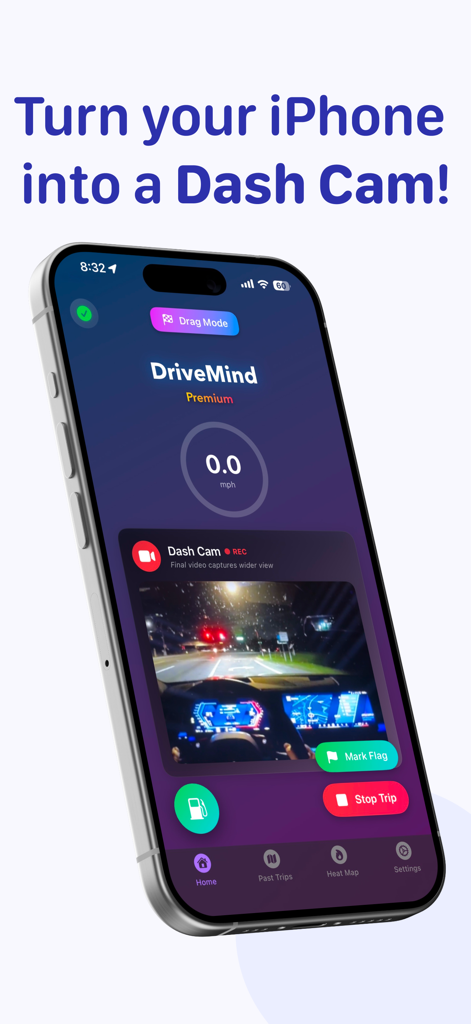
라이브 블랙박스 야간 도로 녹화 중인 DriveMind 앱 인터페이스를 표시하는 iPhone
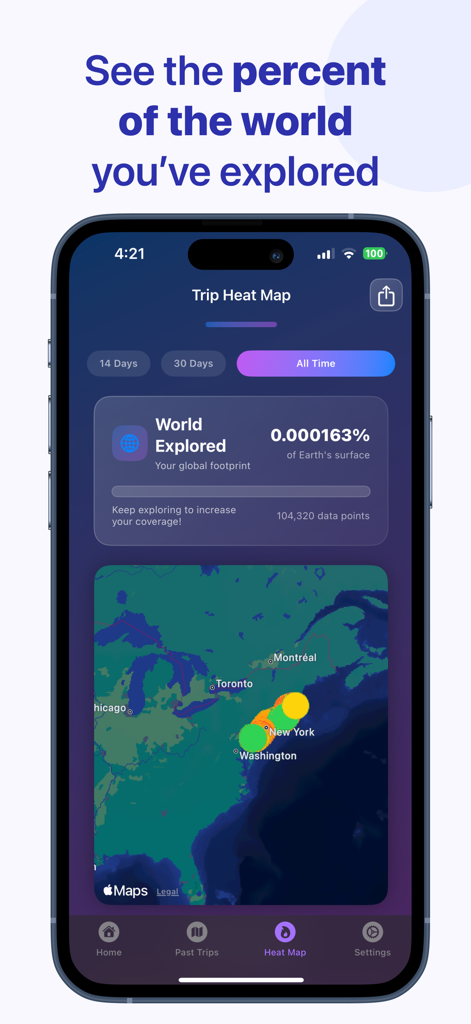
DriveMind 앱 이동 경로 히트맵, 미국 지도에 탐색된 월드 퍼센티지 및 운전 데이터 포인트 표시
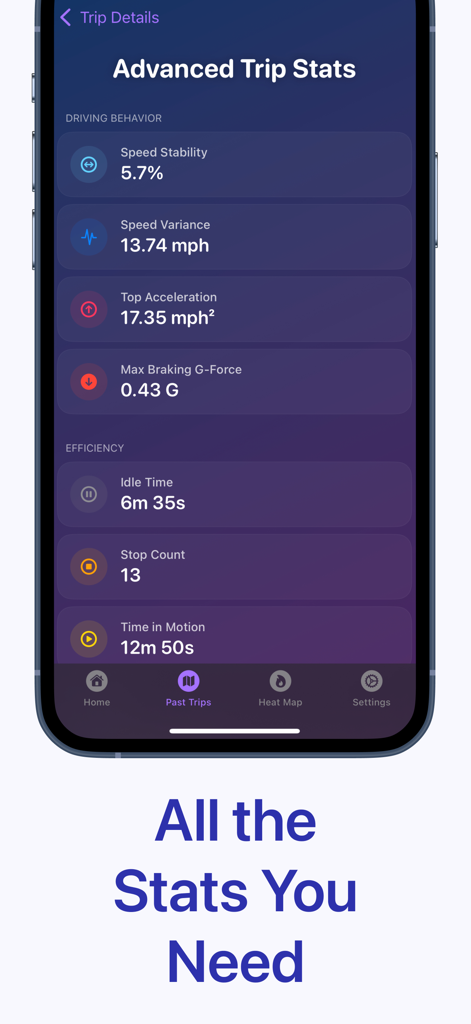
속도 편차 및 제동 G-포스와 같은 운전 행동 및 효율성 지표를 보여주는 DriveMind 앱의 고급 이동 경로 통계 대시보드
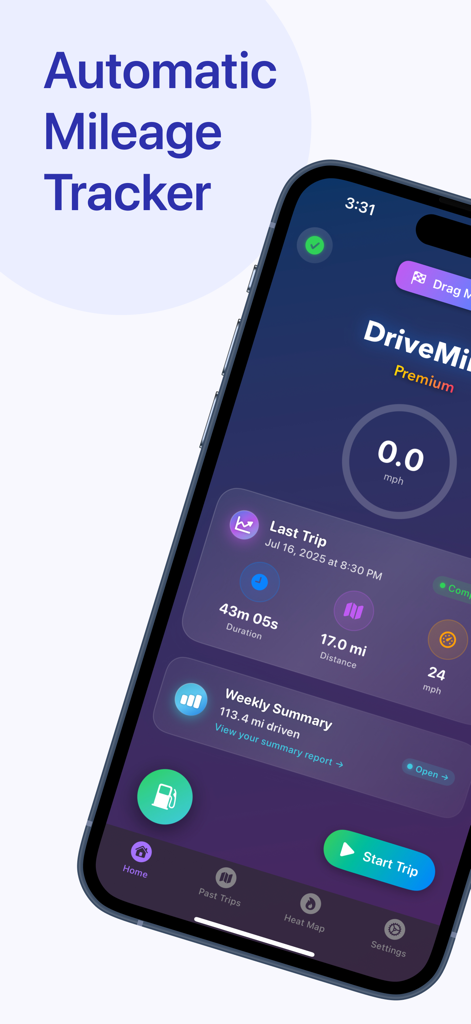
최근 이동 경로 요약 및 자동 주행 거리 추적이 포함된 DriveMind 대시보드를 보여주는 iPhone 화면
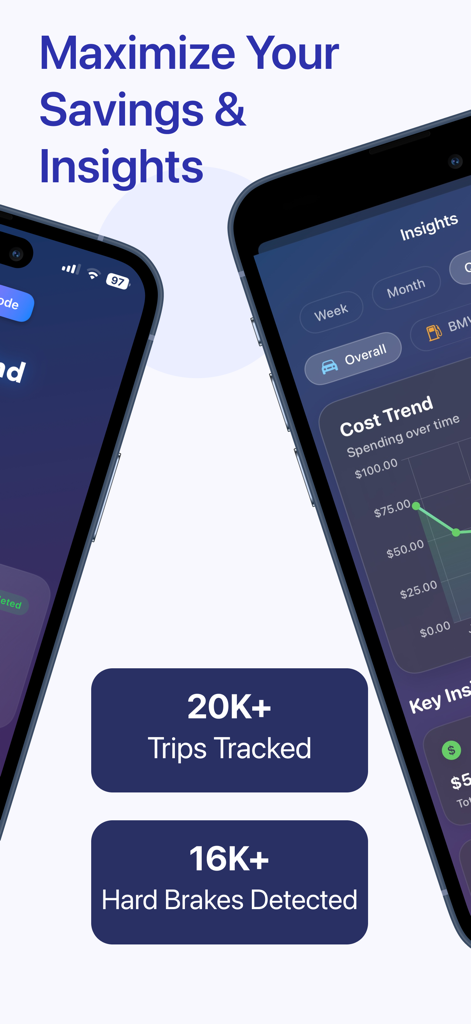
자동차 운전 통찰력 및 주행 거리 절감 통계를 보여주는 모바일 앱 인터페이스
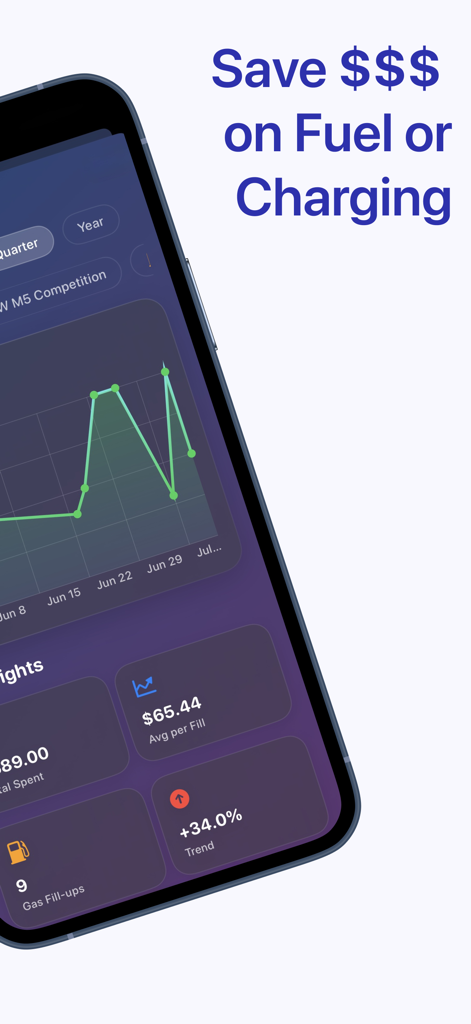
분석 그래프 및 평균 지출 통계와 함께 연료 및 충전 비용 추적을 보여주는 DriveMind 앱 대시보드
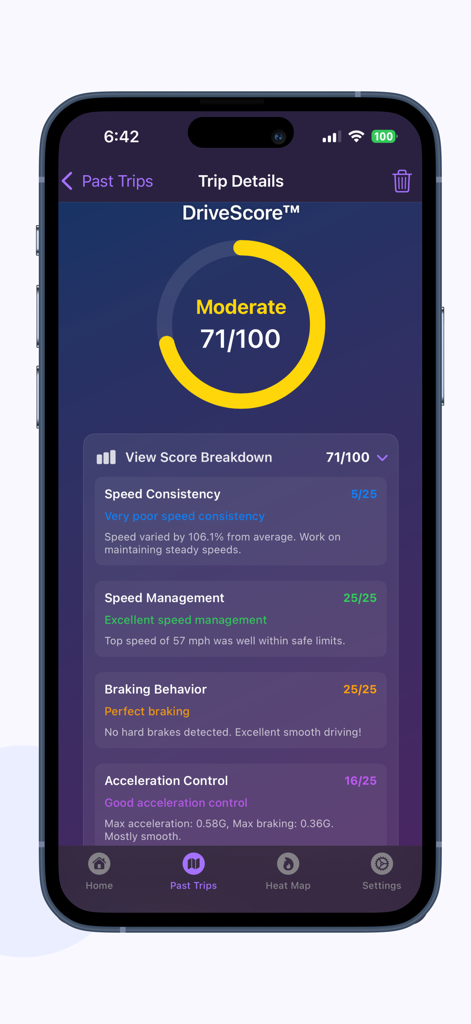
속도, 제동 및 가속에 대한 자세한 이동 경로 성능 분석과 함께 DriveScore 71을 보여주는 DriveMind 앱 인터페이스
설명
DriveMind is the ultimate tool for any driver looking to effortlessly log their trips — whether it’s for personal tracking, business miles, safety, etc. Once you begin a drive, DriveMind automatically records your journey, without having to open the app. When you arrive, you can view all your trip details at a glance — distance, route, speed, and more!
Core Features:
• AutoStart™ — Automatically detects when you start driving and begins recording your trip — no buttons, no distractions, just seamless tracking. When you arrive, your trip automatically ends. Simple.
• Dash Cam - Instantly turn your iPhone into a powerful dash cam. Record high-quality video of your drive, securely stored on your device. No extra hardware needed — just tap to record.
• DriveScore™ — a personalized performance score that reflects your driving style, intelligently calculated using DriveMind Intelligence™.
• Trip Heat Map — Visualize your driving footprint. See where you’ve driven, how fast, and how far — color-coded and filterable by time.
• Trip Replay — Scrub through your drive like a video — watch speed, time, and location update in real-time.
• Tax Reports — Tag trips as Personal, Business, or custom, filter by type or tag, and export detailed tax reports for deductions.
• DriveMind Intelligence™ — automatically tags your drives as Commute, Errand, Leisure, and more — giving you insight without lifting a finger.
• Drag Mode — Record 0–60 mph (or 0–100 km/h), quarter mile runs, or your own custom distances. Auto-stop, replayable, and saved to your performance history. Only on DriveMind.
• DriveSense™ — Uses on-device machine learning to listen for critical audio events like car horns and emergency sirens. When detected, DriveMind tags them on your trip map.
DriveMind is also a companion for:
• Documenting trips for insurance claims or police reports.
• Keeping a clear record of your driving history for personal or official use.
• Providing evidence in the event of disputes.
Other Features:
• Hard Braking Detection — Automatically detects sudden stops and highlights them on your trip with tappable pins.
• Advanced Trip Stats — Gain deeper insight into your driving behavior with premium metrics like: speed variance, idle time, stop count, carbon impact estimate, and more!
• G-Force Detection — See how intensely you accelerate and brake during your drive. DriveMind tracks peak G-forces to help you understand your driving habits at a deeper level.
• Trip Summary Page — Get a full breakdown of your driving stats, including total trips, distance, and more including smart insights over 7 days, 30 days, or all time.
• Effortless Trip Recording — Start your trip, and DriveMind will record your drive's distance, time, top speed, and average speed. Press the stop button when you arrive to save your trip data.
• iCloud Backup & Sync — Your trip data is securely backed up to iCloud and synced across your devices, so it’s always safe and accessible.
• Detailed Trip Stats — View detailed stats for each drive, including distance, time saved, top speed, average speed, duration, G-forces, hard brakes, and more!
• Manual Flagging — Easily mark locations during your drive with a tap. Flags appear on the trip map for easy recall.
• Custom Tags - Label your trips your way — add personalized tags like “Gym”, “Class”, “Appointment”, etc
• Favorite Trips — Mark your favorite trips for easy access and add optional notes that can be edited later.
• Time Saved Insights — See how much time you've saved on your trips by automatically comparing it to a previous trip!
Support development and unlock more features with monthly or yearly subscriptions.
Download DriveMind today and take control of your driving history.
Terms of Use: https://www.apple.com/legal/internet-services/itunes/dev/stdeula/
이 페이지는 앱이나 개발자의 공식 페이지가 아니며, 정보 제공 및 논평을 목적으로 작성된 독립 편집 간행물입니다. 명시적으로 달리 언급되지 않는 한, 해당 앱이나 개발자는 MWM, Apple, Google Play, 앱 퍼블리셔 또는 앱 개발자와 제휴, 보증, 후원, 승인 또는 공식적으로 연결되어 있지 않으며, 이 페이지의 어떤 내용도 해당 앱이 MWM의 서비스를 사용하여 개발되었음을 의미하지 않습니다. 모든 상표, 로고, 스크린샷 및 기타 콘텐츠는 해당 소유자의 자산입니다.