DropTalk教育法人向け
DropTalk教育法人向け
다운로드: App Store

이 페이지는 앱이나 개발자의 공식 페이지가 아니며, 정보 제공 및 논평을 목적으로 작성된 독립 편집 간행물입니다. 명시적으로 달리 언급되지 않는 한, 해당 앱이나 개발자는 MWM, Apple, Google Play, 앱 퍼블리셔 또는 앱 개발자와 제휴, 보증, 후원, 승인 또는 공식적으로 연결되어 있지 않으며, 이 페이지의 어떤 내용도 해당 앱이 MWM의 서비스를 사용하여 개발되었음을 의미하지 않습니다. 모든 상표, 로고, 스크린샷 및 기타 콘텐츠는 해당 소유자의 자산입니다.

로고: DropTalk教育法人向け
다운로드: App Store

DropTalk教育法人向け

맞춤 설정 가능한 의사소통 보드, 시각적 일정 및 대화형 타이머를 통해 자폐 스펙트럼 장애 및 언어 장애가 있는 학생들의 역량을 강화합니다. 언어 치료사 및 교육자를 위해 설계되어 독립성을 증진하고 교실 전환을 원활하게 합니다.

주요 수치

다운로드

6K+

사용자 평점

3.0/5

총 평가 수

0

개발사

HMDT Co., Ltd.

카테고리

Education

지원 언어

9

최신 버전

6.13.2

크기

424.6 MB

출시일

2013년 1월 23일
기능

교실에서 모든 목소리에 힘을 실어주세요

의사소통 격차를 해소하고, 일상을 관리하며, 신경 다양성 학습자를 지원하기 위해 교육자 및 언어 치료사를 위해 설계된 포괄적인 AAC 툴킷입니다.

통합 의사소통 및 일상

기본적인 말하기를 넘어서세요. 의사소통 보드와 시각적 일정 및 타이머를 결합하여 전환 불안을 줄이고 학생의 독립성을 구축하세요.

개인 맞춤 시각적 맥락

실제 사진을 가져오고 익숙한 목소리를 녹음하여 학습 환경을 변화시키고 진정으로 개인 중심적인 AAC 경험을 만드세요.

다음 스크린샷과 설명은 앱의 공식 스토어 목록에서 직접 가져온 것이며 앱 개발자의 자산입니다.

앱 스토어

스크린샷
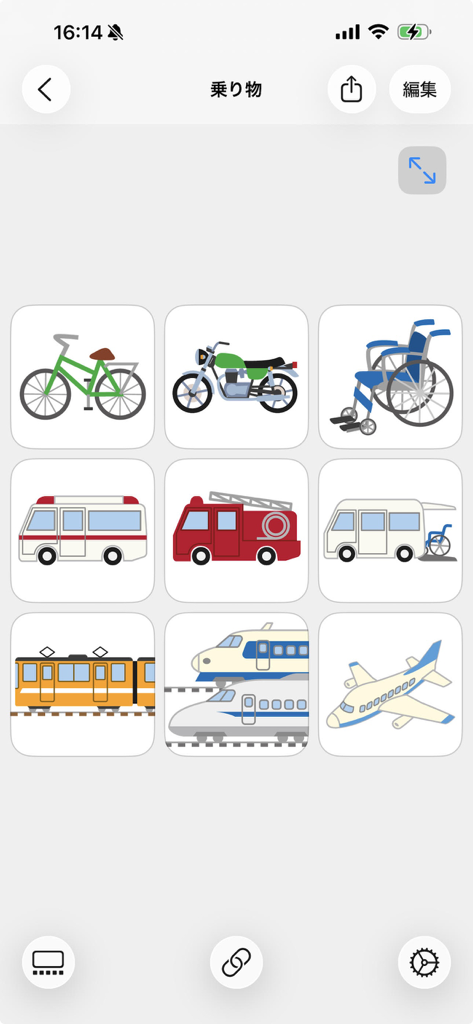
DropTalk教育法人向け - DropTalk AAC 앱 인터페이스에서 자전거, 휠체어, 구급차, 기차와 같은 교통수단 기호를 보여주는 3x3 그리드.
DropTalk AAC 앱 인터페이스에서 자전거, 휠체어, 구급차, 기차와 같은 교통수단 기호를 보여주는 3x3 그리드.

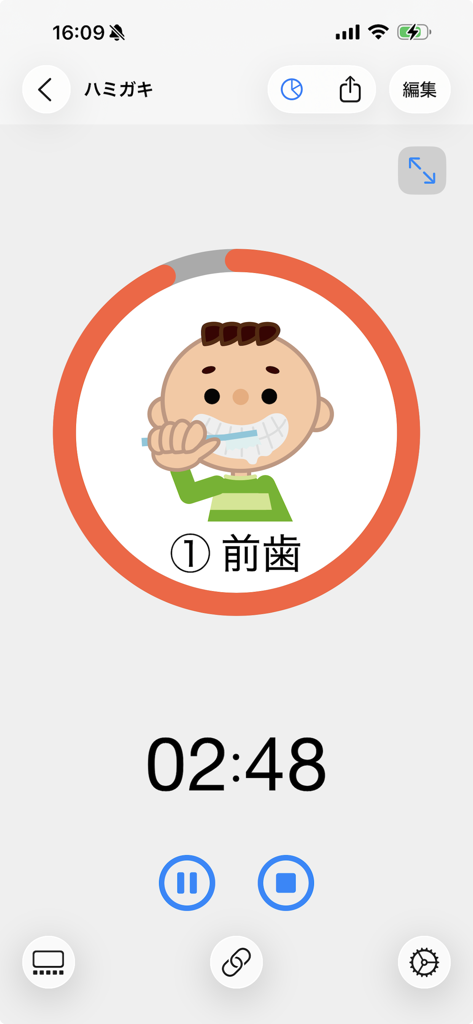
DropTalk教育法人向け - 특수 교육 지원을 위해 카운트다운 시계와 칫솔질하는 소년 만화가 특징인 DropTalk 앱의 시각적 타이머 인터페이스.
특수 교육 지원을 위해 카운트다운 시계와 칫솔질하는 소년 만화가 특징인 DropTalk 앱의 시각적 타이머 인터페이스.

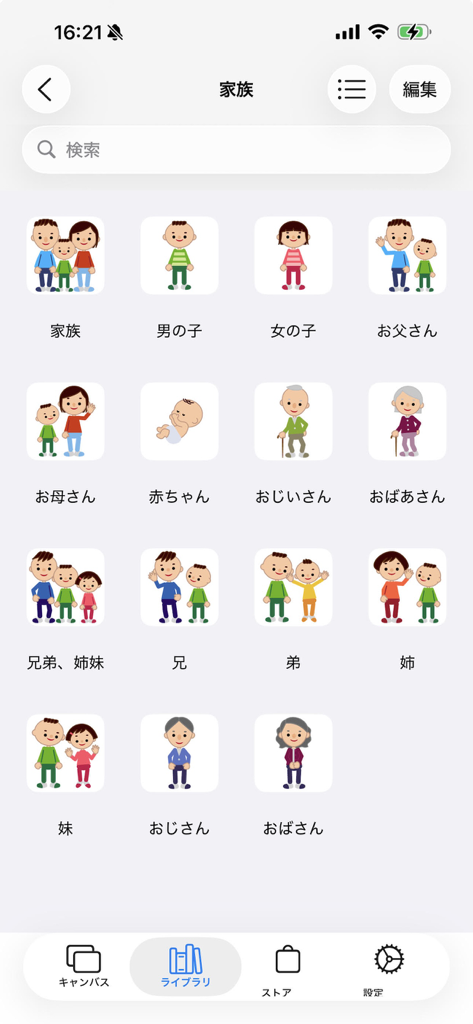
DropTalk教育法人向け - 부모와 조부모를 포함한 가족 구성원의 삽화 기호 그리드가 있는 DropTalk AAC 앱 라이브러리
부모와 조부모를 포함한 가족 구성원의 삽화 기호 그리드가 있는 DropTalk AAC 앱 라이브러리

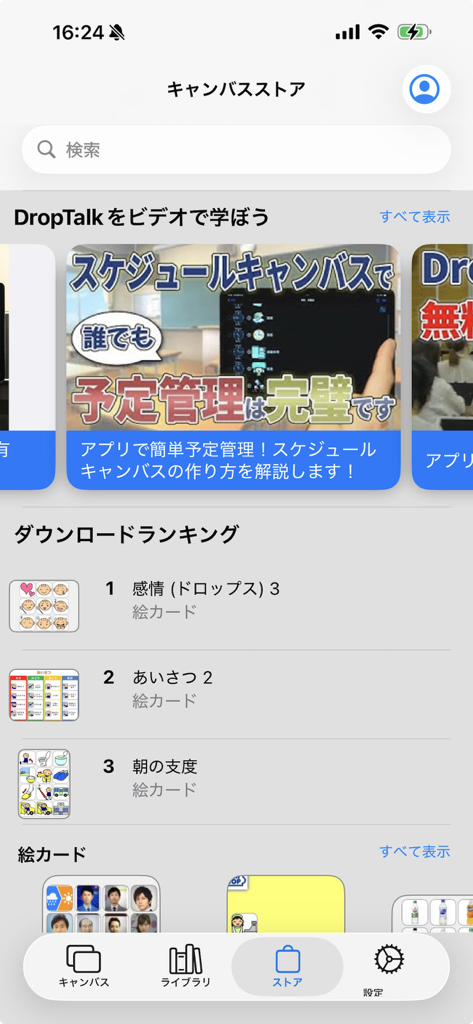
DropTalk教育法人向け - 특수 교육을 위한 시각적 의사소통 카드 및 비디오 튜토리얼 다운로드 순위를 보여주는 DropTalk 앱의 캔버스 스토어 인터페이스.
특수 교육을 위한 시각적 의사소통 카드 및 비디오 튜토리얼 다운로드 순위를 보여주는 DropTalk 앱의 캔버스 스토어 인터페이스.

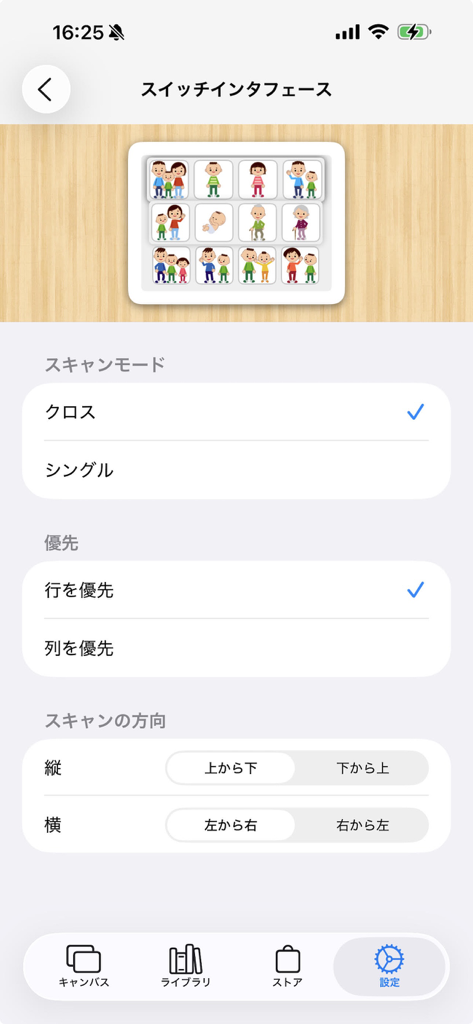
DropTalk教育法人向け - DropTalk 앱에서 스위치 인터페이스 접근성을 구성하기 위한 설정 화면.

DropTalk 앱에서 스위치 인터페이스 접근성을 구성하기 위한 설정 화면.

설명

DropTalk is an AAC (Augmentative and Alternative Communication) software that helps people with autism and language disorders who have difficulty communicating through spoken language. For communication with people with developmental disorders such as autism, it is effective to use visual information such as symbols, or to use a device called VOCA, which can combine symbols and sound. DropTalk is a VOCA app that offers a wide range of functions. DropTalk comes with a pre-built symbol set called "CoCo". The symbols come with familiar illustrations and Japanese voice. Symbols are placed on a screen called a canvas for use. There are four types of canvas to choose from: a communication canvas for communicating with others, a schedule canvas for listing work items, a sketch canvas for freely drawing pictures, and a timer canvas that provides a timer function. A communication canvas is a canvas where symbols are arranged in a grid. When you tap a symbol, sound is played, helping you communicate with others. Multiple pages can be added to one canvas, and you can switch between them by flicking. You can intuitively edit the canvas, such as swapping rows and columns by dragging and dropping. In the Schedule Canvas, you can list the steps of a task by item. Each item has a checkbox, so you can check off the completed items as you proceed. You can set the time and work time for each item. If you set the work time, you can run it as a timer. In the Sketch Canvas, you can freely draw pictures and place symbol buttons to create a canvas with greater freedom. The Sketch Canvas has a variety of tools, allowing you to draw lines, enter text, import symbol images, import images from the photo library, draw shapes, and place symbol buttons. The Timer Canvas provides a timer function. You can choose from five types of timer styles. You can also link multiple schedules to run as a continuous timer. You can customize the alert that appears when the timer ends by placing symbols and messages. There is also a text mode that allows you to play multiple symbols together. In addition to the pre-prepared symbols, you can add your own. You can import photos using the camera or import images from the photo album. In addition to recording audio from the microphone, you can also play music from Music or read the entered text aloud. You can distribute and share the canvases you create. You can use Air Drop, email, and messages to distribute them. In addition, on the screen called Canvas Store, you can freely upload and download canvases created by users all over the country. Support is also implemented so that even people with physical disabilities can operate it. You can turn off the bouncing behavior that is unique to iOS when scrolling. You can choose whether to read symbols when your finger touches the screen or when your finger leaves it. It supports switch interface, so many functions can be operated with just a switch.

Download

다운로드: App Store

이 페이지는 앱이나 개발자의 공식 페이지가 아니며, 정보 제공 및 논평을 목적으로 작성된 독립 편집 간행물입니다. 명시적으로 달리 언급되지 않는 한, 해당 앱이나 개발자는 MWM, Apple, Google Play, 앱 퍼블리셔 또는 앱 개발자와 제휴, 보증, 후원, 승인 또는 공식적으로 연결되어 있지 않으며, 이 페이지의 어떤 내용도 해당 앱이 MWM의 서비스를 사용하여 개발되었음을 의미하지 않습니다. 모든 상표, 로고, 스크린샷 및 기타 콘텐츠는 해당 소유자의 자산입니다.








