
이 페이지는 앱이나 개발자의 공식 페이지가 아니며, 정보 제공 및 논평을 목적으로 작성된 독립 편집 간행물입니다. 명시적으로 달리 언급되지 않는 한, 해당 앱이나 개발자는 MWM, Apple, Google Play, 앱 퍼블리셔 또는 앱 개발자와 제휴, 보증, 후원, 승인 또는 공식적으로 연결되어 있지 않으며, 이 페이지의 어떤 내용도 해당 앱이 MWM의 서비스를 사용하여 개발되었음을 의미하지 않습니다. 모든 상표, 로고, 스크린샷 및 기타 콘텐츠는 해당 소유자의 자산입니다.


DU Recorder - Screen Recorder
화면은 더 이상 개인의 영역이 아니다. 이 앱은 당신의 디지털 창을 실시간으로 감시하고, 기록하며, 세계에 송출하는 절대적 권한을 부여한다.
다운로드
25M+사용자 평점
총 평가 수
243.8K개발사
카테고리
Photo & Video지원 언어
25최신 버전
1.8.0크기
119.7 MB출시일
2017년 12월 1일DU Recorder - Screen Recorder 앱 분석
모바일 콘텐츠 제작자를 위한 올인원 화면 녹화 및 스트리밍 솔루션
다중 플랫폼 라이브 스트리밍
이 앱은 사용자가 YouTube, Facebook, Twitch와 같은 다양한 플랫폼으로 화면을 라이브 스트리밍할 수 있게 해줍니다. 이는 콘텐츠 크리에이터와 게이머에게 필수적인 기능입니다.
동시 마이크 및 내부 오디오 녹음
이 도구는 마이크 오디오와 내부 오디오를 동시에 녹음하는 기능을 갖추고 있어, 게임 해설, 교육 콘텐츠 또는 음성 해설 영상을 제작하는 데 매우 유용합니다.
고품질 화면 녹화
이 앱은 안정적이고 유동적인 고품질 화면 녹화 기능을 제공하여, 모바일 게임 플레이, 화상 통화, 인기 라이브 쇼 등을 선명하게 기록할 수 있습니다.
강력한 비디오 편집 기능
이 앱은 비디오 자르기, 음악 추가, 텍스트/스티커/프레임 삽입, 속도 조절, 필터 적용, 여러 비디오 병합 등 다양한 강력한 비디오 편집 기능을 제공합니다.
다양한 해상도 옵션의 고품질 라이브 스트리밍
이 도구는 다양한 해상도 옵션을 통해 고품질 라이브 스트리밍을 지원하여 시청자에게 최적의 시청 경험을 제공하고 콘텐츠의 전문성을 높여줍니다.
라이브 스트림 개인 정보 보호 설정
사용자는 라이브 스트림의 공개 설정을 '공개', '일부 공개', '비공개'로 지정하여 개인 정보 보호와 접근 권한을 효과적으로 관리할 수 있습니다.
다양한 라이브 도구 (워터마크, 테마 등)
이 앱은 사용자 정의 워터마크, 라이브 테마, 라이브 일시정지 설정 등 다양한 라이브 도구를 갖추고 있어 스트리밍을 개인화하고 전문적인 브랜딩을 구축하는 데 기여합니다.
페이스캠 지원
이 도구는 페이스캠 기능을 지원하여 사용자가 반응 비디오를 제작하거나 자신의 얼굴을 화면에 함께 녹화함으로써 시청자와의 상호작용을 증진할 수 있게 해줍니다.
자주 묻는 질문
에 대해 알아야 할 모든 것 DU Recorder - Screen Recorder
What is DU Recorder - Screen Recorder?
DU Recorder is an application designed for creating and recording livestreams and screen videos. It enables users to stream to platforms like YouTube, Facebook, and Twitch.
Which platforms does DU Recorder support for livestreaming?
Yes, DU Recorder supports livestreaming to multiple platforms, including YouTube, Facebook, and Twitch. It also offers RTMP livestreaming capabilities.
Does DU Recorder - Screen Recorder allow screen recording?
Yes, DU Recorder provides stable and fluid screen recording. Users can record games, video calls, live shows, and save these videos to their device.
Can DU Recorder record internal and microphone audio at the same time?
Yes, DU Recorder supports simultaneous recording of both microphone and internal audio during livestreams and screen recordings.
What video editing features are available in DU Recorder?
DU Recorder offers various video editing features such as trimming, adding music, text, frames, stickers, changing speed, voice recording, filters, cropping, merging videos, and converting video to GIF.
Does DU Recorder support RTMP streaming?
Yes, DU Recorder supports RTMP address input for livestreaming, providing flexibility for streaming to custom destinations.
How do I remove the watermark from recordings in DU Recorder?
To remove the watermark in DU Recorder, users must purchase a DU Recorder Premium subscription.
Is DU Recorder Premium a subscription service?
Yes, DU Recorder Premium is a subscription service billed either monthly or annually. It provides access to all paid features.
Can DU Recorder convert videos to GIF format?
Yes, DU Recorder includes a feature to convert video formats to GIF files, available within its video editing tools.
Does DU Recorder include a facecam feature?
Yes, DU Recorder features a facecam option, allowing users to record reaction videos by overlaying their camera feed onto screen recordings.
다음 스크린샷과 설명은 앱의 공식 스토어 목록에서 직접 가져온 것이며 앱 개발자의 자산입니다.
앱 스토어
스크린샷

통합 스트리밍 & 녹화
이 앱은 사용자가 YouTube와 Facebook을 포함한 다양한 플랫폼으로 라이브 스트리밍을 할 수 있으며, 로컬 기기에 화면을 녹화하는 기능도 제공합니다.
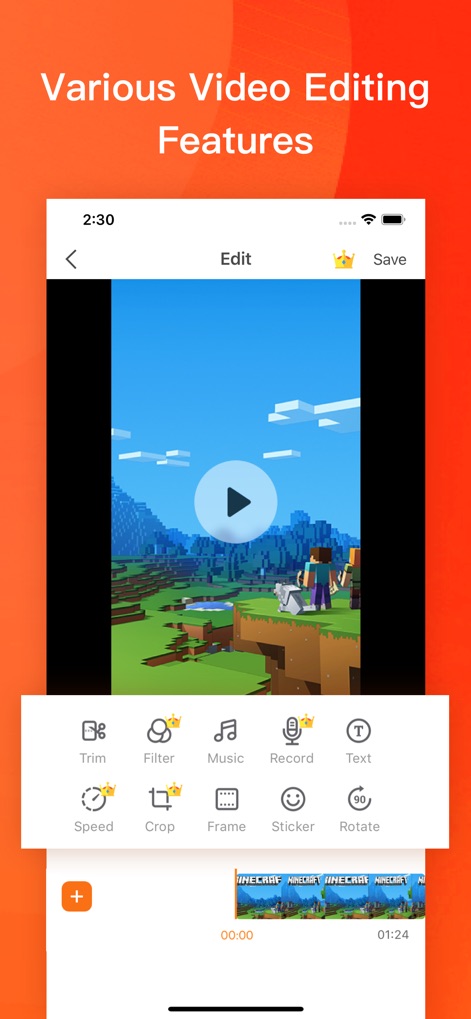
강력한 비디오 편집
사용자는 이 편집 도구로 녹화된 비디오를 손쉽게 다듬고, 음악을 추가하여 더욱 풍성한 콘텐츠를 만들 수 있습니다.
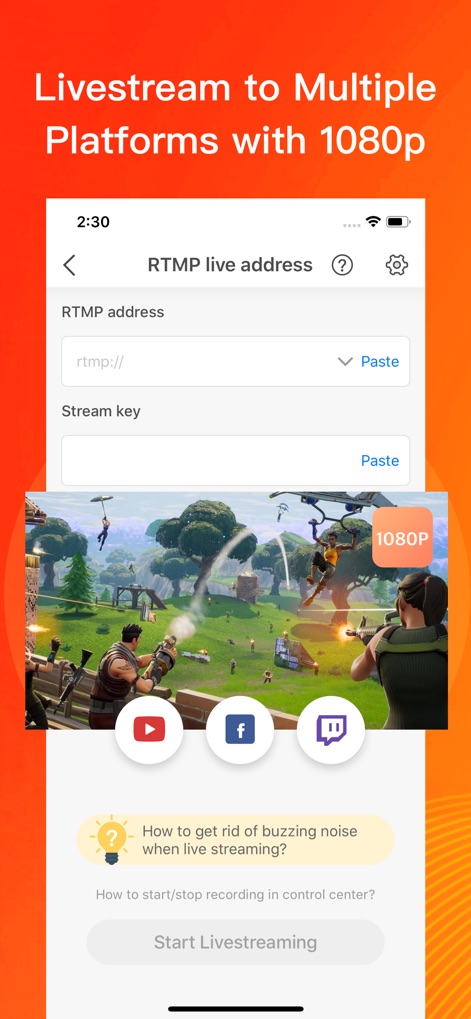
다중 플랫폼 라이브
이 앱은 RTMP 주소 입력을 통해 다양한 플랫폼으로 고화질 라이브 스트리밍을 지원하며, 1080P 해상도로 선명한 송출이 가능합니다.
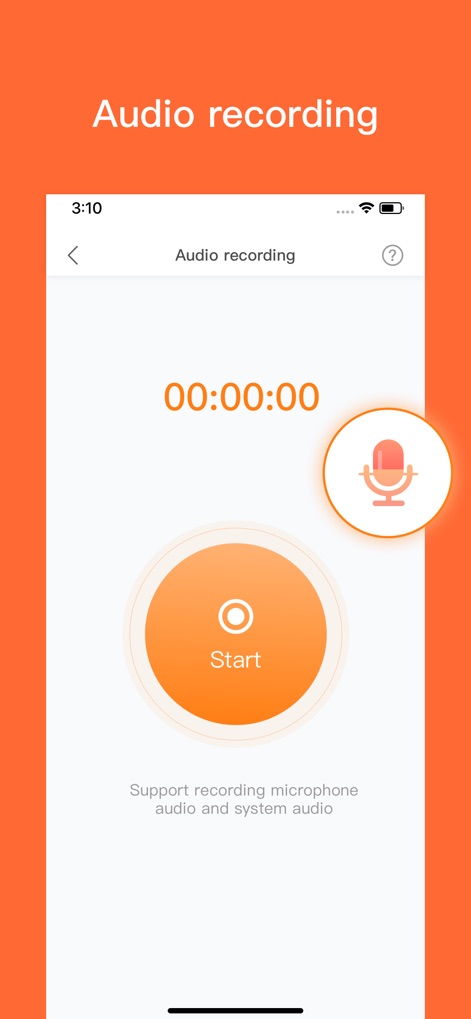
선명한 오디오 녹음
사용자는 마이크 오디오와 시스템 오디오를 동시에 녹음하여, 더욱 생생하고 전문적인 음성 해설이 포함된 콘텐츠를 제작할 수 있습니다.
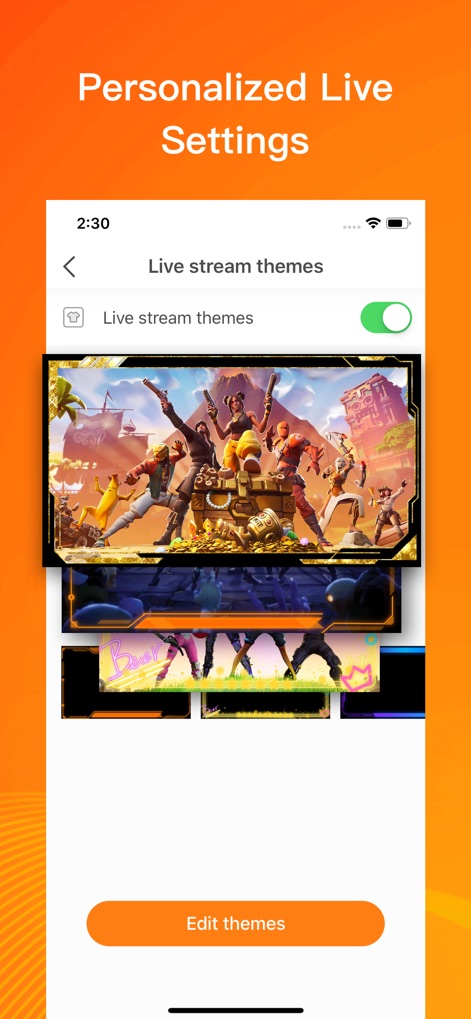
맞춤형 라이브 테마
이 앱은 다양한 라이브 스트림 테마를 제공하여, 사용자가 자신만의 개성을 담은 독창적인 화면 오버레이를 선택하고 편집할 수 있습니다.
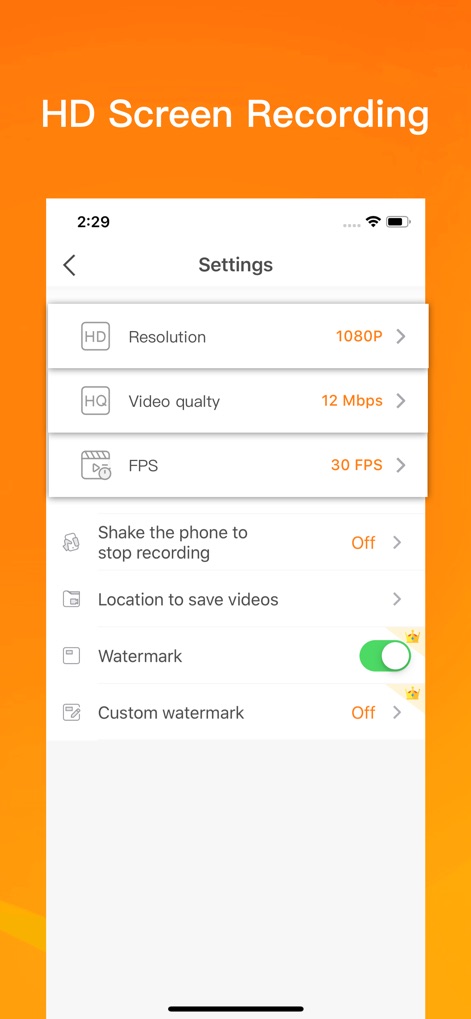
고화질 녹화 설정
사용자는 이 설정 메뉴에서 해상도를 1080P로 조절하고 비디오 품질을 12 Mbps로 설정하여, 최적의 선명도로 화면을 녹화할 수 있습니다.
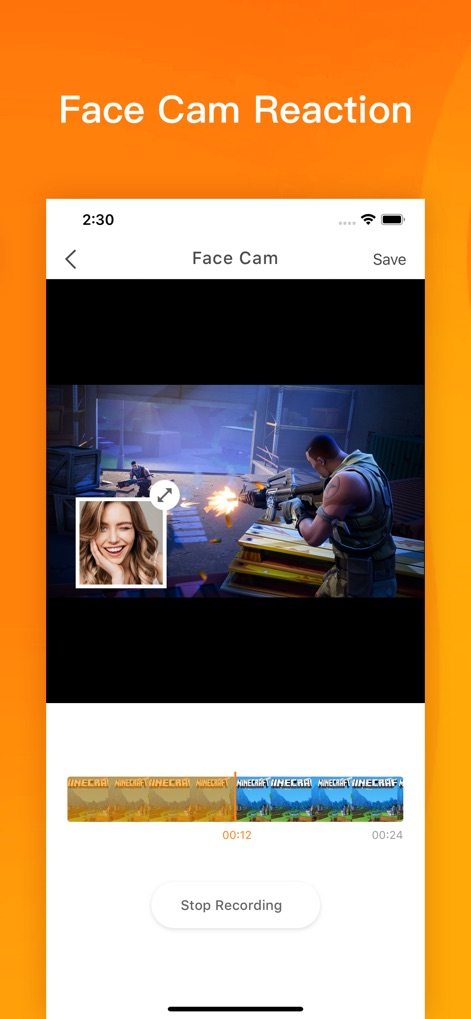
얼굴 캠 반응 녹화
이 앱의 얼굴 캠 기능으로 사용자는 게임 플레이 화면 위에 자신의 반응을 동시에 녹화할 수 있으며, 타임라인을 통해 녹화된 영상을 쉽게 관리합니다.
설명
Download
비슷한 앱
유사한 기능과 사용자 경험을 가진 앱

Medal - Game Clipping
Medal B.V.

Screen Recorder,Video Recorder
VIDEOSHOW PTE. LTD.

Screen Recorder
App of the Year LLC

Record it! :: Screen Recorder
DIGISET LLC

Screen Recorder Voice & Video
Arthur Eduardo Skaetta Alvarez Desenvolvimento de Software LTDA.

Screen Recorder ®
Poster App LLP

Super Screen Recorder: Full HD
Dream United, Ltd.

Screen Recorder: Go Record
Torqued Studios LLC

Screen Recorder-Video & Voice
Danila Ianushev
이 페이지는 앱이나 개발자의 공식 페이지가 아니며, 정보 제공 및 논평을 목적으로 작성된 독립 편집 간행물입니다. 명시적으로 달리 언급되지 않는 한, 해당 앱이나 개발자는 MWM, Apple, Google Play, 앱 퍼블리셔 또는 앱 개발자와 제휴, 보증, 후원, 승인 또는 공식적으로 연결되어 있지 않으며, 이 페이지의 어떤 내용도 해당 앱이 MWM의 서비스를 사용하여 개발되었음을 의미하지 않습니다. 모든 상표, 로고, 스크린샷 및 기타 콘텐츠는 해당 소유자의 자산입니다.