
이 페이지는 앱이나 개발자의 공식 페이지가 아니며, 정보 제공 및 논평을 목적으로 작성된 독립 편집 간행물입니다. 명시적으로 달리 언급되지 않는 한, 해당 앱이나 개발자는 MWM, Apple, Google Play, 앱 퍼블리셔 또는 앱 개발자와 제휴, 보증, 후원, 승인 또는 공식적으로 연결되어 있지 않으며, 이 페이지의 어떤 내용도 해당 앱이 MWM의 서비스를 사용하여 개발되었음을 의미하지 않습니다. 모든 상표, 로고, 스크린샷 및 기타 콘텐츠는 해당 소유자의 자산입니다.

Duo Messenger Web Clone Plus
여러 계정을 관리하고, 채팅을 iPad로 동기화하며, 궁극의 디지털 제어를 위해 숨겨진 메시징 기능을 잠금 해제하는 올인원 솔루션입니다.
다운로드
1M+사용자 평점
총 평가 수
30K+개발사
카테고리
Social Networking지원 언어
11최신 버전
1.6.37크기
93.5 MB출시일
2016년 9월 9일전문가 수준의 도구로 대화를 마스터하세요
Duo Messenger는 기기 간의 간극을 메워주며, 표준 앱에는 없는 다중 계정 유연성과 스텔스 기능을 제공합니다.
듀얼 기기 동기화
iPad에서 채팅을 미러링하거나 두 개의 별도 계정을 동시에 관리하세요. 두 대의 휴대폰을 들고 다닐 필요 없이 업무와 일상의 균형을 맞추기에 완벽합니다.
스텔스 및 복구
삭제된 메시지를 복구하고 '마지막으로 확인한 시간' 상태를 숨기세요. 완벽한 프라이버시와 전체 데이터 가시성이 주는 평온함을 누려보세요.
자주 묻는 질문
에 대해 알아야 할 모든 것 Duo Messenger Web Clone Plus
Duo Messenger Web Clone Plus란 무엇인가요?
Duo Messenger Web Clone Plus는 WhatsApp 사용자 가이드와 WA Web 복제, 번호 저장 없이 메시지 보내기, 텍스트 유틸리티와 같은 다양한 도구를 제공하는 애플리케이션으로 WhatsApp 경험을 향상시킵니다.
Duo Messenger Web Clone Plus를 사용하여 여러 WhatsApp 계정에 연결할 수 있나요?
예, Duo Messenger Web Clone Plus를 사용하면 WhatsApp 웹 QR 코드를 스캔하여 동일한 장치에서 두 개의 WhatsApp 계정을 열거나 여러 장치에서 하나의 계정을 사용할 수 있어 듀얼 채팅 기능을 제공합니다.
Duo Messenger Web Clone Plus는 WhatsApp 기능에 대한 가이드를 제공하나요?
예, Duo Messenger Web Clone Plus에는 WhatsApp 팁이 포함된 가이드가 있습니다. 자동 이미지 다운로드 비활성화 방법, 마지막 접속 숨기기, 삭제된 메시지 복구, 데이터 손실 없이 전화번호 변경 방법 등을 사용자에게 알려줍니다.
Duo Messenger Web Clone Plus를 사용하여 번호를 저장하지 않고 WhatsApp 메시지를 어떻게 보낼 수 있나요?
Duo Messenger Web Clone Plus에는 번호를 저장하지 않고 WhatsApp 메시지를 직접 보낼 수 있는 기능이 포함되어 있습니다. 사용자는 "직접 메시지" 인터페이스에 국가 코드, 번호 및 메시지를 입력하여 보냅니다.
Duo Messenger Web Clone Plus에서 어떤 프리미엄 기능을 사용할 수 있나요?
Duo Messenger Web Clone Plus의 프리미엄 사용자는 설명된 모든 기능에 액세스할 수 있습니다. 여기에는 무제한 메시지, 무제한 미리 알림 메시지, 애플리케이션 내에서 잠시 광고 제거 옵션이 포함됩니다.
Duo Messenger Web Clone Plus 구독은 어떻게 관리하나요?
사용자는 iTunes 계정을 통해 Duo Messenger Web Clone Plus 구독을 관리합니다. 구독은 자동 갱신되지만, iTunes 계정 설정에서 갱신 최소 24시간 전에 취소하거나 자동 갱신을 해제할 수 있습니다.
Duo Messenger Web Clone Plus는 QR 코드를 생성할 수 있나요?
예, Duo Messenger Web Clone Plus에는 QR 코드 생성기가 내장되어 있습니다. 사용자는 애플리케이션 내에서 텍스트, 전화번호, Google 검색, Facebook 링크에 대한 맞춤 QR 코드를 직접 생성할 수 있습니다.
Duo Messenger Web Clone Plus에 다크 모드가 있나요?
예, Duo Messenger Web Clone Plus에는 "실제 100% 네이티브 다크 모드"가 있습니다. 사용자는 애플리케이션 설정에서 이 모드를 선택하여 인터페이스의 모양을 변경할 수 있습니다.
Duo Messenger Web Clone Plus에 AI 챗봇이 포함되어 있나요?
예, Duo Messenger Web Clone Plus에는 "메신저 AI 챗봇"이 통합되어 있습니다. 이 기능은 사용자가 다양한 쿼리나 작업을 위해 AI 비서와 상호 작용할 수 있는 인터페이스를 제공합니다.
Duo Messenger Web Clone Plus는 공식 WhatsApp 애플리케이션인가요?
아니요, Duo Messenger Web Clone Plus는 공식 WhatsApp 애플리케이션이 아닙니다. 개발자는 면책 조항에서 WhatsApp Inc.와 제휴 관계가 아니라고 명시적으로 밝히고 있습니다.
다음 스크린샷과 설명은 앱의 공식 스토어 목록에서 직접 가져온 것이며 앱 개발자의 자산입니다.
앱 스토어
스크린샷
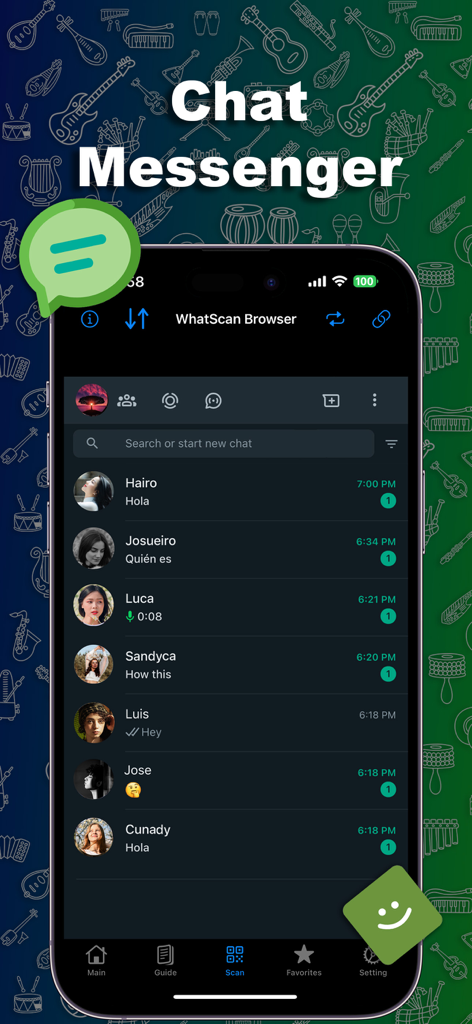
활성 채팅 대화 목록을 보여주는 Duo Messenger Web Clone Plus 앱 인터페이스
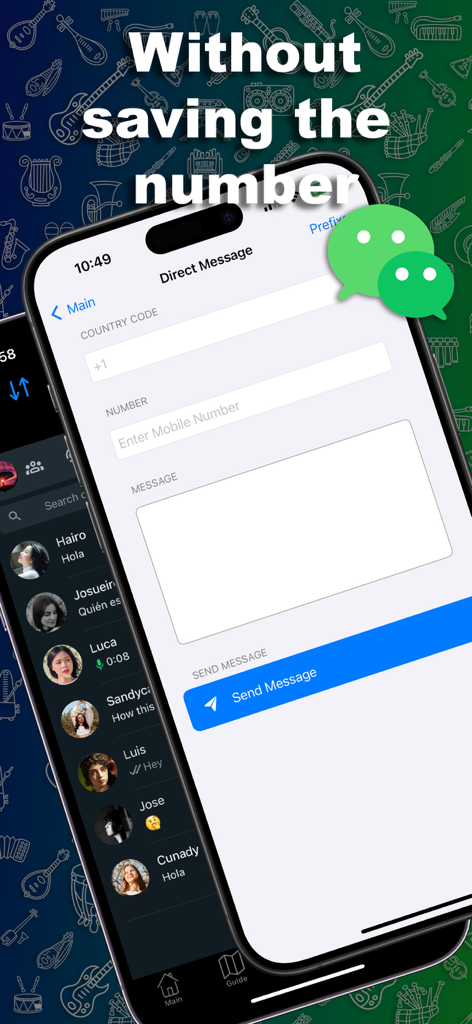
전화번호 저장 없이 직접 메시지를 보내는 Duo Messenger 앱 인터페이스
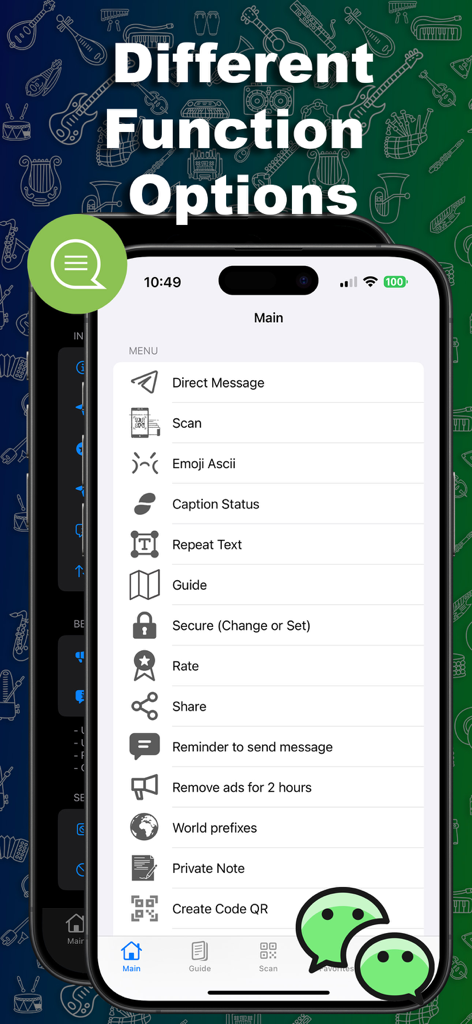
직접 메시지, 스캔 및 텍스트 도구와 같은 다양한 기능을 보여주는 Duo Messenger 앱의 메인 메뉴
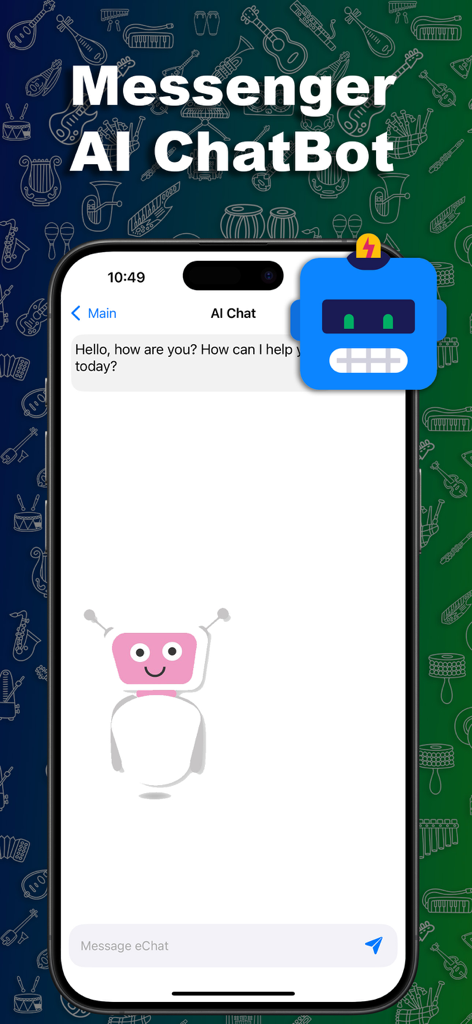
로봇 일러스트와 환영 메시지가 포함된 Duo Messenger AI 챗봇 화면
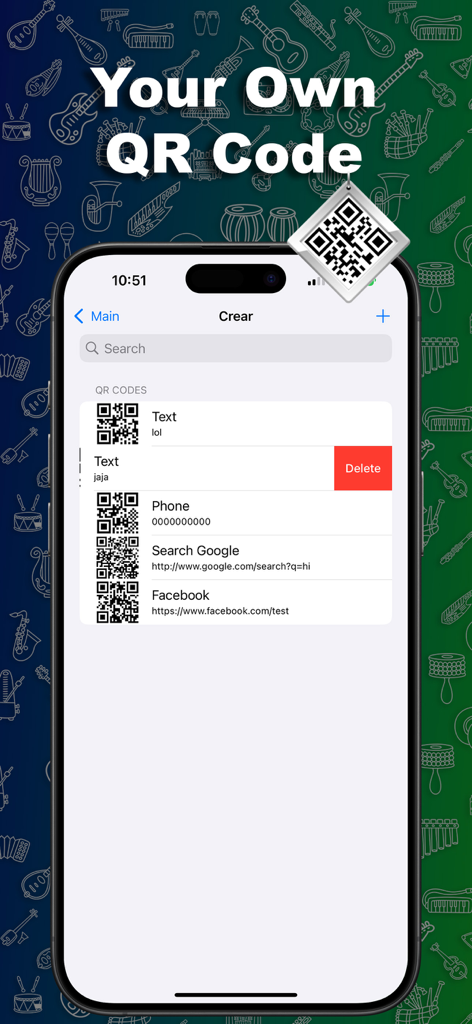
텍스트, 전화번호 및 웹 링크에 대한 사용자 지정 QR 코드 목록을 표시하는 모바일 앱 인터페이스
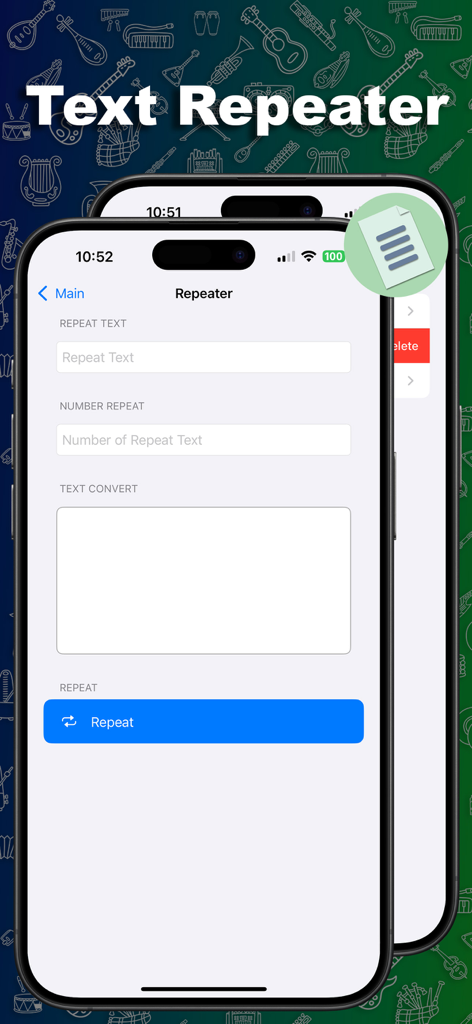
텍스트 및 반복 횟수 입력 필드가 있는 텍스트 반복기 도구를 보여주는 모바일 앱 인터페이스
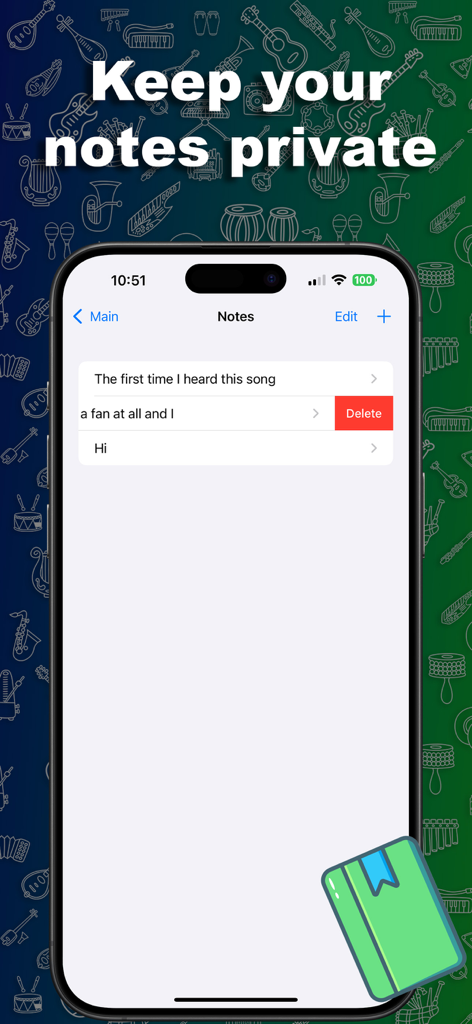
Duo Messenger 앱 내의 비공개 메모 기능을 보여주는 스마트폰 화면
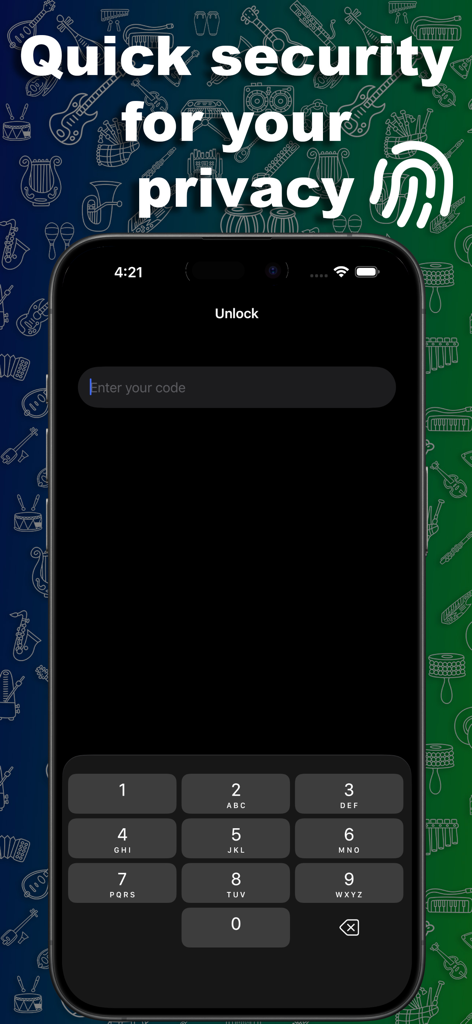
암호 입력 및 개인 정보 보호 텍스트가 포함된 Duo Messenger 보안 잠금 화면
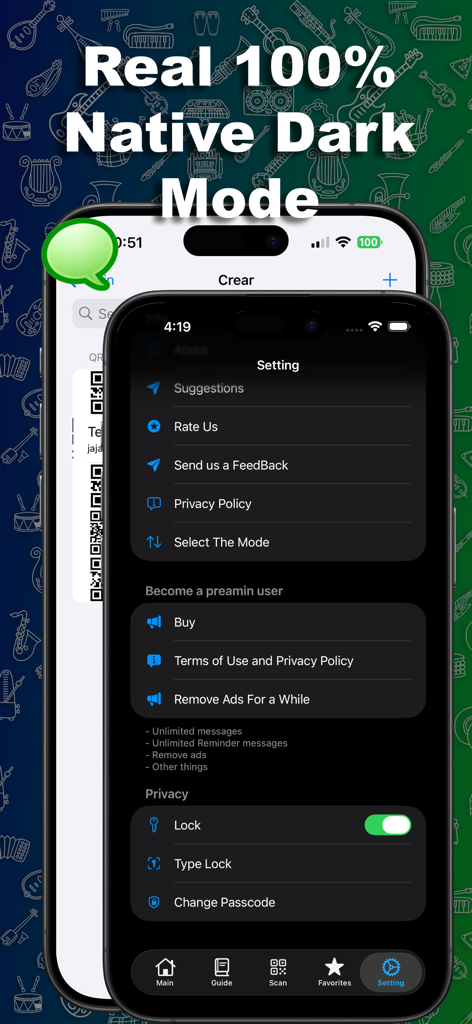
기본 다크 모드 및 프라이버시 보안 잠금 옵션을 갖춘 Duo Messenger 앱 설정 인터페이스
설명
Download
비슷한 앱
유사한 기능과 사용자 경험을 가진 앱

WAAI: Web Messenger, Dual Chat
SEAMOBI TECH PTE LTD

WA Web - Dual Chat App
Guangdong Wuji Network Technology Co., Ltd.

Web scan 2024
Kanubhai Ukani

Whats Web - Dual App Messenger
Pravin Gondaliya

Status Saver WT - StoryBox
Pravin Gondaliya

WAMR - Undelete messages
Dweej Zalavadiya
WT Scan for Web 2026
Gaurang Radadiya

GB Version 2025
Javar Singh

Web Scan - Dual Chat
Ankur Kalkani
이 페이지는 앱이나 개발자의 공식 페이지가 아니며, 정보 제공 및 논평을 목적으로 작성된 독립 편집 간행물입니다. 명시적으로 달리 언급되지 않는 한, 해당 앱이나 개발자는 MWM, Apple, Google Play, 앱 퍼블리셔 또는 앱 개발자와 제휴, 보증, 후원, 승인 또는 공식적으로 연결되어 있지 않으며, 이 페이지의 어떤 내용도 해당 앱이 MWM의 서비스를 사용하여 개발되었음을 의미하지 않습니다. 모든 상표, 로고, 스크린샷 및 기타 콘텐츠는 해당 소유자의 자산입니다.