DWARFLAB
DWARFLAB
다운로드: App Store

이 페이지는 앱이나 개발자의 공식 페이지가 아니며, 정보 제공 및 논평을 목적으로 작성된 독립 편집 간행물입니다. 명시적으로 달리 언급되지 않는 한, 해당 앱이나 개발자는 MWM, Apple, Google Play, 앱 퍼블리셔 또는 앱 개발자와 제휴, 보증, 후원, 승인 또는 공식적으로 연결되어 있지 않으며, 이 페이지의 어떤 내용도 해당 앱이 MWM의 서비스를 사용하여 개발되었음을 의미하지 않습니다. 모든 상표, 로고, 스크린샷 및 기타 콘텐츠는 해당 소유자의 자산입니다.


로고: DWARFLAB
다운로드: App Store

DWARFLAB

현대 탐험가를 위한 궁극의 스마트 망원경 동반자. 복잡한 학습 곡선 없이 모바일 장치에서 자동 별 추적, 지능형 모션 캡처 및 전문가 수준의 후처리 경험.

주요 수치

다운로드

4K+

사용자 평점

3.7/5

총 평가 수

200

개발사

Tinyphoton (Wuhan) Technology. Co., Ltd.

카테고리

Photo & Video

지원 언어

10

최신 버전

3.3.5

크기

163.6 MB

출시일

2023년 3월 1일
기능

강력한 발견, 단순화됨

AI 기반 자동화로 우주와 자연을 마스터하세요. 경험은 필요 없습니다. 호기심과 단 한 번의 탭이면 충분합니다.

원탭 천체 사진 촬영

복잡한 설정은 건너뛰세요. 내장된 별 지도가 자동으로 이미지를 추적하고 스태킹하여 놀라운 4K 심우주 이미지를 만듭니다.

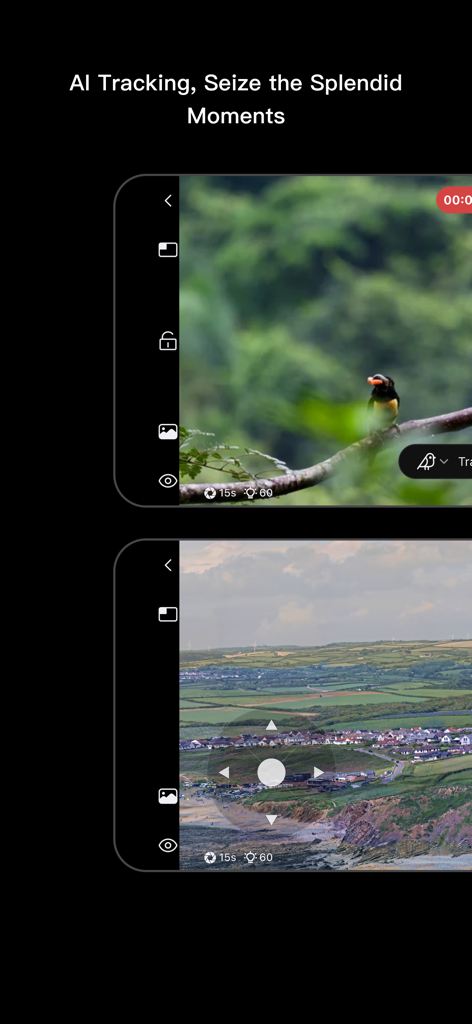
지능형 모션 추적

순간을 놓치지 마세요. 빠른 움직임의 피사체(예: 날아가는 새 또는 스포츠 경기)를 자동으로 식별하고 정밀하게 추적합니다.

다음 스크린샷과 설명은 앱의 공식 스토어 목록에서 직접 가져온 것이며 앱 개발자의 자산입니다.

앱 스토어

스크린샷
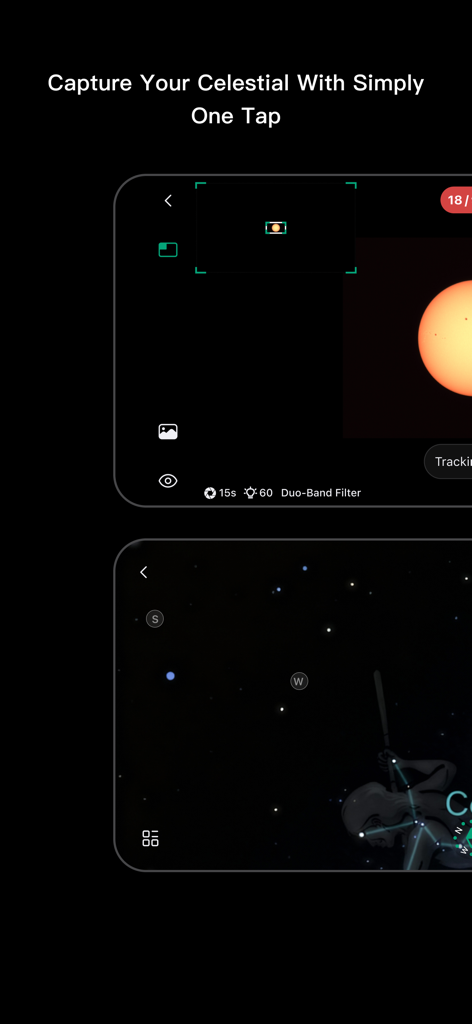
DWARFLAB - DWARFLAB 앱의 스크린샷으로, 천체를 추적하기 위한 통합 별 지도와 천체 사진 촬영 화면을 보여줍니다.
DWARFLAB 앱의 스크린샷으로, 천체를 추적하기 위한 통합 별 지도와 천체 사진 촬영 화면을 보여줍니다.

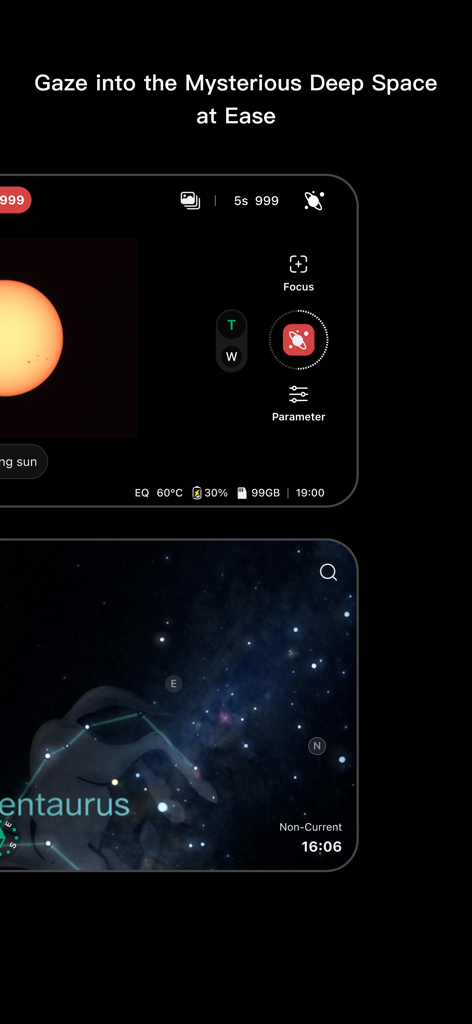
DWARFLAB - DWARFLAB 앱 인터페이스는 센타우루스 별자리의 태양 관측 제어 기능과 디지털 별 지도를 보여줍니다.
DWARFLAB 앱 인터페이스는 센타우루스 별자리의 태양 관측 제어 기능과 디지털 별 지도를 보여줍니다.

DWARFLAB - DWARFLAB 앱 인터페이스는 야생동물 및 풍경 사진을 위한 AI 추적 기능을 보여줍니다.
DWARFLAB 앱 인터페이스는 야생동물 및 풍경 사진을 위한 AI 추적 기능을 보여줍니다.

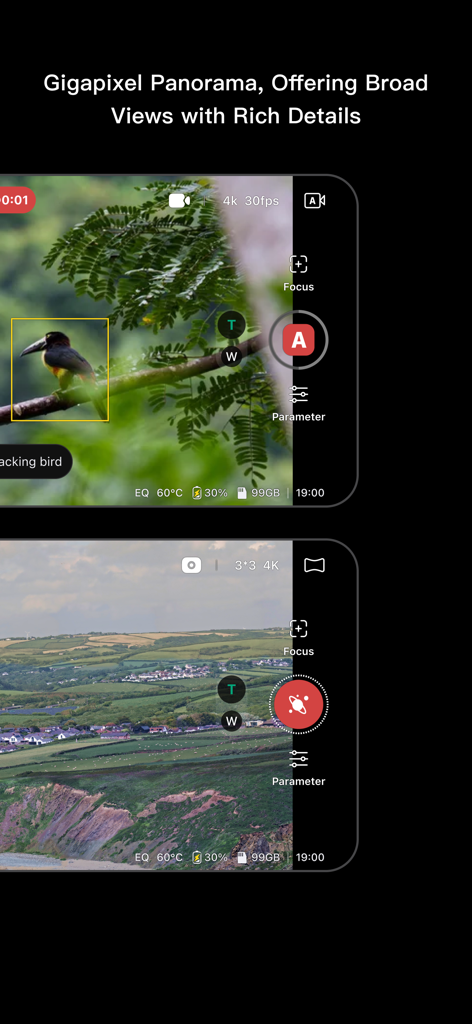
DWARFLAB - DWARFLAB 앱 인터페이스는 야생동물 모션 추적 및 넓은 기가픽셀 파노라마 뷰를 표시합니다.
DWARFLAB 앱 인터페이스는 야생동물 모션 추적 및 넓은 기가픽셀 파노라마 뷰를 표시합니다.

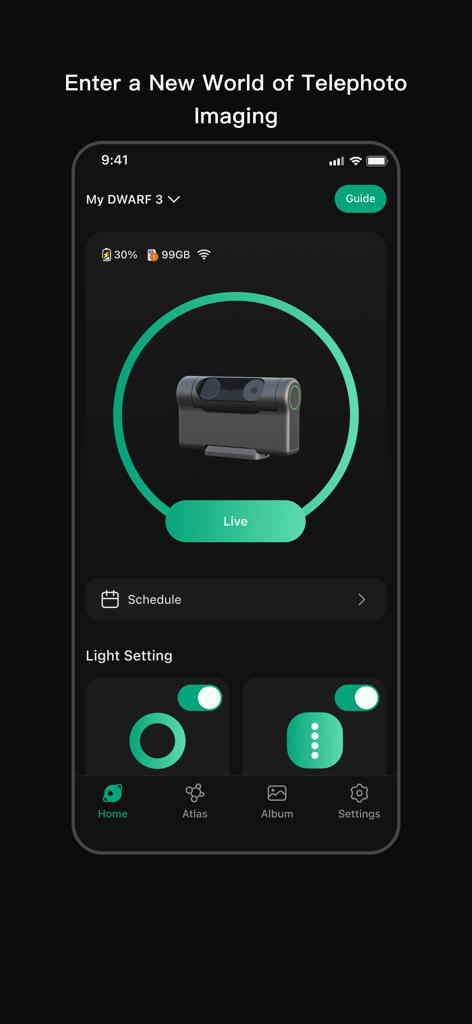
DWARFLAB - 스마트 망원경 상태 및 제어를 위한 DWARFLAB 모바일 앱 홈 인터페이스.
스마트 망원경 상태 및 제어를 위한 DWARFLAB 모바일 앱 홈 인터페이스.

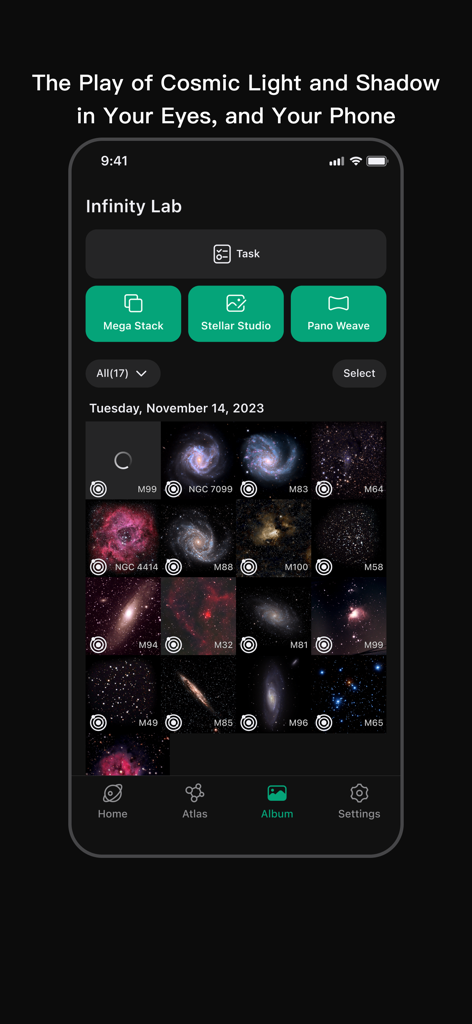
DWARFLAB - DWARFLAB 앱 인피니티 랩 인터페이스는 이미지 스태킹 도구와 함께 캡처된 은하 및 성운 갤러리를 표시합니다.

DWARFLAB 앱 인피니티 랩 인터페이스는 이미지 스태킹 도구와 함께 캡처된 은하 및 성운 갤러리를 표시합니다.

설명

DWARFLAB smart telescope, empowered by advanced technology, opens up a world of diverse perspectives for users, capturing the wonders of life. No guidance or experience needed, it's ready to use out of the box. Wireless Connection Use the App to connect wirelessly with DWARFLAB smart telescope, enabling not only precise control but also making the shooting process more flexible and efficient. Astrophotography The App features an in-built star atlas, allowing you to simply tap on the celestial you desire to proceed with automatic star tracking and enjoy real-time image stacking. You can also adjust the astro curves and personalize the color grading to create your own 4K astronomical images. In-App Post Processing Capture, select, stack, and enhance — all in one seamless workflow for astrophotography. Supports both onboard stacking and cloud-based processing, with multi-format export options to make every astro image crisp and brilliant. Motion Tracking You can freely select the target to track on the shooting interface, enjoying the flexibility of manual selection; or you can use the telescope's automatic recognition function, which intelligently identifies tracks, and starts recordings, easily capturing dynamic scenes such as bird predation, flights, and sports close-ups. Gigapixel Panorama Simply set the shooting range and tap to start — with one-click stitching, you can create extremely detailed and vast panoramic images, supporting deep zoom and experiencing an unprecedented level of detail richness. Time-Lapse Photography Capture the flow and changes of time, recording the hustle and bustle of traffic, the blooming and wilting of flowers. Combined with astronomical tracking functions, it can also record the trajectory of the sun, solar/lunar eclipses, and the star trails.

Download

다운로드: App Store

이 페이지는 앱이나 개발자의 공식 페이지가 아니며, 정보 제공 및 논평을 목적으로 작성된 독립 편집 간행물입니다. 명시적으로 달리 언급되지 않는 한, 해당 앱이나 개발자는 MWM, Apple, Google Play, 앱 퍼블리셔 또는 앱 개발자와 제휴, 보증, 후원, 승인 또는 공식적으로 연결되어 있지 않으며, 이 페이지의 어떤 내용도 해당 앱이 MWM의 서비스를 사용하여 개발되었음을 의미하지 않습니다. 모든 상표, 로고, 스크린샷 및 기타 콘텐츠는 해당 소유자의 자산입니다.








