e-Conte Board
e-Conte Board
다운로드: App Store

이 페이지는 앱이나 개발자의 공식 페이지가 아니며, 정보 제공 및 논평을 목적으로 작성된 독립 편집 간행물입니다. 명시적으로 달리 언급되지 않는 한, 해당 앱이나 개발자는 MWM, Apple, Google Play, 앱 퍼블리셔 또는 앱 개발자와 제휴, 보증, 후원, 승인 또는 공식적으로 연결되어 있지 않으며, 이 페이지의 어떤 내용도 해당 앱이 MWM의 서비스를 사용하여 개발되었음을 의미하지 않습니다. 모든 상표, 로고, 스크린샷 및 기타 콘텐츠는 해당 소유자의 자산입니다.

로고: e-Conte Board
다운로드: App Store

e-Conte Board

자동 타이밍, 전문 카메라 도구, 차세대 영화 제작자를 위한 고정밀 레이아웃으로 애니메이션 워크플로우를 간소화하세요.

주요 수치

다운로드

28K+

사용자 평점

3.2/5

총 평가 수

0

개발사

SGA Works LLC

카테고리

Graphics & Design

지원 언어

1

최신 버전

1.5.3

크기

3.0 MB

출시일

2020년 2월 9일
기능

스토리텔링 워크플로우 향상

전문 스토리보드 아티스트를 위한 최고의 디지털 캔버스. 전통적인 일본 '콘테'의 정밀성과 강력한 iPad 자동화를 결합했습니다.

정통 'E-Conte' 정밀도

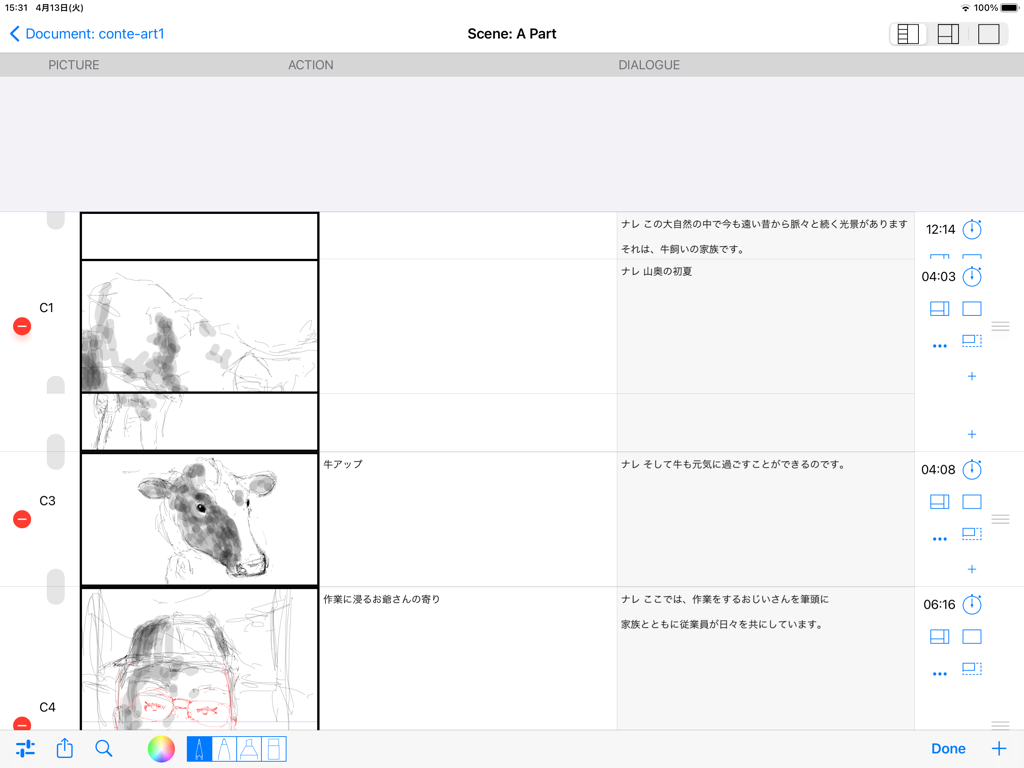
대화, 액션, 타이밍을 위한 전용 열을 갖춘 전문 일본식 스토리보드를 제작하세요. 현대 감독에게 맞춰져 있습니다.

자동 타이밍 및 계산

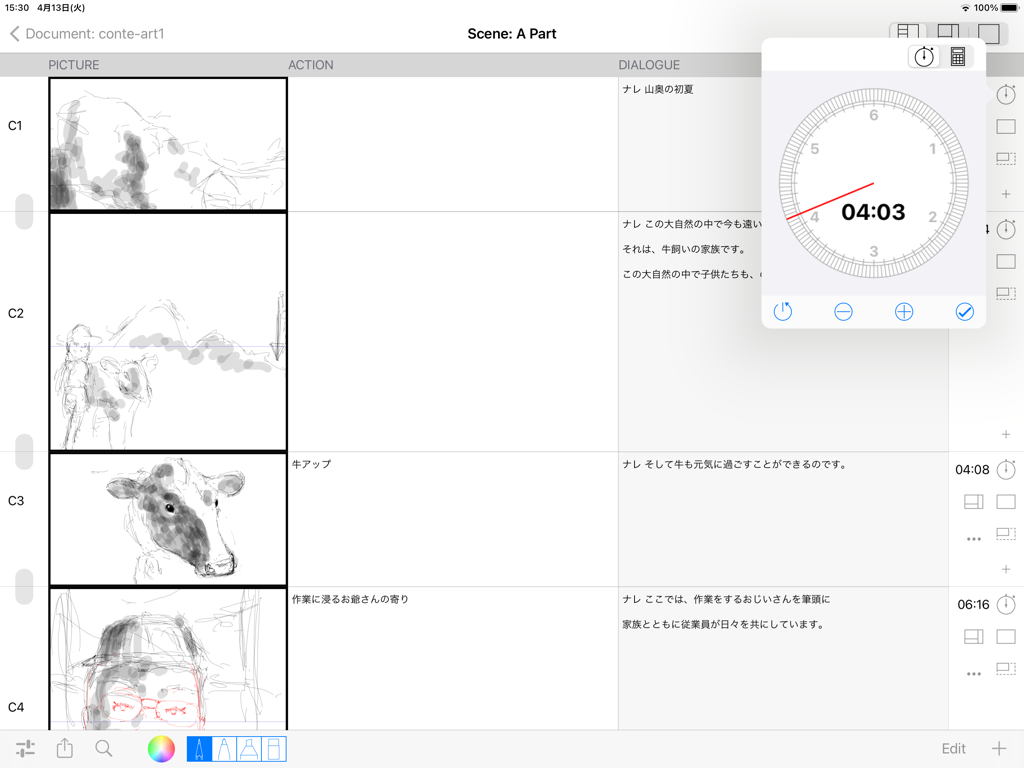
수동 계산은 이제 그만. 내장 스톱워치와 자동 지속 시간 추적 기능이 PDF 및 MP4 내보내기 중에 총 재생 시간을 처리합니다.

다음 스크린샷과 설명은 앱의 공식 스토어 목록에서 직접 가져온 것이며 앱 개발자의 자산입니다.

앱 스토어

스크린샷
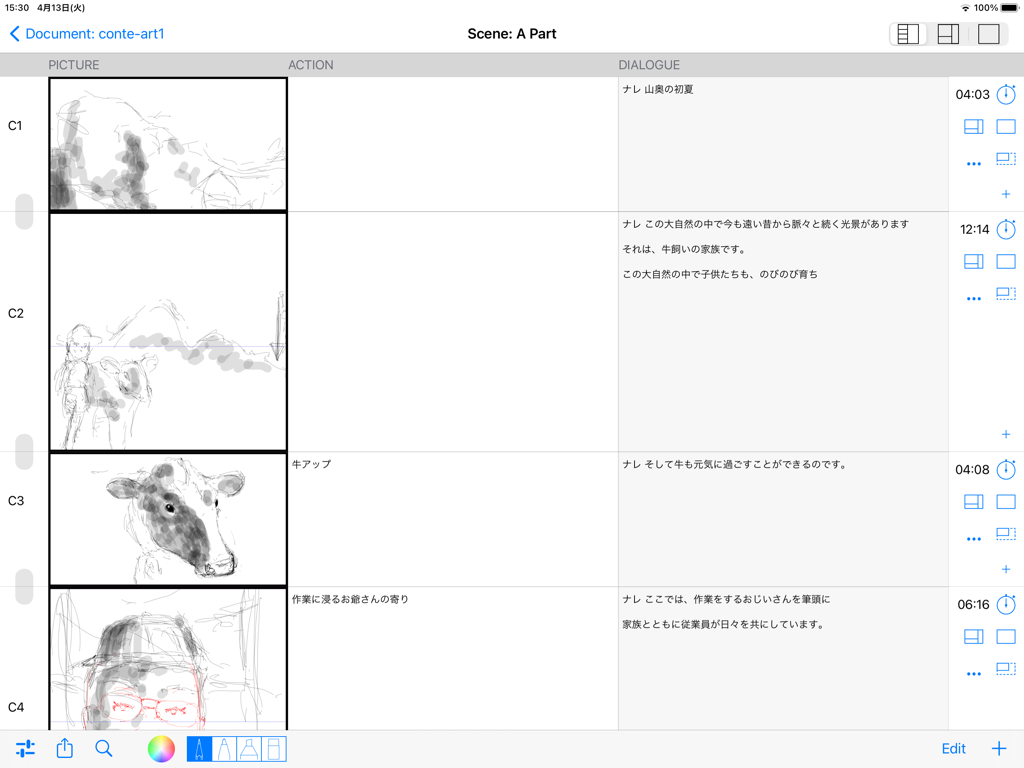
e-Conte Board - 그림, 액션, 대화 열이 일본식으로 표시된 디지털 스토리보드 인터페이스
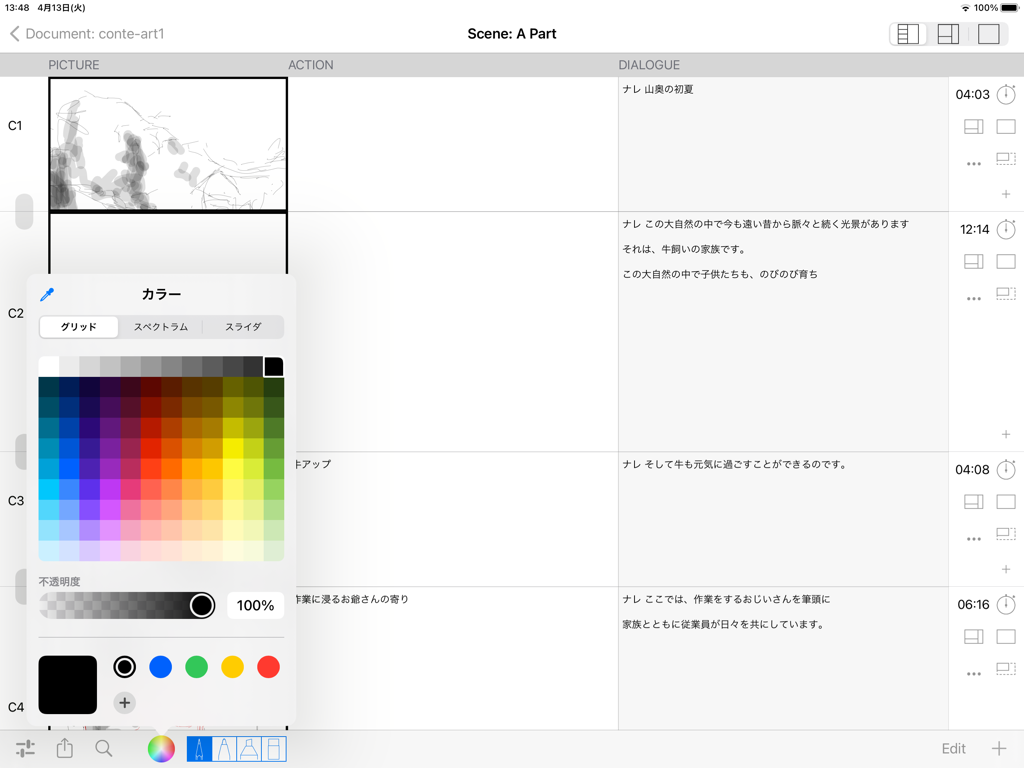
그림, 액션, 대화 열이 일본식으로 표시된 디지털 스토리보드 인터페이스

e-Conte Board - 일본식 스토리보드 레이아웃과 색상 선택기 메뉴가 표시되는 e-Conte Board 앱의 iPad 인터페이스.
일본식 스토리보드 레이아웃과 색상 선택기 메뉴가 표시되는 e-Conte Board 앱의 iPad 인터페이스.

e-Conte Board - 스케치와 플로팅 타이밍 도구가 있는 일본식 스토리보드를 보여주는 e-Conte Board의 인터페이스
스케치와 플로팅 타이밍 도구가 있는 일본식 스토리보드를 보여주는 e-Conte Board의 인터페이스

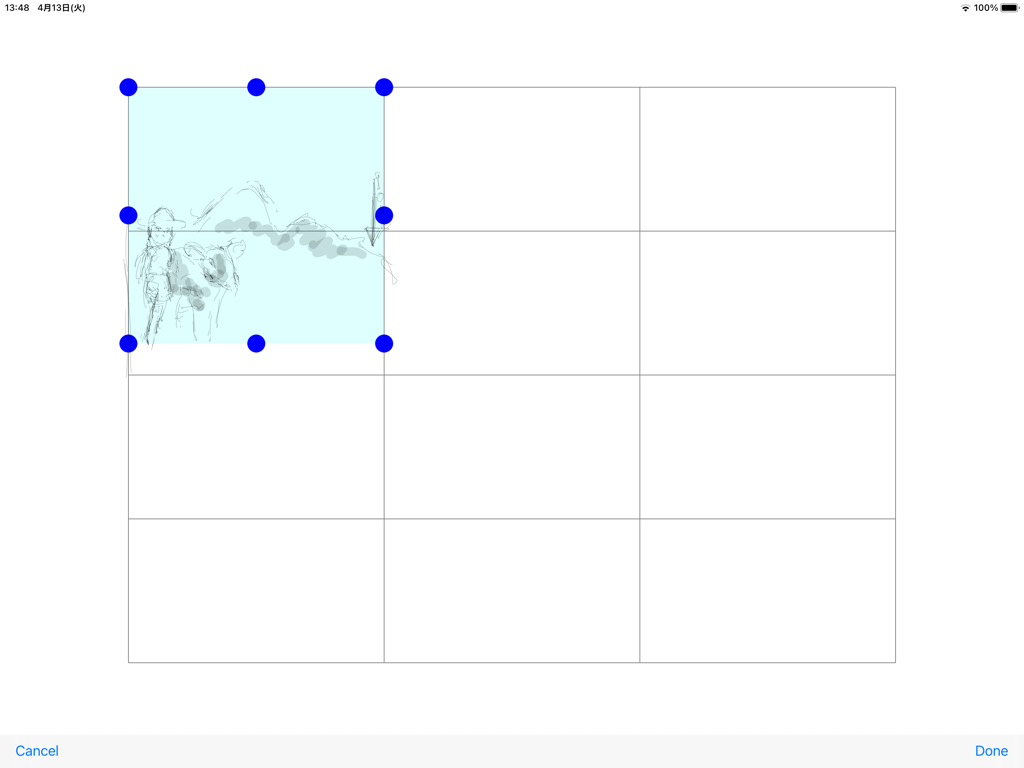
e-Conte Board - 선택된 스케치가 있는 스토리보드 패널 그리드를 표시하는 e-Conte Board 앱의 인터페이스.
선택된 스케치가 있는 스토리보드 패널 그리드를 표시하는 e-Conte Board 앱의 인터페이스.

e-Conte Board - 그림, 액션, 대화 열이 있는 일본식 스토리보드를 보여주는 e-Conte Board 앱의 인터페이스
그림, 액션, 대화 열이 있는 일본식 스토리보드를 보여주는 e-Conte Board 앱의 인터페이스

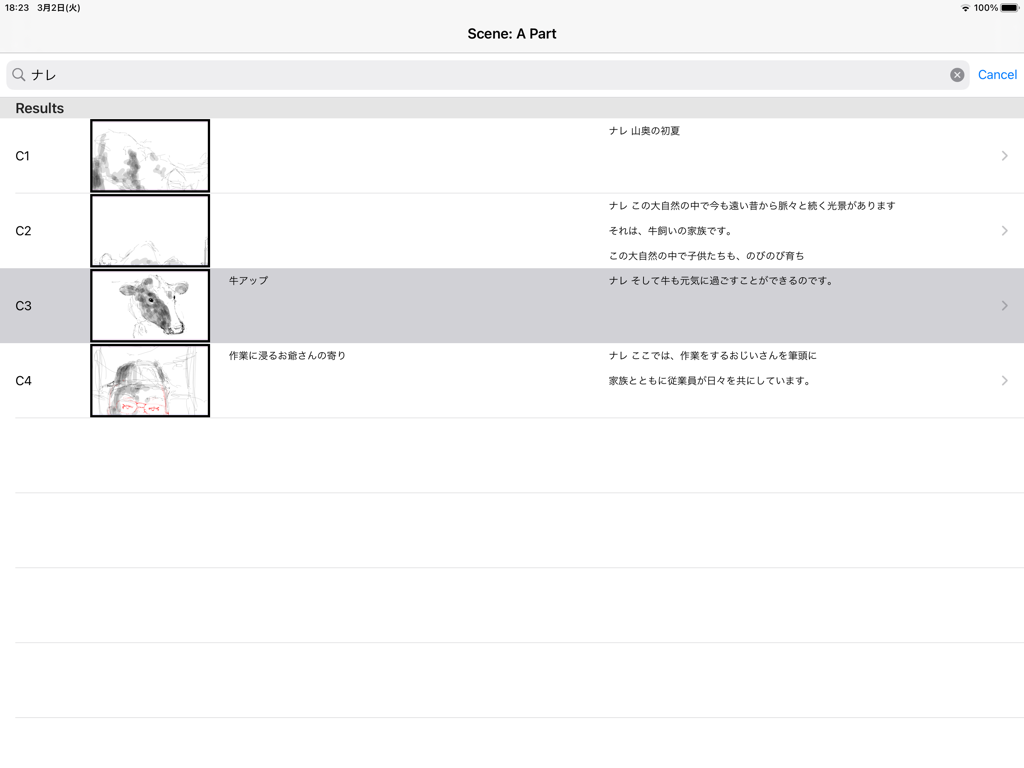
e-Conte Board - 축소 스케치와 일본어 텍스트가 있는 스토리보드 컷의 수직 목록을 보여주는 e-Conte Board 앱의 인터페이스
축소 스케치와 일본어 텍스트가 있는 스토리보드 컷의 수직 목록을 보여주는 e-Conte Board 앱의 인터페이스

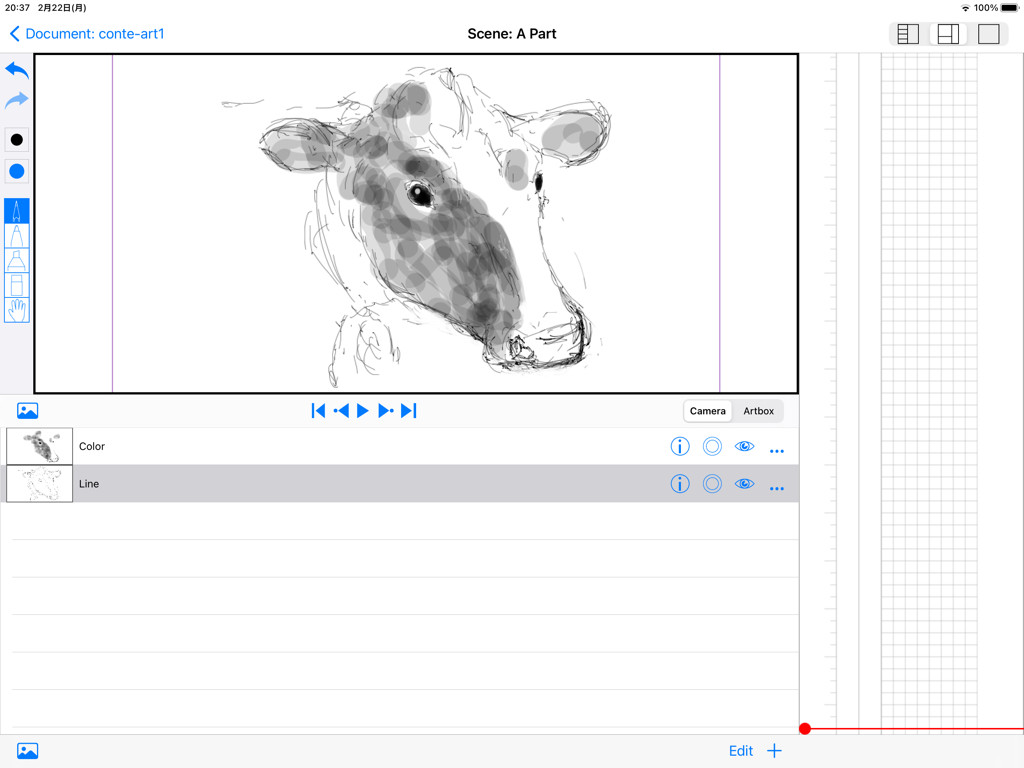
e-Conte Board - 그림 도구와 세로 일본식 스토리보드 그리드가 있는 소 스케치가 있는 iPad의 e-Conte Board 앱 인터페이스
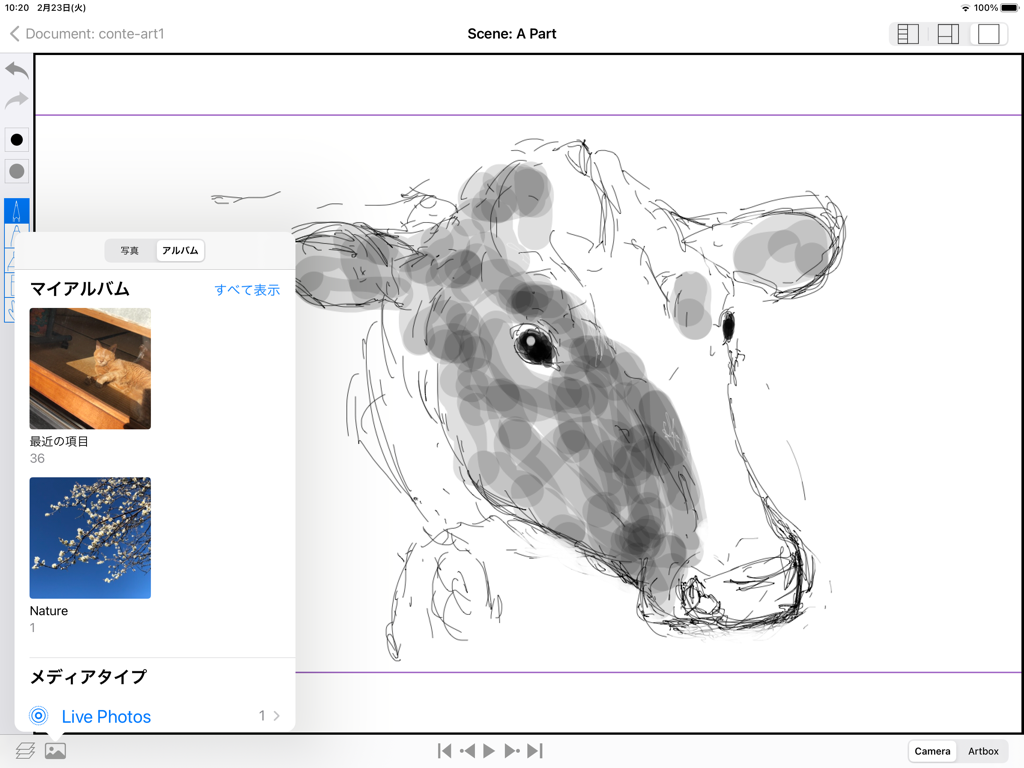
그림 도구와 세로 일본식 스토리보드 그리드가 있는 소 스케치가 있는 iPad의 e-Conte Board 앱 인터페이스

e-Conte Board - 열린 사진 선택 메뉴가 있는 iPad용 e-Conte Board 스토리보드 앱의 소 스케치
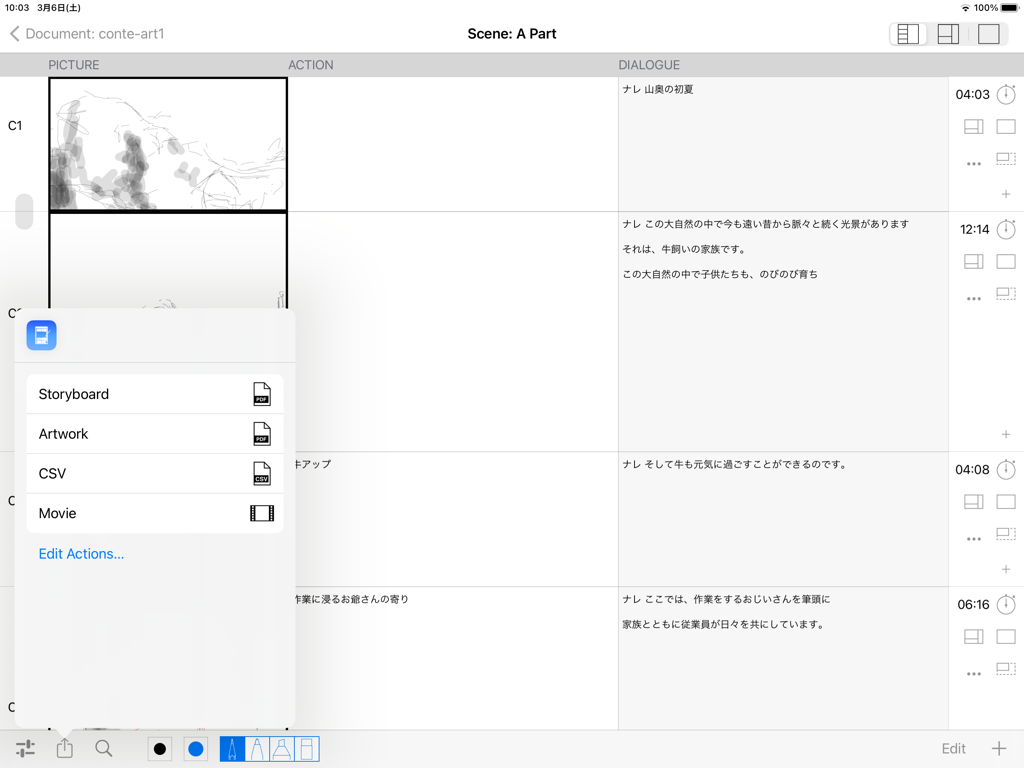
열린 사진 선택 메뉴가 있는 iPad용 e-Conte Board 스토리보드 앱의 소 스케치

e-Conte Board - 스케치가 있는 스토리보드 레이아웃과 PDF, CSV 또는 동영상 파일로 내보내기 위한 팝업 메뉴를 보여주는 e-Conte Board 앱의 인터페이스
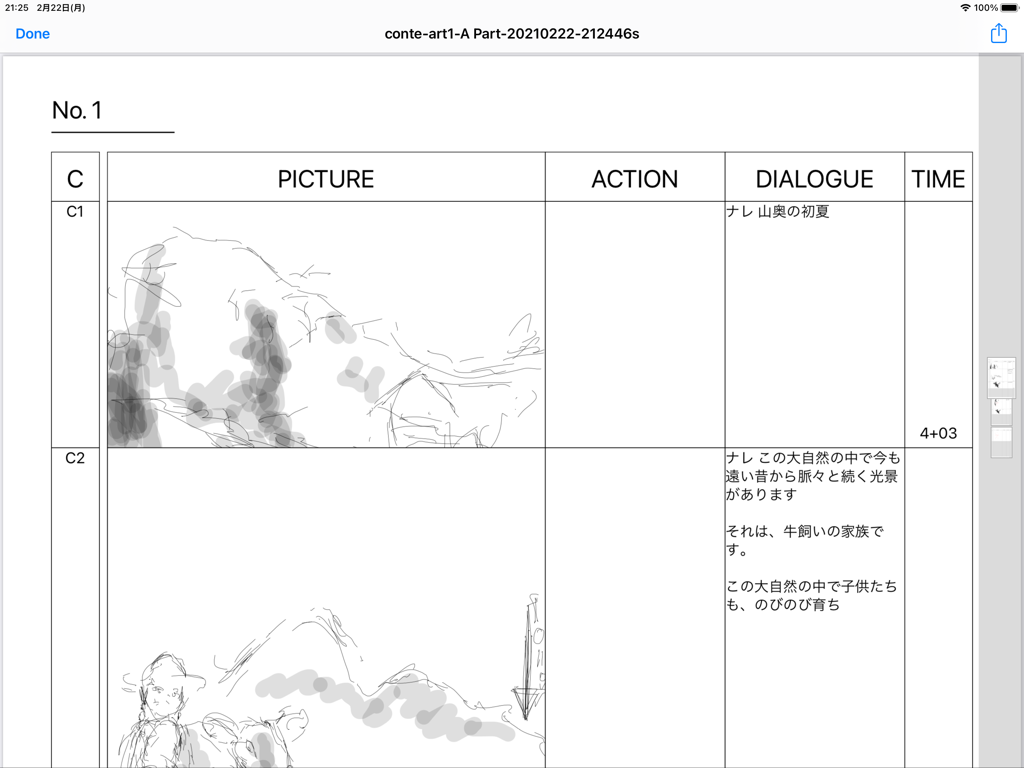
스케치가 있는 스토리보드 레이아웃과 PDF, CSV 또는 동영상 파일로 내보내기 위한 팝업 메뉴를 보여주는 e-Conte Board 앱의 인터페이스

e-Conte Board - 스케치 패널과 대화 및 타이밍 열이 있는 일본식 스토리보드를 보여주는 e-Conte Board 앱의 인터페이스

스케치 패널과 대화 및 타이밍 열이 있는 일본식 스토리보드를 보여주는 e-Conte Board 앱의 인터페이스

설명

Main features of this storyboard app -You can use various functions by switching between 3 modes. 1st View • A function similar to the storyboard style, inputting characters such as writing, and inputting the number of seconds -You can draw from the moment you make a cut on the screen with the drawing function similar to Japanese storyboard style. -You can use the keyboard and copy and paste to enter text and text. -You can enter or directly specify the number of seconds with the stopwatch function. -You can freely specify the drawing size when using PAN, TB, large format, etc., and the size of the drawing area will increase according to that specification. The size is maintained even when outputting to PDF. -You can edit each cut, such as changing the order of cuts, deleting, new insertion, and copy & paste, just like using a smartphone. -If it is the same cut, you can handle it as the same cut without pressing the next cut by pressing the cut concatenation button. 2nd View • Toolbar function -Several pen styles, pen colors, pen opacity and eraser features. -Hand tools can be moved (tap & move) and scaled (pinch in & pinch out). • Layer function -Equipped with standard layer functions such as hiding layers, changing order, and deleting. -You can select the layer to use the move and scale functions in conjunction with the hand tool on the toolbar. It is possible to select more than one at the same time. • Image import function -You can import images from within the Photos app. 3rd View • Full screen mode -Full-screen video check function -Equipped with a switching function between camera mode and full drawing mode, and layer function. -Pinch in and pinch out to enlarge or reduce the screen. • Output function -You can create a Japanese-style storyboard PDF, create a PDF for each cut, and output an mp4 format video. -The total number of seconds is automatically calculated and entered when the PDF is output. • Supports various screen aspect ratios and frame rates. -4:3, 16:9 and other aspect ratios such as 1.85:1 and 2.35:1 are supported. -The frame rate can be selected from 24 fps and 30 fps. -You can also select the switching of the position of dialogue and G, and the correspondence to the serial number of cuts for each part and scene. To use this application, a monthly or annual subscription must be purchased separately. ver 1.5 -Fixes have been made to lighten the operation. The opacity of brushes is switched between the previous 1.4 version and the current one from 1.5 after 65. The higher the opacity (closer to 0), the higher the load, causing delays and slowness with the pencil and brush tools. If you want to avoid delays and slowdowns with the pencil and brush tools, it is recommended to use opacity as close to 100 as possible. -The action of the Back button from the Edit screen has been changed to wait until saving is complete. Therefore, the Back button cannot be operated until saving is completed. Please note that this is not a malfunction. -The behavior of the screen transition to the edit screen has been modified to be more stable. -When Duplicating a video, there was a case that the video would not be saved and would be blank, but this has been corrected. -Fixed some minor issues, such as canceling during video export. -Safety has been improved. How-to videos:https: //www.youtube.com/watch?feature=youtu.be&v=oKvQqb3aAZI&fbclid=IwAR0PlHlhl8ZzGiCjXBONcWaXvvV8RVsP1I-tL1LdJTBEOdk9HpE4HzeuqDM&app=desktop End Use Lisence Agreement : https://www.apple.com/legal/internet-services/itunes/dev/stdeula/

Download

다운로드: App Store

이 페이지는 앱이나 개발자의 공식 페이지가 아니며, 정보 제공 및 논평을 목적으로 작성된 독립 편집 간행물입니다. 명시적으로 달리 언급되지 않는 한, 해당 앱이나 개발자는 MWM, Apple, Google Play, 앱 퍼블리셔 또는 앱 개발자와 제휴, 보증, 후원, 승인 또는 공식적으로 연결되어 있지 않으며, 이 페이지의 어떤 내용도 해당 앱이 MWM의 서비스를 사용하여 개발되었음을 의미하지 않습니다. 모든 상표, 로고, 스크린샷 및 기타 콘텐츠는 해당 소유자의 자산입니다.







