Easy PDF: AI Tools, Sign, Edit
다운로드: App Store

이 페이지는 앱이나 개발자의 공식 페이지가 아니며, 정보 제공 및 논평을 목적으로 작성된 독립 편집 간행물입니다. 명시적으로 달리 언급되지 않는 한, 해당 앱이나 개발자는 MWM, Apple, Google Play, 앱 퍼블리셔 또는 앱 개발자와 제휴, 보증, 후원, 승인 또는 공식적으로 연결되어 있지 않으며, 이 페이지의 어떤 내용도 해당 앱이 MWM의 서비스를 사용하여 개발되었음을 의미하지 않습니다. 모든 상표, 로고, 스크린샷 및 기타 콘텐츠는 해당 소유자의 자산입니다.

로고: Easy PDF: AI Tools, Sign, Edit
다운로드: App Store

Easy PDF: AI Tools, Sign, Edit

iPhone을 모바일 오피스로 바꿔보세요. AI로 긴 문서를 요약하고, 몇 초 만에 계약서에 서명하고, 최고의 올인원 PDF 도구 모음으로 서류 작업을 마스터하세요.

주요 수치

다운로드

100

사용자 평점

1.0/5

총 평가 수

0

개발사

Shakir Ullah

카테고리

Education

지원 언어

1

최신 버전

1.2

크기

52.6 MB

출시일

2025년 7월 15일
기능

AI 기반 모바일 오피스

문서로 씨름하지 마세요. Easy PDF는 iPhone에 직접 전문가급 도구와 AI 인사이트를 제공하므로 더 열심히 일하는 대신 더 똑똑하게 일할 수 있습니다.

AI 어시스턴트로 무엇이든 물어보세요

몇 시간 동안 읽는 데 시간을 낭비하지 마세요. 고급 AI를 사용하여 모든 PDF 문서에서 즉각적인 요약, 주요 인사이트 및 답변을 얻으세요.

몇 초 만에 서명 및 전송

프리랜서 및 원격 근무자에게 적합합니다. 인쇄기 없이 계약서에 전자 서명하고, 양식을 작성하고, 문서를 반환하세요.

다음 스크린샷과 설명은 앱의 공식 스토어 목록에서 직접 가져온 것이며 앱 개발자의 자산입니다.

앱 스토어

스크린샷
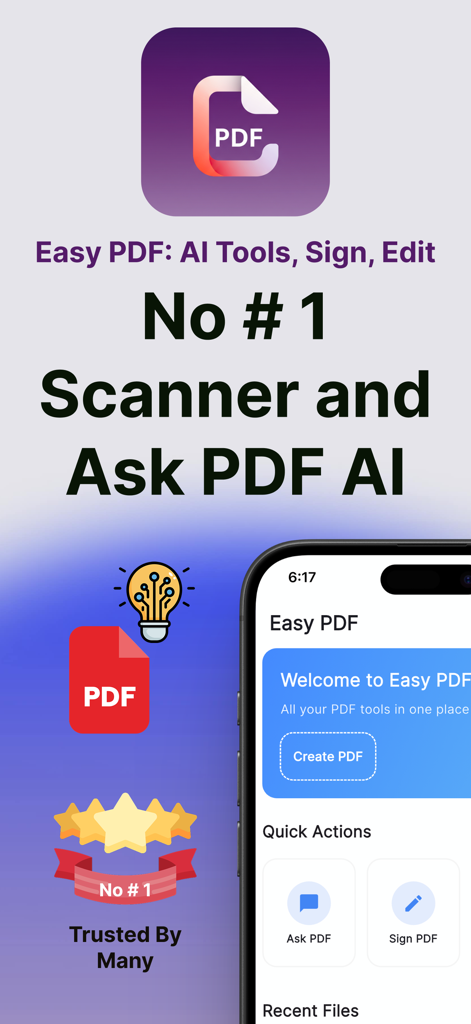
Easy PDF: AI Tools, Sign, Edit - AI 문서 어시스턴트 및 전자 서명 도구가 있는 Easy PDF 모바일 앱 홈 화면
AI 문서 어시스턴트 및 전자 서명 도구가 있는 Easy PDF 모바일 앱 홈 화면

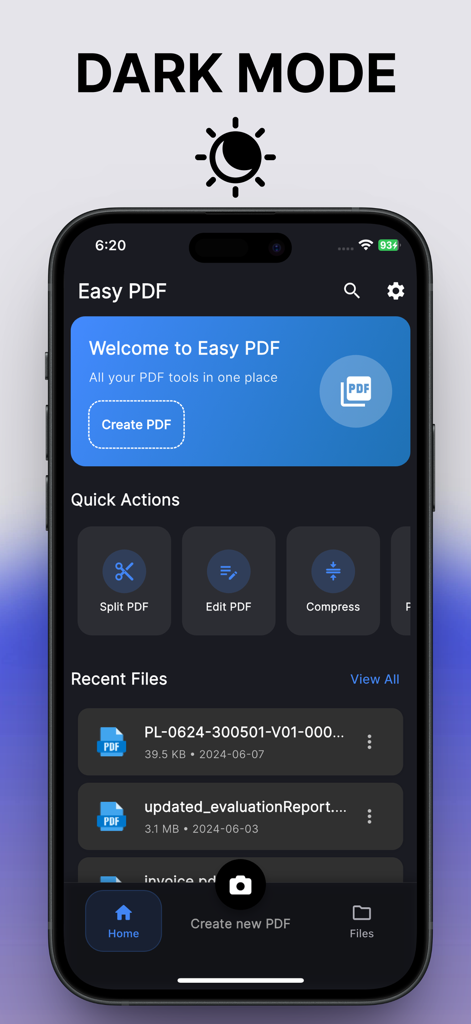
Easy PDF: AI Tools, Sign, Edit - 빠른 실행 도구 및 최근 파일 목록을 보여주는 어두운 모드의 Easy PDF 앱 홈 화면
빠른 실행 도구 및 최근 파일 목록을 보여주는 어두운 모드의 Easy PDF 앱 홈 화면

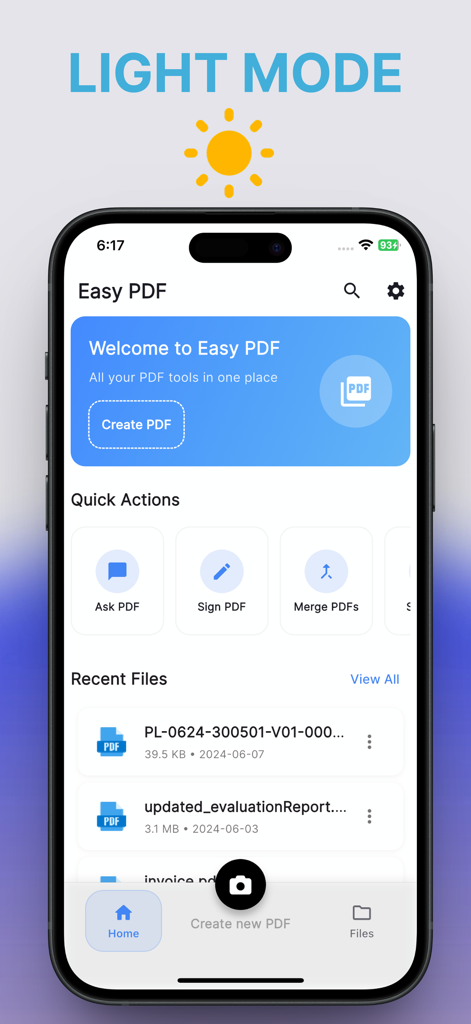
Easy PDF: AI Tools, Sign, Edit - AI 채팅, 서명 및 문서 병합을 위한 빠른 실행 도구를 보여주는 밝은 모드의 Easy PDF 앱 홈 화면
AI 채팅, 서명 및 문서 병합을 위한 빠른 실행 도구를 보여주는 밝은 모드의 Easy PDF 앱 홈 화면

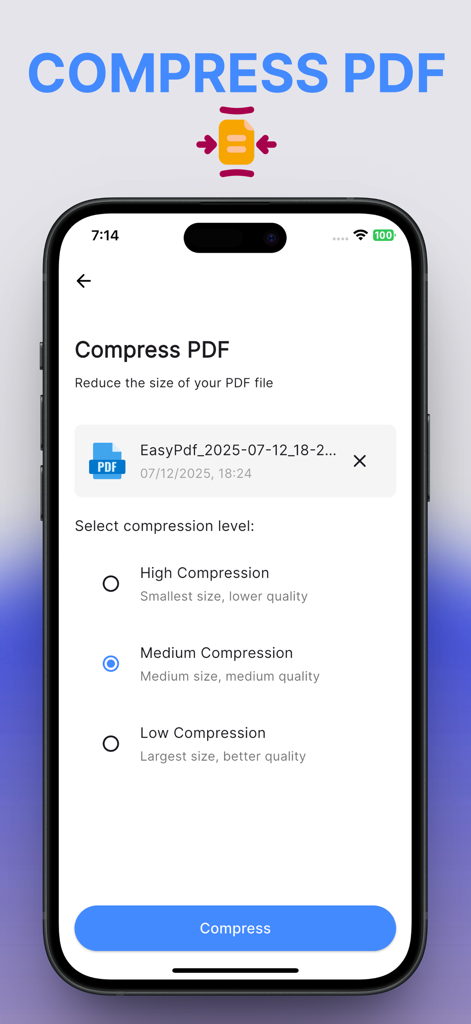
Easy PDF: AI Tools, Sign, Edit - Easy PDF 앱에서 PDF 압축 옵션을 보여주는 iPhone 화면
Easy PDF 앱에서 PDF 압축 옵션을 보여주는 iPhone 화면

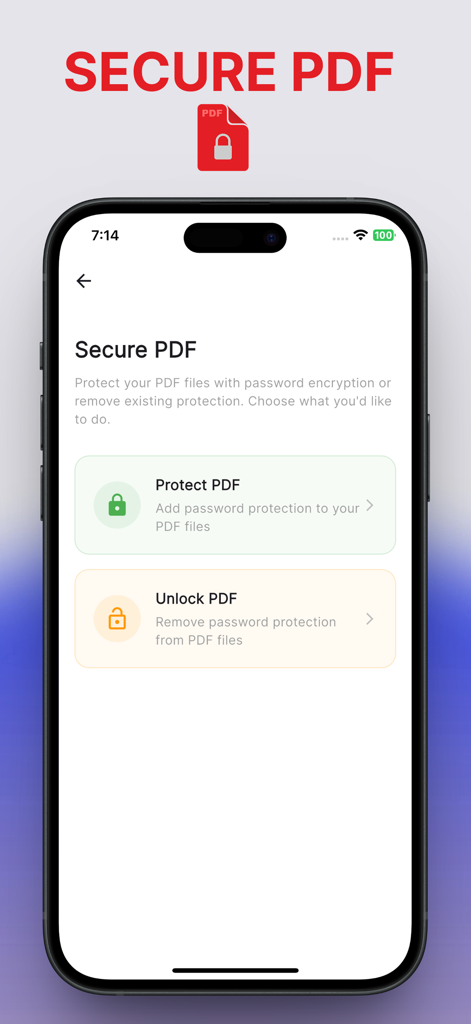
Easy PDF: AI Tools, Sign, Edit - 비밀번호 암호화를 사용하여 문서를 보호하거나 잠금 해제하는 옵션을 제공하는 Easy PDF 앱의 보안 PDF 화면
비밀번호 암호화를 사용하여 문서를 보호하거나 잠금 해제하는 옵션을 제공하는 Easy PDF 앱의 보안 PDF 화면

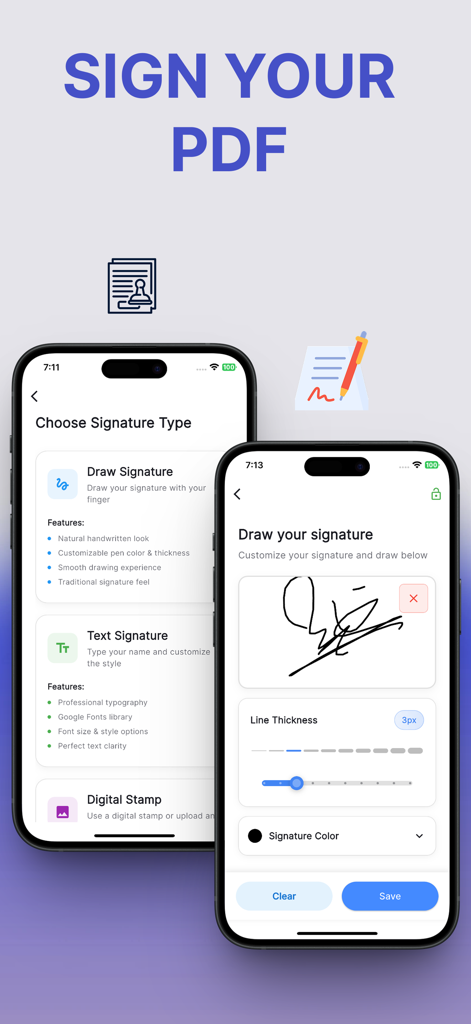
Easy PDF: AI Tools, Sign, Edit - 모바일 장치에서 문서에 서명하는 다양한 방법을 보여주는 Easy PDF 앱의 인터페이스
모바일 장치에서 문서에 서명하는 다양한 방법을 보여주는 Easy PDF 앱의 인터페이스

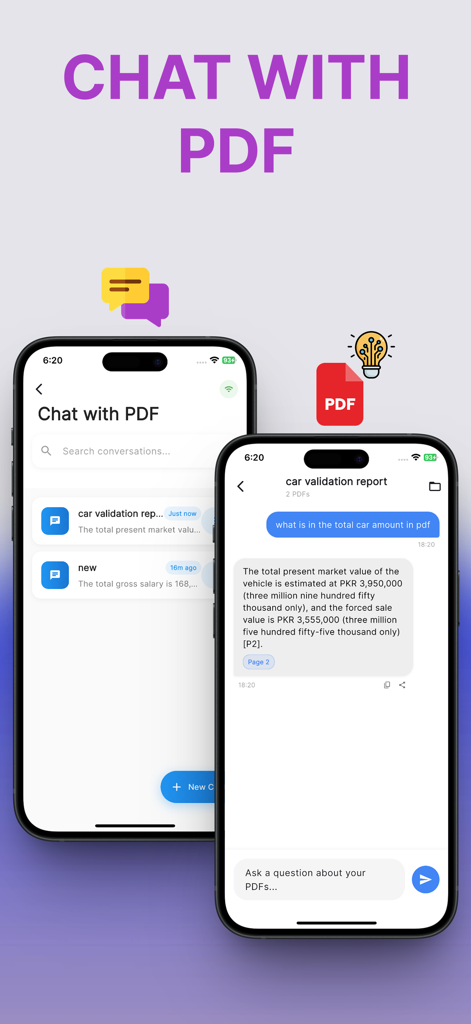
Easy PDF: AI Tools, Sign, Edit - PDF 문서를 요약하기 위한 AI 채팅 인터페이스를 표시하는 스마트폰 화면
PDF 문서를 요약하기 위한 AI 채팅 인터페이스를 표시하는 스마트폰 화면

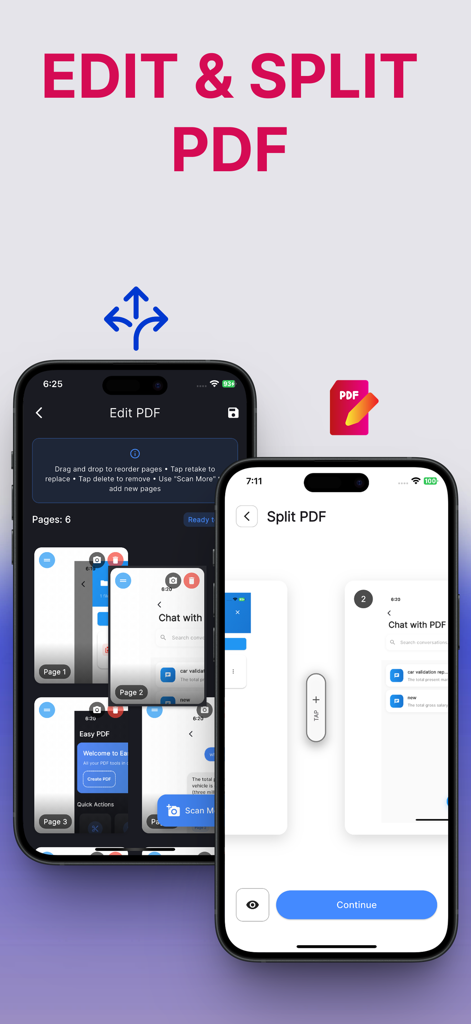
Easy PDF: AI Tools, Sign, Edit - Easy PDF 앱의 편집 및 분할 PDF 기능을 표시하는 두 개의 iPhone 화면

Easy PDF 앱의 편집 및 분할 PDF 기능을 표시하는 두 개의 iPhone 화면

설명

Easy PDF: The Ultimate PDF Toolkit Edit, sign, merge, split, compress, protect, and even chat with your PDFs using powerful AI. Easy PDF makes working with PDF documents simple and fast, whether you are a student, professional, or anyone who needs reliable PDF tools on the go. Key Features Ask PDF AI: Upload any PDF and instantly get answers, summaries, or explanations. Save time reading long documents. Sign PDFs: Electronically sign documents, fill out forms, and add your signature in just seconds. Merge and Split PDFs: Combine multiple PDFs into a single file or split large documents into smaller parts for easier sharing. Edit PDFs: Add text, highlight, annotate, or make quick changes directly to your PDF files. Compress PDFs: Reduce file sizes without losing quality, perfect for sending by email or uploading online. Protect PDFs: Set a password to secure your sensitive documents and keep your data private. Create and Import PDFs: Turn images or other documents into PDFs. Import existing files from Files, iCloud Drive, Dropbox, and more. Why Choose Easy PDF? AI-powered PDF assistant helps you get insights quickly. Boost your productivity by managing contracts, reports, assignments, and invoices all in one place. Works on iPhone and iPad, online or offline, with no complicated setup. Keeps your files private and secure on your device. Whether you need to sign an agreement, compress a report, split an ebook, or simply make quick edits, Easy PDF is your all-in-one solution. Disclaimer Note: Easy PDF Contains auto-renewable subscriptions like weekly plan, monthly plan, yearly plan for unlocking all features unlimited.Where as you can cancel your subscription at any time via your iTunes account settings.Your subscription will automatically renew unless canceled at least 24 hours before the end of current period. Terms of Use: https://easypdfapp.netlify.app/#term-of-condition Privacy Policy: https://easypdfapp.netlify.app/#privacy-policy

Download

다운로드: App Store

이 페이지는 앱이나 개발자의 공식 페이지가 아니며, 정보 제공 및 논평을 목적으로 작성된 독립 편집 간행물입니다. 명시적으로 달리 언급되지 않는 한, 해당 앱이나 개발자는 MWM, Apple, Google Play, 앱 퍼블리셔 또는 앱 개발자와 제휴, 보증, 후원, 승인 또는 공식적으로 연결되어 있지 않으며, 이 페이지의 어떤 내용도 해당 앱이 MWM의 서비스를 사용하여 개발되었음을 의미하지 않습니다. 모든 상표, 로고, 스크린샷 및 기타 콘텐츠는 해당 소유자의 자산입니다.








