
이 페이지는 앱이나 개발자의 공식 페이지가 아니며, 정보 제공 및 논평을 목적으로 작성된 독립 편집 간행물입니다. 명시적으로 달리 언급되지 않는 한, 해당 앱이나 개발자는 MWM, Apple, Google Play, 앱 퍼블리셔 또는 앱 개발자와 제휴, 보증, 후원, 승인 또는 공식적으로 연결되어 있지 않으며, 이 페이지의 어떤 내용도 해당 앱이 MWM의 서비스를 사용하여 개발되었음을 의미하지 않습니다. 모든 상표, 로고, 스크린샷 및 기타 콘텐츠는 해당 소유자의 자산입니다.


Easy Pomodoro - Pomodoro Timer
깊이 있는 작업을 위해 설계된 방해 없는 타이머로 생산성을 높이세요. 광고, 가입, 방해 요소 없이 학생과 전문가를 위한 순수한 집중력만 제공합니다.
다운로드
800사용자 평점
총 평가 수
0개발사
카테고리
Lifestyle지원 언어
1최신 버전
1.4크기
5.1 MB출시일
2018년 10월 23일높은 성과를 위한 깊은 집중
시간 관리에 대한 깔끔하고 과학적으로 입증된 접근 방식으로 주의력을 되찾고 미루는 습관을 극복하세요.
마찰 없는 시작
가입이나 광고가 없습니다. 방해 요소를 최소화하고 흐름을 극대화하도록 설계된 미니멀리스트 인터페이스로 바로 깊이 있는 작업에 몰입하세요.
데이터 기반 진행 상황
일일 통계 및 주간 차트로 집중 시간 기록을 시각화하여 개인 생산성 성장을 추적하는 데 이상적입니다.
자주 묻는 질문
에 대해 알아야 할 모든 것 Easy Pomodoro - Pomodoro Timer
Easy Pomodoro - Pomodoro Timer 앱은 어떻게 작동하나요?
Easy Pomodoro - Pomodoro Timer 앱은 25분 작업 시간과 5분 휴식 시간을 번갈아 가며 작업 시간을 구조화하는 방식으로 작동합니다. 사용자는 이 시간을 사용자 지정할 수 있습니다. 앱은 집중력을 유지하기 위해 타이머 간에 오디오 경고를 제공합니다.
Easy Pomodoro - Pomodoro Timer에서 작업 및 휴식 시간을 사용자 지정할 수 있나요?
네, Easy Pomodoro - Pomodoro Timer는 사용자가 작업 및 휴식 시간을 완전히 사용자 지정할 수 있도록 허용합니다. 이 설정은 개별 작업 흐름 선호도에 맞게 앱 인터페이스를 통해 언제든지 조정할 수 있습니다.
Easy Pomodoro - Pomodoro Timer는 생산성 추적 기능을 제공하나요?
네, Easy Pomodoro - Pomodoro Timer는 생산성 추적 기능을 제공합니다. 작업 시간, 휴식 횟수, 완료된 뽀모도로 세션과 같은 일일 통계를 기록합니다. 주간 차트는 사용자 동기 부여를 위해 성과를 시각화합니다.
Easy Pomodoro - Pomodoro Timer 앱은 오프라인으로 사용할 수 있나요?
네, Easy Pomodoro - Pomodoro Timer 앱은 오프라인에서 완벽하게 작동합니다. 인터넷 연결, 사용자 가입이 필요 없으며 광고가 전혀 표시되지 않는 경량 애플리케이션입니다.
Easy Pomodoro - Pomodoro Timer는 집중력과 생산성을 향상시키는 데 어떻게 도움이 되나요?
Easy Pomodoro - Pomodoro Timer는 작업을 시간 간격으로 구조화하여 집중력을 향상시키고 규칙적인 휴식으로 번아웃을 줄입니다. 시간 사용에 대한 인식을 높이고 꾸준한 작업에 적합한 미루는 습관을 극복하는 데 도움이 됩니다.
Easy Pomodoro - Pomodoro Timer의 시각적 모양을 개인화할 수 있나요?
네, Easy Pomodoro - Pomodoro Timer는 사용자가 시각적 모양을 개인화할 수 있도록 허용합니다. 사용자는 앱의 고급 설정 내에서 직접 작업 및 휴식 시간 동안 타이머 색상을 사용자 지정할 수 있습니다.
다음 스크린샷과 설명은 앱의 공식 스토어 목록에서 직접 가져온 것이며 앱 개발자의 자산입니다.
앱 스토어
스크린샷
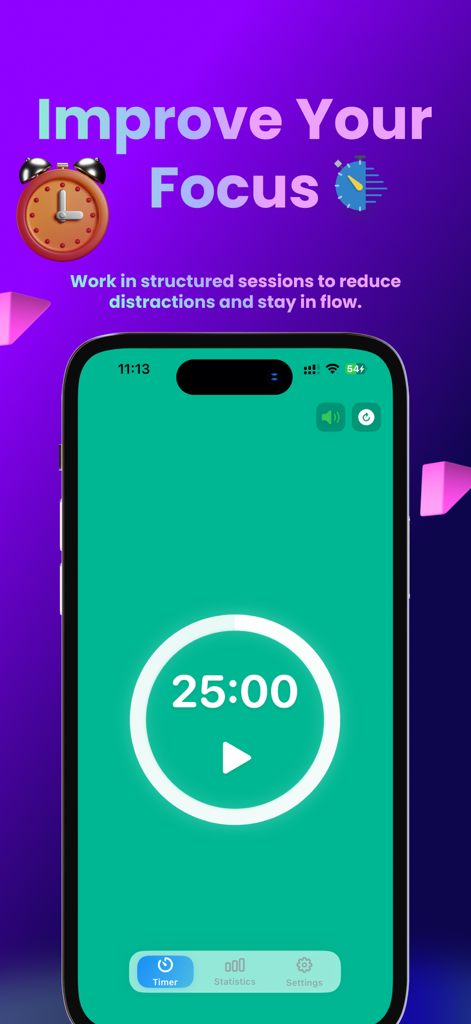
Easy Pomodoro 앱 인터페이스에 미니멀한 25분 집중 타이머 화면이 표시된 iPhone
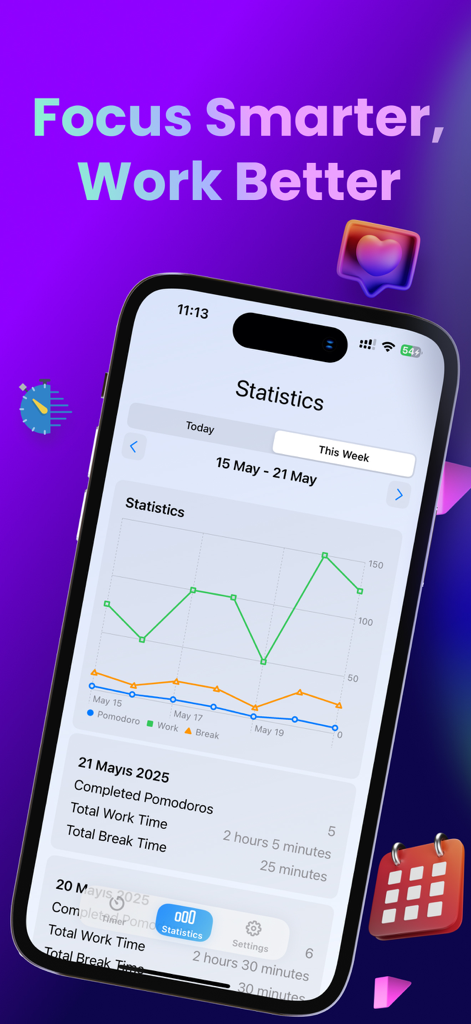
Easy Pomodoro 앱의 주간 생산성 차트에는 iPhone에서 작업 및 휴식 시간 통계가 표시됩니다.
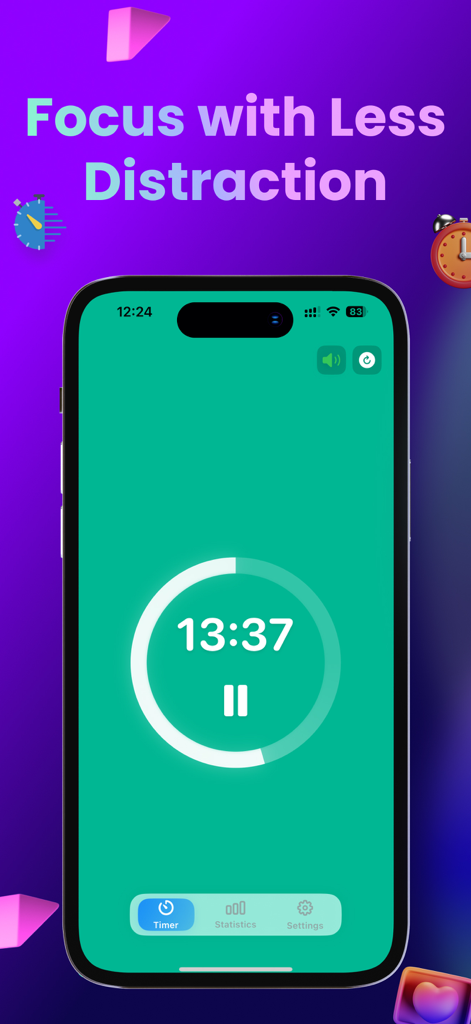
Easy Pomodoro 앱 인터페이스에 녹색 화면에서 작업 타이머 카운트다운이 표시됩니다.
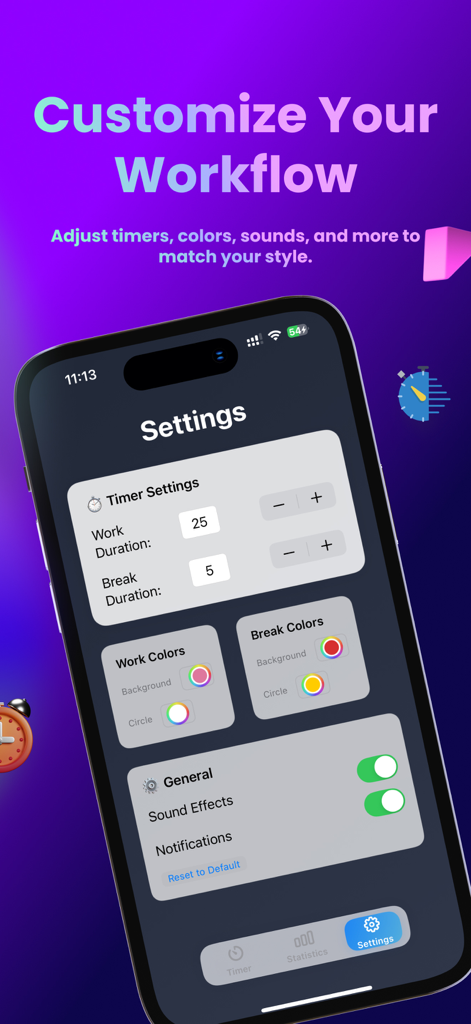
Easy Pomodoro 앱 설정 화면에는 타이머 시간, 색상 및 소리 알림을 사용자 지정하는 옵션이 표시됩니다.
설명
Download
비슷한 앱
같은 카테고리의 상위 앱

Pinterest, Inc.

Alipay - Simplify Your Life
Alipay (Hangzhou) Technology Co., Ltd.

美团-美好生活小帮手
Sankuai Technology Co., Ltd.

Dianping: Discover Good Places
Hanhai Information Technology (Shanghai) Co.Ltd

Lemon8 - Lifestyle Community
TIKTOK PTE. LTD.

Xiaomi Home
Beijing Xiaomi Co., Ltd

Tinder Dating App: Date & Chat
Tinder LLC

VNeTraffic
GLOBAL TECHNOLOGY - TELECOMMUNICATIONS CORPORATION

SmartThings
Samsung Electronics Co., Ltd.
이 페이지는 앱이나 개발자의 공식 페이지가 아니며, 정보 제공 및 논평을 목적으로 작성된 독립 편집 간행물입니다. 명시적으로 달리 언급되지 않는 한, 해당 앱이나 개발자는 MWM, Apple, Google Play, 앱 퍼블리셔 또는 앱 개발자와 제휴, 보증, 후원, 승인 또는 공식적으로 연결되어 있지 않으며, 이 페이지의 어떤 내용도 해당 앱이 MWM의 서비스를 사용하여 개발되었음을 의미하지 않습니다. 모든 상표, 로고, 스크린샷 및 기타 콘텐츠는 해당 소유자의 자산입니다.