Ebook Converter
Ebook Converter
다운로드: App Store

이 페이지는 앱이나 개발자의 공식 페이지가 아니며, 정보 제공 및 논평을 목적으로 작성된 독립 편집 간행물입니다. 명시적으로 달리 언급되지 않는 한, 해당 앱이나 개발자는 MWM, Apple, Google Play, 앱 퍼블리셔 또는 앱 개발자와 제휴, 보증, 후원, 승인 또는 공식적으로 연결되어 있지 않으며, 이 페이지의 어떤 내용도 해당 앱이 MWM의 서비스를 사용하여 개발되었음을 의미하지 않습니다. 모든 상표, 로고, 스크린샷 및 기타 콘텐츠는 해당 소유자의 자산입니다.


로고: Ebook Converter
다운로드: App Store

Ebook Converter

PDF, Word 문서 및 웹 페이지를 Kindle, iPad 또는 Nook을 위한 고품질 전자책으로 원활하게 변환하세요. 2,000개 이상의 형식과 전문가 수준의 OCR을 지원하므로 좋아하는 콘텐츠를 전자책 리더에서 단 한 번의 탭으로 이용할 수 있습니다.

주요 수치

다운로드

13K+

사용자 평점

4.4/5

총 평가 수

600

개발사

Sander Staal

카테고리

Utilities

지원 언어

1

최신 버전

16.2.4

크기

81.0 MB

출시일

2012년 1월 11일
기능

디지털 라이브러리 잠금 해제

파일 제한에서 벗어나세요. 모든 문서를 좋아하는 전자책 리더에 맞춰 완벽하게 서식이 지정된 전자책으로 변환하세요.

범용 파일 변환

웹사이트 및 PDF를 포함한 2,000개 이상의 원본 형식을 몇 번의 탭만으로 ePub, MOBI 또는 AZW3로 변환하세요.

하드웨어 맞춤 설정

사전 설정에서 장치를 선택하세요 — Kindle, Kobo, iPad 등 — 완벽하게 조정되고 읽기 쉬운 레이아웃을 제공합니다.

다음 스크린샷과 설명은 앱의 공식 스토어 목록에서 직접 가져온 것이며 앱 개발자의 자산입니다.

앱 스토어

스크린샷
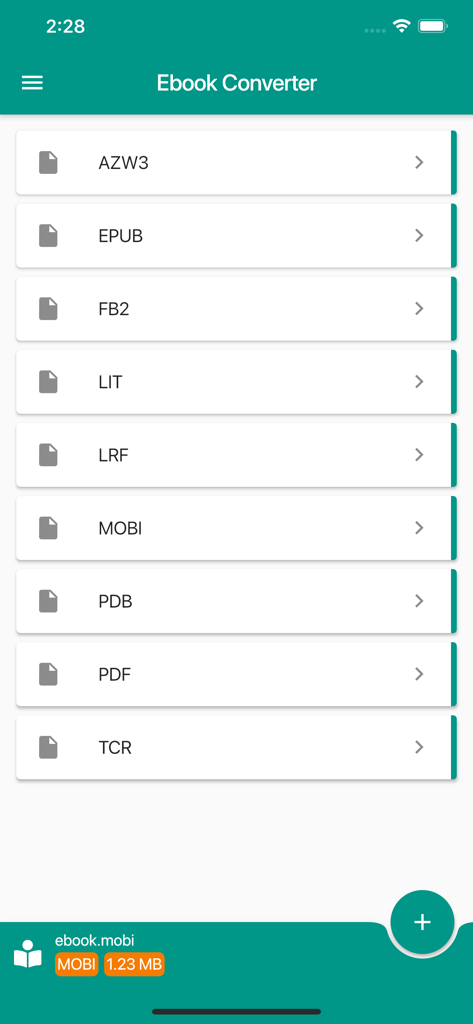
Ebook Converter - Ebook Converter 모바일 앱 인터페이스에 EPUB MOBI 및 PDF를 포함한 출력 형식 목록이 표시됩니다.
Ebook Converter 모바일 앱 인터페이스에 EPUB MOBI 및 PDF를 포함한 출력 형식 목록이 표시됩니다.

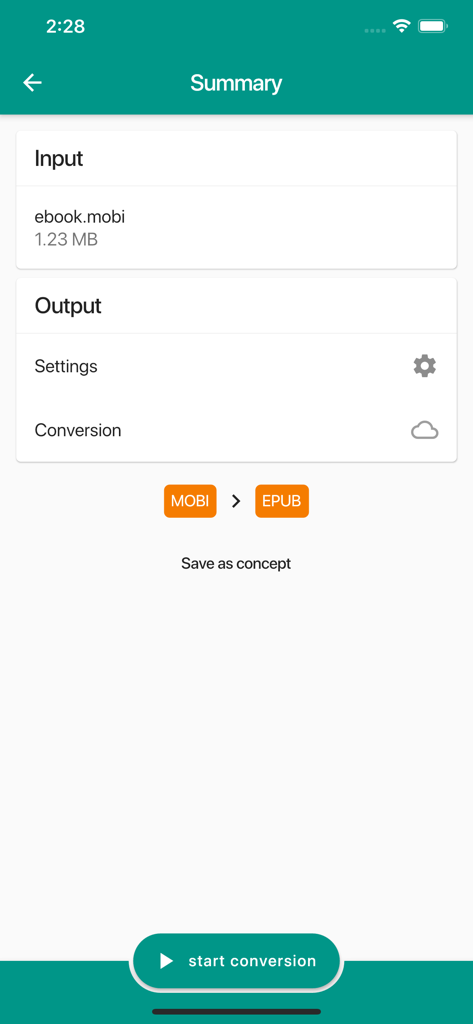
Ebook Converter - Ebook Converter 앱 요약 화면에 MOBI에서 EPUB로의 변환이 표시됩니다.
Ebook Converter 앱 요약 화면에 MOBI에서 EPUB로의 변환이 표시됩니다.

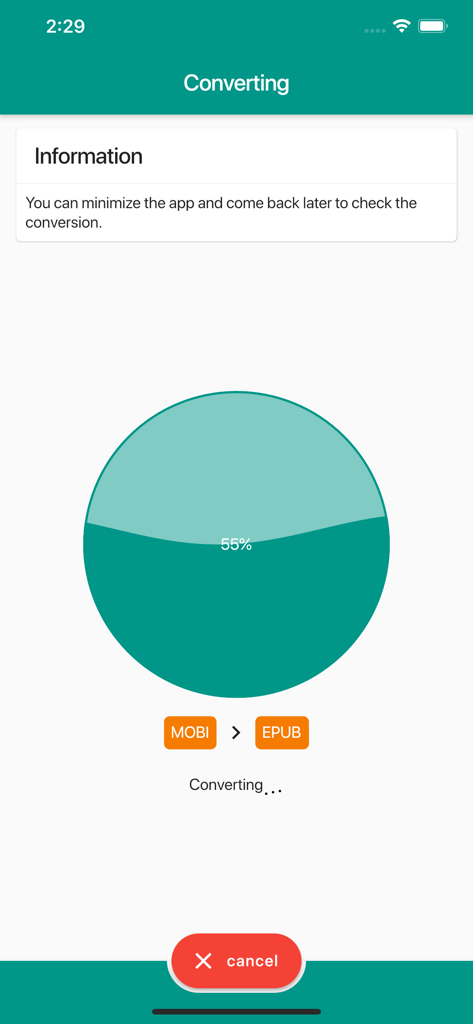
Ebook Converter - Ebook 변환 진행률 화면에 MOBI 파일이 55%로 EPUB 형식으로 변환되는 중입니다.
Ebook 변환 진행률 화면에 MOBI 파일이 55%로 EPUB 형식으로 변환되는 중입니다.

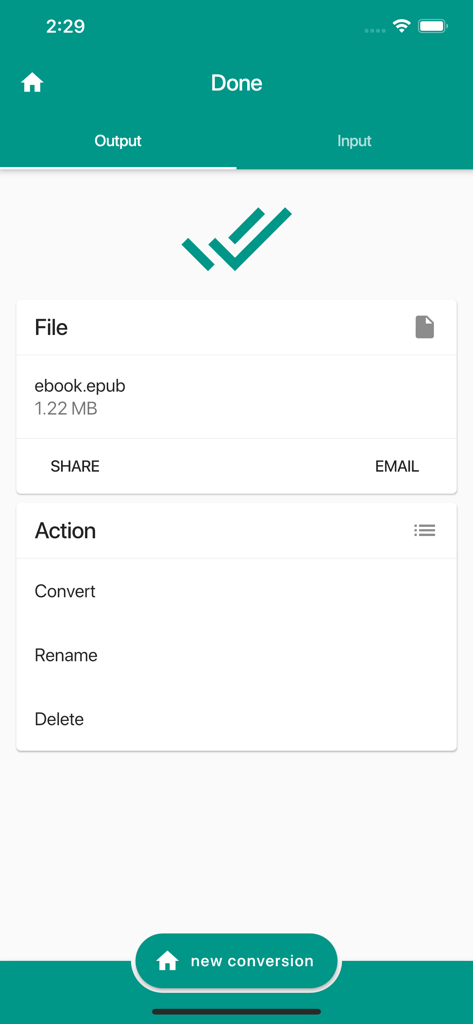
Ebook Converter - Ebook Converter 앱의 인터페이스에 공유 및 이메일 옵션과 함께 EPUB 형식으로의 성공적인 변환이 표시됩니다.
Ebook Converter 앱의 인터페이스에 공유 및 이메일 옵션과 함께 EPUB 형식으로의 성공적인 변환이 표시됩니다.

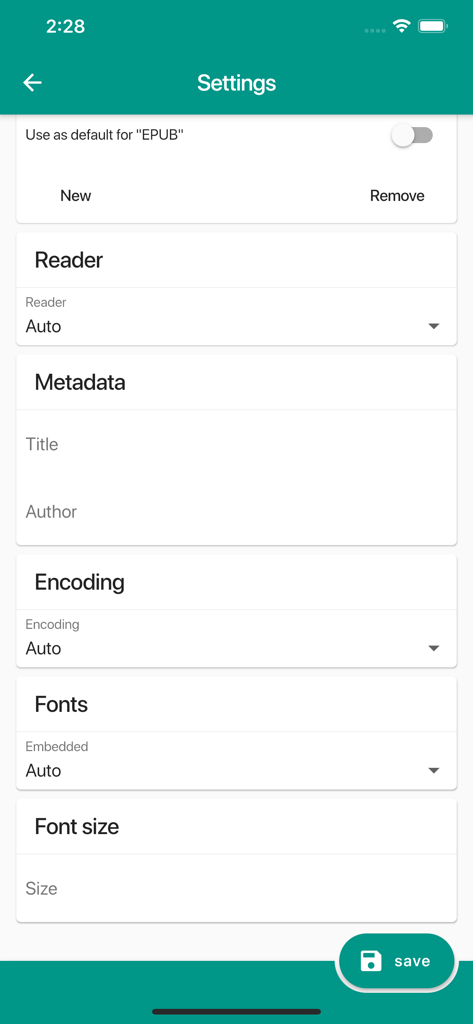
Ebook Converter - 메타데이터, 인코딩 및 글꼴 옵션을 조정하기 위한 Ebook Converter 앱의 설정 메뉴.
메타데이터, 인코딩 및 글꼴 옵션을 조정하기 위한 Ebook Converter 앱의 설정 메뉴.

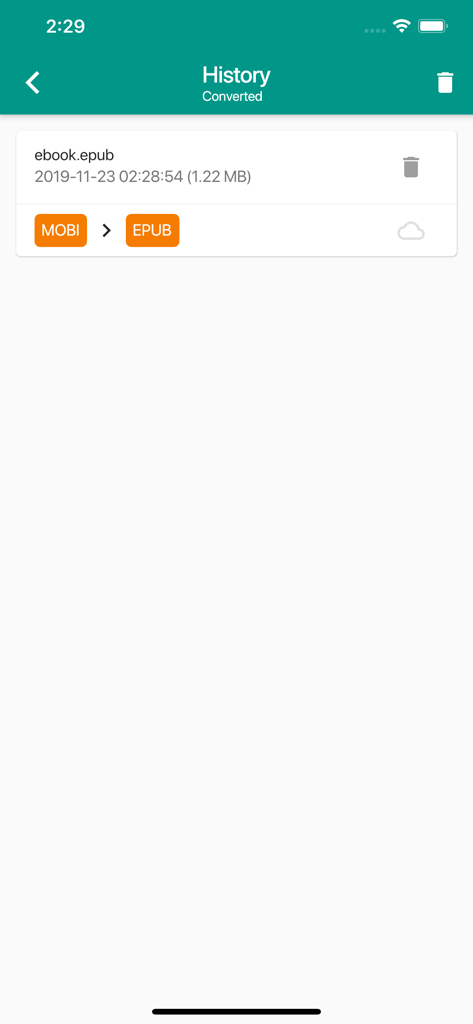
Ebook Converter - mobi에서 epub로 변환된 전자책 파일의 기록 목록

mobi에서 epub로 변환된 전자책 파일의 기록 목록

설명

Ebook Converter allows you to convert almost all files to the below mentioned ebook formats! You can even change specific settings and select for what e-reader the file is going to be used. And after the conversion you can use multiple ways of sharing the converted file! How can we convert almost every file on your phone? Well, the converting is accomplished by uploading your file to the conversion cloud where it will be converted and downloaded back to your phone (and removed from the conversion cloud). This all occurs really fast and while the converting is being done you can just continue using your phone. You can convert to AZW3, AZW, DJVU, Word (.docx), ePub, FB2, HTML, HTMLZ, LIT, LRF, MOBI, OEB, PDB, PDF, PML, PRC, RB, RTF, SNB, TCR, TXT and TXTZ. Example use cases: • Convert a website to ebook • Word to ePub • Restructure and change the layout of an existing ebook • Convert a picture Features: • Over 2000 source formats are supported • Apply OCR (text recognition) with multiple languages supported • Use the 'Open with' option to load files • Use the image gallery to load an image or take one using the camera (or video) • Send the created file by email Optional settings: • Set input / output ereader • Encoding • Metadata (title, author, publisher, etc) • Heuristics processing (dehyphenate, fix indents, renumber, unwrap, remove empty paragraphs, etc) • Table of contents • Font • Layout • OCR (text recognition) More! Preset e-book ereader: Kindle, Kindle DX, Apple iPad, Sony, Sony 300, Sony 900, Sony Landscape, MS Reader, Mobipocket, Hanlin V3, Hanlin V5, Cybook 3, Cybook Opus, iLiad, IrexDR1000, IrexDR800, jetBook, Kobo, Nook, Nook color, Bambook or Tablet. Note: we might not be able to convert password protected files

Download

다운로드: App Store

이 페이지는 앱이나 개발자의 공식 페이지가 아니며, 정보 제공 및 논평을 목적으로 작성된 독립 편집 간행물입니다. 명시적으로 달리 언급되지 않는 한, 해당 앱이나 개발자는 MWM, Apple, Google Play, 앱 퍼블리셔 또는 앱 개발자와 제휴, 보증, 후원, 승인 또는 공식적으로 연결되어 있지 않으며, 이 페이지의 어떤 내용도 해당 앱이 MWM의 서비스를 사용하여 개발되었음을 의미하지 않습니다. 모든 상표, 로고, 스크린샷 및 기타 콘텐츠는 해당 소유자의 자산입니다.








