eClinicalWorks Kiosk
다운로드: App Store

이 페이지는 앱이나 개발자의 공식 페이지가 아니며, 정보 제공 및 논평을 목적으로 작성된 독립 편집 간행물입니다. 명시적으로 달리 언급되지 않는 한, 해당 앱이나 개발자는 MWM, Apple, Google Play, 앱 퍼블리셔 또는 앱 개발자와 제휴, 보증, 후원, 승인 또는 공식적으로 연결되어 있지 않으며, 이 페이지의 어떤 내용도 해당 앱이 MWM의 서비스를 사용하여 개발되었음을 의미하지 않습니다. 모든 상표, 로고, 스크린샷 및 기타 콘텐츠는 해당 소유자의 자산입니다.

로고: eClinicalWorks Kiosk
다운로드: App Store

eClinicalWorks Kiosk

안전한 iPad 셀프 서비스로 환자에게 권한을 부여하세요. 인구 통계 정보 업데이트, 등록 양식, 결제 수납을 자동화하면서 EMR과 실시간으로 데이터를 동기화하여 직원 업무 부담을 줄이고 오류를 제거하세요.

주요 수치

다운로드

10K+

사용자 평점

3.1/5

총 평가 수

0

개발사

eClinicalWorks LLC

카테고리

Medical

지원 언어

3

최신 버전

4.3

크기

108.8 MB

출시일

2013년 12월 30일
기능

진료 등록 절차 간소화

수동 데이터 입력을 제거하고 환자 개인 정보를 보호하며 행정 효율성을 높이는 셀프 서비스 iPad 키오스크로 대기실을 현대화하세요.

실시간 EMR 동기화

이중 입력 부담을 없애세요. 환자가 업데이트한 모든 인구 통계 정보 및 기록 양식이 100% 정확하게 eClinicalWorks 기록으로 직접 동기화됩니다.

신속한 본인 부담금 수납

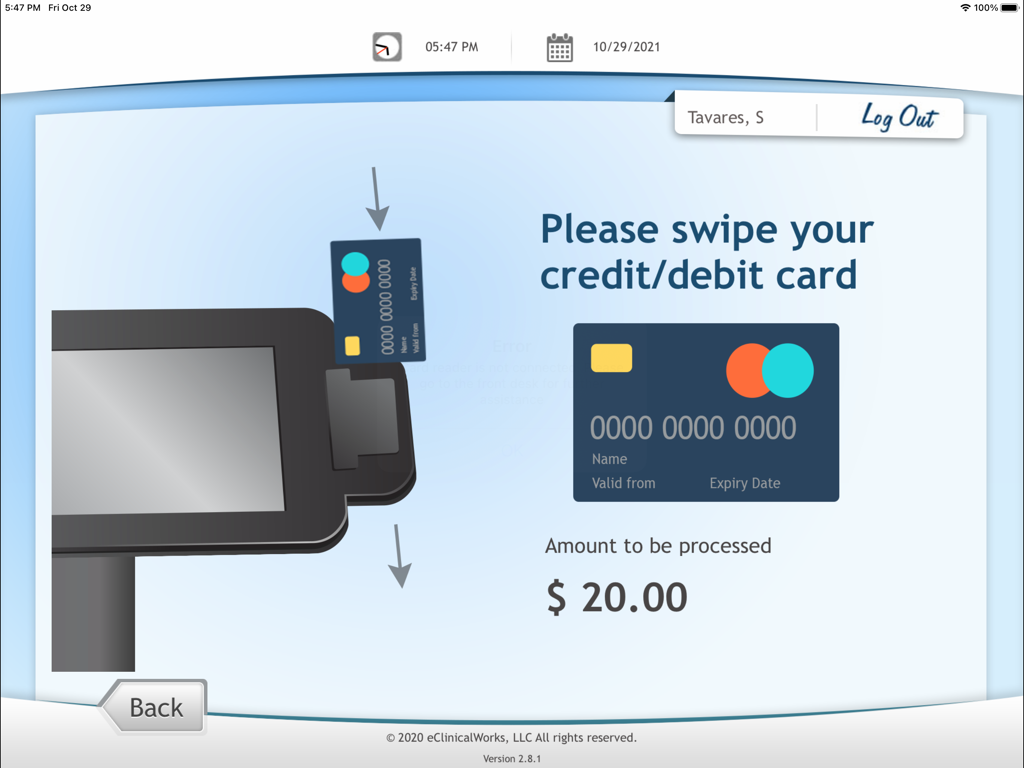
도착 즉시 신용카드로 잔액을 정산하고 본인 부담금을 납부할 수 있도록 하여 진료 수납 현금 흐름을 늘리세요.

다음 스크린샷과 설명은 앱의 공식 스토어 목록에서 직접 가져온 것이며 앱 개발자의 자산입니다.

앱 스토어

스크린샷
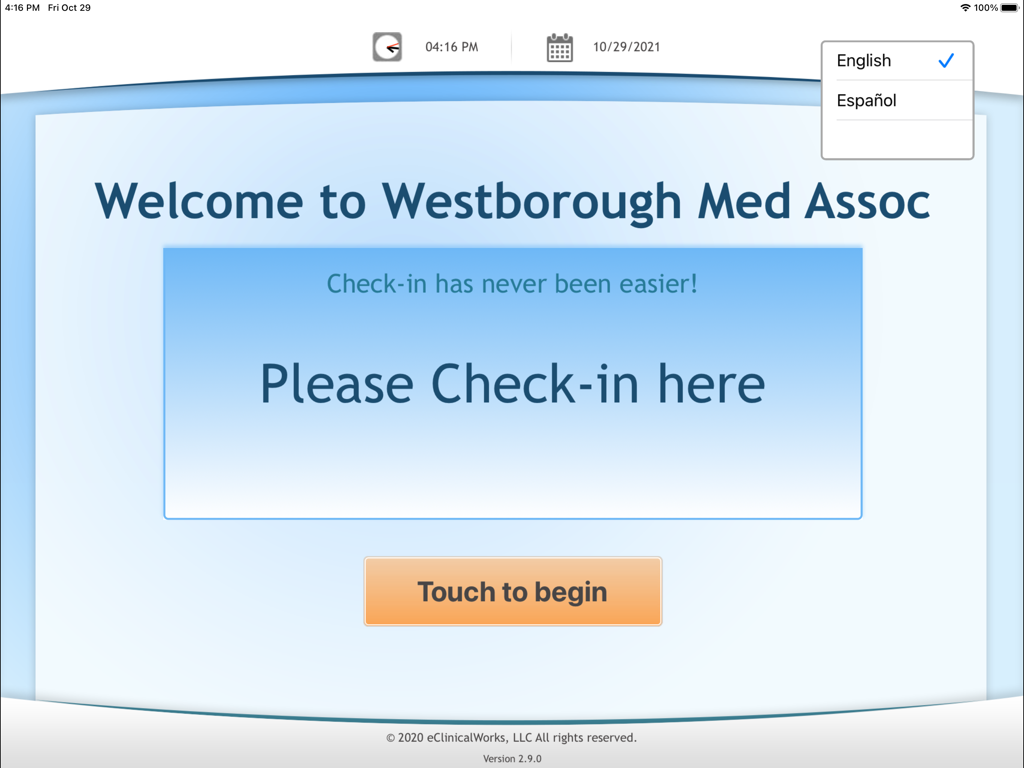
eClinicalWorks Kiosk - 환자 등록 절차를 위한 eClinicalWorks Kiosk 앱의 환영 화면
환자 등록 절차를 위한 eClinicalWorks Kiosk 앱의 환영 화면

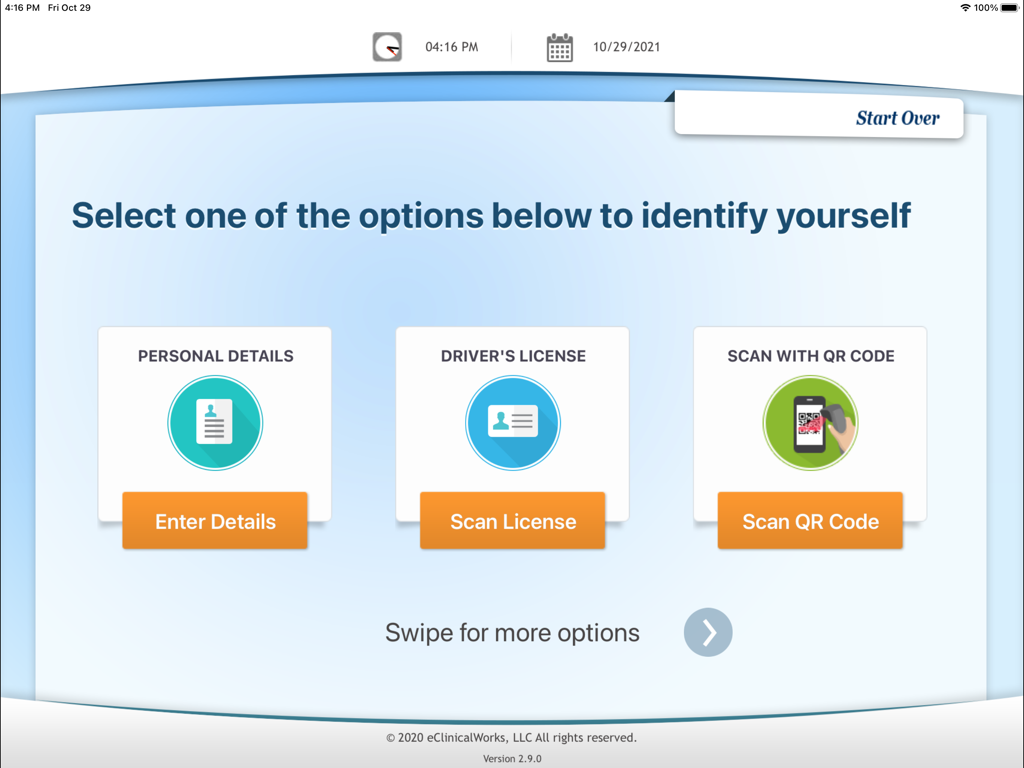
eClinicalWorks Kiosk - 개인 정보, 운전 면허증 및 QR 코드 옵션이 있는 eClinicalWorks Kiosk 환자 등록 화면
개인 정보, 운전 면허증 및 QR 코드 옵션이 있는 eClinicalWorks Kiosk 환자 등록 화면

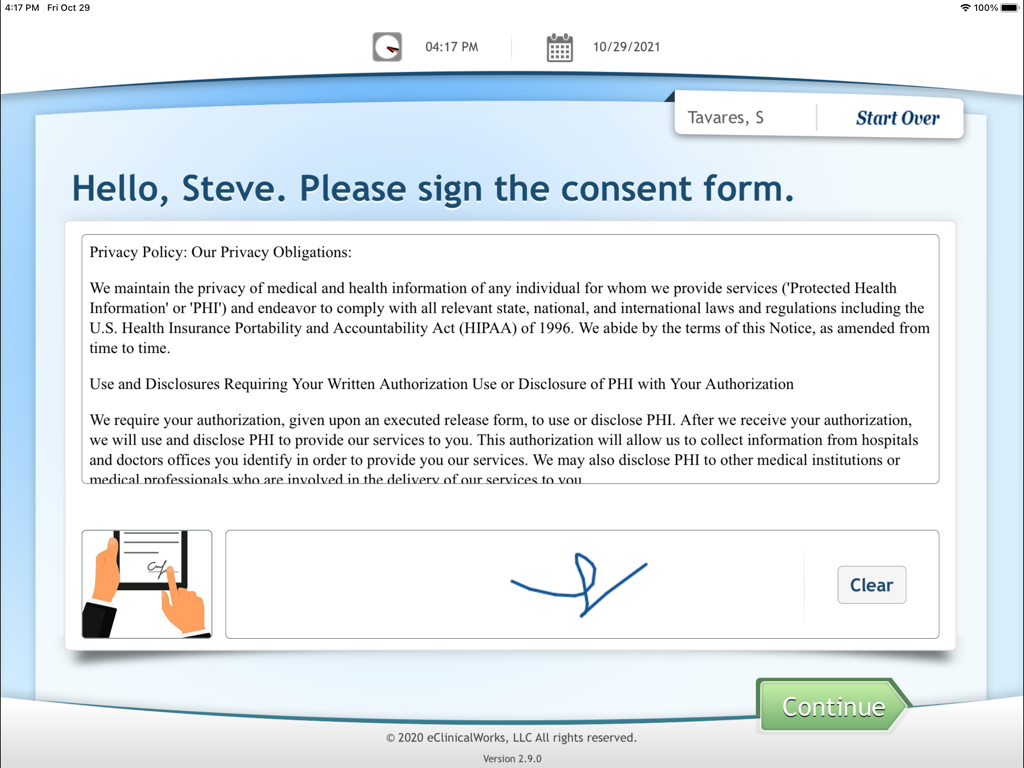
eClinicalWorks Kiosk - eClinicalWorks Kiosk 앱 인터페이스에서 디지털 동의서에 서명하는 환자
eClinicalWorks Kiosk 앱 인터페이스에서 디지털 동의서에 서명하는 환자

eClinicalWorks Kiosk - 20달러 결제를 위해 신용카드 또는 직불카드를 스와이프하라는 메시지가 표시되는 eClinicalWorks Kiosk 앱의 결제 화면
20달러 결제를 위해 신용카드 또는 직불카드를 스와이프하라는 메시지가 표시되는 eClinicalWorks Kiosk 앱의 결제 화면

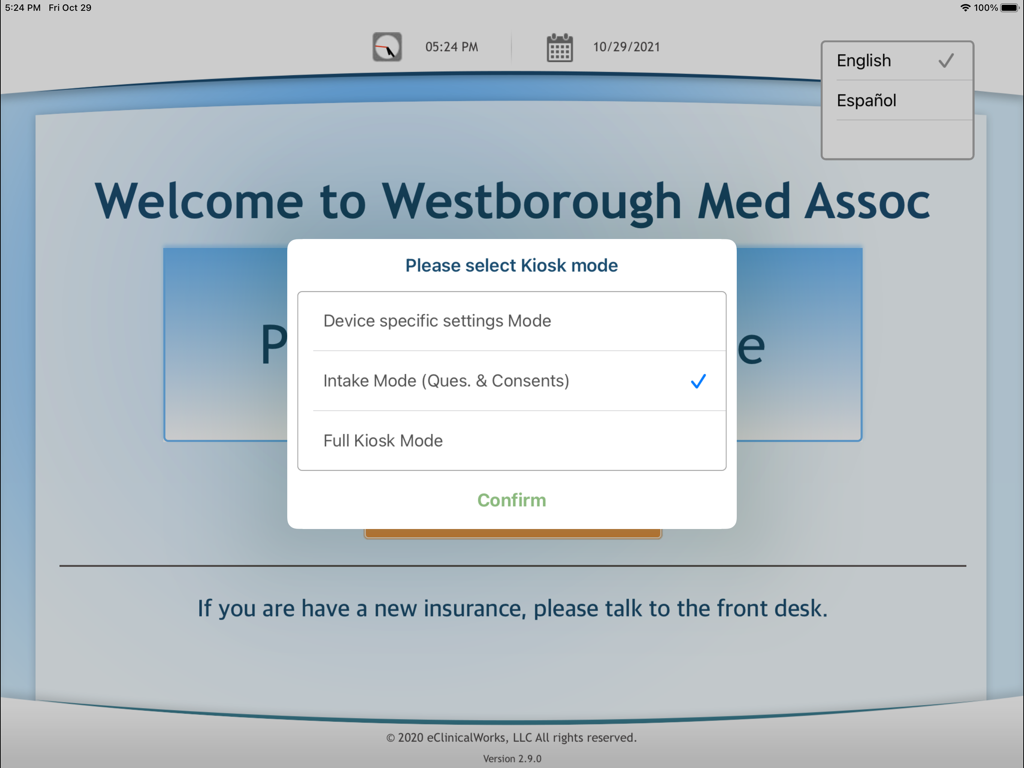
eClinicalWorks Kiosk - 등록 모드가 선택된 eClinicalWorks Kiosk용 모드 선택 팝업 메뉴가 표시되는 iPad 화면
등록 모드가 선택된 eClinicalWorks Kiosk용 모드 선택 팝업 메뉴가 표시되는 iPad 화면

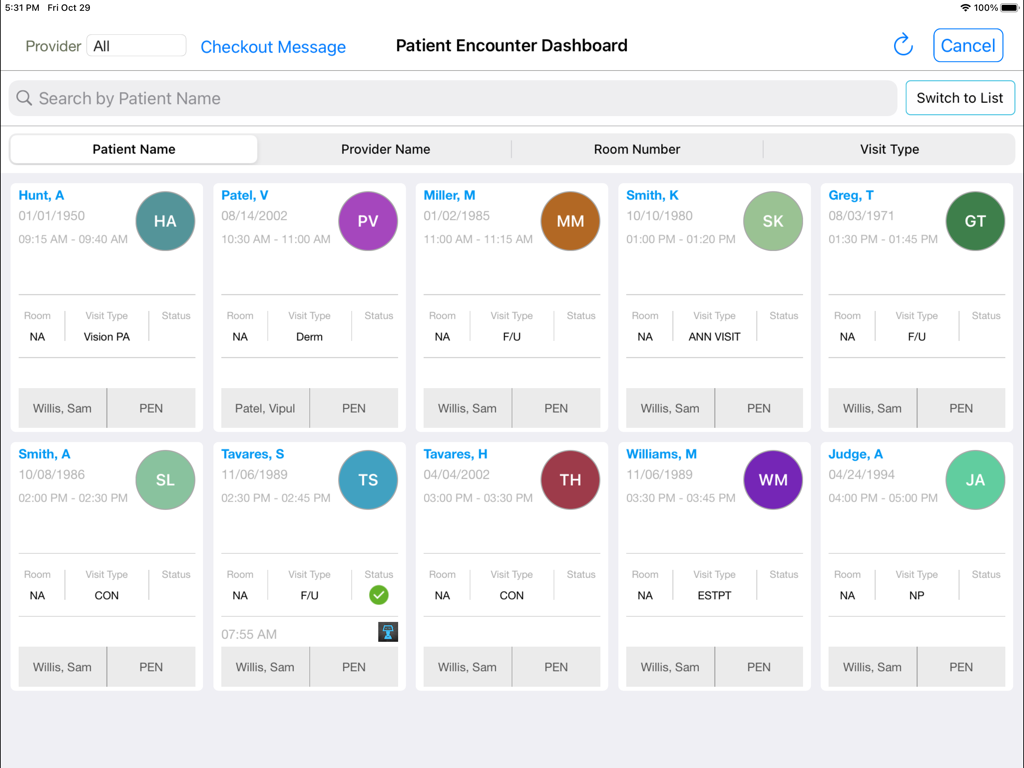
eClinicalWorks Kiosk - 환자 이름과 방문 세부 정보가 포함된 약속 상태 카드 그리드를 표시하는 환자 진료 대시보드
환자 이름과 방문 세부 정보가 포함된 약속 상태 카드 그리드를 표시하는 환자 진료 대시보드

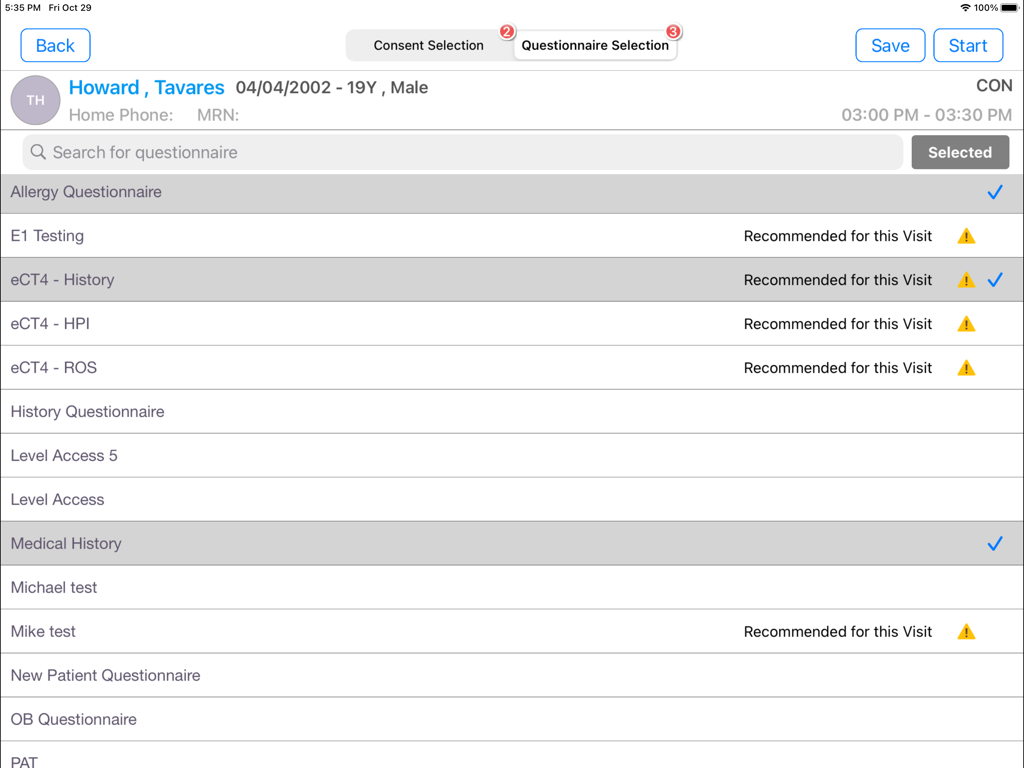
eClinicalWorks Kiosk - 등록을 위한 의료 등록 양식 목록을 보여주는 eClinicalWorks Kiosk iPad 앱의 환자 설문 조사 선택 화면
등록을 위한 의료 등록 양식 목록을 보여주는 eClinicalWorks Kiosk iPad 앱의 환자 설문 조사 선택 화면

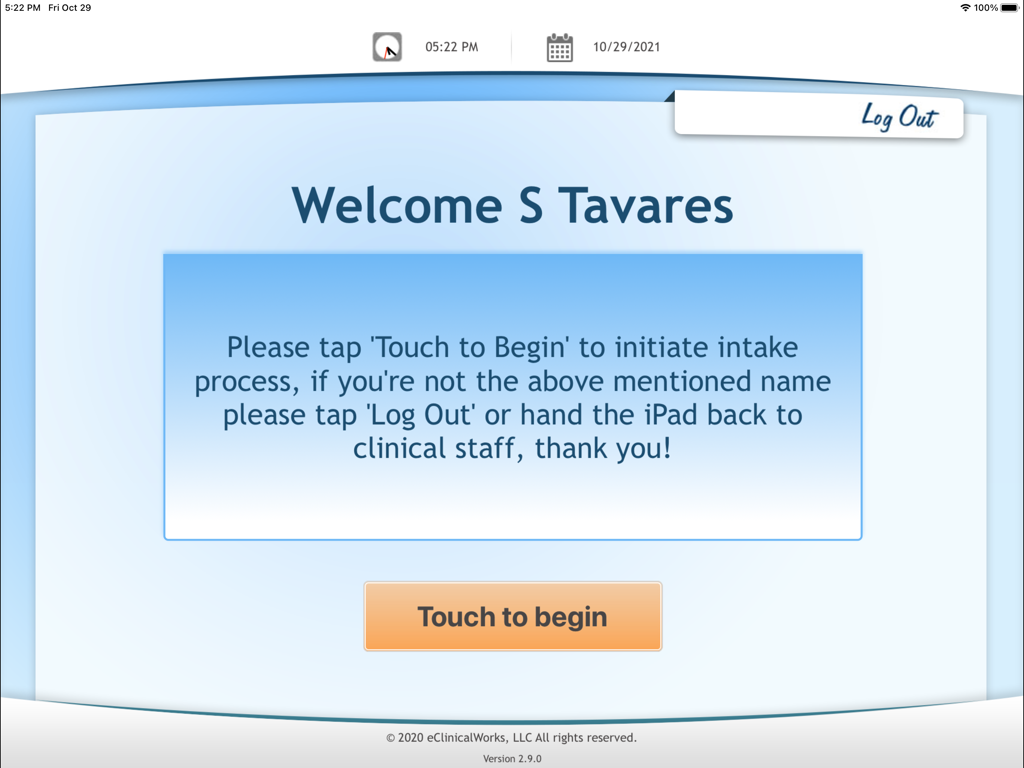
eClinicalWorks Kiosk - 터치하여 시작 버튼과 함께 환자 등록 프롬프트가 표시되는 eClinicalWorks Kiosk 앱의 환영 화면
터치하여 시작 버튼과 함께 환자 등록 프롬프트가 표시되는 eClinicalWorks Kiosk 앱의 환영 화면

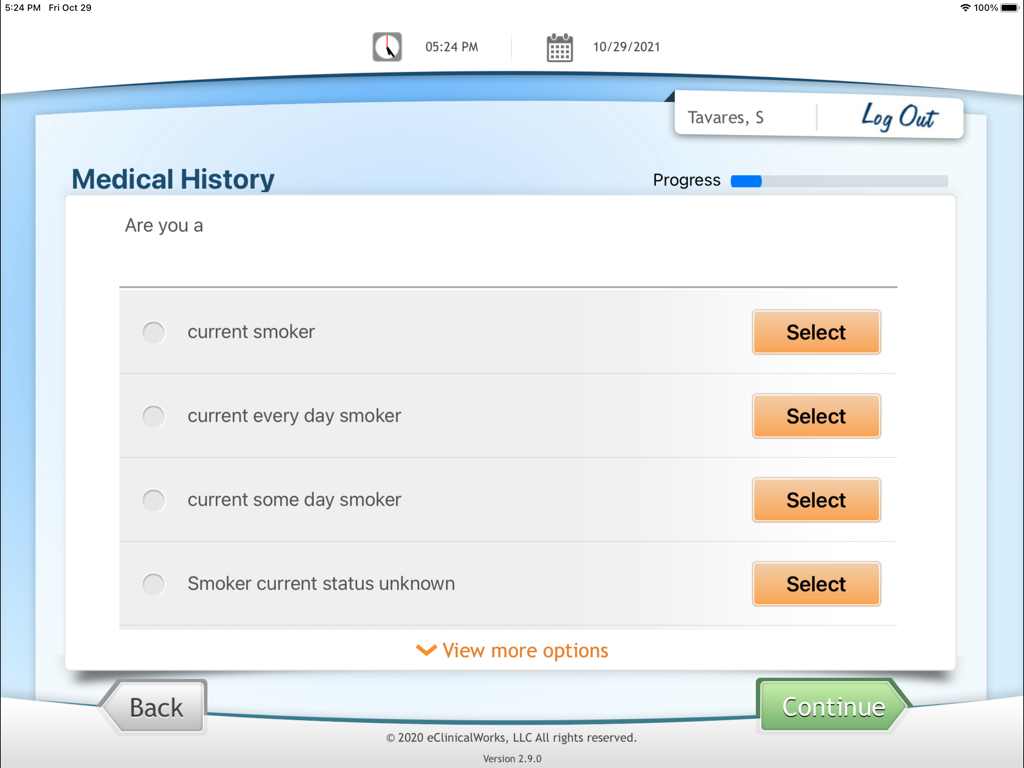
eClinicalWorks Kiosk - 흡연 상태 옵션을 보여주는 eClinicalWorks Kiosk 앱의 환자 등록용 의료 기록 화면
흡연 상태 옵션을 보여주는 eClinicalWorks Kiosk 앱의 환자 등록용 의료 기록 화면

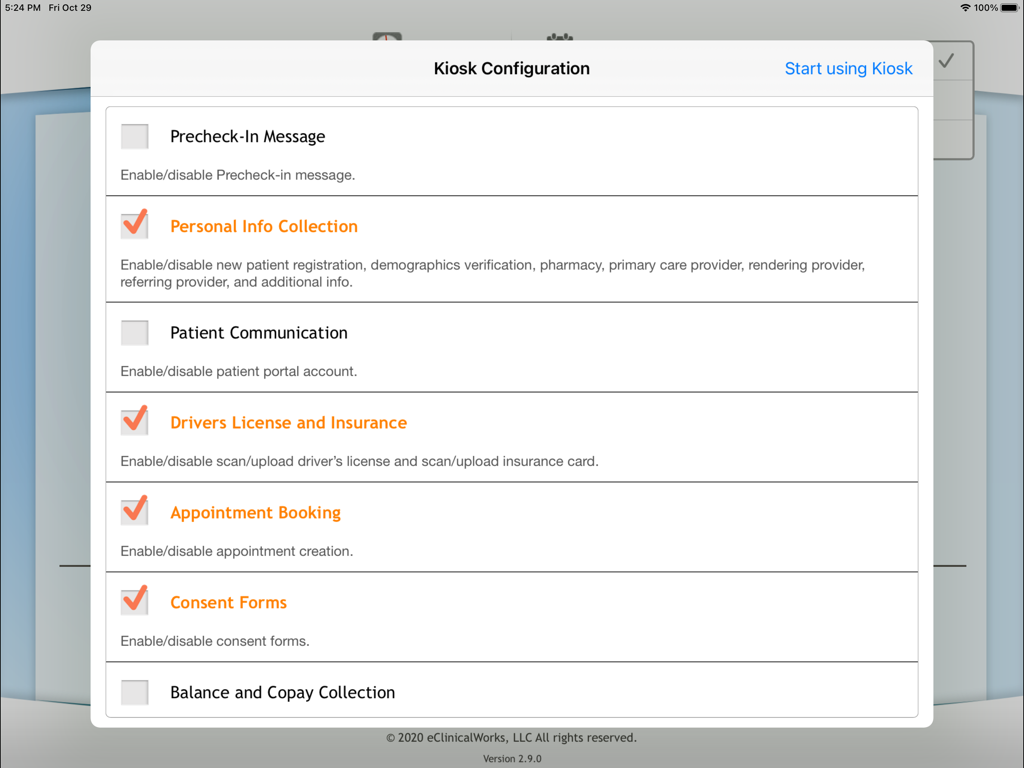
eClinicalWorks Kiosk - 개인 정보 수집 및 예약 활성화 옵션이 있는 eClinicalWorks용 키오스크 구성 메뉴가 표시되는 iPad 화면

개인 정보 수집 및 예약 활성화 옵션이 있는 eClinicalWorks용 키오스크 구성 메뉴가 표시되는 iPad 화면

설명

The eClinicalWorks Kiosk app is a great way to streamline the check-in process in your practice. The app enables your patients to use an iPad to check in for an appointment, and even schedule a new, same-day appointment, conveniently. As part of checking in with the Kiosk app, your patients can quickly and privately update their demographic information (name, address, etc.) directly on the iPad. All the information your patients validate or change is input directly to your practice’s electronic medical records system, ensuring its accuracy and saving you time. The Kiosk app enables your patients to: - Securely identify themselves to the practice as they check in - Verify and update any of their demographic and contact information, including phone numbers and e-mail addresses - Complete intake forms (questionnaires) specific to their visit, providing precise history information … - With the click of a button, this information can become part of the patient’s chart! - Acknowledge and sign your practice’s consent forms - Validate their insurance information - Confirm their appointment and the reason for the visit - Schedule a new appointment for the same day - Make a payment using their credit card - Sign up for the Patient Portal to manage their health care, appointments, and accounts from home Requirements: - EMR Version 10.0.80 and higher - Some features of the iPad app use the device’s camera. These features require iPad (3rd generation) or later. - Scanning with healow QR Code requires iPad (4th generation) or later.

Download

다운로드: App Store

이 페이지는 앱이나 개발자의 공식 페이지가 아니며, 정보 제공 및 논평을 목적으로 작성된 독립 편집 간행물입니다. 명시적으로 달리 언급되지 않는 한, 해당 앱이나 개발자는 MWM, Apple, Google Play, 앱 퍼블리셔 또는 앱 개발자와 제휴, 보증, 후원, 승인 또는 공식적으로 연결되어 있지 않으며, 이 페이지의 어떤 내용도 해당 앱이 MWM의 서비스를 사용하여 개발되었음을 의미하지 않습니다. 모든 상표, 로고, 스크린샷 및 기타 콘텐츠는 해당 소유자의 자산입니다.








