Edit Word Document with OffiX
다운로드: App Store

이 페이지는 앱이나 개발자의 공식 페이지가 아니며, 정보 제공 및 논평을 목적으로 작성된 독립 편집 간행물입니다. 명시적으로 달리 언급되지 않는 한, 해당 앱이나 개발자는 MWM, Apple, Google Play, 앱 퍼블리셔 또는 앱 개발자와 제휴, 보증, 후원, 승인 또는 공식적으로 연결되어 있지 않으며, 이 페이지의 어떤 내용도 해당 앱이 MWM의 서비스를 사용하여 개발되었음을 의미하지 않습니다. 모든 상표, 로고, 스크린샷 및 기타 콘텐츠는 해당 소유자의 자산입니다.

로고: Edit Word Document with OffiX
다운로드: App Store

Edit Word Document with OffiX

강력한 모바일 워크스테이션으로 업무 흐름을 마스터하세요. Word 문서 작성, 복잡한 수학 공식 해결, 계약서 스캔, PDF 서명을 iPhone 또는 iPad에서 원활하게 처리하세요.

주요 수치

다운로드

1K+

사용자 평점

4.4/5

총 평가 수

0

개발사

Serhii Borychev

카테고리

Business

지원 언어

3

최신 버전

1.5.3

크기

51.7 MB

출시일

2025년 3월 16일
기능

완벽한 모바일 작업 공간

앱 간 전환은 이제 그만. OffiX는 전문적인 편집, PDF 관리, 스마트 스캔을 현대의 전문가 및 학생들을 위해 설계된 하나의 강력하고 모바일 우선 솔루션으로 통합합니다.

전문 문서 & 수학 편집

보고서 초안 작성, 서식 있는 텍스트 형식 지정, 복잡한 수학 공식을 쉽게 삽입하세요. iPad 또는 iPhone에서 데스크톱급 성능이 필요한 STEM 학생 및 전문가에게 적합합니다.

스캔, 서명, 변환

즉시 종이 없는 환경으로 전환하세요. OCR을 사용하여 이미지에서 텍스트를 추출하고, 계약서에 안전한 디지털 서명을 추가하고, 모든 파일을 몇 초 안에 고품질 PDF로 변환하세요.

다음 스크린샷과 설명은 앱의 공식 스토어 목록에서 직접 가져온 것이며 앱 개발자의 자산입니다.

앱 스토어

스크린샷
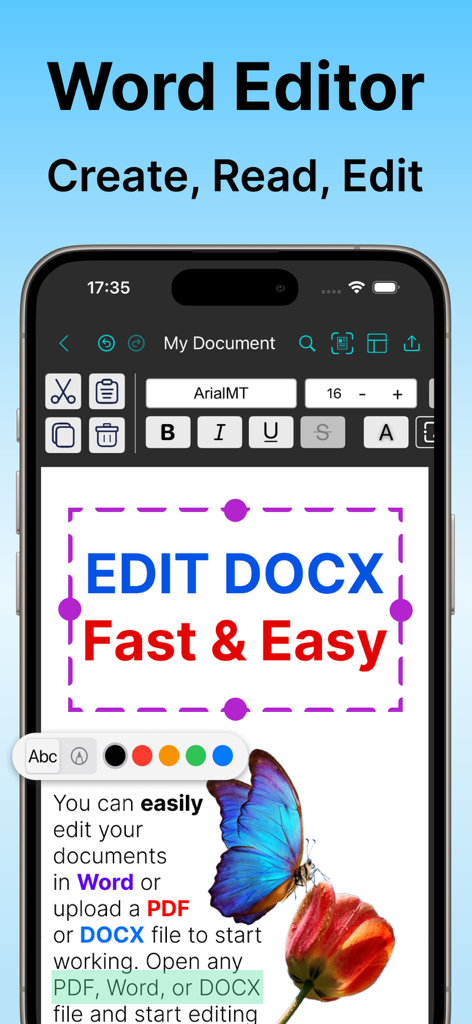
Edit Word Document with OffiX - iPhone 화면에 텍스트 서식 도구가 있는 Word 문서 편집기를 보여주는 OffiX 모바일 앱 인터페이스
iPhone 화면에 텍스트 서식 도구가 있는 Word 문서 편집기를 보여주는 OffiX 모바일 앱 인터페이스

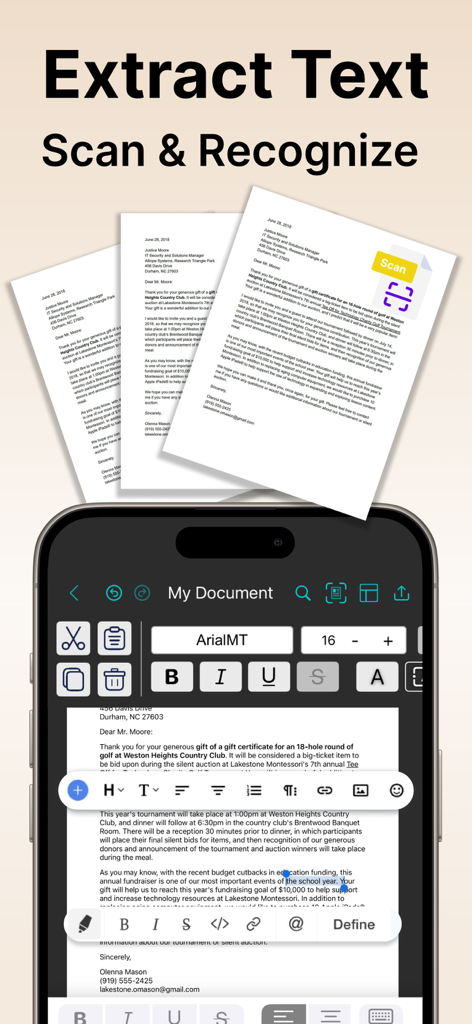
Edit Word Document with OffiX - 문서 스캔 및 OCR 텍스트 추출 기능을 보여주는 OffiX 앱 모바일 인터페이스.
문서 스캔 및 OCR 텍스트 추출 기능을 보여주는 OffiX 앱 모바일 인터페이스.

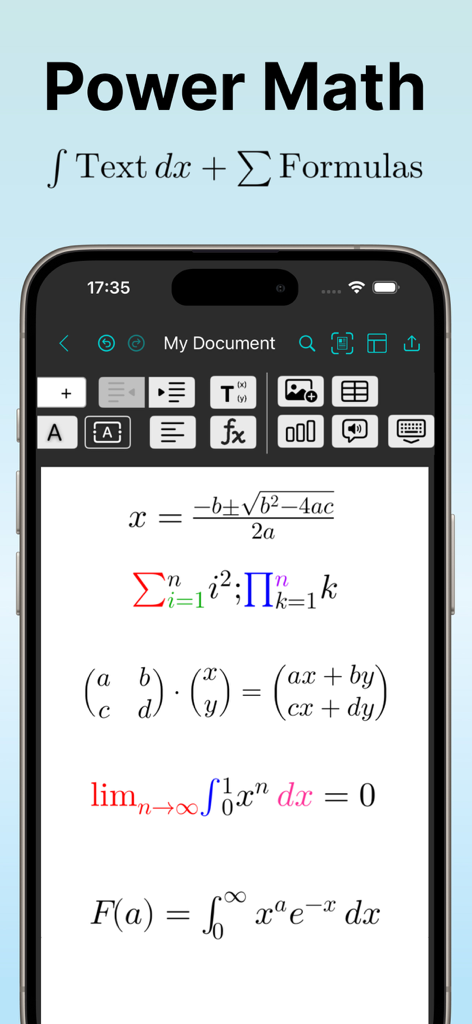
Edit Word Document with OffiX - 단어 문서 편집기에서 적분 및 행렬과 같은 복잡한 수학 공식을 표시하는 OffiX 앱의 모바일 인터페이스.
단어 문서 편집기에서 적분 및 행렬과 같은 복잡한 수학 공식을 표시하는 OffiX 앱의 모바일 인터페이스.

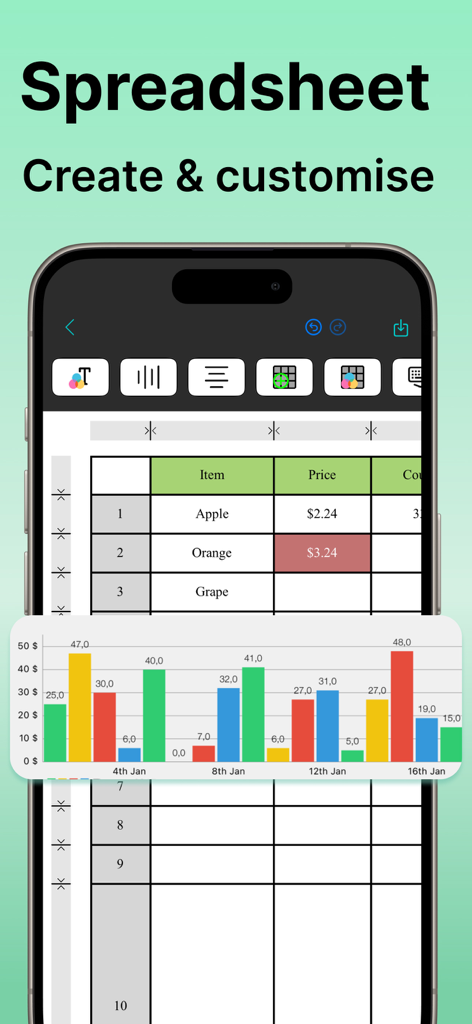
Edit Word Document with OffiX - iPhone에서 데이터 테이블과 화려한 막대 차트를 보여주는 OffiX 스프레드시트 편집기의 모바일 보기
iPhone에서 데이터 테이블과 화려한 막대 차트를 보여주는 OffiX 스프레드시트 편집기의 모바일 보기

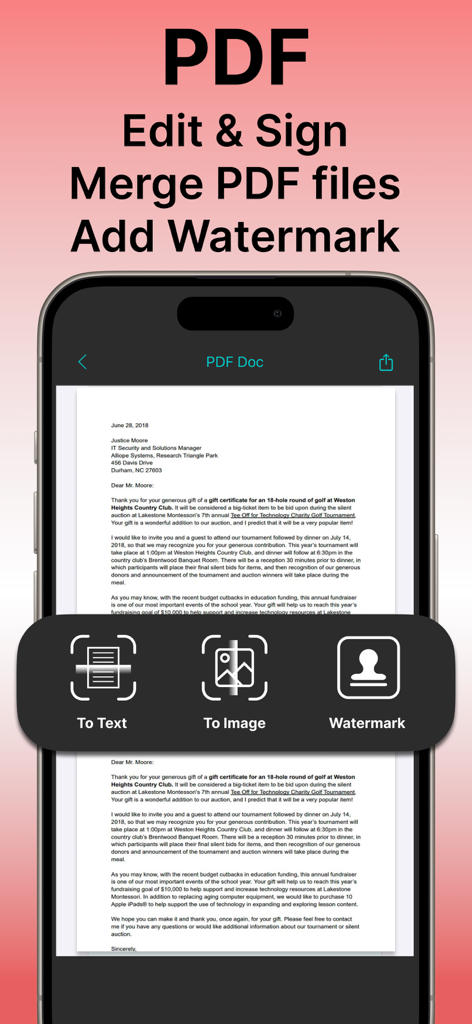
Edit Word Document with OffiX - PDF 문서 편집, 서명 및 워터마킹 기능을 보여주는 OffiX 모바일 앱 인터페이스
PDF 문서 편집, 서명 및 워터마킹 기능을 보여주는 OffiX 모바일 앱 인터페이스

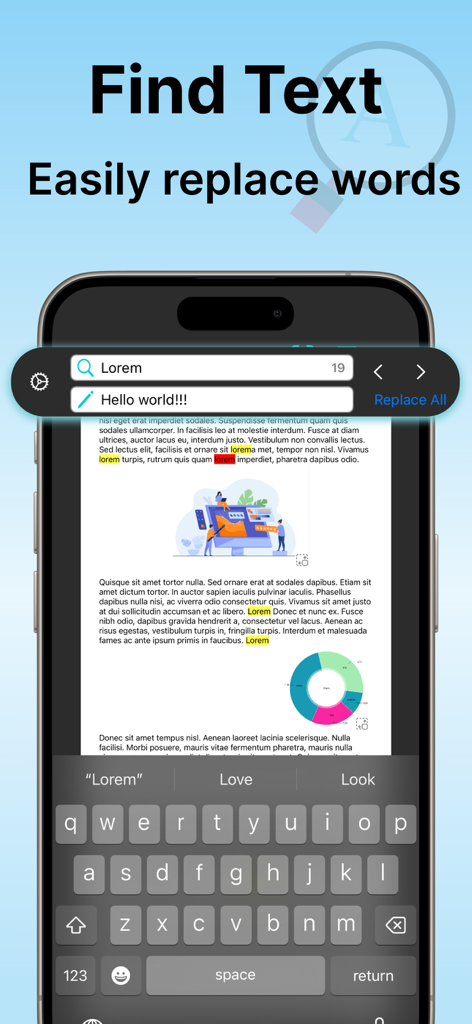
Edit Word Document with OffiX - 문서에서 텍스트 찾기 및 바꾸기 기능을 보여주는 OffiX 앱의 모바일 인터페이스.
문서에서 텍스트 찾기 및 바꾸기 기능을 보여주는 OffiX 앱의 모바일 인터페이스.

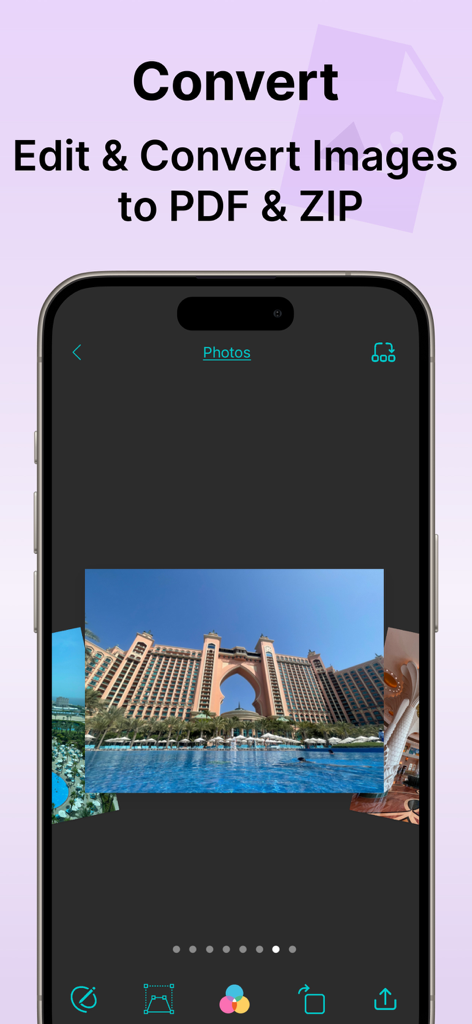
Edit Word Document with OffiX - 이미지 편집 도구와 사진을 PDF 및 ZIP 형식으로 변환하는 옵션을 보여주는 OffiX 앱 인터페이스

이미지 편집 도구와 사진을 PDF 및 ZIP 형식으로 변환하는 옵션을 보여주는 OffiX 앱 인터페이스

설명

Take your productivity to the next level with OffiX — the ultimate all-in-one tool for document editing and management. Whether you need to create a new document, edit existing files, or convert documents into various formats, OffiX has got you covered! Key Features (Available with Subscription): WORD DOCUMENT EDITOR Create, edit, and format Word documents with rich text customization. MATH FORMULAS Easily create complex mathematical expressions in Word documents. SPREADSHEET & CHARTS Build, edit, and visualize data with integrated spreadsheets and dynamic charts. PDF TOOLS Convert Word documents to PDF, merge multiple PDFs, add watermarks, and even convert PDFs to text or images. OCR (Optical Character Recognition) Extract and edit text from scanned documents and images. IMAGE EDITING Apply filters, transform images, and enhance visuals directly within the app. SCANNING & SIGNATURES Scan physical documents, add digital signatures, and save them as PDFs. FILE COMPRESSION & ARCHIVING Organize your files by compressing them into ZIP archives. CLOUD INTEGRATION Seamlessly share and save your documents with Google Drive. Why Choose OffiX? With an intuitive interface and powerful features, Office X is designed to simplify your workflow and supercharge your productivity. Whether you’re a student, a professional, or anyone in between, this app makes handling documents a breeze. Download OffiX today and transform the way you work with documents! Start your free trial and experience the benefits of editing documents, anytime, anywhere. Subscription options: $6.99/week, $29.99/year. These prices are for US. Pricing in other countries may vary and actual charges may be converted to your local currency depending on the country of residence. The subscription will automatically renew unless turned off in your iTunes Account Settings at least 24 hours before the current period ends. You can go to your iTunes Account settings to manage your subscription and turn off auto-renew. Your iTunes Account will be charged when the purchase is confirmed. If you subscribe before your free trial ends, the rest of your free trial period will be forfeited as soon as your purchase is confirmed. OffiX is an independent application and is not affiliated with, endorsed by, or in any way officially connected to Microsoft Corporation. Microsoft Word, Excel, and other Microsoft products are trademarks or registered trademarks of Microsoft Corporation. OffiX simply provides tools to view, edit, and manage documents compatible with DOCX and other common formats. Terms: https://sites.google.com/view/paperwork-terms-and-conditions/ Privacy: https://sites.google.com/view/paperwork-privacy-policy/

Download

다운로드: App Store

이 페이지는 앱이나 개발자의 공식 페이지가 아니며, 정보 제공 및 논평을 목적으로 작성된 독립 편집 간행물입니다. 명시적으로 달리 언급되지 않는 한, 해당 앱이나 개발자는 MWM, Apple, Google Play, 앱 퍼블리셔 또는 앱 개발자와 제휴, 보증, 후원, 승인 또는 공식적으로 연결되어 있지 않으며, 이 페이지의 어떤 내용도 해당 앱이 MWM의 서비스를 사용하여 개발되었음을 의미하지 않습니다. 모든 상표, 로고, 스크린샷 및 기타 콘텐츠는 해당 소유자의 자산입니다.








