Educreations Whiteboard
다운로드: App Store

이 페이지는 앱이나 개발자의 공식 페이지가 아니며, 정보 제공 및 논평을 목적으로 작성된 독립 편집 간행물입니다. 명시적으로 달리 언급되지 않는 한, 해당 앱이나 개발자는 MWM, Apple, Google Play, 앱 퍼블리셔 또는 앱 개발자와 제휴, 보증, 후원, 승인 또는 공식적으로 연결되어 있지 않으며, 이 페이지의 어떤 내용도 해당 앱이 MWM의 서비스를 사용하여 개발되었음을 의미하지 않습니다. 모든 상표, 로고, 스크린샷 및 기타 콘텐츠는 해당 소유자의 자산입니다.


로고: Educreations Whiteboard
다운로드: App Store

Educreations Whiteboard

iPad를 강력한 디지털 화이트보드로 전환하세요. 설명이 포함된 강의를 만들고, 실시간으로 개념을 애니메이션화하고, 학생들이 언제 어디서든 콘텐츠를 마스터하는 데 도움이 되는 매력적인 동영상을 공유하세요.

주요 수치

다운로드

268K+

사용자 평점

4.6/5

총 평가 수

4K+

개발사

Educreations, Inc

카테고리

Education

지원 언어

6

최신 버전

2.4.4

크기

53.6 MB

출시일

2011년 12월 12일
기능

대화형 수업의 힘을 잠금 해제하세요

현대 교육자를 위해 설계된 Educreations는 강력한 디지털 캔버스와 간단한 녹화 도구를 결합하여 교실 안팎에서 당신의 영향력을 증폭시킵니다.

설명 및 애니메이션

음성과 디지털 잉크를 동시에 녹화하여 복잡한 개념을 생생하게 전달하고, 학생들이 언제든지 다시 볼 수 있는 개인화된 동영상 강의를 만드세요.

거꾸로 교실 마스터하기

가정 학습용 강의 스크린캐스트를 공유하여 귀중한 수업 시간을 실습 프로젝트에 할애하고, 모든 학생들이 자신의 속도에 맞춰 학습할 수 있도록 하세요.

다음 스크린샷과 설명은 앱의 공식 스토어 목록에서 직접 가져온 것이며 앱 개발자의 자산입니다.

앱 스토어

스크린샷
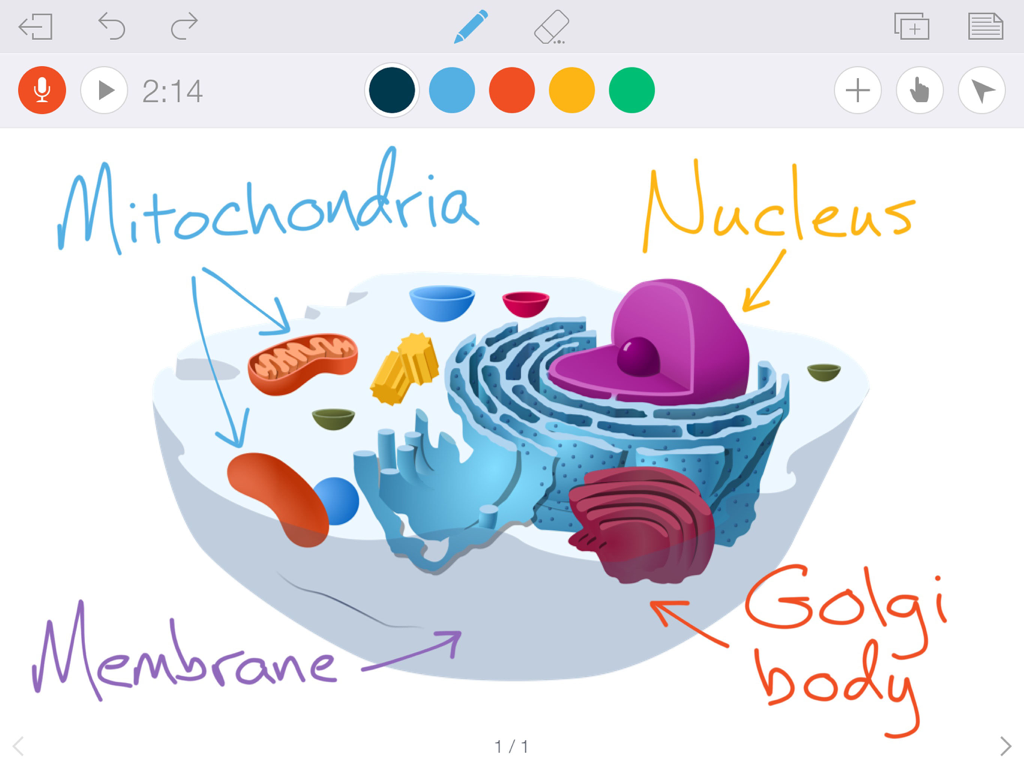
Educreations Whiteboard - 세포 소기관(미토콘드리아, 핵)의 손글씨 라벨이 있는 생물학적 세포 다이어그램을 보여주는 디지털 화이트보드.
세포 소기관(미토콘드리아, 핵)의 손글씨 라벨이 있는 생물학적 세포 다이어그램을 보여주는 디지털 화이트보드.

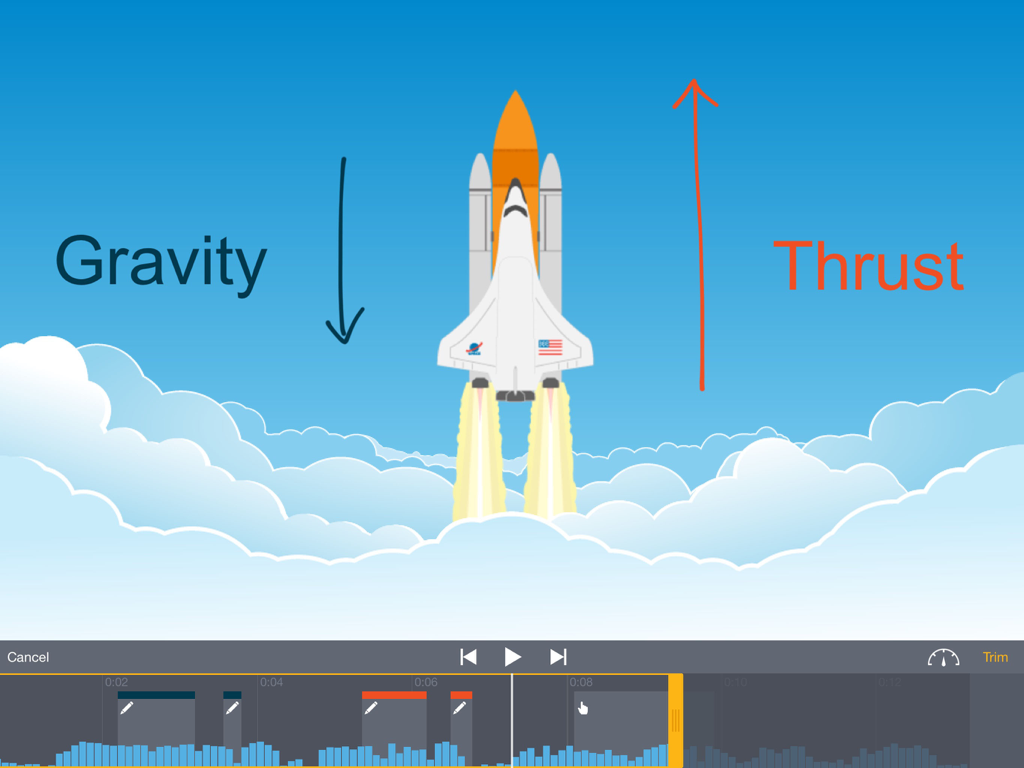
Educreations Whiteboard - 중력 및 추진력 주석을 보여주는 Educreations 화이트보드 앱에서 편집 중인 우주선 과학 강의.
중력 및 추진력 주석을 보여주는 Educreations 화이트보드 앱에서 편집 중인 우주선 과학 강의.

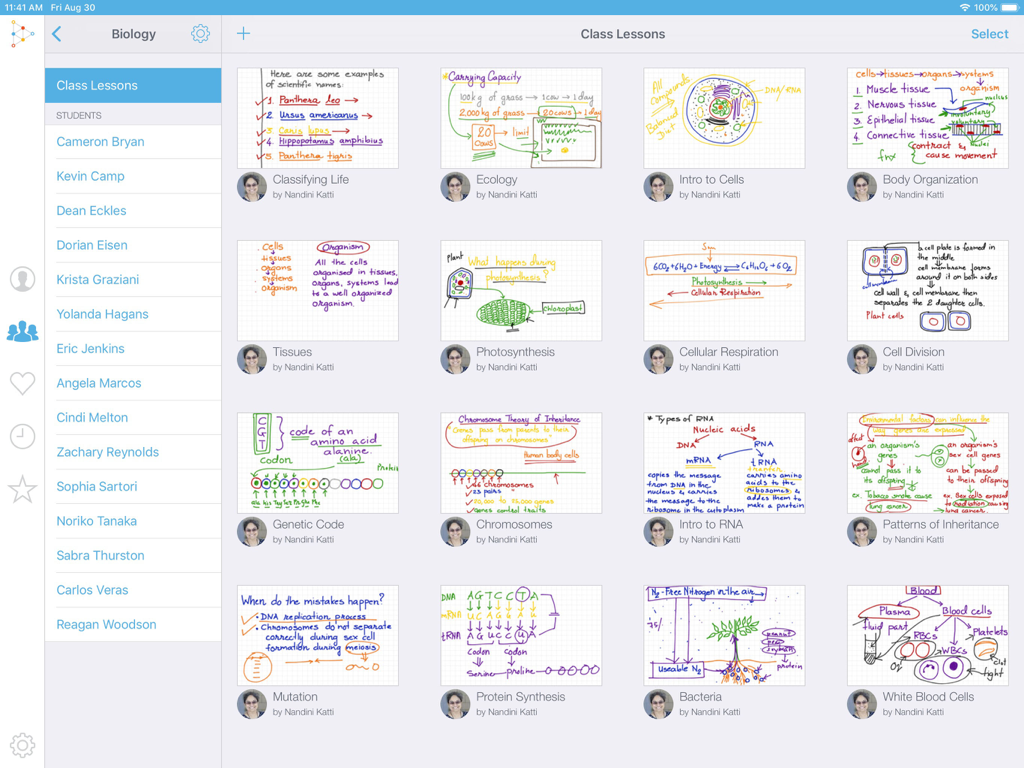
Educreations Whiteboard - 디지털 생물학 강의 그리드와 학생 목록을 보여주는 Educreations 화이트보드 앱의 대시보드 보기.
디지털 생물학 강의 그리드와 학생 목록을 보여주는 Educreations 화이트보드 앱의 대시보드 보기.

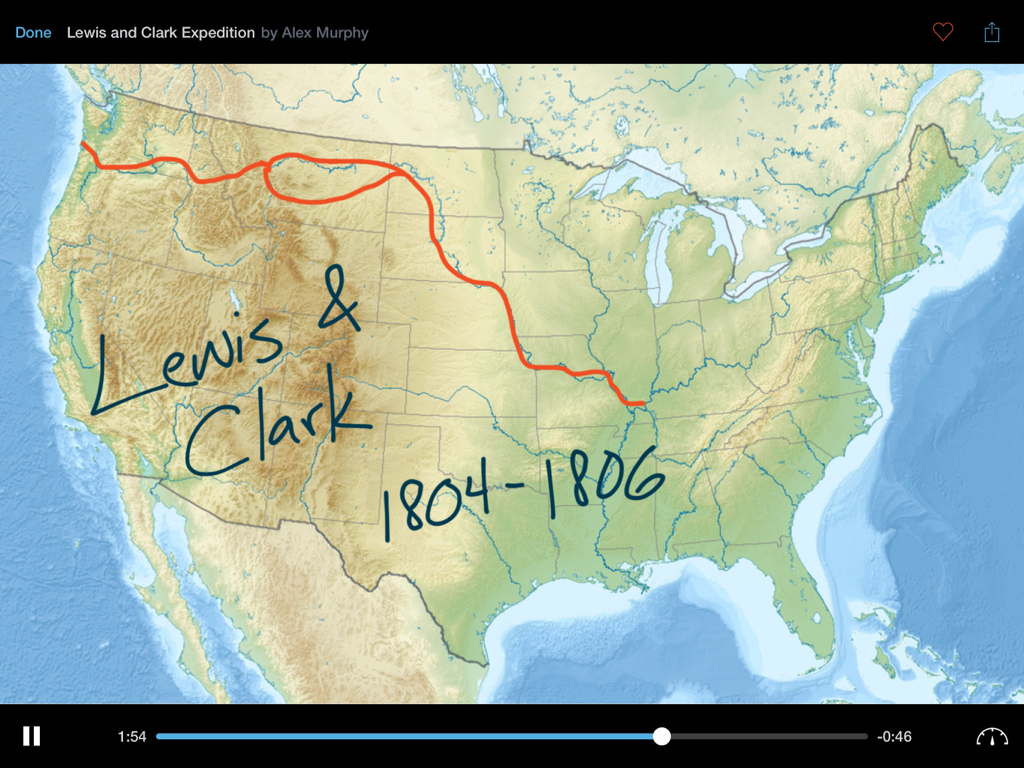
Educreations Whiteboard - 미국 지도에 루이스와 클라크 탐험을 추적하는 손글씨 주석을 보여주는 Educreations 화이트보드 앱의 강의식 역사 강의.

미국 지도에 루이스와 클라크 탐험을 추적하는 손글씨 주석을 보여주는 Educreations 화이트보드 앱의 강의식 역사 강의.

설명

Educreations is a unique interactive whiteboard and screencasting tool that's simple, powerful, and fun to use. Annotate, animate, and narrate nearly any type of content as you explain any concept. Teachers can create short instructional videos and share them instantly with students, or ask students to show what they know and help friends learn something new. INSTRUCTION THAT'S READY WHENEVER YOU ARE Finished lessons are stored securely in your online Educreations account, so they're available whenever and wherever you need them. You control who sees what. Even if something happens to your iPad, all of your videos are safe. DESIGNED FOR THE DIGITAL CLASSROOM Create classes that students can join right within the app. Lessons sync automatically between teacher and student iPads, so it's easy for students to access teacher instruction and for teachers to monitor student work. Students without iPads can access classes and lessons on the Educreations website. SHARE INSTANTLY Lessons can also be shared via link, email, Messages, Facebook, Twitter, or by embedding them on your blog or website. Upgrade to Pro to export your videos to the Camera Roll, open them in other apps, and use them in other video projects. SUPPORT AND ENGAGE STUDENTS • Offer students additional instruction outside the classroom • Enable students to control the pace of their learning • Provide rich audio/video feedback on student work • Gain deep insights into student comprehension • Free up class time for hands-on learning and projects • Tutor someone remotely INCREDIBLE FREE FEATURES • Record and replay your voice, handwriting, and drawings • Snap a photo or import images from Photos, Dropbox, Google Drive, or the Web • Add typed text in a variety of colors and sizes • Draw on top of everything with brilliant colors of beautifully rendered digital ink • Animate images and text by tapping and dragging while recording • Edit out any recording mistakes with the built-in video editor • Scroll pages up or down when you need extra space • Save a draft of your work and finish it later on other devices • Store your lessons securely in the cloud and control who can see what • Create and manage classes that students can join • Share your lessons with your classes, or via link, email, Messages, Facebook, or Twitter • Embed your lessons on your blog or website EVEN MORE WITH PRO • Export videos to the Camera Roll or open in other apps • Import documents, presentations, webpages, and custom maps • Whiteboard pointer tool • Save unlimited drafts so you can work on multiple projects at once • 5GB of cloud storage, enough to store over 150 hours of lessons • Share Pro benefits with your entire class (up to 40 students) Educreations offers the following Pro subscriptions: 1 month: $11.99 (auto-renewing) 1 year: $99.99 (not auto-renewing) These prices are for United States customers. Pricing in other countries may vary and actual charges may be converted to your local currency depending on your country of residence. If you purchase a monthly plan, your Educreations Pro subscription will automatically renew at the end of each period unless auto-renew is turned off at least 24 hours before the end of the current period. Your iTunes account will be charged for renewal within 24 hours prior to the end of the current period. You can turn off auto-renew at any time from your iTunes account settings, but refunds will not be provided for the unused portion of the current period. Yearly plans do not auto-renew. Privacy Policy: https://www.educreations.com/privacy/ Terms of Use: https://www.educreations.com/terms/

Download

다운로드: App Store

이 페이지는 앱이나 개발자의 공식 페이지가 아니며, 정보 제공 및 논평을 목적으로 작성된 독립 편집 간행물입니다. 명시적으로 달리 언급되지 않는 한, 해당 앱이나 개발자는 MWM, Apple, Google Play, 앱 퍼블리셔 또는 앱 개발자와 제휴, 보증, 후원, 승인 또는 공식적으로 연결되어 있지 않으며, 이 페이지의 어떤 내용도 해당 앱이 MWM의 서비스를 사용하여 개발되었음을 의미하지 않습니다. 모든 상표, 로고, 스크린샷 및 기타 콘텐츠는 해당 소유자의 자산입니다.








