Electronic Device Detector
다운로드: App Store

이 페이지는 앱이나 개발자의 공식 페이지가 아니며, 정보 제공 및 논평을 목적으로 작성된 독립 편집 간행물입니다. 명시적으로 달리 언급되지 않는 한, 해당 앱이나 개발자는 MWM, Apple, Google Play, 앱 퍼블리셔 또는 앱 개발자와 제휴, 보증, 후원, 승인 또는 공식적으로 연결되어 있지 않으며, 이 페이지의 어떤 내용도 해당 앱이 MWM의 서비스를 사용하여 개발되었음을 의미하지 않습니다. 모든 상표, 로고, 스크린샷 및 기타 콘텐츠는 해당 소유자의 자산입니다.
로고: Electronic Device Detector
다운로드: App Store

Electronic Device Detector

IR 카메라 탐지로 임대 숙소 및 호텔에서 자신을 보호하거나, 고급 자기 센서를 사용하여 무음 상태의 분실 기기를 찾아 마음의 평화를 얻으세요.

주요 수치

다운로드

19K+

사용자 평점

1.6/5

총 평가 수

0

개발사

Muhammad Aqib

카테고리

Utilities

지원 언어

1

최신 버전

2.1

크기

11.4 MB

출시일

2018년 8월 14일
기능

개인 정보 보호 및 보안을 위한 개인 도구 키트

iPhone의 고급 내부 센서를 사용하여 몇 초 만에 환경을 안전하게 보호하고 숨겨진 전자기기를 찾으세요.

적외선 카메라 탐지

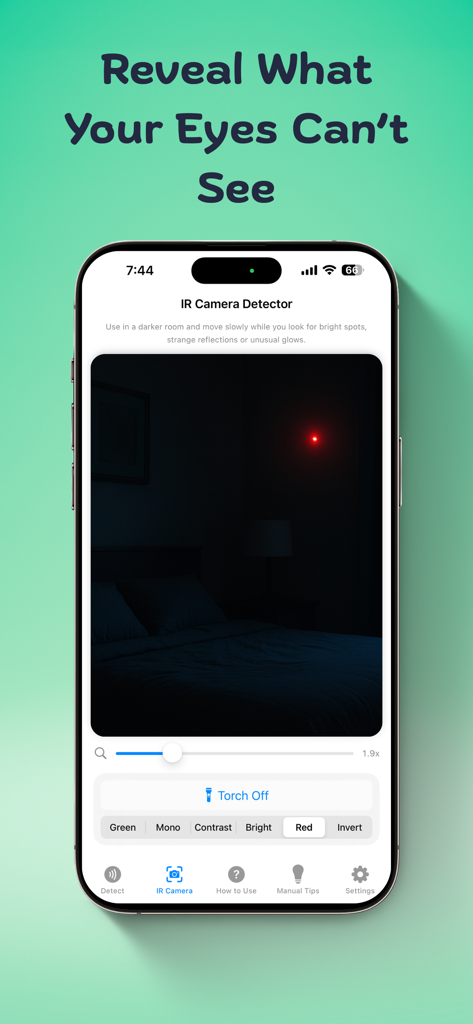
맨눈으로는 전혀 보이지 않는 어두운 방의 숨겨진 카메라와 IR 방출기를 찾아냅니다.

자기 기기 스캐너

무음 상태의 분실 전화기 또는 숨겨진 전자 도청기를 강한 자기장 변동을 스캔하여 찾습니다.

다음 스크린샷과 설명은 앱의 공식 스토어 목록에서 직접 가져온 것이며 앱 개발자의 자산입니다.

앱 스토어

스크린샷
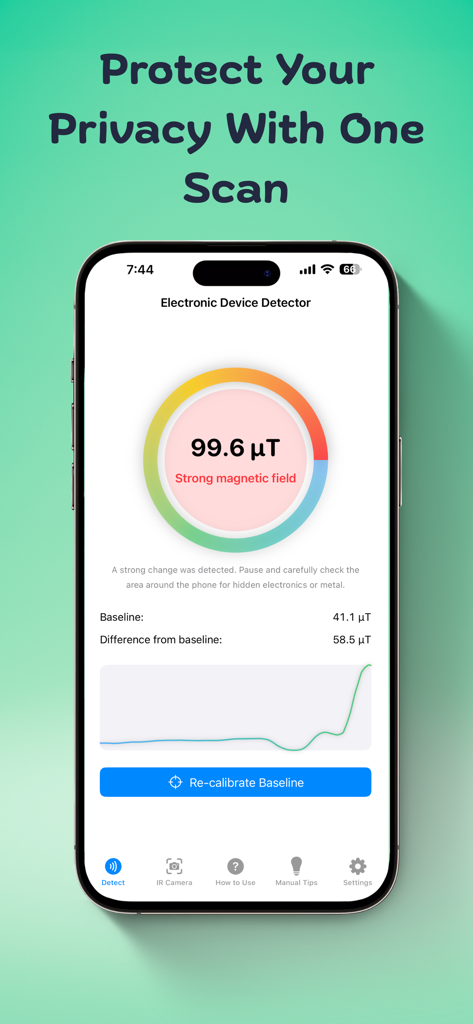
Electronic Device Detector - 개인 정보 보호를 위해 강한 자기장이 있다는 경고가 있는 자기장 감지기 앱을 보여주는 스마트폰 인터페이스.
개인 정보 보호를 위해 강한 자기장이 있다는 경고가 있는 자기장 감지기 앱을 보여주는 스마트폰 인터페이스.

Electronic Device Detector - 어두운 방의 숨겨진 장치를 식별하는 적외선 카메라 감지기 앱을 표시하는 스마트폰 화면
어두운 방의 숨겨진 장치를 식별하는 적외선 카메라 감지기 앱을 표시하는 스마트폰 화면

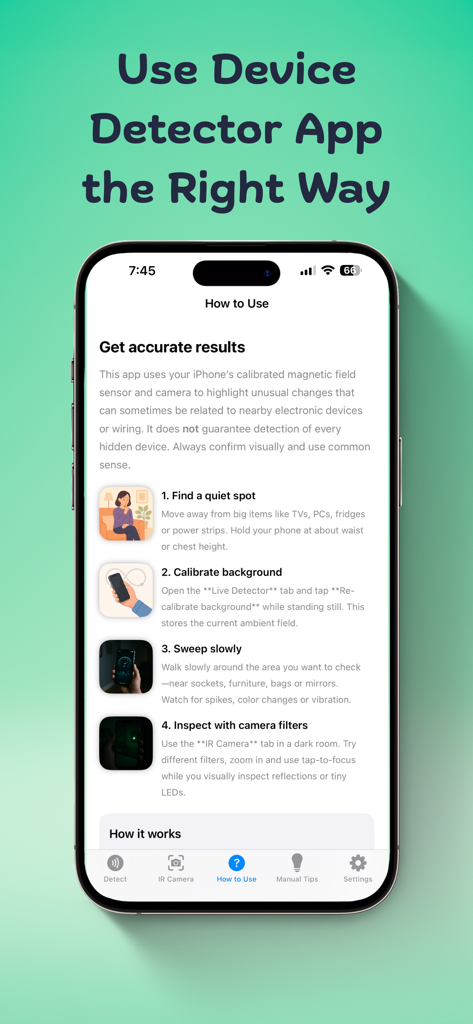
Electronic Device Detector - 숨겨진 카메라 및 전자 기기 탐지를 위한 전자 기기 탐지기 앱 사용 방법에 대한 단계별 지침
숨겨진 카메라 및 전자 기기 탐지를 위한 전자 기기 탐지기 앱 사용 방법에 대한 단계별 지침

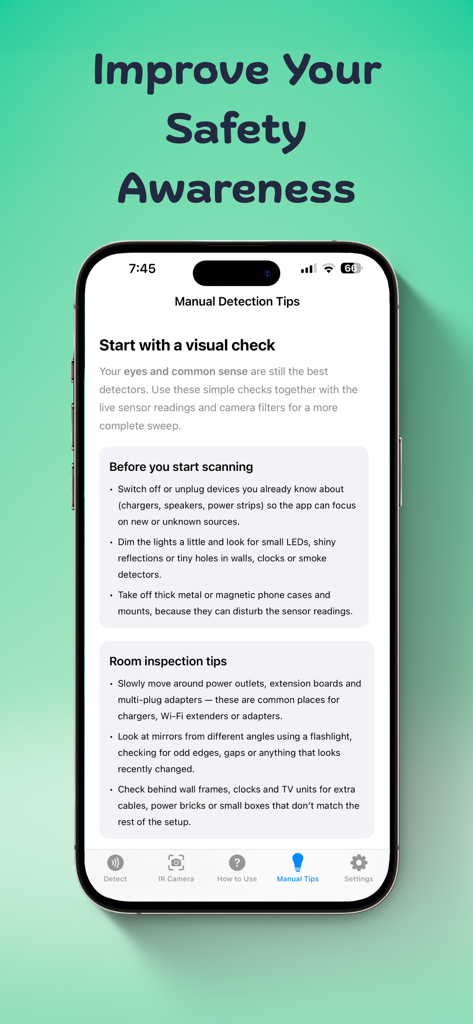
Electronic Device Detector - 숨겨진 카메라에 대한 시각적 확인에 대한 조언을 제공하는 전자 기기 탐지기 앱의 수동 탐지 팁 화면
숨겨진 카메라에 대한 시각적 확인에 대한 조언을 제공하는 전자 기기 탐지기 앱의 수동 탐지 팁 화면

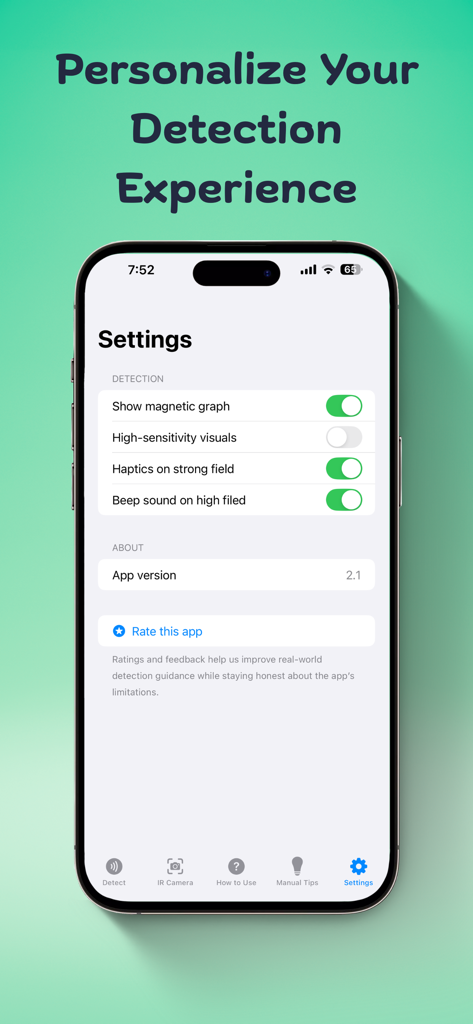
Electronic Device Detector - 탐지 경고 및 자기 그래프 시각화를 개인화하기 위한 전자 기기 탐지기 앱 설정 화면

탐지 경고 및 자기 그래프 시각화를 개인화하기 위한 전자 기기 탐지기 앱 설정 화면

설명

Electronic Device Detector/Finder app facilitates you to detect any kind of electronics in your vicinity. It is for you if you usually forget where you have put your phone and its on silent. You can easily find lost or hidden devices nearby. App Provides you with 2 modes: 1- Infrared Detector - You can detect Remotes or IR cameras with this mode or any device which emits an IR light. Just close all lights in the place you are and open IR camera mode and scan moving iPhone full 360 degrees, If you see white light or blue light that is invisible to naked eye, then it is infrared light and it could be infrared camera or a remote, well you have to inspect further. Usage: Test with TV remote control light - See TV remote control head with normal eye and press any button, you will not see any light. Then open normal camera or open app and see through the camera - you will see white light. Reason for this is that infrared light is not visible to naked eye but it is visible when seen through a camera. This way you can easily detect IR emitting devices if any. 2. Scan with magnetic sensor – With this mode, app analyse magnetic field around the phone. This feature enables you to find electronic devices like mobile, laptop/pc, cameras etc. If there is a high magnetic filed around, the app will show a warning so you can further investigate. Usage: Move top of your iPhone very close to the object you suspect. It could be screw, flowerpot, shower head, toys or anything that you find suspicious. If app shows a warning when the phone is brought closer to the object, further investigate for camera lens or a mobile phone or any electronic device. It can also be used as hidden camera detector while staying at a hotel room. App also provide you with tip & Tricks so that you can stay protected with some simple tricks or hacks whenever you are in public place. Please rate, comment if you like our app so that we can improve further.

Download

다운로드: App Store

이 페이지는 앱이나 개발자의 공식 페이지가 아니며, 정보 제공 및 논평을 목적으로 작성된 독립 편집 간행물입니다. 명시적으로 달리 언급되지 않는 한, 해당 앱이나 개발자는 MWM, Apple, Google Play, 앱 퍼블리셔 또는 앱 개발자와 제휴, 보증, 후원, 승인 또는 공식적으로 연결되어 있지 않으며, 이 페이지의 어떤 내용도 해당 앱이 MWM의 서비스를 사용하여 개발되었음을 의미하지 않습니다. 모든 상표, 로고, 스크린샷 및 기타 콘텐츠는 해당 소유자의 자산입니다.









