Euro Accident 2.0
Euro Accident 2.0
다운로드: App Store

이 페이지는 앱이나 개발자의 공식 페이지가 아니며, 정보 제공 및 논평을 목적으로 작성된 독립 편집 간행물입니다. 명시적으로 달리 언급되지 않는 한, 해당 앱이나 개발자는 MWM, Apple, Google Play, 앱 퍼블리셔 또는 앱 개발자와 제휴, 보증, 후원, 승인 또는 공식적으로 연결되어 있지 않으며, 이 페이지의 어떤 내용도 해당 앱이 MWM의 서비스를 사용하여 개발되었음을 의미하지 않습니다. 모든 상표, 로고, 스크린샷 및 기타 콘텐츠는 해당 소유자의 자산입니다.


로고: Euro Accident 2.0
다운로드: App Store

Euro Accident 2.0

보험금 청구 및 진료 예약부터 온 가족의 보장 내역 관리까지—어디에서든 원활한 의료 지원을 경험하세요.

주요 수치

다운로드

31K+

사용자 평점

4.6/5

총 평가 수

800

개발사

Euro Accident Livforsakring AB

카테고리

Medical

지원 언어

2

최신 버전

1.0.5

크기

63.9 MB

출시일

2024년 6월 4일
기능

원활한 보험 관리

강력한 올인원 모바일 플랫폼으로 보안과 속도를 강화하여 건강 및 보험 업무를 관리하세요.

즉시 진료 예약

전화 통화는 이제 그만. 디지털 티켓을 사용하여 앱에서 직접 진료 예약을 하고, 변경하고, 관리하세요.

원탭 보험금 청구 및 영수증

새로운 사건을 즉시 접수하고, 카메라를 통해 영수증이나 진료 확인서를 업로드하여 빠르고 간편하게 환급받으세요.

다음 스크린샷과 설명은 앱의 공식 스토어 목록에서 직접 가져온 것이며 앱 개발자의 자산입니다.

앱 스토어

스크린샷
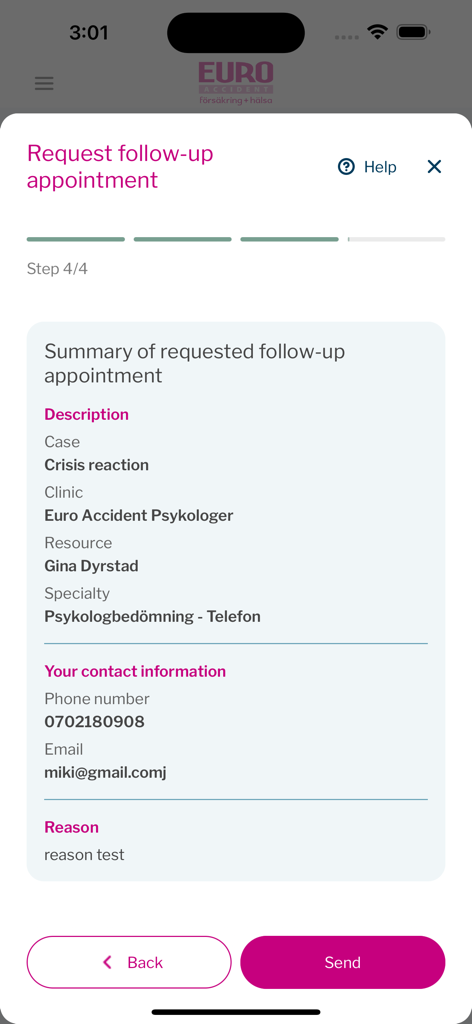
Euro Accident 2.0 - Euro Accident 앱에서 후속 진료 예약 요청을 위한 최종 요약 화면을 보여주는 모바일 화면
Euro Accident 앱에서 후속 진료 예약 요청을 위한 최종 요약 화면을 보여주는 모바일 화면

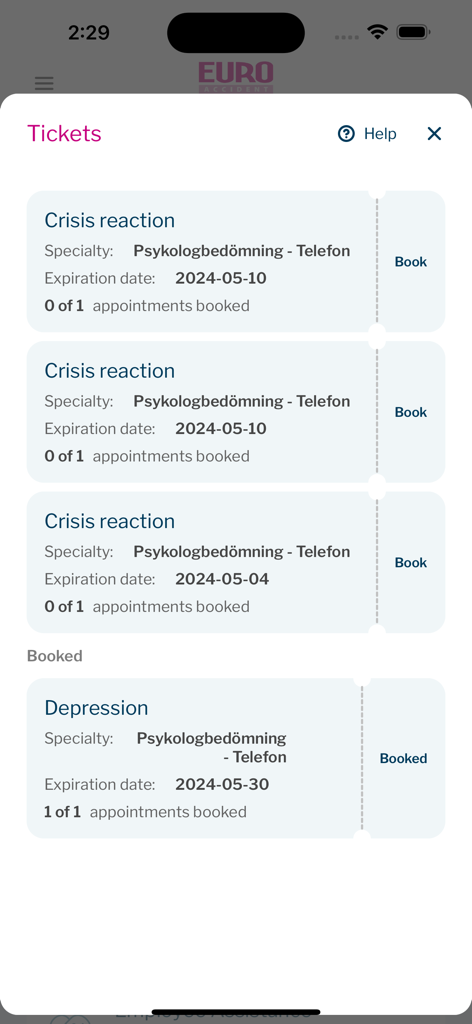
Euro Accident 2.0 - Euro Accident 앱 인터페이스에 정신 건강 상담 예약용 보험 티켓이 표시됨
Euro Accident 앱 인터페이스에 정신 건강 상담 예약용 보험 티켓이 표시됨

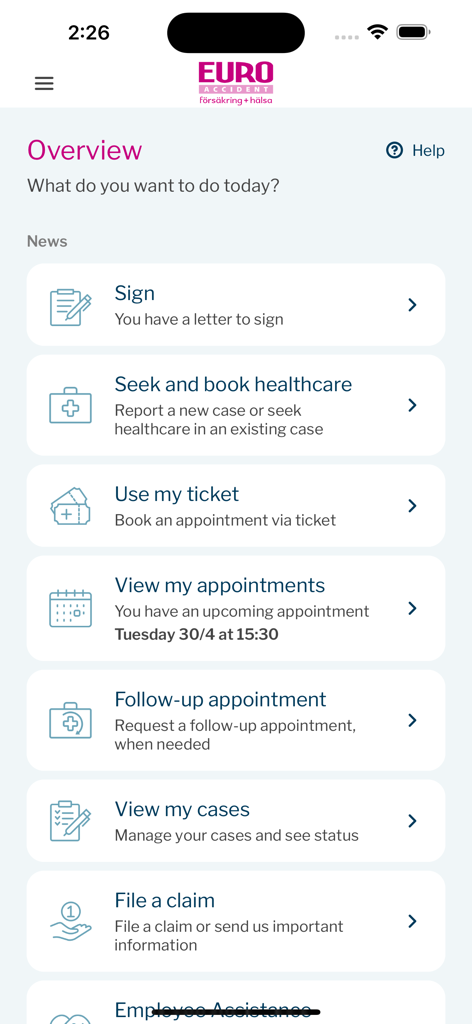
Euro Accident 2.0 - Euro Accident 2.0 앱의 개요 대시보드에는 건강 관리 예약, 보험금 청구, 약속 관리 메뉴 옵션이 표시됨
Euro Accident 2.0 앱의 개요 대시보드에는 건강 관리 예약, 보험금 청구, 약속 관리 메뉴 옵션이 표시됨

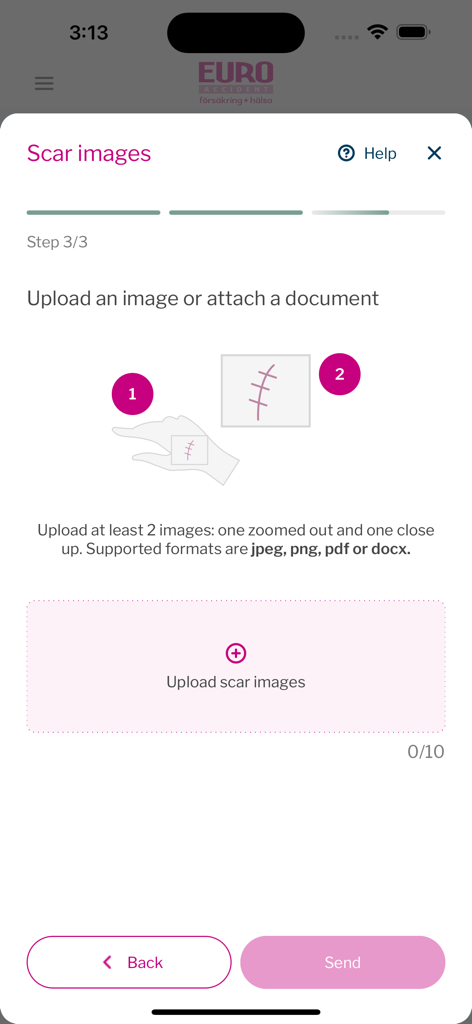
Euro Accident 2.0 - 보험금 청구의 일부로 흉터 이미지를 업로드하는 모바일 앱 인터페이스
보험금 청구의 일부로 흉터 이미지를 업로드하는 모바일 앱 인터페이스

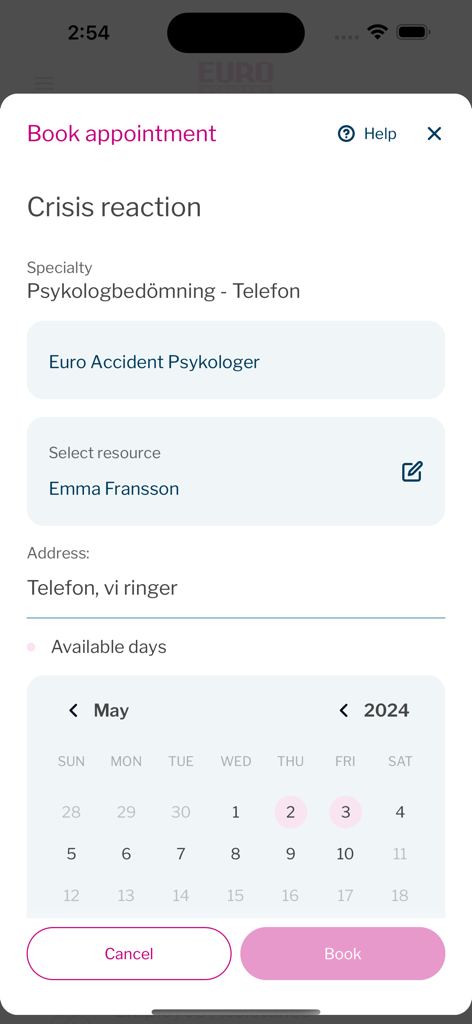
Euro Accident 2.0 - Euro Accident 앱 캘린더에서 정신 건강 평가 예약

Euro Accident 앱 캘린더에서 정신 건강 평가 예약

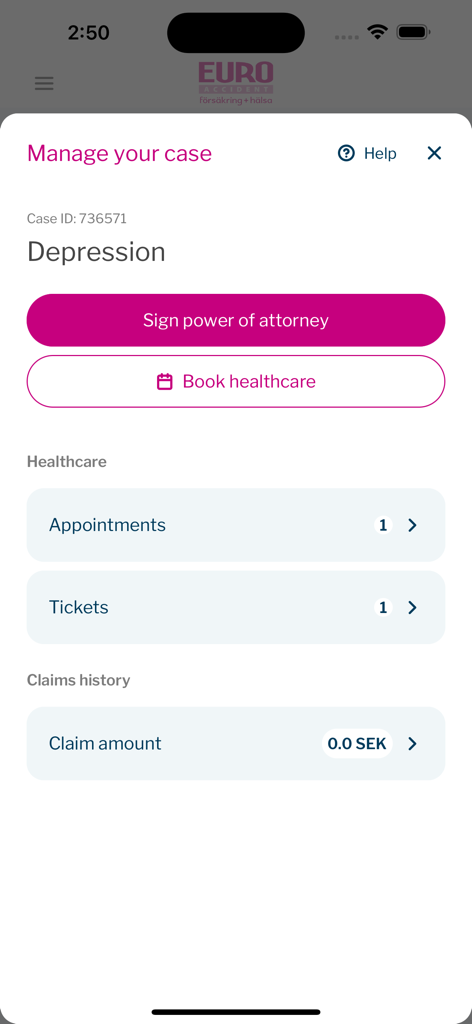
Euro Accident 2.0 - Euro Accident 2.0 앱의 특정 보험 사건 관리 화면 인터페이스, 위임장 서명 및 건강 관리 예약 옵션 포함
Euro Accident 2.0 앱의 특정 보험 사건 관리 화면 인터페이스, 위임장 서명 및 건강 관리 예약 옵션 포함

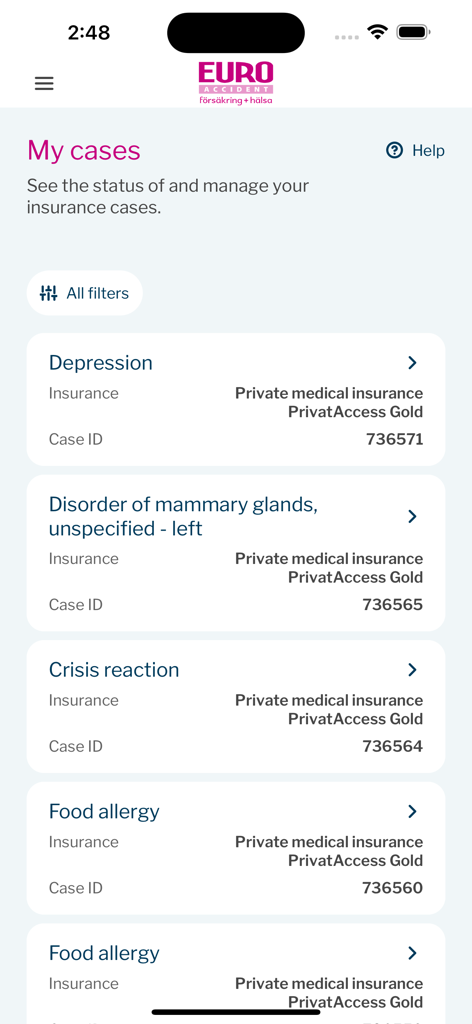
Euro Accident 2.0 - Euro Accident 앱의 '내 사건' 화면으로, 사건 ID 및 보장 내역을 포함한 활성 보험 청구 목록 표시
Euro Accident 앱의 '내 사건' 화면으로, 사건 ID 및 보장 내역을 포함한 활성 보험 청구 목록 표시

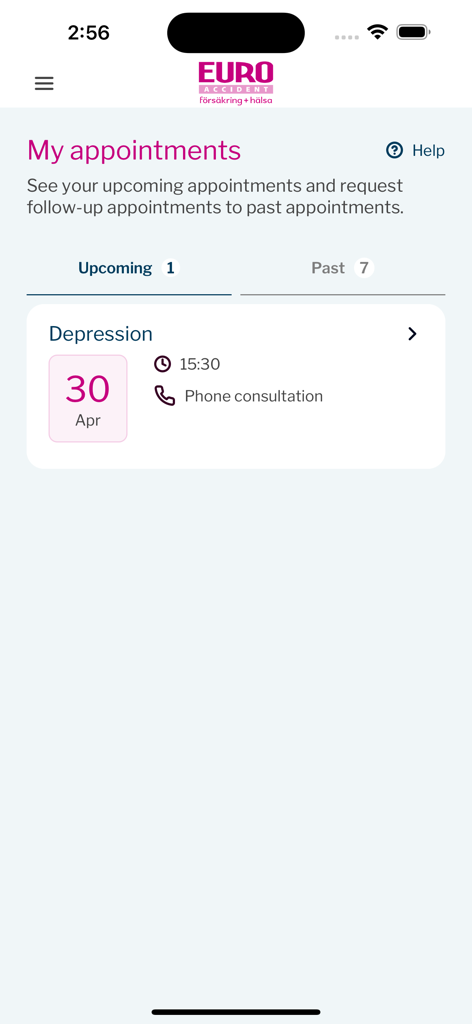
Euro Accident 2.0 - Euro Accident 2.0 앱의 '내 예약' 화면에 4월 30일 우울증 전화 상담 예약 표시
Euro Accident 2.0 앱의 '내 예약' 화면에 4월 30일 우울증 전화 상담 예약 표시

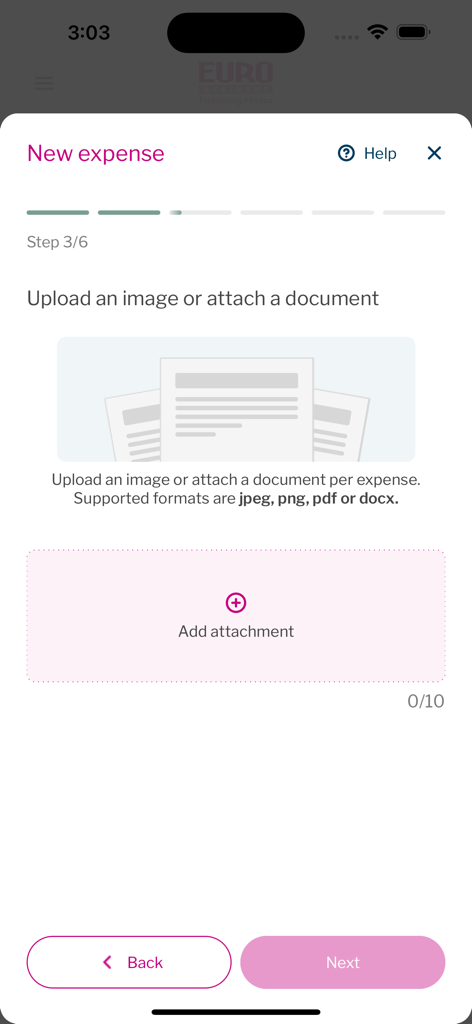
Euro Accident 2.0 - Euro Accident 앱의 새 비용 업로드 화면

Euro Accident 앱의 새 비용 업로드 화면

설명

Introduction The new Euro Accident app help Euro Accident insured customers to file claims, book and handle health care appointments, handle communicationion, get help and be informed when there are actions that they need to take in regards to their insurance errands. Log in In order to log into the app, the user needs to 1. Have at least one active Euro Accident insurance. 2. Be able to identify themselves securely with Swedish identification service BankID. (Information about BankID https://www.bankid.com/en/) Since the the production app integrates towards the production environment, only real persons that fulfil critereas 1 and 2 can test all functionality in the app. In order to review functionality all, functionality has been screen recorded and attache as separate files. Recordings demonstrate the functionalities that can be accessed through the app, depending on what Euro Accident insurance the user has. Features and screenrecording descriptions 1. Log in with BankID (missing) Screen is filmed with another device since BankID refuses to run sessions with ongoing screenrecording. - User can login to the app if they have a Euro Accident insurance by using BankID authentication. 2. File new case - User can file a new case for injury or illness to use their insurance. After filing a new case they get to speak to a doctor or nurse online for an assessment (external link) 3. Book an appointment with ticket - The user has been assigned an appointment ticket to use for booking a healthcare appointment at suitable instance, time and date. 4. Request a follow-up appointment - After user has been to the appointment and they want a follow-up appointment. 5. Manage appointments - see appontment time and location - User can view booked healthcare appointment details, time and location. 6. Manage appointments - Reschedule a booked appointment - User can reschedule a booked appointment directly in the app. 7. Manage appointments - request a follow-up appointment - User can manage appointments and book a follow-up appointment from details view. 8. File a claim - upload receipt - When user has expenses covered by insurance, user can upload receipts in order to get reimbursed for expences, such as for appointments, travel, etc. 9. File a claim - Upload scar pictures - When a user has an Euro Accident insurance that covers injury scars, a user can upload pictures of scars and connect claim to an existing case. 10. Report to us - back at work - When a user with an Euro accident insurance that covers sick leave compensation, they can report when they have returned from sick leave to working again. 11. Report to us - send medical certificate - When a Euro Accident claims adjuster handles a case, a medicial certificate from a doctor needs to be provided by the user. The user can upload the medical certificate in the app. 12. Sign Power of Attorney - In order to provide health care for an individual, user needs to sign a the document. 13. View payments - When Euro Accident customershave been approved compensation, the upcoming payments can be seen in the app. Also user can see past payments. 14. Pay deductable fee - In order to book a first appointment for a case, user needs to pay a deductable first fee either with credit card or with Swish payment solution. 15. View my insurances - User can view and read more about their insurances. 16. View my and my childrens insurances - If user has an insured child, user can switch toggle button to read about childrens insurances. 17. call Employee assistance program - Insured customers covered by the Employee assistance program can easily access the phone number to call. 18. View and edit my details - By going to View my profile, user can easily view and update contact details such as phone number and e-mail adress. 19.Log out - User can easily log out from View my profile-screen.

Download

다운로드: App Store

이 페이지는 앱이나 개발자의 공식 페이지가 아니며, 정보 제공 및 논평을 목적으로 작성된 독립 편집 간행물입니다. 명시적으로 달리 언급되지 않는 한, 해당 앱이나 개발자는 MWM, Apple, Google Play, 앱 퍼블리셔 또는 앱 개발자와 제휴, 보증, 후원, 승인 또는 공식적으로 연결되어 있지 않으며, 이 페이지의 어떤 내용도 해당 앱이 MWM의 서비스를 사용하여 개발되었음을 의미하지 않습니다. 모든 상표, 로고, 스크린샷 및 기타 콘텐츠는 해당 소유자의 자산입니다.