Event Manager
Event Manager
다운로드: App Store

이 페이지는 앱이나 개발자의 공식 페이지가 아니며, 정보 제공 및 논평을 목적으로 작성된 독립 편집 간행물입니다. 명시적으로 달리 언급되지 않는 한, 해당 앱이나 개발자는 MWM, Apple, Google Play, 앱 퍼블리셔 또는 앱 개발자와 제휴, 보증, 후원, 승인 또는 공식적으로 연결되어 있지 않으며, 이 페이지의 어떤 내용도 해당 앱이 MWM의 서비스를 사용하여 개발되었음을 의미하지 않습니다. 모든 상표, 로고, 스크린샷 및 기타 콘텐츠는 해당 소유자의 자산입니다.

로고: Event Manager
다운로드: App Store

Event Manager

커뮤니티 발표회부터 가족 모임까지, 통합 참가자 목록, 자동 알림 및 정리된 리더를 위한 맞춤형 전문 PDF 보고서로 계획을 간소화하세요.

주요 수치

다운로드

41K+

사용자 평점

1.0/5

총 평가 수

0

개발사

Jessica Tunnicliffe

카테고리

Social Networking

지원 언어

1

최신 버전

1.0.31

크기

26.3 MB

출시일

2014년 10월 28일
기능

완벽한 자신감으로 이벤트를 마스터하세요

활동적인 기획자를 위해 설계된 강력한 도구로 처음부터 끝까지 조정을 간소화하세요. 지역 발표회든 비즈니스 회의든 모든 세부 정보를 손안에 두세요.

직접적인 참가자 연락

소셜 미디어의 혼란을 피하세요. 가장 높은 응답률을 위해 기존 연락처를 사용하여 SMS 또는 이메일로 참가자에게 직접 연락하세요.

카테고리별 구성

삶을 손쉽게 분리하세요. 비즈니스 회의, 가족 모임, 커뮤니티 이벤트를 쉽고 명확하게 사용자 지정 가능한 카테고리로 관리하세요.

다음 스크린샷과 설명은 앱의 공식 스토어 목록에서 직접 가져온 것이며 앱 개발자의 자산입니다.

앱 스토어

스크린샷
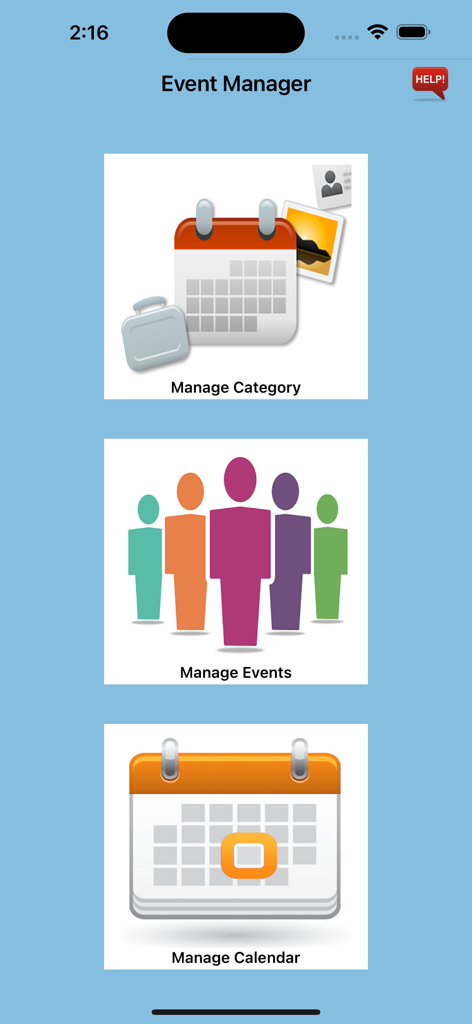
Event Manager - 이벤트 관리자 앱의 메인 메뉴로, 주요 섹션인 카테고리 관리, 이벤트 관리, 캘린더 관리 세 가지를 보여줍니다.
이벤트 관리자 앱의 메인 메뉴로, 주요 섹션인 카테고리 관리, 이벤트 관리, 캘린더 관리 세 가지를 보여줍니다.

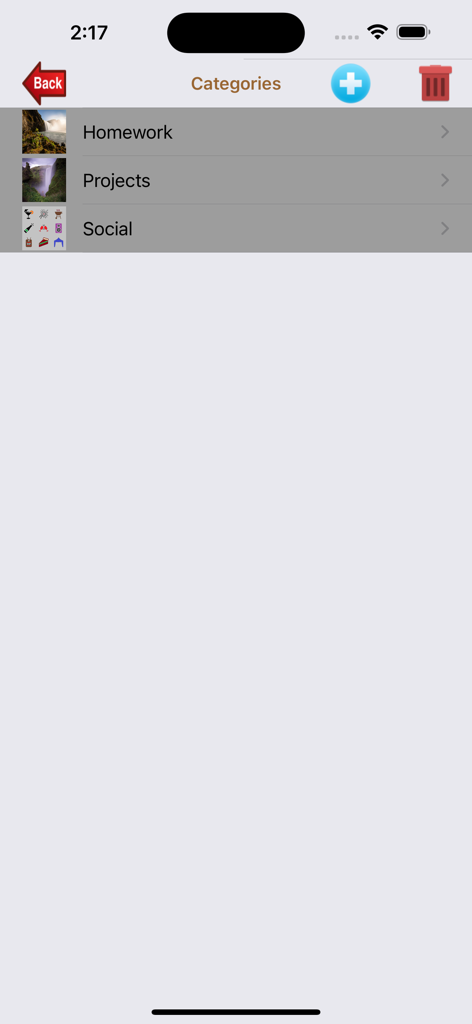
Event Manager - 이벤트 관리자 앱에서 숙제, 프로젝트, 사교 등 이벤트 카테고리 목록입니다.
이벤트 관리자 앱에서 숙제, 프로젝트, 사교 등 이벤트 카테고리 목록입니다.

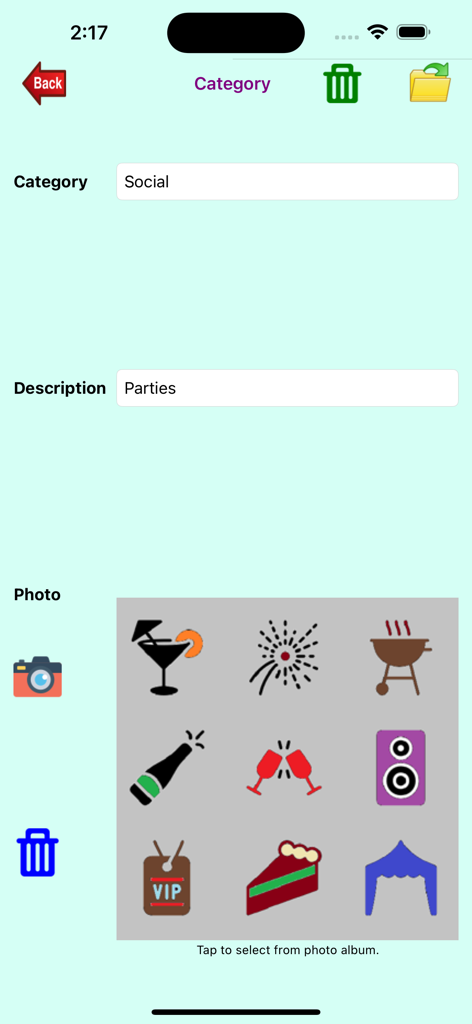
Event Manager - 사교 파티에 대한 아이콘 선택 기능이 있는 이벤트 카테고리 관리 인터페이스입니다.
사교 파티에 대한 아이콘 선택 기능이 있는 이벤트 카테고리 관리 인터페이스입니다.

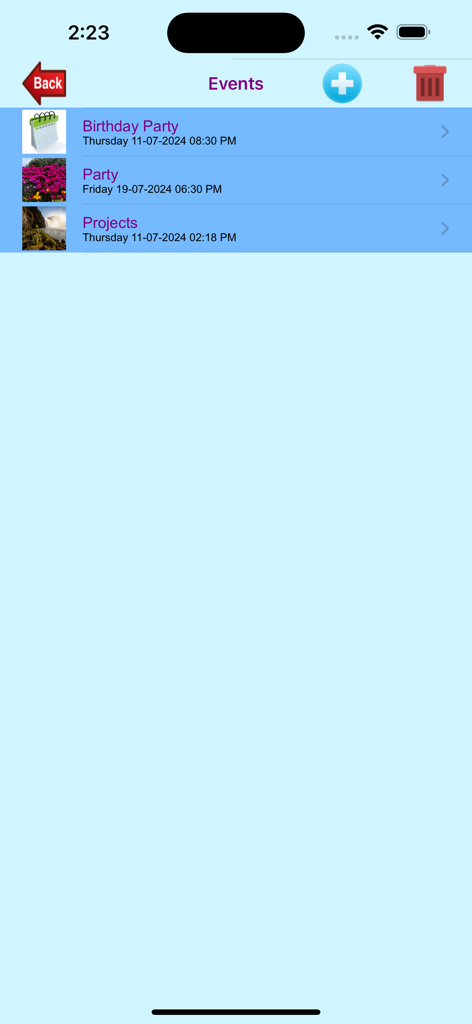
Event Manager - 이벤트 관리자 앱에서 생일 파티 및 프로젝트 항목을 포함한 예정된 이벤트 목록 보기입니다.
이벤트 관리자 앱에서 생일 파티 및 프로젝트 항목을 포함한 예정된 이벤트 목록 보기입니다.

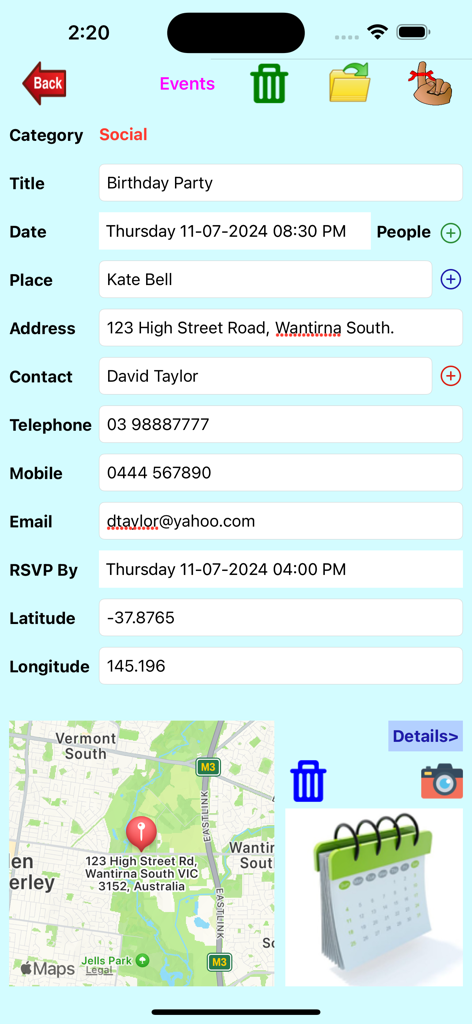
Event Manager - 이벤트 관리자 앱의 상세 이벤트 계획 양식으로, 생일 파티 정보와 지도 위치를 보여줍니다.
이벤트 관리자 앱의 상세 이벤트 계획 양식으로, 생일 파티 정보와 지도 위치를 보여줍니다.

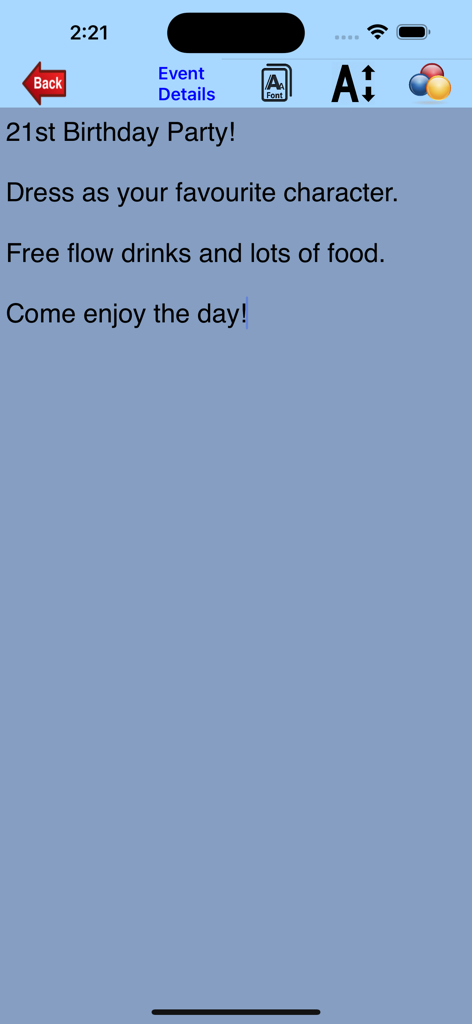
Event Manager - 이벤트 관리자 앱의 이벤트 세부 정보 화면으로, 복장 규정 및 케이터링을 포함한 21번째 생일 파티 정보를 보여줍니다.
이벤트 관리자 앱의 이벤트 세부 정보 화면으로, 복장 규정 및 케이터링을 포함한 21번째 생일 파티 정보를 보여줍니다.

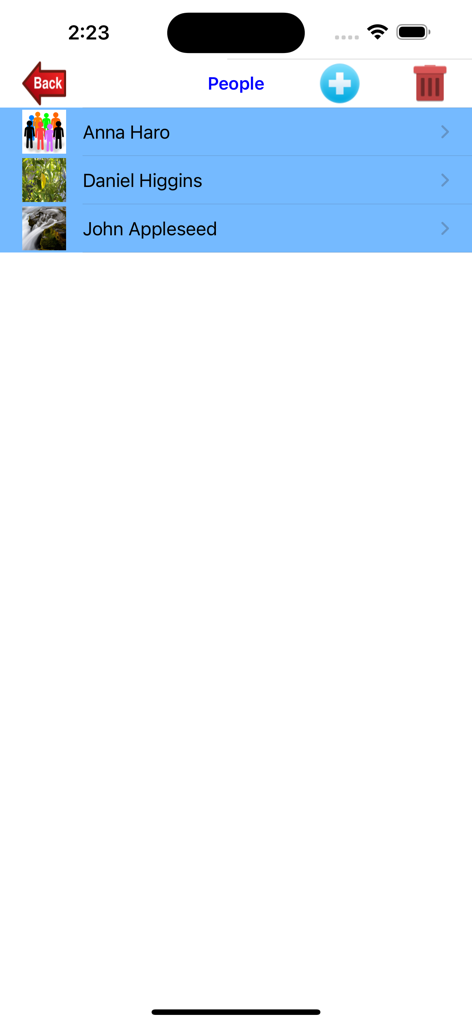
Event Manager - 이벤트 관리자 앱에서 Anna Haro 및 John Appleseed와 같은 이름이 포함된 참가자 목록을 보여주는 화면입니다.
이벤트 관리자 앱에서 Anna Haro 및 John Appleseed와 같은 이름이 포함된 참가자 목록을 보여주는 화면입니다.

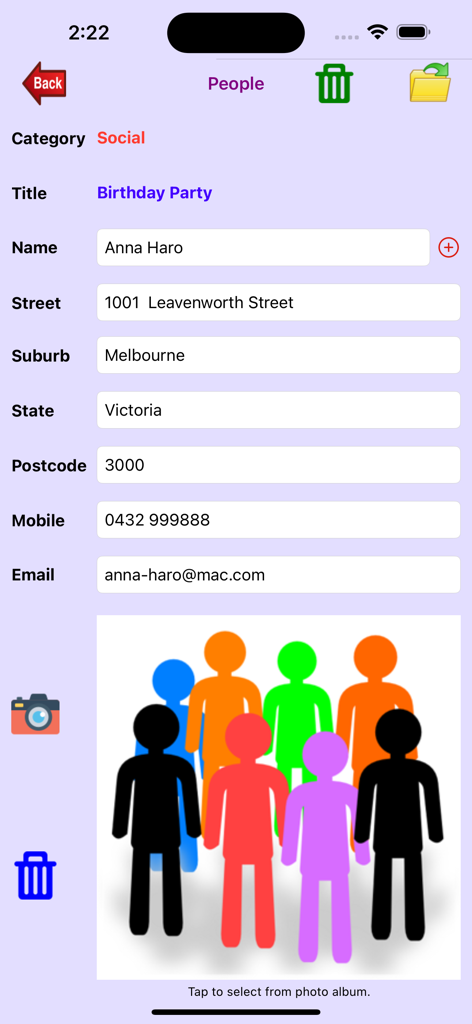
Event Manager - 이벤트 참가자의 연락처 정보와 주소를 보여주는 이벤트 관리자 앱의 스크린샷입니다.
이벤트 참가자의 연락처 정보와 주소를 보여주는 이벤트 관리자 앱의 스크린샷입니다.

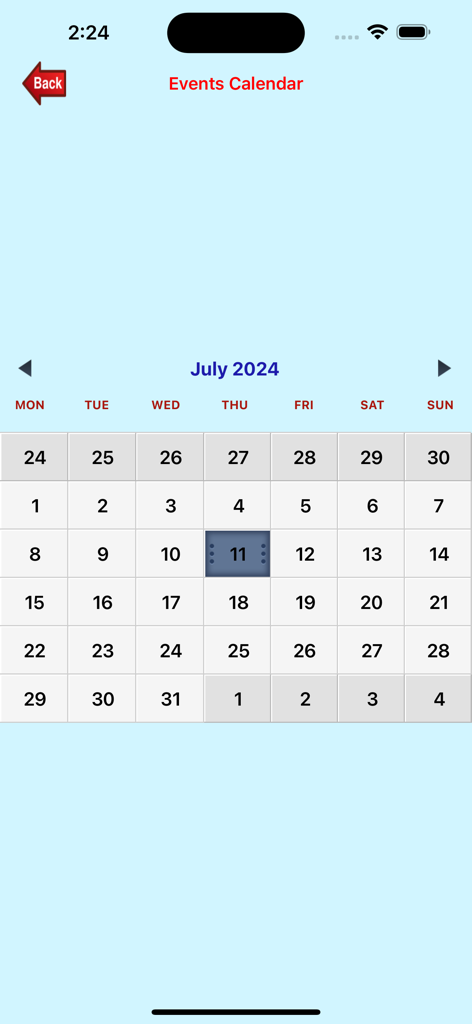
Event Manager - 이벤트 관리자 앱의 2024년 7월 월별 이벤트 캘린더를 보여주는 스크린샷입니다.
이벤트 관리자 앱의 2024년 7월 월별 이벤트 캘린더를 보여주는 스크린샷입니다.

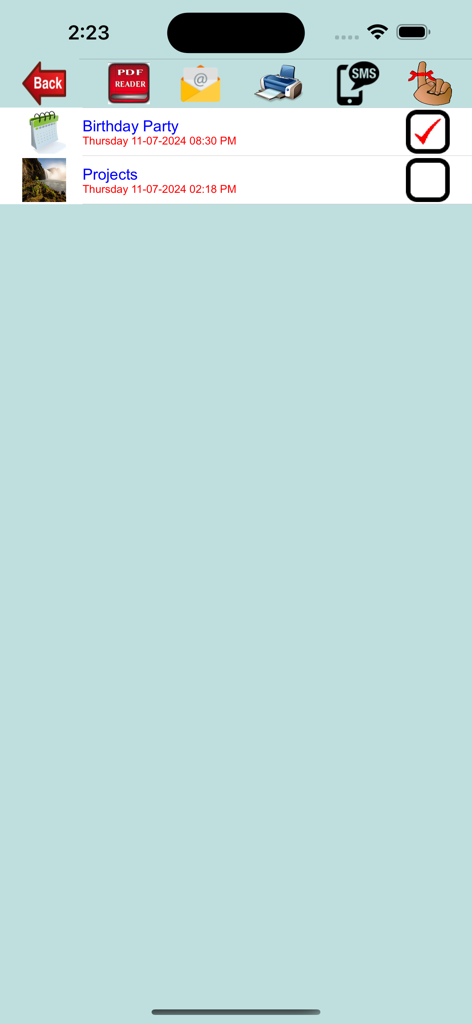
Event Manager - PDF 생성, 이메일, 인쇄 및 SMS 알림 아이콘이 있는 이벤트 관리자 목록 화면입니다.

PDF 생성, 이메일, 인쇄 및 SMS 알림 아이콘이 있는 이벤트 관리자 목록 화면입니다.

설명

Event Manager has been specially created to help you manage events like parties, social gatherings, meetings, recitals, outings, etc. You can email or send sms to all the people invited to the event or send a reminder to yourself or print out the event details including a list of all the people. You can also view the generated pdf file. There are three functions available: Manage Categories - Create, edit or delete the categories (eg. Business, Social, Recital, etc) for each event with the option to select a photo from your photo album, take a new photo or delete the selected photo. If you delete a Category, all events and people under that category will be deleted as well. To search for a category, simply enter the Category Name. You can change the photo, re-take another photo or delete the photo. Manage Events - Create, edit or delete the event for each category. For each event, you enter the title, photo, event date, event details, location, rsvp date, contact name, contact telephone, contact mobile number and contact email address. You can pick a location from your address book or enter one manually. The location will be displayed on the map. You can also pick a contact name from your address book. The telephone number, mobile number and email address will be automatically populated with the information obtained for this contact. You can select the photo from your photo album, take a new photo or delete selected photo. You have the option to change fonts, font size and font color when entering event details. To search for an event, simply enter the Event Title and the details will be displayed. You can also enter details of all the people you wish to invite to this event. This can also be selected from your address book. Details extracted include name, address, mobile number, email address and photo. You have the option to send a reminder for this event. Manage Calendar - You first select a date or date range of the events you wish to manage. You can then send email or sms to all the people for the selected event or send a reminder to yourself. You can select multiple events with the option to print or display the event details and people. The pdf file can also be sent to WhatsApp, Messenger, iBooks, Yahoo Mail, Evernote, Notes, Viber, iCloud Drive, etc.

Download

다운로드: App Store

이 페이지는 앱이나 개발자의 공식 페이지가 아니며, 정보 제공 및 논평을 목적으로 작성된 독립 편집 간행물입니다. 명시적으로 달리 언급되지 않는 한, 해당 앱이나 개발자는 MWM, Apple, Google Play, 앱 퍼블리셔 또는 앱 개발자와 제휴, 보증, 후원, 승인 또는 공식적으로 연결되어 있지 않으며, 이 페이지의 어떤 내용도 해당 앱이 MWM의 서비스를 사용하여 개발되었음을 의미하지 않습니다. 모든 상표, 로고, 스크린샷 및 기타 콘텐츠는 해당 소유자의 자산입니다.








