
이 페이지는 앱이나 개발자의 공식 페이지가 아니며, 정보 제공 및 논평을 목적으로 작성된 독립 편집 간행물입니다. 명시적으로 달리 언급되지 않는 한, 해당 앱이나 개발자는 MWM, Apple, Google Play, 앱 퍼블리셔 또는 앱 개발자와 제휴, 보증, 후원, 승인 또는 공식적으로 연결되어 있지 않으며, 이 페이지의 어떤 내용도 해당 앱이 MWM의 서비스를 사용하여 개발되었음을 의미하지 않습니다. 모든 상표, 로고, 스크린샷 및 기타 콘텐츠는 해당 소유자의 자산입니다.


Examica for Teachers
궁극의 하이브리드 평가 도구로 일과 삶의 균형을 되찾으세요. 카메라를 갖다 대면 시험지를 즉시 채점하거나, 자동 보고 및 심층 학생 분석 기능으로 온라인 시험을 치르세요.
다운로드
800사용자 평점
총 평가 수
100개발사
카테고리
Education지원 언어
8최신 버전
1.50.0크기
60.7 MB출시일
2021년 10월 29일간편한 채점으로 주말을 되찾으세요
시험지 퀴즈부터 온라인 시험까지, Examica는 가장 시간이 많이 소요되는 작업을 자동화하여 진정으로 중요한 것, 즉 학생들에게 집중할 수 있도록 합니다.
즉각적인 AI 시험지 채점
카메라를 갖다 대고 1분 안에 30명 분량의 시험지를 채점하세요. 빨간 펜과 무거운 스캔트론 기계는 이제 영원히 안녕입니다.
원활한 하이브리드 평가
시험지, 온라인 또는 둘 다 동시에 평가를 실시하세요. 1:1 교실에서 업무량을 두 배로 늘리지 않고 형평성을 보장하는 데 완벽합니다.
자주 묻는 질문
에 대해 알아야 할 모든 것 Examica for Teachers
Examica for Teachers는 무엇인가요?
Examica for Teachers는 종이 및 온라인 평가 모두를 채점하여 시간을 절약하도록 설계된 애플리케이션입니다. 종이 답안지를 빠르게 스캔하고 고유 액세스 코드가 있는 온라인 테스트를 만들 수 있습니다.
Examica는 어떻게 종이 평가를 채점하나요?
Examica는 장치의 카메라를 사용하여 학생 답안지를 스캔하여 종이 평가를 채점합니다. 이 기능을 통해 30명 학급을 60초 미만으로 처리하는 빠른 채점이 가능합니다.
Examica로 온라인 평가를 만들 수 있나요?
네, Examica는 온라인 평가 생성을 지원합니다. 교사는 고유 액세스 코드가 포함된 링크를 학생들에게 보내어 계정 없이 평가에 응시하고 즉각적인 결과를 받을 수 있도록 할 수 있습니다.
Examica는 어떤 질문 유형을 지원하나요?
Examica는 객관식 및 서술형 질문을 평가에 지원합니다. 또한 사용자가 앱 내에서 사각형을 직접 칠하여 잘못 표시된 답변을 수정할 수 있습니다.
Examica for Teachers는 누구를 위해 설계되었나요?
Examica for Teachers는 모든 과목 및 수업의 교사와 대학 교수진을 위해 설계되었습니다. 다양한 평가 요구에 맞춰 중학교, 고등학교, 대학교 수준을 대상으로 합니다.
Examica는 학생 통계를 제공할 수 있나요?
네, Examica는 평가에 대한 의미 있는 통계를 분석합니다. 학생들이 가장 어려워했던 질문, 가장 흔한 답변을 식별하고 기타 자세한 통찰력을 제공합니다.
Examica는 학생 결과 보고서를 사용자 지정하고 보낼 수 있나요?
네, Examica를 사용하면 클릭 한 번으로 사용자 지정 결과 보고서를 학생에게 보낼 수 있습니다. 학생들은 온라인 평가를 완료하는 즉시 결과 보고서를 받습니다.
Examica는 종이 및 온라인 평가를 동시에 지원하나요?
네, Examica는 하이브리드 방식으로 평가를 수행하는 것을 지원합니다. 교사는 다양한 교육 및 학습 환경에 맞추기 위해 종이 및 온라인 평가 방법을 동시에 활용할 수 있습니다.
Examica 사용자는 어디서 모든 기능에 액세스할 수 있나요?
Examica for Teachers의 모든 기능은 모바일 앱과 전용 웹 포털 모두에서 사용할 수 있습니다. 이를 통해 플랫폼에 관계없이 일관된 기능을 보장합니다.
Examica를 사용하여 평가를 어떻게 만들 수 있나요?
사용자는 기존 평가를 업로드하고 답안 키를 작성하거나, 내장된 편집기를 사용하여 처음부터 새로운 평가를 만드는 방식으로 Examica에서 평가를 만들 수 있습니다.
다음 스크린샷과 설명은 앱의 공식 스토어 목록에서 직접 가져온 것이며 앱 개발자의 자산입니다.
앱 스토어
스크린샷
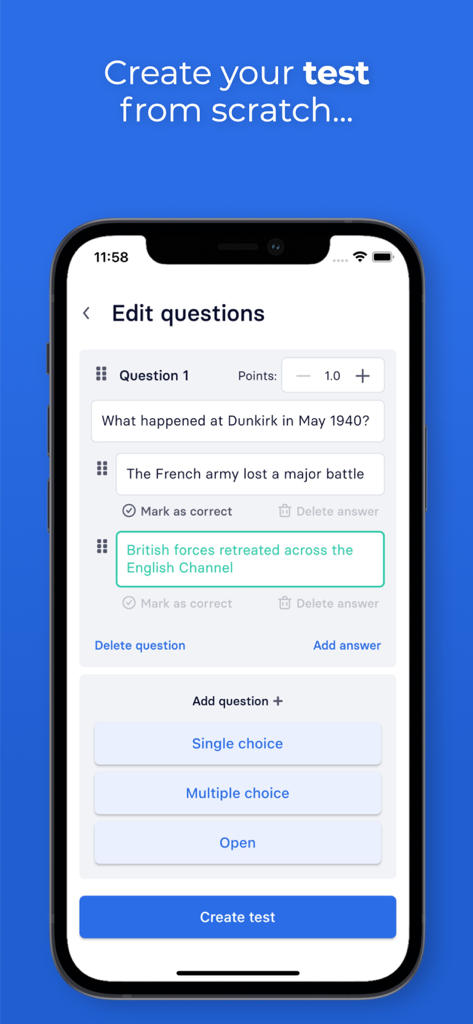
교사가 객관식 옵션으로 시험 문제를 만들고 편집할 수 있는 Examica 앱 인터페이스를 보여주는 스마트폰
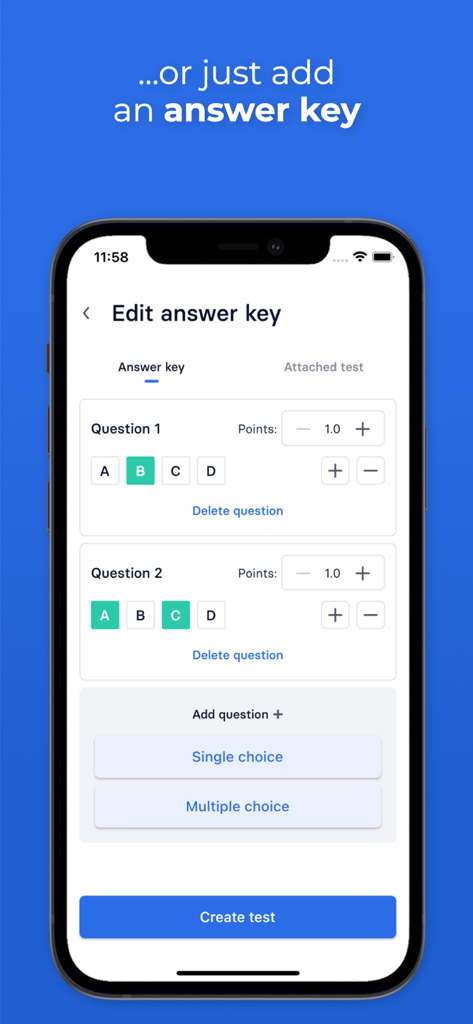
교사용 Examica의 모바일 앱 인터페이스로, 사용자가 객관식 문제의 정답을 선택하고 점수를 할당할 수 있는 답안지 편집기를 보여줍니다.
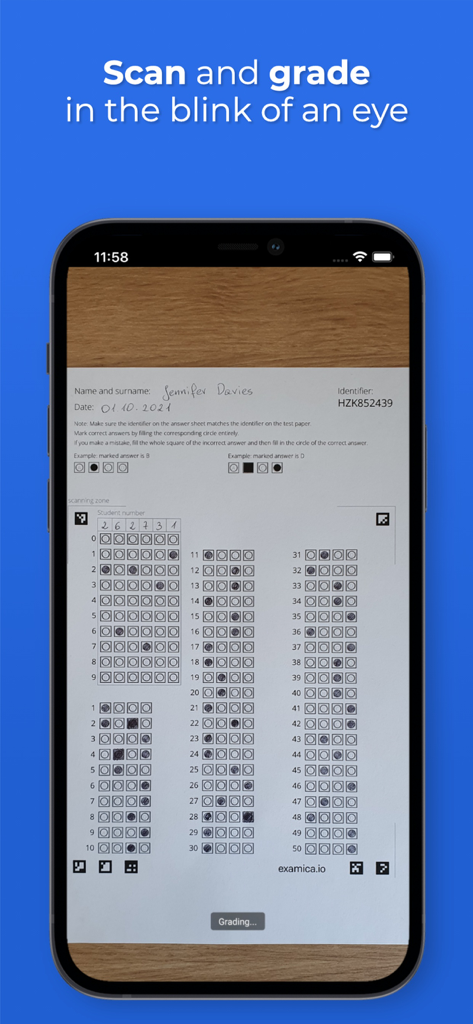
Examica 앱을 사용하여 시험지 객관식 답안지를 즉시 스캔하고 채점하는 스마트폰
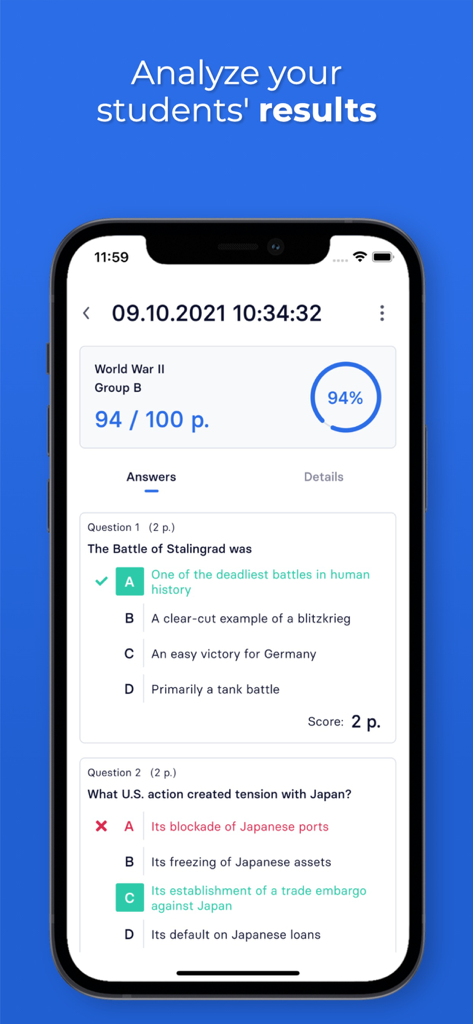
점수 백분율과 개별 문제 분석을 보여주는 Examica의 상세 학생 평가 보고서
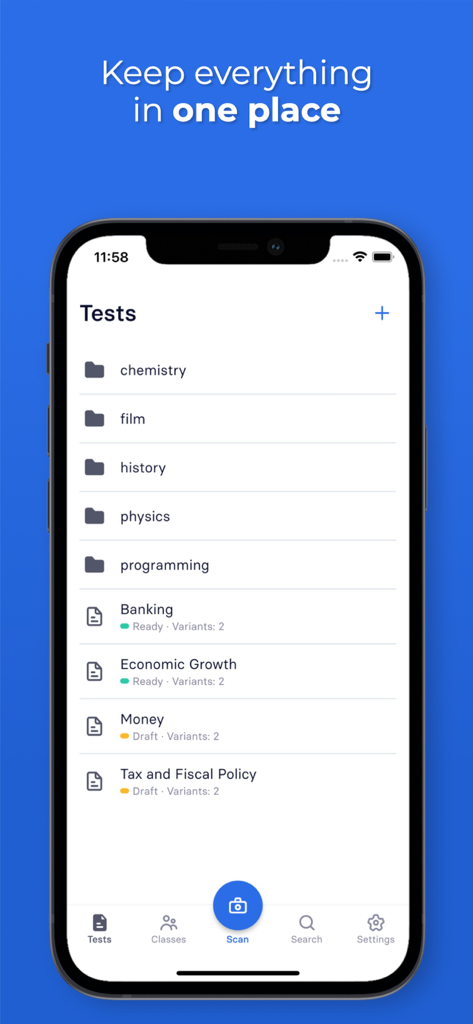
교사용 시험 폴더 및 평가 목록이 분류된 Examica 앱을 표시하는 iPhone 화면
설명
Download
비슷한 앱
같은 카테고리의 상위 앱

Duolingo - Language Lessons
Duolingo, Inc

Speak & Learn English: Learna
DEEP FLOW SOFTWARE SERVICES - FZCO

驾考宝典-科一科四驾驶证考试驾考通
Wuhan Jiakaobaodian Information Service Co., Ltd.

Toca Boca World
Toca Boca AB

Google Classroom
Google LLC

作业帮-中小学家长作业检查和辅导工具
Guangzhou Polar Future Culture Technology Co., Ltd

Gauth: AI Study Companion
GAUTHTECH PTE. LTD.

学信网
Student Information Consultation Service Co., Ltd.

ArtWorkout: Learn How to Draw
Aleksandr Ulitin
이 페이지는 앱이나 개발자의 공식 페이지가 아니며, 정보 제공 및 논평을 목적으로 작성된 독립 편집 간행물입니다. 명시적으로 달리 언급되지 않는 한, 해당 앱이나 개발자는 MWM, Apple, Google Play, 앱 퍼블리셔 또는 앱 개발자와 제휴, 보증, 후원, 승인 또는 공식적으로 연결되어 있지 않으며, 이 페이지의 어떤 내용도 해당 앱이 MWM의 서비스를 사용하여 개발되었음을 의미하지 않습니다. 모든 상표, 로고, 스크린샷 및 기타 콘텐츠는 해당 소유자의 자산입니다.