이 페이지는 앱이나 개발자의 공식 페이지가 아니며, 정보 제공 및 논평을 목적으로 작성된 독립 편집 간행물입니다. 명시적으로 달리 언급되지 않는 한, 해당 앱이나 개발자는 MWM, Apple, Google Play, 앱 퍼블리셔 또는 앱 개발자와 제휴, 보증, 후원, 승인 또는 공식적으로 연결되어 있지 않으며, 이 페이지의 어떤 내용도 해당 앱이 MWM의 서비스를 사용하여 개발되었음을 의미하지 않습니다. 모든 상표, 로고, 스크린샷 및 기타 콘텐츠는 해당 소유자의 자산입니다.
eXODA Port Scanner
장치를 식별하고, 열린 포트를 스캔하며, 지연 시간을 즉시 분석하세요. macOS 및 iOS 전반에 걸쳐 개인 정보 보호와 속도를 위해 설계된 IT 전문가 및 홈랩 애호가를 위한 고성능 네트워크 진단 도구입니다.
주요 수치
다운로드
0
사용자 평점
1.0/5
총 평가 수
0
개발사
Tobias Stephan
카테고리
Utilities
지원 언어
1
최신 버전
1.0.0
크기
18.1 MB
출시일
2025년 6월 15일
기능
전문가 수준의 네트워크 정보, 이제 간편하게
터미널을 전혀 사용하지 않고 고속 스캔과 심층적인 장치 인사이트를 통해 로컬 인프라를 완벽하게 제어하세요.
번개처럼 빠른 병렬 스캔
몇 초 만에 열린 포트와 활성 호스트를 검색하세요. 비동기 엔진과 지능형 캐싱을 통해 대규모 서브넷 전체에서 즉각적인 결과를 얻을 수 있습니다.
심층 장치 정보
네트워크상의 모든 것을 식별하세요. SNMP 및 프린터 MIB 프로토콜을 사용하여 시스템 설명, 호스트 이름 및 공급업체 세부 정보를 자동으로 가져옵니다.
다음 스크린샷과 설명은 앱의 공식 스토어 목록에서 직접 가져온 것이며 앱 개발자의 자산입니다.
앱 스토어
스크린샷
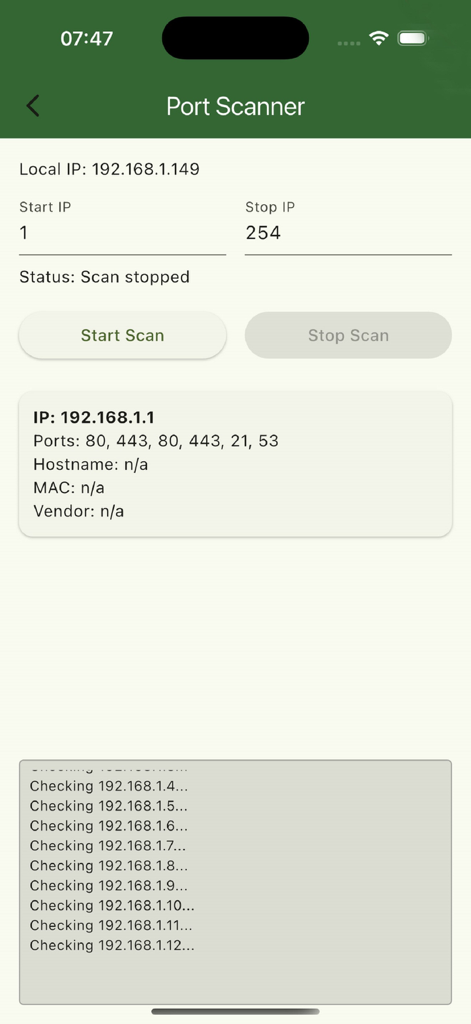
eXODA 포트 스캐너 인터페이스가 네트워크 스캔 결과와 열린 포트를 보여줍니다.
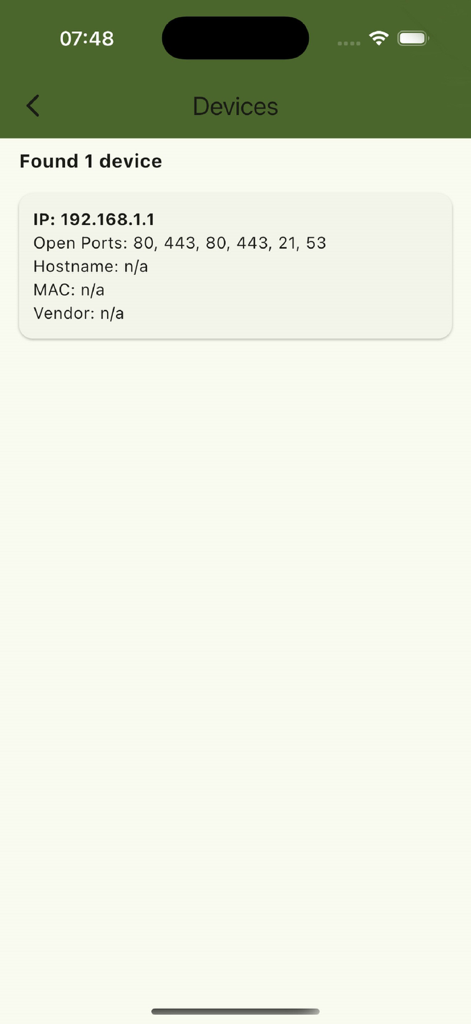
eXODA 포트 스캐너 앱 화면이 발견된 장치의 IP와 열린 포트를 표시합니다.
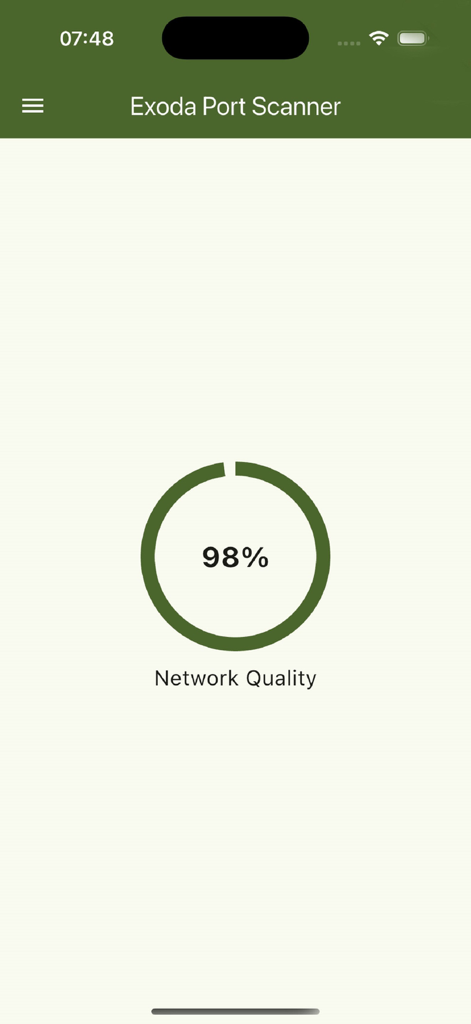
Exoda 포트 스캐너 앱 인터페이스가 98% 네트워크 품질 표시기를 보여줍니다.
설명
eXODA Port Scanner makes network analysis on macOS and iOS effortless with an intuitive interface and powerful features. With just a few taps, you can scan any IP range and ports—whether standard services like HTTP (port 80) and SSH (port 22), printer interfaces (ports 515, 631, 9100), or custom ports you define. Thanks to asynchronous parallel scanning and intelligent port caching, the process is lightning-fast even across large subnets, and previously discovered hosts are reused automatically.
Each discovered host appears in a clean, informative card showing the open port number, IP address, PTR-looked-up hostname, and MAC and vendor details from the local ARP table. eXODA Port Scanner also performs an ICMP ping to report round-trip time (RTT) in milliseconds and TTL (time-to-live), so you can gauge latency and reachability at a glance.
For deeper device insights, the app can connect via SNMP to switches, routers, or printers—when available—to pull system info (sysName, sysDescr, sysUpTime). It even auto-detects printers using the Printer MIB. Public GeoIP and ASN data (via ipwhois.app) provide country, region, and ISP details for each host.
Your own Wi-Fi environment is detailed, too: local IP address, SSID, and BSSID are displayed. You remain in full control—scans run entirely within your LAN, and no data ever leaves your network.
The sleek, modern UI is built on Flutter 3 with Material 3 and Cupertino styling, automatically adapting to light or dark mode. On macOS, a global hotkey (Ctrl + Q) lets you start or stop scans system-wide and view results in any active app. Advanced users can save, edit, and reset their custom port lists as needed.
eXODA Port Scanner is ideal for home network administrators, small-office IT pros, or anyone who wants to discover open ports, measure latency, and identify devices without wrestling with terminal commands. Whether you’re hunting down rogue devices, cataloging printers and routers, or simply checking connection speeds, it’s all at your fingertips.
Download eXODA Port Scanner today and transform your network analysis workflow—scan open ports, test latency, recognize devices, and optimize your infrastructure without ever opening a terminal. Regular updates ensure you’ll always have the latest protocols, new platform support, and cutting-edge diagnostic tools.
이 페이지는 앱이나 개발자의 공식 페이지가 아니며, 정보 제공 및 논평을 목적으로 작성된 독립 편집 간행물입니다. 명시적으로 달리 언급되지 않는 한, 해당 앱이나 개발자는 MWM, Apple, Google Play, 앱 퍼블리셔 또는 앱 개발자와 제휴, 보증, 후원, 승인 또는 공식적으로 연결되어 있지 않으며, 이 페이지의 어떤 내용도 해당 앱이 MWM의 서비스를 사용하여 개발되었음을 의미하지 않습니다. 모든 상표, 로고, 스크린샷 및 기타 콘텐츠는 해당 소유자의 자산입니다.