Faceover: Photo Face Swap

Faceover: Photo Face Swap

다운로드: App Store
로고: Faceover: Photo Face Swap

Faceover: 몇 초 만에 재미있는 사진 바꾸기 만들기

얼굴을 복사하여 붙여넣고 현실적인 결과를 얻을 수 있는 가장 쉬운 방법입니다. 수백만 명의 사용자와 함께 모든 사진을 친구와 가족에게 웃음을 선사할 바이럴급 콘텐츠로 만드세요.

개발사

Zed Italia S.r.l.

카테고리

Photo & Video

다운로드

5M+

사용자 평점

4.5/5

총 평가 수

65K+

지원 언어

9

재미있는 결과가 기다립니다

이 인터페이스를 사용하는 5M+ 명의 사용자.

Faceover 앱 수동 편집기 인터페이스로 얼굴 선택 및 바꾸기 과정을 보여줍니다
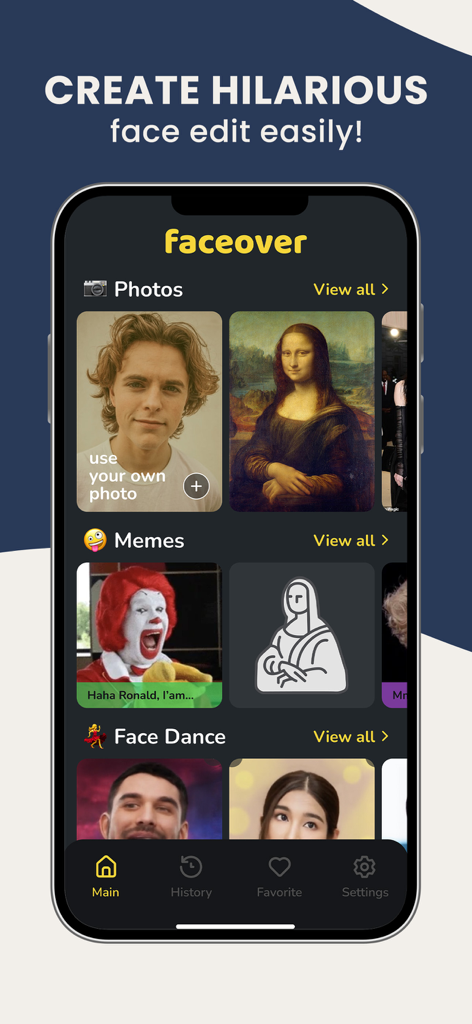
Faceover 앱 수동 편집기 인터페이스로 얼굴 선택 및 바꾸기 과정을 보여줍니다

Faceover 앱 메인 인터페이스로 사진 및 밈 얼굴 바꾸기 옵션을 보여줍니다
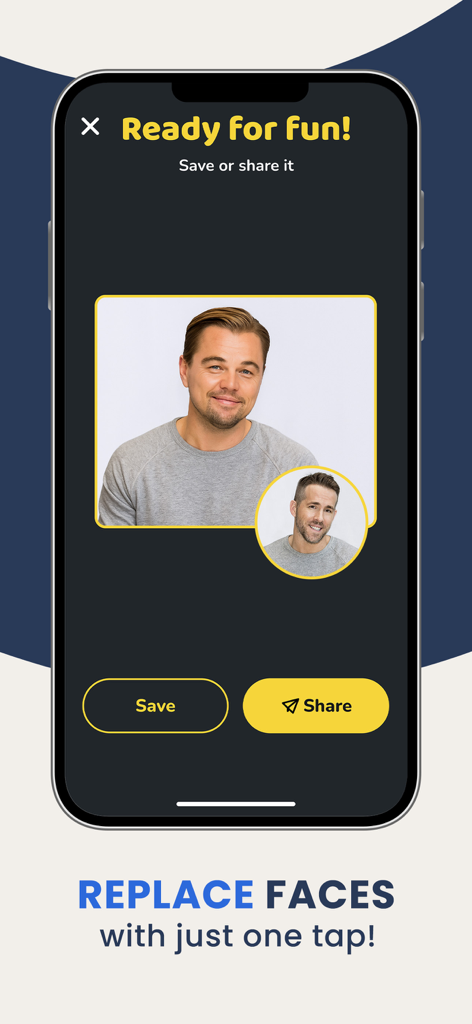
Faceover 앱 메인 인터페이스로 사진 및 밈 얼굴 바꾸기 옵션을 보여줍니다

두 유명인 간의 얼굴 바꾸기 결과와 저장 및 공유 버튼이 표시된 화면
두 유명인 간의 얼굴 바꾸기 결과와 저장 및 공유 버튼이 표시된 화면

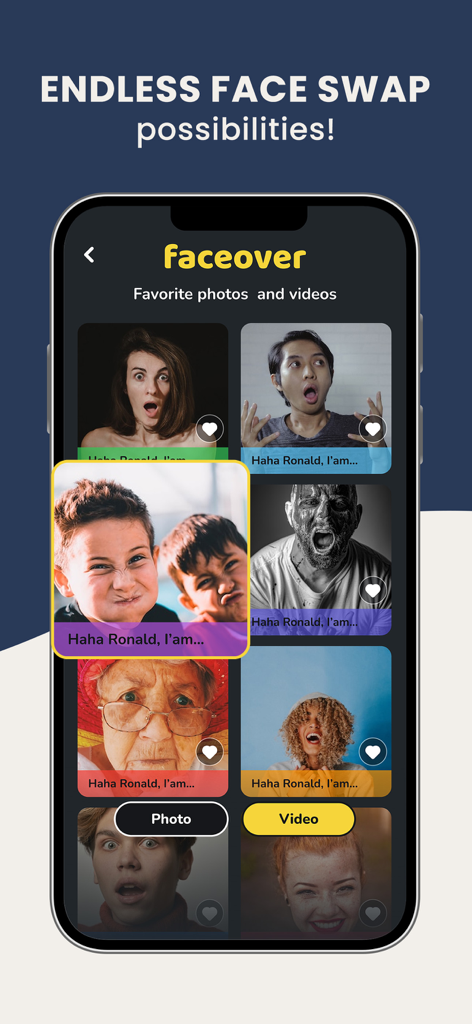
재미있는 얼굴 바꾸기 사진 그리드와 비디오 옵션을 표시하는 모바일 앱 인터페이스
재미있는 얼굴 바꾸기 사진 그리드와 비디오 옵션을 표시하는 모바일 앱 인터페이스

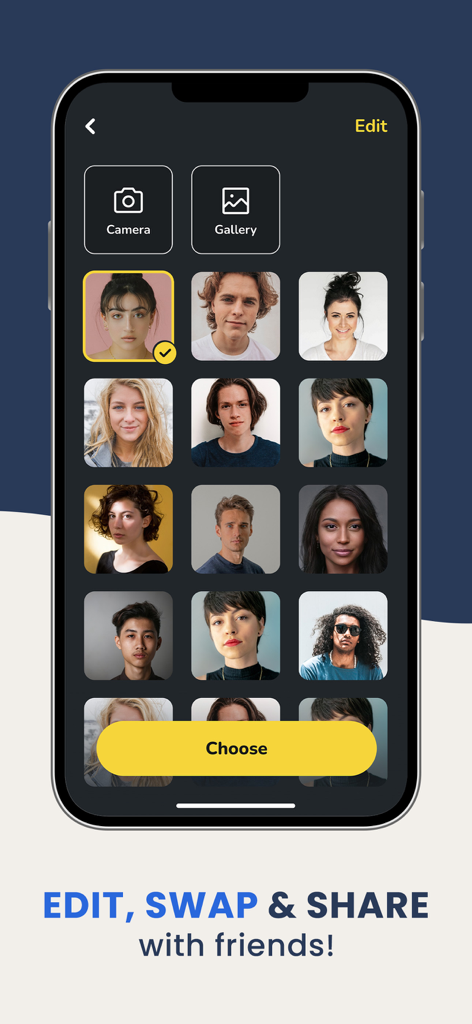
Faceover 앱의 얼굴 선택 화면으로, 노란색 선택 버튼이 있는 다양한 초상화 그리드가 표시됩니다

Faceover 앱의 얼굴 선택 화면으로, 노란색 선택 버튼이 있는 다양한 초상화 그리드가 표시됩니다

모든 사진을 웃음으로 바꾸세요

이 앱을 돋보이게 하는 도구, 5M+ 명의 사용자가 선택.

몇 초 만에 바꾸기

포토샵 기술이 필요 없습니다. 얼굴을 복사, 붙여넣기, 회전하기만 하면 몇 번의 탭으로 전문가 수준의 장난을 만들 수 있습니다.

🎭

놀랍도록 현실적인

정확한 편집 도구를 사용하여 얼굴을 완벽하게 뒤집고 혼합하여 재미있는 결과물이 진짜처럼 보이게 만드세요.

😂

그룹 채팅에서 승리하세요

즉석 소셜 인플루언서가 되세요. 걸작을 iMessage 또는 소셜 미디어에 직접 공유하고 반응을 기다리세요.

리뷰 분석

사용자 리뷰 인사이트.

감정 점수

22%
부정적

요약

The app has garnered overwhelmingly negative feedback, primarily due to its shift from a free or one-time purchase model to an expensive mandatory weekly subscription. Many users feel deceived by what they describe as "scam" or "bait and switch" tactics, often experiencing immediate charges after attempting a "free" trial and being unable to bypass paywalls to even use basic functionality. This change has led to a significant perceived degradation in app quality, with several reporting technical issues such as the app not opening or crashing. While one user praised its effective and easy-to-use face-swapping capabilities, the majority express deep dissatisfaction with the current pricing structure and functionality.

주요 테마

Subscription Model(23)
Pricing(15)
App Quality Degradation(11)
App Functionality/Bugs(9)
Deceptive Practices/Scam(9)
Face Swap Feature(1)
Ease of Use(1)

앱 소개

에 대해 알아야 할 모든 것 Faceover: Photo Face Swap.

설명

Want to make your friends laugh? Then you've found the right app! Faceover Lite lets you easily copy faces between people in your photos--and it even looks real. Best of all, it's free. Apply amazing photo editing effects with your iPhone, iPad or iPod Touch! Use Faceover Lite to edit, save and share any photo from your library. Quickly create high quality effects by copying, pasting, swapping, flipping and rotating images. It's simple to use and the results are realistic and hilarious. Get photos of your friends and use Faceover Lite to swap their faces. Copy the eyes of a celebrity and paste them onto a photo of yourself. Copy and paste the dog's face over everybody in the family portrait. Or even do some serious photo editing. The possibilities are endless but be warned--this app is very entertaining. You'll soon be trying to Faceover everyone you know! ------------------------------ Check out some of the 5-star reviews written by other delighted customers: "I love this App. It has quickly become my favorite. Too much fun!!!!" -IM IQ "Never had so much fun with an app before. Easy to use." -Smiling Dan "This app is really great!!! I am a very hard person to please when it comes to apps, but I really love this one : )" -Jeff Fillingim-Selk "It's so much fun! And it's really funny to put people's faces in such a great picture! I'm addicted!" -Sophia Gabrielle "Best face swapping app out there. You can swap between photos of your own I couldn't find that anywhere else" -Jahhhdhjf Content: If you believe in good faith that materials transmitted or created through Faceover App infringe your copyright, your personal right or privacy; you may send us a notice requesting that we remove the Material or block access to it by filling out the contact Form and add screenshot of exact photo or video. Subscription terms: Upgrade to the Premium version and get unlimited access to an amazing app features without ads! — Subscription payments will be charged to your iTunes account at confirmation of your purchase and upon commencement of each renewal term. Subscription with a free trial period will automatically renew to a paid subscription. You can cancel your subscription or free trial in the iTunes settings at least 24-hours before the end of the free trial period. The cancellation will take effect the day after the last day of the current subscription period and you will be downgraded to the free service. — Please note: any unused portion of a free trial period (if offered) will be forfeited when you purchase a premium subscription during the free trial period. — You can manage your subscription directly from your iPhone. Cancel the auto-renewal from the Account Settings: - Open the Settings app - Tap your name - Tap Subscriptions - Tap the subscription that you want to manage Terms of Use - https://www.zedit.info/Service_Terms.html Privacy Policy - https://www.zedit.info/PrivacyPolicy.html

최신 버전

4.3.9

크기

100.7 MB

출시일

2010년 10월 13일

그룹 채팅에서 승리할 준비 되셨나요?

5백만 명 이상의 장난꾸러기들과 함께 몇 초 만에 재미있고 현실적인 얼굴 바꾸기를 만들어 보세요. 지금 Faceover를 다운로드하고 친구들이 믿지 못할 사진 만들기를 시작하세요.

다운로드: App Store
FAQ

자주 묻는 질문

에 대해 알아야 할 모든 것 Faceover: Photo Face Swap

Faceover: Photo Face Swap란 무엇인가요?

Faceover: Photo Face Swap는 사용자가 iPhone, iPad 또는 iPod Touch에서 사진 간에 얼굴을 쉽게 복사하여 붙여넣고 사실적이고 재미있는 사진 편집을 만들 수 있는 앱입니다.

Faceover: Photo Face Swap는 무료 앱인가요?

예, Faceover: Photo Face Swap는 무료로 다운로드하여 사용할 수 있습니다. 구독을 통해 광고 없이 기능에 무제한으로 액세스할 수 있는 프리미엄 버전도 제공됩니다.

Faceover: Photo Face Swap는 어떻게 작동하나요?

Faceover를 사용하면 사용자는 이미지를 복사, 붙여넣기, 교환, 뒤집기 및 회전하여 얼굴 편집을 만들 수 있습니다. 사용자는 사진 라이브러리에서 얼굴을 선택하거나 밈과 같은 내장 콘텐츠를 사용할 수 있습니다.

Faceover: Photo Face Swap에는 어떤 편집 도구를 사용할 수 있나요?

Faceover는 이미지 열기, 실행 취소, 다시 실행, 모양, 복사, 붙여넣기, 복사 및 붙여넣기, 뒤집기, 클립보드 정리, 피부 톤과 같은 도구를 제공하여 상세한 수동 편집을 할 수 있습니다.

Faceover: Photo Face Swap로 편집한 사진을 저장하고 공유할 수 있나요?

예, Faceover: Photo Face Swap를 사용하면 사용자는 편집한 사진을 장치에 저장하고 생성 후 앱에서 직접 공유할 수 있습니다.

Faceover: Photo Face Swap는 동영상 편집 또는 동영상 얼굴 바꾸기를 지원하나요?

예, Faceover: Photo Face Swap는 사진과 동영상 모두에서 작동하는 것을 지원합니다. 사용자는 앱 내에서 즐겨찾는 사진과 동영상을 관리할 수 있습니다.

Faceover: Photo Face Swap 프리미엄 버전으로 어떻게 업그레이드하나요?

Faceover: Photo Face Swap 프리미엄 버전으로 업그레이드하려면 구독을 통해 모든 앱 기능에 광고 없이 무제한으로 액세스할 수 있습니다.

Faceover: Photo Face Swap 프리미엄 구독은 어떻게 취소하나요?

Faceover: Photo Face Swap 구독을 취소하려면 iPhone 설정 앱을 열고 이름을 탭한 다음 구독을 탭하고 Faceover 구독을 선택하여 관리하세요.

Faceover: Photo Face Swap의 이용 약관은 어디에서 찾을 수 있나요?

Faceover: Photo Face Swap의 이용 약관은 앱 설명에서 https://www.zedit.info/Service_Terms.html에서 링크된 웹사이트에서 찾을 수 있습니다.

Faceover: Photo Face Swap의 개인 정보 보호 정책은 어디에서 찾을 수 있나요?

Faceover: Photo Face Swap의 개인 정보 보호 정책은 앱 설명에서 https://www.zedit.info/PrivacyPolicy.html에서 링크된 웹사이트에서 찾을 수 있습니다.

App information, icons, screenshots, and descriptions displayed on this page are sourced from the Apple App Store and are the property of their respective developers. Download estimates and rankings are based on MWM's proprietary models and may not reflect actual figures. This page is provided for informational and analytical purposes only.

Believe this page infringes your intellectual property? File a dispute