Fastmail – Email & Calendar

Fastmail – Email & Calendar


다운로드: App Store
로고: Fastmail – Email & Calendar

Fastmail – 이메일 및 캘린더: 통제권을 중시하는 전문가를 위한 개인 정보 보호 우선 생산성

번개처럼 빠른 이메일과 스마트한 캘린더로 빅테크에서 벗어나세요. 광고, 추적 없이 완전한 데이터 주권을 경험하세요. 효율성과 보안을 요구하는 분들을 위해 설계되었습니다.

다운로드: App Store

개발사

Fastmail Pty Ltd

카테고리

Productivity

다운로드

23K+

사용자 평점

3.9/5

총 평가 수

600

지원 언어

1

집중을 통한 효율성

이 인터페이스를 사용하는 23K+ 명의 사용자.

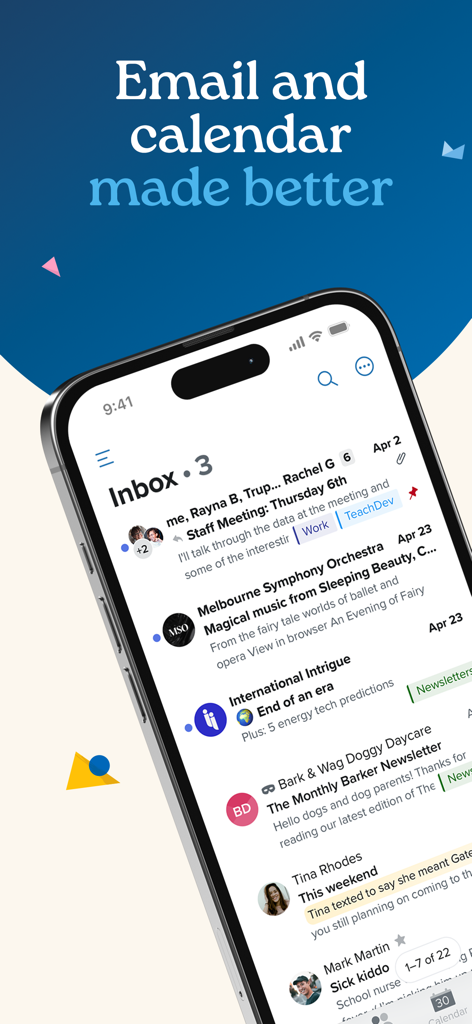
이메일과 캘린더를 더 좋게 만들었다는 헤드라인과 함께 레이블이 있는 정리된 받은 편지함을 보여주는 iPhone의 Fastmail 앱 인터페이스

이메일과 캘린더를 더 좋게 만들었다는 헤드라인과 함께 레이블이 있는 정리된 받은 편지함을 보여주는 iPhone의 Fastmail 앱 인터페이스

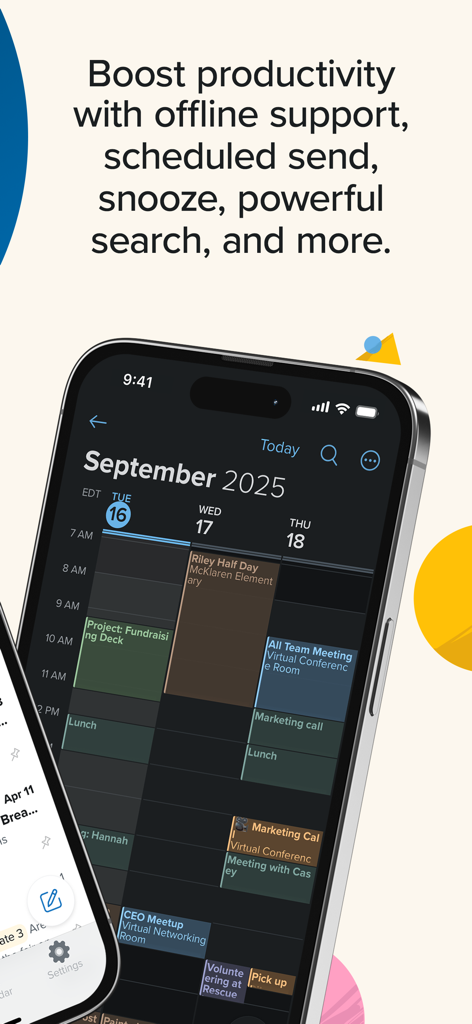
전문적인 일정과 생산성 기능을 보여주는 Fastmail 모바일 앱 캘린더 인터페이스.

전문적인 일정과 생산성 기능을 보여주는 Fastmail 모바일 앱 캘린더 인터페이스.

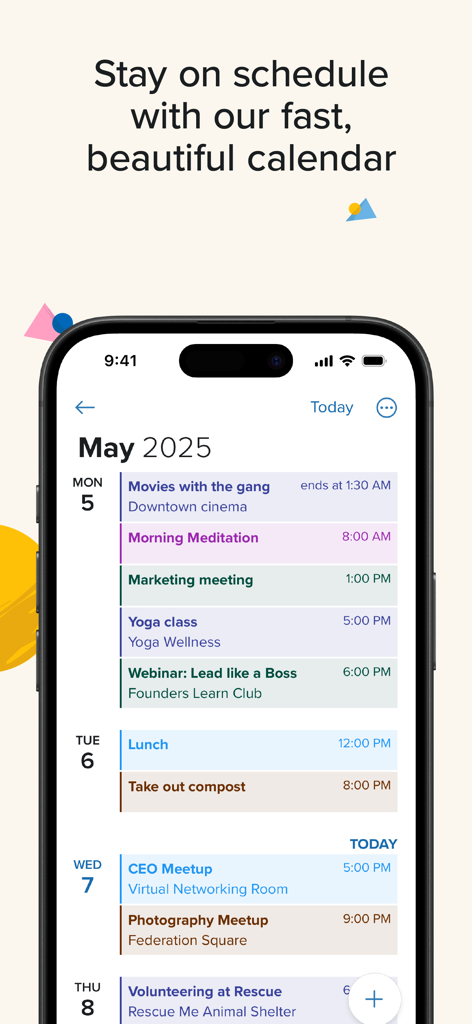
일일 약속 및 이벤트의 상세 일정을 보여주는 iPhone의 Fastmail 캘린더 인터페이스.

일일 약속 및 이벤트의 상세 일정을 보여주는 iPhone의 Fastmail 캘린더 인터페이스.

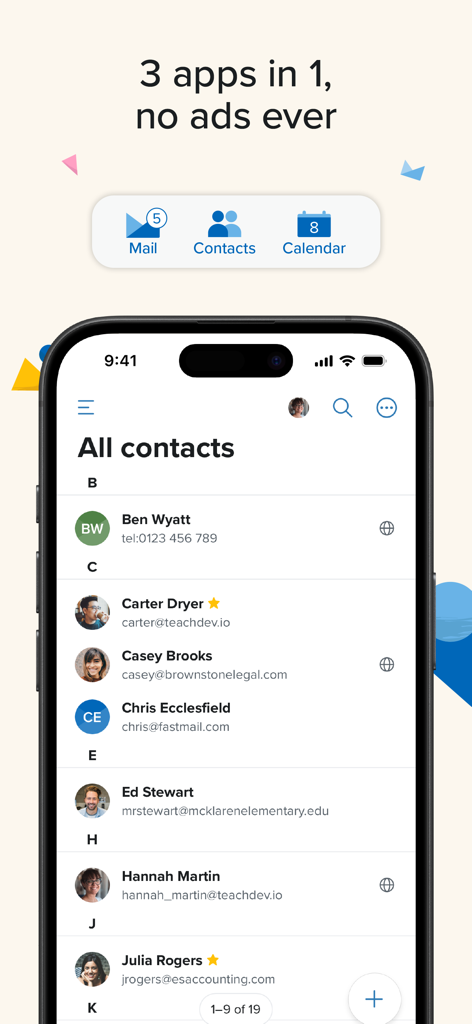
이메일 및 캘린더의 탐색 아이콘과 개인 정보 보호 메시지가 있는 연락처 목록을 보여주는 Fastmail 모바일 앱 스크린샷

이메일 및 캘린더의 탐색 아이콘과 개인 정보 보호 메시지가 있는 연락처 목록을 보여주는 Fastmail 모바일 앱 스크린샷

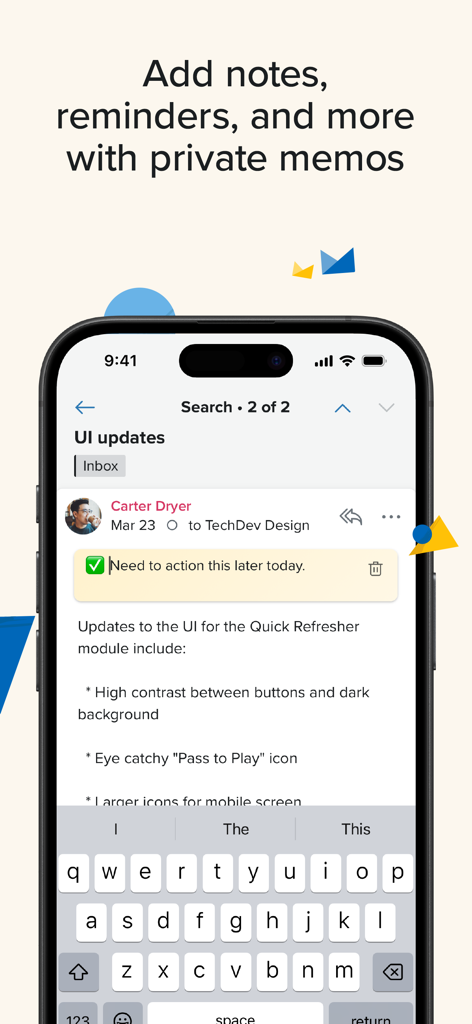
이메일에 메모 및 미리 알림을 추가하는 개인 메모 기능을 보여주는 Fastmail 모바일 앱.

이메일에 메모 및 미리 알림을 추가하는 개인 메모 기능을 보여주는 Fastmail 모바일 앱.

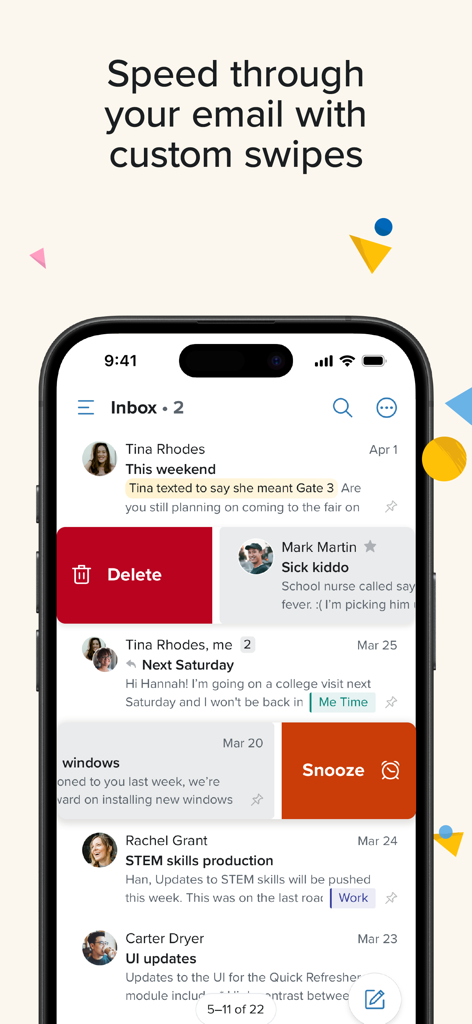
받은 편지함에서 이메일을 삭제하거나 스누즈하기 위한 사용자 지정 스와이프 제스처를 보여주는 Fastmail 앱 화면.

받은 편지함에서 이메일을 삭제하거나 스누즈하기 위한 사용자 지정 스와이프 제스처를 보여주는 Fastmail 앱 화면.

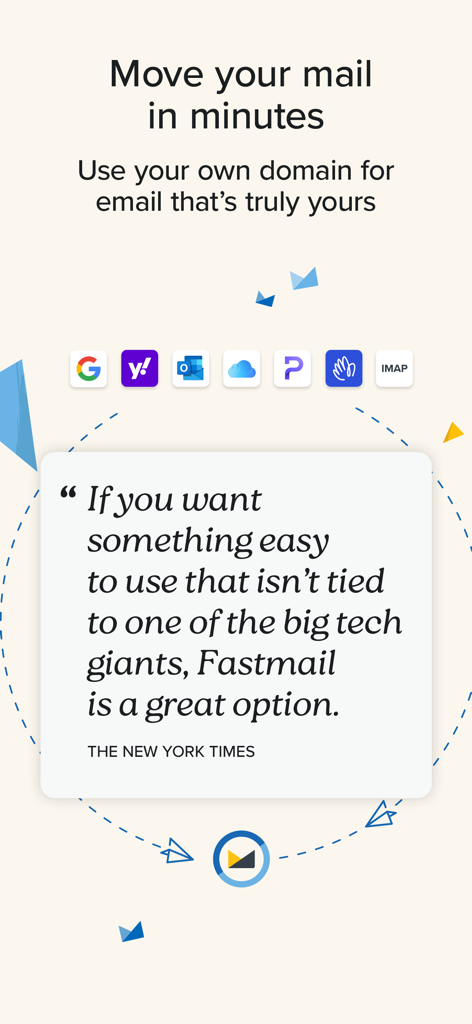
New York Times 추천과 쉬운 이메일 마이그레이션 및 사용자 지정 도메인 지원에 대한 정보를 보여주는 Fastmail 앱 화면.

New York Times 추천과 쉬운 이메일 마이그레이션 및 사용자 지정 도메인 지원에 대한 정보를 보여주는 Fastmail 앱 화면.

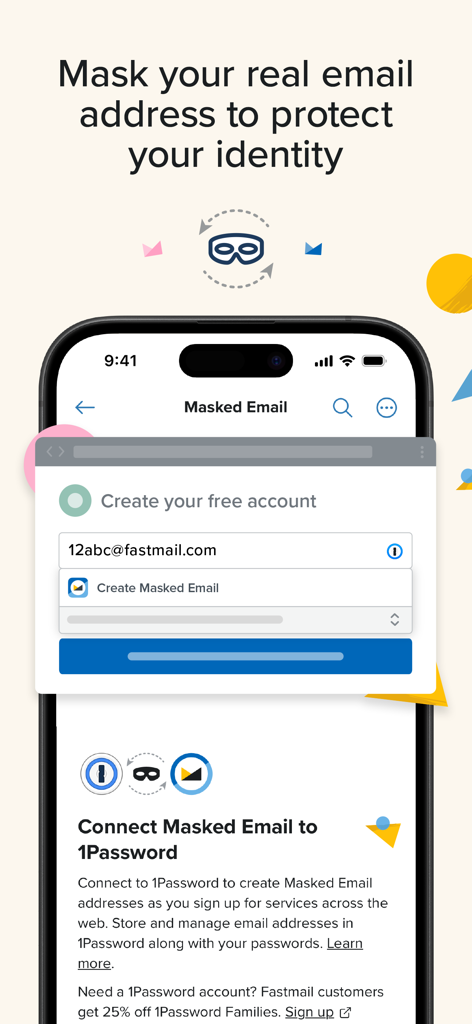
마스크된 이메일 주소를 생성하고 1Password와 연결하여 디지털 신원을 보호하는 방법을 보여주는 Fastmail 앱 화면.

마스크된 이메일 주소를 생성하고 1Password와 연결하여 디지털 신원을 보호하는 방법을 보여주는 Fastmail 앱 화면.

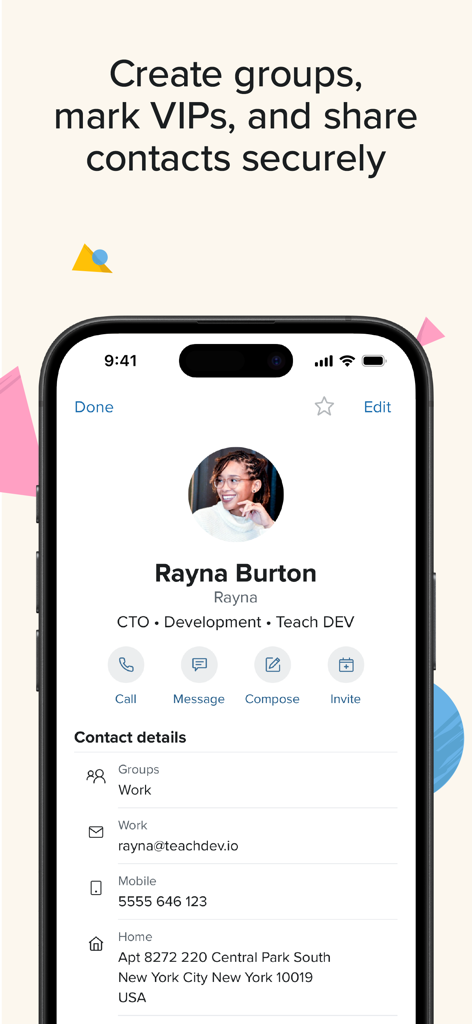
보안 공유 및 그룹 관리 기능이 있는 상세한 전문 연락처 프로필을 보여주는 Fastmail 앱.

보안 공유 및 그룹 관리 기능이 있는 상세한 전문 연락처 프로필을 보여주는 Fastmail 앱.

개인 정보 보호를 위해 재해석된 전문 이메일

이 앱을 돋보이게 하는 도구, 23K+ 명의 사용자가 선택.

🔒

완벽한 개인 정보 보호, 예외 없음

이메일을 스캔하거나 데이터를 판매하지 않습니다. 개인 정보가 완전히 보호되는 깔끔하고 광고 없는 환경을 즐기세요.

🚀

놀라운 속도의 생산성

강력한 검색으로 무엇이든 즉시 찾고, 사용자 지정 스와이프, 스누즈, 스마트 폴더로 워크플로우를 자동화하세요.

📱

원활한 크로스 플랫폼 동기화

이메일, 연락처, 캘린더가 모든 기기에서 완벽하게 동기화되며, 챗봇이 아닌 실제 전문가가 지원합니다.

앱 소개

에 대해 알아야 할 모든 것 Fastmail – Email & Calendar.

설명

Email, contacts and calendars made better Fastmail gives you full control of your communication, with speed, privacy, and tools that work the way you do. The New York Times says: ”If you want something easy to use that isn’t tied to one of the big tech giants, Fastmail is a great option.” Do more with email • Stay connected anywhere – Read, draft, and search offline. • Powerful search – Find anything fast, even inside attachments. Plus, use the Search Refinement Toolbar to quickly add, remove, or adjust filters. • Declutter your inbox – Snooze emails, mute threads, block spam, and unsubscribe easily, and set up rules to automate your flow. • Stay organised your way – Use folders or labels to keep things tidy, and categorize messages without opening them. • Work smarter – Schedule or undo send, add private memos, set VIP-only notifications, and resize images in the compose window. • Custom swipes – Quickly archive, delete, or take other actions with up to four swipe gestures. Your preferences stay consistent across devices. • Easy navigation – One-tap access to mail, calendar, contacts, and settings. Customize the toolbar in Display Options, or hide it altogether. • Faster inbox actions – Select messages by tapping avatars, or using a two-finger swipe for faster multi-select. Smarter calendars • Plan together – Share calendars with family or teams. • Sync seamlessly – Works with Google, iCloud, and more. • Always in sync – Updates instantly across devices, with full time-zone support. Connected contacts • Shared or private address books – Keep context from recent conversations and meetings. Why Fastmail? • Privacy first – No ads, no tracking, no selling your data. It’s your data, not ours. • Secure and trusted – Robust encryption of your data both in transit and at rest. Passkeys and 2FA keep your email private and safe. • No lock-in – Over 20 years delivering better email. People stay because it’s better, not because it’s hard to leave. • Real support – 24/7 online help from real people, no chatbots. • Migrate in minutes – Move mail, contacts, and calendars from your old provider in minutes. Better for everyone – Fastmail supports open standards, keeping email private and usable for all.

최신 버전

4.6.4

크기

17.4 MB

출시일

2014년 11월 13일

광고주가 아닌 당신을 위한 이메일을 경험하세요

개인 정보 보호, 속도, 실제 고객 지원을 중시하는 수천 명의 고성과 전문가들과 함께하세요. 몇 분 안에 디지털 주권를 되찾으세요.

다운로드: App Store

App information, icons, screenshots, and descriptions displayed on this page are sourced from the Apple App Store and are the property of their respective developers. Download estimates and rankings are based on MWM's proprietary models and may not reflect actual figures. This page is provided for informational and analytical purposes only.

Believe this page infringes your intellectual property? File a dispute