Fax from iPhone: Send Fax Easy
다운로드: App Store

이 페이지는 앱이나 개발자의 공식 페이지가 아니며, 정보 제공 및 논평을 목적으로 작성된 독립 편집 간행물입니다. 명시적으로 달리 언급되지 않는 한, 해당 앱이나 개발자는 MWM, Apple, Google Play, 앱 퍼블리셔 또는 앱 개발자와 제휴, 보증, 후원, 승인 또는 공식적으로 연결되어 있지 않으며, 이 페이지의 어떤 내용도 해당 앱이 MWM의 서비스를 사용하여 개발되었음을 의미하지 않습니다. 모든 상표, 로고, 스크린샷 및 기타 콘텐츠는 해당 소유자의 자산입니다.

로고: Fax from iPhone: Send Fax Easy
다운로드: App Store

Fax from iPhone: Send Fax Easy

iPhone 또는 iPad를 전문 휴대용 사무실로 전환하세요. 128비트 AES 암호화, 숨겨진 수수료 없음, 법률, 의료 및 비즈니스 전문가를 위한 절대적인 신뢰성을 통해 전 세계에 무제한 팩스를 스캔하고 보내세요.

주요 수치

다운로드

28K+

사용자 평점

4.7/5

총 평가 수

600

개발사

Evinco Solutions Inc.

카테고리

Business

지원 언어

1

최신 버전

4.0.7

크기

50.8 MB

출시일

2019년 4월 16일
기능

전문적인 모바일 팩싱으로 비즈니스 역량 강화

iPhone 또는 iPad를 안전한 올인원 휴대용 팩스 기기로 전환하세요. 업무에 필요한 신뢰성과 보안으로 전 세계에 무제한 문서를 보내세요.

안전하고 HIPAA 규정 준수

전문적인 사용을 위한 최고 수준의 개인 정보 보호 표준을 충족하는 128비트 AES 암호화를 통해 민감한 의료 및 법률 문서를 안전하게 보관하세요.

내장 문서 스캐너

부피가 큰 하드웨어를 버리세요. 고급 자동 이미지 향상 기능으로 카메라에서 바로 선명하고 전문적인 수준의 스캔을 캡처하세요.

다음 스크린샷과 설명은 앱의 공식 스토어 목록에서 직접 가져온 것이며 앱 개발자의 자산입니다.

앱 스토어

스크린샷
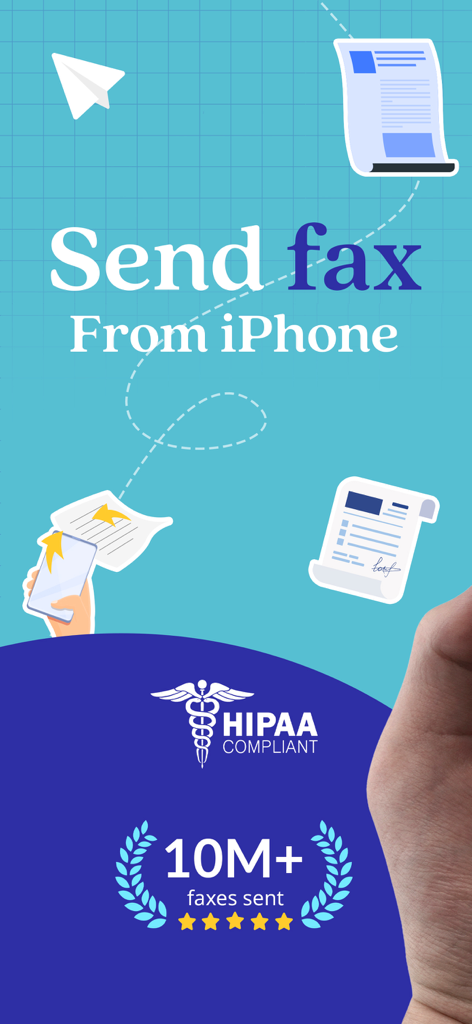
Fax from iPhone: Send Fax Easy - FaxSwift의 홍보 그래픽으로, HIPAA 규정 준수 배지와 1천만 건의 팩스 발송 마일스톤을 표시하며 iPhone에서 팩스를 보내는 방법을 보여줍니다.
FaxSwift의 홍보 그래픽으로, HIPAA 규정 준수 배지와 1천만 건의 팩스 발송 마일스톤을 표시하며 iPhone에서 팩스를 보내는 방법을 보여줍니다.

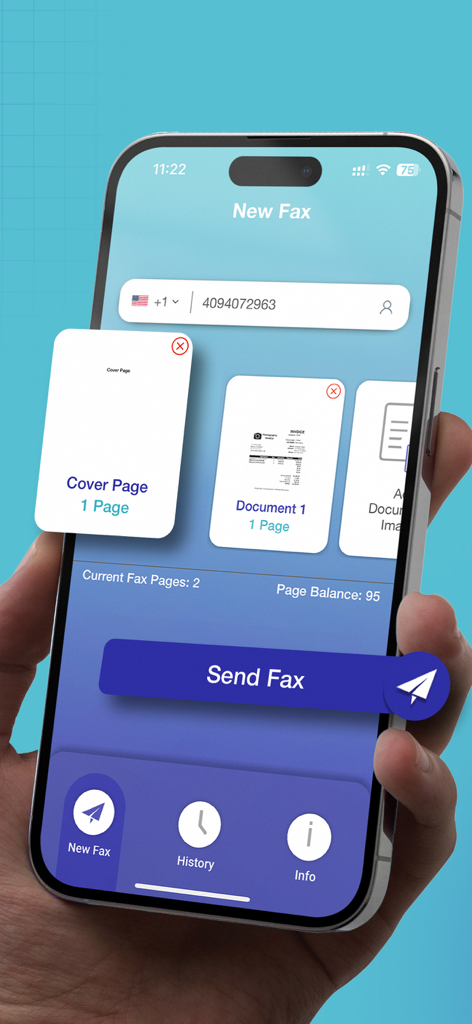
Fax from iPhone: Send Fax Easy - FaxSwift 앱 인터페이스를 표시하는 iPhone을 들고 있는 손으로, 커버 페이지와 문서 썸네일을 포함한 새 팩스 보내기 화면입니다.
FaxSwift 앱 인터페이스를 표시하는 iPhone을 들고 있는 손으로, 커버 페이지와 문서 썸네일을 포함한 새 팩스 보내기 화면입니다.

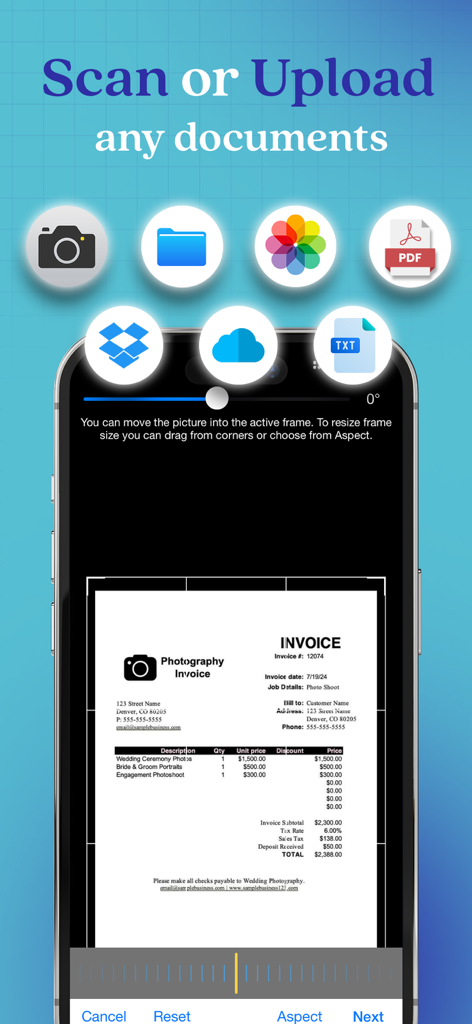
Fax from iPhone: Send Fax Easy - FaxSwift 앱의 모바일 인터페이스로, 카메라, PDF, 클라우드 저장소와 같은 다양한 소스에서 문서를 스캔하거나 업로드하는 옵션을 보여줍니다.
FaxSwift 앱의 모바일 인터페이스로, 카메라, PDF, 클라우드 저장소와 같은 다양한 소스에서 문서를 스캔하거나 업로드하는 옵션을 보여줍니다.

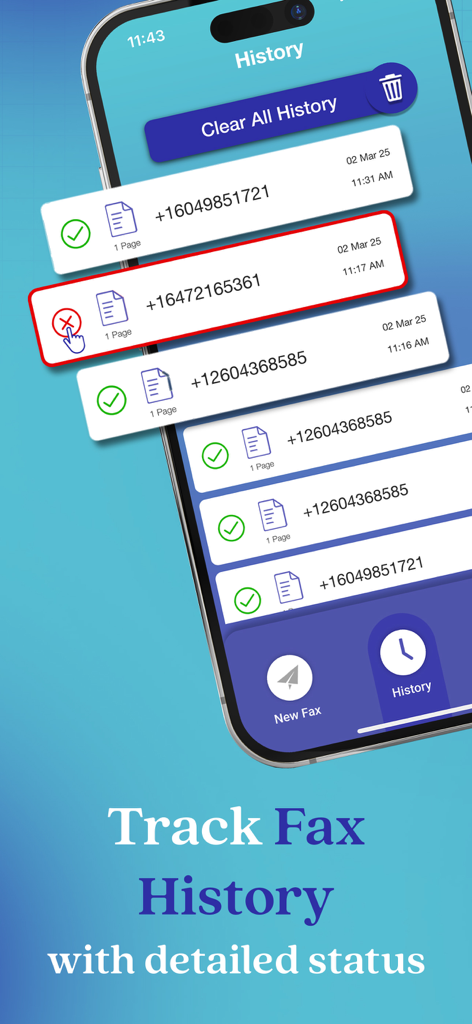
Fax from iPhone: Send Fax Easy - FaxSwift 앱의 기록 화면으로, 배달 상태가 표시된 발송된 팩스 목록을 보여줍니다.
FaxSwift 앱의 기록 화면으로, 배달 상태가 표시된 발송된 팩스 목록을 보여줍니다.

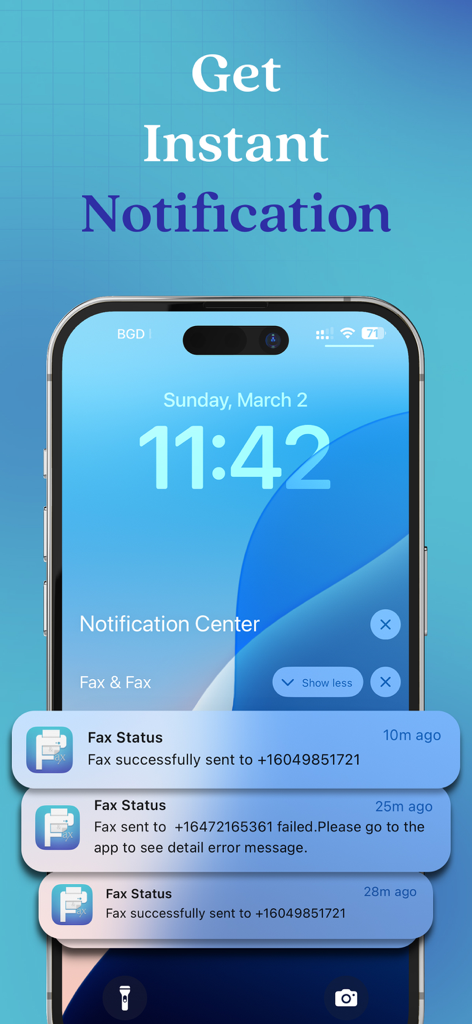
Fax from iPhone: Send Fax Easy - 성공적인 팩스 전송 및 실패한 팩스 전송에 대한 즉각적인 알림을 표시하는 iPhone 잠금 화면

성공적인 팩스 전송 및 실패한 팩스 전송에 대한 즉각적인 알림을 표시하는 iPhone 잠금 화면

설명

Are you looking for a reliable way to send faxes from your iPhone or iPad? If yes, then look no further than FaxSwift: Send Fax from iPhone! It is designed to help you with sending faxes directly from your device. It comes with exceptional features to help you with all your faxing needs. Brief Introduction: FaxSwift is the most convenient app that offers a seamless solution to send faxes directly from your iPad and iPad devices. Send your first fax for FREE to experience that why FaxSwift is renowned as the most reliable and cost-effective faxing service for iPhone and iPad users. + FaxSwift first commitment is clients’ satisfaction + Enjoy an app with no subscriptions, no overcharging, and absolutely no ads! + FaxSwift ensures 100% secure fax transmissions with HIPAA-compliant 128-bit AES encryption + Get a risk-free trial for FaxSwift and then start sending unlimited faxes worldwide after subscription With FaxSwift, say goodbye to the hassle of buying credits and send hassle-free faxes. It also comes with a build-in scanner that guarantees the best output quality. If a fax failed to send, you will receive an error message after which you can resend a failed fax with a single click with no charges. Key Features: + An intuitive user interface + Send 1 page of fax from your iPhone/iPad for FREE + No subscriptions, overcharging, or ads + Secure and reliable faxing service + HIPAA-compliant 128-bit AES encryption for 100% security + Unlimited fax sending worldwide after subscription + No need to buy credits or calculate pages + Built-in scanner with advanced image processing + Detailed error messages for failed faxes (no charges) + Resend a failed fax with a single click + Preview previously sent faxes from the history tab and delete your fax history + Get instant notifications when the fax is completed and get outstanding 24/7 customer service + Save time and money by faxing from home + Avoid unnecessary risks associated with physical fax machines + Advanced image processing for optimal output quality + Flexible subscription plans for unlimited faxing options Subscription Plans for FaxSwift: FaxSwift offers flexible subscription plans including Weekly, Monthly, and Yearly Subscription. After sending your first fax page for free and experiencing the reliability of our service, you can choose from three available subscription plans designed for your convenience. + Weekly Subscription Plan: This plan renews automatically on a weekly basis at a rate of US$5.99. Enjoy unlimited faxing throughout the week without any limitations. + Monthly Subscription Plan: The monthly subscription plan costs US$22.99 which auto-renews every month. Get monthly cost-effective and flexible subscription that costs US$22.99 to send unlimited faxes throughout the month. + Yearly Subscription Plan: If you prefer long-term convenience, the yearly subscription plan is ideal. It renews annually at a rate of US$99.99 which ensures uninterrupted access to unlimited faxing for a whole year. Please note that payment for the chosen subscription plan will be charged to your iTunes Account. Subscriptions will automatically renew unless auto-renewal is turned off within the iTunes Account settings at least 24 hours before the end of the current period. You can manage your subscriptions and turn off auto-renewal by accessing your Account Settings after making the purchase. By using eFax Send Fax from iPhone App, you are agreeing to our Privacy Policy and Terms of Use: Privacy Policy: https://www.faxandfax.com/#privacy Terms of Use: https://www.faxandfax.com/#tos So, what are you waiting for? Download FaxSwift App now and transform your mobile device into a portable fax machine.

Download

다운로드: App Store

이 페이지는 앱이나 개발자의 공식 페이지가 아니며, 정보 제공 및 논평을 목적으로 작성된 독립 편집 간행물입니다. 명시적으로 달리 언급되지 않는 한, 해당 앱이나 개발자는 MWM, Apple, Google Play, 앱 퍼블리셔 또는 앱 개발자와 제휴, 보증, 후원, 승인 또는 공식적으로 연결되어 있지 않으며, 이 페이지의 어떤 내용도 해당 앱이 MWM의 서비스를 사용하여 개발되었음을 의미하지 않습니다. 모든 상표, 로고, 스크린샷 및 기타 콘텐츠는 해당 소유자의 자산입니다.