FieldApp Notebook

FieldApp Notebook

다운로드: App Store
로고: FieldApp Notebook

FieldApp 노트북: 간편한 전문가 수준의 현장 데이터 수집

맞춤형 샘플 시트를 만들고, 관찰 내용을 오프라인으로 캡처하고, 분석 준비가 된 CSV를 내보냅니다. 연구원, 학생 및 환경 전문가를 위한 안정적이고 구독이 필요 없는 디지털 동반자입니다.

다운로드: App Store

개발사

Christopher James Williamson

카테고리

Productivity

다운로드

0

사용자 평점

1.0/5

총 평가 수

0

지원 언어

1

귀하의 디지털 현장 실험실

이 인터페이스를 사용하는 0 명의 사용자.

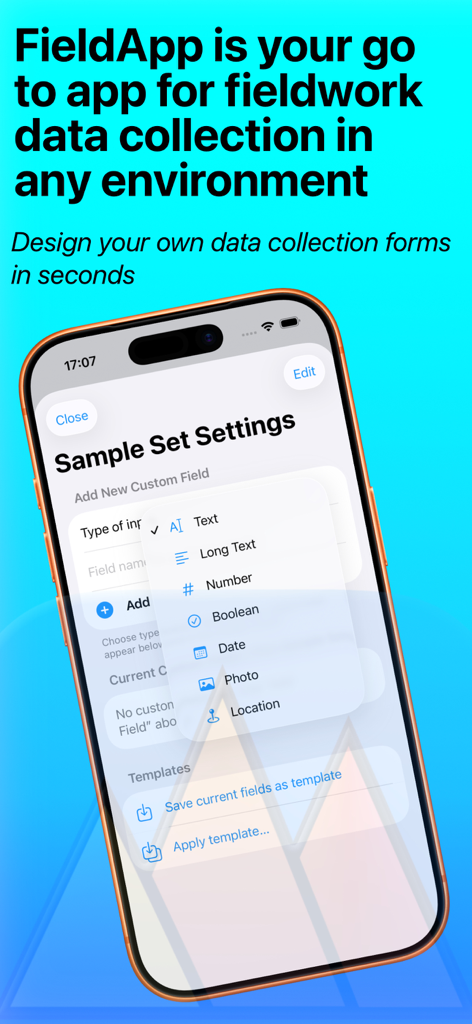
FieldApp 노트북 인터페이스가 iPhone에서 현장 조사 데이터 수집 양식에 대한 맞춤형 필드 선택을 보여줍니다.

FieldApp 노트북 인터페이스가 iPhone에서 현장 조사 데이터 수집 양식에 대한 맞춤형 필드 선택을 보여줍니다.

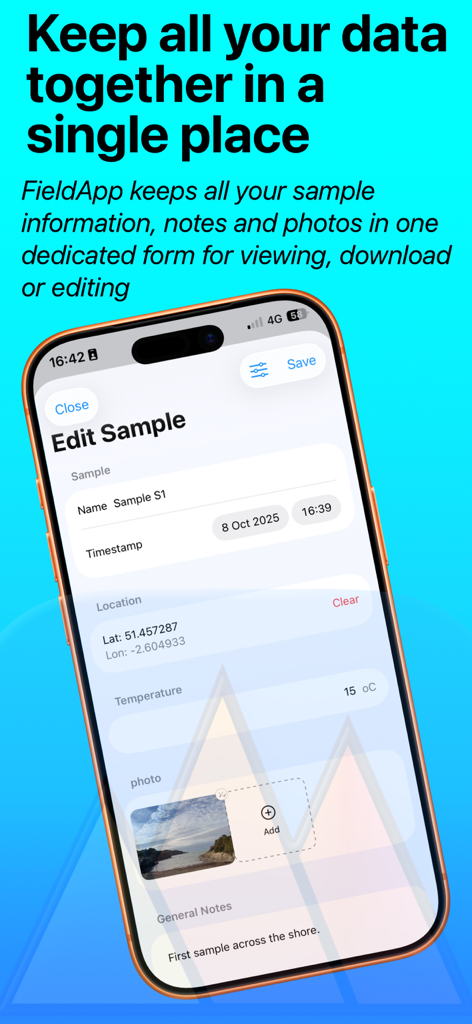
FieldApp 노트북 스크린샷이 타임스탬프, 위치, 온도 및 현장 메모가 포함된 샘플 편집 화면을 보여줍니다.

FieldApp 노트북 스크린샷이 타임스탬프, 위치, 온도 및 현장 메모가 포함된 샘플 편집 화면을 보여줍니다.

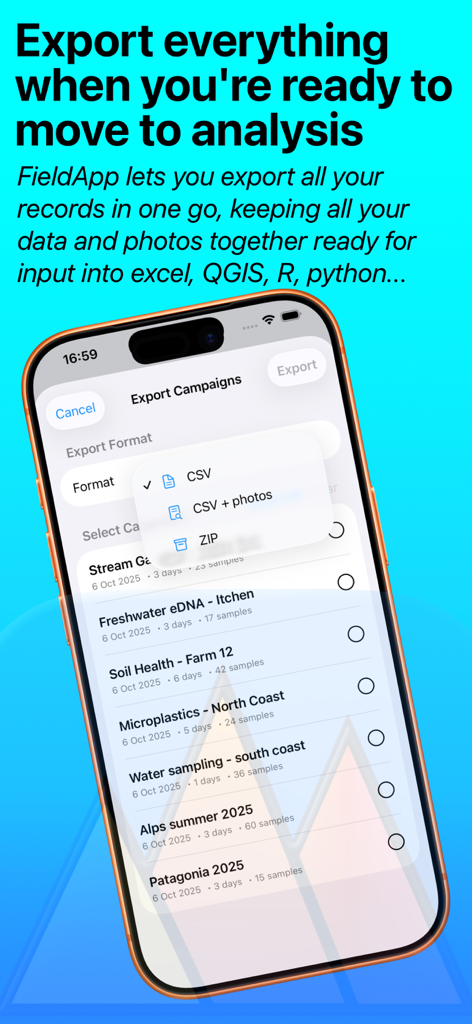
FieldApp 노트북 인터페이스가 현장 조사 캠페인에 대한 데이터 내보내기 옵션을 CSV 및 ZIP 형식으로 보여줍니다.

FieldApp 노트북 인터페이스가 현장 조사 캠페인에 대한 데이터 내보내기 옵션을 CSV 및 ZIP 형식으로 보여줍니다.

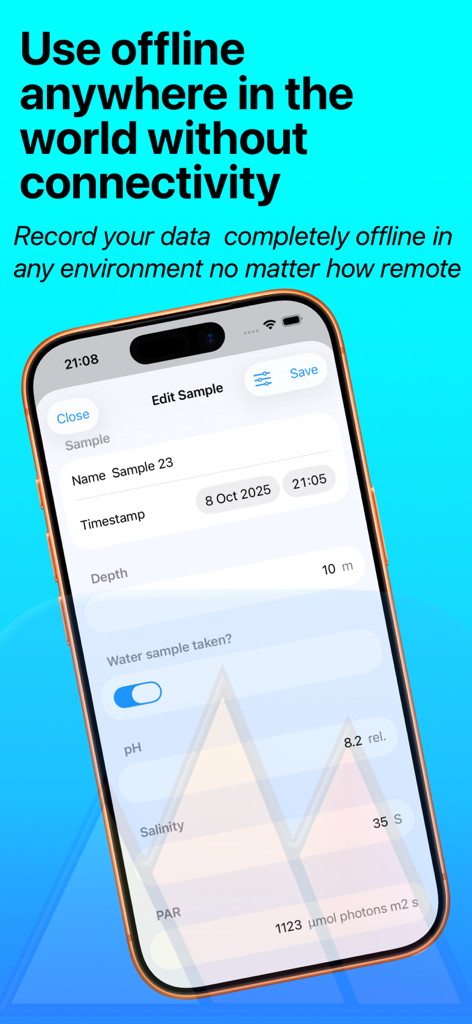
FieldApp 노트북 모바일 인터페이스가 pH 및 깊이 필드가 포함된 과학 샘플에 대한 오프라인 데이터 수집을 보여줍니다.

FieldApp 노트북 모바일 인터페이스가 pH 및 깊이 필드가 포함된 과학 샘플에 대한 오프라인 데이터 수집을 보여줍니다.

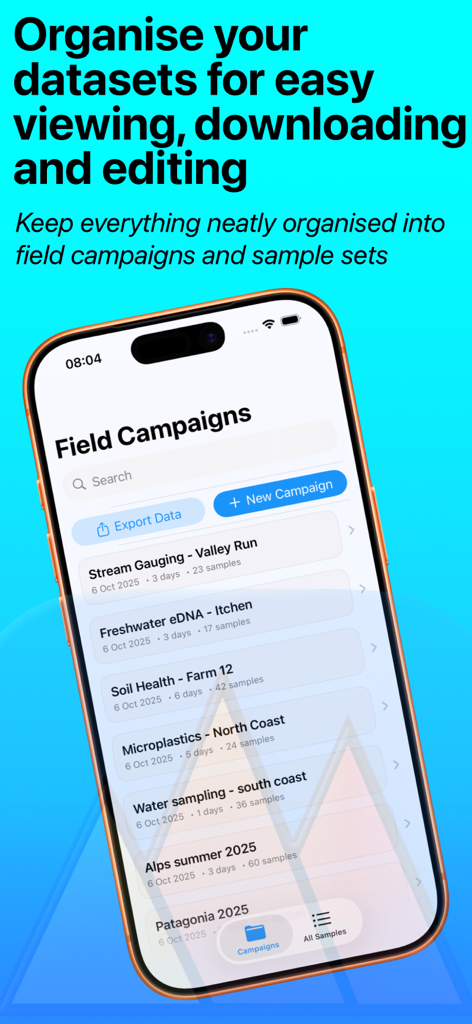
FieldApp 노트북 화면에 다양한 현장 조사 캠페인과 정리된 데이터셋이 표시됩니다.

FieldApp 노트북 화면에 다양한 현장 조사 캠페인과 정리된 데이터셋이 표시됩니다.

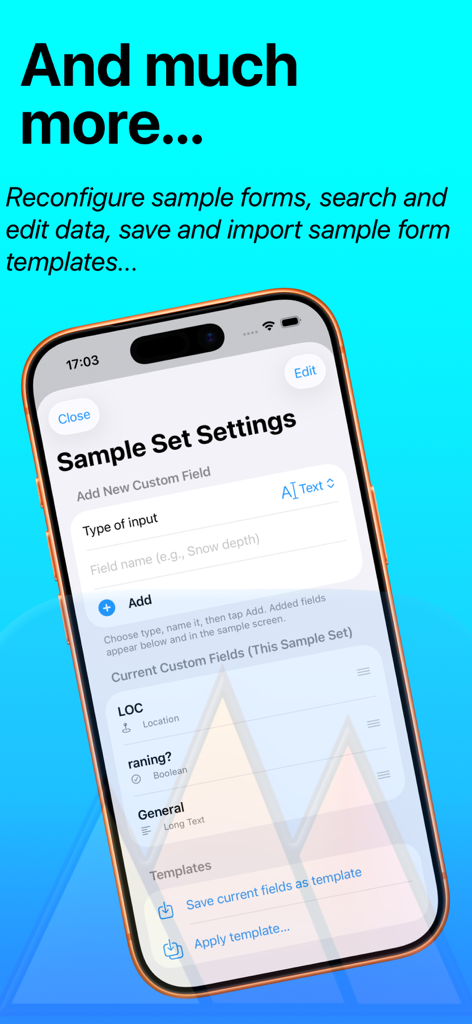
FieldApp 노트북 앱에서 사용자 정의 데이터 필드 및 양식 템플릿을 구성하기 위한 화면입니다.

FieldApp 노트북 앱에서 사용자 정의 데이터 필드 및 양식 템플릿을 구성하기 위한 화면입니다.

간편한 과학 데이터 수집

이 앱을 돋보이게 하는 도구, 0 명의 사용자가 선택.

🛠️

유연한 양식 빌더

맞춤형 현장 조사 워크플로에 맞춰 GPS, 타임스탬프, 여러 사진 지원이 자동화된 사용자 정의 샘플 시트를 디자인하세요.

📶

강력한 오프라인 안정성

신호나 계정에 대한 걱정 없이 가장 외진 환경에서도 데이터를 기록하세요. 데이터는 장치에 로컬로 안전하게 저장됩니다.

📈

직접 분석 통합

수동 데이터 입력을 건너뛰세요. 캠페인을 CSV로 직접 내보내 Excel, R, Python 또는 GIS 소프트웨어에서 즉시 사용할 수 있습니다.

앱 소개

에 대해 알아야 할 모든 것 FieldApp Notebook.

설명

FieldApp is a simple, flexible tool for recording fieldwork observations in any environment. Its perfect for any type of scientific survey, environmental monitoring, or just keeping organized records outdoors, FieldApp helps you design custom sampling sheets, capture data on the go, and export it instantly for analysis. Create your own data collection sheets in seconds • Build your own sampling sheets with date/time, automatic location grab, text, number, checkboxes, and photo inputs that match your fieldwork needs • FieldApp automatically organises your data into field campaigns and sample sets, for viewing, download or editing • Adapt your sheets on to go to match your project, for any kind of fieldwork to lab work, or expedition notes. Capture observations anywhere • FieldApp can log data offline in remote environments—no account or internet connection is needed • Add notes, measurements, GPS locations, and multiple photos directly into your sample forms • Switch between typing, selecting from your photo library, or taking new photos with your device’s camera Stay organized in the field • Keep related observations grouped together in campaigns and sample sets • Edit and review saved samples anytime—your data is always accessible and backed up on your device • Quickly search across all samples to find the record you need Export ready-to-use data • Export your entire campaign, a sample set, or individual samples as CSV files ready for input into excel, QGIS, R, Python... • Exports include all of your sample data organised together and bundled for easy sharing • CSV format (one row per sample) ensures compatibility with any spreadsheet (excel, numbers, libra calc) or statistical software (R, Python), and lab workflows Designed by and for researchers and students • Ideal for research scientists of any career stage that undertake fieldwork in any environment • Ideal for undergraduate students doing fieldwork or lab-based data collection • Ideal for lecturers leading field and lab-based teaching and field courses  • Ideal for anyone who needs reliable, structured note-taking Key benefits • Fully offline: no sign-in, no external storage, and no hidden uploads. • Flexible: design forms that fit your exact workflows. • Transparent: your data stays on your device until you choose to export it. • Practical: CSV + photos export for multi-backup and direct import into analysis tools. FieldApp gives you a digital notebook built for structured data collection. Replace messy paper sheets with an organized, portable system that integrates multiple observations (date/time, location, general notes, text/number inputs, photos) into one sample sheet, making export and interrogation of your data quick and painless. One time purchase for all future app updates.

최신 버전

1.1

크기

7.8 MB

출시일

2025년 10월 12일

현장 데이터 수집을 간소화할 준비가 되셨나요?

복잡한 종이 기록을 구조화되고 오프라인 사용 가능한 노트북으로 대체하는 연구원 및 학생들과 함께하세요. 단 한 번의 구매로 평생 액세스하세요. 구독이나 계정 없이 순수하게 연구에만 집중할 수 있습니다.

다운로드: App Store

App information, icons, screenshots, and descriptions displayed on this page are sourced from the Apple App Store and are the property of their respective developers. Download estimates and rankings are based on MWM's proprietary models and may not reflect actual figures. This page is provided for informational and analytical purposes only.

Believe this page infringes your intellectual property? File a dispute