FieldMonitor
FieldMonitor
다운로드: App Store

이 페이지는 앱이나 개발자의 공식 페이지가 아니며, 정보 제공 및 논평을 목적으로 작성된 독립 편집 간행물입니다. 명시적으로 달리 언급되지 않는 한, 해당 앱이나 개발자는 MWM, Apple, Google Play, 앱 퍼블리셔 또는 앱 개발자와 제휴, 보증, 후원, 승인 또는 공식적으로 연결되어 있지 않으며, 이 페이지의 어떤 내용도 해당 앱이 MWM의 서비스를 사용하여 개발되었음을 의미하지 않습니다. 모든 상표, 로고, 스크린샷 및 기타 콘텐츠는 해당 소유자의 자산입니다.

로고: FieldMonitor
다운로드: App Store

FieldMonitor

iPhone 또는 iPad를 고정밀 필드 모니터로 바꿔보세요. Sony, Canon, Panasonic 또는 Teradek 워크플로우를 위한 폴스 컬러, 웨이브폼, 3D LUT와 같은 전문적인 도구를 사용할 수 있습니다.

주요 수치

다운로드

244K+

사용자 평점

3.7/5

총 평가 수

200

개발사

Adam Wilt

카테고리

Photo & Video

지원 언어

1

최신 버전

11.2

크기

39.0 MB

출시일

2016년 5월 21일
기능

주머니 속의 전문가급 모니터링

전문 촬영 감독이 요구하는 고급 스코핑 및 제어 도구를 통해 iPhone 또는 iPad를 고성능 무선 필드 모니터로 변환하세요.

고급 노출 도구

고가의 전용 하드웨어에서만 볼 수 있었던 내장 웨이브폼 모니터, 히스토그램, 폴스 컬러를 통해 매번 정확한 노출을 확보하세요.

전체 무선 제어

장치에서 직접 원격으로 녹화를 시작하고 셔터, ISO, 조리개를 조절하세요. 짐벌 작업 및 단독 런앤건 촬영에 완벽합니다.

다음 스크린샷과 설명은 앱의 공식 스토어 목록에서 직접 가져온 것이며 앱 개발자의 자산입니다.

앱 스토어

스크린샷
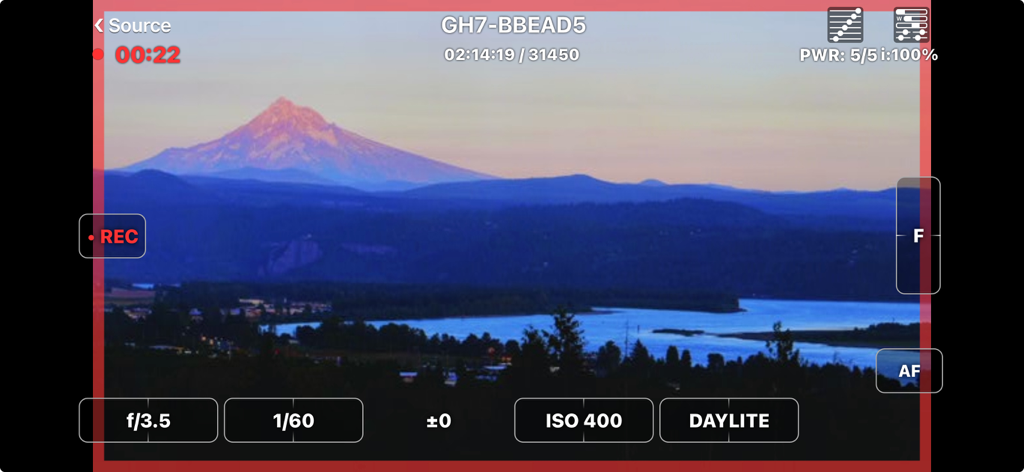
FieldMonitor - 라이브 카메라 피드와 전문 노출 제어 기능을 표시하는 FieldMonitor 앱 인터페이스
라이브 카메라 피드와 전문 노출 제어 기능을 표시하는 FieldMonitor 앱 인터페이스

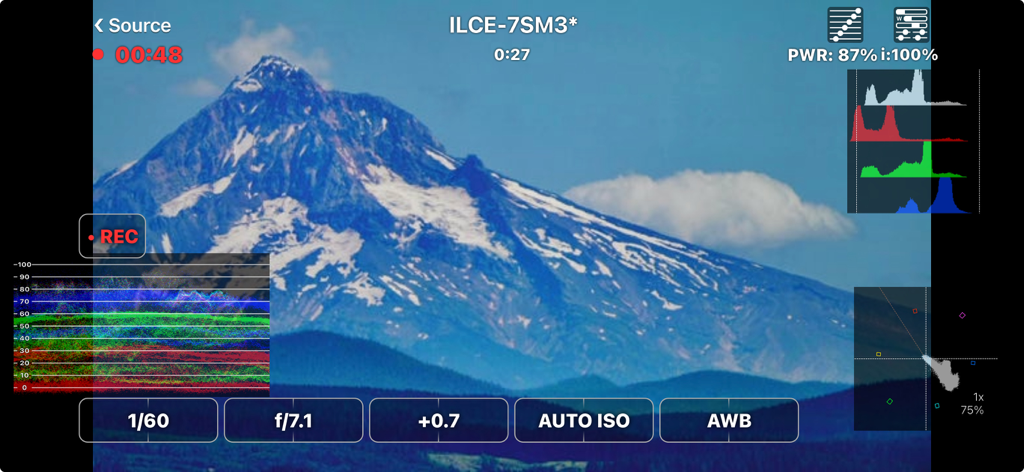
FieldMonitor - 산 풍경 촬영에서 웨이브폼 히스토그램과 카메라 제어 기능을 보여주는 FieldMonitor 앱 인터페이스
산 풍경 촬영에서 웨이브폼 히스토그램과 카메라 제어 기능을 보여주는 FieldMonitor 앱 인터페이스

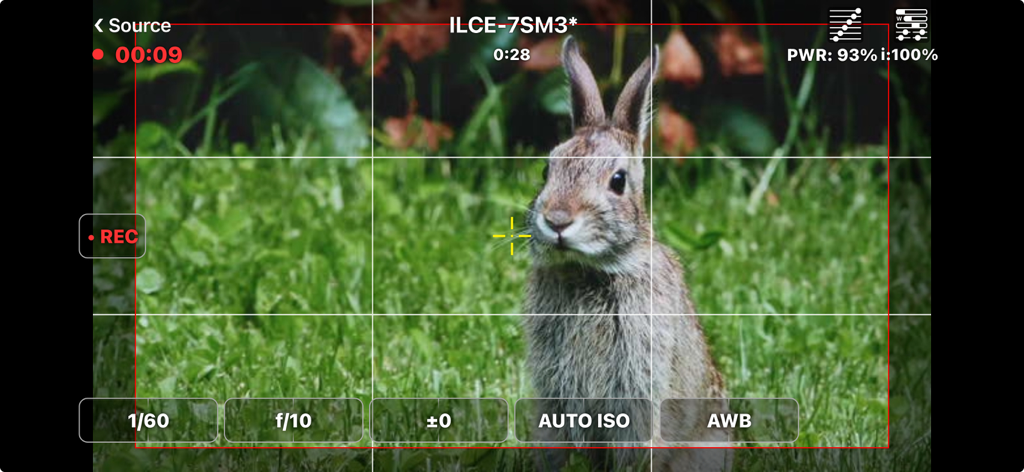
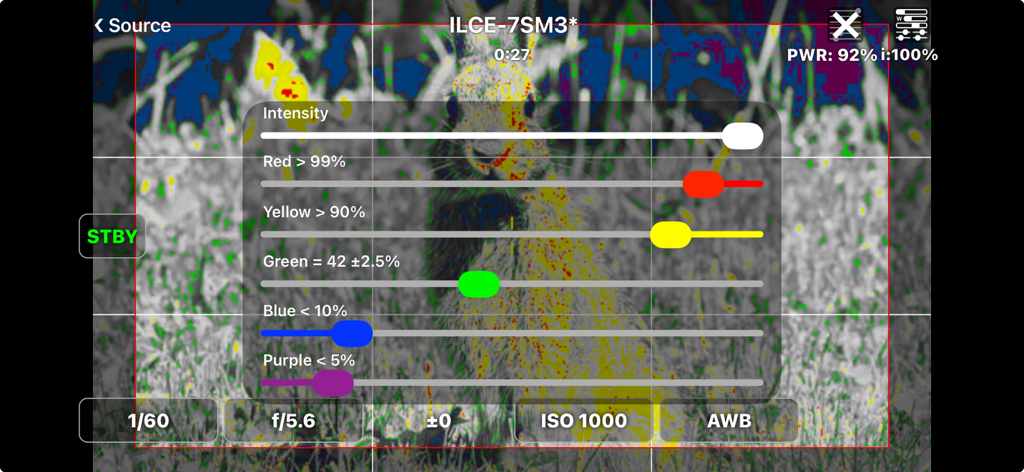
FieldMonitor - 전문 촬영 설정과 프레이밍 그리드가 포함된 토끼의 라이브 카메라 피드를 보여주는 FieldMonitor 앱 인터페이스
전문 촬영 설정과 프레이밍 그리드가 포함된 토끼의 라이브 카메라 피드를 보여주는 FieldMonitor 앱 인터페이스

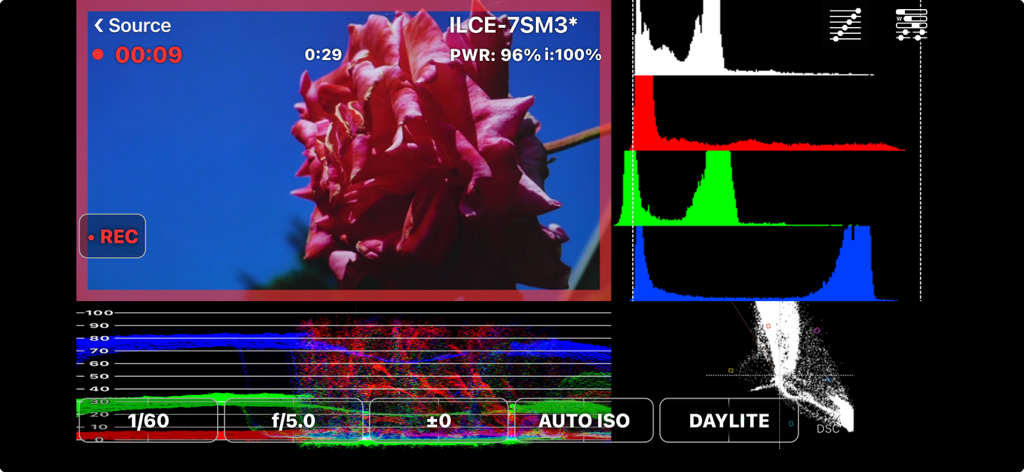
FieldMonitor - 영화 촬영을 위한 히스토그램 및 웨이브폼과 같은 전문 비디오 스코프를 보여주는 FieldMonitor 앱
영화 촬영을 위한 히스토그램 및 웨이브폼과 같은 전문 비디오 스코프를 보여주는 FieldMonitor 앱

FieldMonitor - Sony 카메라 피드에서 폴스 컬러 노출 설정과 강도 슬라이더를 표시하는 FieldMonitor 앱 인터페이스
Sony 카메라 피드에서 폴스 컬러 노출 설정과 강도 슬라이더를 표시하는 FieldMonitor 앱 인터페이스

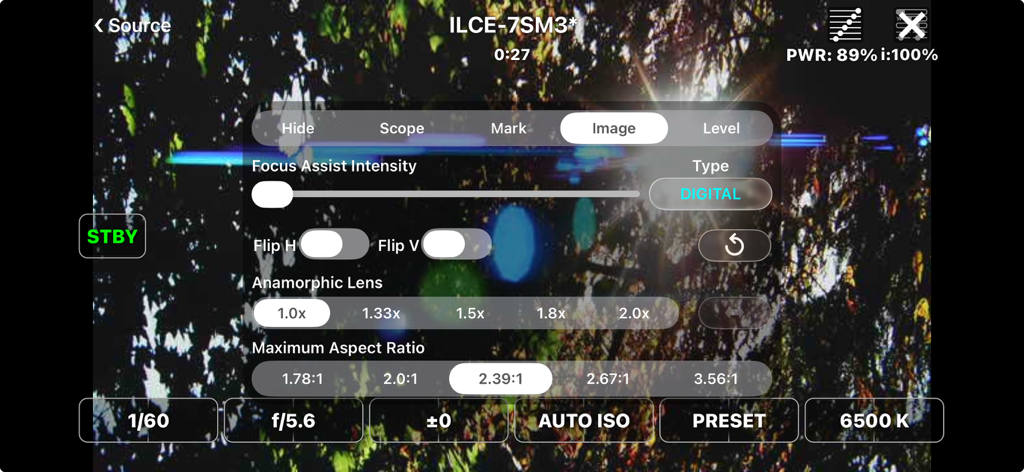
FieldMonitor - 라이브 비디오 피드 위에 전문 카메라 설정과 아나모픽 렌즈 옵션을 보여주는 FieldMonitor 앱 인터페이스
라이브 비디오 피드 위에 전문 카메라 설정과 아나모픽 렌즈 옵션을 보여주는 FieldMonitor 앱 인터페이스

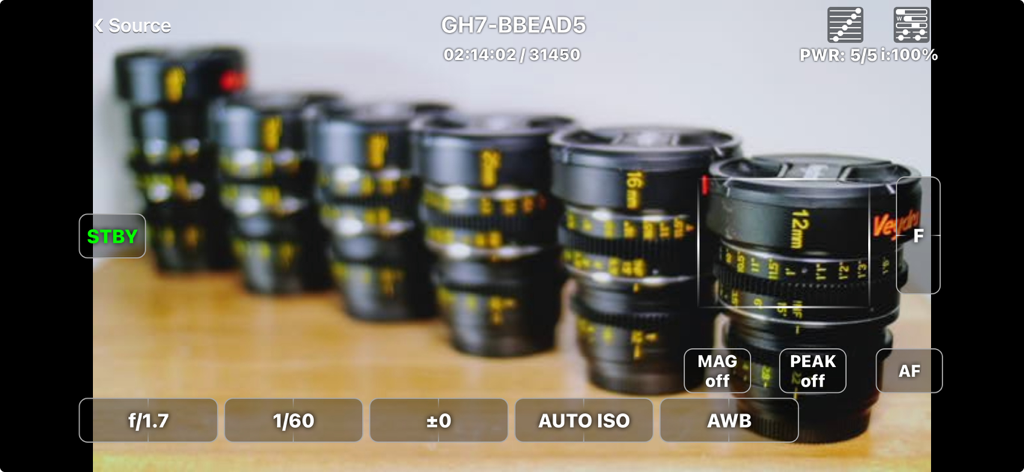
FieldMonitor - 전문 노출 및 초점 제어 기능이 포함된 라이브 카메라 피드를 보여주는 FieldMonitor 앱
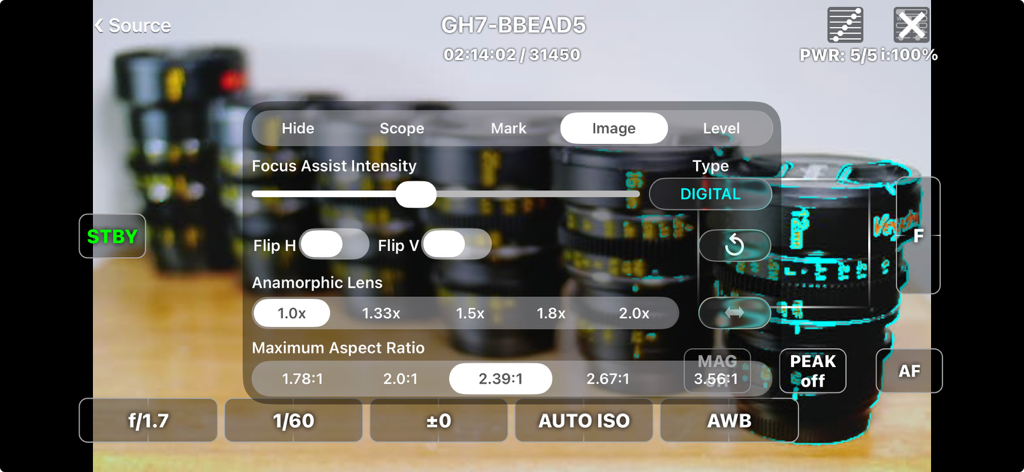
전문 노출 및 초점 제어 기능이 포함된 라이브 카메라 피드를 보여주는 FieldMonitor 앱

FieldMonitor - 전문 비디오 모니터링을 위한 아나모픽 렌즈 및 종횡비 설정을 보여주는 FieldMonitor 앱 인터페이스
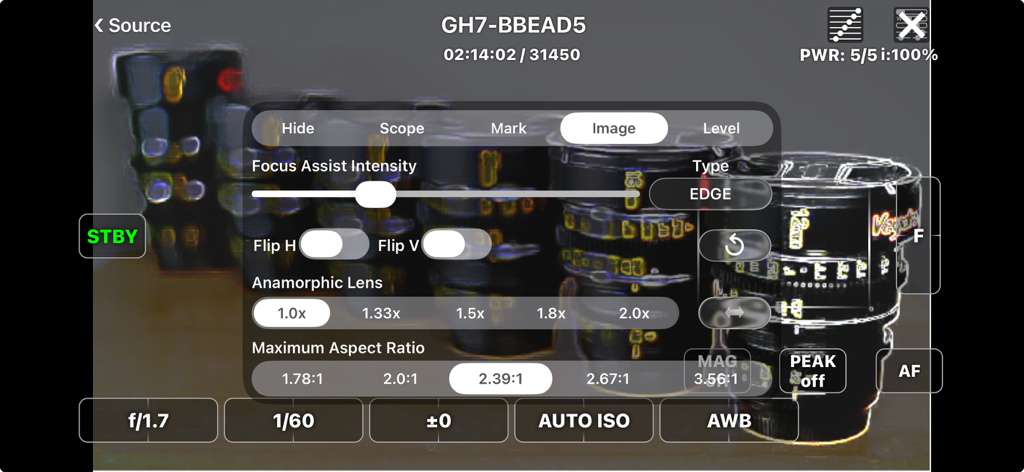
전문 비디오 모니터링을 위한 아나모픽 렌즈 및 종횡비 설정을 보여주는 FieldMonitor 앱 인터페이스

FieldMonitor - 포커스 어시스트 강도, 이미지 반전 및 아나모픽 렌즈 디스퀴즈 비율 설정이 포함된 FieldMonitor 앱 인터페이스
포커스 어시스트 강도, 이미지 반전 및 아나모픽 렌즈 디스퀴즈 비율 설정이 포함된 FieldMonitor 앱 인터페이스

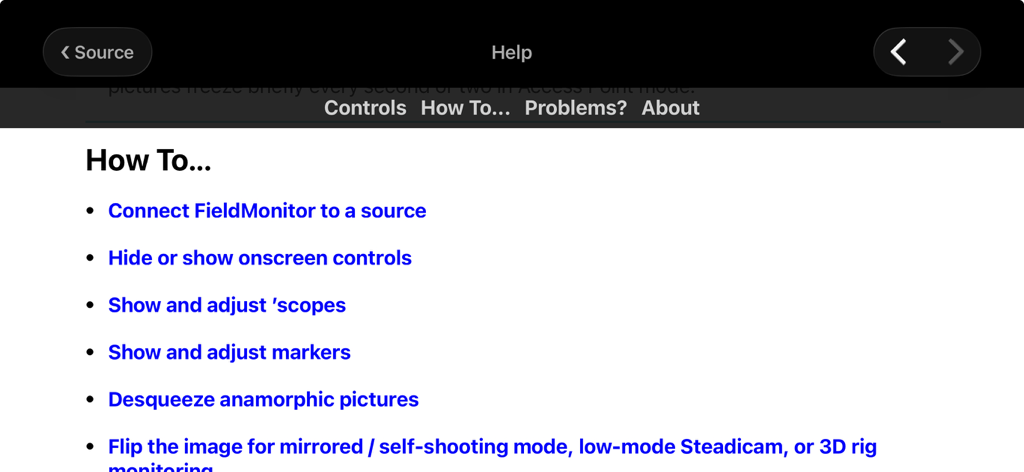
FieldMonitor - 전문 카메라 모니터링을 위한 다양한 방법 항목을 보여주는 FieldMonitor 앱 도움말 인터페이스

전문 카메라 모니터링을 위한 다양한 방법 항목을 보여주는 FieldMonitor 앱 도움말 인터페이스

설명

FieldMonitor gives you wireless monitoring & control for Canons, Panasonics, Sonys, and Teradeks. IMPORTANT: DO NOT buy FieldMonitor without reading this ENTIRE description! Test your camera with its native Wi-Fi app to make sure your workflow and recording formats are supported BEFORE buying FieldMonitor. Make sure you have the controls you need with the native app, and that image quality and lag are acceptable. Contact me if you have any questions. • FieldMonitor has the same latency, resolution, and reliability as your camera’s native app. • If a camera control or feature does not work with the native app, it won’t work with FieldMonitor. • FieldMonitor has NO playback, review or download capability. • In areas with busy Wi-Fi networks and/or sources of radio interference, performance cannot be guaranteed, whether using FieldMonitor or your camera’s native app. WHAT IT DOES: FieldMonitor™ lets you monitor picture, exposure, and color on supported Canon™, Panasonic™, and Sony™ cameras, and Teradek™ H.264/HEVC transmitters. FieldMonitor runs on iPhone, iPad, iPod touch, and Apple Silicon (M1) Mac. Use markers to show safe areas, aspect ratios, and framing grids. Desqueeze anamorphic images, cropped to your final aspect ratio. Flip the image on either axis. Focus Assist helps you nail focus. Use a waveform monitor, vectorscope, histogram, false color, and 3D LUTs. With iPhone 5S or later, iPod touch 6G or later, iPad Air or later, iPad mini 2 or later, and iPad Pro, you can see a false-color picture with adjustable levels. With a supported camera and lens you can start/stop recording, control exposure and color settings, and zoom or focus remotely. Controls are designed for fast, realtime adjustments. See the FieldMonitor website for details. SUPPORTED SOURCES: • Canon: EOS mirrorless and DSLR cameras that support video recording in Wi-Fi remote mode when using Canon’s Camera Connect. • Panasonic: Lumix cameras that transmit a live view while recording when using Image App or Lumix Sync. GH3 and earlier cameras do NOT support video recording in Wi-Fi remote mode. • Sony: only Alpha and RX cameras that transmit a live view while recording when using Imaging Edge Mobile. A5000, A6000, A7, A7R, A99 and earlier cameras do NOT support video recording in Wi-Fi remote mode. • Teradek: H.264 and HEVC encoders only (Cube, Serv Pro), not uncompressed (Bolt). • More info on the FieldMonitor website’s support page. LIMITATIONS: • FieldMonitor does not work with cine cameras or camcorders, only “hybrid” still & video cameras (mirrorless or DSLR). • Audio is not transmitted from cameras, only Teradeks. • Camera Wi-Fi images are 512x288, 640x360, 320x180, or 1024x576 depending on the camera. Teradeks support 240p to 1080p. • “Smart Remote” Sonys do NOT allow use of Picture Profiles, S-Log, or S&Q Motion when using Wi-Fi remote control. Focus points can only be set in photo mode. • “Ctrl w/ Smartphone“ Sonys do not display focus area, battery level, and/or storage info. Focus points can’t be set in the app with most cameras other than A1, A7Siii, and FX3, in video mode only. • Fujifilm legacy support: ONLY X-T3 and X-T100 are supported. X-T3 only records 1080p / 29.97 fps; X-T100 only records 720p / 24 fps. See https://www.adamwilt.com/fieldmonitor/support.html#Fujifilm for other limitations. LEGAL: Canon, EOS, Camera Connect, Fujifilm, Panasonic, Lumix, Image App, Lumix Sync, Sony, Imaging Edge Mobile, Teradek, Cube, Clip, VidiU, Serv, & Bolt are all trademarks of their respective owners. FieldMonitor is an independently-developed app; Canon, Fujifilm, Panasonic, Sony, and Teradek are not responsible for FieldMonitor’s performance, suitability, or fitness for purpose.

Download

다운로드: App Store

이 페이지는 앱이나 개발자의 공식 페이지가 아니며, 정보 제공 및 논평을 목적으로 작성된 독립 편집 간행물입니다. 명시적으로 달리 언급되지 않는 한, 해당 앱이나 개발자는 MWM, Apple, Google Play, 앱 퍼블리셔 또는 앱 개발자와 제휴, 보증, 후원, 승인 또는 공식적으로 연결되어 있지 않으며, 이 페이지의 어떤 내용도 해당 앱이 MWM의 서비스를 사용하여 개발되었음을 의미하지 않습니다. 모든 상표, 로고, 스크린샷 및 기타 콘텐츠는 해당 소유자의 자산입니다.








