Fiery Feeds: News Reader
다운로드: App Store

이 페이지는 앱이나 개발자의 공식 페이지가 아니며, 정보 제공 및 논평을 목적으로 작성된 독립 편집 간행물입니다. 명시적으로 달리 언급되지 않는 한, 해당 앱이나 개발자는 MWM, Apple, Google Play, 앱 퍼블리셔 또는 앱 개발자와 제휴, 보증, 후원, 승인 또는 공식적으로 연결되어 있지 않으며, 이 페이지의 어떤 내용도 해당 앱이 MWM의 서비스를 사용하여 개발되었음을 의미하지 않습니다. 모든 상표, 로고, 스크린샷 및 기타 콘텐츠는 해당 소유자의 자산입니다.

로고: Fiery Feeds: News Reader
다운로드: App Store

Fiery Feeds: News Reader

스마트 필터, 텍스트 추출 및 전문가급 키보드 단축키를 갖춘 고도의 맞춤형 뉴스 리더로 알고리즘으로부터 제어권을 되찾으세요.

주요 수치

다운로드

206K+

사용자 평점

4.4/5

총 평가 수

1K+

개발사

Lukas Burgstaller

카테고리

News

지원 언어

33

최신 버전

2.14.9

크기

172.7 MB

출시일

2016년 10월 12일
기능

정보 전문가를 위해 설계되었습니다

연구를 간소화하고 생산성을 극대화하도록 설계된 고도의 맞춤형 피드 리더로 알고리즘에서 벗어나세요.

지능형 피드 관리

스마트 뷰(Smart Views)로 소음을 제거하세요. 인기 링크를 자동으로 식별하고, 기사 길이에 따라 필터링하며, 필독 소스의 우선순위를 정하여 앞서 나가세요.

프로 수준의 맞춤 설정

색상 테마부터 키보드 단축키, 사용자 정의 URL 공유 작업까지 모든 것을 고유한 전문 워크플로우에 완벽하게 맞추세요.

다음 스크린샷과 설명은 앱의 공식 스토어 목록에서 직접 가져온 것이며 앱 개발자의 자산입니다.

앱 스토어

스크린샷
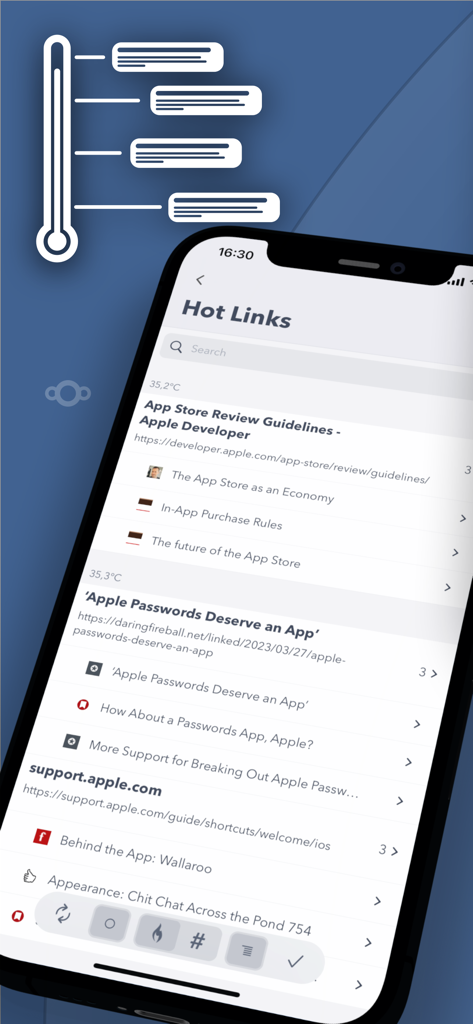
Fiery Feeds: News Reader - 트렌드 뉴스 및 기사를 강조하는 Fiery Feeds의 인기 링크 기능을 보여주는 스마트폰 화면
트렌드 뉴스 및 기사를 강조하는 Fiery Feeds의 인기 링크 기능을 보여주는 스마트폰 화면

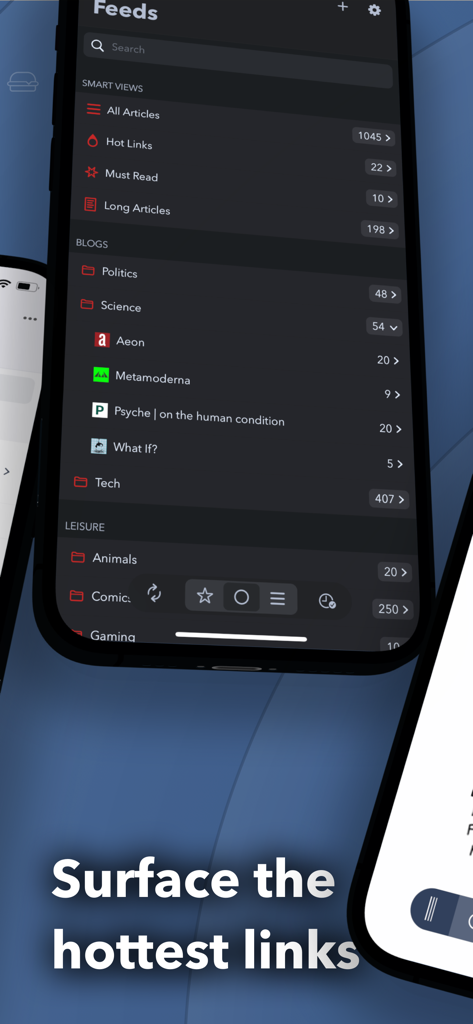
Fiery Feeds: News Reader - 스마트 폴더와 인기 링크를 표시하는 Fiery Feeds 뉴스 리더 앱의 인터페이스
스마트 폴더와 인기 링크를 표시하는 Fiery Feeds 뉴스 리더 앱의 인터페이스

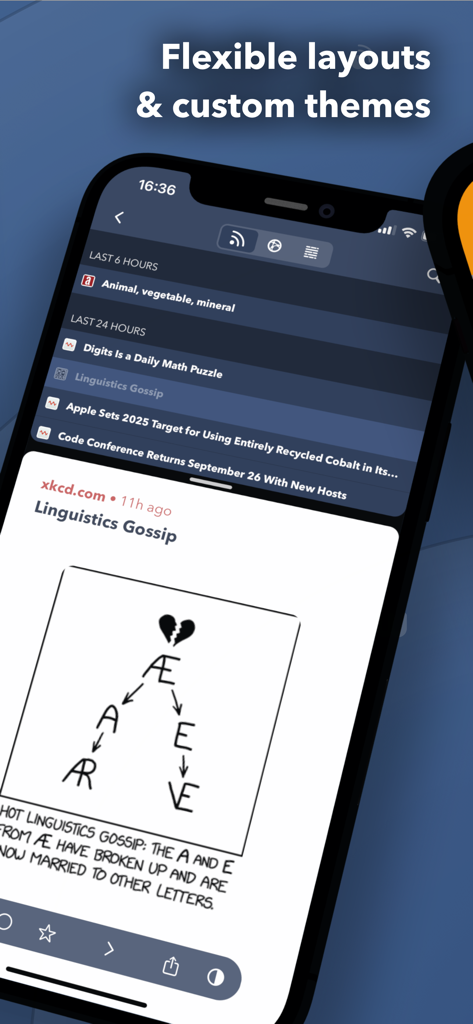
Fiery Feeds: News Reader - xkcd 만화가 포함된 iPhone에서 유연한 레이아웃과 맞춤형 다크 테마를 보여주는 Fiery Feeds 뉴스 리더 앱 인터페이스
xkcd 만화가 포함된 iPhone에서 유연한 레이아웃과 맞춤형 다크 테마를 보여주는 Fiery Feeds 뉴스 리더 앱 인터페이스

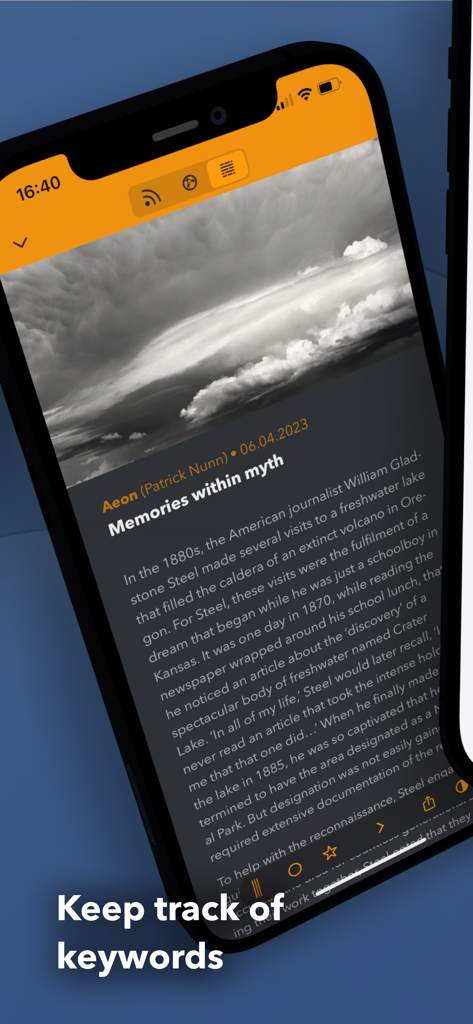
Fiery Feeds: News Reader - 키워드 추적 기능 텍스트와 함께 Fiery Feeds에서 뉴스 기사를 표시하는 스마트폰
키워드 추적 기능 텍스트와 함께 Fiery Feeds에서 뉴스 기사를 표시하는 스마트폰

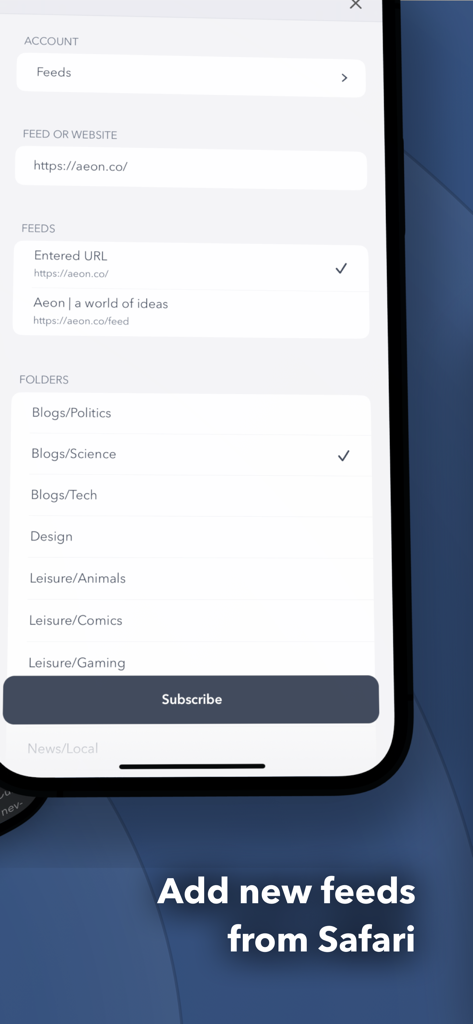
Fiery Feeds: News Reader - Fiery Feeds에서 새로운 RSS 피드를 추가하고 카테고리 폴더를 선택하는 인터페이스.
Fiery Feeds에서 새로운 RSS 피드를 추가하고 카테고리 폴더를 선택하는 인터페이스.

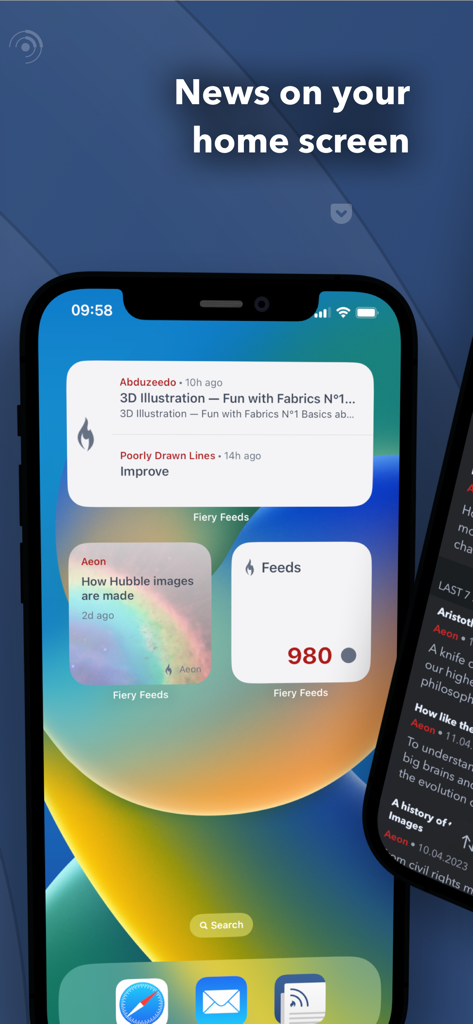
Fiery Feeds: News Reader - iPhone 홈 화면에 표시된 세 개의 Fiery Feeds 뉴스 및 피드 개수 위젯
iPhone 홈 화면에 표시된 세 개의 Fiery Feeds 뉴스 및 피드 개수 위젯

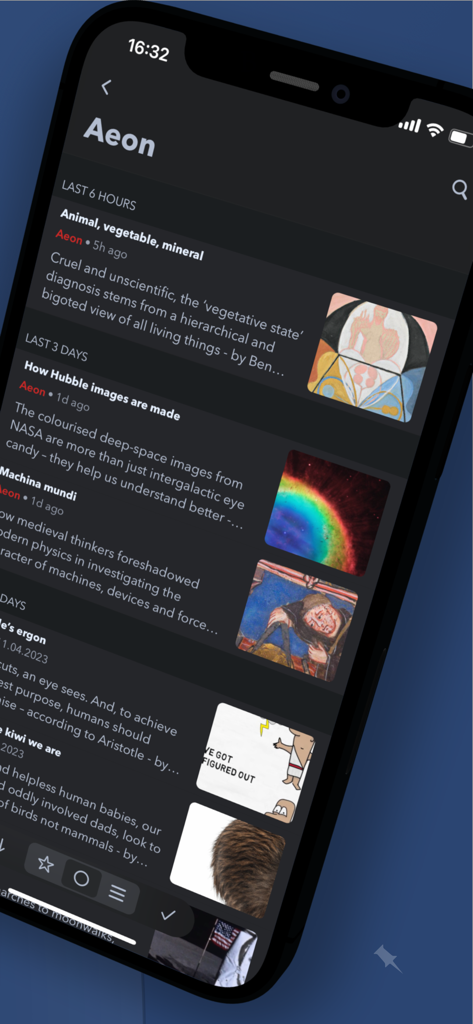
Fiery Feeds: News Reader - 다크 모드에서 Aeon의 뉴스 피드를 보여주는 Fiery Feeds 앱 스크린샷.

다크 모드에서 Aeon의 뉴스 피드를 보여주는 Fiery Feeds 앱 스크린샷.

설명

Fiery Feeds is a powerful and highly customisable feed reader and read-it-later client that syncs with most services. - Smart Views - Hot Links - Finds the most linked to websites in your articles Low and High Frequency - folders shows articles from feeds that only post rarely or particularly often. Long and Short Articles - folders filter articles by length. Must Read - folder is a specially highlighted folder, where you can put the most important feeds. Recents - folder only shows articles published today - Text Extraction - Fiery Feeds can automatically extract the full article text or display the website instead of the truncated article text. The selected mode is remembered by feed and the full text can even be downloaded for offline viewing. - Home Widgets - Fiery Feeds includes Home Widgets to display the lastest or random articles, or article counts in specific accounts. You can mark articles starred or read directly from the widget - Smart Searches - You can create saved searches matching multiple properties like content, title, published date, posting frequency and more. - Safari Extension - You can subscribe to new feeds and save links to read later right in Safari with the included extension. - Keyboard Shortcuts - Fiery Feeds fully supports external keyboards and keyboard shortcuts. You can navigate the entire app using only the keyboard if you want to. - Customisable - You can create your own color themes, there is a directory of user-created themes and a theme editor included. - Custom URL Sharing - Fiery also supports sharing to other apps and websites using URL schemes that you can create yourself or install from the action directory and customisable email templates. - Feed Management - You can subscribe to new feeds, unsubscribe, move or rename them. You can add new folders, delete, move or rename them. You can even group your folders. - VoiceOver - Every feature is accessible via VoiceOver. - Even more - Highly customisable - Almost every aspect of Fiery Feeds is customisable. Color Themes, Fonts, Text sizes. If you want a leisurely reading environment, just the headlines, or anything in between, Fiery Feeds has you covered. Horizontal article swiping - You can swipe to the next or previous article by swiping horizontally, instead of vertically. This avoids having to scroll down the entire (long) article just to get to the next one. Marking Articles Read - On Scrolling, only articles older than some time, or marking all above or below a specific article read. Three Pane View - Especially designed for larger iPads. - Supported Feed Accounts - Feedly, Feedbin, Fever, NewsBlur, Tiny Tiny RSS, Inoreader, Bazqux, FreshRSS, The Old Reader, Nextcloud News, iCloud, Local Accounts - Supported Read Later Accounts - Pinboard, Pocket, Instapaper, Wallabag, iCloud, Local Accounts - Fiery Feeds Premium - Fiery Feeds Premium automatically renews as a paid subscription, unless cancelled at least 24 hours before the date of renewal. The payment will be charged to iTunes Account at confirmation of purchase. Your account will be charged for renewal within 24-hours prior to the end of the current period. You can cancel a free trial or subscription anytime by turning off auto-renewal through your iTunes account settings. This must be done 24 hours before the end of a free trial or subscription period to avoid being charged. The cancellation will take effect the day after the last day of the current subscription period, and you will be downgraded to the free service. Any unused portion of a free trial period will be forfeited when you purchase a premium subscription during the free trial period. Privacy Policy: https://voidstern.net/privacy-policy Terms of Use: https://voidstern.net/terms-of-use

Download

다운로드: App Store

이 페이지는 앱이나 개발자의 공식 페이지가 아니며, 정보 제공 및 논평을 목적으로 작성된 독립 편집 간행물입니다. 명시적으로 달리 언급되지 않는 한, 해당 앱이나 개발자는 MWM, Apple, Google Play, 앱 퍼블리셔 또는 앱 개발자와 제휴, 보증, 후원, 승인 또는 공식적으로 연결되어 있지 않으며, 이 페이지의 어떤 내용도 해당 앱이 MWM의 서비스를 사용하여 개발되었음을 의미하지 않습니다. 모든 상표, 로고, 스크린샷 및 기타 콘텐츠는 해당 소유자의 자산입니다.