
이 페이지는 앱이나 개발자의 공식 페이지가 아니며, 정보 제공 및 논평을 목적으로 작성된 독립 편집 간행물입니다. 명시적으로 달리 언급되지 않는 한, 해당 앱이나 개발자는 MWM, Apple, Google Play, 앱 퍼블리셔 또는 앱 개발자와 제휴, 보증, 후원, 승인 또는 공식적으로 연결되어 있지 않으며, 이 페이지의 어떤 내용도 해당 앱이 MWM의 서비스를 사용하여 개발되었음을 의미하지 않습니다. 모든 상표, 로고, 스크린샷 및 기타 콘텐츠는 해당 소유자의 자산입니다.

Newsify: RSS Reader
정보를 제어하세요. AI 기반 요약 및 원활한 다중 장치 동기화로 좋아하는 블로그와 뉴스를 아름답고 방해 없는 레이아웃으로 통합하세요.
다운로드
754K+사용자 평점
총 평가 수
35K+개발사
카테고리
News지원 언어
1최신 버전
8.0.4크기
111.9 MB출시일
2012년 4월 22일정보 흐름을 제어하세요
알고리즘 노이즈를 버리고 좋아하는 블로그와 저널을 아름답고 방해 없는 환경에서 개인화된 피드로 큐레이션하세요.
우아한 신문 레이아웃
집중과 미적 즐거움을 위해 디자인된 멋진 고가독성 보기로 좋아하는 콘텐츠를 경험하세요.
AI 기반 기사 요약
바쁜 전문가에게 완벽한 스마트 요약으로 즉시 핵심 통찰력을 얻어 생산성을 극대화하세요.
자주 묻는 질문
에 대해 알아야 할 모든 것 Newsify: RSS Reader
Newsify: RSS Reader는 무엇인가요?
Newsify는 신문과 유사한 레이아웃으로 사용자가 좋아하는 웹사이트와 블로그를 읽고 공유할 수 있는 무료 RSS 리더 앱입니다. 뉴스, 블로그, RSS 피드를 한곳에 모아줍니다.
Newsify는 무료 앱인가요?
네, Newsify는 무료로 다운로드하고 사용할 수 있습니다. 추가 기능에 대한 프리미엄 구독인 Newsify Premium을 제공하며, 7일 동안 무료로 체험할 수 있습니다.
Newsify는 어떤 동기화 옵션을 제공하나요?
Newsify는 Feedly 또는 Newsify 계정과 동기화할 수 있습니다. 사용자는 계정 없이 앱을 사용하고 iCloud와 동기화할 수도 있습니다. Newsify 계정을 사용하면 newsify.co에서 액세스할 수 있습니다.
Newsify는 오프라인 읽기를 지원하나요?
네, Newsify는 오프라인 읽기를 지원합니다. 이 기능은 이미지 캐싱을 포함하여 인터넷 연결 없이도 기사와 이미지에 액세스할 수 있습니다.
Newsify에 야간 모드나 테마가 있나요?
네, Newsify에는 야간 모드가 포함되어 있으며, 자동 또는 수동으로 설정할 수 있고 설정에서 활성화할 수 있습니다. 또한 밝음, 세피아, 회색, 어두움 등 여러 가지 테마를 제공합니다.
Newsify Premium의 가격은 얼마인가요?
Newsify Premium은 월 $2.99 USD 또는 연 $29.99 USD입니다. 가격은 지역에 따라 다를 수 있습니다. 결제는 iTunes 계정으로 청구되며, 기간 종료 24시간 전에 자동 갱신됩니다.
Newsify Premium은 기사의 자동 전체 텍스트를 제공하나요?
네, Newsify Premium은 대부분의 부분 피드에 대해 자동으로 전체 텍스트를 제공합니다. 이 기능을 통해 사용자는 기사를 오프라인 읽기용으로 저장하여 콘텐츠 접근성을 높일 수 있습니다.
Newsify는 AI 기사 요약을 제공하나요?
네, Newsify Premium에는 AI 기사 요약 기능이 포함되어 있습니다. 이 베타 기능은 iOS/iPadOS 26이 필요하며 Apple Intelligence를 활용하여 기사를 요약합니다.
Newsify 앱에서 광고를 제거할 수 있나요?
네, 사용자는 Newsify Premium을 구독하여 광고를 제거할 수 있습니다. 프리미엄 구독은 기사 보기 시 광고 없는 경험을 제공합니다.
Newsify의 개인정보 처리방침은 어디에서 찾을 수 있나요?
Newsify의 개인정보 처리방침은 웹사이트에서 확인할 수 있습니다. 사용자는 https://newsify.co/privacy-policy/에서 전체 정책에 액세스할 수 있습니다.
다음 스크린샷과 설명은 앱의 공식 스토어 목록에서 직접 가져온 것이며 앱 개발자의 자산입니다.
앱 스토어
스크린샷
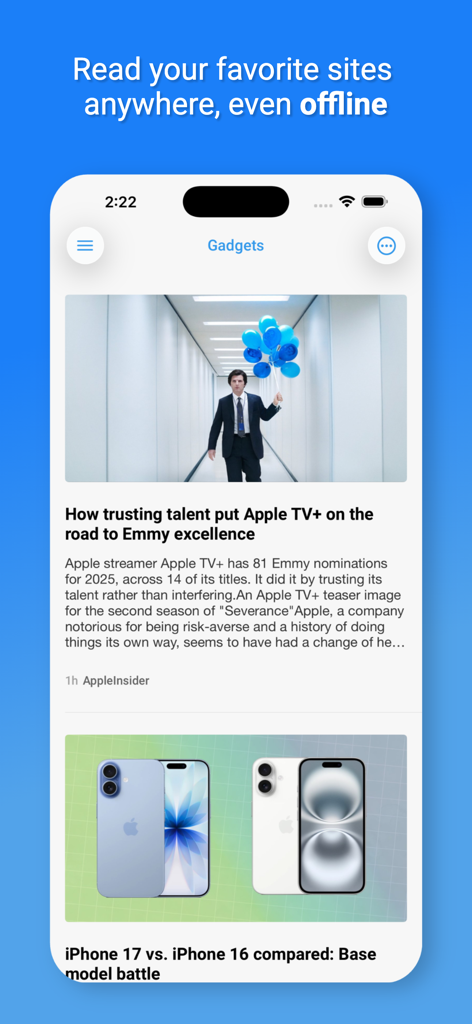
오프라인 읽기에 대한 헤드라인과 함께 가젯 기사의 깔끔한 뉴스 피드를 보여주는 Newsify RSS 리더 앱이 있는 스마트폰 화면.
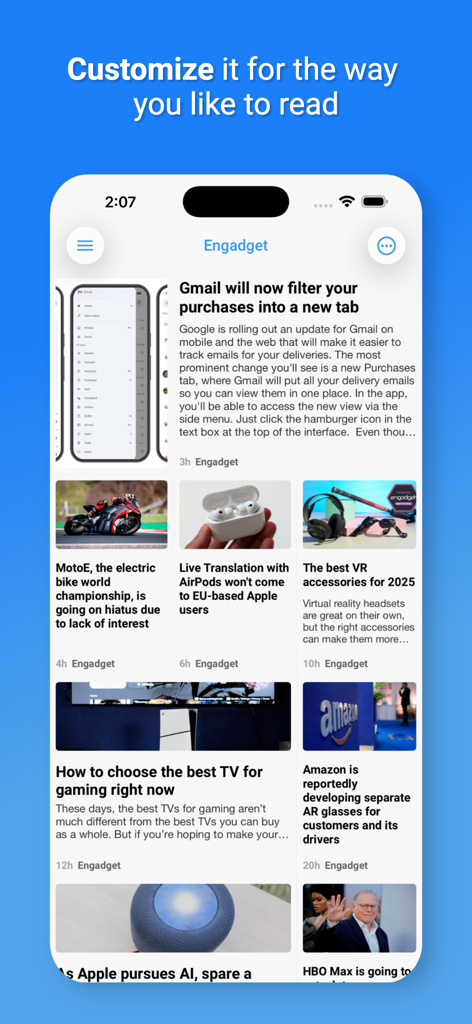
기술 뉴스 기사가 있는 사용자 지정 가능한 신문 레이아웃을 보여주는 Newsify 앱의 스크린샷
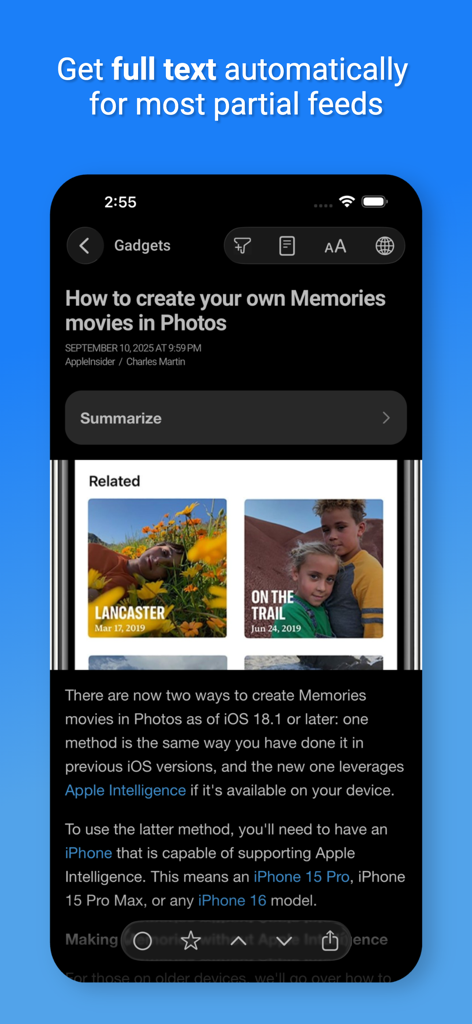
자동 전체 텍스트 및 AI 요약 옵션이 있는 야간 모드에서 기사를 표시하는 Newsify 앱
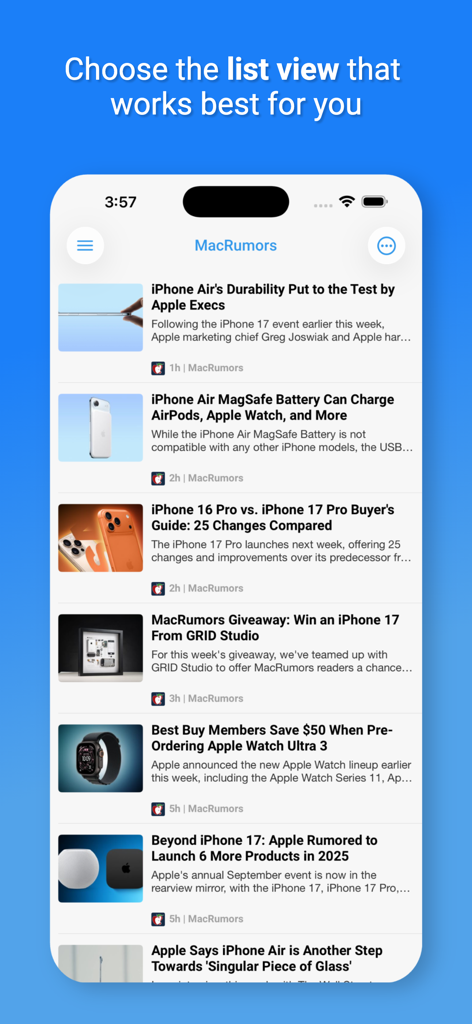
iPhone에서 MacRumors 기술 뉴스 기사의 사용자 지정 가능한 목록 보기인 Newsify 앱 표시
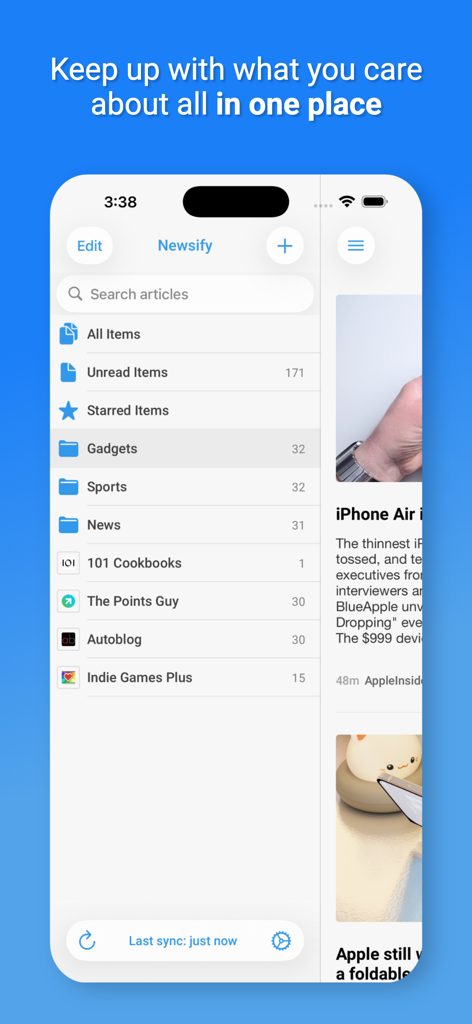
깔끔한 메뉴 레이아웃으로 뉴스 카테고리 목록과 읽지 않은 기사를 보여주는 Newsify RSS 리더 앱 인터페이스.

Newsify 앱이 내장 웹 브라우저에서 Engadget의 뉴스 기사를 표시하고 있습니다.
설명
Download
비슷한 앱
유사한 기능과 사용자 경험을 가진 앱

NetNewsWire: RSS Reader
Brent Simmons

feeeed: rss reader and more
James Parrott

Perch Reader
GM LABS, INC.

Flipboard: The Social Magazine
Flipboard, Inc.

Feedly - Smart News Reader
Feedly Inc.

Inoreader: News & RSS reader
INNOLOGICA OOD
Outread: Speed Reading
Arkadiusz Holko

feeder.co - RSS Feed Reader
Really Simple i Stockholm AB

Unread: An RSS Reader
John Brayton
이 페이지는 앱이나 개발자의 공식 페이지가 아니며, 정보 제공 및 논평을 목적으로 작성된 독립 편집 간행물입니다. 명시적으로 달리 언급되지 않는 한, 해당 앱이나 개발자는 MWM, Apple, Google Play, 앱 퍼블리셔 또는 앱 개발자와 제휴, 보증, 후원, 승인 또는 공식적으로 연결되어 있지 않으며, 이 페이지의 어떤 내용도 해당 앱이 MWM의 서비스를 사용하여 개발되었음을 의미하지 않습니다. 모든 상표, 로고, 스크린샷 및 기타 콘텐츠는 해당 소유자의 자산입니다.