
이 페이지는 앱이나 개발자의 공식 페이지가 아니며, 정보 제공 및 논평을 목적으로 작성된 독립 편집 간행물입니다. 명시적으로 달리 언급되지 않는 한, 해당 앱이나 개발자는 MWM, Apple, Google Play, 앱 퍼블리셔 또는 앱 개발자와 제휴, 보증, 후원, 승인 또는 공식적으로 연결되어 있지 않으며, 이 페이지의 어떤 내용도 해당 앱이 MWM의 서비스를 사용하여 개발되었음을 의미하지 않습니다. 모든 상표, 로고, 스크린샷 및 기타 콘텐츠는 해당 소유자의 자산입니다.


FileMate
이 앱은 당신의 파일 혼란을 끝낸다. 아이폰의 파일 시스템을 강탈하고 당신의 데이터에 대한 절대적인 통제권을 부여한다.
다운로드
1M+사용자 평점
총 평가 수
21.4K개발사
카테고리
Productivity지원 언어
11최신 버전
13.1크기
92.3 MB출시일
2015년 4월 18일iPhone 사용자를 위한 강력한 로컬 파일 관리 솔루션의 핵심 역량 평가
FileMate 앱 심층 분석: 주요 기능
강력한 개인 정보 보호
이 앱은 민감한 파일을 숨기고, 다른 앱으로부터 파일을 격리하며, 선택적으로 암호 보호 기능을 제공하여 사용자의 디지털 프라이버시를 강력하게 보호합니다.
앱 접근 암호 잠금
이 도구는 앱 접근을 위한 암호, Face ID 또는 Touch ID 잠금 기능을 제공하여, 사용자의 동의 없이는 앱 내부의 파일에 접근할 수 없도록 강력한 보안을 유지합니다.
강력한 파일 뷰어
이 앱은 Office 문서, PDF 파일, 다양한 텍스트 형식, 고해상도 이미지, 그리고 오디오 및 비디오 파일을 포함한 여러 종류의 파일을 앱 내에서 바로 확인하고 미리 볼 수 있게 합니다.
슈퍼 숨김 모드
이 기능은 숨겨진 파일 관련 설정을 완전히 감춰, 숨김 기능 자체의 존재를 다른 사람이 알 수 없도록 하여 최고 수준의 프라이버시를 제공합니다.
유연한 파일 추가 및 전송
사용자가 다양한 방법을 통해 파일을 앱으로 가져올 수 있으며, PC 및 Mac과의 편리한 무선 전송을 지원하여 파일 입수 경로를 다양화합니다.
포괄적인 파일 관리 도구
이 앱은 파일을 효율적으로 정리하고, 이름을 변경하며, 복사 및 이동할 수 있도록 지원하여 모바일 환경에서 파일 관리를 용이하게 합니다. 또한, 이름, 유형, 시간 또는 크기별로 파일을 정렬할 수 있습니다.
스마트 파일 검색
퍼지 검색 및 다중 키워드 검색 기능을 통해 사용자가 방대한 파일 속에서 필요한 파일을 빠르고 정확하게 찾아낼 수 있도록 돕습니다.
편리한 파일 공유 기능
이 도구는 파일을 일괄적으로 가져오거나 다른 앱으로 쉽게 공유할 수 있는 기능을 제공하여, 다양한 앱과의 연동 및 워크플로우 효율성을 향상시킵니다.
자주 묻는 질문
에 대해 알아야 할 모든 것 FileMate
What is FileMate?
FileMate is a local file management tool for phones that allows users to browse, manage, and protect their files. It supports various file types and offers features like archiving, searching, and privacy protection.
What types of files can FileMate browse?
FileMate can browse Office, PDF, and various text files like txt, json, java, php, swift, xml. It also supports picture formats including long vertical and high-resolution images, and plays audio/video files.
How can I add files to FileMate?
Users can add files to FileMate by creating them within the app, importing from system Photos/Files or other apps, or sharing via WiFi between PC and iPhone. Mac users can use Finder and iTunes.
What file management operations does FileMate support?
FileMate supports creating new directories, renaming, copying, moving, deleting, viewing attributes, and setting hidden files. Users can also sort files by name, type, time, and size.
Does FileMate offer privacy protection for files?
Yes, FileMate provides privacy protection through hidden files, password lock, Face ID, and Touch ID unlock. It also includes a "Super hidden" feature to conceal related settings.
Can FileMate archive and unarchive files?
Yes, FileMate supports archiving and unarchiving files in 7z, rar, zip, and tar formats. It also allows setting passwords for archived files.
How does the hidden files feature work in FileMate?
FileMate allows users to set private files as hidden, making them not displayed by default. Hidden files can be displayed when needed, and their settings can be super hidden.
Can I password-protect FileMate?
Yes, FileMate offers a password lock to enter the app. It also supports Face ID and Touch ID unlock, with customizable authentication-free time intervals for convenience.
How much does the monthly FileMate subscription cost?
The FileMate "All Access, Removing Ad" subscription costs $0.99 per month. This service renews automatically unless turned off at least 24 hours before the current period ends.
What is the annual subscription price for FileMate?
The annual "All Access, Removing Ad" subscription for FileMate costs $9.99 per year. This subscription auto-renews unless disabled at least 24 hours prior to the current period's end.
How do I manage my FileMate subscription?
Users can manage their FileMate subscriptions and turn off auto-renewal through their iTunes Account Settings after purchase. This allows full control over subscription preferences.
What is the "Super Hidden" feature in FileMate?
The "Super hidden" feature in FileMate allows users to hide all setting items related to hidden files within the app. Users can then reveal these hidden settings using a shake gesture.
Does FileMate have a "Shake Control" feature?
Yes, FileMate includes a "Shake Control" feature. Users can shake their device to undo recent deletions or to show hidden files.
Can I customize the appearance of FileMate?
Yes, FileMate offers theme settings where users can modify the app's theme, folder appearance, menu structure, and text size. Dark Mode is also available for customization.
다음 스크린샷과 설명은 앱의 공식 스토어 목록에서 직접 가져온 것이며 앱 개발자의 자산입니다.
앱 스토어
스크린샷
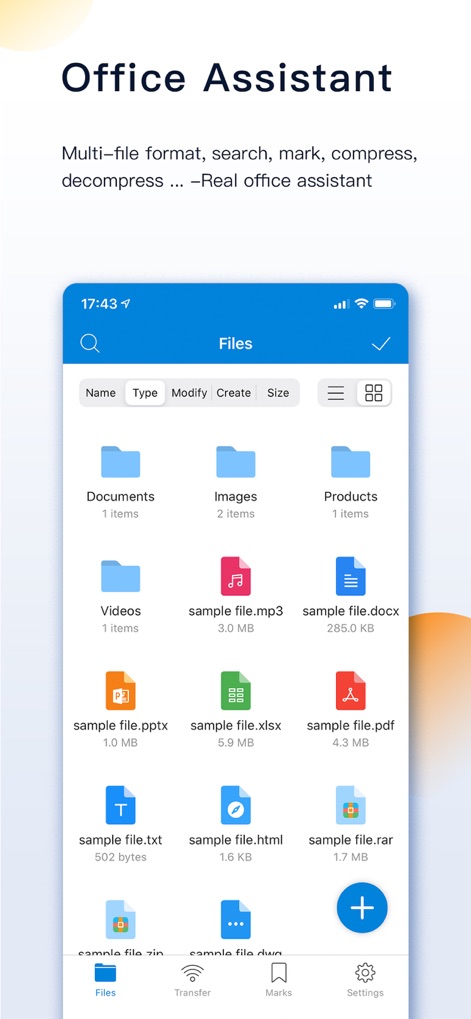
사용자는 이 앱에서 다양한 문서 형식과 미디어 파일을 한눈에 확인하고 분류된 폴더 구조를 통해 효율적으로 관리할 수 있습니다.
강력한 문서 관리
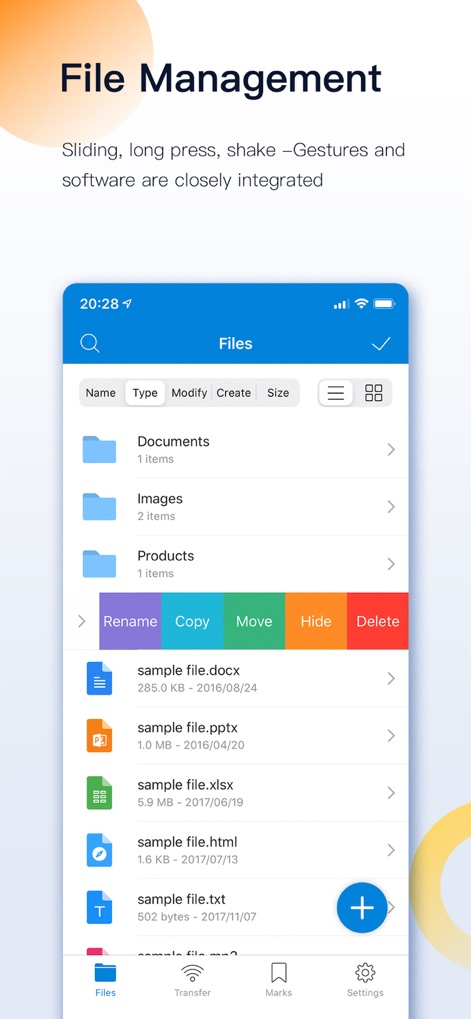
이 도구는 파일을 효율적으로 관리하기 위해 이름 변경, 복사 기능을 제공하며, 사용자는 간단한 제스처로 파일 관리 옵션에 접근할 수 있습니다.
직관적인 파일 제어
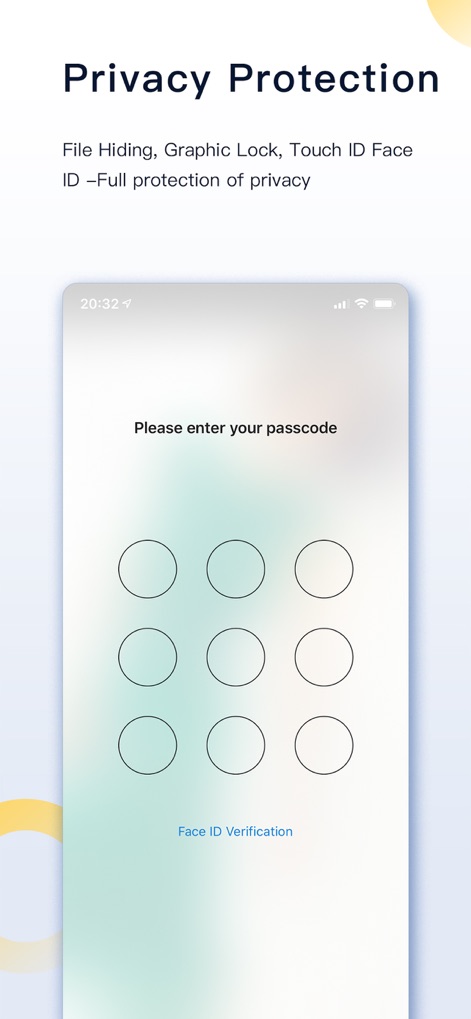
이 앱은 사용자의 중요한 파일을 보호하기 위해 비밀번호 잠금 기능을 제공하며, Face ID를 이용한 생체 인증으로 보안을 강화합니다.
강력한 개인 정보 보호
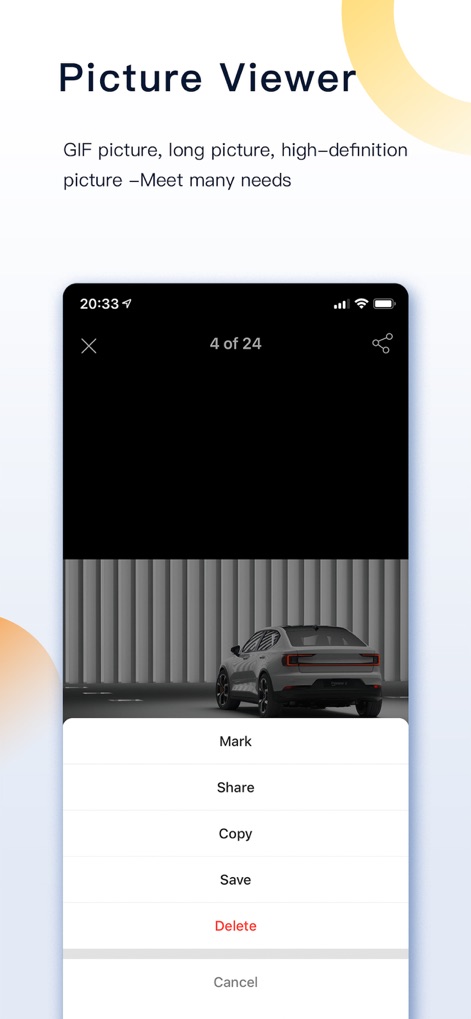
이 앱은 고화질 이미지를 쉽게 열람할 수 있도록 지원하며, 사용자는 표시된 액션 시트를 통해 이미지를 공유하거나 저장할 수 있습니다.
생생한 이미지 뷰어
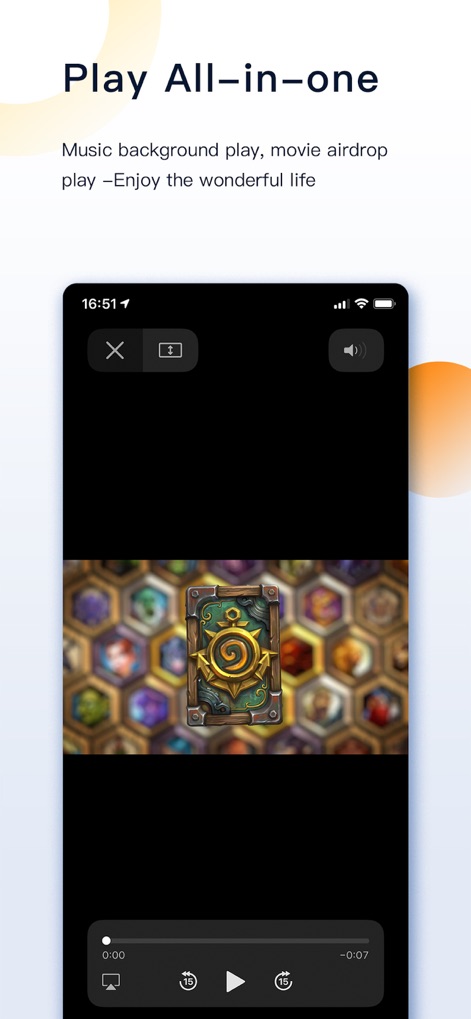
이 앱은 효율적인 미디어 플레이어를 통해 비디오 콘텐츠를 원활하게 재생하며, 사용자는 하단의 재생 컨트롤을 이용해 쉽게 제어할 수 있습니다.
통합 미디어 재생
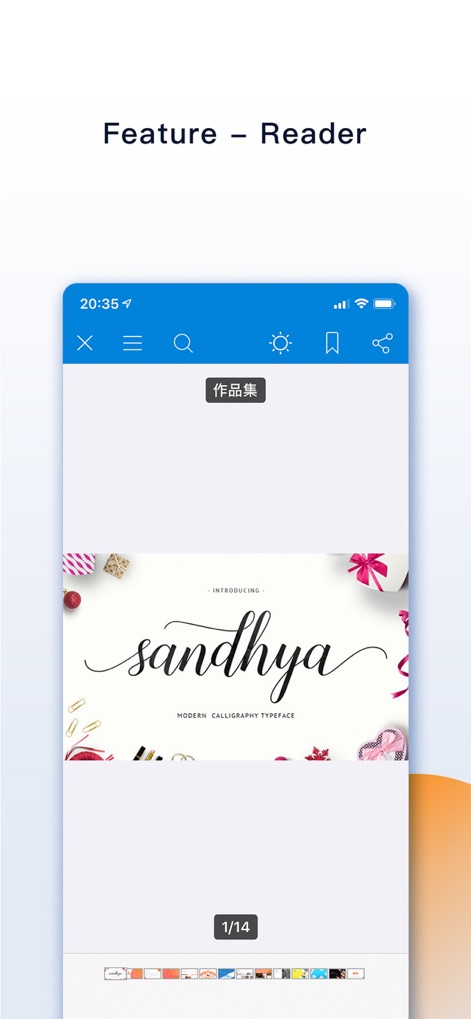
이 앱은 다양한 형식의 문서를 읽을 수 있는 전문 리더 기능을 제공하며, 상단 바의 북마크 및 공유 옵션으로 편리함을 더합니다.
정교한 문서 리더
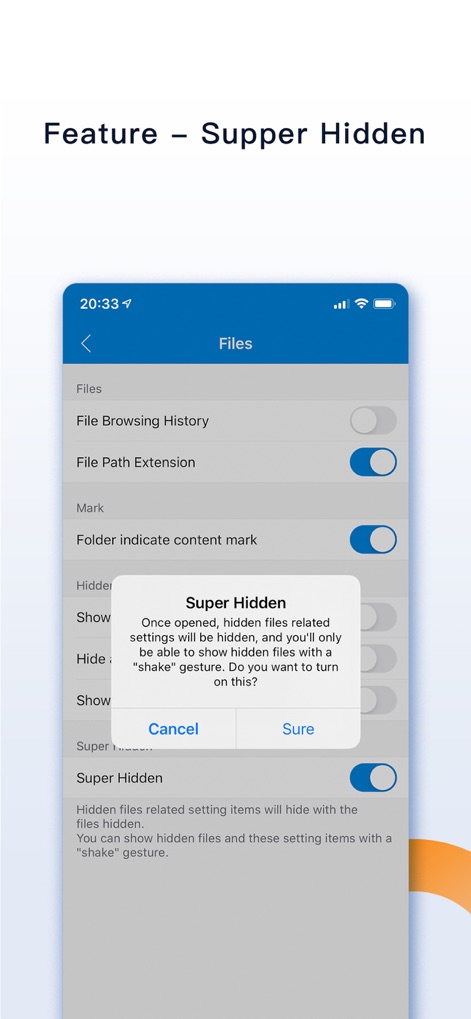
이 도구는 민감한 파일을 위한 '슈퍼 숨김 모드'를 제공하여 관련 설정 항목을 숨기며, 사용자는 흔들기 제스처를 통해 숨겨진 파일을 관리할 수 있습니다.
초강력 숨김 모드

이 앱은 흔들기 제어 기능을 통해 최근 삭제된 파일을 되돌리거나 숨겨진 파일을 표시하는 등 편리한 단축키를 제공합니다.
스마트 흔들기 제어
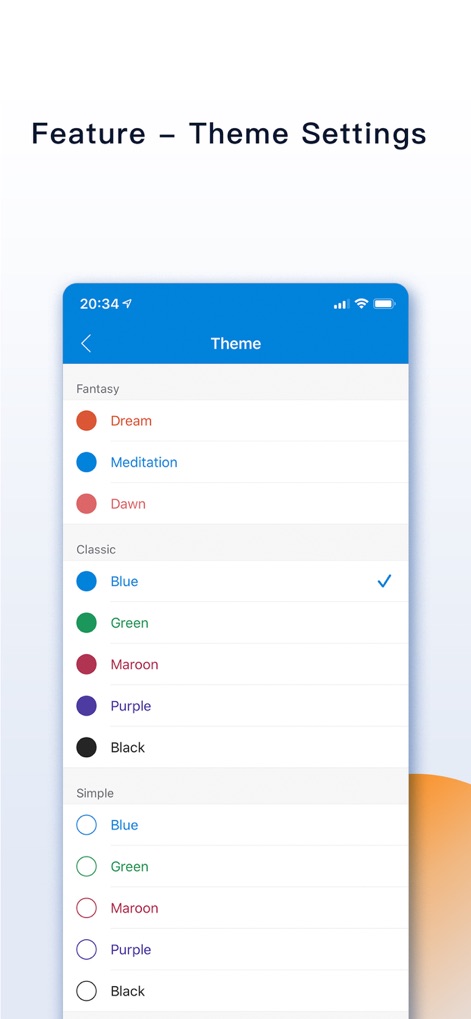
이 도구는 다양한 '클래식' 및 '판타지' 테마 옵션을 제공하여 사용자가 자신의 취향에 맞춰 인터페이스 색상을 변경할 수 있도록 합니다.
개인 맞춤 테마
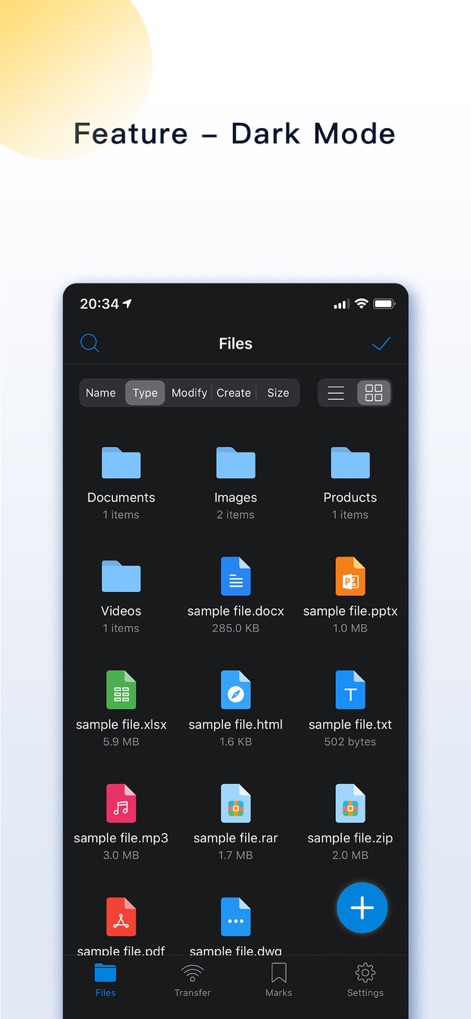
이 앱은 야간 사용 시 눈의 피로를 줄여주는 다크 모드를 지원하며, 어두운 배경과 밝은 텍스트로 가독성을 높입니다.
편안한 다크 모드
설명
Download
비슷한 앱
유사한 기능과 사용자 경험을 가진 앱

Private Photo Vault - Pic Safe
Legendary Software Labs LLC

PBox-Private Photo Vault
宇 刘

PV - Secret Photo Album
Haibin Jiao

Safe Lock - Hidden Photo Vault
Katerina Akhlebinina

SV - Private Photo Vault PRO
Legendary Software Labs LLC

Converter: Hidden Photo Vault
Dmitry Petrov

Calculator Lock - Secure Vault
MacyMind

Secret Photo Vault: Keepsafe
KeepSafe Software, Inc

Digiposte: secure storage
la poste
이 페이지는 앱이나 개발자의 공식 페이지가 아니며, 정보 제공 및 논평을 목적으로 작성된 독립 편집 간행물입니다. 명시적으로 달리 언급되지 않는 한, 해당 앱이나 개발자는 MWM, Apple, Google Play, 앱 퍼블리셔 또는 앱 개발자와 제휴, 보증, 후원, 승인 또는 공식적으로 연결되어 있지 않으며, 이 페이지의 어떤 내용도 해당 앱이 MWM의 서비스를 사용하여 개발되었음을 의미하지 않습니다. 모든 상표, 로고, 스크린샷 및 기타 콘텐츠는 해당 소유자의 자산입니다.