이 페이지는 앱이나 개발자의 공식 페이지가 아니며, 정보 제공 및 논평을 목적으로 작성된 독립 편집 간행물입니다. 명시적으로 달리 언급되지 않는 한, 해당 앱이나 개발자는 MWM, Apple, Google Play, 앱 퍼블리셔 또는 앱 개발자와 제휴, 보증, 후원, 승인 또는 공식적으로 연결되어 있지 않으며, 이 페이지의 어떤 내용도 해당 앱이 MWM의 서비스를 사용하여 개발되었음을 의미하지 않습니다. 모든 상표, 로고, 스크린샷 및 기타 콘텐츠는 해당 소유자의 자산입니다.
Find Device - bluetooth finder
당황하지 말고 교체 비용을 절약하세요. 당사의 시각적 신호 레이더는 misplaced Apple Watch, AirPods 또는 기타 Bluetooth 장치로 정확하게 안내합니다.
주요 수치
다운로드
7K+
사용자 평점
4.5/5
총 평가 수
100
개발사
LANARS LLC
카테고리
Utilities
지원 언어
33
최신 버전
1.2.6
크기
15.4 MB
출시일
2020년 12월 1일
기능
찾는 것을 멈추고, 찾기 시작하세요
iPhone을 고정밀 레이더로 변환하여 AirPods부터 Apple Pencil, 피트니스 트래커까지 모든 분실한 블루투스 장치를 몇 초 안에 찾으세요.
실시간 신호 레이더
'더 따뜻하거나 더 차갑게' 거리 센서를 사용하여 기기에 얼마나 가까이 있는지 정확하게 확인하세요. 더 이상 방을 뒤지지 않아도 됩니다.
범용 BLE 스캐너
Apple 생태계에 최적화되어 있지만, 스피커나 스마트 밴드와 같은 모든 Bluetooth 저전력 장치를 찾는 데 충분히 강력합니다.
다음 스크린샷과 설명은 앱의 공식 스토어 목록에서 직접 가져온 것이며 앱 개발자의 자산입니다.
앱 스토어
스크린샷
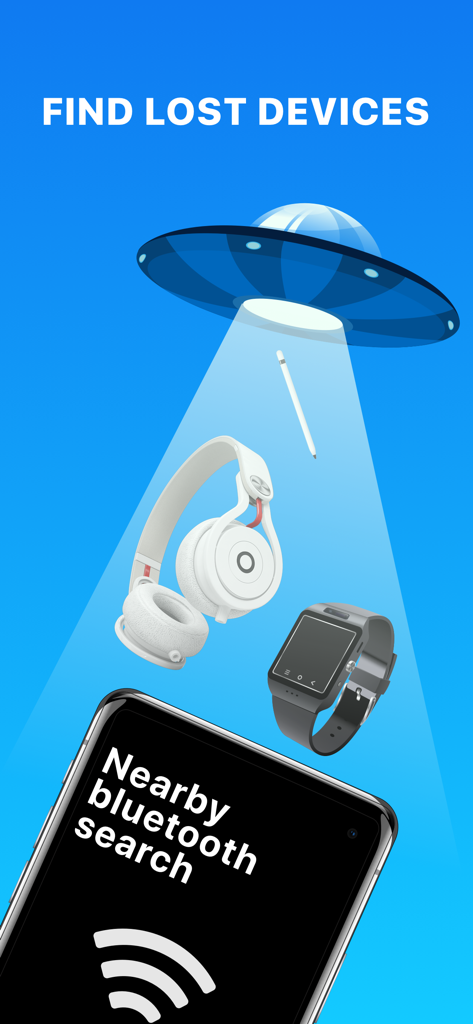
UFO 빔이 기기 찾기 앱이 실행 중인 휴대폰 위로 헤드폰 및 스마트워치와 같은 분실물을 스캔하는 것을 보여주는 그림
성공했다고 말하는 말풍선과 찾은 기기 카운터로 축하하는 만화 소년
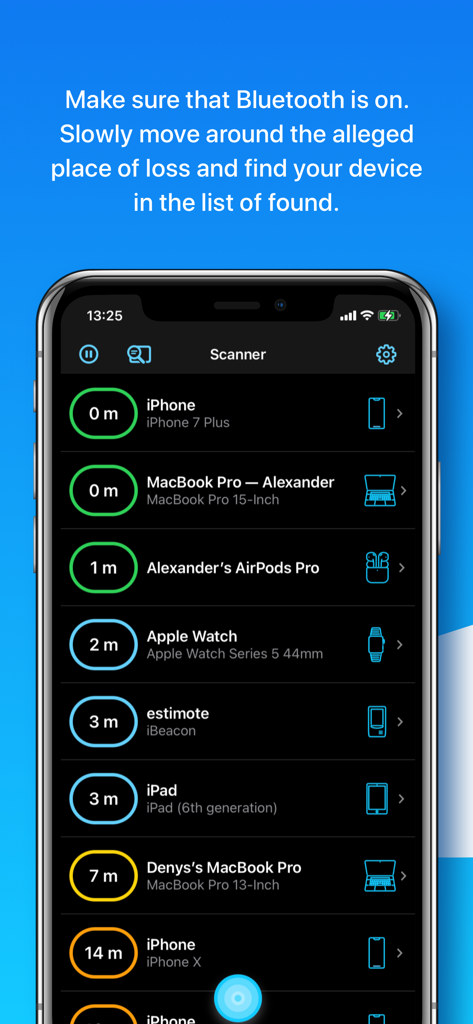
가까운 Bluetooth 장치 목록과 미터 단위의 예상 거리를 보여주는 기기 찾기 앱의 인터페이스
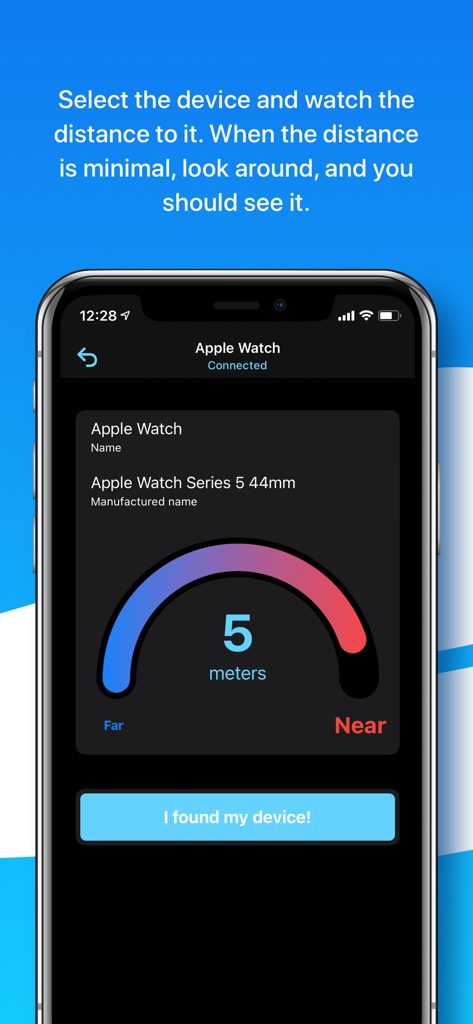
연결된 Apple Watch까지 5미터를 보여주는 거리 센서 인터페이스
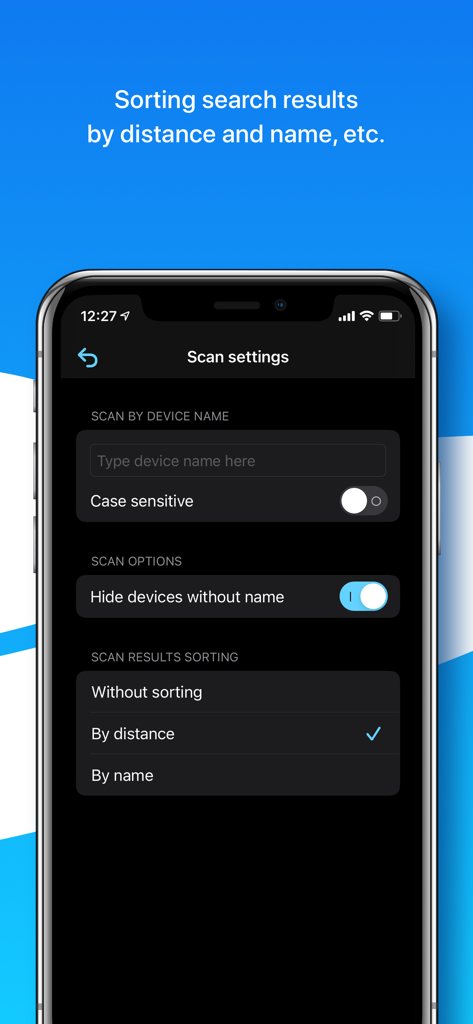
기기 이름으로 필터링하고 결과를 거리 또는 이름으로 정렬하는 옵션을 보여주는 기기 찾기 앱의 스캔 설정 화면
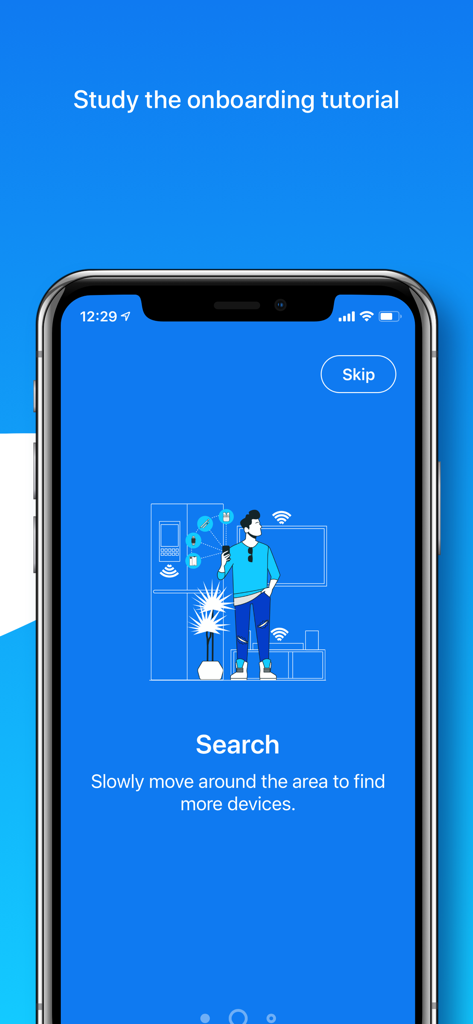
분실한 Bluetooth 장치를 찾기 위해 방을 스캔하는 사람을 보여주는 앱 온보딩 화면
설명
Can’t find your AirPods, Apple Pencil, Apple Watch, iPhone, iPad, iPod, Smartphone, Tablet, Smart Watch, Fitness Tracker, Headphones, Smart Bands, Speakers, or any other Bluetooth device?
We can help you!
If the lost device is on and its battery isn’t dead, we can provide you with the help to scan and find it via its Bluetooth.
How to detect and find the lost device?
1. Open our application, make sure that Bluetooth is on, and the permission to use it is granted.
2. Slowly move around the alleged place of loss and find your device in the list of found.
3. Select the device and watch the distance to it.
4. When the distance is minimal, look around, and you should see it.
Additionally, study the video tutorials above. We hope it’ll come in handy and provide an overview of the capabilities of our application for finding lost devices.
About the app:
In the application you’ll see a list of Bluetooth devices around you and the approximate distance to them. Also, a device name, manufactured name, device type, if such information can be retrieved from a Bluetooth device. You’ll be able to go to a screen with a distance sensor, which will be useful for you when searching.
What else is useful in our app:
- sorting search results by distance and name;
- searching by a specific device name;
- possibility to see unnamed Bluetooth devices, perhaps yours is among them;
- helpful tips for finding and discovering devices;
- convenient scale showing the distance to the device.
Tips and Questions:
- Why can't I see my device on the list? Sometimes not all devices are visible in the app, because they are turned off, too far away, or just not sending Bluetooth signal.
- Why are the distance numbers unstable? The displayed distance is not stable because of the connection type and possible obstacles between you and your founded device.
- Why do I see Unknown devices? Some devices don’t transmit data, such as name or manufactured name, however, you’ll be able to see the distance to it.
- How to find a single AirPod? If you are looking for a single AirPod – put the other one in the AirPod case and close it. Then wait 5-7 seconds and continue. If you are looking for both AirPods – ignore this advice.
- How to find the AirPod case? The AirPods case itself doesn’t send a signal.
- Can I find AirPods if they are in a closed AirPod case? No, since AirPods in a closed case do not transmit a signal.
- How to find an Apple Pencil? First try our app on iPad, to which Apple pencil was connected. But we could find Apple Pencil on both iPhone and MacBook.
- Are you sure your app works? Definitely yes. Our team tested it and hid the devices all over our big office. All the devices were found. The search time was approximately 3-10 minutes.
A list of the main BLE (Bluetooth Low Energy) devices that you can search for:
- Apple devices such as AirPods (on iPhone/iPad), Apple Pencils (only on iPad), Apple Watches, iPods, iPads, MacBooks.
- Bluetooth Headphones, Speakers, Earbuds such as JBL, Beats, etc.
- Fitness Trackers as Mi Band, Xiaomi, etc.
- Smartphones, Tablets, Smart Watches, and Smart Bands such as Microsoft Band, Samsung Gear, etc.
- All other Bluetooth BLE (Bluetooth Low Energy) devices.
The app supports Dark and Light modes, so your eyes will be happy.
We’re planning to develop our application together with you.
For any questions, contact support - hello@lanars.com
이 페이지는 앱이나 개발자의 공식 페이지가 아니며, 정보 제공 및 논평을 목적으로 작성된 독립 편집 간행물입니다. 명시적으로 달리 언급되지 않는 한, 해당 앱이나 개발자는 MWM, Apple, Google Play, 앱 퍼블리셔 또는 앱 개발자와 제휴, 보증, 후원, 승인 또는 공식적으로 연결되어 있지 않으며, 이 페이지의 어떤 내용도 해당 앱이 MWM의 서비스를 사용하여 개발되었음을 의미하지 않습니다. 모든 상표, 로고, 스크린샷 및 기타 콘텐츠는 해당 소유자의 자산입니다.