FireWorksBld
FireWorksBld
다운로드: App Store

이 페이지는 앱이나 개발자의 공식 페이지가 아니며, 정보 제공 및 논평을 목적으로 작성된 독립 편집 간행물입니다. 명시적으로 달리 언급되지 않는 한, 해당 앱이나 개발자는 MWM, Apple, Google Play, 앱 퍼블리셔 또는 앱 개발자와 제휴, 보증, 후원, 승인 또는 공식적으로 연결되어 있지 않으며, 이 페이지의 어떤 내용도 해당 앱이 MWM의 서비스를 사용하여 개발되었음을 의미하지 않습니다. 모든 상표, 로고, 스크린샷 및 기타 콘텐츠는 해당 소유자의 자산입니다.

로고: FireWorksBld
다운로드: App Store

FireWorksBld

흐릿한 사진은 이제 그만. 카메라를 완벽하게 수동 제어하여 소셜 미디어에서 돋보이는 숨 막히게 아름다운 불꽃놀이 사진과 GIF를 촬영, 합성 및 공유하세요.

주요 수치

다운로드

700

사용자 평점

1.0/5

총 평가 수

0

개발사

HIROFUMI MARUO

카테고리

Photo & Video

지원 언어

2

최신 버전

1.4

크기

19.1 MB

출시일

2016년 7월 16일
기능

모든 불꽃의 마법을 포착하세요

흐릿한 야간 사진은 이제 그만. FireWorksBld는 iPhone에서 직접 멋진 다층 레이어 불꽃놀이 사진과 애니메이션을 제작할 수 있는 전문가급 도구를 제공합니다.

완벽한 합성 사진 마스터하기

여러 번의 불꽃 터짐을 하나의 숨 막히는 걸작으로 결합하세요. 사진 스택 기능을 통해 전체 불꽃 쇼의 화려함을 단 한 장의 사진에 모두 담을 수 있습니다.

확장된 연속 촬영

최대 50초까지 연속 촬영 타이머를 설정하세요. 첫 발사부터 화려한 피날레까지, 단 하나의 불꽃이나 폭발도 놓치지 않을 것입니다.

다음 스크린샷과 설명은 앱의 공식 스토어 목록에서 직접 가져온 것이며 앱 개발자의 자산입니다.

앱 스토어

스크린샷
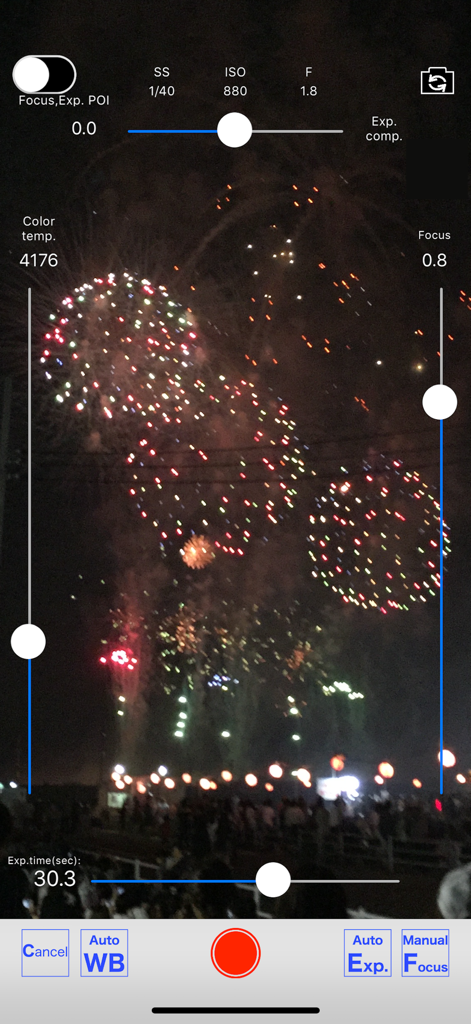
FireWorksBld - 수동 카메라 설정과 불꽃놀이 장면을 보여주는 FireWorksBld 앱 인터페이스
수동 카메라 설정과 불꽃놀이 장면을 보여주는 FireWorksBld 앱 인터페이스

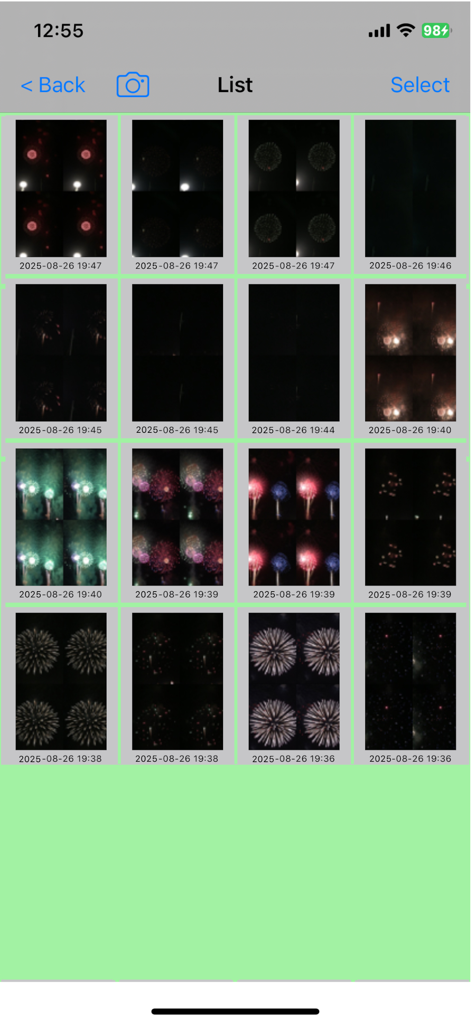
FireWorksBld - FireWorksBld 앱의 타임스탬프가 포함된 불꽃놀이 사진 그리드 갤러리.
FireWorksBld 앱의 타임스탬프가 포함된 불꽃놀이 사진 그리드 갤러리.

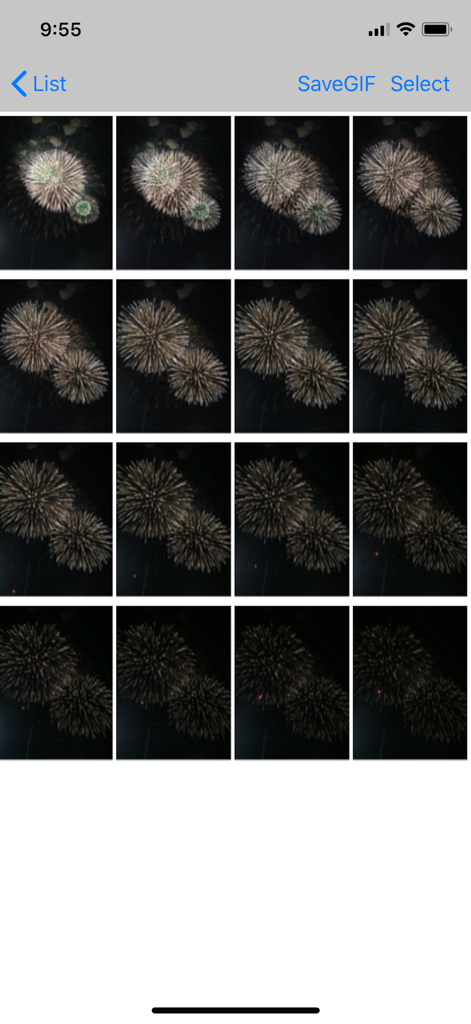
FireWorksBld - GIF 또는 합성 이미지를 만들기 위해 프레임을 선택할 수 있는 FireWorksBld 앱 내 연속 불꽃 촬영 사진의 그리드 디스플레이.
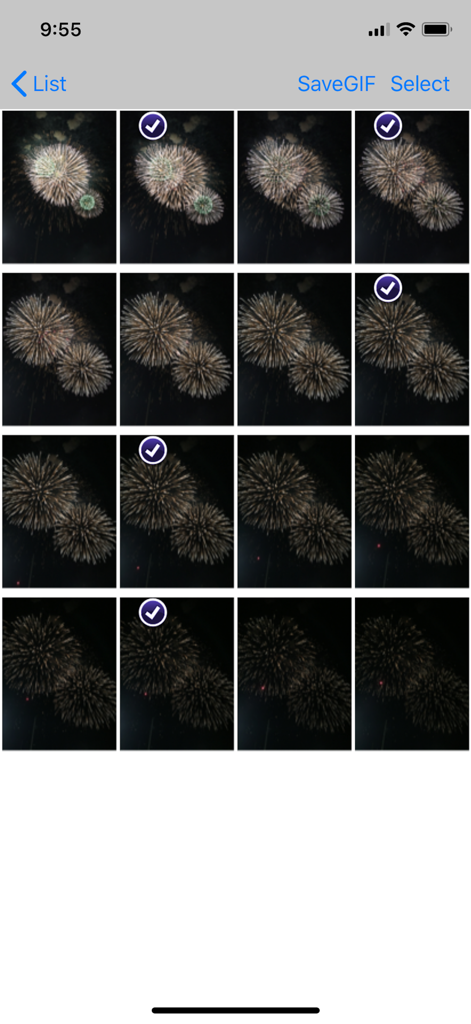
GIF 또는 합성 이미지를 만들기 위해 프레임을 선택할 수 있는 FireWorksBld 앱 내 연속 불꽃 촬영 사진의 그리드 디스플레이.

FireWorksBld - FireWorksBld 앱에서 편집을 위해 여러 프레임이 선택된 불꽃놀이 사진 그리드를 보여주는 인터페이스
FireWorksBld 앱에서 편집을 위해 여러 프레임이 선택된 불꽃놀이 사진 그리드를 보여주는 인터페이스

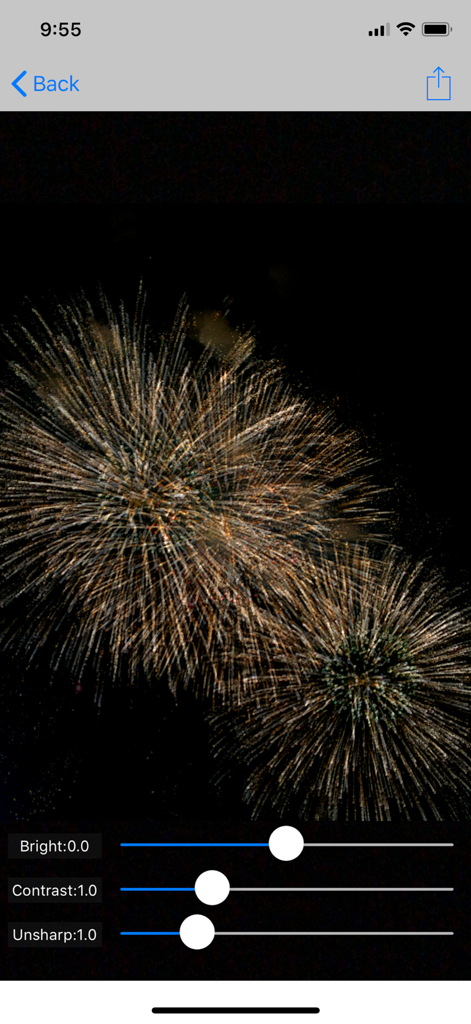
FireWorksBld - 밝기, 대비, 선명도 조절 슬라이더와 황금빛 불꽃놀이 사진이 표시된 FireWorksBld 앱 편집 화면

밝기, 대비, 선명도 조절 슬라이더와 황금빛 불꽃놀이 사진이 표시된 FireWorksBld 앱 편집 화면

설명

This application can take photos of fireworks from shooting off to the point of falling and make a splendid photo of fireworks by combining several photos afterwards. GIF animation can be created. With this, it became possible to watch the appearance of the fireworks going up and opened by animation. Shooting starts when you release the shutter. If you leave it as it is, it will end after the set number of seconds. If you press the shutter again during shooting, it will end immediately. The followings are how to use this app and the operability is easy to use. (1) Set the consecutive shots time (seconds). Set the time to take photos of fireworks with a slider. You can set it up to 50 seconds. (2) Aim a back camera in the direction of setting off fireworks. When it is far away, the zoom is available. The front camera is also selectable. (3) Tap the shutter with the timing of setting off fireworks. --> Consecutive shooting starts. (4) Choose images of fireworks to composite among the images of consecutive shots. (5) Execution of combining. (6) You can post composite photos on SNS. ・The shutter speed is 1/50 second in default setting. The consecutive shots’ speed becomes slow when you slow it than this. The consecutive shots are automatically adjusted to make about three shots in a second. ・If the preview is too dark, you can brighten it by increasing the exposure compensation or by switching to manual exposure and increasing the ISO. When a preview is too bright, reduce ISO level or make shutter speed high. ・In automatic exposure mode, the shutter speed may become slow and consecutive shots’ speed may become slow. ・In addition, this app provides manual setting of focus and manual setting of white balance. *** The promotion screenshots were taken at the real fireworks. *** This app includes the following open sources. ・GPUImage(Copyright (c) 2012, Brad Larson, Ben Cochran, Hugues Lismonde, Keitaroh Kobayashi, Alaric Cole, Matthew Clark, Jacob Gundersen, Chris Williams. All rights reserved.)

Download

다운로드: App Store

이 페이지는 앱이나 개발자의 공식 페이지가 아니며, 정보 제공 및 논평을 목적으로 작성된 독립 편집 간행물입니다. 명시적으로 달리 언급되지 않는 한, 해당 앱이나 개발자는 MWM, Apple, Google Play, 앱 퍼블리셔 또는 앱 개발자와 제휴, 보증, 후원, 승인 또는 공식적으로 연결되어 있지 않으며, 이 페이지의 어떤 내용도 해당 앱이 MWM의 서비스를 사용하여 개발되었음을 의미하지 않습니다. 모든 상표, 로고, 스크린샷 및 기타 콘텐츠는 해당 소유자의 자산입니다.








