Flipbook Maker .Analog/digital
다운로드: App Store

이 페이지는 앱이나 개발자의 공식 페이지가 아니며, 정보 제공 및 논평을 목적으로 작성된 독립 편집 간행물입니다. 명시적으로 달리 언급되지 않는 한, 해당 앱이나 개발자는 MWM, Apple, Google Play, 앱 퍼블리셔 또는 앱 개발자와 제휴, 보증, 후원, 승인 또는 공식적으로 연결되어 있지 않으며, 이 페이지의 어떤 내용도 해당 앱이 MWM의 서비스를 사용하여 개발되었음을 의미하지 않습니다. 모든 상표, 로고, 스크린샷 및 기타 콘텐츠는 해당 소유자의 자산입니다.

로고: Flipbook Maker .Analog/digital
다운로드: App Store

Flipbook Maker .Analog/digital

스케치와 사진을 몇 초 만에 독특한 디지털 애니메이션으로 변환하세요. 크리에이터와 몽상가들이 로파이(Lo-Fi) 낙서를 바이럴 영상으로 만들 수 있는 가장 쉬운 방법입니다.

주요 수치

다운로드

2K+

사용자 평점

1.7/5

총 평가 수

0

개발사

MINERVA K.K.

카테고리

Photo & Video

지원 언어

2

최신 버전

1.0.4

크기

51.4 MB

출시일

2023년 8월 30일
기능

당신의 창의력을 생동감 있게 표현하세요

스케치, 사진, 낙서를 공유 가능한 플립북 애니메이션으로 만드는 가장 간단한 방법입니다. 복잡한 소프트웨어 없이 상상력과 몇 번의 탭만 있으면 됩니다.

아날로그에서 디지털 마법으로

종이 스케치를 부드러운 디지털 애니메이션으로 변환하세요. 손으로 그린 페이지를 사진으로 찍거나 스캔하여 스케치북과 화면을 연결하세요.

완벽한 프레임 제어

이미지를 손쉽게 재배열하고 플립 속도를 조절하세요. 완벽한 로파이(Lo-Fi) 리듬을 찾거나 몇 초 만에 빠른 스톱 모션 걸작을 만드세요.

다음 스크린샷과 설명은 앱의 공식 스토어 목록에서 직접 가져온 것이며 앱 개발자의 자산입니다.

앱 스토어

스크린샷
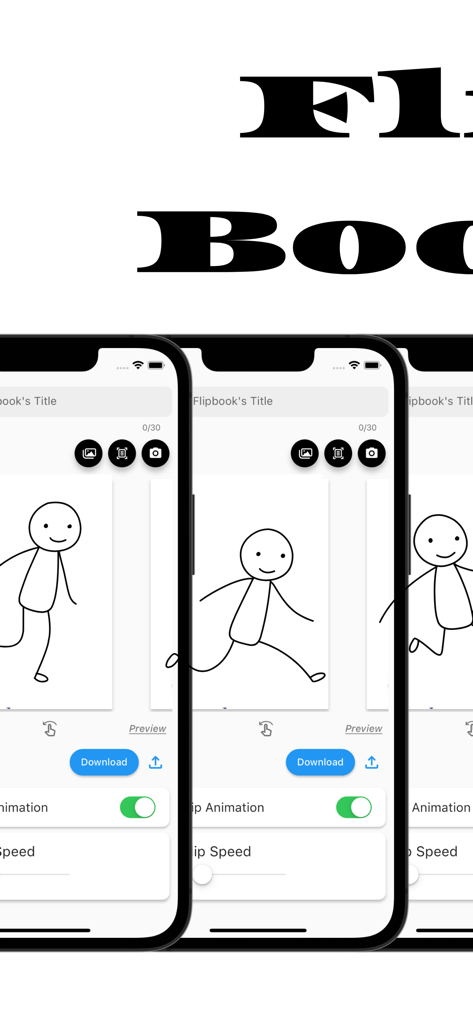
Flipbook Maker .Analog/digital - 세 개의 아이폰 화면에 표시된 플립북 메이커 앱 인터페이스, 스틱 피규어 애니메이션과 편집 도구 표시
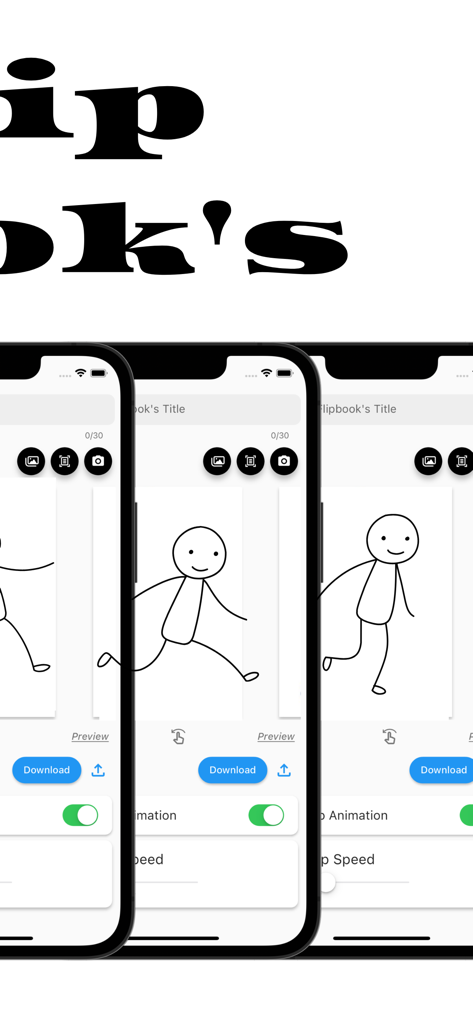
세 개의 아이폰 화면에 표시된 플립북 메이커 앱 인터페이스, 스틱 피규어 애니메이션과 편집 도구 표시

Flipbook Maker .Analog/digital - 세 개의 아이폰 화면에 걸쳐 손그림 스틱 피규어 애니메이션을 보여주는 플립북 메이커 앱 인터페이스

세 개의 아이폰 화면에 걸쳐 손그림 스틱 피규어 애니메이션을 보여주는 플립북 메이커 앱 인터페이스

설명

The definitive app for creating a Flipbook! With this app, anyone can easily create a Flipbook. It is also possible to scan and photograph hand-drawn Flipbooks to create Flipbook videos! You will be able to make analog -> digital. ■How to create a Flipbook 1. put images into the app Import images into the app. Take a picture with the camera directly from the app. Scan the image using the scanning function in the app. 2. rearrange the inserted images or change the flip speed 3. Press the download button What you can create with the "Flipbook Maker App" 1. handwritten flip book. You can scan analog paper and make it digital. 2. a slideshow-like movie in which images are displayed at regular intervals 3. other things that can be created with the function of showing images at regular intervals ■Functions of Flipbook Maker App 1. image import and capture Importing images into the app Capture images directly from the app with the camera Scanning using the scanning function in the app. 2. Creating a Flipbook Create a cartoon by arranging images in sequence Adjust the order and placement of images as desired Add custom flip animations 3. adjusting flip speed 3. adjust page flip speed 4. previewing and editing Preview your video 5. edit and fine-tune your video to see the final result 6. output and share your video Output high quality video Share videos on social media and messaging apps. ■Use Cases for Flipbook Maker App Of course. Below are some specific use cases for your Flipbook generation app 1. creator's creation of artwork Illustrators and artists import their own illustrations into the app and adjust the flip speed to create their own flip-book cartoons. This allows them to express their art in a dynamic format. 2. digitizing traditional art You can scan your analog illustrations or comics and import them into the app to enjoy them in digital media. This allows traditional art to be shared in a new way. 3. realization of storytelling Novelists and storytellers use the app to create stories by combining text and illustrations. Through character movement and scene transitions, the story is visually conveyed to the reader. 4. teaching and learning tools Teachers and students use apps to animate and illustrate historical events, scientific processes, and more. Incorporating visual elements helps increase comprehension. 5. entertainment and sharing Regular users will use the app to share with friends and followers as a hobby. They create parapara cartoons documenting their travels, highlights of special events, or funny episodes from their daily lives, and share the fun. 6. special gifts and presents Users can create and give personalized parapara manga as gifts for special events such as birthdays, anniversaries, weddings, etc. This can be a wonderful way to express emotions and memories. 7. slide show ・Creating Presentations : Students will utilize slideshows to make effective presentations in business and academic settings. Students will combine images and text to present information and create presentation materials. ・training and education : Trainers and educators use slideshows to illustrate topics and provide training materials. Visual elements are used to communicate concepts clearly and enhance learning. ・Event announcements and announcements : Event organizers use slideshows to provide event details, schedules, and venue information. Organize information with images and text to provide attendees with easy-to-understand directions. ■Finally This application is a creative tool that allows you to easily create a Flipbook Manga comic or slideshow. You can use your own art and photos to create engaging animated works. It also supports analog to digital conversion, allowing you to enjoy your art and ideas in a new way. It is a simple and fun application that will expand your creativity. Please give it a try!

Download

다운로드: App Store

이 페이지는 앱이나 개발자의 공식 페이지가 아니며, 정보 제공 및 논평을 목적으로 작성된 독립 편집 간행물입니다. 명시적으로 달리 언급되지 않는 한, 해당 앱이나 개발자는 MWM, Apple, Google Play, 앱 퍼블리셔 또는 앱 개발자와 제휴, 보증, 후원, 승인 또는 공식적으로 연결되어 있지 않으며, 이 페이지의 어떤 내용도 해당 앱이 MWM의 서비스를 사용하여 개발되었음을 의미하지 않습니다. 모든 상표, 로고, 스크린샷 및 기타 콘텐츠는 해당 소유자의 자산입니다.








